GITNUXSOFTWARE ADVICE
Technology Digital MediaTop 10 Best Raw Editing Software of 2026
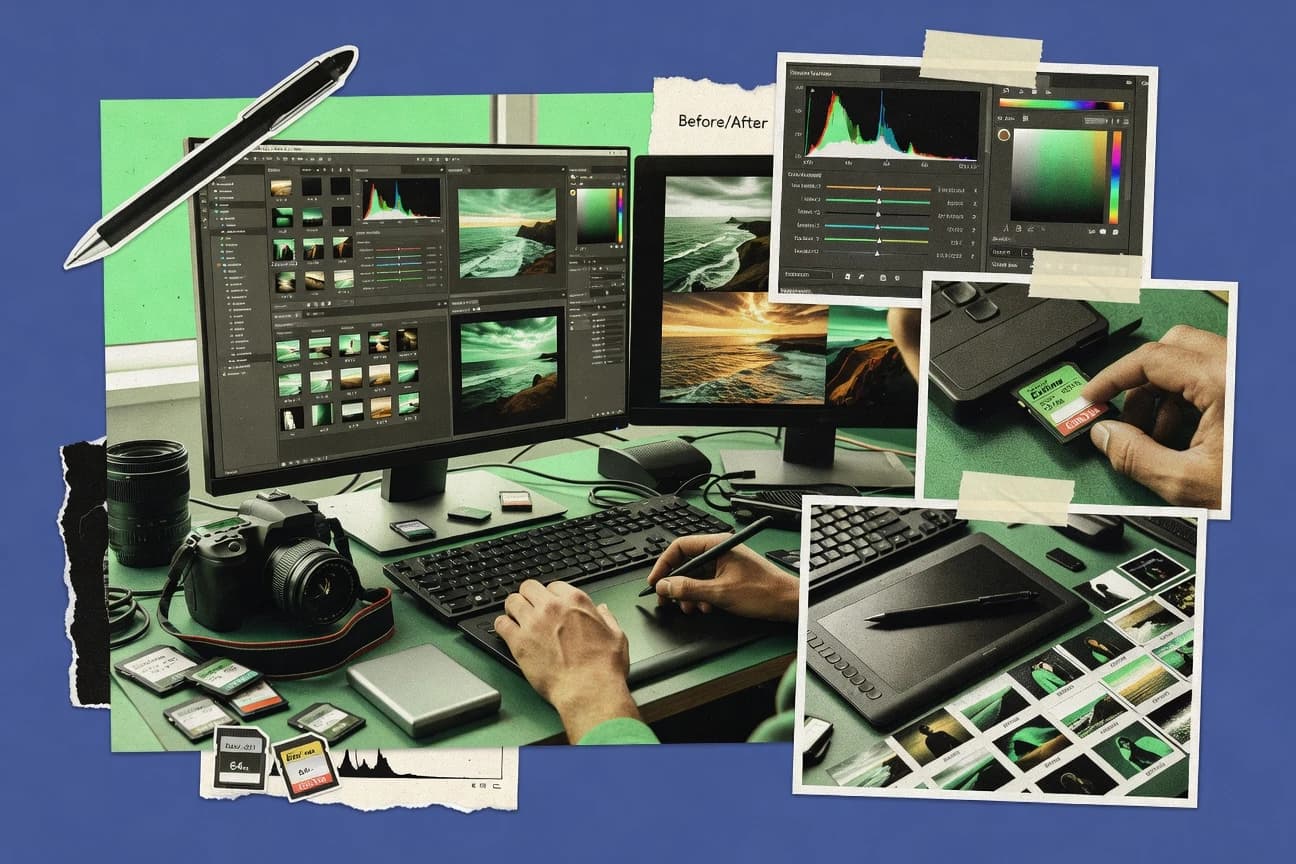
Top 10 raw editing software ranked for photo workflow fit, with comparisons of Corel AfterShot, Luminar Neo, and SILKYPIX Developer Studio.

How we ranked these tools
Before any source is gathered, an editor locks the question, what qualifies, and how the piece will be judged.
Search agents gather the source set and the review record, including transcriptions of video reviews and podcasts.
Framework: Features 40% · Ease 30% · Value 30%
Gitnux may earn a commission through links on this page — this does not influence rankings. Editorial policy
Corel AfterShot is the best fit if you need repeatable batch RAW conversion and correction in one editor, while Luminar Neo is the faster choice for large shoots where consistent creative looks matter more, and RawTherapee works when you want free, parametric control with steady batch throughput.
Editor’s top 3 picks
Three quick recommendations before you dive into the full comparison below — each one leads on a different dimension.
Corel AfterShot
AfterShot’s develop adjustments remain fully re-editable and carry through batch exports with consistent correction settings.
Best for: Fits when photographers need repeatable batch raw conversion and correction inside one editor.
Luminar Neo
Editor pickModule-based AI assists that integrate into the editable adjustment stack instead of being one-time filters.
Best for: Fits when photographers need fast raw refinement with repeatable looks for large shoot sets.
SILKYPIX Developer Studio
Editor pickCamera-specific RAW conversion controls that prioritize predictable rendering across different capture models.
Best for: Fits when RAW conversion control matters more than catalog integration.
Comparison Table
Corel AfterShot
SMBBatch-oriented raw photo editor with fast processing pipeline.
AfterShot’s develop adjustments remain fully re-editable and carry through batch exports with consistent correction settings.
AfterShot’s develop module keeps adjustments editable after initial conversion, with sliders and parametric controls for exposure, tone, and color behavior. Lens correction and geometric correction tools are integrated into the editing pipeline, which reduces round-trips compared with workflows that export to a secondary editor. Library features like keywording and ratings work with search to narrow down selections before batch export.
A tradeoff is that automation depth is mostly file and preset driven rather than API or custom scripting driven. AfterShot fits best for photographers who want consistent batch conversion and correction settings without building custom pipeline logic.
- +Non-destructive parametric edits keep changes reversible through export
- +Lens and perspective correction tools stay inside the raw workflow
- +Batch conversion supports consistent settings across many files
- +Library search with keywords and ratings speeds selection-to-export
- –Automation is limited compared with scriptable, API-first raw pipelines
- –Some advanced local adjustment workflows feel less guided than competitors
- –Color-managed output needs careful profile setup for consistency
- –Heavy libraries can feel slower during catalog operations
Wedding photographers
Batch convert and correct mixed camera files
More consistent delivery sets
Real estate photographers
Fix perspective and export consistent deliverables
Lower reshoot and rework
Show 2 more scenarios
Freelance portrait photographers
Select by ratings and refine edits
Faster pick and finish
Uses library search to narrow candidates then iterates parametric tweaks.
Photography teams
Use preset-based develops for batch throughput
More predictable exports
Applies the same correction and grading approach across shared catalogs.
Best for: Fits when photographers need repeatable batch raw conversion and correction inside one editor.
Luminar Neo
prosumerAI-driven raw editor with creative presets and sky replacement.
Module-based AI assists that integrate into the editable adjustment stack instead of being one-time filters.
Luminar Neo supports camera raw processing with a module stack that stays editable after application, which makes it fit for iterative retouching rather than one-pass conversion. Local adjustments use brush and mask-based workflows to contain edits to areas like skies, faces, and backgrounds. Batch processing supports applying consistent settings across many files, which helps when a shoot has repeated lighting conditions.
A tradeoff appears in file interchange and workflow control, because some edits are most effective inside Luminar Neo and may not translate 1:1 when only exported pixels are available. It fits best when quick iteration matters, such as event photography where exposure recovery and highlight management must be refined across hundreds of images.
- +Non-destructive edit stack keeps changes reversible and re-orderable
- +Local masking supports targeted edits without affecting the full frame
- +Batch workflows reduce repetitive exposure and look setup work
- +AI-assisted modules speed up refinement tasks that need consistent results
- –Advanced raw control depth can feel narrower than dedicated raw editors
- –Some effects behave best with its native module stack during revision
Wedding photographers
Consistent exposure across mixed lighting
More uniform gallery sets
Event shooters
Rapid edits for image delivery
Faster turnaround with less rework
Show 2 more scenarios
Freelance portrait editors
Targeted retouching by region
Cleaner subject-focused results
Use mask-based control to refine tonal balance and detail without global side effects.
Small studios
Repeatable style across shoots
Consistent brand look
Save a consistent adjustment flow and apply it through batch processing for new cameras and days.
Best for: Fits when photographers need fast raw refinement with repeatable looks for large shoot sets.
SILKYPIX Developer Studio
vertical specialistJapanese raw converter with precise color and tone controls.
Camera-specific RAW conversion controls that prioritize predictable rendering across different capture models.
SILKYPIX Developer Studio delivers a traditional darkroom-style interface with RAW demosaicing controls, highlight recovery tuning, and local adjustment tools for targeted refinement. It includes lens correction profiles and chromatic correction options that depend on camera and lens identification in the RAW or attached metadata. Batch processing supports applying consistent edits across image sets, which helps when throughput comes from repeatable looks.
The tradeoff is limited integration depth with modern asset pipelines that rely on external catalogs or automated folder-based rules. SILKYPIX Developer Studio works best for photographers who edit primarily on a single workstation and need careful control over conversion output before delivering exports.
- +Camera-tuned RAW rendering gives consistent starting points across bodies
- +Lens and chromatic corrections stay editable without destructive steps
- +Batch processing supports repeating the same conversion decisions
- +Local adjustments allow precise refinement on selected areas
- –Workflow automation and external integration are thinner than top competitors
- –Interface complexity slows adoption for users who prefer guided editing
Independent photographers
Consistent RAW conversion for mixed bodies
More predictable final images
Wedding and event editors
Batch apply edits to large sets
Higher throughput
Show 1 more scenario
Fine-art photographers
Local refinement with careful tone shaping
More controlled prints
Local adjustments support selective tone and color tweaks without breaking the base conversion.
Best for: Fits when RAW conversion control matters more than catalog integration.
Capture One
enterpriseTethered shooting and raw editing for studio and commercial workflows.
Tethered capture with configurable live previews and on-the-fly selects within a session workflow.
Capture One is a raw editing application built around a parametric adjustment model and a color-managed workflow. It offers deep tethering support, strong session organization, and fast batch processing for large shoot days.
- +Parametric editing stays editable without flattening adjustments
- +Tethered capture supports live view and rapid culling during sessions
- +Built-in lens and chromatic corrections use camera-specific calibration data
- +Batch export queues handle consistent render settings across sets
- –Advanced automation and templates need workflow setup time
- –High-effort masking can slow throughput on large raw libraries
- –Some menu depth makes quick learning harder than lighter editors
- –Plugin-style extensibility is limited versus DCC-oriented raw tools
Best for: Fits when studio photographers need controlled raw conversion, tethered sessions, and consistent export rendering rules.
ON1 Photo RAW
SMBAll-in-one raw editor with non-destructive layers and effects.
Workflow continuity from RAW development into effects, local edits, and export, without needing a separate editor.
ON1 Photo RAW performs RAW conversion with non-destructive editing, then carries those edits through export with consistent rendering. It combines a RAW developer with lens correction, noise reduction, sharpening, and color workflows built around camera profiles and ICC handling.
- +Local adjustment tools support detailed selective retouching without leaving the editor
- +Batch processing applies develop changes across folders for high-throughput workflows
- +Lens correction and distortion tools help standardize geometry across mixed lenses
- +Non-destructive editing keeps an editable history for iterative refinement
- –Catalog behavior requires consistent project structure to avoid confusing reference states
- –Some advanced color grading controls feel less precise than specialized color tools
- –Tethered workflows can be slower when previews render at full quality
- –A large module set increases the learning curve for power users
Best for: Fits when photographers need one RAW editor for ingest, batch edits, and export with local retouching.
darktable
open-sourceOpen-source raw developer and digital asset manager.
Tethered capture plus a configurable module-based development pipeline that keeps edits non-destructive across imports and exports.
darktable fits photographers who want scene-referred, non-destructive RAW editing with deep parameter control and a workflow that stays inside one tool. It provides a raw development pipeline with camera-profile support, per-module local adjustments, and batchable export rendering for consistent outputs.
- +Non-destructive module stack with parameter-level control over many stages
- +Tethered capture workflow for ingest and immediate review
- +Profile-driven color management through ICC and camera profiling
- +Batch export rendering supports repeatable output production
- –Steeper learning curve than dedicated guided RAW editors
- –UI module workflow can slow down straight-through editing
- –Automation surface depends on user scripting rather than built-in playbooks
- –Catalog and metadata syncing require careful file-management discipline
Best for: Fits when RAW photographers need parametric, non-destructive edits and repeatable exports without switching tools.
RawTherapee
open-sourceFree cross-platform raw converter with advanced processing engine.
Parametric raw processing with detailed demosaicing and lens correction controls that stay non-destructive per output.
RawTherapee pairs a fast non-destructive raw editor with deep, parametric controls that map closely to the raw processing pipeline.
- +Extensive raw developer controls with fine-grained parametric tuning
- +Batch processing supports consistent renders across large shoot sets
- +Local adjustments enable targeted recovery without destructive edits
- +Color-managed export uses ICC profiles for predictable output
- –Interface complexity increases setup time versus simpler editors
- –Workflow relies on external organization, since there is no built-in DAM
Best for: Fits when photographers need repeatable raw processing with parametric control and batch throughput.
ACDSee Photo Studio
SMBRaw editor combined with photo management and digital asset organization.
Integrated tethered capture paired with immediate raw preview and export-oriented batch output.
ACDSee Photo Studio targets raw conversion and photo organization inside a single workflow for users who want to move from camera files to final exports without switching tools. The editing stack includes lens correction and noise reduction controls, plus batch-friendly processing for consistent results across large sets.
- +Batch raw processing keeps exposure and correction settings consistent
- +Tethered capture workflow supports review and culling during shoots
- +Lens correction and noise reduction tools fit common raw workflows
- +Non-destructive adjustments preserve edit flexibility for exports
- –Automation is limited compared with scripting-centric raw editors
- –Advanced color management controls are less granular than specialist tools
- –Less extensibility than plugin-forward raw editors
- –Local adjustment tooling can feel narrower for complex masking work
Best for: Fits when photographers need organizer and raw editing together for frequent batch exports.
Exposure X7
prosumerCreative raw editor with film emulation presets and non-destructive workflow.
Exposure X7’s pixel-level non-destructive adjustment stack keeps local edits editable after tone and color changes.
Exposure X7 performs raw conversion and non-destructive editing with a scene-referred workflow that stays tied to the original files. It provides parametric controls for tone, color, lens correction, and local adjustments, then renders exports through configurable output settings.
- +Scene-referred adjustments keep edits flexible during repeated review passes
- +Non-destructive history supports precise undo across local and global controls
- +Lens correction and geometric fixes are integrated into the raw editing stack
- +Batch processing handles large selection exports with consistent settings
- –Advanced color workflows rely on fewer third-party integration options
- –Automation depth is limited compared with editors that expose deeper APIs
- –Tethered capture workflows need careful setup for predictable previews
- –Some pro-grade grading controls feel less granular than dedicated alternatives
Best for: Fits when photographers need fast, repeatable raw conversion with consistent batch output.
Iridient Developer
vertical specialistmacOS raw converter with advanced demosaicing and sharpening.
Developer-grade raw rendering quality driven by Iridient demosaicing and reconstruction controls for detail-first output.
Iridient Developer targets raw conversion and non-destructive photo editing with a focus on predictable demosaicing and detailed rendering. It supports camera raw formats through a workflow built around DNG-compatible processing, sidecar metadata handling, and high-quality rendering for downstream tools.
- +Consistent raw rendering tuned for fine texture and tonal separation
- +Parametric adjustment workflow supports iterative refinements
- +Batch export workflow helps standardize multi-image sets
- +Sidecar metadata handling preserves edit intent across round trips
- –Limited catalog and library management compared with full workflow apps
- –Local adjustment depth is smaller than some RAW-first rivals
Best for: Fits when photographers prioritize raw conversion quality and batch export over catalog workflows.
Conclusion
After evaluating 10 raw editing software, Corel AfterShot stands out as our overall top pick — it scored highest across our combined criteria of features, ease of use, and value, which is why it sits at #1 in the rankings above.
Use the comparison table and detailed reviews above to validate the fit against your own requirements before committing to a tool.
How to Choose the Right Raw Editing Software
Raw editing software focuses on converting camera raw files into a controllable, non-destructive edit stack with exportable rendering rules. This buyer guide covers Corel AfterShot, Luminar Neo, SILKYPIX Developer Studio, and seven additional tools selected for real-world photo workflow fit.
Each reviewed option is evaluated by how its raw conversion controls stay re-editable, how local adjustments behave across batches, and how tethering and masking affect throughput. The lineup includes Corel AfterShot for consistent parametric correction during batch exports, Luminar Neo for its module-based AI assistants inside the editable stack, and SILKYPIX Developer Studio for camera-specific RAW rendering.
Raw Editing Software for non-destructive RAW conversion and parametric photo workflow
Raw editing software converts camera raw formats into scene-referred edits while keeping changes reversible through a parametric adjustment model. Corel AfterShot is built around non-destructive develop adjustments that remain fully re-editable and carry through batch exports with consistent correction settings.
Luminar Neo supports an editable adjustment stack where module-based AI assists integrate into the same workflow instead of acting like one-time filters. SILKYPIX Developer Studio prioritizes camera-specific RAW conversion controls that produce predictable starting points and keep lens and chromatic corrections editable without destructive steps.
Raw editing capabilities that determine batch repeatability and control
Raw editing software earns its place when parametric develop adjustments stay re-editable after rendering and export so the same correction logic can be applied repeatedly. The tools below were scored on how consistently those develop controls survive batch output, plus how local adjustments and masking affect throughput.
The practical differences show up in tethering behavior, live session culling, and whether corrections stay editable as you move from RAW conversion into effects and export. Corel AfterShot leads on carry-through correction consistency for batch exports, while Luminar Neo is built around module-based AI assistants that attach to the editable adjustment stack.
Re-editable correction stack through batch exports
Corel AfterShot keeps develop adjustments fully re-editable and carries correction settings through batch exports for repeatable results. Exposure X7 uses a pixel-level non-destructive adjustment history that stays editable after tone and color changes.
Local masking that maintains edit control without flattening
Luminar Neo uses local masking that targets edits without affecting the full frame and keeps changes reversible via an editable stack. ON1 Photo RAW supports detailed selective retouching in the same editor, with batch processing that applies develop changes across folders.
Tethered capture and session review workflow
Capture One provides tethered capture with configurable live previews and on-the-fly selects during a session workflow. darktable and ACDSee Photo Studio also support tethered ingest and immediate review, but darktable’s module workflow tends to slow straight-through editing.
Camera-tuned RAW rendering and correction behavior
SILKYPIX Developer Studio prioritizes camera-specific RAW conversion controls for predictable rendering across capture models. Iridient Developer targets developer-grade raw rendering quality with Iridient demosaicing and reconstruction controls tuned for fine texture and tonal separation.
Parametric depth in raw development stages
RawTherapee offers extensive raw developer controls with fine-grained parametric tuning and non-destructive per-output behavior. Corel AfterShot also emphasizes parametric correction, but its automation and scriptability are more limited than raw pipeline-first competitors.
Choose based on pipeline shape: batch-first parametric repeatability vs guided session speed
The fastest way to narrow raw editing software is to match the tool’s workflow shape to real shoot behavior. Some apps are built to keep parametric develop adjustments consistent across batch output, while others are built to accelerate tethered session review with live selects.
A second split is how local edits and masking are meant to be handled. Some tools keep local adjustments tightly coupled to a single module stack, and other tools route through a broader set of editing stages that can change throughput on large libraries.
Pick the batch philosophy that matches output repeatability needs
Choose Corel AfterShot when batch raw conversion must preserve develop correction settings through export without re-tuning per image. Choose RawTherapee when repeated raw processing needs fine-grained parametric control plus batch throughput even if the interface adds setup time.
Choose the session philosophy based on tethered culling requirements
Choose Capture One when tethered capture needs configurable live previews and rapid selects during the session while parametric edits remain re-editable. Choose darktable when tethered ingest plus a configurable module-based development pipeline is acceptable even if the UI module workflow slows straight-through editing.
Decide whether local edits should live in one stack or across a continuous workflow
Choose Luminar Neo when local masking and module-based AI assistants must integrate into the editable adjustment stack rather than acting like one-time filters. Choose ON1 Photo RAW when RAW development must flow into effects, local edits, and export within the same editor for high-throughput selective retouching.
Match camera conversion predictability to the priorities of the workflow
Choose SILKYPIX Developer Studio when camera-specific RAW conversion controls matter more than catalog depth and when lens and chromatic corrections must stay editable. Choose Iridient Developer when raw conversion quality and developer-grade demosaicing and reconstruction controls drive the output more than library management.
Set expectations for automation and integration depth before committing
Choose a tool aligned to scriptable automation needs by checking whether automation is limited compared with scripting-centric raw pipelines, since Corel AfterShot reports automation limitations. Choose exposure-oriented speed with repeatable conversion via Exposure X7 when deeper third-party integration options are not required.
Who benefits from each raw editing workflow style
Raw editing software selection should follow how the workflow handles correction re-entry, local masking, and tethered review. People who ship consistent deliverables across large shoot sets tend to value batch repeatability and re-editable develop stages.
People who shoot tethered sessions or need rapid selection decisions tend to value live previews and session-grade culling, even if masking can slow throughput later.
Wedding and event photographers batching many similar RAW sets
Corel AfterShot keeps develop adjustments fully re-editable and carries consistent correction settings into batch exports, which supports repeated output passes for large sets.
Studio photographers running tethered capture sessions
Capture One supports tethered capture with configurable live previews and on-the-fly selects, which speeds in-session culling while keeping parametric editing reversible.
RAW conversion-focused photographers who care about consistent starting renders
SILKYPIX Developer Studio uses camera-tuned RAW rendering for predictable starting points across bodies, while Iridient Developer emphasizes demosaicing and reconstruction controls for detail-first output.
Photographers who want local retouching and export in one editing app
ON1 Photo RAW aims for workflow continuity from RAW development into effects, local edits, and export, which reduces tool switching during selective retouching.
Photographers building repeatable parametric raw processing with batch throughput
RawTherapee provides extensive raw developer controls with fine-grained parametric tuning and batch processing, and darktable offers a module-based non-destructive pipeline for re-editable exports.
Common pitfalls when buying Raw Editing Software
Mistakes usually come from assuming every tool handles local edits, masking, and batch exports with the same operational guarantees. Another recurring problem is underestimating how long interface complexity and masking workflow add time on large libraries.
A final pitfall is choosing for catalog behavior when the workflow actually depends on conversion repeatability, since some tools have thinner library management than full workflow apps.
Choosing a tool for conversion quality while ignoring automation depth needs
Corel AfterShot can keep parametric develop edits non-destructive through batch export, but it reports limited automation compared with scriptable, API-first raw pipelines.
Expecting guided local edits to feel equally fast across tethered sessions
Capture One offers live preview and rapid selects during tethering, but advanced masking can slow throughput on large raw libraries compared with simpler straight-through editing.
Buying for batch edits while using a project structure that breaks reference behavior
ON1 Photo RAW notes catalog behavior requires consistent project structure to avoid confusing reference states, which can undermine repeatability if folder and project conventions drift.
Assuming all editors treat camera RAW conversion controls as equally predictable across camera models
SILKYPIX Developer Studio is designed around camera-specific RAW conversion controls, while Iridient Developer focuses more on detail-first rendering quality and has more limited catalog and library management.
How We Selected and Ranked These Tools
We evaluated Corel AfterShot, Luminar Neo, SILKYPIX Developer Studio, and the other included options using features, ease, and value scoring patterns that reflect raw editing workflow fit. Features carried 40% weight to capture re-editable develop behavior, local masking behavior, tethered capture handling, and batch processing consistency.
Ease and value each carried 30% weight to measure how much workflow setup time and throughput friction appear during typical session and batch passes. Corel AfterShot set the ranking pace through non-destructive parametric edits that remain fully re-editable and carry consistent correction settings through batch exports.
Frequently Asked Questions About Raw Editing Software
How does non-destructive editing differ between Capture One and darktable?
Which tool is better for batch raw conversion with consistent correction settings across large folders?
When tethered capture matters, how do Capture One and ACDSee Photo Studio differ in workflow control?
What breaks if edits need to round-trip between a raw editor and Photoshop?
How do lens correction and chromatic aberration workflows differ between ON1 Photo RAW and AfterShot?
Where does sidecar or metadata management fit when using SILKYPIX Developer Studio versus Iridient Developer?
Which software handles camera-specific raw rendering with detailed control instead of guided looks?
How do color-managed exports compare between RawTherapee and ON1 Photo RAW?
What integration and automation options exist for high-throughput pipelines in Exposure X7 and darktable?
Tools reviewed
Primary sources checked during evaluation.
Referenced in the comparison table and product reviews above.
- Technology Digital MediaTop 10 Best Editing Photo Software of 2026
- Technology Digital MediaTop 10 Best Gaming Video Editing Software of 2026
- Data Science AnalyticsTop 10 Best Metadata Editing Software of 2026
- Arts Creative ExpressionTop 10 Best Book Editing Software of 2026
- Technology Digital MediaTop 10 Best Real Estate Photography Editing Software of 2026
Keep exploring
Comparing two specific tools?
Software Alternatives
See head-to-head software comparisons with feature breakdowns, pricing, and our recommendation for each use case.
Explore software alternatives→In this category
Technology Digital Media alternatives
See side-by-side comparisons of technology digital media tools and pick the right one for your stack.
Compare technology digital media tools→