
GITNUXSOFTWARE ADVICE
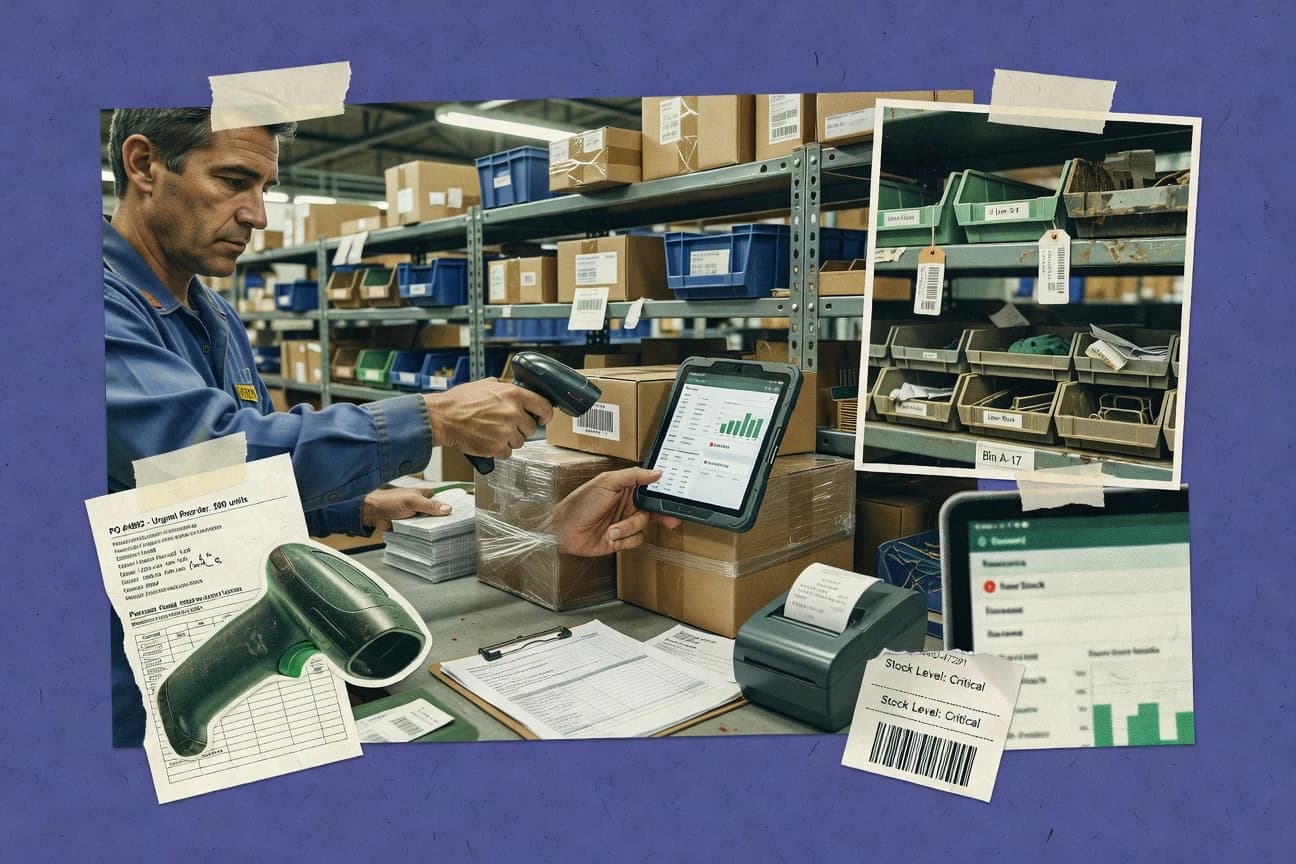
Business FinanceTop 10 Best Purchasing And Inventory Software of 2026
Ranked roundup of purchasing and inventory software with criteria, strengths, and tradeoffs for teams comparing tools like Zoho Inventory, Procurify, inFlow.

How we ranked these tools
Core product claims cross-referenced against official documentation, changelogs, and independent technical reviews.
Analyzed video reviews and hundreds of written evaluations to capture real-world user experiences with each tool.
AI persona simulations modeled how different user types would experience each tool across common use cases and workflows.
Final rankings reviewed and approved by our editorial team with authority to override AI-generated scores based on domain expertise.
Score: Features 40% · Ease 30% · Value 30%
Gitnux may earn a commission through links on this page — this does not influence rankings. Editorial policy
Zoho Inventory is the best overall pick for SMBs needing order-to-stock automation that stays tight across multi-warehouse purchasing, whereas Oracle Procurement Cloud fits Oracle-centric enterprises with governed source-to-pay workflows tied to inventory execution, and if you want a lighter entry point then inFlow Inventory works best for barcode receiving tied to location-level on-hand.
Editor’s top 3 picks
Three quick recommendations before you dive into the full comparison below — each one leads on a different dimension.
Zoho Inventory
Bin location and warehouse-aware stock movements integrate with receiving and transfers so quantities stay consistent across locations.
Built for fits when multi-warehouse purchasing needs tight order-to-stock automation without separate inventory ops tooling..
Procurify
Editor pickApproval routing rules apply at the requisition and purchase order stages with centralized workflow status.
Built for fits when procurement teams need approval governance and guided ordering tied to inventory visibility..
inFlow Inventory
Editor pickBarcode scanning workflows connect receiving, stock movement, and counts to SKU records in one operational loop.
Built for fits when warehouse teams need barcode receiving tied to purchases and accurate on-hand by location..
Comparison Table
Zoho Inventory
SMBOnline inventory management with purchasing integration.
Bin location and warehouse-aware stock movements integrate with receiving and transfers so quantities stay consistent across locations.
Zoho Inventory supports receiving, purchase orders, and stock movements that update on-hand quantities across warehouses, including bin locations for putaway and picking support. Serial number tracking and lot tracking are available at the item level, which matters when audit trails require traceability per unit or batch. Purchasing workflows can feed directly into sales fulfillment processes, which reduces the need to rekey stock counts after goods arrive.
A tradeoff appears when teams need deep custom logic for purchasing approvals or complex landed-cost allocation rules beyond standard receiving fields. Zoho Inventory fits organizations that want governed purchase order flow tied to warehouse inventory updates and prefer tight integration with the Zoho ecosystem over running a separate inventory backbone.
- +Multi-warehouse stock tracking with bin-level workflow support
- +Serial and lot tracking for traceability during receiving and transfers
- +Purchase order workflows that update inventory quantities directly
- +Workflow automation tied to orders and fulfillment handoffs
- –Advanced landed cost allocation can require workflow workarounds
- –Some purchasing approvals require careful role permission setup
- –Highly custom procurement logic needs external automation or scripts
- –Cross-system reconciliation still depends on consistent identifier mapping
Operations and procurement teams
PO receiving updates warehouse stock
Fewer stock discrepancies after receipt
Supply chain planners
Trace inventory by serial or lot
Better audit readiness and recall targeting
Show 2 more scenarios
E-commerce operations teams
Order flow drives inventory availability
Reduced oversells from late stock updates
Sales orders and fulfillment steps stay synchronized with inventory changes triggered by purchasing receipts.
Warehouse supervisors
Pick and pack with location guidance
Faster picks with fewer misplacements
Bin-aware workflows guide where items should be picked and moved during fulfillment execution.
Best for: Fits when multi-warehouse purchasing needs tight order-to-stock automation without separate inventory ops tooling.
Procurify
SMBSpend management software with procurement controls.
Approval routing rules apply at the requisition and purchase order stages with centralized workflow status.
Procurify’s purchasing workflow supports requisitions that convert into purchase orders with controlled approval steps and centralized status tracking. Catalog-based purchasing reduces off-policy buying by steering users to predefined items and constraints. Inventory visibility is designed to inform ordering decisions tied to workflows and consumption requests. Integrations and API access support connecting the system to upstream finance processes and downstream procurement operations.
A key tradeoff is that inventory depth and optimization for complex warehouse execution can require adjacent systems, because Procurify emphasizes procurement control more than warehousing mechanics. Procurify fits best when purchase approvals and item governance matter more than batch-level accounting, multi-location picking logic, or detailed warehouse execution. A common usage situation is preventing maverick spend by routing requisitions through role-based approvals linked to an item catalog.
- +Configurable approval routing tied to requisitions and purchase orders
- +Catalog-driven purchasing reduces off-policy purchasing and duplicate items
- +Workflow status tracking supports audit trails across procurement stages
- +Automation plus API and integrations reduce manual PO coordination
- –Inventory execution features are lighter than dedicated warehouse management
- –Advanced governance depends on disciplined catalog and requester setup
- –Complex receiving and accounting workflows may need integration support
- –Multi-warehouse transfer orchestration is not the core focus
Procurement operations teams
Standardize PO approvals across departments
Fewer off-policy purchases
Operations and facilities teams
Request consumables with item constraints
Faster ordering cycles
Show 2 more scenarios
Finance and controller teams
Reduce manual spend reconciliation
Cleaner procurement records
Integrations and workflow records support consistent purchase documentation from request to PO.
IT systems administrators
Connect procurement data to ERP
Less duplicate data entry
API and integrations support synchronizing procurement events into existing financial systems.
Best for: Fits when procurement teams need approval governance and guided ordering tied to inventory visibility.
inFlow Inventory
SMBInventory and order management with purchasing.
Barcode scanning workflows connect receiving, stock movement, and counts to SKU records in one operational loop.
Inventory records in inFlow Inventory connect purchases to the quantities available after receiving, which reduces manual reconciliation between procurement documents and stock counts. The app supports barcoded workflows, including scanning for receiving, stock updates, and cycle-style counting, which fits teams that operate from warehouses or retail floors. Multi-location operations are supported through transfers and location-based stock tracking, which helps keep counts separated by site.
A key tradeoff is limited depth in purchasing approvals and advanced procurement integrations, since governance often relies on manual process discipline rather than configurable approval chains. This fits situations where a team needs fast SKU and barcode-driven receiving plus accurate on-hand tracking, while deeper ERP-grade purchasing controls are not required.
- +Barcode-driven receiving and stock updates reduce counting errors
- +Purchase orders tie directly to receiving events and inventory quantities
- +Transfers support multi-location stock tracking for distributed operations
- +Inventory adjustment and transaction history speed up discrepancy resolution
- –Purchase order approvals are limited for complex multi-step governance
- –Advanced demand planning and forecasting are not the system focus
- –Integration options beyond common file and connector patterns are limited
- –Complex inventory cost modeling stays basic for landed cost needs
Warehouse managers
Scan receiving into purchase orders
Fewer stock discrepancies
Procurement coordinators
Track vendor activity and receipts
Faster receipt reconciliation
Show 2 more scenarios
Ops teams at multiple sites
Run inter-location stock transfers
Clear location-level inventory
Transfers move quantities between locations with corresponding inventory records.
Retail inventory leads
Cycle count using item scans
More reliable on-hand
Scanned counts update stock levels through controlled adjustments and records.
Best for: Fits when warehouse teams need barcode receiving tied to purchases and accurate on-hand by location.
Oracle Procurement Cloud
enterpriseSource-to-pay suite with inventory integration.
End-to-end procurement transaction audit trails across requisition, approval, and purchase order lifecycle.
Oracle Procurement Cloud centralizes purchasing execution with requisitions, purchase order creation, and approvals across multi-entity organizations. Oracle Inventory Management capabilities cover warehouse receiving, putaway, transfers, and stock status control with configurable item and location rules.
The suite’s distinction is its tight integration with Oracle ERP data structures, plus an automation surface for procurement events through Oracle integration tooling and APIs. Governance is driven by role-based access controls, audit trails for procurement transactions, and configurable approval policies tied to organizational hierarchies.
- +Purchase order approval policies support organizational hierarchy and spending rules
- +Inventory transactions maintain granular stock status and movement history
- +Procurement data aligns with Oracle ERP structures for consistent reporting
- +Audit trails track key purchasing lifecycle changes and approvals
- –Inventory configuration complexity increases for multi-warehouse and bin-level models
- –Custom workflows require Oracle integrations rather than lightweight UI automation
- –Some procurement reporting needs advanced configuration for tailored views
- –EDI and supplier integration often depends on external integration setup
Best for: Fits when Oracle-centric enterprises need controlled purchasing workflows and inventory execution with strong governance.
Coupa
enterpriseBusiness spend management with procurement and inventory modules.
Coupa’s workflow engine coordinates approvals, sourcing outcomes, and purchase order execution with receiving events.
Coupa runs procurement workflows that connect requisitions, approvals, sourcing events, and purchase order execution to downstream receiving and payment. Coupa’s inventory and replenishment capabilities focus on how procurement interacts with stock posture, including purchase controls and receiving-driven updates.
Coupa’s distinct value comes from orchestration across spend and procurement events with configurable approval routes, supplier collaboration artifacts, and process automation. Strong integration and API access enable data exchange for purchase orders, confirmations, and inventory signals across enterprise systems.
- +Procure-to-pay workflows tie approvals and ordering to downstream receiving
- +Configurable approval routes support governance across categories and spend levels
- +API-driven integrations fit EDI, ERP, and warehouse system connectivity
- +Supplier collaboration artifacts reduce mismatches across order and confirmation
- –Inventory planning depth is limited versus specialized inventory optimization suites
- –Role design and workflow configuration require governance discipline to avoid bottlenecks
- –Multi-warehouse inventory execution can depend on integration patterns
- –Extending complex inventory logic often needs custom integration work
Best for: Fits when procurement needs tight workflow control and integration between PO execution and inventory updates.
Fishbowl
SMBInventory management software with purchasing features.
Fishbowl’s purchase order to inventory receipt workflow drives real-time item availability across pick and ship steps.
Fishbowl targets manufacturers and distributors that need a warehouse-first workflow plus purchasing, receiving, and order fulfillment in one system. It supports multi-location inventory with item-level details such as serial and lot tracking, and it can run pick-pack-ship processes with bin logic.
Purchasing flows connect to inventory impact through vendor transactions like purchase orders and receipts, then carry through to downstream sales and production planning. Extensive integrations and a documented API support EDI-style partner automation and ERP-style extension patterns without exporting everything to spreadsheets.
- +End-to-end purchasing to inventory movement reduces reconcile work
- +Serial and lot tracking supports traceability through warehouse activities
- +Bin allocation supports controlled picking in multi-location operations
- +API supports integration with external systems for orders and inventory
- –ERP-style configuration takes time to match business rules and workflows
- –Complex approval workflows require careful role and process design
- –Reporting across purchasing, inventory, and fulfillment needs structured setup
- –Automation depth can depend on custom integration for edge cases
Best for: Fits when manufacturers or distributors need warehouse execution tied to purchasing and traceability.
Precoro
SMBCloud-based procurement software for SMBs.
End-to-end purchase request to purchase order workflow with stateful approval history and governance controls for every requisition.
Precoro focuses on purchase approval workflows and centralized procurement control, with inventory data kept secondary to spend governance. Teams use requisitions, purchase orders, and approval routing to standardize vendor ordering and reduce off-process buying.
Integration support and automation hooks connect procurement actions to ERP and accounting contexts while keeping requester submissions auditable. Inventory-related reporting supports decision-making around what is available for ordering, without replacing a dedicated warehouse management system.
- +Purchase request to purchase order workflow reduces unmanaged ordering
- +Approval routing supports procurement governance with clear ownership and states
- +Audit trails connect who requested, approved, and ordered what
- +ERP and accounting integrations reduce duplicate data entry
- –Inventory functionality is not a full warehouse management system replacement
- –Complex approval policies require careful setup to avoid bottlenecks
- –Advanced replenishment math like EOQ is not the core focus
- –Multi-warehouse transfer execution is limited compared with WMS-grade tools
Best for: Fits when procurement teams need approval-driven purchasing with lightweight inventory visibility for order decisions.
Katana
SMBManufacturing inventory and purchasing software.
Production-linked purchasing that calculates procurement from BOM consumption and kitted material demand.
Katana is a purchasing and inventory system that centers inventory visibility around shop-floor execution and production-linked material needs. It supports bill of materials and kitting workflows so purchasing can be driven by what production will consume rather than by static reorder schedules.
Core purchasing features include generating purchase orders from demand signals and tracking incoming receipts against those orders. Inventory control includes bin-level handling and serial or lot tracking for SKUs that require traceability.
- +BOM and kitting drive purchasing needs from production demand
- +Bin allocation supports warehouse location control for inbound and moves
- +Serial and lot tracking supports traceability on regulated items
- +Purchase orders tie receipts to specific line items for tighter control
- –Multi-warehouse transfer and advanced replenishment parameters need careful workflow design
- –Advanced procurement approvals and audit trails are limited compared with ERP-grade governance
- –EDI-style vendor messaging for orders and shipping requires external integration
- –Automations across complex receipt and landed-cost rules can require custom process steps
Best for: Fits when manufacturers need production-driven purchasing with bin and traceability controls.
SAP Business ByDesign
mid-market ERPCloud ERP for midsize companies with purchasing and inventory management modules.
Guided workflow and posting control that keeps approvals, receipts, and inventory availability checks on one document trail.
SAP Business ByDesign supports purchase order creation, inbound goods receipt, and inventory availability checks tied to overall procurement and order management. It links purchasing, inventory, and fulfillment processes through a governed business object workflow so approvals and posting happen on the same document lineage.
Inventory tracking supports bin-level logistics, serial and lot attributes, and multi-warehouse operations for transfers and stock movements. The solution also provides an automation surface through published APIs and extensibility hooks for synchronizing vendor data, item master attributes, and warehouse transactions.
- +End-to-end procurement-to-inventory posting with document lineage governance
- +Multi-warehouse transfers with bin allocation and controlled stock movements
- +Serial and lot tracking options for inbound and fulfillment scenarios
- +API-based integrations for vendor, item, and transactional synchronization
- –Reorder point and safety stock planning support is limited versus specialized inventory planners
- –Complex approval and posting workflows require careful configuration and user-role mapping
- –Advanced replenishment variants like min-max with deep parameterization need tighter process design
- –Inventory performance for high SKU counts depends on master data quality and import discipline
Best for: Fits when mid-market operations need governed procurement workflows tied to bin and multi-warehouse inventory posting.
Odoo Inventory
SMB / open-source ERPOpen-source inventory and purchasing app within the Odoo ERP suite.
Warehouse execution updates stock in real time through Odoo’s integrated stock move engine tied to procurement documents.
Odoo Inventory fits organizations already running Odoo apps and need purchasing and warehouse control inside a shared workflow. It ties stock movements to procurement documents, supports multi-step replenishment logic, and maintains product-level traceability like serial and lot tracking.
Warehouse operations can be driven from purchase receipts and internal transfers, with bin location handling and picking workflows that update stock automatically. Odoo Inventory also exposes automation via its app framework and integrations through Odoo APIs for custom warehouse rules and external system events.
- +Inventory moves are recorded directly from purchase orders and receipts
- +Multi-step replenishment flows coordinate procurement with warehouse availability
- +Serial and lot tracking are applied to incoming stock and downstream moves
- +Bins and warehouse routing support warehouse execution beyond simple stock counts
- –Warehouse workflows require careful setup of routes, locations, and rules
- –Approval and exception handling for purchasing depends on the configured workflow
- –Advanced optimization like sophisticated demand planning needs additional configuration
- –Large SKU catalogs can create management overhead in product and route maintenance
Best for: Fits when procurement and warehouse users share one Odoo workflow and need controlled stock movement updates.
Conclusion
After evaluating 10 business finance, Zoho Inventory stands out as our overall top pick — it scored highest across our combined criteria of features, ease of use, and value, which is why it sits at #1 in the rankings above.
Use the comparison table and detailed reviews above to validate the fit against your own requirements before committing to a tool.
How to Choose the Right purchasing and inventory software
Purchasing and inventory software connects purchase requests, purchase orders, receiving, and stock movements so on-hand and across-location availability reflect the same transaction history. This buyer's guide covers Zoho Inventory, Procurify, inFlow Inventory, Oracle Procurement Cloud, Coupa, Fishbowl, Precoro, Katana, SAP Business ByDesign, and Odoo Inventory.
Each tool review focuses on how approvals, receiving events, and inventory updates tie together, with special attention to multi-warehouse and bin-level control in Zoho Inventory, Oracle Procurement Cloud, and SAP Business ByDesign. The guide also highlights workflow breadth from end-to-end procure-to-pay coordination in Coupa and Fishbowl to production-linked purchasing from BOM consumption in Katana.
Purchasing and inventory software for governed procurement and traceable stock execution
Purchasing and inventory software manages the path from procurement requests to purchase order approvals and then into receiving and stock movements, so warehouse users and procurement users operate on the same document trail. Zoho Inventory ties bin location and warehouse-aware stock movements into receiving and transfers, which keeps quantities consistent across locations without separate inventory ops steps.
Procurement-first tools like Procurify concentrate approval routing across requisitions and purchase orders, which reduces off-policy ordering when catalog-driven purchasing is configured. Inventory-first tools like inFlow Inventory emphasize barcode receiving loops that connect purchase orders, stock updates, and counts to SKU records by location. Across this set, the main differences are how workflow governance, inventory execution depth, and multi-warehouse posting control are implemented in the core process rather than bolted on later.
Procurement-to-inventory control points: approvals, receiving, and stock posting
Purchasing and inventory software should keep procurement documents and inventory movements in the same operational loop, so on-hand and across-location availability reflect the same transaction history. The most consequential differences show up at approval routing, receiving event capture, and how stock moves post to multi-warehouse and bin-level locations.
Bin-aware receiving and warehouse transfers with inventory consistency
Zoho Inventory ties bin location and warehouse-aware stock movements into receiving and transfers, so quantities stay consistent across locations. SAP Business ByDesign posts controlled multi-warehouse transfers with bin allocation on document lineage, reducing reconciliation gaps between procurement and warehouse actions.
Approval governance across requisitions and purchase orders
Procurify applies approval routing rules at the requisition stage and purchase order stage with centralized workflow status. Oracle Procurement Cloud keeps end-to-end transaction audit trails across requisition, approval, and purchase order lifecycle, which supports controlled governance for Oracle-centric organizations.
Barcode receiving workflows tied to purchase orders and on-hand by location
inFlow Inventory connects barcode scanning to receiving, stock movements, and counts on SKU records by location. Fishbowl drives real-time item availability by linking purchase order receipt workflows directly to warehouse pick and ship steps.
Procure-to-pay workflow coordination with inventory update hooks
Coupa coordinates approvals, sourcing outcomes, and purchase order execution with receiving events so warehouse updates follow the procure-to-pay workflow. Fishbowl focuses on purchase order to inventory receipt execution to reduce the work of matching procurement artifacts to inventory movements.
Serial and lot traceability during receiving and stock movements
Zoho Inventory supports serial and lot tracking during receiving and transfers, which improves traceability when items move between locations. Fishbowl also uses serial and lot tracking through warehouse activities that start from purchasing documents.
Production-linked purchasing from BOM consumption and kitting demand
Katana calculates procurement from BOM consumption and kitted material demand, so purchasing is driven by production execution rather than only reorder policies. SAP Business ByDesign provides guided posting control that keeps approvals, receipts, and inventory availability checks on one document trail for production-driven inventory moves.
Pick the control philosophy: inventory-first execution, procurement-first governance, or ERP-grade governance
The key decision is how the system enforces the chain of custody from purchase request to receiving and stock posting. The tools in this list split into distinct operating models, and the fit depends on where execution friction shows up most in day-to-day work.
Choose the system that owns the loop where receiving updates stock
If receiving accuracy depends on scanner-led warehouse execution tied to purchases, inFlow Inventory and Fishbowl align the receiving workflow with stock movement updates. If warehouse users need multi-warehouse and bin-level stock consistency directly from receiving and transfers, Zoho Inventory and SAP Business ByDesign provide tighter posting control.
Lock governance at the right document stage for procurement approvals
If approvals must be routed with explicit rules at both requisition and purchase order stages, Procurify and Coupa map approvals to procure-to-order execution. If governance must produce granular transaction audit trails across the procurement lifecycle, Oracle Procurement Cloud emphasizes requisition, approval, and purchase order audit history.
Match catalog discipline to inventory execution depth
When procurement wants reduced off-policy ordering and guided purchasing tied to inventory visibility, Procurify’s catalog-driven purchasing pairs with its approval routing. When warehouse execution needs an operational loop from purchase order receipt through pick-pack-ship, Fishbowl’s purchasing to inventory receipt workflow usually reduces manual reconciliation.
Decide how much warehouse management complexity can be handled inside the software
If advanced landed cost allocation must fit a complex multi-step accounting workflow, Zoho Inventory may need workflow workarounds compared with ERP-grade expectations. If multi-warehouse and bin-level models must be configured carefully, Oracle Procurement Cloud increases configuration complexity to achieve its detailed inventory posting behavior.
Use production-linked purchasing only when BOM and kitting drive demand
If production consumption and kitted material demand should directly calculate procurement, Katana’s BOM and kitting approach fits better than systems focused on purchase request approvals. If procurement-to-inventory posting traceability must stay on a single document trail with bin allocation, SAP Business ByDesign supports guided workflow and posting control.
Confirm whether warehouse exceptions and route setup match the team’s process maturity
If warehouse execution updates must be driven through a shared Odoo workflow, Odoo Inventory requires careful setup of routes, locations, and rules for purchasing receipts to update stock in real time. If complex approval workflows need careful role and process design, Fishbowl and Precoro both depend on disciplined configuration to avoid approval bottlenecks.
Who benefits from governed purchasing tied to traceable stock execution
Purchasing and inventory software fits teams that must reduce mismatches between procurement decisions and warehouse on-hand accuracy. The best matches depend on whether the workflow pain is in approval governance, receiving accuracy, multi-warehouse bin control, or production-linked replenishment.
Procurement teams that need approval governance tied to inventory visibility
Procurify and Coupa apply approval governance at procurement document stages and connect approvals to downstream receiving events, so purchasing decisions follow controlled rules tied to inventory updates.
Warehouse teams that rely on barcode-led receiving and counts by location
inFlow Inventory uses barcode scanning to connect receiving, stock movement, and counts to SKU records by location. Fishbowl drives item availability through purchase order to inventory receipt workflows that feed pick and ship execution.
Multi-warehouse operations that require bin-level posting control
Zoho Inventory integrates bin location with warehouse-aware stock movements during receiving and transfers to keep quantities consistent across locations. SAP Business ByDesign supports multi-warehouse transfers with bin allocation and controlled stock movements backed by document lineage.
Manufacturers that want procurement driven by BOM consumption and kitting
Katana calculates procurement needs from BOM consumption and kitted material demand, so purchasing reflects production execution signals. Its bin allocation supports warehouse location control for inbound and material moves.
Oracle-centric enterprises that require transaction audit trails across procurement
Oracle Procurement Cloud emphasizes end-to-end audit trails across requisition, approval, and purchase order lifecycle and keeps granular inventory transaction history. This fit aligns with organizations that can manage inventory configuration complexity for multi-warehouse and bin-level models.
Common pitfalls when integrating purchasing approvals with inventory execution
Most purchasing and inventory failures come from mismatched responsibility boundaries between procurement approvals and warehouse execution. The remaining issues usually show up as insufficient configuration discipline for roles, catalogs, bin/location rules, or landed cost logic.
Configuring approval routes without aligning requisition ownership to purchase order posting workflows
Procurify approval governance depends on disciplined catalog and requester setup, so incomplete requester role mapping can lead to governance gaps. Fishbowl and Precoro also depend on careful role and process design for complex approval workflows.
Expecting inventory planning depth from a procurement-focused workflow engine
Coupa inventory planning depth is limited versus specialized inventory optimization suites, so teams that need deeper replenishment planning can hit capability ceilings. Precoro provides lightweight inventory visibility for order decisions, so it is not a full warehouse management system replacement.
Underestimating multi-warehouse and bin model configuration complexity
Oracle Procurement Cloud increases inventory configuration complexity for multi-warehouse and bin-level models, so multi-location setups can slow rollout. Odoo Inventory requires careful setup of routes, locations, and rules to ensure stock moves update correctly from procurement documents.
Assuming advanced landed cost allocation will match accounting workflows without additional process work
Zoho Inventory supports advanced landed cost allocation, but it can require workflow workarounds for allocation complexity. Teams with strict allocation workflows should account for process mapping effort before going live.
Building procurement around production artifacts that the system cannot derive automatically
Katana only becomes a tight fit when BOM consumption and kitting drive procurement calculations, so teams without those signals may not see the intended purchasing accuracy. Fishbowl and Coupa tend to focus more on procurement-to-receipt workflow coordination than production-linked procurement logic.
How We Selected and Ranked These Tools
We evaluated Zoho Inventory, Procurify, inFlow Inventory, Oracle Procurement Cloud, Coupa, Fishbowl, Precoro, Katana, SAP Business ByDesign, and Odoo Inventory against purchasing-to-receiving workflow integration, approval governance tied to procurement stages, and the way inventory updates maintain consistency across warehouses and bins. Features and automation depth account for 40% of the score because multi-warehouse posting, bin-aware receiving, and barcode or document-driven stock updates reduce reconciliation work.
Ease of use and value each account for 30% of the score because teams need fast setup of roles, receiving steps, and stock movement rules without slowing daily operations. Zoho Inventory earned the top rank by combining multi-warehouse stock tracking with bin-level workflow support and pairing that with serial and lot tracking during receiving and transfers.
Frequently Asked Questions About purchasing and inventory software
Which systems support purchase order approvals and approval history without moving inventory into the same process?
How do Zoho Inventory and inFlow Inventory keep on-hand quantities aligned to receipts when multiple locations are in use?
Which tools provide audit trails across the full procurement lifecycle from requisition through approvals and purchase order posting?
When inventory traceability requires serial and lot capture, which purchasing workflows handle it end-to-end?
How do Fishbowl and Odoo Inventory connect receiving to pick-pack-ship operations without manual quantity reconciliation?
What breaks if a team relies on inventory-only visibility instead of using purchase request to purchase order governance?
Which platforms best match an enterprise ERP integration approach using published APIs and extensibility hooks?
How should admin controls and access separation be handled when procurement and warehouse teams use the same system?
Which tool fits production-driven purchasing when material demand comes from bills of materials and kitting?
How do teams migrate item and vendor data while preserving the correctness of inventory posting and receiving history?
Tools reviewed
Primary sources checked during evaluation.
Referenced in the comparison table and product reviews above.
- Business FinanceTop 10 Best Business Purchasing Software of 2026
- Business FinanceTop 10 Best Inventory And Purchase Order Software of 2026
- Supply Chain In IndustryTop 10 Best Small Business Purchasing Software of 2026
- Business FinanceTop 10 Best Point Of Sale And Inventory Software of 2026
- Business FinanceTop 10 Best Purchasing Requisition Software of 2026
Keep exploring
Comparing two specific tools?
Software Alternatives
See head-to-head software comparisons with feature breakdowns, pricing, and our recommendation for each use case.
Explore software alternatives→In this category
Business Finance alternatives
See side-by-side comparisons of business finance tools and pick the right one for your stack.
Compare business finance tools→