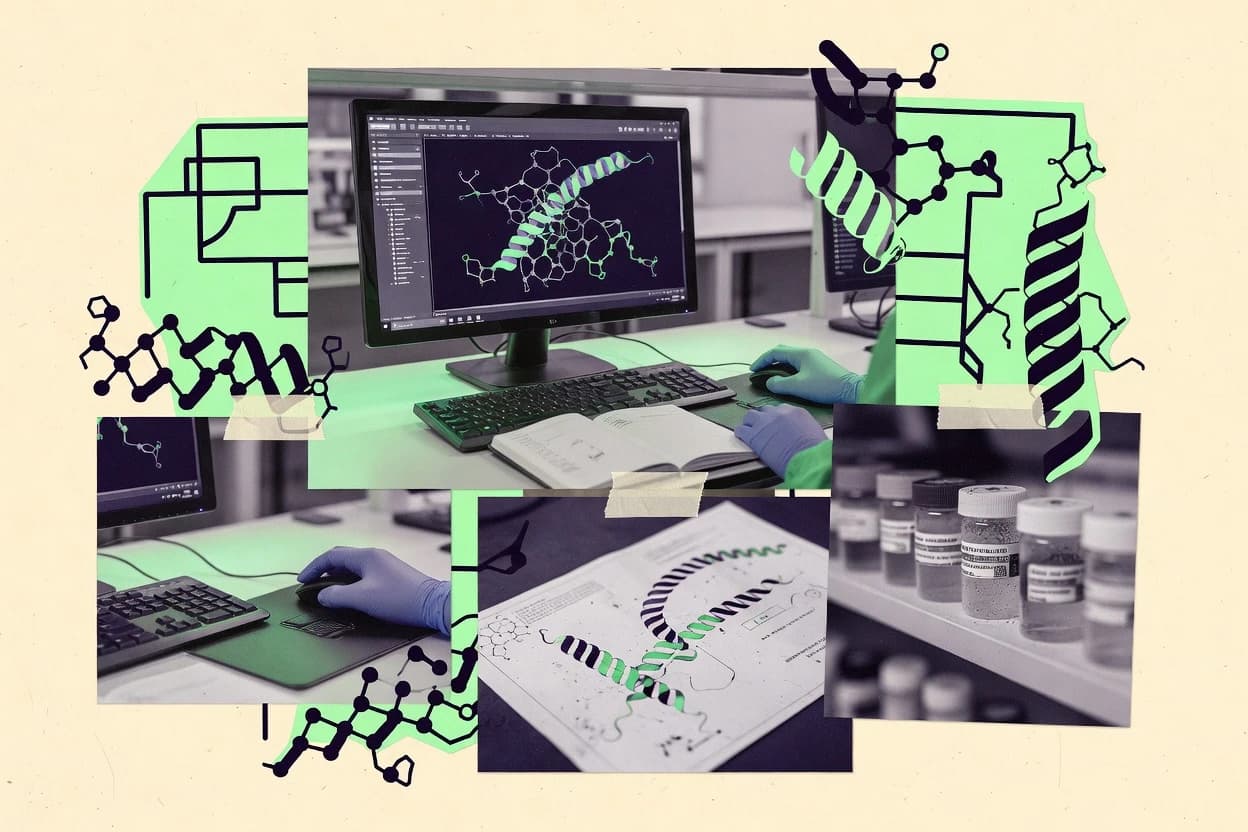
GITNUXSOFTWARE ADVICE
Biotechnology PharmaceuticalsTop 10 Best Protein Modeling Software of 2026
Top 10 ranking of protein modeling software for protein structure work, including PyMOL, SWISS-MODEL, and Rosetta, with tool tradeoffs for teams.

How we ranked these tools
Gitnux editors write the brief first: the topic, the inclusion rules, and the frame for what belongs.
Agents extract product evidence with provenance, then collect written reviews and transcribe video reviews and podcasts.
Framework: Features 40% · Ease 30% · Value 30%
Gitnux may earn a commission through links on this page — this does not influence rankings. Editorial policy
PyMOL is the best fit when you need scripted, selection-driven structure visualization and report-ready outputs, while Schrödinger Maestro is the better choice for teams running repeatable GUI workflows at batch scale, and if you’re starting out on a tight budget, FoldX works best for consistent stability and interface energy scoring from known structures.
Editor’s top 3 picks
Three quick recommendations before you dive into the full comparison below — each one leads on a different dimension.
PyMOL
Python-driven automation for selections, measurements, and consistent rendering across many structure files.
Best for: Fits when teams need scripted structure visualization, selection-driven analysis, and report-ready outputs.
SWISS-MODEL
Editor pickIntegrated model-quality reporting bundles Ramachandran and clash diagnostics into the delivered model package.
Best for: Fits when template-based structure models are needed with built-in quality checks and standard outputs.
Rosetta
Editor pickProtocol-driven candidate generation with detailed score term reporting for iterative refinement and selection.
Best for: Fits when labs need controllable sampling, scoring diagnostics, and scriptable refinement or design workflows.
Comparison Table
PyMOL
vertical specialistMolecular visualization and modeling system now maintained by Schrödinger.
Python-driven automation for selections, measurements, and consistent rendering across many structure files.
PyMOL loads structural coordinates and lets analysts control representations at residue, chain, and atom level while running analysis tools like distance and angle measurements and automated selection logic. Python scripting enables automation for template selection, structural alignment outputs, and repeatable figure generation for reports. The software also offers extensibility via custom commands and plugins, which helps teams standardize inspection routines across recurring model sets.
A tradeoff is that PyMOL is primarily a visualization and analysis client and does not replace dedicated modeling pipelines for homology modeling or molecular dynamics simulation. It fits best when protein structure prediction outputs must be visually validated, annotated, and prepared for downstream decisions, like model ranking or experimental planning.
- +Python scripting supports batch analysis and repeatable figure generation
- +Fine-grained atom and residue selections drive precise inspection workflows
- +Extensible command system and plugin model supports custom analysis tools
- +Works directly with PDB and mmCIF coordinate inputs for downstream review
- –Does not provide an end-to-end protein modeling pipeline
- –Large batch scripts require careful selection logic to avoid mistakes
Structural biology researchers
Visual QC of predicted models
Faster model triage
Bioinformatics teams
Batch align and compare structures
Higher throughput review
Show 1 more scenario
Medicinal chemistry analysts
Protein–ligand pose inspection
Clearer SAR hypotheses
Measure contacts and annotate binding-site regions while controlling representations for publication images.
Best for: Fits when teams need scripted structure visualization, selection-driven analysis, and report-ready outputs.
SWISS-MODEL
vertical specialistAutomated homology modeling server operated by the Swiss Institute of Bioinformatics.
Integrated model-quality reporting bundles Ramachandran and clash diagnostics into the delivered model package.
SWISS-MODEL centers on homology modeling with an end-to-end job workflow that takes a protein sequence and produces a model package. Results include quality assessment views such as Ramachandran plot statistics and geometry checks like clash reporting, which helps reviewers triage model usability quickly. The output is delivered in common structure formats that support downstream refinement and visualization workflows.
A key tradeoff is that the workflow is template-driven, so it is less suited to de novo protein design or sequence-only structure prediction when no good templates exist. SWISS-MODEL fits a use situation where experimental biologists or structural bioinformaticians need a standard comparative model for variant mapping or hypothesis generation before deeper computation.
- +Template-driven pipeline produces model artifacts and quality diagnostics together
- +Ramachandran plot statistics and clash reporting support rapid model screening
- +Exports standard structure files for visualization and downstream computation
- +Automated workflow reduces manual steps in template selection and building
- –Model quality depends on template availability for each target sequence
- –Limited fit for ab initio or de novo design workflows beyond comparative modeling
Wet-lab protein engineers
Modeling variants for mutational hypotheses
Prioritizes mutations for follow-up assays
Structural bioinformaticians
Rapid comparative modeling for a dataset
Generates consistent models at scale
Show 1 more scenario
Computational chemistry teams
Pre-docking structure preparation
Reduces wasted docking runs
Provides comparative structures and geometry diagnostics to filter out unstable models early.
Best for: Fits when template-based structure models are needed with built-in quality checks and standard outputs.
Rosetta
vertical specialistOpen-source protein structure prediction, design, and docking suite maintained by the Rosetta Commons consortium.
Protocol-driven candidate generation with detailed score term reporting for iterative refinement and selection.
Rosetta’s core capability is running curated modeling protocols that produce and score candidate structures using Rosetta’s energy terms, then iterating with protocol parameters and restraints. It can refine backbone and side chains and can run design steps that mutate residues under explicit scoring and constraints. Output includes detailed per-step score terms that help diagnose why models were accepted or rejected. A key fit signal is that Rosetta is protocol driven, so workflows are captured in command-line options and scriptable runs rather than only in a GUI.
The main tradeoff is setup complexity because meaningful results depend on choosing the right protocol, parameters, and constraint strategy for the target system. It fits situations where a lab or bioinformatics team already has structures, alignment inputs, and an evaluation plan, and wants to control sampling depth and acceptance criteria. For teams seeking minimal configuration around a black-box prediction, the protocol overhead can slow throughput.
- +Protocol scripts enable repeatable refinement and design iterations
- +Energy term breakdown helps troubleshoot model acceptance decisions
- +Flexible conformational sampling supports multi-state candidate generation
- +Protocol library covers many protein modeling and design variants
- –Protocol and constraint selection requires domain expertise
- –High compute demand increases turnaround for large ensembles
- –Learning curve is steep without workflow templates
- –Integration into automated pipelines needs scripting work
Protein engineering teams
Design and refine binding interfaces
Prioritized interface variants
Structural bioinformatics groups
Refine uncertain backbone conformations
Cleaner conformational models
Show 1 more scenario
Computational biology labs
Ensemble sampling for validation
Evidence-backed model selection
Generate multiple low-energy poses and use scoring diagnostics to interpret stability tradeoffs.
Best for: Fits when labs need controllable sampling, scoring diagnostics, and scriptable refinement or design workflows.
MODELLER
vertical specialistHomology and comparative protein structure modeling program from the Sali Lab at UCSF.
MODELLER’s restraint-driven model optimization from alignment-to-template inputs produces configurable ensembles for batch structure refinement.
MODELLER is a Python-driven protein modeling package that focuses on homology and comparative model building from sequence to 3D coordinates. It uses an optimization workflow that builds models against spatial restraints derived from alignments to one or more templates, then outputs standard structure files for downstream validation.
- +Python scripting enables repeatable batch modeling workflows
- +Template restraint generation ties model geometry to alignment inputs
- +Ensemble generation supports downstream confidence and quality comparisons
- +Works with common coordinate outputs for validation and refinement pipelines
- –Workflow requires alignment preparation and restraint literacy
- –Not designed for end-to-end ab initio structure prediction from scratch
- –Automation depends on scripting skill rather than a guided UI
- –Template accuracy directly limits model fidelity in common use cases
Best for: Fits when labs need scripted comparative modeling pipelines with repeatable refinement and ensemble outputs.
Schrödinger Maestro
enterpriseCommercial molecular modeling platform integrating structure-based design, docking, and simulation.
Protocol orchestration that couples modeling setup, engine execution, and structured result analysis inside Maestro.
Schrödinger Maestro is used for building, preparing, and analyzing protein structure modeling projects with a workflow that connects sequence-to-structure inputs, structure refinement, and model assessment. It provides a graphical environment for setting modeling parameters, managing structures in PDB and mmCIF formats, and generating analysis outputs like quality and geometry checks.
- +Protocol-driven job runs keep modeling settings consistent across many structures.
- +Strong structure handling in PDB and mmCIF reduces friction during iteration.
- +Built-in model evaluation tools support fast geometry and quality checks.
- +Scripting and macros help standardize repetitive refinement and analysis steps.
- –GUI-centric workflows can slow high-throughput batch modeling without scripting.
- –Modeling parameter tuning requires domain knowledge to avoid invalid setups.
- –Integration beyond Schrödinger engines can require more manual export and import work.
Best for: Fits when teams need repeatable GUI-driven protein modeling workflows with scripted automation for large batches.
FoldX
vertical specialistProtein engineering tool for predicting mutational effects on stability and interactions.
FoldX’s repair and mutation pipeline ties structure cleanup to repeatable energy-based variant scoring.
FoldX is a protein modeling suite focused on structure refinement and rapid energy-based evaluation rather than de novo structure prediction. It provides curated routines for point mutations, stability and free-energy change calculations, and focused re-modeling steps like repairing side chains and optimizing hydrogen bonding.
- +Fast, mutation-centric ΔΔG style workflows for stability and interface variants
- +Deterministic refinement routines like side-chain repair for consistent starting points
- +Scriptable batch runs support high-throughput variant screening
- +Clear separation between structure preparation and energy evaluation steps
- –Accuracy depends heavily on input structure quality and pre-refinement choices
- –Automation and API surface are limited compared with toolchains that wrap predictions end to end
- –De novo protein design and large-scale conformational sampling are not its primary focus
- –Reproducing results across environments can require careful handling of run configuration
Best for: Fits when variant stability and interface effects need consistent energy scoring from known structures.
YASARA
vertical specialistInteractive molecular modeling and simulation program with built-in homology modeling and docking.
YASARA macros let users automate end-to-end refinement and evaluation steps inside the same modeling environment.
YASARA is a protein modeling and molecular simulation tool known for an integrated workflow that goes from structure import to refinement and simulation. The software supports structure building and editing, molecular mechanics and dynamics, and specialized analysis for geometry, contacts, and model quality signals.
- +Integrated refinement and simulation workflow reduces manual format juggling
- +Macro scripting automates repetitive modeling and analysis steps
- +Strong built-in structural geometry and interaction analyses
- +Supports common structure I O with PDB and mmCIF interoperability
- –Advanced automation needs macro scripting knowledge
- –Less standardized for pipeline orchestration than API-first modeling systems
- –GPU acceleration for inference is not its primary focus
- –Large-batch execution depends on scripting rather than queue management
Best for: Fits when teams need interactive structure refinement plus scripted analysis on local data.
AMBER
vertical specialistBiomolecular simulation package with specialized force fields for proteins and nucleic acids.
Integrated topology and parameter workflow that turns coordinate inputs into production-ready simulation systems.
AMBER is a protein modeling software suite that pairs force-field-driven structure refinement with molecular dynamics simulation workflows. Its core differentiator is deep support for biomolecular simulation pipelines, including topology preparation, solvent and ion handling, and trajectory-based analysis.
- +Scriptable simulation workflows support repeatable refinement and conformational sampling
- +Force-field toolchain handles topology building, parameterization, and system setup
- +Trajectory analysis supports quantitative checks beyond single static models
- +On-premise compute fits gated environments and scheduled batch throughput
- –Initial configuration and file management require strong command-line workflow discipline
- –Protein structure prediction and docking breadth depends on external preprocessing steps
- –GUI-based modeling for common tasks is limited compared with workflow-first tools
- –Managing heterogeneous inputs across refinement stages can be operationally heavy
Best for: Fits when groups need force-field refinement and molecular dynamics for proteins with strict compute control.
ESM Atlas
API-firstProtein structure prediction and database platform using Meta ESMFold language models.
Residue-level inspection linked to prediction-derived structures inside project runs for rapid model iteration.
ESM Atlas is a protein modeling workspace that turns protein-language-model predictions into inspectable structural outputs with residue-level views.
- +Residue-level inspection ties predicted signals to concrete structural outputs.
- +Project-based runs support repeatable iteration for model comparison.
- +Refinement and quality checks are integrated into the same workflow.
- +Clear visualization reduces context switching during analysis.
- –API and automation surface are limited compared with code-first pipelines.
- –Model input and output formats can require manual conversion steps.
- –Less coverage for advanced docking workflows than modeling-first suites.
- –Scaling batch throughput needs deliberate job orchestration.
Best for: Fits when teams need structured visualization and refinement around prediction outputs without building pipelines.
BIOVIA Discovery Studio
enterpriseCommercial modeling environment for protein structure analysis, homology modeling, docking, and macromolecular simulation workflows.
Discovery Studio’s integrated docking and pose analysis workflow keeps interaction inspection connected to scoring outputs.
BIOVIA Discovery Studio from 3ds.com is geared toward protein structure work that mixes structure viewing, model building, and physics-based analysis in one workstation. It supports structure refinement workflows and molecular modeling tasks like protein–ligand docking, with analysis tools for model evaluation and interaction inspection.
- +Strong structure visualization with inspection tools for contacts and geometry
- +Well-covered protein–ligand docking workflow with docking pose analysis
- +Integrated refinement and model quality checks reduce handoff friction
- +Batch and scripting hooks support repeatable modeling runs
- –Automation is less discoverable than interactive GUI workflows
- –Protein–protein docking and conformational sampling depth is uneven
- –Project reproducibility depends heavily on manual template and input hygiene
- –GPU acceleration options are limited for some heavy inference tasks
Best for: Fits when teams need desktop-guided structure refinement and docking analysis with some scripting.
Conclusion
After evaluating 10 protein modeling software, PyMOL stands out as our overall top pick — it scored highest across our combined criteria of features, ease of use, and value, which is why it sits at #1 in the rankings above.
Use the comparison table and detailed reviews above to validate the fit against your own requirements before committing to a tool.
How to Choose the Right Protein Modeling Software
Protein modeling software covers workflows that start with sequences or structures and end with inspectable models, refinement outputs, and scored candidates. This guide covers PyMOL, SWISS-MODEL, Rosetta, MODELLER, Schrödinger Maestro, FoldX, YASARA, AMBER, ESM Atlas, and BIOVIA Discovery Studio.
The strongest differences show up in how automation is expressed, where orchestration happens, and how model outputs are packaged for repeatable inspection. PyMOL emphasizes Python-driven structure analysis and rendering consistency across files, while Rosetta emphasizes protocol scripts that generate candidates plus score-term diagnostics.
Protein Modeling Software for structure building, refinement, and scored candidate inspection
Protein modeling software helps teams construct or refine protein structures for tasks like comparative modeling, refinement, and structure-driven evaluation. SWISS-MODEL delivers template-driven model artifacts with built-in quality reporting bundles that include Ramachandran and clash diagnostics in the delivered package.
Rosetta focuses on protocol-driven candidate generation with detailed score-term reporting that supports iterative refinement and selection. PyMOL complements modeling by turning completed structures into scripted selection, measurement, and repeatable figure-ready renders, which supports analysis workflows that stay tied to specific atoms and residues.
Protein Modeling Software evaluation criteria that change workflow outcomes
The biggest practical differences show up in how tools automate batches, how they package model artifacts for inspection, and how clearly they expose intermediate diagnostics. PyMOL and Rosetta both support scripted work, but PyMOL centers on consistent atom and residue selections for analysis outputs while Rosetta centers on protocol scripts that generate candidates plus detailed score-term reporting.
Scripted automation surface for repeatable analysis
PyMOL’s Python-driven automation standardizes selections, measurements, and rendering across many structure files. YASARA macros automate refinement and evaluation steps inside the same modeling environment, but they rely on macro scripting rather than an API-first approach.
Quality reporting packaged with the delivered model
SWISS-MODEL delivers template-based models with built-in quality diagnostics that include Ramachandran plot statistics and clash reporting in the delivered model package. Rosetta exposes energy term breakdown and score-term diagnostics so teams can troubleshoot which candidate refinements should be accepted.
Protocol-level control of candidate generation and refinement
Rosetta uses protocol scripts for repeatable refinement and design iterations while reporting detailed score terms for each decision point. MODELLER uses restraint-driven model optimization from alignment-to-template inputs and can produce configurable ensembles for batch refinement.
Orchestration depth from job setup to result interpretation
Schrödinger Maestro keeps modeling settings consistent across large batches by coupling protocol-driven job runs with structured result analysis. AMBER focuses on force-field toolchains that turn coordinates into production-ready simulation systems, which shifts orchestration effort toward simulation setup and file management.
Mutation and repair pipelines tied to consistent scoring
FoldX ties structure cleanup and repeatable repair routines to mutation-centric energy-based variant scoring that uses deterministic refinement starting points. PyMOL supports consistent inspection and figure-ready rendering of refined structures, but it does not provide an end-to-end modeling pipeline.
How to choose Protein Modeling Software by workflow philosophy
Step one is deciding what must be repeatable and where the team wants the repeatability enforced. PyMOL enforces repeatability through Python-driven selection and rendering logic across files, while Rosetta enforces repeatability through protocol scripts that generate candidates and expose score-term diagnostics.
Pick a repeatability layer: scripting for inspection or protocols for candidate generation
Choose PyMOL when the main risk is inconsistent selection logic during repeated measurements and figure generation across many structure files. Choose Rosetta when the main risk is uncontrolled refinement and selection decisions, since protocol scripts generate candidates with detailed score-term reporting for iterative refinement.
Choose packaging style: delivered diagnostics bundles or diagnostic breakdowns
Choose SWISS-MODEL when delivered model artifacts must include quality diagnostics like Ramachandran plot statistics and clash reporting in the same output package. Choose Rosetta or MODELLER when the team needs energy term breakdown or restraint- and alignment-tied ensemble generation so quality decisions can be traced to specific scoring or restraint inputs.
Choose orchestration location: integrated job runs or toolchain-driven setup
Choose Schrödinger Maestro when modeling settings must stay consistent from job execution to structured result analysis inside one environment for large batch workflows. Choose AMBER when compute control and force-field simulation system setup must be explicit, since AMBER’s topology and parameter workflows turn coordinate inputs into production-ready simulation systems and require disciplined command-line file management.
Choose workflow scope: comparative modeling outputs or mutation-first variant scoring
Choose MODELLER when the pipeline starts from alignment-to-template inputs and needs restraint-driven model optimization plus configurable ensembles for batch refinement. Choose FoldX when the core work is repair and mutation effects from known structures with fast, mutation-centric ΔΔG style scoring that depends on input structure quality and pre-refinement choices.
Choose data inspection depth around prediction outputs
Choose ESM Atlas when teams want residue-level inspection tied to prediction-derived structures within project runs for rapid model iteration. Choose PyMOL when the requirement is scripted atom and residue selections with report-ready rendering, since it complements any prediction or modeling output by focusing on inspection and consistent outputs.
Choose environment fit: GUI-driven orchestration versus local refinement macros
Choose Schrödinger Maestro when GUI-driven workflows must still produce repeatable protocol runs and structured results for iteration. Choose YASARA when interactive refinement on local data must stay connected to automated refinement and evaluation steps through macro scripting.
Who should buy Protein Modeling Software for structure workflows
Protein modeling software buyers typically need either repeatable structure inspection outputs, protocol-controlled candidate generation, or simulation-grade force-field setup. The tool list separates those needs by how it expresses automation and how it returns diagnostics and model artifacts.
Structural biology teams doing repeated visualization and measurements
PyMOL fits when repeatable figure-ready rendering depends on fine-grained atom and residue selections and Python scripting can batch analysis across many structure files.
Comparative modeling groups that want diagnostics bundled with models
SWISS-MODEL fits when template-driven model artifacts must include Ramachandran and clash diagnostics inside the delivered model package for rapid model screening.
Labs building candidate ensembles and needing score-term troubleshooting
Rosetta fits when protocol scripts must generate candidates with detailed score-term reporting to support iterative refinement and selection based on energy term breakdown.
Teams that refine ensembles from alignment-to-template inputs using restraints
MODELLER fits when Python scripting drives repeatable comparative modeling workflows and restraint generation ties model geometry to alignment inputs.
Protein engineering groups focused on mutation effects and repair pipelines
FoldX fits when variant stability and interface effects require fast mutation-centric energy scoring tied to deterministic repair and consistent starting points.
Common mistakes when buying Protein Modeling Software
Buyers often mismatch the tool to the workflow stage they are trying to standardize. PyMOL is strong for scripted visualization and selection-driven analysis, but it does not provide an end-to-end protein modeling pipeline, so it cannot replace Rosetta or MODELLER for candidate generation.
Choosing PyMOL as a substitute for protocol-based candidate generation
PyMOL provides Python scripting for selections, measurements, and rendering, but it does not provide an end-to-end protein modeling pipeline, so Rosetta or MODELLER is still needed for candidate generation.
Expecting SWISS-MODEL to handle ab initio or de novo modeling at the same level as comparative modeling
SWISS-MODEL is template-driven and model quality depends on template availability, so it is limited for workflows beyond comparative modeling compared with tools that focus on refinement and design protocols like Rosetta.
Under-scoping compute and turnaround needs for Rosetta refinement ensembles
Rosetta refinement and sampling can require domain expertise for protocol and constraint selection, and high compute demand increases turnaround time for large ensembles.
Using FoldX scoring on unvalidated structures without repair discipline
FoldX accuracy depends on input structure quality and pre-refinement choices, so buyers should budget time for structure cleanup before running the repair and mutation pipeline.
Treating AMBER as a drop-in prediction and docking platform without upstream workflow effort
AMBER’s strength is topology and parameter workflows plus force-field simulation setup with strict compute control, so protein structure prediction and docking breadth depend on external preprocessing rather than AMBER handling everything end to end.
How We Selected and Ranked These Tools
We evaluated PyMOL, SWISS-MODEL, Rosetta, MODELLER, Schrödinger Maestro, FoldX, YASARA, AMBER, ESM Atlas, and BIOVIA Discovery Studio using feature coverage and workflow fit for protein structure building, refinement, and scored candidate inspection. Features counted for 40% of the overall score, focusing on automation depth, protocol or scripting support, and how model-quality signals are delivered for inspection.
Ease and value each counted for 30%, with emphasis on how much setup friction remains after teams start batch work on many targets. PyMOL ranked highest because Python-driven automation for selections, measurements, and consistent rendering across many structure files supports repeatable analysis and figure-ready outputs, which aligns with repeatable inspection workflows.
Frequently Asked Questions About Protein Modeling Software
How do PyMOL and YASARA differ when teams need repeatable structure refinement inspections?
Which workflow fits comparative modeling teams that want template selection and model-quality reporting packaged with the output?
What breaks if Rosetta is used only as a viewer instead of running protocol-driven refinement and candidate scoring?
When do MODELLER and AMBER diverge in a structure pipeline that starts from coordinates?
How do Schrödinger Maestro and BIOVIA Discovery Studio handle file formats and analysis outputs for structure projects?
Which tool is better suited for energy-based mutation scoring from a known structure when the goal is variant stability and interface effects?
How do Rosetta and ESM Atlas differ when teams need structure interpretation tied to prediction-derived coordinates?
How do API, automation, or scripting patterns differ between PyMOL and AMBER for batch throughput?
What security and administration controls should be expected when running automated modeling jobs across a shared environment?
Tools reviewed
Primary sources checked during evaluation.
Referenced in the comparison table and product reviews above.
- Biotechnology PharmaceuticalsTop 10 Best Protein 3D Structure Software of 2026
- Biotechnology PharmaceuticalsTop 10 Best Protein Folding Simulation Software of 2026
- Biotechnology PharmaceuticalsTop 10 Best Antibody Modeling Software of 2026
- Biotechnology PharmaceuticalsTop 10 Best Protein Analysis Services of 2026
- Biotechnology PharmaceuticalsTop 10 Best Protein Crystallography Services of 2026
Keep exploring
Comparing two specific tools?
Software Alternatives
See head-to-head software comparisons with feature breakdowns, pricing, and our recommendation for each use case.
Explore software alternatives→In this category
Biotechnology Pharmaceuticals alternatives
See side-by-side comparisons of biotechnology pharmaceuticals tools and pick the right one for your stack.
Compare biotechnology pharmaceuticals tools→