GITNUXSOFTWARE ADVICE
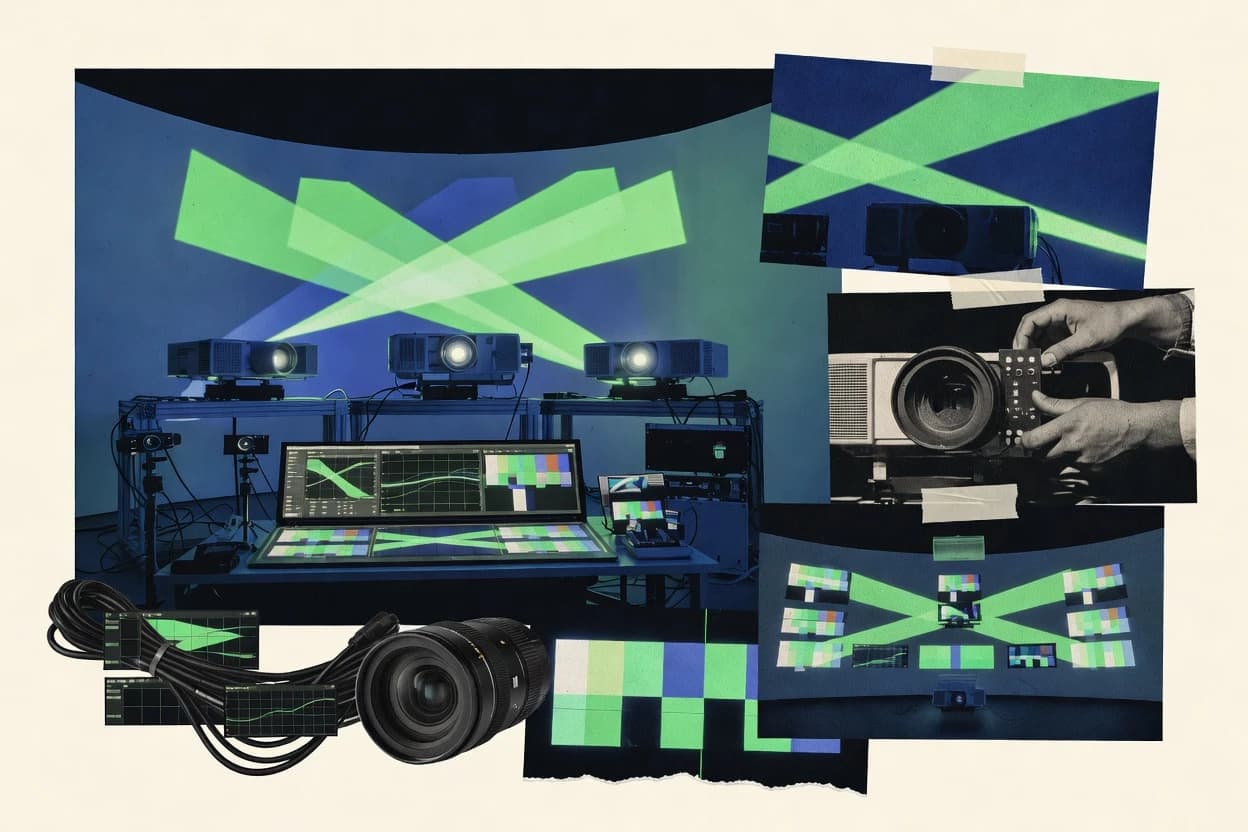
Technology Digital MediaTop 10 Best Projector Blending Software of 2026
Ranking roundup of projector blending software for 2–3 projector mapping with technical notes on Resolume Arena, MadMapper, and QLab.

How we ranked these tools
An editor sets the topic, the inclusion criteria, and the evaluation framework before research starts.
AI search agents find sources, extract figures with provenance, and aggregate written reviews. They also transcribe video reviews and podcasts.
Framework: Features 40% · Ease 30% · Value 30%
Gitnux may earn a commission through links on this page — this does not influence rankings. Editorial policy
Blendy VJ is the best fit if a small-to-mid team needs quick, show-timeline edge blending iteration across two or more projectors, whereas VIOSO suits production groups that want camera-based auto-calibration for consistent projector blending and mapping reuse on stable installs.
Editor’s top 3 picks
Three quick recommendations before you dive into the full comparison below — each one leads on a different dimension.
Blendy VJ
Timeline-based cueing tied to mapping parameters helps operators rehearse scene changes with consistent alignment.
Best for: Fits when small-to-mid teams need fast warp and blend iteration inside a show timeline.
VIOSO
Editor pickProject-based calibration workflow that keeps blend and warping settings reusable across show runs.
Best for: Fits when production teams need consistent projector blending and mapping reuse across stable installations.
Warpalizer
Editor pickWarp mesh export and import that preserves projector mapping configuration across show machines.
Best for: Fits when mapping teams need reusable warp meshes and controlled blending without changing playback systems.
Comparison Table
Blendy VJ
SMBMac application for real-time projection edge blending across two or more projectors.
Timeline-based cueing tied to mapping parameters helps operators rehearse scene changes with consistent alignment.
Blendy VJ targets multi-projection mapping where the operator needs a single canvas workflow for warping and blending rather than splitting calibration and playback into separate apps. Controls cover blend region behavior, soft-edge feathering, and adjustments that affect perceived luminance continuity across projector boundaries. Timeline cueing supports show-style triggers for content changes, which fits venues that rely on scripted sequences. For operator teams already running a visual playback system, Blendy VJ can act as the mapping layer that outputs aligned frames to the display chain.
A key tradeoff is that Blendy VJ’s calibration outputs are not positioned as an interchange format replacement for established calibration toolchains that already produce mesh warps and exports. It fits situations where the mapping crew wants to iterate on warp and blend parameters quickly during rehearsals rather than lock a static calibration asset weeks in advance. It also fits setups with a stable projector layout where consistent frame-locked sync comes from the broader show infrastructure.
- +Single workflow for warping and blending across multiple projectors
- +Timeline cueing supports show-style scene changes and recall
- +Blend controls emphasize boundary feathering and cross-edge continuity
- +Operator-friendly iteration during rehearsals without heavy tool switching
- –Calibration asset interchange is weaker than mesh-export centric toolchains
- –Advanced multi-node and clustered rendering topologies require careful integration
Live show operators
Cue scene changes across blended walls
Repeatable visual transitions
Projection mapping designers
Iterate warps during venue tech
Faster venue acceptance
Show 1 more scenario
Installations teams
Maintain consistent output after swaps
Lower downtime risk
Reapply mapping settings quickly after hardware changes while keeping output aligned.
Best for: Fits when small-to-mid teams need fast warp and blend iteration inside a show timeline.
VIOSO
vertical specialistProjection mapping and edge-blending software with camera-based auto-calibration.
Project-based calibration workflow that keeps blend and warping settings reusable across show runs.
Teams use VIOSO when they need repeatable multi-projection mapping jobs that combine geometric warping and blend tuning under one project workflow. The value shows up most in how calibration settings can be authored once and then reused while content playback and display output are managed during operations. Integration depth is stronger when VIOSO sits behind an existing show control and renderer pipeline because the operator-facing work stays focused on mapping assets and not on ad hoc per-session tuning.
The main tradeoff is that the workflow hinges on up-front calibration effort and operator familiarity with mapping parameters. VIOSO fits operations where projector layouts stay stable and where crews need consistent edge blending results across repeated cues, rather than rapid reconfiguration between unrelated venues.
- +Repeatable project workflow for mapping assets across shows
- +Strong focus on edge blending parameters and tuning control
- +Operator workflow separates calibration tasks from show output
- +Content input and output routing supports multi-display jobs
- –Up-front calibration work can be time intensive
- –Workflow complexity increases with larger multi-projection layouts
- –Interfacing with external show control may require custom wiring
- –Less suitable for frequent layout changes between sessions
Immersive AV production teams
Run multi-projection stage shows reliably
Less per-show remapping
Venue technical directors
Standardize mapping across multiple events
Faster event turnaround
Show 2 more scenarios
Live show operators
Manage edge transitions during cues
More consistent visual continuity
Apply blend settings within a controlled output workflow tied to the show execution.
Creative toolchain engineers
Integrate mapping into a pipeline
Cleaner show-time operations
Route content into VIOSO while keeping calibration artifacts separate from runtime playback.
Best for: Fits when production teams need consistent projector blending and mapping reuse across stable installations.
Warpalizer
SMBDedicated edge-blending and geometry-warping software for multi-projector displays.
Warp mesh export and import that preserves projector mapping configuration across show machines.
Warpalizer is designed around calibration artifacts that can be reused when projects move between computers or when projector layouts remain stable across events. The core work happens inside a projection mapping canvas with mesh-based geometric warping and blend controls that target overlap regions without forcing a separate DCC step. Integration depth is strongest when the output path is already handled by a display server style setup, since Warpalizer’s role centers on warp and blend rather than content routing across SDI and NDI.
A key tradeoff is that Warpalizer’s value concentrates on calibration and mapping export rather than a full show-control stack with deep timeline cueing and media playback. It fits teams that already run their own playback or rendering layer and need deterministic warp meshes and blend region configuration for each projector node.
- +Iterative warp and blend tuning with immediate visual feedback
- +Calibration exports support repeatable projector layout reuse
- +Mesh-centric correction aligns with pixel-accurate mapping workflows
- +Built for synchronization-aware show deployments
- –Less suited to full media playback and timeline cueing
- –Best results require disciplined projector layout and calibration management
Stage technical directors
Maintain multi-projector calibration between events
Faster setup between shows
Projection mapping operators
Tight overlap control on edge zones
Cleaner edge transitions
Show 1 more scenario
Systems integrators
Integrate mapping into existing render output
Predictable projector output
Warpalizer treats warping and blending as the mapping layer inside a larger content pipeline.
Best for: Fits when mapping teams need reusable warp meshes and controlled blending without changing playback systems.
Dataton WATCHOUT
vertical specialistMulti-display production and presentation software with native edge blending across networked render nodes.
WATCHOUT’s show timeline and projector mapping live in the same project, aligning cue timing with blended output.
Dataton WATCHOUT is a projector blending and show control system built around a timeline that drives pixel-accurate multi-screen playback. It supports geometric warping and edge blending workflows through a project-based canvas that maps content to multiple projectors.
- +Timeline cueing ties content, switching, and playback timing to the blend map
- +Geometric warping and edge blending are handled within one project workflow
- +Frame-locked sync supports stable multi-projector playback in production installs
- +Multi-node show control supports scaled installations without external orchestration
- –Operational setup around calibration projects can slow rapid iteration
- –Automation hooks and API surface are limited compared with general media pipelines
Best for: Fits when show teams need timeline-driven projection mapping across multiple synchronized projectors.
MadMapper
vertical specialistProjection mapping and edge-blending application supporting multiple projectors with real-time warping.
OSC control over live mapping parameters and scenes, tied directly to the projector warping workflow.
MadMapper builds a projector-mapping workspace that warps and blends multiple video sources onto arbitrary surfaces in real time. The software uses a canvas with transform controls for geometric warping, plus per-layer blending and color correction controls for edge continuity.
- +Live warp editing with per-surface transform handles and immediate feedback
- +Layer blending controls that help keep projector edges stable in motion
- +OSC integration enables external cueing of mapping scenes and parameters
- +Scene sequencing supports repeatable playback during shows
- –Calibration and overlap tuning can demand careful setup discipline
- –Automation and headless deployment options are limited versus server-style toolchains
- –Advanced multi-node rendering workflows are not the focus
- –Large calibration projects can become harder to manage without structured provisioning
Best for: Fits when small teams need fast projector-mapping iteration with external OSC cueing for 2–3 projectors.
disguise
enterpriseMedia server platform with multi-projector edge blending, mapping, and simulation tools.
Integrated show-system control that keeps projector geometry changes and playback timing aligned under one operational workflow.
disguise is designed for venue-scale projector blending inside larger real-time content systems, not for standalone mapping jobs. Core capabilities include multi-display workflows with pixel-accurate geometry handling, frame-locked playback coordination, and calibration support that targets luminance uniformity across edges.
- +Tight integration between geometry, rendering, and show timeline control
- +Strong support for multi-display alignment work at venue scale
- +Frame-locked coordination helps prevent drift across blended outputs
- +Operational workflows support repeatable cueing for live shows
- –Setup complexity is higher than standalone projector blending tools
- –Blend tuning depends on correct calibration inputs and disciplined workflow
Best for: Fits when multi-projector shows need synchronized warping, stable timing, and centralized control across devices.
Pixera
enterpriseMedia server software by AV Stumpfl with multi-projector edge blending and warp capabilities.
Calibration-driven mapping management that keeps blend and warp configuration separate from content playback logic.
Pixera blends real-time projector workflows with a dedicated configuration and content pipeline built around projector blending and warping tasks. It targets multi-display output control through a mapping-oriented approach that separates calibration data from rendering and playback logic. Pixera supports practical show operation needs like synchronized preview, deterministic output mapping, and repeatable scene configuration for multi-projector layouts.
- +Projector mapping configuration is structured for multi-output setups
- +Preview and output parameters can be kept in a repeatable show state
- +Blend-related adjustments stay tied to spatial mapping rather than playback
- +Workflow favors deterministic projector routing over ad hoc scene overrides
- –Higher setup effort than timeline-first show controllers
- –Limited out-of-the-box orchestration features compared with dedicated show stacks
- –Fewer integration touchpoints for external content ecosystems than some competitors
- –Mesh export and external calibration handoff workflows can feel fragmented
Best for: Fits when teams need repeatable multi-projector mapping and blending states with deterministic output control.
Christie Mystique
enterpriseAutomated camera-based projection blending and alignment software for multi-projector setups.
Christie-guided blending and warping workflow that produces installation-ready calibration for multi-projector Christie setups.
Christie Mystique combines Christie projection blending control with a show-oriented operator workflow. It targets multi-projector installations by centering on calibrated geometry, edge control, and repeatable mapping outputs.
- +Christie-centric blending workflow matches multi-projector install practices
- +Repeatable calibration outputs reduce remap drift across venues
- +Operator controls align with projector mapping revisions during shows
- +Works well with Christie display control ecosystems
- –Less flexible than general-purpose mapping tools for non-Christie pipelines
- –Warp and blend authoring typically assumes Christie hardware topology
- –Integration outside Christie control stacks needs more system engineering
- –On-screen troubleshooting for blend artifacts can be limited versus mapping suites
Best for: Fits when venues use Christie hardware and need repeatable, show-ready edge blending.
HeavyM
SMBProjection mapping software with geometric correction and edge blending features for installations and events.
Layout-based calibration state that can be exported for repeatable projector mapping across sessions.
HeavyM performs projector blending and warping control from a projector-mapping workflow aimed at multi-display setups. The core capability is to generate and apply edge blend parameters and warp alignment so a set of outputs forms one calibrated view.
- +Geometry and blend settings stay tied to a projector layout workflow
- +Repeatable calibration state can be carried from design to show deployment
- +Fine control over blend regions supports incremental edge adjustments
- +Exportable calibration artifacts reduce rework across sessions
- –Advanced multi-projector topologies can require careful manual configuration
- –Integration with show controllers and external sync pipelines is less turnkey
Best for: Fits when a small team needs repeatable warp and edge blend settings for 2–3 projectors.
Lightform Creator
SMBProjection mapping software paired with spatial calibration tools for mapped display installations.
Camera-based calibration workflow that connects warping, blending, and color matching into one repeatable mapping process.
Lightform Creator is a projector blending workflow tool aimed at multi-projector shows that need camera-based calibration and repeatable output. It focuses on building a pixel-accurate projector mapping workflow with geometric warping, blend regions, and color matching controls that operate together during calibration.
- +Camera-driven calibration workflow reduces manual warp tuning time
- +Blend region controls cover overlap setup for large multi-projector installs
- +Integrated show timeline supports mapped content cueing across scenes
- +Color matching tools support consistent output between projector units
- –Workflow depends on disciplined calibration capture and versioning
- –Automation and API surface are limited compared with more developer-centric tools
Best for: Fits when teams need camera-based calibration for 2–3 projector blended scenes with repeatable show timelines.
Conclusion
After evaluating 10 projector blending software, Blendy VJ stands out as our overall top pick — it scored highest across our combined criteria of features, ease of use, and value, which is why it sits at #1 in the rankings above.
Use the comparison table and detailed reviews above to validate the fit against your own requirements before committing to a tool.
How to Choose the Right Projector Blending Software
Projector blending software manages geometric warping and edge blending so overlapping projectors produce a stable, predictable image across multi-output shows. This guide covers Blendy VJ, VIOSO, Warpalizer, Dataton WATCHOUT, MadMapper, disguise, Pixera, Christie Mystique, HeavyM, and Lightform Creator.
The tools in this set split into two common operational styles. Some keep timeline-based cueing close to the blend map, while others treat calibration as a reusable asset that teams carry between show runs.
Projector Blending Software for multi-projector edge warping and repeatable blend calibration
Projector blending software is the workstation and show workflow used to author warp and blend states, tune edge overlap behavior, and connect those states to playback or show control. For example, Blendy VJ ties timeline-based cueing to mapping parameters so scene changes land with consistent alignment, while Warpalizer focuses on warp mesh export and import to preserve projector mapping configuration across show machines.
Many deployments also depend on how calibration work is reused and re-synced from session to session. VIOSO emphasizes a project-based calibration workflow that keeps blend and warping settings reusable across show runs, while Pixera structures projector mapping configuration so teams can keep blend and warp configuration separate from content playback logic.
Projector Blending Software features that determine repeatability and operator speed
Edge blending and geometric warping tools succeed or fail based on whether the workflow keeps calibration state consistent from iteration to iteration. Blendy VJ ties timeline-based cueing to mapping parameters so scene changes can land without re-tuning edge overlap every time.
Timeline cueing tied to blend map parameters
Blendy VJ synchronizes timeline-based cueing with warp and blend parameters so show scene changes maintain alignment. Dataton WATCHOUT keeps the show timeline and projector mapping in the same project so cue timing stays tied to the blended output.
Calibration reuse as portable project assets
VIOSO structures blending and warping as reusable projects so teams can repeat mappings across stable installations. Pixera separates projector mapping configuration from content playback logic so teams can keep a deterministic show state for multi-output work.
Warp mesh portability across show machines
Warpalizer focuses on exporting and importing warp meshes to preserve projector mapping configuration when moving between machines. HeavyM provides layout-based calibration state that can be carried from design to show deployment for repeatable 2–3 projector setups.
Live control loop for warping and scenes
MadMapper exposes OSC control over live mapping parameters and scenes so operators can adjust warping while viewing immediate results. Blendy VJ also supports rapid iteration, but it binds that iteration to show-style timeline recall for consistent rehearsals.
Integrated show-system control for geometry and timing
disguise blends geometry changes and playback timing under a centralized show workflow so multi-display alignment work stays aligned to operator actions. Dataton WATCHOUT combines geometric warping and edge blending inside a project timeline to keep cue timing aligned with blended output.
Choose by workflow shape: timeline-first control, reusable calibration projects, or mesh portability
The fastest path to stable results depends on which workflow shape matches the production pipeline. Some tools keep cueing tightly coupled to blend maps, while others treat calibration as a reusable artifact that must survive hardware handoffs.
Match timeline responsibility to the tool that owns cue timing
If show teams need cue timing and blended output defined in the same operational project, pick Dataton WATCHOUT or Blendy VJ. Blendy VJ ties timeline-based cueing to mapping parameters, while WATCHOUT ties content switching and playback timing to the blend map.
Pick calibration reuse strategy based on whether the pipeline repeats show runs
If calibration must be reused across show runs with the same projector layout, choose VIOSO for project-based calibration reuse. If deterministic show states must be separated from playback logic for repeatable multi-output control, choose Pixera.
Use mesh portability when mapping handoffs must stay pixel-accurate across computers
If mapping teams need to move warp geometry and blending configuration between show machines, choose Warpalizer for warp mesh export and import. If the need is smaller and layout-based calibration state can be carried across sessions for 2–3 projectors, HeavyM can fit the workflow.
Select live editing control based on who drives the adjustment loop during rehearsals
If operators need external cueing to adjust warp and scenes in real time, choose MadMapper for OSC control tied directly to the projector warping workflow. If adjustments must be recalled like show scenes with consistent alignment, choose Blendy VJ because timeline cueing is tied to mapping parameters.
Use an integrated show-system tool when geometry changes must be centrally governed
If multiple devices must stay synchronized under one operational workflow, choose disguise because geometry, rendering, and show timeline control are integrated. If the workflow is show-project driven and the mapping must live inside the same timeline project, choose Dataton WATCHOUT.
Who should buy Projector Blending Software from this set
These tools fit teams that author warp and edge blending states and then apply them to multi-projector playback or show control. The differentiator is where the team wants cue timing to live and how calibration state moves between sessions.
Small-to-mid show teams running 2–3 projector scenes with frequent rehearsals
Blendy VJ fits teams that rehearse scene changes by tying timeline cueing to mapping parameters. MadMapper fits teams that want OSC-driven live mapping iteration during rehearsals.
Production groups that run stable installations and reuse mappings across multiple show runs
VIOSO supports repeatable project workflows that keep blend and warping settings reusable across show runs. Pixera fits teams that want projector mapping configuration structured separately from content playback logic.
Calibration and mapping specialists who hand off geometry to other operators and machines
Warpalizer exports and imports warp meshes to preserve mapping configuration across show computers. HeavyM exports layout-based calibration state to carry repeatable settings from design to show deployment.
Venue teams using a show timeline as the system of record for switching and blended output
Dataton WATCHOUT keeps the show timeline and projector mapping inside one project for aligned cue timing. disguise keeps geometry changes and playback timing coordinated under one operational workflow.
Common Projector Blending Software pitfalls that break edge stability
Edge blending fails when calibration work is treated as disposable rather than as a governed asset. It also fails when cueing and mapping updates are authored in separate systems without a clear recall path.
Keeping cue timing in a media system while editing blend maps in a separate calibration workflow.
Choose Blendy VJ or Dataton WATCHOUT when cue timing must stay tied to the blended output. If cue timing is external, MadMapper can help by coupling OSC control to the projector warping workflow.
Treating calibration state as manual and one-off instead of a reusable artifact tied to a project or mesh handoff.
Use VIOSO when blend and warping settings must be reusable across show runs. Use Warpalizer when mapping teams need repeatable projector layout reuse through warp mesh export and import.
Relying on fast live edits without enforcing calibration setup discipline for overlap tuning.
MadMapper supports live warp editing with immediate feedback, but calibration and overlap tuning demand careful setup discipline. HeavyM keeps geometry and blend settings tied to a projector layout workflow, which reduces ad hoc mismatch for 2–3 projector deployments.
Underestimating setup complexity when adopting an integrated show-system control stack for centralized governance.
disguise has higher setup complexity than standalone projector blending tools because blend tuning depends on correct calibration inputs. WATCHOUT can slow rapid iteration when calibration projects need operational setup, so planning the workflow cadence matters.
How We Selected and Ranked These Tools
We evaluated Blendy VJ, VIOSO, Warpalizer, Dataton WATCHOUT, MadMapper, disguise, Pixera, Christie Mystique, HeavyM, and Lightform Creator on feature coverage and operator workflow speed. Features counted at 40% of the score, and ease and value each counted at 30% to reflect how quickly mapping teams can iterate and reuse calibration state.
Blendy VJ ranked highest because timeline-based cueing is tied directly to mapping parameters, which turns scene recall into a consistent alignment mechanism rather than a manual re-tuning step. Blendy VJ also earned strong marks for running a single workflow for warping and blending across multiple projectors, which reduces handoff overhead compared with tools that center on mesh portability or calibration project structure.
Frequently Asked Questions About Projector Blending Software
Which tools in the top list support real-time OSC control for mapping scenes during a show?
How does Resolume Arena blending control differ from MadMapper for 2–3 projector mapping workflows?
When is QLab a better pairing than WATCHOUT for driving projector mapping cues?
What breaks if edge blend settings are moved between machines without exporting calibration state?
Which tool best supports reusable calibration projects across show runs?
How do Blendy VJ and Pixera handle the separation between mapping setup and content playback logic?
Which tool offers tighter integration for centralized control when warping, timing, and signal routing must be managed together?
Where does blending fall short if frame-locked synchronization is required across multiple projector nodes?
How should admin controls and audit visibility be handled for projector blending operations in clustered deployments?
Tools reviewed
Primary sources checked during evaluation.
Referenced in the comparison table and product reviews above.
Keep exploring
Comparing two specific tools?
Software Alternatives
See head-to-head software comparisons with feature breakdowns, pricing, and our recommendation for each use case.
Explore software alternatives→In this category
Technology Digital Media alternatives
See side-by-side comparisons of technology digital media tools and pick the right one for your stack.
Compare technology digital media tools→