
GITNUXSOFTWARE ADVICE
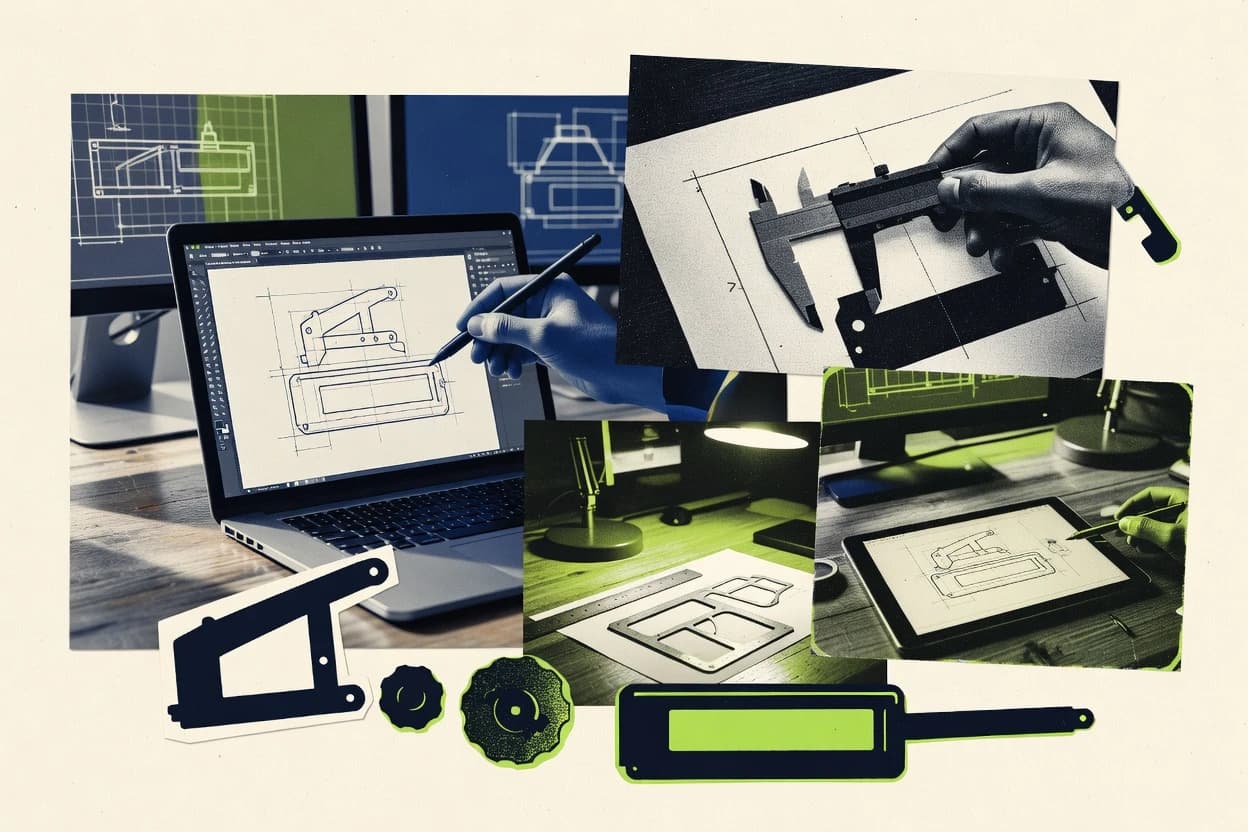
Art DesignTop 10 Best Product Drawing Software of 2026
Top 10 product drawing software ranked for technical buyers, with feature tradeoffs across draw.io, Lucidchart, and Miro plus FreeCAD and nanoCAD.

How we ranked these tools
Core product claims cross-referenced against official documentation, changelogs, and independent technical reviews.
Analyzed video reviews and hundreds of written evaluations to capture real-world user experiences with each tool.
AI persona simulations modeled how different user types would experience each tool across common use cases and workflows.
Final rankings reviewed and approved by our editorial team with authority to override AI-generated scores based on domain expertise.
Score: Features 40% · Ease 30% · Value 30%
Gitnux may earn a commission through links on this page — this does not influence rankings. Editorial policy
FreeCAD is the best fit for engineering teams that want model-linked technical drawings with repeatable templates and assembly views, whereas LibreCAD works as a low-cost entry for local 2D drafting with consistent sheets when you mainly exchange DXF.
Editor’s top 3 picks
Three quick recommendations before you dive into the full comparison below — each one leads on a different dimension.
FreeCAD
Drawing workbench exports sheet views that update from a parametric model revision, keeping dimensions and view placement consistent.
Built for fits when engineering teams need model-linked drawings with repeatable templates and assembly views..
nanoCAD
Editor pickDWG compatibility support stays close to typical AutoCAD-style workflows for day-to-day 2D production.
Built for fits when drafting teams need DWG-aligned 2D production and standardized output control..
IronCAD
Editor pickExploded view and drawing view creation derived directly from the assembly model.
Built for fits when engineering teams need model-linked drawings with controlled templates for manufacturing handoffs..
Comparison Table
FreeCAD
SMBOpen-source parametric 3D modeler with technical drawing workbenches for product design.
Drawing workbench exports sheet views that update from a parametric model revision, keeping dimensions and view placement consistent.
FreeCAD is best evaluated as a CAD authoring system that treats drawings as a linked output of a parametric model, not as a standalone vector drawing tool. The Drawing workbench generates orthographic and isometric views from model states and supports layer management plus plot style control for exported sheets.
A key tradeoff is workflow depth: creating drawing standards with consistent templates and annotations can require more manual setup than diagramming tools. FreeCAD fits situations where a team needs engineering drawings to track model changes across many parts and revisions, including imported STEP or IGES components.
- +Parametric model links drive drawing views and dimensions from geometry edits
- +Drawing templates support repeatable title blocks and revision table layouts
- +STEP and IGES import enables drafting directly from engineering-sourced geometry
- +Assembly modeling supports exploded views as a source for technical sheets
- –Drawing standard enforcement needs template discipline and careful annotation habits
- –2D drafting speeds lag behind dedicated drafting packages for simple worksheets
Mechanical design teams
Update drawings after CAD revisions
Fewer annotation mismatches
Engineering services firms
Draft from external STEP data
Faster client deliverables
Show 1 more scenario
Product teams
Publish assembly drawing sets
Clearer build documentation
Assembly modeling and exploded view sources feed multiple consistent sheets for subassemblies.
Best for: Fits when engineering teams need model-linked drawings with repeatable templates and assembly views.
nanoCAD
SMBDWG-based CAD software for technical drafting, engineering drawings, and design documentation.
DWG compatibility support stays close to typical AutoCAD-style workflows for day-to-day 2D production.
nanoCAD supports core 2D drafting needs like vector linework, dimensioning, and block libraries, which helps when production work depends on repeatable drawing standards. DWG compatibility is a central strength for exchanging drawings and references with external CAD users. Drawing templates and title blocks support consistent sheet setup across projects, including revision table style layouts and plot style behavior.
A key tradeoff is narrower coverage for 3D modeling and model-based documentation compared with full CAD suites that drive assemblies and downstream outputs. nanoCAD fits best when drafting is the main task and coordination relies on DWG interchange rather than STEP-based 3D workflows.
- +DWG compatibility reduces friction in mixed CAD environments
- +Drawing templates and title blocks support consistent sheet standards
- +Blocks and layers make repeatable technical illustration workflows faster
- +Add-on extensibility supports specialized drafting automation needs
- –3D modeling and assembly workflows are limited versus full CAD suites
- –Some advanced sheet output behaviors require careful template setup
- –Team governance features are weaker than enterprise CAD administration tools
- –Complex referencing and large xref-heavy sets can feel slower than specialty tools
Small engineering firms
Produce DWG-based shop drawings
Fewer format conversion issues
CAD drafters
Standardize drawing templates
More uniform documentation
Show 2 more scenarios
AEC consultants
Reuse blocks across projects
Reduced repetitive drafting time
Block libraries speed repeated details like symbols, frames, and callouts across sets.
Manufacturing engineering
Create technical illustration sets
Cleaner downstream review
Vector linework and dimensioning tools support clear 2D communication for drawings.
Best for: Fits when drafting teams need DWG-aligned 2D production and standardized output control.
IronCAD
vertical specialist3D CAD software designed for manufacturing and mechanical product design.
Exploded view and drawing view creation derived directly from the assembly model.
IronCAD targets teams that need tight linkage between the 3D model and the 2D deliverables, including updates to title block content, balloons, and view layouts when geometry changes. Drawing outputs are built around templates and drafting settings so repeated formats stay consistent across projects. Assembly-derived views such as section cuts and exploded arrangements help keep part positions aligned with the source model.
A key tradeoff is that IronCAD workflows can assume CAD authoring discipline and template governance to prevent drawing inconsistencies across contributors. It fits situations where technical illustration and engineering drawing output must track a living CAD model, such as product development handoffs to manufacturing documentation.
- +Model-to-drawing updates stay connected through shared authoring workflow
- +Assembly-based view generation supports exploded and section outputs
- +Template-driven drawing setup supports repeatable title block and standards
- +CAD data exchange covers common interchange needs for mixed tooling environments
- –Template governance is required to keep revisions and drawing formats consistent
- –Automation surface is deeper in authoring than in lightweight external integrations
Mechanical engineering teams
Generate revisioned manufacturing drawings
Fewer drawing update cycles
Product development groups
Produce assembly exploded deliverables
Consistent assembly documentation
Show 1 more scenario
Technical documentation leads
Standardize drawing formats at scale
Less format drift
Drawing templates enforce title block layout and drawing structure across projects.
Best for: Fits when engineering teams need model-linked drawings with controlled templates for manufacturing handoffs.
Onshape
SMBBrowser-based CAD platform with parametric modeling, collaboration, and drawing creation.
Drawing views update from linked assembly and part geometry through the same document model, not a detached publishing step.
Onshape combines cloud CAD with drawing generation so 2D sheets stay linked to a live 3D parametric model. Drawing views update from assemblies with exploded view references and title block fields that can be driven from model properties.
The workflow emphasizes a single document ecosystem for parts, drawings, and configurations rather than moving files between tools. Drawing automation is supported through templates, standards-aware annotations, and an API surface that can synchronize downstream engineering documentation.
- +Drawings stay associative to a 3D parametric model for faster revision handling
- +Exploded view references in drawings reduce manual rework for assembly documentation
- +Templates and title blocks support consistent sheet formatting across projects
- +API access enables automation for generating and updating drawing artifacts
- –Onshape drawings are strongest when model intent is well-structured
- –Some edge cases need manual cleanup for complex section and hatch patterns
- –DWG output quality depends on view setup and plot style choices
- –Enterprise governance requires careful role setup for shared workspaces
Best for: Fits when teams need tightly linked engineering drawings from a parametric CAD model with repeatable templates.
PTC Creo
enterpriseParametric CAD suite for product engineering with advanced drawing and manufacturing documentation tools.
Associativity keeps drawing views, dimensions, and callouts synchronized with Creo model edits across revisions.
PTC Creo generates production-ready engineering drawings tied to 3D parametric modeling, including associative views and automatic update behavior. It supports drafting workflows such as GD&T annotation, sectioning, and drawing templates with consistent title block and revision table content.
Creo also handles assembly-driven outputs like exploded view generation for drawing view placement and technical illustration tasks. The toolchain is designed for teams using Creo CAD daily, with CAD-derived exports that preserve drawing intent for downstream review and manufacture.
- +Associative drawing updates track 3D edits without manual redraw effort
- +GD&T annotation workflows support detailed tolerance and datum callouts
- +Assembly view automation supports exploded view placement for drawing output
- +Drawing templates standardize title block and revision table fields
- –Vector linework fine-tuning in drawing space can feel slower than DTP-style editors
- –DWG-centric annotation workflows often require careful export and plot style tuning
- –Large drawing assemblies can reduce interactive responsiveness on heavy models
- –Setup of standard templates and plotting conventions requires governance discipline
Best for: Fits when teams need associative drawing output from Creo models with strong standards control for manufacturing review.
Shapr3D
SMBTablet and desktop CAD software for product modeling and technical drawings.
Drawings update from the same 3D model after direct modeling edits, reducing view and dimension rework.
Shapr3D turns direct 3D modeling into a drawing workflow that keeps views tied to a live model. It supports standard 2D drafting output with dimensioning, section views, and drawing templates for repeatable technical illustration.
The drawing pipeline emphasizes fast iteration from imported CAD like STEP and IGES into orthographic and isometric sheets. When teams need quick output for shop-floor review, Shapr3D reduces the round-trips common in heavier CAD-to-drafting toolchains.
- +Direct 3D edits propagate into drawing views with fewer rework steps
- +Fast creation of orthographic and isometric drawings from the same model
- +Section views and dimension placement support typical documentation needs
- +Drawing templates and title block elements reduce per-drawing setup time
- –Drawing customization options can feel narrower than desktop drafting suites
- –STEP and IGES import issues can require cleanup before drawing extraction
- –Large assemblies may hit usability limits for viewport management
- –Advanced GD&T workflows need more manual attention than expected
Best for: Fits when small teams need quick drawing output from 3D models with minimal drafting overhead.
LibreCAD
SMBFree open-source 2D CAD application for technical drawing and drafting.
Command-based 2D drafting with a focused feature set for precision linework and dimensions without a diagramming layer model.
LibreCAD is a desktop-focused 2D drafting tool for technical drawings that prioritizes vector entities, dimensions, and layout control.
The drawing pipeline centers on DXF interchange and DWG import workflows, with layers, blocks, and reusable templates to standardize output.
Automation largely comes from repeatable commands and templates, since there is no exposed automation or API surface for integration.
For teams that need diagram collaboration or governed admin controls, LibreCAD requires external processes because it is not a managed workspace product.
- +Native DWG and DXF interchange supports common 2D CAD exchange workflows
- +Layer and block tools help keep drawings consistent across revisions
- +Template-driven title blocks and drawing setup reduce repetitive work
- +Command-driven drafting workflow is efficient for experienced CAD users
- –Limited automation options compared with diagram tools and CAD systems with scripting
- –Higher-complexity CAD standards like advanced GD&T annotation need careful workarounds
- –No built-in project collaboration features or admin governance controls
- –Interop with complex DWG files can degrade when entities rely on nonstandard constructs
Best for: Fits when teams need local 2D CAD drafting with DXF exchange and consistent templates, not collaborative markup.
Rhino 3D
enterpriseNURBS-based 3D modeling software used widely in industrial and product design.
Works from the same 3D model into configurable drawing sheets using Rhino’s layout and viewport projection controls.
Rhino 3D is a CAD-oriented drawing tool that mixes 3D parametric modeling workflows with production-ready technical illustration outputs. Its drawing pipeline focuses on NURBS-based model fidelity, configurable viewports, and drawing templates that keep orthographic and isometric sheets consistent.
Rhino’s layout and sheet tools support annotation workflows like dimensioning and title blocks that travel with the model. For teams, file-based interoperability matters because Rhino can import CAD formats and export drawing outputs for downstream review and manufacturing handoff.
- +NURBS modeling keeps curvature and surfaces clean for technical illustration.
- +Drawing sheets support repeatable title blocks, revision tables, and template reuse.
- +Viewport and layout controls make consistent orthographic and isometric views practical.
- +CAD import and export support reduces friction when models start outside Rhino.
- –Drawing automation depends on model discipline rather than a fully guided drawing wizard.
- –Large assemblies and dense annotation can slow view regeneration on weaker machines.
- –Strict standards like GD&T workflows require careful template and annotation setup.
- –Collaboration is mostly file-centric, so governance features are not the center of the workflow.
Best for: Fits when designers need CAD-grade modeling plus controlled technical sheets in one toolchain.
Alibre Design
SMBParametric 3D CAD software for mechanical design and product engineering.
Model-driven drawing generation that keeps orthographic and isometric sheets synchronized with parametric changes.
Alibre Design turns 3D parametric modeling inputs into production-ready drawings with dimensions, title blocks, and revision tables. The workflow links a model tree to drawing views, so updates propagate into orthographic and isometric sheets with fewer manual redraw steps.
It also supports common CAD interchange workflows such as STEP import and DWG or DXF exchange for handoff to drawing and drafting tools. Alibre Design targets engineering teams that need repeatable drawing standards across many parts and assemblies, not only quick visualization.
- +Drawing views update from the linked model tree with consistent view placement
- +GD&T annotation tools cover common callouts without leaving the drawing workspace
- +STEP import supports rebuilding CAD geometry into a parametric workflow
- +Revision table and title block automation reduce template drift across projects
- –Sheet metal flat patterns require stronger model preparation than simpler direct-modeling workflows
- –Assembly exploded views and BOM extraction can demand extra setup for complex configurations
Best for: Fits when teams need repeatable 2D drawing standards driven by a parametric 3D model, with CAD interchange to downstream tools.
VariCAD
vertical specialist2D and 3D mechanical CAD software for product engineering and drafting.
Drawing templates that preserve engineering documentation conventions across view creation, dimensioning, and sheet layout.
VariCAD is a drawing and CAD tool used to generate engineering views, not just to annotate screenshots. It focuses on creating production-ready drawings from model geometry, with dimensioning, title blocks, and revision tables wired into the drawing workflow.
The software supports file interchange for common CAD formats and includes utilities for drawing layout control, view scaling, and sheet output. VariCAD also supports reusable drawing standards through templates and configurable drafting settings.
- +Drawing tools geared toward engineering documentation, including title blocks and revision tables
- +CAD interoperability supports common import workflows for moving from model data to drawings
- +Reusable templates help standardize view placement, layers, and drafting settings
- +View scaling and layout controls support consistent sheet output across projects
- –3D modeling depth is limited compared with full CAD authoring suites
- –Automation and integration options are narrower than graph-based drawing platforms
- –Advanced standards work can require careful template and layer setup
- –Large assemblies and heavy model imports can feel constrained versus dedicated CAD ecosystems
Best for: Fits when engineering teams need consistent 2D drawing output from CAD inputs with standardized sheets.
Conclusion
After evaluating 10 art design, FreeCAD stands out as our overall top pick — it scored highest across our combined criteria of features, ease of use, and value, which is why it sits at #1 in the rankings above.
Use the comparison table and detailed reviews above to validate the fit against your own requirements before committing to a tool.
How to Choose the Right product drawing software
Product drawing software covers tools that turn 2D drafting or 3D model geometry into technical sheets with consistent view placement, dimensions, and revision tracking.
This guide covers FreeCAD, nanoCAD, IronCAD, Onshape, PTC Creo, Shapr3D, LibreCAD, Rhino 3D, Alibre Design, and VariCAD, with attention to model-linked drawing behavior and how much control users get over templates and drawing outputs.
Product drawing software for associative technical sheets, revisions, and standards-controlled output
Product drawing software creates engineering drawing sheets that keep vector linework, dimensions, and callouts aligned with upstream geometry so revisions do not require full redraw cycles.
FreeCAD and Onshape both drive drawing views from linked parametric model geometry inside the same authoring context, which keeps sheet content synchronized when assembly structure or part geometry changes. Tools also differ in how they generate views from assemblies, enforce drawing templates and revision tables, and handle exports that match downstream workflows across DWG-aligned 2D production or CAD-grade technical illustration.
Associativity, template governance, and export fidelity in product drawing output
Associativity determines whether drawing views, dimensions, and callouts update from upstream geometry edits without forcing a redraw cycle. FreeCAD, Onshape, and IronCAD show this behavior by deriving drawing views from linked parametric models or assembly models inside the same authoring workflow.
Model-linked drawing views that update on revision
FreeCAD exports sheet views that update from a parametric model revision so dimensions and view placement remain consistent. Onshape updates drawing views from linked assembly and part geometry through the same document model, while IronCAD derives drawing view creation directly from the assembly model.
Drawing templates and revision table layouts for standardization
FreeCAD uses drawing templates that support repeatable title blocks and revision table layouts, which keeps manufacturing handoffs consistent when teams reuse the same sheet patterns. nanoCAD and VariCAD also support drawing templates and title blocks, but nanoCAD requires careful template setup for advanced sheet output behaviors.
Assembly-driven outputs like exploded views and sections
IronCAD generates exploded view and drawing view creation from the assembly model, which reduces manual translation steps for manufacturing documentation. Onshape references exploded view definitions in drawings to reduce manual rework for assembly documentation, while Alibre Design can synchronize orthographic and isometric sheets from a parametric model tree.
Exchange and interchange paths aligned with downstream tools
nanoCAD stays close to typical AutoCAD-style day-to-day workflows through DWG compatibility for frictionless mixed CAD environments. LibreCAD supports native DWG and DXF interchange for local 2D drafting exchange, while Rhino 3D and Shapr3D rely on import-to-drawing workflows where STEP and IGES cleanup can affect drawing extraction quality.
Technical annotation depth for manufacturing-grade drawings
PTC Creo supports detailed GD&T annotation workflows with associative drawing output linked to Creo model edits. FreeCAD and Alibre Design support common GD&T callouts inside the drawing workspace, while PTC Creo can feel slower for vector linework fine-tuning in drawing space.
Choose by update engine, governance needs, and drawing-space ergonomics
Teams should start by selecting the update engine that matches how engineering work changes over time. If edits happen in a parametric model or assembly authoring context, FreeCAD, Onshape, and IronCAD provide model-linked drawing updates that reduce manual redraw work.
Select the workflow where geometry changes originate
If geometry edits originate from a parametric model and drawings must stay synchronized, choose FreeCAD or Onshape because drawings update from linked model geometry through an integrated document model. If geometry changes originate from an assembly model with manufacturing handoffs, choose IronCAD because exploded and drawing view creation can be derived directly from the assembly authoring context.
Decide whether standardized sheet structure is enforced by templates or by discipline
If teams rely on reusable title blocks and revision table layouts, choose FreeCAD because drawing templates support repeatable title blocks and revision table layouts that propagate across view creation. If teams expect templates to be configured carefully for consistent sheet output behaviors, choose nanoCAD because advanced sheet output behaviors require careful template setup.
Pick the drawing authoring ergonomics for linework and fine annotation
If vector linework fine-tuning speed in drawing space is a priority, avoid PTC Creo in workflows that depend heavily on manual drawing-space adjustment. If orthographic and isometric synchronization is the priority with fewer drawing-space tweaks, Alibre Design focuses on model-driven drawing generation that keeps orthographic and isometric sheets synchronized.
Match export and interchange to the primary downstream format
If daily production must align with AutoCAD-style workflows and DWG-centric exchange, choose nanoCAD because DWG compatibility stays close to typical day-to-day workflows. If local 2D exchange must include DXF and DWG with a command-driven drafting approach, choose LibreCAD because native DWG and DXF interchange supports those workflows.
Choose the toolchain based on 3D input complexity and import cleanup tolerance
If STEP and IGES imports frequently arrive with imperfect geometry and cleanup time is acceptable, choose Shapr3D because direct 3D edits propagate into drawing views but import issues can require cleanup before drawing extraction. If large assemblies and dense annotation are common and machine throughput matters, avoid Rhino 3D because dense annotation and large assemblies can slow view regeneration on weaker machines.
Teams that benefit from associative drawing updates and template-led standards control
Engineering teams that issue revision-controlled manufacturing and assembly documentation benefit most from drawing updates tied to upstream model changes. FreeCAD, Onshape, and IronCAD reduce manual redraw cycles because drawing views and dimensions update from model or assembly revisions.
Mechanical engineering teams producing assembly documentation
IronCAD and Onshape both derive or reference exploded outputs from assembly context, which reduces manual rework when assemblies change and drawing views must stay consistent.
Parametric model teams standardizing title blocks and revision tables
FreeCAD supports drawing templates with repeatable title blocks and revision table layouts while keeping drawings linked to parametric model revisions, which supports standards-controlled output.
DWG-centric drafting teams with mixed CAD environments
nanoCAD reduces friction through DWG compatibility and title blocks, which supports day-to-day 2D production when downstream tools expect DWG-like output behavior.
Smaller teams needing fast drawing output from direct 3D edits
Shapr3D propagates direct modeling edits into drawing views and supports fast creation of orthographic and isometric drawings from the same model, which reduces drafting overhead.
Designers combining NURBS modeling with controlled technical sheets
Rhino 3D connects NURBS modeling to drawing sheets with repeatable title blocks and revision tables, which supports technical illustration workflows that still require structured documentation.
Common failure modes in product drawing software deployments
Most drawing failures come from treating templates as static artwork instead of governance artifacts tied to update behavior. Drawing updates can propagate errors quickly when templates, standards, or model structure are inconsistent across projects.
Expecting drawing updates to fix inconsistent template and standards decisions
FreeCAD can update views and dimensions from parametric revisions, but template governance discipline is still required to keep drawing standard enforcement consistent across projects.
Overestimating how far 3D and assembly workflows extend in 2D-first tools
nanoCAD emphasizes DWG-aligned 2D production, so assembly modeling and 3D workflows have limited coverage compared with full CAD suites.
Assuming import-derived geometry will always generate clean drawing views
Shapr3D can require cleanup for STEP and IGES imports before drawing extraction, which can add time even when direct modeling edits propagate cleanly afterward.
Using complex models without accounting for regeneration throughput
Rhino 3D drawing automation depends on model discipline, and large assemblies with dense annotation can slow view regeneration on weaker machines.
How We Selected and Ranked These Tools
We evaluated FreeCAD, nanoCAD, IronCAD, Onshape, PTC Creo, Shapr3D, LibreCAD, Rhino 3D, Alibre Design, and VariCAD for associative drawing update behavior, drawing template and revision governance controls, and export fidelity to downstream CAD or 2D drafting workflows. Features carried 40% weight because model-linked drawing updates and assembly-derived view creation are the core mechanisms behind revision-safe sheets.
Ease and value each carried 30% weight because drawing-space ergonomics and template setup effort affect day-to-day throughput for technical teams. FreeCAD ranked highest because drawing workbench exports sheet views that update from parametric model revisions while supporting repeatable title blocks and revision table layouts tied to drawing templates.
Frequently Asked Questions About product drawing software
How does model-linked drawing updating work in Onshape versus FreeCAD?
Which tools are strongest for 2D drafting with DWG-first workflows?
What breaks if a drawing workflow needs exploded views to stay associated with model changes?
When teams need GD&T annotation and standards-driven drawing templates, which product drawing tools fit best?
How do automation and API surfaces differ between draw.io-style diagram tools and Onshape's drawing pipeline?
Which product drawing software supports programmatic collaboration or provisioning through SSO and RBAC?
How should data migration be handled when moving existing models into Shapr3D for drawing output?
Which tools generate drawings tightly coupled to a parametric model across multiple formats like STEP and IGES?
Where does extensibility differ between LibreCAD and nanoCAD for repeatable drawing tasks?
How do administrators control drawing output settings like title blocks, revision tables, and plot style consistency?
Tools reviewed
Primary sources checked during evaluation.
Referenced in the comparison table and product reviews above.
Keep exploring
Comparing two specific tools?
Software Alternatives
See head-to-head software comparisons with feature breakdowns, pricing, and our recommendation for each use case.
Explore software alternatives→In this category
Art Design alternatives
See side-by-side comparisons of art design tools and pick the right one for your stack.
Compare art design tools→