
GITNUXSOFTWARE ADVICE
Healthcare MedicineTop 10 Best Point Of Care Charting Software of 2026
Ranked roundup of point of care charting software for clinical teams, comparing Epic Hyperspace, MEDITECH Expanse, and Allscripts plus Axxess and MatrixCare.

How we ranked these tools
Core product claims cross-referenced against official documentation, changelogs, and independent technical reviews.
Analyzed video reviews and hundreds of written evaluations to capture real-world user experiences with each tool.
AI persona simulations modeled how different user types would experience each tool across common use cases and workflows.
Final rankings reviewed and approved by our editorial team with authority to override AI-generated scores based on domain expertise.
Score: Features 40% · Ease 30% · Value 30%
Gitnux may earn a commission through links on this page — this does not influence rankings. Editorial policy
For budget-conscious home health and hospice teams that want structured bedside charting with sign-off and controlled access, Axxess is the safest overall pick, while Homecare Homebase is the entry option if you’re charting around scheduled home visits and later clinician review, and athenahealth fits ambulatory teams needing templated point-of-care documentation that plugs into existing systems.
Editor’s top 3 picks
Three quick recommendations before you dive into the full comparison below — each one leads on a different dimension.
Axxess
Role based access controls combined with audit logging provides traceable chart changes and controlled administration.
Built for fits when clinical teams need structured bedside charting with sign-off, auditing, and controlled access..
MatrixCare
Editor pickBedside form factor support with offline charting and later sync tailored to unit workflows.
Built for fits when post-acute teams need tablet bedside documentation with offline continuity and governed signing..
Homecare Homebase
Editor pickHome-health visit documentation that preserves encounter-to-chart accountability across field documentation and later review steps.
Built for fits when home-health teams need tablet charting tied to scheduled visits and later clinician review..
Comparison Table
Axxess
vertical specialistHome health and hospice software with point-of-care documentation for field clinicians.
Role based access controls combined with audit logging provides traceable chart changes and controlled administration.
Axxess focuses on encounter documentation screens optimized for clinical use, including structured note templates and repeatable documentation patterns. The workflow supports order entry review and medication related documentation so clinicians can complete a visit without leaving the charting context. Integration capabilities support external data pull and push for orders, results, and clinical context, which reduces duplicate entry during transitions of care.
Axxess can require careful template design to keep documentation consistent across multiple clinicians and shifts. It fits best when a team standardizes structured encounter notes for frequent visit types and then relies on sign-off and auditing to maintain documentation integrity during daily throughput.
- +Structured encounter templates reduce variability across bedside documentation
- +Audit log coverage supports traceability for chart edits and sign-offs
- +Integration options support order and results flow between connected systems
- +Role based access controls segment clinician versus admin actions
- –Template setup takes time to standardize documentation across units
- –Deeper clinical decision support may rely on connected upstream systems
- –Some advanced workflow behaviors depend on configuration choices
- –Consistency across device handoffs requires disciplined device usage rules
Hospital inpatient nursing teams
Bedside encounter note completion
Faster chart finalization
Care coordination teams
Transition note documentation
More consistent handoffs
Show 1 more scenario
Clinic operations leads
Order and results review workflow
Less duplicate documentation
Clinicians review connected order and results context while completing the documentation for the visit.
Best for: Fits when clinical teams need structured bedside charting with sign-off, auditing, and controlled access.
MatrixCare
vertical specialistLong-term care EHR with point-of-care charting for senior care and post-acute facilities.
Bedside form factor support with offline charting and later sync tailored to unit workflows.
MatrixCare supports tablet-optimized bedside encounter documentation with offline sync patterns that matter on units with spotty connectivity, so charting can continue without interrupting care delivery. Structured note templates support repeatable documentation for problem lists, care plan documentation, and discharge summaries tied to workflow steps. On the clinical operations side, ordering and results review workflows can be surfaced at the point of documentation, which reduces context switching for nursing staff. Governance relies on role-based access controls and audit log visibility so charting edits and sign-offs remain traceable during audits.
A tradeoff appears in implementation complexity, since template configuration and workflow mapping for bedside devices require strong clinical IT ownership to avoid documentation drift across units. MatrixCare fits best when care teams want consistent structured templates at the point of entry and need integrations that carry medication and clinical updates into the bedside workflow.
- +Offline sync supports bedside charting during connectivity gaps.
- +Structured templates keep care plan documentation consistent across shifts.
- +Audit log and signed documentation support traceable clinical workflows.
- +HL7 v2 inbound and FHIR access support integration into surrounding systems.
- –Template and workflow configuration demands clinical IT governance discipline.
- –Advanced clinical decision support rules are limited to what the templates and integrations surface.
- –Device handoff workflows can require unit-specific setup to stay consistent.
Nursing leadership teams
Standardize care plan documentation at bedside
Fewer documentation gaps
Unit operations managers
Maintain charting during network interruptions
Charting continuity maintained
Show 2 more scenarios
Clinical informatics teams
Connect bedside workflows to external EHR systems
Less manual data re-entry
HL7 v2 inbound and FHIR access support message-driven updates and app consumption.
Quality and compliance coordinators
Track edits and sign-offs for audits
Audit-ready traceability
Audit log visibility ties clinical record changes to user actions and signing events.
Best for: Fits when post-acute teams need tablet bedside documentation with offline continuity and governed signing.
Homecare Homebase
vertical specialistHome health and hospice EHR with mobile point-of-care charting for field visits.
Home-health visit documentation that preserves encounter-to-chart accountability across field documentation and later review steps.
Homecare Homebase is built for the point-of-care encounter lifecycle used in home-health, with templated documentation that aligns clinical entry with the visit record. It emphasizes offline-capable charting behavior for field scenarios where connectivity is unreliable, and it routes signed notes into downstream chart review states. Encounter capture covers clinical observations and care planning fields that reduce free-text reliance during visits. For governance, the platform is designed around role-based clinical access so staff can enter, review, and finalize visit documentation without exposing unrelated patient records.
A key tradeoff is that workflows and documentation structures follow the home-health model more tightly than generic clinic charting, which can feel restrictive for specialty programs outside that model. One common fit is field documentation on tablets for scheduled home visits, followed by same-day review and completion by team leads in a centralized charting process.
- +Visit-first charting keeps notes attached to the scheduled home encounter
- +Structured templates reduce variability across clinicians and shifts
- +Offline-capable documentation supports disconnected home visit workflows
- +Signed encounter documentation supports clear review and completion steps
- –Documentation structure can feel rigid for non home-health care models
- –Deep workflow customization depends on administrative setup discipline
- –Advanced interoperability beyond core exchange may require added integration work
- –Complex specialty forms can increase template management overhead
Home health clinicians
Tablet charting during home visits
Faster documentation completion
Clinical managers
Daily review of signed encounters
More consistent chart closure
Show 1 more scenario
Operations leadership
Reduce documentation lag after scheduling
Lower backlogs for documentation
Operations aligns field entry and encounter completion to visit timelines for smoother downstream processing.
Best for: Fits when home-health teams need tablet charting tied to scheduled visits and later clinician review.
PointClickCare
vertical specialistCloud-based EHR and point-of-care charting platform for long-term care and senior living facilities.
Device handoff workflows that combine kiosk mode, bedside barcode verification, and encounter signing to support end-to-end point of care documentation.
PointClickCare brings point of care charting to long term and post-acute workflows with encounter documentation, structured templates, and order and results visibility. Its differentiation is an integration-first footprint for exchanging clinical data, including FHIR-based connectivity patterns and HL7 v2 inbound support for feeds into the chart.
The system also supports offline sync for bedside use when connectivity drops, then reconciles changes when the device reconnects. For clinical teams, it emphasizes device handoff flows like kiosk mode and barcode-driven verification to reduce documentation and medication errors at the point of care.
- +Offline charting with offline sync reduces missed documentation during downtime
- +Bedside barcode verification supports faster, more consistent medication and allergy workflows
- +Kiosk mode and tablet-optimized encounter layouts fit point of care device handoff
- +FHIR API connectivity helps integrate chart data with external systems
- –Clinical template depth can require careful configuration to match local documentation standards
- –Offline sync conflicts can add manual review steps during rapid device reconnects
- –Many advanced workflows depend on surrounding integrations and configured interfaces
- –Structured entry screens can feel rigid for highly individualized notes
Best for: Fits when post-acute teams need tablet bedside documentation with offline continuity and integration-driven data exchange.
athenahealth
SMBCloud-based EHR with mobile clinical documentation for ambulatory point-of-care charting.
Tasking and documentation status automation that ties encounter completion steps to roles and audit trails.
athenahealth provides point-of-care bedside charting through its ambulatory-focused EHR workflow and configurable encounter documentation. Structured encounter templates feed documentation, order entry, and signatures, with device-friendly UI for fast capture during visits.
The integration surface centers on HL7 v2 interfaces, FHIR-based access for selected data, and outbound clinical documents like C-CDA for downstream exchange. Automation for chart completion relies on workflow configuration, status tracking, and role-based tasking across encounters.
- +Configurable encounter documentation with visit note signing in workflow
- –Bedside offline sync for kiosk workflows requires deliberate operational design
- –Some FHIR access patterns may need engineering for deep integrations
Best for: Fits when ambulatory-oriented clinical teams need templated bedside documentation and strong interface integration.
MEDITECH
enterpriseHospital EHR with bedside charting and mobile documentation for inpatient point-of-care workflows.
Offline charting with later sync that preserves the bedside documentation workflow inside MEDITECH encounters.
MEDITECH point-of-care charting is built for environments that already run MEDITECH documentation workflows and want bedside ordering, results review, and note capture in a tightly aligned clinical UI. It supports offline charting patterns for bedside documentation so clinicians can document during connectivity gaps and sync afterward.
MEDITECH also focuses on integration with hospital order and medication systems so charted documentation stays connected to orders, administered meds, and supporting reference data. The core value for ranked position comes from how closely bedside documentation, order context, and authentication fit the surrounding MEDITECH ecosystem rather than from standalone portability.
- +Bedside encounter documentation flows closely mirror MEDITECH inpatient workflows
- +Offline charting supports later synchronization after connectivity disruptions
- +Order context reduces manual re-entry during bedside documentation
- +Role-based access aligns with clinical authorization needs in the MEDITECH environment
- –FHIR API and interoperability breadth can be less flexible than competitors
- –Offline sync behavior depends on site configuration and device readiness
- –Structured template customization can require specialist support in practice
- –Deep integration usually assumes strong alignment with MEDITECH source systems
Best for: Fits when clinical teams chart at bedside inside a MEDITECH enterprise and need offline-capable documentation tied to orders and meds.
NextGen Healthcare
SMBAmbulatory EHR with mobile point-of-care documentation for outpatient clinical workflows.
Tablet encounter charting that emphasizes structured note completion during active bedside documentation cycles.
NextGen Healthcare’s point-of-care charting centers on encounter documentation workflows that connect to its broader clinical suite. Tablet-optimized bedside capture, structured templates, and note completion support faster chart closure during active visits.
The solution also focuses on continuity needs through standardized health data exchange options such as HL7 and FHIR interfaces. For organizations that already run NextGen for EHR and order workflows, its charting experience reduces duplicate data entry at the point of care.
- +Bedside documentation uses structured templates for consistent encounter notes
- +FHIR and HL7 interfaces support inbound and outbound clinical message flows
- +Workflow can be configured around visit steps like documentation and sign-off
- +Tablet encounter capture supports rapid completion for in-room documentation
- –Bedside offline charting depth depends on deployment configuration
- –Clinical decision support rule authoring and testing require administrative discipline
- –Kiosk-style device handoff scenarios need clear implementation planning
- –Structured note coverage can lag for specialized service lines without template work
Best for: Fits when mid-size clinical teams need tablet bedside note capture tied to an existing EHR workflow.
Greenway Health
SMBAmbulatory EHR with mobile clinical documentation for point-of-care charting in outpatient settings.
Provisioned structured documentation templates with configurable clinical content rules for encounter consistency.
Greenway Health provides point-of-care charting geared toward community and ambulatory workflows, with bedside-ready documentation and structured encounter templates. Its implementation package focuses on clinical documentation tools plus interoperability paths that support inbound and outbound health messaging.
Greenway Health also emphasizes governance for clinical content and workflow behavior, including role-based access and configurable documentation elements. Integration and automation controls matter most in deployments where documentation must match order entry, results review, and reconciliation workflows across care settings.
- +Bedside document capture designed for tablet-optimized encounters
- +Configurable structured templates for consistent note layout
- +Interoperability options support HL7 v2 inbound and clinical exchange
- +Governance controls support role-based access to charting functions
- –Clinical workflow automation depth depends on enabled modules and project scope
- –Offline charting behavior can require careful kiosk-mode deployment choices
Best for: Fits when ambulatory or community clinical teams need structured bedside charting plus integration with enterprise clinical systems.
CareCloud
SMBCloud EHR with mobile point-of-care charting for ambulatory physician practices.
Templated encounter documentation workflows that administrators can configure to standardize bedside note structure.
CareCloud provides point-of-care charting workflows designed for bedside and exam-room documentation. It supports templated clinical notes and structured documentation that tie into downstream clinical reporting and encounter processes.
Integration in CareCloud centers on interoperability services for exchanging patient and clinical data with surrounding health IT ecosystems. CareCloud also supports role-based access controls and configuration options that administrators use to govern who can create, sign, and edit documentation.
- +Point-of-care note workflows with structured templates for faster entry
- +Interoperability tooling for exchanging patient data with external systems
- +Role-based access controls for limiting who can modify clinical documentation
- +Configuration options for standardizing documentation structure across teams
- –Offline charting behavior depends on deployment design and device setup
- –Bedside form factor support varies by site hardware and kiosk-style requirements
- –Clinical documentation requires template governance to avoid inconsistent capture
- –Integration depth can be limited by what each target system can exchange
Best for: Fits when mid-size clinical teams need structured bedside note capture with governance controls and interoperability.
WellSky
vertical specialistPost-acute and home health care management platform with point-of-care clinical documentation.
Cross-setting documentation template configuration that keeps note structure consistent across inpatient and outpatient encounter types.
WellSky is used by clinical organizations that need point-of-care charting across inpatient workflows and outpatient touchpoints with shared documentation patterns. It emphasizes configurable templates for bedside documentation, structured encounter notes, and medication and allergy reconciliation flows.
Integration depth centers on interoperability interfaces for exchanging clinical results and orders and on deployment configurations designed to support device handoff and signed encounters. The platform also provides governance controls that help teams manage clinician access and trace documentation activity for audit needs.
- +Structured bedside note templates standardize documentation fields across units
- +Medication and allergy reconciliation support reduces missed reconciliation steps
- +Encounter signing workflows support completion of chart entries at point of care
- +Interoperability features support inbound and outbound clinical data exchange
- –Offline charting and offline sync coverage is limited compared with kiosk-first vendors
- –Deep workflow tuning often depends on implementation configuration rather than self-service tools
Best for: Fits when mid-size clinical teams need standardized bedside documentation and reconciliation flows without heavy custom build.
Conclusion
After evaluating 10 healthcare medicine, Axxess stands out as our overall top pick — it scored highest across our combined criteria of features, ease of use, and value, which is why it sits at #1 in the rankings above.
Use the comparison table and detailed reviews above to validate the fit against your own requirements before committing to a tool.
How to Choose the Right point of care charting software
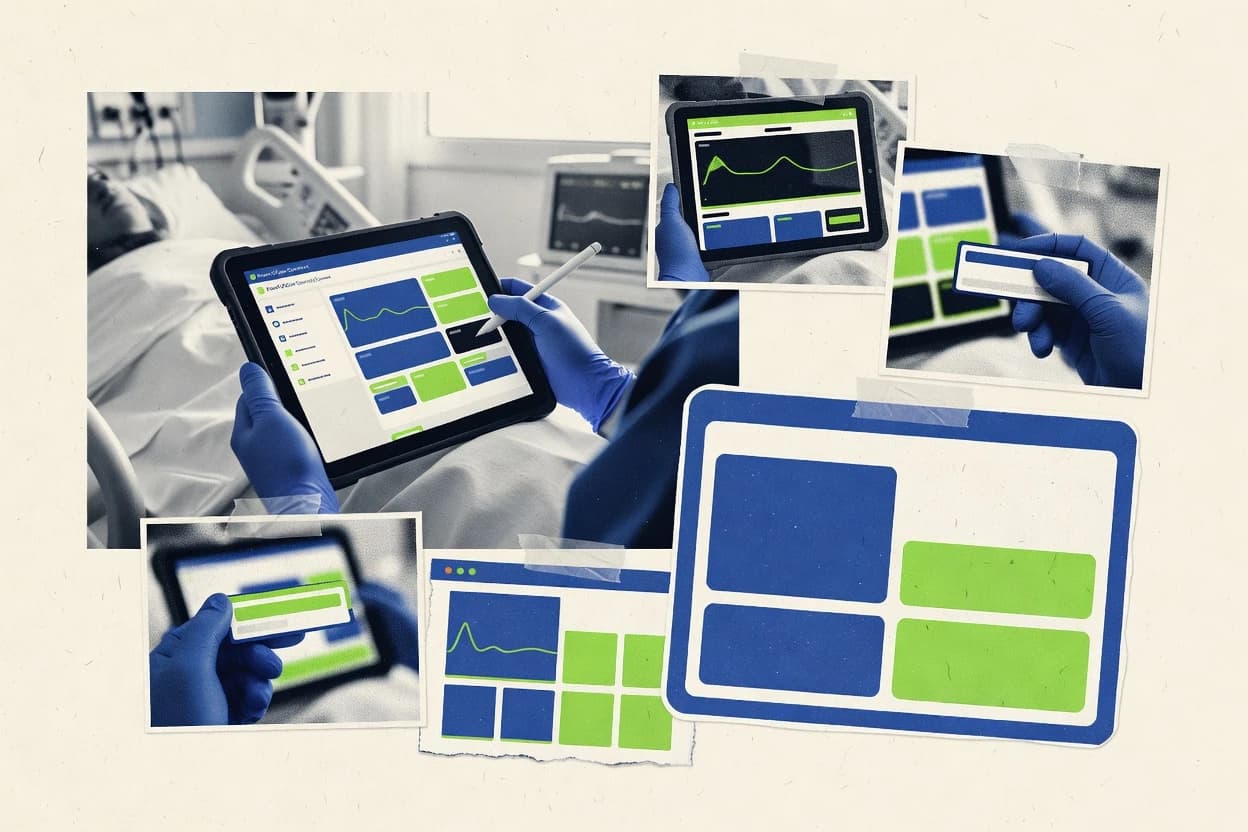
Point of care charting software manages bedside documentation on tablet or device-form workflows, with encounter signing and controlled access over the charting session. This guide covers Axxess, MatrixCare, and other leading options that support templated bedside notes and operational workflows during connectivity gaps.
The comparisons across clinical teams focus on integration depth, automation and API surface, and admin and governance controls that affect chart change traceability. The tools covered include Epic Hyperspace, MEDITECH Expanse, and Allscripts, alongside Axxess, MatrixCare, PointClickCare, and WellSky.
Point of care charting software for bedside documentation, offline sync, and signed encounter workflows
Point of care charting software records bedside documentation during active encounters using structured templates, sign-off steps, and workflow states that keep notes attached to the right patient context. Axxess emphasizes role based access controls combined with audit logging to make bedside chart changes and sign-offs traceable.
Many deployments also support offline charting so documentation continues during connectivity disruption, then syncs later to the record. MatrixCare is built around offline charting with later sync designed for unit workflows, while PointClickCare adds kiosk mode plus bedside barcode verification tied to encounter signing to support end-to-end medication and allergy workflows.
Point of care charting feature requirements that change charting outcomes
Bedside charting succeeds or fails based on how templates drive encounter notes, how sign-off and task state handle accountability, and how changes are traced during active documentation. These features show up directly in whether clinicians can complete notes during downtime and whether administrators can control who edits which chart elements.
Governed access and audit trails for bedside edits
Axxess pairs role based access controls with audit logging so chart changes and sign-offs remain traceable during bedside workflow. CareCloud focuses on structured note workflows with governance controls for standardized bedside note structure.
Offline charting with later sync designed for unit workflows
MatrixCare supports offline charting with later sync built for post-acute unit workflows where connectivity gaps occur. MEDITECH provides offline charting that preserves bedside documentation workflows inside MEDITECH encounters and later synchronization after disruptions.
Kiosk mode plus bedside barcode verification for medication and allergy steps
PointClickCare combines kiosk mode with bedside barcode verification and encounter signing to support end-to-end medication and allergy workflows. WellSky supports reconciliation workflows for medication and allergy steps, but it provides more limited offline charting and offline sync coverage than kiosk-first vendors.
Template-driven documentation states for encounter completion
athenahealth emphasizes tasking and documentation status automation that ties encounter completion steps to roles and audit trails. NextGen Healthcare emphasizes tablet encounter charting with structured note completion during active bedside documentation cycles.
Template depth versus configuration governance effort
Axxess uses structured encounter templates to reduce bedside documentation variability, but template setup takes time to standardize across units. Greenway Health provisions structured documentation templates with configurable clinical content rules, and workflow automation depth depends on enabled modules and project scope.
Decision framework for matching bedside charting workflow to product behavior
The right point of care charting software must match how documentation is started, how it is signed, and how charting behaves when devices disconnect. The same team can evaluate two tools and still choose differently because offline sync behavior, kiosk handoff steps, and configuration governance load differ by vendor.
Start from where charting happens and how sign-off is completed
If bedside chart changes must be traceable to roles and sign-off actions, Axxess is built around role based access controls combined with audit logging for chart edits and sign-offs. If the workflow emphasis is structured encounter completion steps tied to documentation status, athenahealth focuses on tasking and documentation status automation that links completion steps to roles and audit trails.
Choose an offline posture that matches device connectivity risk and sync tolerance
If offline continuity must support bedside documentation through connectivity gaps with later sync that aligns to unit workflows, MatrixCare is designed around offline charting with later sync for post-acute units. If bedside charting must mirror MEDITECH inpatient encounter flows and later synchronization occurs after connectivity disruptions, MEDITECH is structured around offline charting inside MEDITECH encounters.
Select kiosk-first handoff when barcode-based verification is a bedside requirement
If bedside barcode verification and kiosk mode are required to reduce missed medication and allergy steps during encounter signing, PointClickCare provides kiosk mode plus barcode verification in the point of care flow. If the organization wants reconciliation help with structured templates across settings but offline sync depth is a secondary requirement, WellSky keeps note structure consistent across inpatient and outpatient encounter types with reconciliation support.
Decide how much customization and governance discipline the team can sustain
If the organization can invest in template standardization across units and expects structured encounter templates to reduce bedside variability, Axxess is strong for controlled administration and standardized documentation. If template and workflow configuration governance discipline is not available, MatrixCare and Greenway Health both rely on template and workflow configuration depth that can increase administrative load.
Pick the template workflow shape that matches clinical delivery model
If charting must attach to scheduled visits with later clinician review in home-health operations, Homecare Homebase uses visit-first charting so notes stay attached to the scheduled home encounter. If charting should emphasize structured note completion during active tablet cycles tied to an existing EHR workflow, NextGen Healthcare focuses on structured templates for consistent encounter notes.
Who should buy point of care charting software based on workflow fit
Point of care charting software is a good match when bedside documentation, sign-off, and auditability are part of the operational design and when teams document during connectivity disruption. It is also a good match when medication and allergy steps must be supported by bedside verification workflows and consistent encounter templates.
Acute and post-acute clinical teams that need traceable bedside edits
Axxess fits traceability requirements because it combines role based access controls with audit logging for chart edits and sign-offs during the bedside charting session. athenahealth fits when documentation status automation ties encounter completion steps to roles and audit trails.
Unit-based teams that depend on offline charting and later sync
MatrixCare fits post-acute workflows because it provides offline sync tailored to unit workflows and supports bedside charting during connectivity gaps. MEDITECH fits when the documentation workflow must stay inside MEDITECH encounters and offline behavior depends on how devices are configured for synchronization.
Post-acute facilities that need kiosk mode with bedside barcode verification
PointClickCare fits end-to-end point of care documentation because it combines kiosk mode with bedside barcode verification and encounter signing for medication and allergy workflows. WellSky fits organizations that want reconciliation support and structured templates across encounter types, but it provides more limited offline charting coverage than kiosk-first vendors.
Home-health agencies that chart against scheduled visit context
Homecare Homebase fits home-health delivery because visit-first charting keeps notes attached to the scheduled home encounter and supports later clinician review steps.
Ambulatory organizations with structured note capture in an existing EHR workflow
NextGen Healthcare fits mid-size teams that want tablet encounter charting emphasizing structured note completion during active bedside documentation cycles tied to an existing EHR workflow. Greenway Health fits when provisioned structured documentation templates with configurable clinical content rules must enforce encounter consistency.
Common buying and deployment pitfalls for point of care charting software
Missteps usually happen when offline behavior expectations and governance effort are underestimated. Another frequent failure is choosing a workflow that matches a clinician’s typing style but not the operational chain that handles signing, auditability, and device handoff at the bedside.
Underestimating template standardization work across units after rollout
Axxess can reduce bedside documentation variability with structured encounter templates, but template setup takes time to standardize across units. MatrixCare and Greenway Health also require clinical IT governance discipline for template and workflow configuration.
Expecting offline sync to be frictionless without designing for reconnect scenarios
PointClickCare can support offline charting with offline sync, but offline sync conflicts can add manual review steps during rapid device reconnects. MEDITECH offline sync behavior depends on site configuration and device readiness, so reconnect design and device preparation matter.
Ignoring device handoff steps that connect kiosk workflows to signing and verification
PointClickCare includes device handoff workflows with kiosk mode, bedside barcode verification, and encounter signing, so removing or bypassing handoff steps breaks the intended medication and allergy workflow. When barcode verification is not part of the workflow, WellSky offers reconciliation support but its offline charting and offline sync coverage is limited compared with kiosk-first vendors.
Choosing a tool by template structure alone instead of by workflow status automation and audit needs
athenahealth focuses on tasking and documentation status automation tied to roles and audit trails, so organizations that need workflow state control should not pick based on templates alone. Axxess emphasizes governed access and audit logging for chart changes and sign-offs, so audit traceability should be tested against actual bedside edit patterns.
How We Selected and Ranked These Tools
We evaluated Axxess, MatrixCare, and other featured point of care charting tools by focusing features at 40 percent of the score because bedside templates, offline sync behavior, kiosk handoff steps, and audit logging directly affect chart completion. We weighted ease at 30 percent because tablet form workflows, offline usability, and configuration friction determine whether bedside documentation gets completed during connectivity gaps.
We weighted value at 30 percent because organizations need working governance controls and interoperability tooling that reduce redesign after rollout. Axxess ranked first because role based access controls combined with audit logging provided traceable chart changes and controlled administration, and structured encounter templates reduced bedside documentation variability across units.
Frequently Asked Questions About point of care charting software
How do Epic Hyperspace, MEDITECH, and PointClickCare support offline charting and later synchronization?
Which tool is strongest for device handoff using kiosk mode or bedside barcode verification?
What integration surface should clinical teams expect from athenahealth, MatrixCare, and Greenway Health for interoperability?
How do Axxess and CareCloud handle encounter note signing and audit traceability?
When a facility needs structured encounter templates, which system minimizes variation during bedside documentation?
What breaks if documentation governance and role-based controls are missing or weak?
How do medication reconciliation and allergy reconciliation flows differ between WellSky and other tools in the list?
Which system best fits home-health tablet charting tied to scheduled visits and later review?
Tools reviewed
Primary sources checked during evaluation.
Referenced in the comparison table and product reviews above.
- Healthcare MedicineTop 10 Best Point Care Software of 2026
- Healthcare MedicineTop 10 Best Patient Charting Software of 2026
- Healthcare MedicineTop 10 Best Point And Click Medical Software of 2026
- Healthcare MedicineTop 10 Best Medical Chart Auditing Services of 2026
- Healthcare MedicineTop 10 Best Ehr Services of 2026
Keep exploring
Comparing two specific tools?
Software Alternatives
See head-to-head software comparisons with feature breakdowns, pricing, and our recommendation for each use case.
Explore software alternatives→In this category
Healthcare Medicine alternatives
See side-by-side comparisons of healthcare medicine tools and pick the right one for your stack.
Compare healthcare medicine tools→