
GITNUXSOFTWARE ADVICE
Manufacturing EngineeringTop 10 Best Plotter Cutting Software of 2026
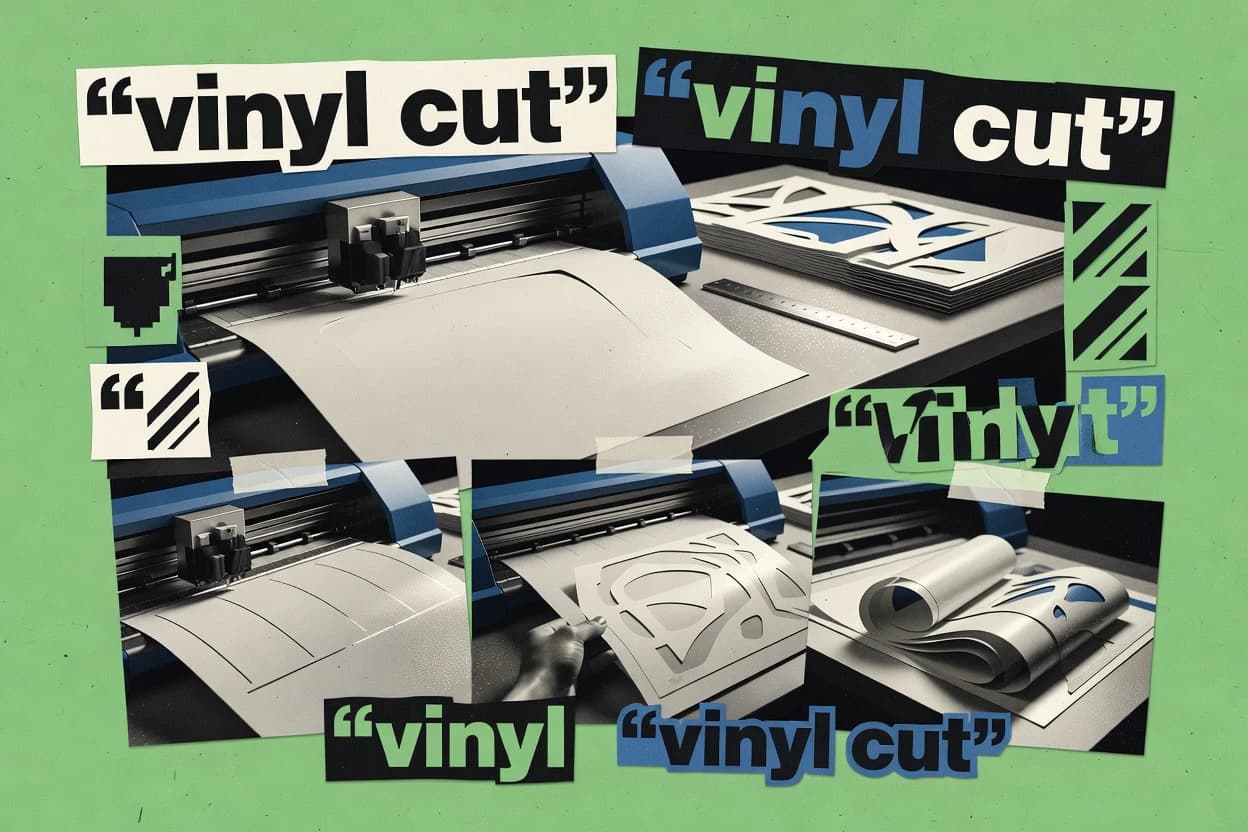
Ranking roundup of plotter cutting software for garment and fabric workflows, including Gerber AccuMark, CLO, Optitex, plus VinylMaster CUT.

How we ranked these tools
Core product claims cross-referenced against official documentation, changelogs, and independent technical reviews.
Analyzed video reviews and hundreds of written evaluations to capture real-world user experiences with each tool.
AI persona simulations modeled how different user types would experience each tool across common use cases and workflows.
Final rankings reviewed and approved by our editorial team with authority to override AI-generated scores based on domain expertise.
Score: Features 40% · Ease 30% · Value 30%
Gitnux may earn a commission through links on this page — this does not influence rankings. Editorial policy
VinylMaster CUT is the best fit for signmaking and decal runs where you need repeatable contour cutting and consistent registration-mark output, whereas Cutting Master 5 suits Graphtec-heavy shops that want smooth cut-path transfer from design tools to Graphtec plotters.
Editor’s top 3 picks
Three quick recommendations before you dive into the full comparison below — each one leads on a different dimension.
VinylMaster CUT
Material-aware blade compensation combined with registration-oriented print-and-cut workflow keeps contour alignment consistent across jobs.
Built for fits when sign and decal shops need repeatable contour cutting with registration-mark production runs..
Easy Cut Studio
Editor pickPrint-and-cut registration workflows that align contour cuts to printed sheets for sticker and garment graphics runs.
Built for fits when sign and apparel finishing teams need repeatable cut jobs with registration and nesting control..
Cutting Master 5
Editor pickOptical registration plus print-and-cut job handling for lining cut paths to printed graphics.
Built for fits when a shop runs Graphtec plotters for vinyl, decals, and stencils with repeatable placement..
Comparison Table
VinylMaster CUT
SMBSignmaking and cutting software line with editions tailored to vinyl cutter and plotter work.
Material-aware blade compensation combined with registration-oriented print-and-cut workflow keeps contour alignment consistent across jobs.
VinylMaster CUT is built around a production workflow where artwork is imported, arranged, and converted into blade toolpaths that a plotter can execute with repeatable offsets and tool settings. The application includes cut-specific controls like blade compensation, overcut and overburn style options, and work-area layout controls that matter for decal, stencil, and sign making. Layer-based organization supports batching separate cut types such as kiss cut, die cut emulation, and perforation-like effects using different cut parameters across objects.
A key tradeoff is that advanced automation and integration depth depends more on file-based output and consistent device setup than on a broad API-driven administration surface. Teams using VinylMaster CUT do best when designs stay mostly vector or are converted into vector toolpaths before cutting, and when they can maintain consistent material libraries and cutter calibration for predictable results. For print-and-cut runs, the value concentrates in the registration step and the ability to preserve alignment between the printed substrate and the cut job.
- +Strong blade offset and compensation controls for predictable contour cuts
- +Vector-first workflow supports detailed node edits and object-level refinement
- +Layer-based cut parametering enables mixed kiss cut and die cut styles
- +Print-and-cut registration workflow fits common registration-mark production runs
- –Deep automation requires disciplined job setup rather than external orchestration
- –Raster-heavy workflows need reliable vectorization to avoid cutpath artifacts
- –Large production batches can become configuration-heavy across multiple machines
Sign makers and production operators
Batch contour cuts with registration marks
Fewer misaligned reprints
Label and decal design teams
Kiss cut plus full cut in one layout
Faster weeding and packing
Show 2 more scenarios
Small fabrication studios
Iterate stencil and mask toolpaths quickly
Reduced revision turnaround
Node-level edits let teams adjust contours and cut order without re-importing entire projects.
Garment graphics shops
Heat transfer vinyl applique cutting
Cleaner transfers and stacking
Layout and cut parameter control supports consistent edges for layered applique parts.
Best for: Fits when sign and decal shops need repeatable contour cutting with registration-mark production runs.
Easy Cut Studio
SMBVinyl cutting and plotter software with design, tracing, and direct cutter output.
Print-and-cut registration workflows that align contour cuts to printed sheets for sticker and garment graphics runs.
Easy Cut Studio provides a design-to-cut pipeline with import support for vector and raster assets and a workspace oriented around cut job preparation. Output configuration centers on cutter-ready settings such as blade offset, pen or knife selection, test cut routines, and per-layer control so production jobs can be rerun with consistent motion. Print-and-cut registration workflows exist for aligning cut contours to printed sheets or labels. File-to-machine output uses plotter-oriented export targets rather than relying on external drivers for core job setup.
A tradeoff appears in the depth of advanced garment pattern automation compared with pattern-first tools, since Easy Cut Studio focuses on cutting output, not pattern grading or style analysis. The best fit is when apparel and fabric workflows depend on accurate nesting, registration marks, and repeatable finishing steps like contour cutting and weeding. Shops can use it to keep production-ready cut files organized by layers and cut order while staying closer to shop-floor operations.
- +Strong cut-job preparation with layer-level settings and page setup controls
- +Blade calibration workflow supports repeatable outcomes through test cut and offsets
- +Print-and-cut registration flow for aligning cut graphics to printed media
- +Practical nesting and cut layout support for high-throughput vinyl and stencil runs
- –Pattern grading and garment-specific construction tooling are not the focus
- –Advanced toolchain integrations and automation APIs are limited versus enterprise CAD-CAM stacks
- –CNC-specific motion tuning features are thinner than dedicated router CAM tools
- –Deep vector cleanup and node-level editing remain basic for complex paths
Sign shop operators
Pre-printed decal contour cutting
Less misalignment waste
Apparel finishing teams
Heat transfer vinyl applique cutting
Fewer re-cuts
Show 2 more scenarios
Fabric and stencil production
Stencil and mask fabrication
Faster batch throughput
Plans cut order and layered jobs to generate repeatable mask pieces from vector artwork.
Small CNC router shops
Vector-based router toolpaths
More predictable results
Converts imported vector shapes into cutter-ready motion with controllable cut behavior.
Best for: Fits when sign and apparel finishing teams need repeatable cut jobs with registration and nesting control.
Cutting Master 5
vertical specialistGraphtec plug-in software that sends cut paths from design applications to Graphtec plotters.
Optical registration plus print-and-cut job handling for lining cut paths to printed graphics.
Cutting Master 5 is distinct from general vector editors because it translates imported artwork into plotter-ready cutting files with layout controls, registration mark handling, and machine configuration. It fits sign making, stencil work, and vinyl cutting because it manages common cut types like kiss cut, die cut styles, and perforation-like separation through toolpath settings and pass planning. The software targets throughput by letting operators batch jobs with repeatable page setup and consistent machine parameters across multiple cuts.
A tradeoff appears in automation depth for non-Graphtec hardware because Cutting Master 5 is most frictionless when paired with supported Graphtec plotters. It also depends on accurate machine calibration and material setup for reliable blade offsets and depth behavior, so operators often need a test cut loop before production runs. For print-and-cut or optical eye based registration tasks, the workflow is strongest when the shop can provide consistent print alignment and media handling.
- +Graphtec-oriented machine settings for consistent offsets and cutting depth
- +Print-and-cut and registration workflows for accurate positional cutting
- +Supports DXF, AI, SVG, EPS, and PDF imports for shop file reuse
- +Batch-friendly page layout controls for repeated job runs
- –Automation is strongest with supported Graphtec plotter models
- –Blade calibration and test-cut verification are required for consistent results
Sign shop production teams
Cut vinyl decals from designer artwork
Fewer re-cuts and steady alignment
Fabrication and stencil shops
Produce kiss-cut stencils for paint masking
Consistent stencil release
Show 1 more scenario
Prepress operators
Run print-and-cut on registration marked media
More accurate contour cutting
Applies registration marks handling and optical alignment to match artwork position to printed output.
Best for: Fits when a shop runs Graphtec plotters for vinyl, decals, and stencils with repeatable placement.
Sure Cuts A Lot
SMBDesktop cutting software for vinyl cutters, craft cutters, and plotter-based sign workflows.
Node and object editing inside the cut layout so blade offset and line behavior can be tuned per artwork before output.
Sure Cuts A Lot is plotter cutting software from Craft Edge that focuses on vector-based cutting workflows and direct control of cut-ready layouts. It translates common design sources like SVG and PDF into cut paths, then applies vinyl-style cut settings such as blade offset and weeding-friendly output.
Layout editing centers on node and object manipulation, with tools for scaling, mirroring, and practical sign-layout adjustments. Output centers on plotter-ready files and plotter driver workflow rather than a full garment production pipeline.
- +Fast vector editing with node-level adjustments for accurate cut paths
- +Reliable blade offset and line-level settings for vinyl and similar media
- +Straightforward import-to-cut workflow for SVG and PDF sources
- +Practical object layout tools like mirror, rotate, and scaling
- –Limited garment pattern workflow coverage compared with production-focused packages
- –Weeding and registration-mark workflows depend on manual setup rather than automation
Best for: Fits when small teams need quick vector cut layout edits for signage, decals, or craft media.
Roland DG CutStudio
vertical specialistRoland cut output software for sending vector jobs to supported vinyl cutters and print-and-cut devices.
Registration mark alignment workflow ties directly to compatible optical eye setups for consistent print-and-cut positioning.
Roland DG CutStudio controls Roland plotters for vector cutting with toolpath generation, preview, and media-specific settings. The workflow centers on importing cutting artwork, assigning cut parameters like speed and pressure, and sending jobs through the Roland driver layer.
CutStudio also supports registration mark workflows for print-and-cut style alignment using optical eye systems when used with compatible Roland hardware and media setups. Job handling emphasizes repeatable batches with cut order and quality checks through on-screen simulation and backplot-style verification.
- +Tight Roland plotter driver integration reduces device setup mismatch risks
- +On-screen preview and verification help catch scaling and origin mistakes
- +Registration workflows fit optical mark alignment for print-and-cut use
- +Parameter mapping per layer supports repeat runs on mixed artwork
- –Data import and cleanup can be more limited than full CAD-to-toolpath pipelines
- –Advanced toolpath tuning like detailed tangential knife emulation is not granular
Best for: Fits when garment and fabric shops need Roland plotter jobs with predictable registration and repeatable cut settings.
Silhouette Studio
SMBDesign and cutting software for Silhouette electronic cutting machines with plotter-style workflow controls.
Built-in print-and-cut alignment workflow using Silhouette registration marks reduces operator steps.
Silhouette Studio is plotter cutting software focused on consumer and small-studio workflows that center on cutting design files and controlling a Silhouette cutter. It supports common vector and image imports, including DXF and raster images, and it provides print-and-cut oriented workflows for stickers and decals.
Previews and cut settings are organized around material types, blade options, and output layouts so operators can go from design to test cut. For larger production needs, it offers basic automation through batch-style workflows, but it lacks the deep extensibility and admin controls expected in high-throughput fabrication teams.
- +Print-and-cut workflows integrate registration workflow inside the design environment
- +Material and tool setting presets reduce repeat setup for common vinyl jobs
- +DXF import supports direct vector-based cutting workflows
- +Multi-page layout and tiling-style placement supports efficient sheet utilization
- –Automation for operator calibration and cut parameter versioning is limited
- –Advanced toolpath control is constrained to the cutter command model
- –API and extensibility for custom integrations are not geared for enterprises
- –SVG and image workflows can require manual cleanup before clean contour cuts
Best for: Fits when small shops need quick print-and-cut production with preset tool settings and manual test cuts.
Cricut Design Space
SMBCloud-connected design and cut software for Cricut machines used in craft and light production cutting.
Print-and-cut preparation with built-in registration guidance and project-level alignment steps tailored to Cricut devices.
Cricut Design Space pairs a guided, app-style design workflow with machine-ready output for Cricut cutting hardware. The core strengths are drag-and-drop layout editing, layered design handling for print-and-cut and cut jobs, and a built-in material and tool workflow that maps design steps to device actions.
File handling centers on importing common vector and image assets, then preparing them for cut paths within Cricut’s project model. For garment and fabric workflows, it is most effective when the workflow stays inside Cricut’s ecosystem for registration marks, calibration steps, and production execution.
- +Layer-based editing supports multi-step garment layouts and grouped cut planning
- +Print-and-cut workflows include registration mark placement and alignment steps
- +Cricut-specific material and cut settings reduce trial-and-error on common media
- +Fast project iteration with reliable undo history and object-level transforms
- –Export interoperability is limited for professional plotter toolchain formats
- –Advanced vector control stays shallow compared with pro CAD or CAM editors
- –Automation and batching for production runs is limited versus print shop workflows
- –Custom tool offsets and blade behavior are not exposed at a CNC-control level
Best for: Fits when small shops need quick, guided garment templates with Cricut hardware and print-and-cut registration.
Cuttle
SMBWeb-based vector design tool for digital fabrication including cutting plotters.
Print-and-cut workflow support for aligning cut output to printed graphics during job preparation.
Cuttle delivers plotter cutting workflows by turning design files into toolpaths with print-and-cut style alignment support and production-ready output.
The core strength is its workflow for preparing layered cut jobs with consistent coordinate handling across imports and machine-specific outputs.
Cuttle also focuses on operational throughput by supporting batch processing and iteration on cut settings between test cuts and production runs.
It is best suited to shops that want automation around file preparation rather than manual, per-job rework.
- +Batch-oriented job preparation reduces repetitive preflight work
- +Layered cut job handling keeps multi-color and multi-pass workflows organized
- +Export output stays consistent after iteration from test cut to production
- +Print-and-cut alignment support reduces manual registration retries
- –Advanced editing still depends on understanding toolpath and layer mapping
- –Tool and offset setup is not as standardized as in driver-based ecosystems
Best for: Fits when production shops need repeatable, automated cut preparation from design files.
Sure Cuts A Lot
SMBDesktop cutting software for electronic cutters, vinyl plotters, and craft cutting workflows.
Interactive vector job editing inside the cutting workflow that supports practical re-layout before sending device output.
Sure Cuts A Lot is cutting plotter software that turns design files into controllable toolpaths for vinyl cutters and similar machines. It focuses on vector-driven workflows with direct layout, scaling, and cut-job preparation rather than integrated garment-pattern processing.
The software targets dependable print-and-cut style workflows and production-style job output for common sign and craft materials. Sure Cuts A Lot also supports practical editing inside the design window so jobs can be adapted without leaving the cutting application.
- +Fast vector layout with immediate scaling for cut-ready output
- +Editing tools inside the design window reduce round-trips to other software
- +Strong emphasis on vinyl cutter style production workflows
- +Workflow stays centered on cut jobs rather than patternmaking layers
- –Limited support for complex garment pattern workflows and grading
- –Thin tooling for advanced nesting and cut order optimization
- –Fewer automation primitives compared with CAD CAM style stacks
- –Import and conversion quality varies by source vector complexity
Best for: Fits when sign and craft teams need quick vector-to-cut production for vinyl and similar materials without patternmaking overhead.
CoCut Professional
SMBCutting plug-in software for driving vinyl cutters from major graphic design applications.
Production-oriented cut preparation that emphasizes repeatable cut settings and part-layer handling for garment-sized jobs.
CoCut Professional targets garment and fabric workflows that need predictable plotter cutting output, with vector-oriented preparation and job-ready exports for cutting plotters. It supports repeatable cut production through reusable settings, file layering, and workflow steps that are oriented around cutlines rather than document design.
The software’s practical focus sits on translating CAD-style artwork into cutter-ready toolpaths, then managing how multiple parts are arranged for efficient cutting. CoCut Professional is also aimed at operators who need consistent results across runs, including handling of registration-mark style workflows for print-and-cut jobs.
- +Vector-first workflow supports clean cutline preparation
- +Repeatable job settings reduce variation between production runs
- +Layer and object handling supports multi-part garment layouts
- +Designed around plotter output rather than general design editing
- –Less suitable for deep path-control compared with CAD CAM tools
- –Automation and API access are not clearly positioned for IT integration
- –Registration and print-and-cut workflows can feel operator-dependent
- –File interchange is narrower than in cutter ecosystems that standardize on many toolchains
Best for: Fits when garment and fabric shops need reliable plotter-cut exports from vector artwork for repeat runs.
Conclusion
After evaluating 10 manufacturing engineering, VinylMaster CUT stands out as our overall top pick — it scored highest across our combined criteria of features, ease of use, and value, which is why it sits at #1 in the rankings above.
Use the comparison table and detailed reviews above to validate the fit against your own requirements before committing to a tool.
How to Choose the Right plotter cutting software
Plotter cutting software turns design geometry into cutter-ready job files that include blade offsets, cut depth settings, and print-and-cut alignment data for contour trimming. This guide covers VinylMaster CUT, Easy Cut Studio, Cutting Master 5, Sure Cuts A Lot, Roland DG CutStudio, Silhouette Studio, Cricut Design Space, Cuttle, Sure Cuts A Lot, and CoCut Professional for vinyl, decals, and garment graphics workflows.
The later sections map each tool to shop realities like optical eye registration, layer-level page setup, vector-first node editing, and how much automation exists for repeatable jobs. The strongest contenders handle print-and-cut alignment without forcing constant origin and scale rework, with VinylMaster CUT leading for registration-oriented print-and-cut consistency and Easy Cut Studio emphasizing repeatable contour cuts aligned to printed sheets.
Plotter cutting software for converting artwork into cutter-ready print-and-cut and vector cut jobs
Plotter cutting software prepares toolpaths and cut jobs for cutting plotters, often combining vector cutline control with print-and-cut registration marks so contour cuts land on top of printed graphics. VinylMaster CUT emphasizes material-aware blade compensation paired with a registration-oriented print-and-cut workflow designed to keep contour alignment consistent across jobs.
Other tools in this guide focus on different preparation mechanics, like Cutting Master 5 using optical registration plus print-and-cut job handling for lining cut paths to printed graphics. Easy Cut Studio focuses on registration workflows that align contour cuts to printed sheets and uses a blade calibration workflow with test cuts and offsets to support repeatable sticker and garment graphics runs.
Plotter cutting software feature checklist for repeatable print-and-cut
Print-and-cut consistency depends on how the software handles registration marks, contour alignment, and output scaling from the design window to the cutter. VinylMaster CUT leads with material-aware blade compensation paired with a registration-oriented print-and-cut workflow built to keep contour alignment consistent across jobs.
Registration-mark print-and-cut workflow
VinylMaster CUT combines registration-oriented print-and-cut workflow with blade compensation so contour cuts land correctly across repeat jobs. Cutting Master 5 and Roland DG CutStudio add optical registration handling aimed at consistent positional cutting to printed graphics.
Blade offset and compensation controls
VinylMaster CUT provides strong blade offset and compensation controls for predictable contour cuts on vinyl and decal-style media. Sure Cuts A Lot and Easy Cut Studio also include blade calibration workflows that support repeatable offsets through test cuts.
Vector-first editing with node and object control
Sure Cuts A Lot supports node and object editing in the cut layout so cut paths can be tuned per artwork before output. VinylMaster CUT adds a vector-first workflow with detailed node edits and object-level refinement for contour-accurate results.
Layered job preparation and page setup
Easy Cut Studio centers layer-level settings and page setup controls to manage sticker and garment graphics runs with registration and nesting control. CoCut Professional emphasizes part-layer handling for garment-sized repeat runs with repeatable job settings.
Batch job preparation and automated preflight
Cuttle focuses on batch-oriented job preparation that reduces repetitive preflight work for multi-color and multi-pass production. CoCut Professional similarly emphasizes repeatable cut settings and part-layer handling to reduce variation between production runs.
Device integration fit for specific cutter ecosystems
Cutting Master 5 and Roland DG CutStudio emphasize optical registration plus print-and-cut job handling aligned to supported Graphtec and Roland plotter driver expectations. Silhouette Studio and Cricut Design Space provide built-in registration workflows that reduce operator steps when using their corresponding hardware.
Choose based on whether the workflow is driver-managed or designer-managed
Some tools keep print-and-cut accuracy stable by tying output generation tightly to compatible optical eye workflows and cutter drivers. Cutting Master 5 and Roland DG CutStudio follow that driver-oriented path with optical registration plus registration workflows designed for predictable placement.
Match the registration approach to the shop’s hardware path
If the shop runs Graphtec or Roland plotters with optical eye expectations, Cutting Master 5 and Roland DG CutStudio prioritize print-and-cut registration handling aimed at consistent positional cutting. If the shop uses a mixed mix of production workflows or wants compensation and alignment held closer to the artwork, VinylMaster CUT keeps contour alignment consistent through its material-aware blade compensation combined with registration-oriented print-and-cut workflow.
Decide where cut-parameter control should live
Choose a tool that centers layer-level page setup and blade calibration steps when the shop repeats similar sticker or garment graphics jobs. Easy Cut Studio uses layer-level settings and page setup controls plus test-cut-driven blade calibration, while Silhouette Studio and Cricut Design Space embed registration mark placement and alignment guidance into the design workflow.
Select vector editing depth based on artwork variation
If the shop needs to tune blade offset and line behavior per artwork before output, Sure Cuts A Lot supports node and object editing inside the cut layout for accurate cut path refinement. If artwork variation stays mostly within repeatable contours but still needs material compensation discipline, VinylMaster CUT’s vector-first workflow and compensation controls keep contour cuts predictable.
Use batch preparation when repetitive preflight dominates labor
If multi-color or multi-pass jobs require frequent preflight work, Cuttle’s batch-oriented job preparation reduces repetitive setup during job preparation. CoCut Professional targets production repeat runs with part-layer handling and repeatable job settings that reduce variation between production runs.
Avoid tools that stop short of the garment workflow the shop needs
If garment pattern workflows like grading and construction tooling are part of the production pipeline, Easy Cut Studio and CoCut Professional focus less on pattern grading than garment-focused design stacks. If the job needs deep garment workflow coverage beyond repeat runs, VinylMaster CUT and Cutting Master 5 should be assessed for how they fit the shop’s upstream patternmaking and toolpath creation needs.
Who should buy plotter cutting software for print-and-cut production
Garment and fabric shops buy this category when the shop needs contour trimming tied to printed graphics, including reliable placement through optical registration or design-managed registration marks. Sign, decal, and craft teams buy it when they need fast vector-to-cut output with consistent blade offsets and predictable weeding-ready cut paths.
Garment and fabric print-and-cut operators using compatible plotters
Cutting Master 5 and Roland DG CutStudio focus on optical registration plus print-and-cut job handling for lining cut paths to printed graphics with predictable placement.
Sign and decal production teams running repeat contour cuts across media types
VinylMaster CUT emphasizes material-aware blade compensation combined with registration-oriented print-and-cut workflow built to keep contour alignment consistent across jobs.
Small teams doing frequent manual vector adjustments before output
Sure Cuts A Lot supports node and object editing in the cut layout so blade offset and line behavior can be tuned per artwork before sending output.
Sticker and garment finishing teams preparing layered jobs with calibration steps
Easy Cut Studio centers layer-level settings and page setup controls plus a blade calibration workflow that uses test cuts and offsets for repeatable outcomes.
Shops that prioritize guided registration steps over detailed cut-path tuning
Silhouette Studio and Cricut Design Space integrate print-and-cut alignment workflows with built-in registration mark guidance and preset tool settings for common vinyl jobs.
Common buyer pitfalls that cause registration drift and inconsistent cuts
Many failed print-and-cut jobs start with mismatches between the software’s registration workflow and the cutter’s expected setup steps. Blade compensation also gets misapplied when the shop skips test cuts or treats offsets as universal across media types and vinyl thicknesses.
Assuming print-and-cut settings are transferable between tools and devices without verification.
Cutting Master 5 and Roland DG CutStudio lean on optical registration workflows that match their plotter ecosystems, so test cut verification remains necessary after any workflow change.
Skipping test cuts after changing vinyl type or thickness.
Easy Cut Studio and Sure Cuts A Lot include blade calibration workflows using test cuts and offsets, and those steps are the main safeguard against inconsistent contour alignment.
Choosing fast vector layout software when garment pattern tooling is required for grading and construction.
Easy Cut Studio and CoCut Professional handle repeat run preparation but do not position pattern grading and garment-specific construction tooling as the core workflow, so upstream pattern work must be planned outside the cutting tool.
Over-relying on automation when job setup discipline is not standardized across operators.
VinylMaster CUT delivers registration-oriented print-and-cut consistency but requires disciplined job setup to keep deep automation outcomes stable between operators.
Treating offset and cut-path control as secondary to registration marks.
Sure Cuts A Lot and VinylMaster CUT both emphasize blade offset and compensation controls, and neglecting those controls increases edge drift even when registration marks are placed correctly.
How We Selected and Ranked These Tools
We evaluated VinylMaster CUT, Easy Cut Studio, Cutting Master 5, Sure Cuts A Lot, Roland DG CutStudio, Silhouette Studio, Cricut Design Space, Cuttle, Sure Cuts A Lot, and CoCut Professional using features at 40% weight, ease at 30% weight, and value at 30% weight. VinylMaster CUT ranked highest because its material-aware blade compensation pairs with a registration-oriented print-and-cut workflow designed to keep contour alignment consistent across jobs.
Easy Cut Studio ranked high in teams that need repeatable contour cutting tied to printed sheets because it combines layer-level page setup controls with a blade calibration workflow using test cuts and offsets. Cutting Master 5 and Roland DG CutStudio placed strongly where optical registration and print-and-cut job handling mattered because their workflows align cut paths to printed graphics through optical eye centered positioning.
Frequently Asked Questions About plotter cutting software
How do vinyl-style contour cutting workflows differ between VinylMaster CUT and Sure Cuts A Lot?
Which tool best supports optical eye print-and-cut alignment for garment and fabric layouts?
How should a shop plan multi-pass cutting and blade offsets in Easy Cut Studio versus Cutting Master 5?
What breaks if a team switches from Graphtec-focused placement workflows to Sure Cuts A Lot for print-and-cut?
How do Cuttle and CoCut Professional handle batch throughput for repeated garment-size jobs?
When converting design formats into cutter-ready toolpaths, how do Sure Cuts A Lot and Silhouette Studio differ in workflow depth?
What data-migration issues typically appear when moving from Cricut Design Space projects to a desktop plotter workflow like VinylMaster CUT or Cuttle?
Which tool offers the most direct node-level editing of cut layouts before generating plotter output?
How do security and admin controls differ between Silhouette Studio and enterprise-oriented workflows using Cutting Master 5 or Roland DG CutStudio?
Tools reviewed
Primary sources checked during evaluation.
Referenced in the comparison table and product reviews above.
Keep exploring
Comparing two specific tools?
Software Alternatives
See head-to-head software comparisons with feature breakdowns, pricing, and our recommendation for each use case.
Explore software alternatives→In this category
Manufacturing Engineering alternatives
See side-by-side comparisons of manufacturing engineering tools and pick the right one for your stack.
Compare manufacturing engineering tools→