
GITNUXSOFTWARE ADVICE
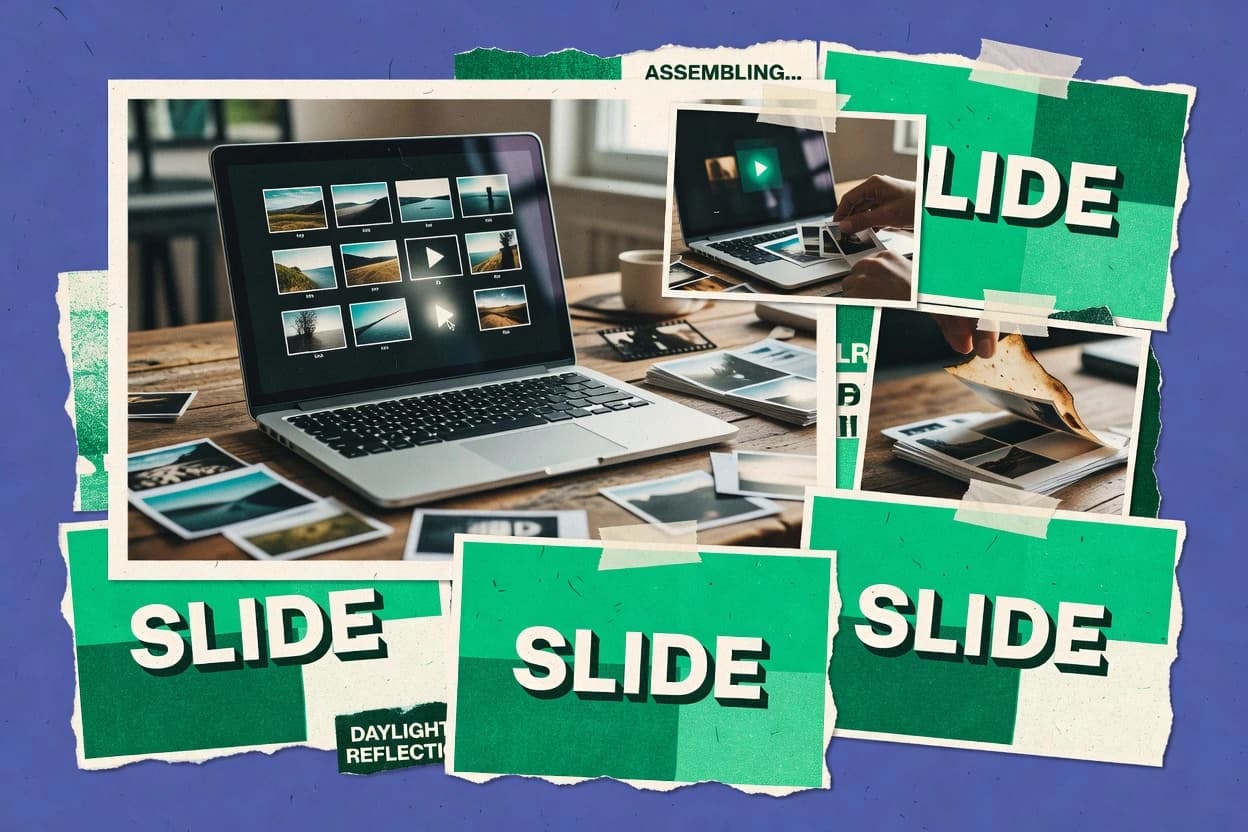
Art DesignTop 10 Best Picture Slideshow Software of 2026
Top 10 picture slideshow software ranking compares Clipchamp, Canva, Kapwing, and others for photo and video slides from Pexels, Unsplash, Flickr.

How we ranked these tools
Core product claims cross-referenced against official documentation, changelogs, and independent technical reviews.
Analyzed video reviews and hundreds of written evaluations to capture real-world user experiences with each tool.
AI persona simulations modeled how different user types would experience each tool across common use cases and workflows.
Final rankings reviewed and approved by our editorial team with authority to override AI-generated scores based on domain expertise.
Score: Features 40% · Ease 30% · Value 30%
Gitnux may earn a commission through links on this page — this does not influence rankings. Editorial policy
Clipchamp is the best overall pick for teams that want reliable browser-based slideshow exports with consistent framing and motion, whereas Canva works better when you need fast, layout-consistent slide exports for marketing, and Movavi Slideshow Maker fits if you prefer repeatable desktop renders with controlled timing and basic effects.
Editor’s top 3 picks
Three quick recommendations before you dive into the full comparison below — each one leads on a different dimension.
Clipchamp
Pan-and-zoom motion effects are applied per image clip, enabling emphasis changes across a slideshow.
Built for fits when teams need fast slideshow exports with consistent motion and framing..
Canva
Editor pickBrand Kit and reusable design elements let slideshow styles stay consistent across many slide decks.
Built for fits when marketing teams need fast photo slide exports with consistent layouts and basic transitions..
Kapwing
Editor pickKeyframe-style pan-and-zoom applied to each image segment for video-like slideshow motion.
Built for fits when small teams need motion slides with consistent overlays and quick exports..
Comparison Table
Clipchamp
SMBBrowser-based video editor from Microsoft with photo slideshow assembly and text overlay tools.
Pan-and-zoom motion effects are applied per image clip, enabling emphasis changes across a slideshow.
Clipchamp’s slideshow workflow centers on a timeline that can be scrubbed and reordered without leaving the editor, which keeps photo timing visible while edits are applied. Motion effects like pan-and-zoom and style filters are applied per clip, so image emphasis can change across the sequence. The transition library supports common crossfades and wipes, which helps create continuity when the image count is high.
A notable tradeoff is that deep, per-frame compositing controls like multi-layer masks and advanced color grading are not the primary focus compared with specialized editors. Clipchamp fits best when a team needs quick slideshow production from an image set, then must export a video deliverable with consistent framing for a specific channel.
- +Timeline scrubbing makes image timing changes immediate
- +Pan-and-zoom motion effects animate still photos per clip
- +Transition library includes crossfades and wipes for pacing
- +Export supports multiple aspect ratio presets for distribution
- –Advanced layer compositing and masking are limited versus pro editors
- –Large batch export and render queue controls are not the primary workflow
Marketing teams
Campaign slideshow for social channels
Faster content turnaround
Event organizers
Speakers and venue recap slideshow
Consistent show recap
Show 2 more scenarios
Educators and trainers
Lesson recap visual slideshow
Clear visual summary
Sequence photos with motion effects and record narration aligned to edit timing.
Sales and customer success
Customer story photo video
Shareable case video
Turn customer images into a branded slideshow with controlled pacing and framing.
Best for: Fits when teams need fast slideshow exports with consistent motion and framing.
Canva
SMBWeb-based design platform offering photo collage and slideshow templates with stock assets.
Brand Kit and reusable design elements let slideshow styles stay consistent across many slide decks.
Canva supports timeline-style slide ordering through a page or slide stack and a built-in transition library for crossfade-like effects. Photo slides work best when layouts come from templates like photo grids, collage layouts, and montage-style storyboards. Media handling stays straightforward with inline image placement, consistent typography, and easy reuse of design elements across slides.
A key tradeoff is limited control compared with dedicated video editors, especially for beat-level timing, motion path keyframes, and fine-grained render settings. Canva fits teams creating slideshow exports for internal updates, social posts, or simple event recaps where visual consistency matters more than cinematic timing control.
- +Template-driven photo layouts speed up storyboard assembly
- +Transitions and element reuse keep multi-slide designs consistent
- +Web editor supports quick iteration without switching tools
- +Export covers common aspect ratios for social and presentations
- –Limited timeline control for precise animation timing and beat sync
- –Advanced motion effects need workarounds instead of native keyframes
Marketing teams
Event recap slideshow for social
Faster approvals and consistent visuals
Communications teams
Monthly internal photo slideshow
Repeatable, low-effort production
Show 1 more scenario
Small business owners
Product montage for website sharing
More polished promotional posts
Layout templates and multi-aspect exports support quick creation of image-to-video sequences.
Best for: Fits when marketing teams need fast photo slide exports with consistent layouts and basic transitions.
Kapwing
SMBOnline multimedia editor with photo slideshow templates, aspect-ratio presets, and collaboration features.
Keyframe-style pan-and-zoom applied to each image segment for video-like slideshow motion.
Kapwing is built around a browser editor that lets image assets become timed segments on a single timeline, then add title cards, captions, and other overlay elements per segment. Motion is handled through keyframe-style pan-and-zoom controls, so image stills can transition like short video scenes. Transitions and audio tracks can be arranged to match slide duration, which helps when slides need narration or music.
A tradeoff is that advanced governance features are limited for team workflows, since there is no detailed RBAC and audit log surface described for shared editing. Kapwing fits best when a small team needs fast slide production with consistent layouts, especially for social video formats and marketing recap reels.
- +Timeline editing turns stills into timed scenes with overlays
- +Keyframe pan-and-zoom controls create motion without external editors
- +Template-driven layouts speed up repeat slide formatting
- +Render output supports presentation-friendly aspect ratio presets
- –Team governance lacks documented RBAC and audit log controls
- –Batch export workflow is limited for large libraries and heavy edits
Marketing teams
Make branded social recap slides
Faster production cycles
Content creators
Add narrated slideshow scenes
More coherent pacing
Show 2 more scenarios
Educators
Create short lesson slide videos
Shareable lesson assets
Overlay text and captions support step-by-step visuals with export-ready formats.
Events teams
Generate sponsor montage videos
On-brand event content
Drag-and-drop sequencing and transitions help assemble image grids into one output.
Best for: Fits when small teams need motion slides with consistent overlays and quick exports.
Animoto
SMBDrag-and-drop photo and video slideshow creator with licensed music and brand customization.
Storyboard-style slideshow assembly with pan-and-zoom motion styles built into template timelines.
Animoto turns image sets into short slideshow videos with guided templates and timeline controls for sequencing and timing. The editor supports image motion styles like pan-and-zoom and offers transition effects suitable for quick social-style exports.
Source handling centers on uploading photos and building a storyboard-style flow that renders into a single video output. Compared with photo-gallery focused tools, Animoto prioritizes video-style finishing steps like titles and formatted layouts within its slideshow workflow.
- +Template layouts reduce setup time for consistent slideshow branding
- +Timeline timing controls make slide duration and sequencing adjustments straightforward
- +Pan-and-zoom motion styles add movement without manual keyframing
- +Exports target common social viewing formats with straightforward aspect choices
- –Advanced animation control like granular keyframe editing is limited
- –Batch export controls are not as workflow-oriented as specialized video render tools
- –Asset organization and reusability across projects are not deep
- –Transition variety is smaller than broader video editors
Best for: Fits when teams need quick slideshow-to-video creation with minimal animation setup.
Biteable
SMBTemplate-driven video and slideshow maker targeting business communications and social content.
Storyboard templates that combine layout, transition selection, and per-slide duration into one editable sequence.
Biteable generates picture slideshow videos from uploaded images and preset storyboard layouts that control pacing and transitions. Timeline controls support pan-and-zoom style motion, custom text overlays, and per-slide timing so edits map directly to the rendered sequence.
Media sourcing relies on manual image upload and library-like selection within the editor, rather than browsing integrations during production. Export focuses on video delivery formats with aspect ratio presets for common social and presentation framing.
- +Drag-and-drop slide sequencing keeps story order changes fast
- +Built-in motion presets add consistent pan-and-zoom without keyframe work
- +Transition library includes crossfade and wipe-style scene changes
- +Text overlays support layered titles and captions per slide
- –Batch export and render queue controls are limited for high-volume workflows
- –Audio beat-sync and timeline scrubbing for fine synchronization are not granular
- –Advanced grading controls such as LUT support are not part of the editing surface
- –Complex assets like caption tracks and subtitle import require outside tooling
Best for: Fits when teams need quick photo-to-video slideshows with simple motion, titles, and standard transitions.
Renderforest
SMBCloud-based slideshow and animation platform with themed photo video templates.
Template slideshow storyboard editing that keeps images, overlays, and transitions scene-by-scene in one flow.
Renderforest targets teams that need a quick way to turn image sets into narrated slideshow videos without building an editing pipeline. The workflow centers on storyboard-based slideshow templates where image assets, text overlays, and transitions are configured per scene.
Export output supports common aspect ratio presets and rendering at chosen resolution, with a render queue for longer jobs. Integration mainly occurs through asset management and export sharing, not through a developer-first API for automation.
- +Storyboard template editor links images, text, and transitions per slide
- +Render queue supports unattended rendering for multi-minute sequences
- +Export resolution and aspect ratio presets cover common social formats
- +Style library includes consistent typography and transition options
- –Timeline-level control is limited compared with pro video editors
- –Complex beat-sync workflows require manual audio alignment work
- –Automation via API and webhooks is not a core workflow pillar
- –Custom motion beyond template keyframes needs more manual iteration
Best for: Fits when marketing teams need template-driven photo slideshows with fast revisions and consistent typography.
FlexClip
SMBBrowser-based slideshow and video maker with photo arrangement tools and royalty-free music.
Storyboard-style slide editor that keeps sequencing, text overlays, and per-slide timing in one place without a full timeline.
FlexClip pairs a slideshow-oriented editor with a media library flow that focuses on turning photo sets into timed scenes. The tool supports drag-and-drop sequencing, storyboard-style layout, and common slideshow motion options such as pan-and-zoom.
Exports cover typical web and social formats with aspect ratio presets and resolution control for finished renders. For teams comparing photo sources like Pexels Slides, Unsplash, and Flickr, FlexClip fits when the workflow needs quick sequencing rather than complex multi-track editing.
- +Drag-and-drop sequencing with per-slide timing control for fast story building
- +Pan-and-zoom motion options add movement without keyframe editing
- +Aspect ratio presets speed up export targeting for social feeds
- +Template-based layouts reduce setup time for consistent slide styling
- –Limited precision for multi-layer compositing compared with full timeline editors
- –Batch export and render queue controls are not suited for high-throughput production
Best for: Fits when creators need quick, photo-first slideshows with timed scenes and motion, not deep timeline compositing.
Movavi Slideshow Maker
consumerDesktop photo slideshow maker with transitions, effects, and audio track support.
Keyframe-based pan-and-zoom animation that previews motion in timeline mode while adjusting slide timing.
Movavi Slideshow Maker turns photo sets into timed slide shows with manual sequencing, drag-and-drop ordering, and adjustable slide duration. The editor adds photo movement using pan-and-zoom style keyframes plus selectable transitions for crossfade and wipe-style effects.
Media handling supports trimming imported clips for mixed media projects and setting output properties like aspect ratio presets and export resolution. Batch export and a render queue help when the same slideshow template must be produced for multiple sets or outputs.
- +Drag-and-drop sequencing with timeline scrubbing for quick timing edits
- +Keyframe pan-and-zoom control for motion within still photos
- +Transition library includes crossfade and wipe-style effects
- +Batch export and render queue speed repeated slideshow production
- –Limited newsroom-style titling controls compared with dedicated editors
- –Higher-end color grading controls like LUT workflows are not the focus
Best for: Fits when a small team needs repeatable photo slideshow renders with controlled timing and basic motion effects.
Promo
SMBOnline video and slideshow maker with stock footage integration and social media formatting.
Template-driven slideshow layouts that preserve consistent image framing across slide sets.
Promo assembles slideshow projects around editable slide pages with per-slide duration and ordering controls.
The workflow emphasizes rapid iteration using prebuilt layouts so image positioning and typography stay uniform across many slides.
Export controls focus on common format outputs through aspect ratio presets and standard slideshow rendering settings.
Complex motion tasks like fine-grained pan-and-zoom keyframes and deep timeline choreography are not the product’s primary strength.
- +Template-first slideshow building keeps multi-slide layouts consistent
- +Slide sequencing is quick with drag ordering and per-slide timing controls
- +Export workflow supports aspect ratio presets for common social formats
- +Reuse of existing layouts speeds up photo refresh cycles
- –Timeline depth is limited for complex keyframe-style motion
- –Advanced animation controls are thinner than timeline-first editors
- –Rendering control for heavy batches is restrictive for throughput tuning
- –Fewer hooks for content ops automation than dedicated asset pipelines
Best for: Fits when teams need fast slideshow creation from reusable templates and predictable exports.
PixTeller
SMBWeb-based design and animation tool supporting photo slideshow creation with motion presets.
Slideshow-specific timeline editing with slide duration and transition controls tuned for photo sequencing.
PixTeller turns a photo collection into a timed slideshow with editor controls for sequence, transitions, and rendered output. It is distinct for media-library style sourcing from common photo workflows and for generating a completed slideshow project that can be exported for sharing and publishing.
The editor supports slide ordering, duration per slide, and transition styling to control motion between images. Output controls focus on render settings like aspect ratio presets and export resolution for predictable results across photo-first use cases.
- +Drag-and-drop sequencing makes slide ordering fast
- +Per-slide duration controls tighten timing without manual frame math
- +Export resolution and aspect ratio presets fit common sharing targets
- +Transition controls reduce hard cuts during photo playback
- –Advanced motion like keyframe pan-and-zoom is limited versus pro editors
- –Beat-sync with audio and chapter marker workflows are not built into timelines
- –Batch export and render queue controls are thin for high-volume jobs
- –Governance features like RBAC and audit logs are not designed for teams
Best for: Fits when small teams need quick photo-to-slideshow exports with reliable timing and standard output formats.
Conclusion
After evaluating 10 art design, Clipchamp stands out as our overall top pick — it scored highest across our combined criteria of features, ease of use, and value, which is why it sits at #1 in the rankings above.
Use the comparison table and detailed reviews above to validate the fit against your own requirements before committing to a tool.
How to Choose the Right picture slideshow software
Picture slideshow software turns photo sequences into timed video output with slide-level transitions, overlay text, and motion effects designed around still images. This guide covers Clipchamp, Canva, Kapwing, Animoto, Biteable, Renderforest, FlexClip, Movavi Slideshow Maker, Promo, and PixTeller, based on how each tool handles slideshow assembly and export.
Tool differences show up in timeline control depth, the granularity of pan-and-zoom motion for each image, and how quickly multi-slide edits can be timed and re-rendered. Clipchamp leads with per-image pan-and-zoom plus timeline scrubbing, while Canva centers on template-driven consistency across many slide decks.
Picture slideshow software for turning photos into timed, motion-ready slide-to-video sequences
Picture slideshow software creates video-like slide outputs by sequencing photos with slide duration controls, transitions, and title or caption overlays. Many tools in this category provide pan-and-zoom motion designed for still images so slides feel animated without authoring complex motion graphics.
Clipchamp applies pan-and-zoom motion effects per image clip and pairs that with timeline scrubbing for immediate timing changes. Kapwing uses keyframe-style pan-and-zoom per image segment with overlay timing driven by a timeline editor, while Canva relies more on reusable design elements and consistent template layouts than on precise native animation timing control.
Evaluation criteria for picture slideshow software workflows
Picture slideshow software lives or dies by how fast slides become timed output with readable overlays and motion that matches still-image intent. The tools in this category handle motion and sequencing in very different ways, from per-image pan-and-zoom on a real timeline to storyboard editors that collapse timing, transitions, and titles into a single flow.
The criteria below track what changes the editing outcome: timeline scrubbing for precise slide duration adjustments, how motion is authored per image, and whether batch export and render queue controls support multi-slide production at volume. These differences are most visible when re-timing many slides, standardizing branding across repeated decks, or trying to align motion with audio without manual alignment work.
Timeline scrubbing and slide timing control
Clipchamp pairs timeline scrubbing with pan-and-zoom per image clip, so slide duration changes take effect immediately. PixTeller focuses on slideshow-specific slide duration and transition controls, which tightens timing without frame-by-frame math.
Pan-and-zoom motion authoring model
Kapwing uses keyframe-style pan-and-zoom per image segment, which supports video-like motion planning inside the slideshow workflow. Movavi Slideshow Maker uses keyframe-based pan-and-zoom with timeline mode previews while slide timing is edited.
Template consistency for multi-deck branding
Canva and Animoto both rely on template-driven slideshow assembly to keep layouts consistent across many slide decks. Canva adds reusable design elements via Brand Kit concepts, while Animoto’s storyboard-style templates bake pan-and-zoom motion styles into timeline templates.
Storyboard-style sequencing versus full timeline depth
FlexClip provides storyboard-style sequencing in one place with per-slide timing and pan-and-zoom options without committing to deep multi-layer compositing. Renderforest and Promo use template slideshow storyboard editors, but Renderforest adds unattended rendering through render queue support for longer sequences.
Export throughput and render queue support
Renderforest supports unattended rendering via render queue for multi-minute sequences, which fits repeat production runs. Clipchamp is strongest when exports must be fast with consistent motion and framing, while batch export and queue controls are not the primary workflow focus in several other tools.
Audio synchronization granularity and alignment work
Biteable and PixTeller both tie audio-related workflows to slideshow timing, but beat-sync and synchronization controls are not granular in their timelines. Renderforest has limited timeline-level control, which can require manual audio alignment work for complex beat-sync workflows.
How to choose picture slideshow software for your slideshow-to-video workflow
Choosing depends on whether the workflow needs real timeline behavior or storyboard-style assembly that prioritizes speed. Clipchamp, Kapwing, and Movavi Slideshow Maker support more timeline-centric motion editing with scrubbing and keyframe-style pan-and-zoom authoring.
Choosing also depends on production scale and governance expectations because several tools limit batch export and render queue controls. If slide sets repeat often, template and reusable layout systems matter more than keyframe precision for achieving consistent typography and framing.
Pick a motion workflow that matches how slides get reworked
If slide durations and emphasis need frequent tightening, Clipchamp’s timeline scrubbing plus per-image pan-and-zoom on clips makes re-timing immediate. If motion needs keyframe-style planning per image segment, Kapwing’s keyframe pan-and-zoom controls let each segment behave more like a video scene.
Choose storyboard templates when layout consistency is the priority
If the primary requirement is consistent slide layouts across many slide decks, Canva’s template-driven photo layouts and reusable design elements keep branding stable during assembly. If slideshow-to-video creation must be fast with minimal animation setup, Animoto’s storyboard-style templates keep pan-and-zoom motion styles inside template timelines.
Decide whether unattended rendering matters for throughput
If long sequences need unattended rendering, Renderforest’s render queue supports background rendering for multi-minute projects. If work is closer to quick single-deck exports, tools like Promo and Biteable keep sequencing simple but do not focus on render queue control for high-volume production.
Separate fine audio sync needs from standard timing
If beat-sync and timeline scrubbing must be granular for synchronization, avoid tools where audio beat-sync is not granular and where chapter-marker workflows are not integrated. PixTeller and Biteable prioritize slideshow timing and transitions, but they do not build beat-sync and chapter-marker synchronization into their timelines.
Confirm the editor depth for overlays and motion complexity
If overlays and multi-layer compositing require advanced control, Clipchamp’s advanced layer compositing and masking are limited versus pro editors, so projects needing complex masks may hit a ceiling. If motion stays within pan-and-zoom presets and standard titles, Biteable and FlexClip offer faster drag-and-drop slide sequencing with motion options that avoid keyframe-heavy authoring.
Who picture slideshow software is built for
Picture slideshow software fits teams that convert photo libraries into timed video output with transitions and readable overlays, often under repeatable layout constraints. The best match depends on whether teams need timeline-level re-timing control or storyboard-driven template assembly.
Several tools also split along production scale needs, where render queue support matters for unattended rendering. Others focus on fast deck creation and consistent motion rather than governance controls or large-library batch workflows.
Marketing and content teams producing repeat slideshow variants
Canva’s template-driven layouts and reusable design elements help keep slideshow styles consistent across many slide decks. Promo and Animoto also support storyboard-style assembly, which keeps sequencing quick when revisions are frequent.
Editors who need precise re-timing and motion emphasis per image
Clipchamp’s timeline scrubbing makes slide timing changes immediate while pan-and-zoom animates each image clip. Movavi Slideshow Maker and Kapwing support keyframe-based or keyframe-style pan-and-zoom with preview behavior that helps shape motion while adjusting timing.
Small teams prioritizing fast photo-to-video exports with standard transitions
PixTeller provides slideshow-specific slide duration and transition controls tuned for photo sequencing without manual frame math. FlexClip and Biteable keep sequencing simple with drag-and-drop ordering and per-slide timing.
Teams producing long sequences that must render unattended
Renderforest supports unattended rendering through render queue support for multi-minute sequences. Other tools tend to focus on interactive editing and faster exports, with batch export and queue controls not being their primary workflow.
Common picture slideshow software pitfalls
Many slideshow projects fail because motion control depth and timing precision get assumed from templates. When slides need complex multi-layer compositing, limited masking and advanced layer controls can block the intended design.
Other failures come from underestimating export throughput constraints. If the workflow requires repeated rendering of long sequences or large photo libraries, limited batch export and queue support leads to avoidable manual steps.
Choosing a template-first editor for a project that requires timeline precision and advanced compositing
Clipchamp enables pan-and-zoom per clip and timeline scrubbing, but advanced layer compositing and masking are limited versus pro editors. Kapwing’s keyframe-style pan-and-zoom is strong for motion, but its batch export workflow is limited for large libraries and heavy edits.
Assuming beat-sync and fine audio alignment are built for timeline-grade synchronization
Biteable does not provide granular audio beat-sync and timeline scrubbing for fine synchronization. PixTeller also does not build beat-sync with audio and chapter marker workflows into its timelines.
Ignoring throughput needs until the first production batch
Renderforest supports render queue for unattended rendering of multi-minute sequences, which fits repeat production runs. Tools that focus on quick sequencing and export can lack workflow-oriented batch export and render queue controls for high-volume operations.
Overestimating governance controls when multiple people edit shared assets
Kapwing’s team governance lacks documented RBAC and audit log controls, which can be a blocker for controlled collaboration. Tools like Canva and Animoto focus on template assembly and consistency rather than governance-style controls.
How We Selected and Ranked These Tools
We evaluated Clipchamp, Canva, Kapwing, Animoto, Biteable, Renderforest, FlexClip, Movavi Slideshow Maker, Promo, and PixTeller by comparing how each tool turns photo sequences into timed slide-to-video output using slide duration controls, transitions, and motion effects. Features accounted for 40% of the ranking, including timeline scrubbing behavior, per-image pan-and-zoom authoring model, and whether storyboard templates keep layouts consistent.
Ease accounted for 30% of the ranking based on drag-and-drop sequencing, preview feedback during timeline edits, and how quickly edits re-render during slideshow timing changes. Value accounted for 30% of the ranking by weighing batch export and render queue support against the editing workflow, and Clipchamp separated itself by applying pan-and-zoom motion effects per image clip alongside timeline scrubbing for immediate timing adjustments.
Frequently Asked Questions About picture slideshow software
How does Clipchamp handle per-image motion compared with Kapwing and Animoto?
Which tool is better for template-driven slideshow layouts that stay consistent across many slide sets?
When should a team choose Canva instead of FlexClip for slideshow production?
What breaks if a workflow needs automation via developer APIs and integrations?
How do timeline controls differ between Movavi Slideshow Maker and Clipchamp for adjusting slide timing?
Where does keyframe pan-and-zoom fit differently in Kapwing versus Movavi Slideshow Maker?
How should teams compare Batch export and render queue behavior across Movavi and Renderforest?
Which tool best fits photo-source workflows that focus on sequencing assets rather than integrated browsing during production?
What security and admin controls are supported for team access management in these slideshow tools?
Tools reviewed
Primary sources checked during evaluation.
Referenced in the comparison table and product reviews above.
Keep exploring
Comparing two specific tools?
Software Alternatives
See head-to-head software comparisons with feature breakdowns, pricing, and our recommendation for each use case.
Explore software alternatives→In this category
Art Design alternatives
See side-by-side comparisons of art design tools and pick the right one for your stack.
Compare art design tools→