
GITNUXSOFTWARE ADVICE
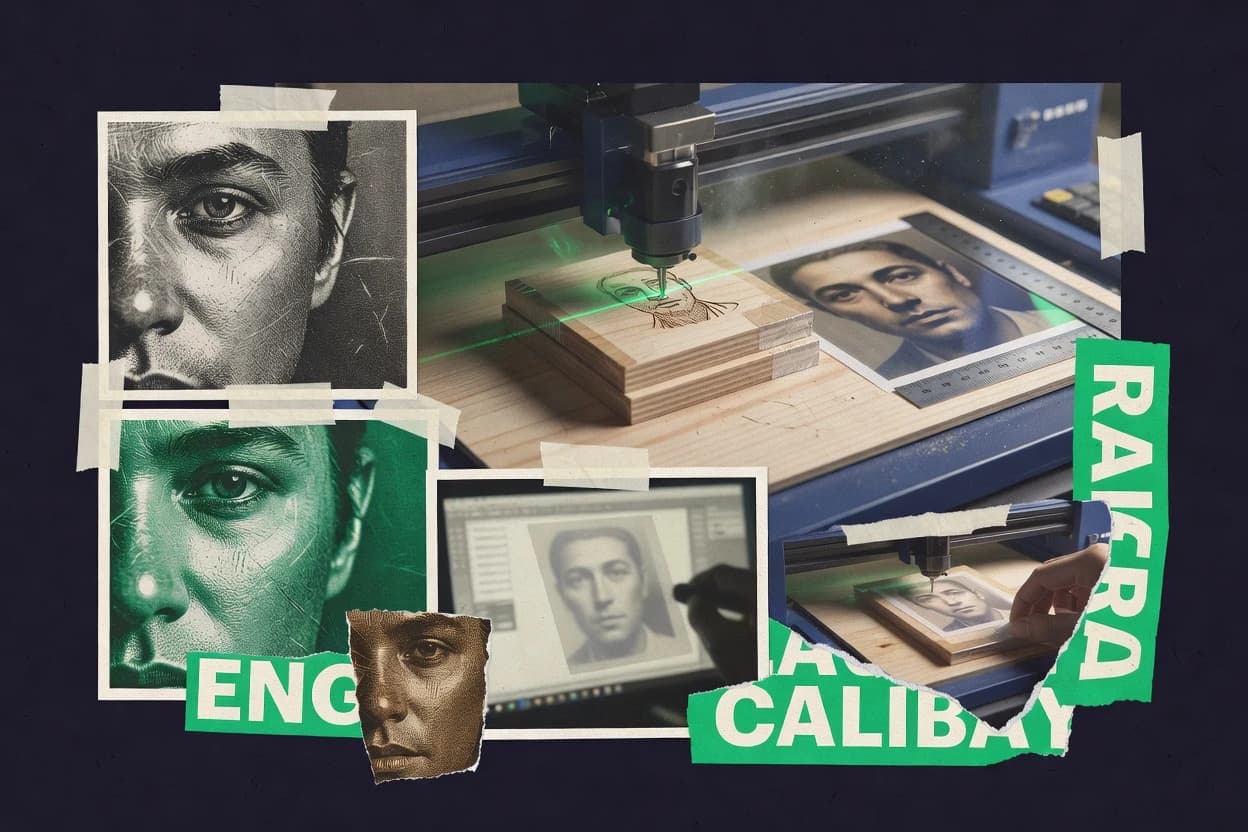
Art DesignTop 10 Best Photo Engraving Software of 2026
Top 10 photo engraving software ranked by workflow, milling, and vector engraving specs, with side-by-side comparisons of LightBurn, EZCAD, and VisiCut.

How we ranked these tools
Core product claims cross-referenced against official documentation, changelogs, and independent technical reviews.
Analyzed video reviews and hundreds of written evaluations to capture real-world user experiences with each tool.
AI persona simulations modeled how different user types would experience each tool across common use cases and workflows.
Final rankings reviewed and approved by our editorial team with authority to override AI-generated scores based on domain expertise.
Score: Features 40% · Ease 30% · Value 30%
Gitnux may earn a commission through links on this page — this does not influence rankings. Editorial policy
LightBurn is the best overall fit when you need repeatable raster and vector engraving toolpaths from layered artwork, while LaserGRBL is the cheapest entry if you’re running single-PC grayscale-to-G-code jobs, and VisiCut suits small shops that want preview-driven tuning with mixed raster-vector exports.
Editor’s top 3 picks
Three quick recommendations before you dive into the full comparison below — each one leads on a different dimension.
LightBurn
Layer color mapping ties each artwork layer to a separate raster or vector toolpath type in one project.
Built for fits when shops need repeatable raster and vector toolpaths from layered artwork..
EZCAD
Editor pickContrast-to-output controls that translate photo tonal detail into predictable engraving behavior for scanline runs.
Built for fits when shops run bitmap-heavy photo engraving jobs and need fast path iteration..
VisiCut
Editor pickDevice-aware preview and path regeneration let raster and vector parameter edits be validated before export.
Built for fits when small shops need repeatable photo engravings with preview-driven tuning and mixed raster-vector exports..
Comparison Table
LightBurn
vertical specialistLaser control software with image tracing, dithering, grayscale, and bitmap engraving tools.
Layer color mapping ties each artwork layer to a separate raster or vector toolpath type in one project.
LightBurn’s core workflow starts by importing artwork and then assigning each layer to a specific engraving or cutting action. The program includes bitmap-to-laser conversion controls for contrast mapping and thresholding, plus grayscale modulation options for smoother image transitions. Vector side supports SVG and DXF import for line and fill operations, and it generates vector toolpaths that respect geometry from the imported files.
A common tradeoff is that bitmap results depend heavily on image preprocessing choices like contrast mapping and dithering style, which can require iterative tuning before the first production pass. LightBurn fits best when a shop already designs artwork in SVG or DXF, then needs one repeatable toolpath pipeline for raster texturing and vector cuts in the same send workflow.
- +Layer-based raster and vector jobs keep mixed work consistent per send
- +Bitmap-to-laser conversion previews reduce guesswork before first run
- +SVG and DXF import supports direct vector toolpath generation
- +Color layer mapping links artwork structure to device actions
- –Gray and contrast tuning can require several iterations per material
- –Vector-heavy drawings with many small paths can slow planning and preview
Custom engraving shops
Mixed logo raster texture plus cut lines
Fewer remakes per design
Product personalization operators
Batch nameplates from standardized templates
Higher throughput per batch
Show 1 more scenario
R&D prototyping teams
Iterate image preprocessing parameters quickly
Faster material iteration loops
Adjusts bitmap conversion settings and previews changes before sending the job to hardware.
Best for: Fits when shops need repeatable raster and vector toolpaths from layered artwork.
EZCAD
vertical specialistLaser marking software widely used for photo engraving on metals and non-metals with galvo scanners.
Contrast-to-output controls that translate photo tonal detail into predictable engraving behavior for scanline runs.
EZCAD targets shops that need consistent bitmap-to-toolpath production from photo-like inputs. Image processing settings let operators control how tonal detail maps to engraving behavior, then export job geometry for the target controller. Practical controls for scanline behavior and output density help reduce guesswork when engraving at different image sizes. This makes it suitable for production runs where the same artwork must hit repeatable contrast and coverage.
A key tradeoff is that EZCAD workflow depth is strongest for bitmap-based engraving rather than vector-first routing or CAD-centric SVG editing. Artists who rely on vector hatch logic for line art often find less direct control than dedicated CAD-to-toolpath workflows. EZCAD fits best when photo engraving is the core deliverable, and operator time should go into tuning image-to-path parameters rather than rebuilding artwork.
- +Bitmap-to-toolpath workflow supports rapid photo revisions and retesting
- +Granular tone mapping settings improve control over engraved contrast
- +Scanline output controls help match coverage across different sizes
- +Job prep tools for scaling and rotation reduce manual rework
- –Vector-first workflows for line art can feel less direct
- –Operator tuning is required to avoid banding on some images
Small engraving studios
Repeat photo orders on plaques
Faster rework and steadier results
Sign makers
Engrave grayscale portraits on wood
More readable portraits
Show 1 more scenario
CNC laser operators
Short runs with frequent artwork changes
Less manual prep time
Scaling and rotation controls support quick layout adjustments before path generation.
Best for: Fits when shops run bitmap-heavy photo engraving jobs and need fast path iteration.
VisiCut
SMBOpen-source laser cutting software with integrated photo engraving via raster profile mapping.
Device-aware preview and path regeneration let raster and vector parameter edits be validated before export.
VisiCut is built around converting artwork into machine-ready paths and then validating the result before sending work to the controller. Raster workflows support scanline generation and grayscale-style modulation so materials with gradual tone changes can be rendered without manual re-drawing. Vector workflows can be driven from common drawing formats so line and hatch-like fills can be routed alongside raster passes in one project.
A key tradeoff is the learning curve of mapping artwork parameters to the physical machine behavior, especially when tuning scan resolution and per-tone output. VisiCut fits best for small production runs where the same logo or photo needs controlled output across repeated batches rather than for one-off engraving from a CAD-only workflow.
- +Live preview links artwork tweaks to path changes before export
- +Scanline raster generation supports controlled grayscale-style rendering
- +Vector import workflow allows mixed raster and vector jobs
- +Project reuse keeps engraving settings consistent across batches
- –Fine-tuning resolution and tone mapping takes practice for consistent results
- –Complex multi-pass jobs can require careful parameter management
Laser engraving shops
Repeat logo photo on batches
Fewer remakes per batch
CNC engraving operators
Mixed vector outlines and fills
One setup, fewer tool swaps
Show 1 more scenario
Prototyping teams
Prototype relief-like imagery
Shorter iteration cycles
Preview-driven iteration supports fast iteration on tone handling and scan spacing for prototypes.
Best for: Fits when small shops need repeatable photo engravings with preview-driven tuning and mixed raster-vector exports.
PhotoGrav
vertical specialistDedicated photo preparation software for laser engraving on wood, stone, metal, and other materials.
Grayscale-style engraving tuning with contrast mapping and resolution controls designed for raster toolpath generation.
PhotoGrav targets photo engraving workflows by converting raster inputs into machine-ready engraving paths rather than building a CAD-centric pipeline. The tool focuses on grayscale-style output with controllable contrast mapping, pixel-to-toolpath density, and engraving resolution controls.
It also supports vector input handling for cases where artwork is already in SVG or DXF form. Output control centers on toolpath generation settings like line interval and scanline behavior, with an emphasis on getting predictable marks across repeated jobs.
- +Predictable raster engraving controls for depth-like grayscale effects
- +Adjustable line interval and scanline behavior for repeatable texture
- +Supports vector artwork paths when SVG or DXF inputs are available
- +Tuning options for contrast mapping reduce wasted test runs
- –Raster-to-vector style outcomes can require iterative thresholding
- –Vector hatch and advanced relief workflows depend on specific feature coverage
Best for: Fits when shops need photo-driven engraving results with controlled scanline output and repeatable grayscale mapping.
xTool Creative Space
vertical specialistxTool machine software with bitmap import, grayscale processing, and laser engraving controls.
Unified raster and vector job preparation with in-app preview tied to xTool device sending.
xTool Creative Space turns raster images into laser-ready engraving and supports vector-based cutting and line engraving in one workspace. The workflow centers on image import, previewed toolpath generation, and device job sending for xTool laser engravers.
It also includes vector editing and import handling for common CAD-like formats, which reduces handoff steps before exporting device jobs. Repeat jobs are supported through project templates and consistent material and output settings across runs.
- +Raster-to-laser engraving workflow stays inside one project preview
- +Vector editing and SVG handling reduce time spent on external cleanup
- +Device job sending aligns output settings with on-device execution
- +Repeatable project settings support consistent multi-part production
- –Grayscale output control can feel less granular than dedicated raster toolchains
- –Automation and API access for job generation is limited compared with programmable workflows
- –Large image processing can slow down UI responsiveness during parameter tweaks
- –Some advanced CAM-style toolpath controls require extra manual iteration
Best for: Fits when small studios need image engraving and vector jobs in one UI, with repeatable settings.
Imag-R
vertical specialistImage processing software for preparing photographs for laser engraving and marking.
Configurable grayscale-to-engravable toolpath mapping that drives depth-like raster output beyond simple binary thresholding.
Imag-R is photo engraving software focused on turning images into CNC or laser engraving toolpaths. Its core workflow centers on raster input processing and engraving-ready output generation for pixel-based engraving styles.
The tool’s distinct capability is image-to-toolpath control through grayscale mapping and per-channel engraving settings rather than only basic thresholding. Imag-R also supports common vector handoff formats so engraving workflows can mix bitmap-driven relief with vector-driven line work.
- +Grayscale mapping controls for depth-like engraving effects
- +Bitmap-driven toolpath generation supports relief-style engraving
- +Vector import support enables combined raster and line workflows
- +Export-oriented workflow fits direct CNC or laser post-processing
- –Raster workflow tuning takes time for consistent results
- –Limited clarity around advanced toolpath optimization settings
- –Vector outputs are secondary to bitmap engraving controls
- –Preflight checks for kerf and material variables require manual discipline
Best for: Fits when shops need repeatable photo-to-toolpath control for raster engraving and occasional vector line accents.
LaserGRBL
SMBFree Windows software for GRBL laser engravers with grayscale and dithering support.
Built-in raster image processing that maps grayscale output into laser power changes during scanline engraving.
LaserGRBL is a Windows laser and CNC controller workflow centered on G-code generation and direct sender control. It converts images into raster laser toolpaths with adjustable grayscale handling, then sends output to GRBL-based machines via serial.
The workflow supports SVG import for vector-style engraving and can export G-code for offline runs. LaserGRBL also includes machine shape, axis, and feedrate settings that affect toolpath scale and throughput.
- +Grayscale-to-power mapping workflow for image engraving
- +SVG import for vector-like engraving layouts
- +Direct serial control for GRBL-style send and job repeatability
- +Tunable raster parameters like scanline density and line interval
- –Grayscale and raster quality are sensitive to threshold and contrast settings
- –Limited higher-level automation compared with dedicated imaging pipelines
- –Vector hatch and crosshatch fill controls are not as granular as pro CAM
- –No built-in asset pipeline for multi-project libraries
Best for: Fits when single-PC engraving work needs reliable raster-to-G-code and occasional SVG engraving.
PicEngrave
vertical specialistImage-to-G-code CNC photo engraving software for spindle and laser diode machines.
Per-image grayscale control that ties image tuning to raster toolpath generation for repeatable photo batches.
PicEngrave is a photo engraving workflow tool that focuses on converting images into engraving-ready outputs for laser or CNC. It emphasizes per-image tuning for contrast mapping and grayscale engraving so users can control depth-like appearance without editing the source photo in external software.
The toolpath path export workflow is built around raster toolpath generation and vector toolpath creation from imported shapes when needed. The site also supports production-style iteration by keeping settings tied to each export so repeat batches stay consistent across runs.
- +Grayscale engraving settings make depth-like results repeatable across batches
- +Contrast mapping controls help images read clearly on darker stock
- +Raster toolpath generation fits common bitmap engraving workflows
- +Export pipeline supports iterative tweaking without rebuilding the project
- –Vector hatch fill options feel limited for complex relief-style artwork
- –Image-to-toolpath tuning requires careful parameter setup to avoid banding
Best for: Fits when small shops need consistent photo-to-toolpath conversions with repeatable settings.
Kerfio Laser
SMBCross-platform laser engraving and cutting software with photo import, dithering, grayscale, and camera alignment.
Image intensity mapping that links bitmap detail levels to laser output behavior during raster toolpath generation.
Kerfio Laser turns photos into laser-ready engraving outputs by generating controllable raster toolpaths and by mapping image intensity to laser behavior. The workflow supports engraving parameter control for grayscale-style results and includes controls that affect how fine details survive during bitmap processing.
Kerfio Laser also targets vector engraving needs through SVG handling so artwork can move from design files into cutter-ready paths. Output and device readiness depend on how well the chosen image pipeline matches the laser’s speed and power control capabilities.
- +Photo-to-toolpath pipeline with image intensity controls for consistent engraving results
- +Grayscale-style output controls support visible midtone preservation without manual rework
- +SVG import supports vector engraving workflows for text and shapes
- +Parameter set is geared toward practical laser runs rather than only previews
- –Raster tuning can require iterative testing to match a specific laser and focus
- –Vector handling relies on supplied paths rather than automatic vectorization
- –Throughput is limited by how many image variants must be processed for production
- –Depth-like effects depend on grayscale behavior, not true multi-depth modeling
Best for: Fits when small shops need repeatable photo raster engravings plus occasional SVG vector engraving.
Vectric VCarve
enterpriseCNC design and engraving software with photo V-carving and relief engraving capabilities.
Operation-by-operation toolpath setup stays directly linked to the vector or bitmap source within the project.
Vectric VCarve is a vector-first CNC engraving and milling workflow tool that centers on getting CAD-ready vectors into toolpath generation. VCarve’s core capability is creating labeled toolpath strategies from imported or drawn geometry, then exporting CNC-ready G-code.
It also supports bitmap-to-toolpath workflows for grayscale-style engraving, including image processing steps that affect contrast and output texture. VCarve is distinct for how tightly its toolpath settings stay coupled to each machining operation inside the same project environment.
- +Vector workflow keeps geometry, operations, and toolpath parameters in one project
- +Multiple toolpath types cover both engraving contours and 3D-style relief machining
- +Bitmap-based grayscale engraving workflow includes tuning knobs for contrast mapping and output look
- +Consistent G-code export pipeline supports repeatable production runs
- –Bitmap-to-toolpath results can require iterative parameter tuning for stable texture quality
- –Deeper automation and integration rely more on the desktop workflow than APIs
Best for: Fits when one workstation needs controlled vector machining output plus occasional bitmap grayscale engraving.
Conclusion
After evaluating 10 art design, LightBurn stands out as our overall top pick — it scored highest across our combined criteria of features, ease of use, and value, which is why it sits at #1 in the rankings above.
Use the comparison table and detailed reviews above to validate the fit against your own requirements before committing to a tool.
How to Choose the Right photo engraving software
Photo engraving software turns bitmap artwork into engraving toolpaths that drive either raster scanline engraving or vector contour paths for mixed jobs. This guide covers LightBurn, EZCAD, VisiCut, PhotoGrav, xTool Creative Space, Imag-R, LaserGRBL, PicEngrave, Kerfio Laser, and Vectric VCarve so buyers can compare how each tool handles photo tonal mapping, preview control, and export workflow.
The differentiators show up in how image intensity becomes engraved output. LightBurn uses layer color mapping to bind each artwork layer to a raster or vector toolpath type in one project, while EZCAD emphasizes contrast-to-output controls that translate photo tones into scanline engraving behavior.
Photo engraving software for raster-to-toolpath workflows and grayscale mapping
Photo engraving software converts photo-like input into engraving-ready output by generating raster toolpaths that follow image tonal values and, in some workflows, vector toolpaths for line accents. Many tools also include scanline-style processing where grayscale control changes the engraving intensity along each pass.
LightBurn is built for mixed raster and vector projects by mapping layer colors to separate raster and vector toolpath types, which keeps mixed artwork consistent across sends. EZCAD focuses on contrast-to-output controls that map photo tonal detail into predictable engraving behavior for scanline runs, which supports fast photo revisions and retesting when image batches change.
Photo engraving output control and workflow consistency
Photo engraving buyers get the best results when the toolpath engine maps image intensity to engraving behavior in a way that stays stable between runs. The deciding differences show up in how each product controls contrast, grayscale-to-power or grayscale-to-depth mapping, and how it previews raster and vector toolpaths before exporting.
Layer-bound raster and vector toolpath planning
LightBurn ties each artwork layer to separate raster and vector toolpath types inside one project, which keeps mixed engraving jobs consistent. Vectric VCarve keeps operations linked to the vector or bitmap source inside the project, which helps when geometry and engraving parameters must stay synchronized.
Contrast-to-output controls for scanline photo engraving
EZCAD translates photo tonal detail into predictable scanline engraving behavior using contrast-to-output controls. PhotoGrav provides grayscale-style tuning with contrast mapping and resolution controls designed for raster toolpath generation.
Preview-driven raster edits and regeneration
VisiCut uses device-aware preview and path regeneration so raster and vector parameter edits can be validated before export. LightBurn also uses bitmap-to-laser conversion previews, but its layer-based mapping shifts control into a per-layer workflow.
Grayscale-to-depth-like mapping beyond binary thresholding
Imag-R uses configurable grayscale-to-engravable toolpath mapping that drives depth-like raster output. LaserGRBL maps grayscale output into laser power changes during scanline engraving, which changes how midtones survive across materials.
Image-to-toolpath iteration speed for photo batches
LightBurn supports fast retesting by keeping raster and vector jobs repeatable per send with layer mapping. PicEngrave ties per-image grayscale control to raster toolpath generation so small setting changes can be replicated across batches.
Choose by toolpath philosophy: preview linkage, tonal mapping control, and automation depth
Different tools treat photo engraving as either a scanline-centric raster pipeline or a mixed raster-vector project with linked layers. The better choice depends on how the tool binds image tones to toolpath behavior and how much control can be iterated before the first export.
Map your workflow to layer or operation linkage
Pick LightBurn when artwork is delivered as layered files and mixed raster and vector toolpaths must stay aligned per layer mapping. Pick Vectric VCarve when one workstation needs operation-by-operation control that keeps geometry and engraving parameters in one project.
If outputs are grayscale-like, confirm the tonal mapping controls
Choose EZCAD when photo tonal detail must become predictable scanline behavior using contrast-to-output controls. Choose PhotoGrav when grayscale-style tuning with contrast mapping and resolution controls is the main requirement for raster toolpath generation.
Use preview regeneration to reduce first-run failures
Choose VisiCut when device-aware preview and path regeneration are needed to validate raster and vector parameter edits before export. Choose LightBurn when layer color mapping plus bitmap-to-laser conversion previews are the repeatability mechanism for mixed work.
Select the depth-like behavior model that matches expected material results
Choose Imag-R when grayscale-to-engravable toolpath mapping is needed for depth-like raster output beyond binary thresholding. Choose LaserGRBL when grayscale-to-power mapping is the core behavior since it converts intensity into laser power changes during scanline engraving.
Pick the batch iteration model that fits production volume
Pick EZCAD or LightBurn when rapid photo revisions and retesting matter, since both emphasize repeatable bitmap-to-toolpath workflows with faster iteration loops. Pick PicEngrave when consistent photo-to-toolpath conversion requires per-image grayscale control tied directly to raster toolpath generation.
Who should buy each engraving workflow style
Buyers should match the tool to the production shape: mixed raster and vector projects, scanline photo batches, or preview-driven tuning on small runs. The right fit depends on whether the shop needs layer planning, contrast mapping, or depth-like grayscale control that survives material changes.
Shops producing mixed engravings from layered artwork files
LightBurn supports layer color mapping that binds each artwork layer to a separate raster or vector toolpath type, which reduces mismatch risk on mixed jobs. Vectric VCarve keeps operations linked to vector or bitmap sources in one project when routing and engraving need consistent parameter scoping.
Operators running scanline photo engraving with frequent photo revisions
EZCAD focuses on contrast-to-output controls that translate photo tonal detail into predictable scanline engraving behavior, which speeds iterative retesting. LaserGRBL offers grayscale-to-power mapping during scanline engraving, which helps when grayscale intensity should translate directly into laser output behavior.
Small shops that depend on preview-driven tuning
VisiCut links artwork tweaks to path changes via live preview and regeneration, which helps validate parameter edits before export. LightBurn also previews bitmap-to-laser conversion, but layer mapping changes the main control workflow for mixed jobs.
Studios targeting depth-like results without strict thresholding
Imag-R provides grayscale-to-engravable toolpath mapping for depth-like raster output beyond simple binary thresholding. PhotoGrav provides grayscale-style engraving tuning with contrast mapping and resolution controls, which supports predictable raster texture behavior.
Batch-focused engravers who need per-image repeatability
PicEngrave ties per-image grayscale control to raster toolpath generation so batch settings can be repeated with consistent photo-to-toolpath conversions. Kerfio Laser also uses image intensity mapping for repeatable photo raster engravings while routing vector work through supplied paths.
Common photo engraving software pitfalls that cause inconsistent outputs
Inconsistent grayscale engraving usually comes from tuning loops that do not match the toolpath engine model. Many failures originate from assuming that grayscale settings transfer cleanly across machines, materials, or image batches.
Treating contrast or grayscale settings as universally transferable across materials
EZCAD and PhotoGrav both rely on contrast mapping behavior that can require multiple iterations per material, so a new stock often needs a fresh tone mapping pass. LaserGRBL is sensitive to threshold and contrast settings because it drives grayscale-to-power changes during scanline engraving.
Assuming vector-first line art will behave like raster shading
EZCAD can feel less direct for vector-first workflows for line art because its standout controls focus on scanline photo engraving. Kerfio Laser relies on supplied paths for vector handling, so missing vector automation becomes a workflow blocker.
Overlooking preview and regeneration loops before committing to export
VisiCut reduces rework by regenerating paths after raster and vector parameter edits tied to its live preview loop. LightBurn also provides bitmap-to-laser conversion previews, but layer mapping still requires correct layer-to-toolpath assignment before exporting.
Overloading projects with path complexity without checking planning and preview throughput
LightBurn can slow when projects use vector-heavy drawings with many small paths, which increases planning and preview time. VCarve Vectric keeps geometry and operations linked per project, so path complexity shifts the workstation burden into operation setup rather than raster parameter tuning.
Expecting advanced raster-to-vector style outcomes without iteration
PhotoGrav raster-to-vector style outcomes can require iterative thresholding, so scans that look correct in one setting may fail in another. Imag-R can require significant raster workflow tuning time for consistent depth-like results.
How We Selected and Ranked These Tools
We evaluated LightBurn, EZCAD, VisiCut, PhotoGrav, xTool Creative Space, Imag-R, LaserGRBL, PicEngrave, Kerfio Laser, and Vectric VCarve using how precisely each tool turns photo tonal input into engraving toolpaths. Features accounted for 40% of the score because layer mapping to separate raster and vector toolpath types in LightBurn changes how mixed jobs stay repeatable.
Ease/value each accounted for 30% because LightBurn’s preview loop and per-layer control reduce rework when batches change, while tools with narrower control models require more operator iteration to reach stable grayscale results. We ranked LightBurn highest because its layer color mapping binds mixed artwork to toolpath types inside one project and its bitmap-to-laser conversion previews reduce first-run guesswork before export.
Frequently Asked Questions About photo engraving software
How do LightBurn and PhotoGrav differ in handling raster-to-vector engraving workflows?
Which tool generates faster iteration loops when changing image contrast and re-exporting toolpaths?
When does VisiCut’s device-aware preview matter for mixed raster and vector jobs?
What breaks if CNC relief workflows need deep grayscale control instead of binary thresholding?
How does LaserGRBL map image intensity into laser output changes compared with Kerfio Laser?
Which integration path fits best when production workflows require G-code export for CNC and laser jobs?
How do xTool Creative Space and PicEngrave support repeat batches without manual retuning each run?
What tradeoff appears when VCarve Vectors-first workflows need immediate raster engravings from a photo?
When does SVG import matter more than raster conversion for vector engraving pipelines?
Tools reviewed
Primary sources checked during evaluation.
Referenced in the comparison table and product reviews above.
Keep exploring
Comparing two specific tools?
Software Alternatives
See head-to-head software comparisons with feature breakdowns, pricing, and our recommendation for each use case.
Explore software alternatives→In this category
Art Design alternatives
See side-by-side comparisons of art design tools and pick the right one for your stack.
Compare art design tools→