GITNUXSOFTWARE ADVICE
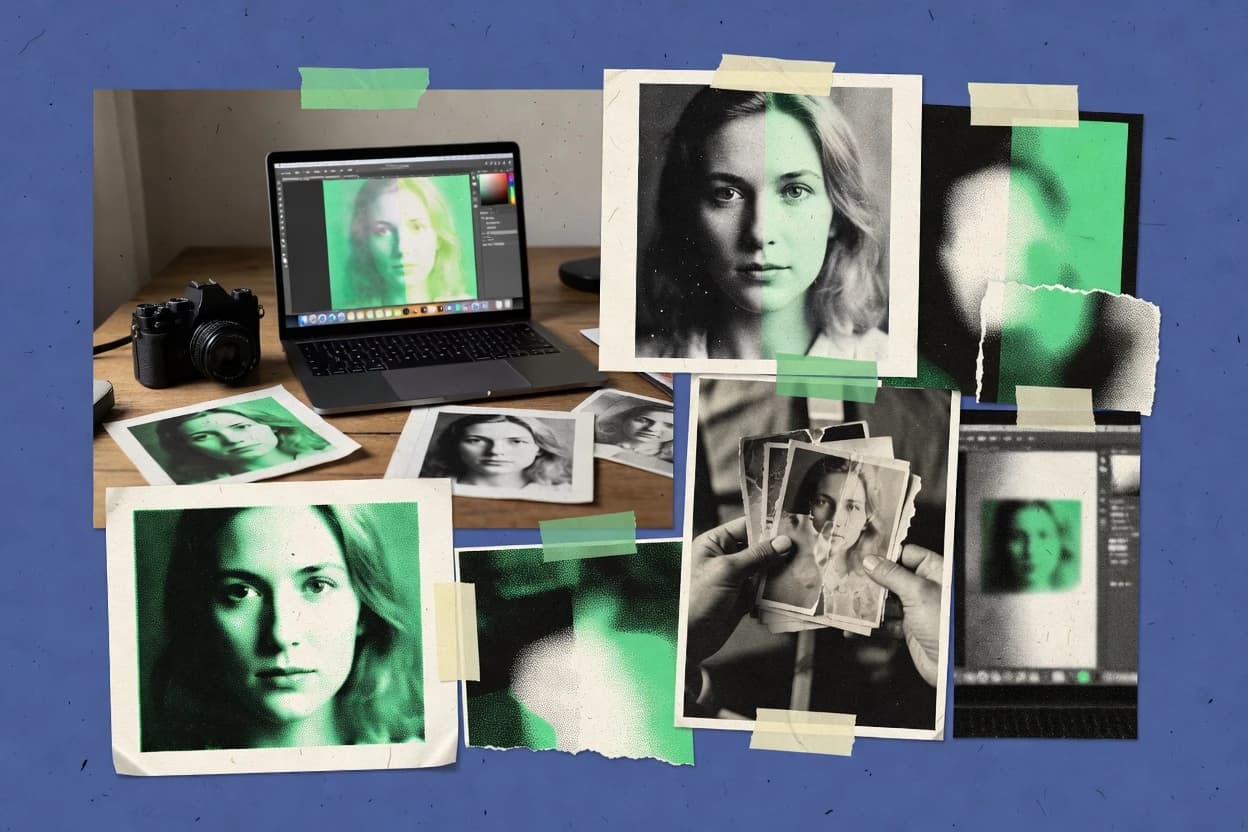
AI In IndustryTop 10 Best Photo Colorization Software of 2026
Top 10 photo colorization software ranked by quality, speed, and controls, covering DeOldify, MyHeritage AI, AKVIS, and more.

How we ranked these tools
Gitnux editors write the brief first: the topic, the inclusion rules, and the frame for what belongs.
Agents extract product evidence with provenance, then collect written reviews and transcribe video reviews and podcasts.
Framework: Features 40% · Ease 30% · Value 30%
Gitnux may earn a commission through links on this page — this does not influence rankings. Editorial policy
AKVIS Coloriage AI is the best pick when small teams need controlled neural colorization they can steer with manual region fixes, while Canva Colorify is the cheapest entry for quick, on-brand results inside existing Canva layouts, and Hotpot AI Picture Colorizer fits if you want fast, reference-steered browser colorization without deep local edits.
Editor’s top 3 picks
Three quick recommendations before you dive into the full comparison below — each one leads on a different dimension.
AKVIS Coloriage AI
Region masks for targeted color correction after the AI color pass.
Best for: Fits when small teams need controlled neural colorization with manual region fixes.
ImageColorizer
Editor pickReference-free neural colorization that prioritizes speed and batch throughput for grayscale photo sets.
Best for: Fits when media teams need quick AI colorization for historical photos and simple review-ready exports.
Hotpot AI Picture Colorizer
Editor pickReference-guided colorization uses a provided example to steer overall hue direction across multiple renders.
Best for: Fits when small teams need fast, reference-steered colorization without deep local edits.
Comparison Table
AKVIS Coloriage AI
vertical specialistDesktop photo colorization software combining AI neural network colorization with manual zone-based coloring, available as standalone or plugin.
Region masks for targeted color correction after the AI color pass.
AKVIS Coloriage AI targets color restoration use cases where face regions and clothing tones need controllable results rather than a single global color pass. The UI supports reference-guided refinement through region-level adjustments, which helps correct skin-tone artifacts and odd color bleeding near edges. The tool also includes utilities for historical photo restoration tasks such as scratch and dust removal and crease repair, so colorization can happen on a cleaned base rather than on raw scans.
A tradeoff appears in production throughput because region-by-region refinement is needed for challenging photos with heavy damage or mixed lighting. That makes AKVIS Coloriage AI best for short-to-mid batch jobs where consistency matters but full automation would cost more in rework. One good situation is colorizing a set of family photos where repeated clothing colors, skin tones, and backgrounds benefit from controlled edits.
- +Mask-based refinement enables localized color correction
- +Covers repair steps like scratch removal before colorization
- +Batch processing supports consistent settings across folders
- +Provides region tools for face and clothing tone adjustments
- –Region refinement adds time for heavily damaged scans
- –Limited API and automation surface for pipeline integration
Photo restoration studios
Repair then color family archives
More accurate restoration results
Historical photo departments
Colorize themed exhibitions photos
Consistent exhibit-ready color
Show 1 more scenario
Small media teams
Batch colorize scan backlogs
Faster review cycles
Run batch colorization for throughput, then refine only high-risk areas that fail.
Best for: Fits when small teams need controlled neural colorization with manual region fixes.
ImageColorizer
vertical specialistWeb application for colorizing, repairing, and enhancing old photographs.
Reference-free neural colorization that prioritizes speed and batch throughput for grayscale photo sets.
ImageColorizer targets grayscale image colorization with an end-to-end flow that emphasizes producing colored outputs without requiring per-pixel mask painting. The workflow supports batch-style processing so teams can run multiple images and collect results for review. Output handling is tuned for practical publishing, with export-ready images suitable for downstream edits like cropping and annotation.
A key tradeoff is limited control over color palette decisions because the tool does not provide a full layer-based, mask-driven recoloring editor. ImageColorizer works best when a batch of historical photos needs quick colorization for review or slideshow drafts, not when strict brand color matching is required.
- +Fast colorization workflow for grayscale photo batches
- +Straightforward export pipeline for image review loops
- +Consistent results across typical historical photo inputs
- +Minimal manual steps reduces operator workload
- –Limited manual control over specific object colors
- –No deep layer-based, mask-driven recoloring workflow
- –Fine-grained correction tools are not the focus
- –Workflow favors direct outputs over non-destructive editing
Media production teams
Batch colorize archival images
Shorter turnaround for drafts
Family photo restoration
Recolor one-off historical photos
Shareable keepsake images
Show 2 more scenarios
Community archives
Colorize collections for exhibits
Faster exhibit preparation
Create consistent colored outputs across many scanned images.
Content creators
Produce colored backgrounds for posts
More visually engaging posts
Generate colored visuals from monochrome images for social content and thumbnails.
Best for: Fits when media teams need quick AI colorization for historical photos and simple review-ready exports.
Hotpot AI Picture Colorizer
SMBBrowser-based AI tool that colorizes black-and-white pictures.
Reference-guided colorization uses a provided example to steer overall hue direction across multiple renders.
Hotpot AI Picture Colorizer focuses on automatic colorization with an input-first flow that minimizes pre-processing steps. Reference-guided colorization is used to steer hues toward the look in a provided example, which helps when restoring older images with consistent wardrobe or background tones. The interface centers on running the model, reviewing the render, and generating a revised output for iterative refinements. It also supports image restoration adjacent tasks like removing minor visual noise when they interfere with color mapping.
A tradeoff appears in precision control since there is no clear mask-based workflow for object-level tweaks inside the colorization step. This makes the tool less suitable when exact skin-tone preservation and localized corrections are required for production archives. Hotpot AI Picture Colorizer fits best for personal photo restoration and small creative teams needing fast batch processing with consistent overall color direction.
- +Reference-guided colorization keeps clothing and background tones more consistent
- +Iterative runs support quick side-by-side comparison for fine-tuning
- +Batch processing makes multi-photo restores practical
- +Exports common raster formats for easy downstream use
- –Limited mask-based editing for targeted object-level corrections
- –Skin-tone preservation may drift on low-resolution faces
- –Less control over color profile management than editor-first workflows
- –No clearly defined sandboxed API workflow for programmatic governance
Family photo archivists
Batch restore old albums
Faster restoration workflow
Heritage photo volunteers
Match clothing tones to references
More believable restorations
Show 2 more scenarios
Small creative studios
Quick turn color tests
Reduced concept-to-final time
Generates multiple iterations to test color direction before deeper touch-ups elsewhere.
Retouchers doing handoff edits
Create a colored base for finishing
Less manual starting work
Produces an initial colorized raster image that can be refined in downstream editors.
Best for: Fits when small teams need fast, reference-steered colorization without deep local edits.
Media.io AI Photo Colorizer
SMBOnline editor that converts black-and-white photos into color images.
Interactive color correction and grading controls after inference to tune overall look without rerunning the entire job.
Media.io AI Photo Colorizer targets grayscale-to-color output with an emphasis on automatic colorization that keeps faces and major objects coherent.
It provides an interactive workflow for color correction and grading so edits can be tuned after the initial neural colorization pass.
Batch processing supports higher throughput when multiple photos need consistent rendering across a set.
Export options focus on common raster formats for easy reuse in downstream design or archiving.
- +Automatic results produce recognizable colors with quick iteration
- +Color correction tools help refine tone and saturation per batch
- +Batch processing supports consistent rendering across many photos
- +Export workflows fit common raster use cases
- –Limited control over fine-grained mask-based editing compared to higher-control tools
- –Advanced restoration inputs like scratch and dust removal are not the main focus
Best for: Fits when small teams need fast, repeatable colorization for batches of archival photos with light touch-ups.
Adobe Photoshop
enterpriseDesktop and web image editor with neural filters for adding color to black-and-white photos.
Neural color restoration and brush-based recolor can be combined in layered, reversible edits using masks and adjustment layers.
Adobe Photoshop can colorize grayscale photos through manual and reference-guided workflows using layer masks, blending modes, and brush-based painting. It also supports neural color restoration via third-party plugins and Adobe ecosystem integrations, which extends beyond pure manual recoloring.
Photoshop’s strength for colorization comes from non-destructive, layer-based edits that preserve original details while iterating color decisions. High-resolution output is maintained through format control for raster exports like TIFF and PNG.
- +Layer masks and adjustment layers support non-destructive recolor iterations
- +Painting with selection tools enables object-aware color assignment by region
- +RAW-friendly editing keeps tonal detail for later color restoration steps
- +Export controls like TIFF and PNG preserve color data and transparency needs
- –No native automatic colorization pipeline for single-click results
- –Neural color workflows often depend on external plugins or add-ons
- –Mask refinement adds time versus dedicated colorization apps
- –Strict layer organization is required to keep complex edits editable
Best for: Fits when teams need non-destructive, mask-based color restoration with controlled human edits.
Stork AI Photo Colorizer
vertical specialistNon-generative AI photo colorizer using DDColor model that adds color to real pixels without redrawing faces, with pay-per-download pricing.
Iteration-friendly UI that supports rapid re-runs when color results are off-target.
Stork AI Photo Colorizer focuses on neural colorization for grayscale and black-and-white photos, with an interface that supports quick per-image outputs and controlled resubmission when results need adjustment. The workflow centers on uploading raster images, running the colorization pass, and exporting the result for further edits in downstream tools.
It also supports batch-style processing patterns through repeated runs rather than a dedicated batch queue view. Stork AI Photo Colorizer is designed for teams that prioritize repeatable visual output over deep, manual layer editing.
- +Fast per-image colorization workflow with minimal setup steps
- +Consistent results across similar grayscale photo types
- +Exports completed colorized images for use in standard editors
- +Straightforward iteration loop when color output needs changes
- –Limited visibility into internal parameters and color controls
- –No reference-guided colorization workflow for source-based palette mapping
- –Batch processing feels like repeated single jobs instead of queued throughput
- –Less suited to non-destructive, layer-based corrections
Best for: Fits when small teams need quick automatic colorization outputs for legacy photos.
Canva Colorify
SMBAI-powered photo colorization app within Canva that analyzes images and applies natural colors in a single click.
Reference-guided colorization that applies user-provided color examples directly in the Canva editor workflow.
Canva Colorify integrates photo colorization inside the Canva editing workflow, so results land directly in a layout or design project. It supports reference-guided colorization using user-supplied color examples, which helps keep subject tones closer to the intended palette.
Export and downstream editing follow Canva’s layer-based editor model, which matters when colorized images must be composited with typography, frames, or masks. Automatic colorization runs in-browser with a short interaction loop, which makes it suitable for repeatable batch-style work on small sets.
- +Colorization results stay editable inside Canva projects
- +Reference-guided colorization uses user color examples for tighter control
- +Fast in-browser iteration without separate desktop tooling
- +Compositing with masks and design layers fits creative workflows
- –Advanced controls for color correction are limited versus specialist tools
- –Bulk throughput and automation are constrained by a design-first workflow
- –Fewer restoration modules are available beyond colorization
- –Governance tools like RBAC and audit logs are not built for asset pipelines
Best for: Fits when designers need quick, reference-influenced colorization inside existing Canva layouts.
CapCut Photo Colorizer
SMBAI photo colorizer tool within CapCut workspace that colorizes black-and-white photos in seconds with preview and download.
One-click colorization followed by in-editor refinement using CapCut’s editing tools.
CapCut Photo Colorizer turns grayscale photos into colorized outputs using CapCut’s neural colorization pipeline. It focuses on fast single-image processing and produces results that can be reviewed and refined through CapCut’s editing workspace.
The workflow is oriented around exporting finished raster images rather than preserving a deep, editable color pipeline. It supports batch-like throughput at the project level by reusing CapCut’s import and export steps.
- +Neural colorization results appear quickly for single-photo workflows
- +Built-in editing environment supports follow-up color correction and grading
- +Consistent export pipeline for common raster image formats
- +Works well when users want minimal manual mask work
- –Reference-guided color control is limited for matching specific objects
- –Batch processing controls are shallow compared with pro photo pipelines
Best for: Fits when quick, hands-off automatic colorization is needed inside an editing workflow.
Free.ai Photo Colorizer
API-firstFree AI photo colorizer offering era-specific palette presets and multiple models including DeOldify and FLUX Kontext Pro with API access.
One-shot neural colorization with automatic palette inference for rapid grayscale-to-color conversion.
Free.ai Photo Colorizer converts grayscale and black-and-white photos into color images using neural colorization. The workflow focuses on single-image processing with automatic palette inference and image-to-image generation that preserves visible content.
Output formats include common raster exports, and the results are suitable for quick visual review rather than controlled studio finishing. The main constraint is limited tooling around repeatable batch control and editing-grade parameter control compared with higher-control colorization systems.
- +Fast, one-shot colorization for individual grayscale photos
- +Automatic color palette inference reduces manual intervention
- +Simple export flow for sharing colored outputs
- +Good visual coherence on faces and common scenes
- –Limited batch processing controls for large photo libraries
- –Few parameters for color correction and white balance tuning
- –Inconsistent results on edge cases like heavy occlusion
- –Minimal layer or mask-based non-destructive workflow support
Best for: Fits when quick, automatic colorization is needed for small collections and casual restoration previews.
Magic Hour Photo Colorizer
API-firstFree online AI photo colorizer with no sign-up required, offering three free colorizations per day and an API for developers.
Reference-guided colorization that constrains the color assignment to a chosen reference for steadier tone continuity.
Magic Hour Photo Colorizer focuses on automatic colorization with a reference-guided option that helps steer tones toward a consistent look. The workflow emphasizes non-destructive, layer-based output so edits can be iterated without overwriting the grayscale source. It also provides batch-style processing for multiple images and exports colorized results as standard raster files for continued editing in external tools.
- +Reference-guided controls help keep skin-tone and wardrobe colors consistent
- +Layer-based output supports re-running color passes without losing the source
- +Batch processing reduces time spent colorizing multiple images
- +Exports to common raster formats for downstream editing
- –Fine-grained mask-based edits are limited compared with full editor workflows
- –Results can drift on low-contrast faces where facial color restoration is needed
- –Less control over global color correction than dedicated grading tools
- –Integration and API surface for automation is not clearly positioned for enterprise pipelines
Best for: Fits when teams need quick, consistent neural colorization for historical or personal photos with repeatable settings.
Conclusion
After evaluating 10 photo colorization software, AKVIS Coloriage AI stands out as our overall top pick — it scored highest across our combined criteria of features, ease of use, and value, which is why it sits at #1 in the rankings above.
Use the comparison table and detailed reviews above to validate the fit against your own requirements before committing to a tool.
How to Choose the Right Photo Colorization Software
This buyer's guide covers photo colorization software used to turn grayscale photos into colored results with neural colorization and targeted refinement. The lineup includes AKVIS Coloriage AI, MyHeritage AI Colorization, and Algorithmia Colorize, plus ImageColorizer, Hotpot AI Picture Colorizer, and Media.io AI Photo Colorizer.
The tools are selected and compared by the level of manual control after inference, the speed of batch-friendly workflows, and the extent of automation and integration options for production pipelines.
Photo Colorization Software that transforms grayscale photos into reference-guided or mask-refined color
Photo colorization software uses neural models to assign color to pixels in grayscale photos, then optionally supports user steering via reference images or local editing. AKVIS Coloriage AI focuses on region masks for targeted color correction after the AI color pass, which is a control mechanism rather than just an automatic output.
Some tools prioritize fast batch throughput with limited local overrides. ImageColorizer emphasizes reference-free neural colorization with a straightforward export pipeline for review loops, while Adobe Photoshop combines neural color restoration with layer masks and adjustment layers for non-destructive recoloring workflows.
Controls, automation, and workflow fit for Photo Colorization Software
The highest control tools support local, mask-based refinement after the first neural colorization pass so fixes do not require restarting the whole job. AKVIS Coloriage AI uses region masks for targeted color correction after the AI color pass, which directly maps to controlled recoloring on damaged scans.
Batch workflows matter because many teams process archives as sets, not single images. ImageColorizer emphasizes reference-free neural colorization with a fast, batch-friendly export pipeline, while Media.io AI Photo Colorizer focuses on interactive color correction and grading controls after inference for repeatable batch touch-ups.
Mask-based refinement after inference
AKVIS Coloriage AI adds region masks for targeted color correction after the AI color pass. Adobe Photoshop combines neural color restoration with layered, reversible recolor edits using masks and adjustment layers.
Reference-guided color steering with repeatable settings
Hotpot AI Picture Colorizer uses a provided example to steer hue direction across multiple renders for consistent clothing and background tones. Magic Hour Photo Colorizer constrains color assignment to a chosen reference to keep skin-tone and wardrobe colors steadier.
Batch throughput and review-loop export
ImageColorizer prioritizes speed for grayscale photo sets and keeps the export pipeline straightforward for review loops. Stork AI Photo Colorizer focuses on fast per-image colorization with minimal setup steps for consistent outputs across similar grayscale photo types.
Post-color correction and grading controls
Media.io AI Photo Colorizer provides interactive color correction and grading controls after inference to tune tone and saturation without rerunning the entire job. Hotpot AI Picture Colorizer also supports iterative runs that enable quick side-by-side comparison for fine-tuning.
Editable outputs inside a design workflow
Canva Colorify keeps colorized results editable inside Canva projects and applies reference-guided colorization directly within the Canva editor workflow. CapCut Photo Colorizer supports one-click colorization followed by in-editor refinement inside CapCut’s editing environment.
How to choose Photo Colorization Software by control depth and pipeline fit
Start with how corrections will be made when the first neural colorization pass is off-target. Tools built for mask-based refinement after inference support localized fixes without reprocessing the entire dataset, while fast batch tools may trade control for throughput.
Then match the product’s steering model to the source material. Reference-guided tools align colors using examples and iterate toward consistency, while reference-free tools optimize for speed and simple export loops when object-level recoloring is not the priority.
Choose mask-first refinement when local fixes must be repeatable
Select AKVIS Coloriage AI when targeted color correction needs region masks after the AI color pass. Select Adobe Photoshop when non-destructive recoloring needs layer masks and adjustment layers for reversible, object-aware edits.
Choose reference-guided steering when color must match an example
Select Hotpot AI Picture Colorizer when a provided reference image should steer hue direction across multiple renders and support iterative side-by-side comparisons. Select Magic Hour Photo Colorizer when steadier tone continuity requires constraining color assignment to a chosen reference.
Choose batch-speed tools when throughput matters more than object-level recoloring
Select ImageColorizer when reference-free neural colorization must run quickly with an export pipeline built for review loops. Select Stork AI Photo Colorizer when a consistent per-image workflow with minimal setup is the main requirement for legacy photo sets.
Choose post-inference grading controls when tuning is the main workflow
Select Media.io AI Photo Colorizer when interactive color correction and grading must be applied after inference to tune tone and saturation per batch. Use this route when the first colorization pass already produces recognizable colors and rerunning is undesirable.
Choose editor-native workflows when teams stay inside a layout or editing environment
Select Canva Colorify when colorization must stay editable inside Canva projects and reference examples must be applied within the Canva editor workflow. Select CapCut Photo Colorizer when teams need one-click neural colorization followed by in-editor refinement inside CapCut.
Who benefits from Photo Colorization Software with the right control model
Teams that need consistent results across archives should prioritize workflows that support batch processing and quick review loops. Tools like ImageColorizer and Stork AI Photo Colorizer target fast, repeatable generation paths.
Teams that need corrected details should prioritize mask-based refinement and layered control after inference. AKVIS Coloriage AI and Adobe Photoshop address localized recoloring when grayscale artifacts and color mismatches require surgical adjustments.
Small teams restoring mixed-damage historical scans
AKVIS Coloriage AI supports region-mask refinement after the AI color pass and also covers repair steps like scratch removal before colorization.
Media teams colorizing large grayscale sets for internal review
ImageColorizer emphasizes fast, batch throughput with a straightforward export pipeline for review loops.
Design teams working inside existing editor projects
Canva Colorify keeps colorized results editable inside Canva projects and applies reference-guided colorization directly in the Canva editor workflow.
Teams that want reference-to-example palette consistency
Hotpot AI Picture Colorizer uses a provided example to steer hue direction and supports iterative side-by-side comparison for fine-tuning.
Restoration workflows that need reversible, layer-based recolor control
Adobe Photoshop supports non-destructive neural color restoration with layer masks and adjustment layers for controlled recolor iterations.
Common mistakes when buying Photo Colorization Software
Buying decisions go wrong when evaluation focuses only on whether colorization works on a single sample image. The failure mode shows up when corrections are needed across many images and the tool cannot localize fixes or rerun efficiently.
Another frequent issue is choosing a reference model that conflicts with the available source material. If no reference images exist or if object-level consistency is required, reference-free tools can miss the detailed control expected from mask-based workflows.
Assuming every tool supports localized fixes after the AI pass
AKVIS Coloriage AI provides region masks for targeted color correction, while ImageColorizer offers limited manual control over specific object colors.
Optimizing for speed while ignoring the need for post-inference tuning
Media.io AI Photo Colorizer is built for interactive color correction and grading after inference, while Stork AI Photo Colorizer emphasizes rapid reruns without exposing deep internal color controls.
Choosing reference-based workflows without a workable reference set
Hotpot AI Picture Colorizer and Magic Hour Photo Colorizer steer color using provided references, while ImageColorizer is reference-free and focuses on batch throughput.
Expecting pro-style mask workflows inside design-first editors
Canva Colorify keeps colorization editable inside Canva, but it limits advanced control for color correction compared with specialist editor workflows.
How We Selected and Ranked These Tools
We evaluated each photo colorization tool by feature depth, workflow usability, and the amount of control available after inference. Features accounted for 40% of the overall score and ease of use accounted for 30% while value accounted for the remaining 30%. AKVIS Coloriage AI ranked highest because region masks enable localized color correction after the AI color pass and it also covers repair steps like scratch removal before colorization, which directly supports controlled historical photo restoration workflows.
Frequently Asked Questions About Photo Colorization Software
How does reference-guided colorization change results compared to reference-free workflows in this category?
What is the practical workflow difference between mask-based region edits and one-click inference?
Which tools support batch processing for turning a grayscale photo set into consistent outputs?
When does facial or subject-coherence tuning matter most across these options?
Where does reference handling fall short for tools that cannot use a color example?
How do neural color restoration and editing controls differ between Photoshop and standalone colorizers?
Which integrations or API-style automation paths exist if colorization must run inside an existing design workflow?
What security and access-control capabilities should be evaluated before using these tools for internal archives?
How should a migration plan be structured when moving from one colorization workflow to another?
Tools reviewed
Primary sources checked during evaluation.
Referenced in the comparison table and product reviews above.
Keep exploring
Comparing two specific tools?
Software Alternatives
See head-to-head software comparisons with feature breakdowns, pricing, and our recommendation for each use case.
Explore software alternatives→In this category
AI In Industry alternatives
See side-by-side comparisons of ai in industry tools and pick the right one for your stack.
Compare ai in industry tools→