
GITNUXSOFTWARE ADVICE
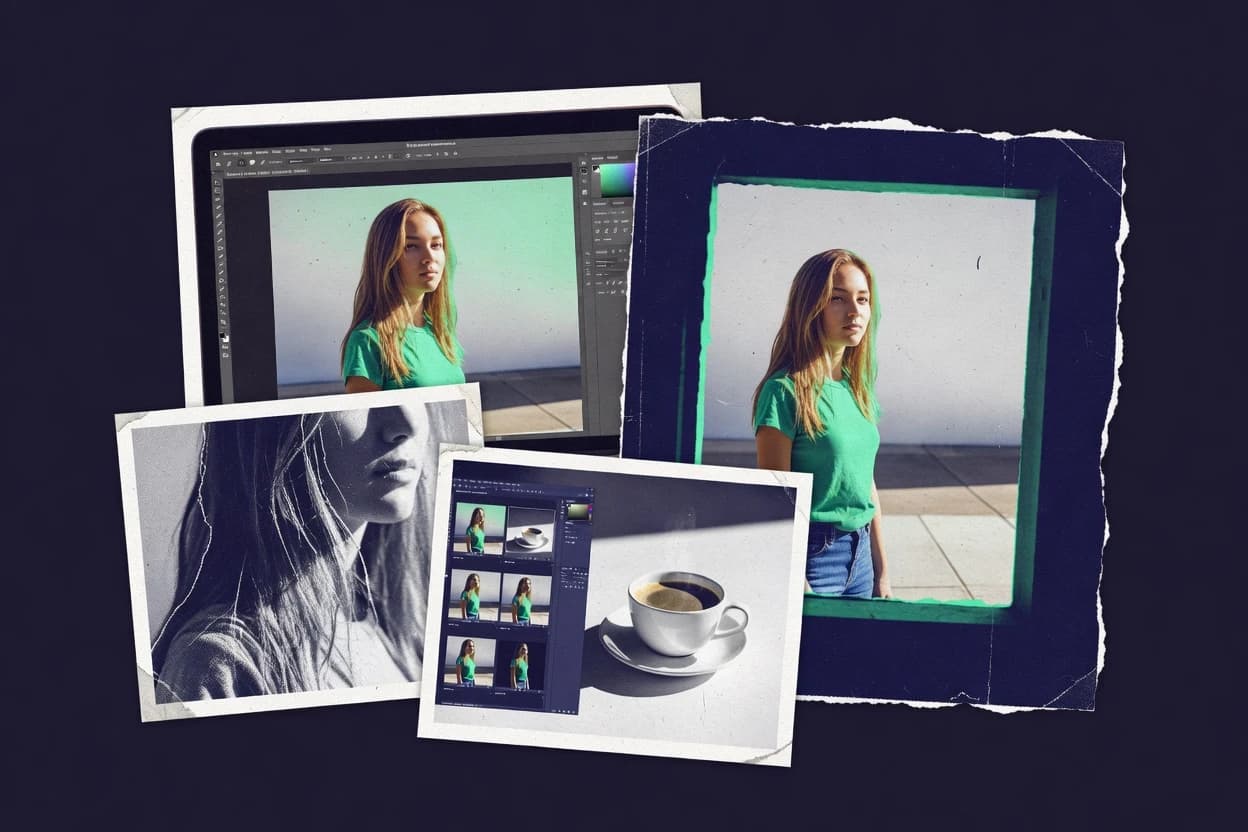
Art DesignTop 10 Best Photo Background Change Software of 2026
Top 10 photo background change software tools ranked by workflow, pricing, and cutout output, with Clipping Magic, remove.bg, and Slazzer reviewed.

How we ranked these tools
Core product claims cross-referenced against official documentation, changelogs, and independent technical reviews.
Analyzed video reviews and hundreds of written evaluations to capture real-world user experiences with each tool.
AI persona simulations modeled how different user types would experience each tool across common use cases and workflows.
Final rankings reviewed and approved by our editorial team with authority to override AI-generated scores based on domain expertise.
Score: Features 40% · Ease 30% · Value 30%
Gitnux may earn a commission through links on this page — this does not influence rankings. Editorial policy
Slazzer is the best choice when ecommerce and marketing teams need repeatable, API-backed cutouts and batch processing, while Fotor fits small teams that want quick transparent background swaps for marketing placements without desktop tooling.
Editor’s top 3 picks
Three quick recommendations before you dive into the full comparison below — each one leads on a different dimension.
Slazzer
API integration for background removal workflows that return transparency-ready outputs for downstream automation.
Built for fits when ecommerce and marketing teams need repeatable cutouts and API-backed batch processing..
Fotor
Editor pickOne-click background removal plus interactive edge cleanup in a single browser workflow.
Built for fits when small teams need fast transparent cutouts for marketing placements without desktop tooling..
Cutout.pro
Editor pickBatch processing that keeps edge cleanup behavior consistent across many uploads.
Built for fits when teams need high-volume, repeatable cutouts with transparency exports and fast turnaround..
Comparison Table
Slazzer
API-firstAI background removal tool with API and plugin integrations.
API integration for background removal workflows that return transparency-ready outputs for downstream automation.
Slazzer targets teams that need repeated background removal with consistent edges, not just one-off cutouts. The editor includes lasso-style selection and targeted refinements to correct haloing and missing foreground pixels after automatic detection. Output can be sent to PNG workflows that preserve an alpha channel for layout systems and image compositors. Batch processing reduces manual rework when large product catalogs require uniform transparency masks.
A key tradeoff is that edge quality still depends on input image quality and subject separation, especially for complex motion blur and tangled hair. The most common fit is a browser-based editor for quick fixes alongside API-driven batch jobs for catalog updates. Teams that require desktop-grade layer management may find the editing depth narrower than full raster editors.
- +Automated segmentation that produces transparent cutouts quickly
- +Interactive edge refinement to correct complex foreground boundaries
- +Batch processing for high-volume background removal jobs
- +API supports automated image processing pipelines
- –Edge quality can degrade on low-contrast or motion-blurred subjects
- –Editing depth is limited compared with full raster editors
Ecommerce content teams
Daily product cutouts at scale
Fewer manual masking hours
Creative ops teams
Compositing assets into campaigns
Cleaner compositing handoffs
Show 1 more scenario
Engineering teams
Automated background removal via API
Lower operational overhead
API-driven jobs process uploads and return finalized transparency outputs to pipelines.
Best for: Fits when ecommerce and marketing teams need repeatable cutouts and API-backed batch processing.
Fotor
SMBOnline photo editor with AI background remover and replacement tools.
One-click background removal plus interactive edge cleanup in a single browser workflow.
Fotor delivers background removal through an automated extraction step followed by interactive cleanup tools, which helps reduce manual mask work for common product and portrait images. Transparency handling is suitable for PNG export for overlays and layer masking in other editors. Batch processing supports volume use cases where consistent results matter more than per-edge tuning. Fotor’s browser editor keeps the workflow accessible but limits the depth of non-destructive layers compared with dedicated desktop compositors.
A key tradeoff is that edge control and refinement tools tend to be easier for standard subjects than for complex hair or reflective surfaces. Fotor fits best when background changes are mostly for marketing placements and thumbnails. It can also work as a first-pass cutout generator before deeper retouching in Photoshop.
- +Browser-based editor reduces setup for routine cutout work
- +Automated background removal works well for common portrait and product photos
- +Transparency-preserving PNG export supports downstream compositing
- +Interactive edge cleanup shortens manual masking time
- –Hair and semi-transparent edges often need extra cleanup passes
- –Layer masking depth is limited versus full desktop editors
- –Batch output quality can vary across mixed subject photos
- –Higher governance needs are not addressed beyond basic project handling
E-commerce content teams
Batch product cutouts for listing pages
Faster catalog refresh cycles
Social media marketers
Create transparent assets for overlays
Quicker creative turnaround
Show 1 more scenario
Design ops coordinators
Prepare images before final retouching
Less rework in final stages
Produces usable first-pass masks for downstream refinement in advanced editors.
Best for: Fits when small teams need fast transparent cutouts for marketing placements without desktop tooling.
Cutout.pro
vertical specialistAI photo editing suite specializing in background removal and replacement.
Batch processing that keeps edge cleanup behavior consistent across many uploads.
Cutout.pro is designed around fast foreground extraction using machine-generated masks that reduce the need for frame-by-frame editing. The workflow typically starts with image upload, runs an automated cutout pass, then applies edge cleanup so exported assets retain consistent outlines across a batch. The product is most usable when the expected output is a PNG with transparency for compositing or storefront placement. Automated batch processing matters when teams need many product images processed with repeatable settings.
A key tradeoff is that fine edge refinement can require additional manual steps for difficult inputs like busy backgrounds or extreme hair detail. The tool fits teams with clear consistency targets, where most images share a similar subject style and background type. It is also a good match when quick iteration matters more than deep layer-level control.
- +Automated batch background removal with consistent mask output
- +Transparent PNG export for direct compositing workflows
- +Edge cleanup designed for semi-detailed subjects like hair
- +Simple editor flow that reduces time per asset
- –Difficult backgrounds may need extra manual correction
- –Advanced compositing controls lag behind desktop editor workflows
- –Refinement time increases as subject-background contrast drops
- –Less suited for pixel-level mask artistry
E-commerce operations teams
Bulk product cutouts for listings
Faster catalog image refresh
Creative production coordinators
Background swaps for ad variations
Reduced rework across variants
Show 1 more scenario
Freelance photo editors
Quick extraction for client drafts
Shorter turnaround for proofs
Speeds up foreground extraction so manual retouching focuses on the hardest edges.
Best for: Fits when teams need high-volume, repeatable cutouts with transparency exports and fast turnaround.
remove.bg
vertical specialistAI-powered background removal and replacement tool for images.
Background removal API for programmatic cutouts that fit directly into production pipelines and batch processing.
remove.bg turns photos into cutouts by generating a transparency mask and exporting results as PNG with alpha. The workflow is centered on quick uploads and automated background removal, with a simple editor for basic refinement when edges look off.
It also offers API integration for embedding background removal into existing services and batch pipelines. For high-volume production, the key advantage is repeatable outputs with minimal manual layer masking.
- +Fast cutout generation that returns PNG files with transparency masks
- +API supports background removal inside automated ingest and publishing flows
- +Browser workflow avoids desktop tooling for single-image edits
- +Consistent results for product images and similar subject types
- –Hair edges can need manual touch-ups for fine strands
- –Complex scenes with multiple depth planes can produce weaker boundaries
- –Refinement controls are limited versus dedicated desktop editors
- –Batch throughput depends on API integration handling and monitoring
Best for: Fits when teams need quick background removal at scale with minimal manual editing and clear transparent PNG outputs.
PhotoRoom
SMBMobile and web app for AI background removal and product photo editing.
Batch background removal paired with one-click compositing templates for standardized listing images.
PhotoRoom performs automated background removal and produces cutouts with transparency suitable for PNG export. It offers batch processing that can keep edges consistent across large catalogs, with browser-based editing for touch-ups when segmentation misses.
It also supports compositing workflows for product listings by letting users place subjects into preset scenes and custom backdrops. PhotoRoom’s editing focus is on speed and repeatability rather than layer-level masking depth.
- +Batch workflows reduce rework across large product catalogs
- +Browser editor supports quick cutout refinements without desktop installs
- +PNG export with transparency is fast for listing pipelines
- +Compositing templates speed up consistent background swaps
- –Hair and fine edges can need manual refinement for accurate cutouts
- –API integration and automation options are limited compared with developer-first tools
- –No deep layer masking controls for complex multi-element composites
- –Quality varies more than pixel-level retouching tools on tricky backgrounds
Best for: Fits when catalogs need fast background changes with consistent exports and occasional touch-ups.
Canva
SMBDesign platform with integrated background remover and photo editing tools.
Background removal plus interactive edge touch-ups inside the same canvas editor, then direct PNG export with transparency.
Canva is a browser-based design editor used for quick background swaps inside marketing and social workflows. It supports background removal with an automatic cutout, plus manual touch-ups for edges before exporting transparency.
Canva also offers asset management in shared projects so teams can reuse backgrounds and brand elements across many images. For high-volume production, it is better treated as a creative pipeline than as a developer-facing API for batch transparency generation.
- +Browser editor makes background changes without installing a desktop tool
- +Automatic background removal followed by adjustable edge refinement
- +Shared design projects support team review and consistent asset usage
- +Exports with transparency for use as PNG in downstream compositing
- –Batch processing is limited compared with dedicated background removal utilities
- –Fine hair separation often needs manual repainting on complex edges
- –Layer masking workflows can feel constrained for precision cutouts
- –API integration options are not the primary path for programmatic workflows
Best for: Fits when teams need fast, repeatable background swaps for marketing images with transparent exports.
Adobe Photoshop
enterpriseProfessional photo editor with AI-based background removal and replacement.
Layer mask workflows combined with edge-aware cleanup brushes for precise foreground recovery.
Adobe Photoshop is the category reference for manual cutout work, with layer masking and refinement controls that rival professional retouching workflows.
It supports alpha matting via detailed selection, mask painting, and edge cleanup tools, then exports transparency through PNG or TIFF alpha channel outputs.
Batch processing and scripted actions enable repetitive cutout and compositing steps across large image sets.
The desktop application workflow favors iterative quality over fully automated background change for every input.
- +Non-destructive layer mask editing with granular edge refinements
- +Scripted actions and batch workflows for repetitive cutouts
- +Clean transparency exports using PNG and TIFF alpha channel
- +Accurate compositing control using blend modes and adjustment layers
- –Full background replacement still depends on manual mask refinement
- –No single-click hair segmentation for edge cases without cleanup
- –Batch automation requires setup of actions or scripts per workflow
- –RBAC, audit logs, and governance controls are not designed for centralized cutout ops
Best for: Fits when photo cutouts require high visual quality and repeatable desktop editing steps.
Picsart
SMBCreative platform with AI background removal and replacement for photos.
Mobile-first background replacement workflow that preserves editable layers for quick rework after segmentation.
Picsart pairs an in-browser photo editor with mobile editing so background removal and replacement can be done outside a full desktop workflow. Its cutout workflow relies on automated segmentation tools plus manual refinements that target tricky edges like hair and semi-transparent areas.
Output supports layered exports and transparency-friendly formats for compositing in other tools when needed. For batch-oriented work, Picsart focuses more on repeated edits inside its editor than on a developer-facing API for background extraction pipelines.
- +Segmentation-based cutouts with quick brush refinement for edge recovery
- +Browser and mobile editor coverage for on-the-go background replacement
- +Layered editing supports iterative foreground and background adjustments
- +Export options include transparency outputs for downstream compositing
- –Batch processing depth is limited versus dedicated extraction pipelines
- –Automation and API integration are not geared for production-scale throughput
- –Complex matting with fine anti-alias control can require more manual cleanup
- –Workflow governance features for teams are thin compared with enterprise editors
Best for: Fits when creative teams need fast background replacement with light manual edge cleanup across web and mobile.
Clipping Magic
vertical specialistOnline tool for precise background removal with manual markup controls.
Interactive edge refinement loop that lets users iteratively trim halo and preserve fine details before exporting a transparency-ready cutout.
Clipping Magic converts photos into cutouts by running a browser-based selection and refinement workflow that generates transparent results for compositing. It focuses on edge cleanup through guided iteration, with support for outputting transparency-friendly files like PNG so the subject can be placed onto new backgrounds.
The core loop is selection, automatic refinement, and repeated trimming of problematic areas before export. Compared with one-click competitors, the workflow emphasizes controllable edge treatment rather than fully automated masking.
- +Guided edge refinement reduces manual rework for complex subjects
- +Browser-based editor keeps exports in a straightforward workflow
- +Transparency-first exports support compositing without extra cleanup steps
- +Cutout iteration is faster than restarting in a full desktop tool
- –Best results need user time spent on selection and refinement
- –Automation is limited for high-throughput production without batching plans
- –Complex hair edges often still require repeated passes and manual cleanup
Best for: Fits when background replacement needs controlled edge cleanup for product, portrait, or e-commerce images.
Erase.bg
vertical specialistAI background removal and replacement web tool for individuals and businesses.
One-step, browser-based background removal that outputs transparency-ready images for quick compositing workflows.
Erase.bg is a browser-based background removal tool used to turn subject photos into transparency-based cutouts. Uploads run through an automated segmentation workflow that produces a ready-to-export result without manual layer masking.
The core output is an image with an alpha transparency channel suitable for PNG compositing and quick reuse in design pipelines. Reviewers typically pick it when a fast, repeatable cutout workflow matters more than pixel-level refinement tools.
- +Browser workflow removes background without desktop editing steps
- +Automated segmentation yields usable transparency cutouts quickly
- +PNG-style output supports drop-in compositing in design work
- +Batch-oriented usage fits high-volume product photo cleanup
- –Limited control compared with manual cutout refinement tools
- –Edge handling can degrade hair and fine strands on complex scenes
- –Automation depth and customization options are narrower than pro editors
- –Integration options can be less flexible than developer-first API products
Best for: Fits when marketing teams need fast cutouts with transparency for repeated product and lifestyle images.
Conclusion
After evaluating 10 art design, Slazzer stands out as our overall top pick — it scored highest across our combined criteria of features, ease of use, and value, which is why it sits at #1 in the rankings above.
Use the comparison table and detailed reviews above to validate the fit against your own requirements before committing to a tool.
How to Choose the Right photo background change software
Photo background change software automates background removal and cutout creation so teams can replace scenes with new backplates, standardized product backgrounds, or transparent overlays for compositing. This guide covers Slazzer, remove.bg, Photoshop, and other high-usage tools that handle browser workflows, desktop layer masking, and API-backed batch processing.
The comparison focuses on how each tool produces transparency-ready outputs for downstream use in listings, ads, and design pipelines. Attention also goes to where edge cleanup happens, since hair and low-contrast subjects often dictate the real rework cost.
Photo background change software for transparency cutouts, edge cleanup, and batch compositing
Photo background change software removes a photo’s background and outputs a foreground cutout with a transparency mask, so the subject can be placed onto a new background or exported for layered compositing. Tools like Slazzer emphasize API integration for background removal workflows that return transparent cutouts designed for automation, while remove.bg concentrates on programmatic cutouts that fit into production pipelines. Desktop workflows like Adobe Photoshop center on layer masking and edge-aware cleanup so editors can recover fine foreground detail through repeatable manual steps.
Across the category, workflow shape matters as much as segmentation quality, because some tools optimize for one-click browser edits while others support consistent batch behavior at scale. For consistent exports, the practical goal is predictable cutout edges and transparency-ready PNG output that downstream layout and rendering steps can use without redesigning the mask each time.
Evaluation criteria for photo background change cutouts and compositing
Photo background change software only matters when it outputs consistent foreground cutouts with predictable edge behavior for compositing or publishing. Teams typically feel the cost in edge cleanup effort, batch repeatability, and how the workflow fits into an existing production pipeline.
API integration for transparency-ready background removal
Slazzer focuses on API integration for background removal workflows that return transparency-ready outputs for downstream automation. remove.bg also provides a background removal API that returns PNG files with transparency masks for programmatic batch processing.
Batch processing with consistent edge output
Cutout.pro emphasizes batch processing that keeps edge cleanup behavior consistent across many uploads and exports transparency-ready PNG cutouts. Slazzer also supports repeatable automation workflows that return transparent cutouts designed for batch runs.
Browser workflow for one-click removal plus edge cleanup
Fotor combines one-click background removal with interactive edge cleanup inside a browser workflow. Canva follows a browser editor approach that runs automatic background removal and then applies adjustable edge refinement before exporting PNG with transparency.
Manual edge refinement loop for fine halo control
Clipping Magic is built around an interactive edge refinement loop that lets users iteratively trim halo and preserve fine details before exporting a transparency-ready cutout. Slazzer also includes interactive edge refinement to correct complex foreground boundaries when automated segmentation is insufficient.
Desktop-grade non-destructive layer mask workflows
Adobe Photoshop supports non-destructive layer mask editing with granular edge refinements plus scripted actions and batch workflows. It is the category option when repeatable visual quality requires manual control over mask edges rather than one-click segmentation.
Template-based compositing for standardized listing visuals
PhotoRoom pairs batch background removal with one-click compositing templates that standardize listing images. This makes sense when the main work is swapping backplates consistently across a catalog rather than inventing custom masks each time.
Choosing photo background change software by workflow shape and edge-control needs
Selection should start with how cutouts must move through production, because some tools prioritize browser edits while others prioritize API-backed automation. Edge quality affects rework cost, so the chosen tool must match the complexity of hair, low-contrast edges, and mixed-depth scenes. The decision framework below uses cutout repeatability, integration depth, and the expected amount of manual refinement to reduce iteration cycles across a batch.
Decide whether cutouts must be API-driven in an automated pipeline
If transparent PNG cutouts must be produced inside ingest and publishing workflows, prioritize remove.bg because its background removal API returns PNG files with transparency for automation. If cutouts must feed downstream automation with transparency-ready outputs designed for developer workflows, Slazzer is the stronger fit because its standout is API integration for background removal workflows.
Pick a workflow philosophy: browser one-click editing versus batch repeatability controls
Choose Fotor or Canva when the primary need is fast browser-based removal plus interactive edge cleanup for routine portrait and product images. Choose Cutout.pro or PhotoRoom when the main need is consistent batch behavior across many uploads and predictable transparency exports for catalog turnaround.
Map edge complexity to the tool’s refinement model
If halo control and fine-detail preservation must be guided by an iterative loop, prioritize Clipping Magic because it targets trimming halo and preserving fine details through interactive refinement. If edge cases require correction after automated segmentation for complex foreground boundaries, prioritize Slazzer because its workflow includes automated segmentation plus interactive edge refinement.
Use desktop masking when mask editing steps must be non-destructive and repeatable
If high visual quality depends on manual layer masking and edge-aware cleanup brushes, prioritize Adobe Photoshop for non-destructive layer mask editing with granular edge refinements. This path fits when background replacement requires more than single-click segmentation and the output must survive tight art-direction review.
Validate batch throughput expectations against the tool’s automation depth
If throughput depends on consistent automated batch outputs, Cutout.pro is designed around batch background removal that keeps edge cleanup behavior consistent. If automation depth is limited and engineering time is scarce, choose a browser workflow like Erase.bg or Fotor for quick transparency cutouts even when edge control is less flexible.
Who should buy photo background change software
Photo background change software fits teams that produce many variants of the same asset type and need transparency-ready cutouts for ads, listings, and layered composites. The best fit depends on whether teams prioritize automation through API workflows or interactive edge control through browser or desktop editors.
Ecommerce and marketing teams running batch listings
Cutout.pro supports high-volume repeatable cutouts with consistent batch mask output and transparent PNG export for fast turnaround. PhotoRoom adds standardized compositing templates that reduce rework when catalog backplates must look uniform.
Developers and ops teams building background removal into production pipelines
remove.bg provides a background removal API that returns PNG files with transparency masks inside automated ingest and publishing flows. Slazzer offers API integration for background removal workflows that return transparency-ready outputs designed for downstream automation.
Creative teams that must refine edge quality for difficult subjects
Clipping Magic focuses on guided edge refinement for iterative halo trimming and fine detail preservation when the mask needs close control. Adobe Photoshop supports non-destructive layer mask workflows with edge-aware cleanup brushes when visual quality requires manual mask recovery.
Small teams that want fast browser cutouts without installing desktop tools
Fotor provides a browser workflow with one-click background removal plus interactive edge cleanup for common portrait and product photos. Canva follows a browser editor path that runs automatic background removal and adjustable edge refinement with direct transparent PNG export.
Common buying mistakes in photo background change software
Many purchases fail because the tool chosen for background removal does not match the edge refinement requirements of the subject matter. Another failure mode is selecting a workflow that looks fast for a single image but does not hold up across batches. These pitfalls map to concrete limitations in segmentation quality, batch consistency, and integration depth.
Assuming one-click results will hold for hair and semi-transparent edges
Fotor and Canva can require extra cleanup passes for hair and semi-transparent edges, so plan for manual refinement time on those assets. Clipping Magic or Photoshop are better when the workflow must include an iterative refinement loop or granular layer mask recovery.
Buying for API automation but choosing a tool without developer-first integration depth
PhotoRoom’s API integration and automation options are limited compared with developer-first tools, so it is easier to run into automation constraints. remove.bg and Slazzer align better to programmatic background removal and downstream transparency-ready outputs.
Optimizing for background replacement speed while ignoring batch repeatability
Tools that focus on quick interactive edits can produce variable edge cleanup behavior across large uploads, which increases rework. Cutout.pro is designed for batch background removal with consistent mask output, which supports repeatability in high-volume workflows.
Underestimating the manual mask work still required for precise composites
Photoshop’s layer masking can recover fine foreground detail, but it still depends on manual mask refinement for edge cases. Clipping Magic also requires user time spent on selection and refinement, so automation-only expectations will cause delays.
How We Selected and Ranked These Tools
We evaluated Slazzer, remove.bg, Photoshop, and eight other tools on feature coverage for background removal, edge cleanup, and cutout export for compositing. Features accounted for 40% of the score, with focus on transparency-ready outputs, batch behavior, and the presence of interactive edge refinement.
Ease and value each accounted for 30%, with emphasis on workflow friction in browser editing versus developer automation and the amount of manual correction implied by the tools’ edge-handling behavior. Slazzer separated itself with API integration designed for background removal workflows that return transparency-ready outputs for downstream automation.
Frequently Asked Questions About photo background change software
Which tool is best for batch background removal that keeps edges consistent across many uploads?
How does remove.bg handle transparency output for compositing workflows?
Which workflow works best for hair and semi-transparent edges when segmentation misses?
When is Photoshop the better choice than one-click browser editors for background changes?
How do API integrations differ between Slazzer and remove.bg for automated background removal?
What breaks if a background swap workflow requires editable layers after segmentation?
Which tool fits teams that need background removal plus scene-based compositing templates?
How should admins think about access control and auditability when using browser editors versus APIs?
What data migration steps matter when moving from a manual cutout process to automated background removal?
Tools reviewed
Primary sources checked during evaluation.
Referenced in the comparison table and product reviews above.
Keep exploring
Comparing two specific tools?
Software Alternatives
See head-to-head software comparisons with feature breakdowns, pricing, and our recommendation for each use case.
Explore software alternatives→In this category
Art Design alternatives
See side-by-side comparisons of art design tools and pick the right one for your stack.
Compare art design tools→