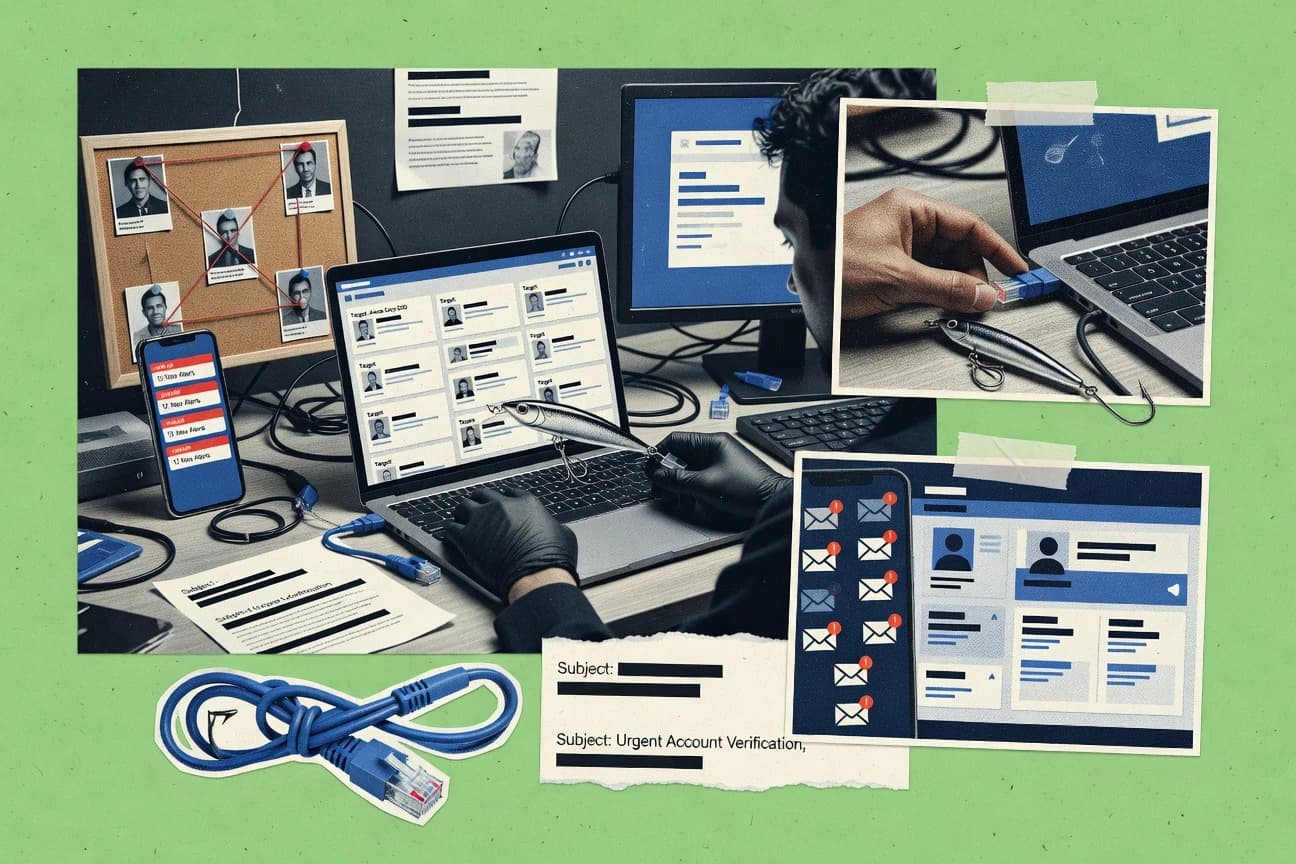
GITNUXSOFTWARE ADVICE
Cybersecurity Information SecurityTop 10 Best Phishing Campaign Software of 2026
Top 10 phishing campaign software ranking compares Proofpoint, Cofense PhishMe, and Sophos for security teams, with criteria and tradeoffs.

How we ranked these tools
Gitnux editors write the brief first: the topic, the inclusion rules, and the frame for what belongs.
Agents extract product evidence with provenance, then collect written reviews and transcribe video reviews and podcasts.
Framework: Features 40% · Ease 30% · Value 30%
Gitnux may earn a commission through links on this page — this does not influence rankings. Editorial policy
Proofpoint Security Awareness Training is the best fit for enterprises that need outcome-based phishing simulation with repeat behavior follow-up, whereas Sophos Phish Threat works well when you want simulation, training, and governance kept aligned inside a Sophos-controlled environment.
Editor’s top 3 picks
Three quick recommendations before you dive into the full comparison below — each one leads on a different dimension.
Proofpoint Security Awareness Training
Outcome-driven follow-up training routing that uses click and report results to drive targeted assignments.
Best for: Fits when enterprises need outcome-based follow-up training and repeat behavior handling.
Cofense PhishMe
Editor pickEmployee reporting tied to phishing simulation outcomes, with workflows that turn reports into measurable program actions.
Best for: Fits when training programs need a reporting-to-remediation loop, not just simulated clicks.
Sophos Phish Threat
Editor pickRepeat-offender visibility combines campaign outcomes with prioritization so admin follow-up stays consistent across recurring campaigns.
Best for: Fits when phishing simulation, training, and governance need to stay aligned within a Sophos-controlled environment.
Comparison Table
Proofpoint Security Awareness Training
enterpriseCloud-based phishing simulation and training product formerly known as Wombat.
Outcome-driven follow-up training routing that uses click and report results to drive targeted assignments.
Proofpoint Security Awareness Training is used to design spear phishing templates, deliver lures on a schedule, and route users into training modules after results. The reporting layer tracks user-level outcomes like click behavior and reported emails, which supports operational risk measurement across target groups. The administration layer includes campaign configuration controls and segmentation so different departments can receive different pretext scenarios.
A practical tradeoff is that detailed governance over segmentation and training routing requires careful upfront mapping of users to target groups and content to outcomes. A common usage situation is running month-over-month phishing simulation cadence for enterprise departments while escalating follow-up training for repeat clickers and distinguishing those who report messages.
- +Outcome-based training assignment tied to phishing click and report behavior
- +Granular target group segmentation for department-specific campaign settings
- +Operational reporting supports user-level follow-up and behavior tracking
- +Campaign scheduling supports recurring simulation cadence management
- –Governance and routing logic demand careful group and content mapping
- –Template customization can take time for organizations with unique pretext
- –Landing-page and payload scenario planning adds operational overhead
- –Admin workflows feel heavier when many departments need distinct variants
Security operations and awareness teams
Automate training after risky clicks
Higher reporting and reduced repeat clicks
Enterprise IT and IAM owners
Manage department target groups
Consistent governance across teams
Show 2 more scenarios
Compliance and audit stakeholders
Produce campaign activity evidence
Clear progress tracking for stakeholders
Use aggregated reporting to show participation and behavioral outcomes across simulation cycles.
HR and internal communications
Run standardized awareness messaging
More consistent user learning
Align phishing lures with training modules so reinforcement matches organizational messaging needs.
Best for: Fits when enterprises need outcome-based follow-up training and repeat behavior handling.
Cofense PhishMe
enterprisePhishing simulation and reporting platform designed for enterprise security teams.
Employee reporting tied to phishing simulation outcomes, with workflows that turn reports into measurable program actions.
PhishMe pairs phishing simulation delivery with a built-in reporting channel so staff can report suspected messages and triggers can feed back into the program. The campaign builder supports template-based lures, consistent payload patterns, and landing page flows that distinguish between click and credential-entry behavior. Telemetry feeds dashboards used to track reporting rate and reporting outcomes across simulation cadence.
A common tradeoff is that the most accurate behavior tracking depends on disciplined configuration of target groups, templates, and landing page settings. PhishMe fits teams that need a closed loop between simulation telemetry and human reporting rather than simulation delivery alone, especially for organizations running frequent campaigns across multiple departments.
- +Integrates simulation metrics with employee reporting workflows
- +Supports pretext-driven lures with consistent measurement of user actions
- +Enables campaign scheduling by target group for repeat cadence
- +Provides dashboards that tie outcomes to training follow-up
- –Accurate results depend on careful group targeting and template governance
- –Automation beyond the core workflows requires integration work
- –Landing page tracking setup adds operational overhead
- –Complex multi-domain environments may need extra configuration
Security awareness managers
Run recurring simulations with reporting feedback
Faster repeat-offender follow-up
SOC and incident response
Route user reports into triage
Quicker incident validation
Show 1 more scenario
IT security leadership
Measure behavior change by department
Measurable program impact
Segment target groups and compare outcomes across simulation cadence for governance reporting.
Best for: Fits when training programs need a reporting-to-remediation loop, not just simulated clicks.
Sophos Phish Threat
SMBPhishing simulation tool included within the Sophos Central management platform.
Repeat-offender visibility combines campaign outcomes with prioritization so admin follow-up stays consistent across recurring campaigns.
Sophos Phish Threat runs recurring phishing simulation campaigns with configurable lures and spoofed sender identity scenarios that produce click and report outcomes per user. Training is linked to campaign results so users who click can be routed into the matching security awareness module without manual intervention. Campaign targeting supports segmentation by groups, which helps keep scope narrow during rollout.
A key tradeoff is that deeper automation depends on how Sophos environments are integrated, because Sophos focuses its control plane around its own security stack rather than generic third-party orchestration. It fits best when remediation workflows can be driven from inside the same admin console and when the organization wants repeat-offender visibility for consistent follow-up.
- +Campaign results and training assignment flow from one reporting view
- +Landing-page credential harvest simulations produce clear user outcome signals
- +Target-group segmentation supports staged rollouts across departments
- +Repeat-offender reporting helps prioritize users for follow-up
- –Integration depth is strongest inside Sophos security environments
- –Template customization can be slower for complex pretext variations
Security awareness program leads
Route training based on clicks
Higher training completion for risk users
IT administrators
Segment campaigns by department
Safer rollout and clearer measurement
Show 2 more scenarios
Security operations teams
Prioritize repeated failures
Reduced time to focus remediation
Repeat-offender reporting flags chronic clickers to guide remediation attention.
Compliance stakeholders
Document user learning activity
More defensible awareness evidence
Campaign telemetry and linked training outcomes support consistent internal reporting.
Best for: Fits when phishing simulation, training, and governance need to stay aligned within a Sophos-controlled environment.
Microsoft Attack Simulator
enterprisePhishing simulation feature within Microsoft Defender for Office 365.
Attack scenario templates that model multi-step adversary workflows using chained tasks and sequential simulation actions.
Microsoft Attack Simulator maps adversary-style attack paths into repeatable simulations using attack scenario templates and task chains. It integrates with Microsoft ecosystem tooling for configuration, execution control, and reporting tied to simulated user outcomes.
- +Scenario chaining supports multi-step adversary workflows beyond single-message tests
- +Deep Microsoft tenant integration supports centralized control and reporting
- +Template-based approach reduces time to produce realistic pretext sequences
- +Execution controls support targeted rollout and controlled cadence per scenario
- –Less suited for non-Microsoft-first environments with heavy cross-platform requirements
- –Customization can require more tenant-level setup than purpose-built phishing suites
- –Landing page and payload design options feel less specialized than phishing-first tools
- –User-level training assignment workflows may require separate LMS wiring
Best for: Fits when Microsoft-heavy security teams need attack-path style simulations with tenant-controlled execution and reporting.
Usecure
SMBHuman risk management platform with phishing simulation, awareness training, and user reporting.
Role-based access for campaign lifecycle actions ties permissions to launch and reporting workflows.
Usecure runs phishing simulation campaigns that produce click and submission telemetry for awareness programs.
- +Campaign scheduler supports recurring phishing simulation cadence control
- +Target segmentation keeps simulations scoped by department or group
- +Telemetry-based reporting supports click and submit outcome review
- +Role separation limits who can create, launch, and view results
- –Workflow depth is weaker than tools with advanced approval chains
- –Integration options for LMS and SSO may require additional effort
- –Landing page customization is less granular than specialist providers
- –Governance controls for delegated campaign management feel limited
Best for: Fits when mid-market teams need repeatable phishing simulation execution with clear admin controls and outcome reporting.
Barracuda Security Awareness Training
SMBPhishing simulation and training platform integrated with Barracuda email protection.
Tight coupling of simulation outcomes to training assignment workflows via campaign-level configuration.
Barracuda Security Awareness Training targets organizations that want phishing campaign simulation plus structured user training under one admin workflow. It supports campaign scheduling with target group segmentation, configurable lures and landing pages, and reporting that ties simulation outcomes to training assignments.
- +Template-driven pretext scenarios speed up repeat phishing campaign setup
- +Campaign scheduling and target group segmentation support controlled rollouts
- +Reporting connects simulation clicks to assigned training completion visibility
- +Landing page creation fits credential harvest and attachment-style exercises
- –Advanced scenario configuration takes governance discipline across multiple teams
- –Integrations beyond email and training workflows may require added effort
- –Less granular automation for remediation chaining than some simulation specialists
- –Landing page customization can become time-consuming for frequent variants
Best for: Fits when security teams need scheduled phishing simulations tied to training assignments and governance reporting.
Right-Hand Cybersecurity
SMBSecurity awareness platform with phishing simulations and adaptive end-user coaching.
Reusable landing page flow templates that align with credential-harvest style objectives across multiple campaigns.
Right-Hand Cybersecurity focuses on phishing campaign automation with a workflow and template system built for repeatable simulations at scale. Campaign builds center on reusable lures and content blocks, plus templated landing page flows that align with credential-harvest style objectives.
- +Workflow-style campaign building speeds repeat simulations with fewer template edits
- +Reusable lure and content blocks reduce drift across monthly test cycles
- +Landing page flow templates support consistent credential harvest objectives
- +Run history records help track what executed and who received each simulation
- –Advanced targeting and execution controls can require more configuration discipline
- –Reporting depth lags tools that combine training outcomes with richer click telemetry
Best for: Fits when security teams need repeatable phishing simulations with reusable templates and controlled execution.
Phriendly Phishing
SMBPhishing simulation and awareness training platform designed for internal employee testing.
Campaign management centers on scenario-driven content and page components that support fast variant iteration across target groups.
Phriendly Phishing focuses on phishing campaign simulation work with scenario building, message templates, and reporting tied to user interaction results. The core workflow centers on configuring lures, scheduling campaigns, and generating click and reporting outcomes for security awareness use.
- +Repeatable campaign scheduling with group-based targeting options
- +Scenario content reuse through stored message and page components
- +Interaction reporting supports campaign-level outcome analysis
- +Workflow is built for operational iteration across multiple waves
- –Fewer governance controls than enterprise suites for large programs
- –Complex multi-tenant setups require careful permissions planning
Best for: Fits when security awareness teams need repeatable simulations with workable segmentation and reporting.
HoxHunt
enterpriseGamified phishing simulation and security awareness platform.
HoxHunt’s automation-oriented campaign workflow links user interactions to risk scoring and next-step training actions.
HoxHunt runs phishing simulation campaigns that send targeted lures, then collects click and response telemetry to support user risk scoring. Campaign authors can build pretext-driven scenarios with reusable templates for emails, landing pages, and credential harvest flows.
- +Scenario templates support recurring lures with consistent sender and page flows
- +Click and response telemetry ties directly into user risk scoring and reporting
- +Campaign scheduling and group segmentation support repeatable simulation cadences
- +Integrations support automation for training assignment and remediation workflows
- –Advanced campaign customization requires more setup than template-only workflows
- –Governance controls lag enterprise simulation needs for large multi-tenant teams
Best for: Fits when security teams need repeatable phishing simulations with automation into training and remediation.
Phished
enterpriseAI-driven phishing simulation and awareness platform.
Credential harvest landing page workflow designed for realistic click-to-submit simulation chains.
Phished is a phishing campaign software tool focused on building and running simulations with configurable lures, delivery schedules, and user reporting. It supports common campaign mechanics like targeted grouping, credential-harvest style landing pages, and click and report telemetry for training follow-through.
- +Campaign builder supports custom lures and credential harvest landing pages
- +Segmentation enables staged rollouts by user group
- +Reporting focuses on click and report outcomes for training decisions
- +Automation features help schedule repeat simulations without manual effort
- –Governance controls like granular RBAC and audit log controls are limited
- –API surface is thinner for advanced workflow integration than top-ranked tools
- –Template depth for complex spear phishing scenarios is narrower
- –Remediation automation workflows require more operational discipline
Best for: Fits when security teams need straightforward phishing simulation and reporting for focused user groups.
Conclusion
After evaluating 10 phishing campaign software, Proofpoint Security Awareness Training stands out as our overall top pick — it scored highest across our combined criteria of features, ease of use, and value, which is why it sits at #1 in the rankings above.
Use the comparison table and detailed reviews above to validate the fit against your own requirements before committing to a tool.
How to Choose the Right Phishing Campaign Software
Phishing campaign software coordinates phishing simulation execution and security awareness training follow-through for security teams and IT admins. This guide covers Proofpoint Security Awareness Training, Cofense PhishMe, Sophos Phish Threat, Microsoft Attack Simulator, Usecure, Barracuda Security Awareness Training, Right-Hand Cybersecurity, Phriendly Phishing, HoxHunt, and Phished.
The lineup emphasizes integration depth and automation surfaces where they exist, including how campaign results flow into training assignment and remediation workflows. Each tool review highlights specific governance and reporting mechanisms that shape configuration effort, repeat-offender handling, and cross-team approval requirements.
Phishing Campaign Software for executing simulations and routing user outcomes into training and remediation
Phishing campaign software runs scripted phishing simulation campaigns across target groups and captures click and report outcomes for security awareness workflows. Many deployments also chain those outcomes to training modules, with routing logic that assigns follow-up content based on user interaction patterns.
Proofpoint Security Awareness Training focuses on outcome-driven follow-up training routing that uses click and report results to drive targeted assignments. Sophos Phish Threat pairs campaign results with repeat-offender visibility so admin follow-up remains consistent across recurring campaigns and landing-page credential harvest scenarios produce clear outcome signals.
Phishing Campaign Software capabilities that determine routing and governance
Phishing campaign software succeeds when it can turn click and report outcomes into deterministic follow-up actions for specific user groups. The controls also matter because campaign lifecycles usually span security, IT, and training owners who must approve content, targeting, and automation behavior.
Outcome-driven follow-up routing from click and report results
Proofpoint Security Awareness Training routes users into targeted follow-up training based on phishing click and report behavior. Cofense PhishMe ties employee reporting to measurable program actions instead of ending at simulation telemetry.
Repeat-offender visibility and consistent admin prioritization
Sophos Phish Threat combines campaign outcomes with repeat-offender visibility so admins can keep follow-up aligned across recurring campaigns. Proofpoint Security Awareness Training also uses behavior outcomes to drive targeted assignments that reduce repeated lapses.
Scenario choreography for multi-step adversary workflows
Microsoft Attack Simulator models multi-step adversary workflows by chaining tasks into sequential simulation actions. Right-Hand Cybersecurity emphasizes workflow-style campaign building that speeds repeat simulations through reusable content blocks.
Campaign scheduling with department or group segmentation
Usecure supports a campaign scheduler for recurring phishing simulation cadence and uses target segmentation to scope simulations by department or group. Barracuda Security Awareness Training pairs campaign scheduling and target group segmentation with campaign-level configuration that links outcomes to training assignments.
Landing-page credential harvest simulation with clear user outcome signals
Sophos Phish Threat includes landing-page credential harvest simulations that produce clear user outcome signals for training assignment flow. Phished focuses on a credential harvest landing page workflow designed for realistic click-to-submit simulation chains.
Role-based access for campaign lifecycle actions
Usecure provides role-based access for campaign lifecycle actions and ties those permissions to launch and reporting workflows. Phished limits governance controls like granular RBAC and audit log controls, which constrains controlled delegation for larger programs.
Choose based on workflow depth, execution control, and how outcomes become training actions
The right phishing campaign software depends on the workflow philosophy behind simulation-to-training conversion. Some platforms prioritize routing logic that maps outcomes to targeted follow-up content, while others focus on scenario execution controls for multi-step adversary modeling.
Match the follow-up model to the program’s behavior outcomes
If follow-up must change based on both who clicked and who reported, Proofpoint Security Awareness Training is built around outcome-driven follow-up training routing. If the program depends on turning employee reports into measurable remediation actions, Cofense PhishMe centers the reporting-to-remediation loop.
Decide whether repeat behavior handling must be visible in the simulation dashboard
For consistent admin follow-up across recurring campaigns, Sophos Phish Threat provides repeat-offender visibility combined with prioritization from campaign outcomes. For organizations that want follow-up routing driven by behavior outcomes rather than repeat-focused admin views, Proofpoint Security Awareness Training aligns assignments to click and report patterns.
Pick the execution style that matches the threat workflow requirements
For multi-step adversary workflows built from chained tasks and sequential actions, Microsoft Attack Simulator offers scenario templates designed for tenant-controlled execution and reporting. For repeat phishing cycles that benefit from reusable landing page and lure components, Right-Hand Cybersecurity provides workflow-style campaign building with reduced template edits.
Validate governance depth for campaign lifecycle delegation
If campaign creators and approvers need lifecycle permissions tied to launch and reporting workflows, Usecure’s role-based access supports that delegation model. If the program requires granular RBAC and audit log controls, Phished is a weaker fit because its governance controls are limited for advanced multi-role operations.
Confirm how quickly pretext variants and landing-page flows can be maintained
For fast repeat setup of scheduled phishing simulations, Barracuda Security Awareness Training uses template-driven pretext scenarios that reduce repeated campaign build effort. If the program uses landing-page credential harvest chains and wants a focus on realistic click-to-submit simulation chains, Phished centers on that credential harvest landing page workflow.
Stress-test integration and automation work across training and admin workflows
If automation beyond core simulation and training workflows needs integration work, Cofense PhishMe calls out that deeper automation requires integration effort. If the security team needs automation-oriented campaign workflows that link interactions to risk scoring and next-step training actions, HoxHunt is designed around that click-to-risk flow.
Who should buy Phishing Campaign Software based on operational model and control needs
Security awareness programs need phishing simulation platforms that can assign training outcomes in a way the program owners can govern. The lineup here fits different operating models for scheduling, repeat handling, and campaign delegation.
Enterprise security teams running multi-cycle phishing programs with measurable remediation behavior
Proofpoint Security Awareness Training aligns training follow-up to click and report outcomes and supports granular target group segmentation for department-specific campaign settings.
Security and training teams that must turn employee reports into program actions
Cofense PhishMe integrates simulation metrics with employee reporting workflows so reports translate into measurable program actions instead of ending at telemetry.
Organizations with recurring campaigns that require consistent admin repeat-offender prioritization
Sophos Phish Threat provides a single reporting view that routes campaign results into training assignment flow while keeping repeat-offender visibility aligned across recurring campaigns.
Microsoft-heavy environments that require tenant-controlled execution and attack-path style multi-step modeling
Microsoft Attack Simulator supports scenario templates with chained tasks and deep Microsoft tenant integration for centralized control and reporting.
Mid-market programs that need repeatable execution with clear admin controls
Usecure emphasizes role-based access for campaign lifecycle actions and a campaign scheduler for recurring simulation cadence with target segmentation.
Common procurement and rollout mistakes that break phishing campaign governance
Phishing simulation programs fail when configuration governance is treated as a one-time setup and when campaign outcomes are not mapped to training assignments consistently. Many teams also underestimate the operational overhead needed for permissions, content mapping, and recurring maintenance of pretext variants.
Assuming template customization work will be negligible for pretext-heavy campaigns
Proofpoint Security Awareness Training notes that template customization can take time when unique pretext variations are required. Sophos Phish Threat also points to slower template customization for complex pretext variations.
Overlooking governance and mapping effort for routing logic and target group scoping
Proofpoint Security Awareness Training flags that routing logic and governance demand careful group and content mapping. Usecure and Barracuda Security Awareness Training can handle scheduling and segmentation, but advanced workflow depth and scenario configuration still require governance discipline.
Choosing a platform with weak delegation controls for large multi-tenant or multi-role programs
Phished limits governance controls like granular RBAC and audit log controls, which constrains controlled delegation for enterprise operations. Right-Hand Cybersecurity calls out that advanced targeting and execution controls can require more configuration discipline.
Designing multi-step simulations without verifying scenario chaining capabilities
Microsoft Attack Simulator supports chained tasks and sequential simulation actions for multi-step adversary workflows. Tools without this chaining focus can require more tenant-level setup than purpose-built phishing suites when cross-platform modeling is needed.
Relying on automation-oriented risk scoring without checking the depth of reporting and governance controls
HoxHunt links user interactions to risk scoring and next-step training actions through automation-oriented workflows. It also indicates governance controls lag enterprise simulation needs for large multi-tenant teams.
How We Selected and Ranked These Tools
We evaluated each phishing campaign software option using a criteria balance where features account for 40% of the score, and ease and value each account for 30%. Features weigh outcome-to-training workflow routing, campaign scheduling and segmentation controls, and scenario or landing-page workflow support.
Ease weighs how directly teams can configure and run campaigns without excessive tenant-level setup. Value weighs the practical fit for the program model, including how well the tool closes the loop between simulation results and measurable program actions, with Proofpoint Security Awareness Training separated by outcome-driven follow-up training routing tied to phishing click and report behavior plus granular target group segmentation for department-specific campaign settings.
Frequently Asked Questions About Phishing Campaign Software
How do Proofpoint Security Awareness Training and Cofense PhishMe route user outcomes into follow-up actions?
Which tools provide SSO integration and identity-controlled administration for simulation execution?
What breaks if a phishing program needs repeat-offender prioritization across recurring campaigns, and the tool lacks that visibility?
How do campaign content models differ across Right-Hand Cybersecurity and Phriendly Phishing for multi-variant scenarios?
When teams need landing pages that support credential harvest simulation chains, how do Sophos Phish Threat and Phished differ?
How do HoxHunt and Proofpoint Security Awareness Training differ in using telemetry for user risk scoring and training automation?
What integration and reporting workflow differences matter when a security team wants simulation governance inside an existing identity and learning stack?
How does data migration typically affect administration workflows in Microsoft Attack Simulator versus Proofpoint Security Awareness Training?
What admin controls and audit-style traceability should teams look for when multiple roles create and launch campaigns?
Tools reviewed
Primary sources checked during evaluation.
Referenced in the comparison table and product reviews above.
Funding and competing interests
This study was co-funded by several of the vendors assessed in it. No single vendor funded it. Funders could propose the market studied.
They had no role in selecting vendors, setting or weighting criteria, analysing data or drawing conclusions, and they received the same factual-accuracy check as every other vendor assessed.
Market definition, inclusion rules and criteria weights were fixed by an editor before research began and did not change afterwards. Editorial process →
- Cybersecurity Information SecurityTop 10 Best Phishing Training Software of 2026
- Marketing AdvertisingTop 10 Best Campaign Planning Software of 2026
- Cybersecurity Information SecurityTop 10 Best Phishing Test Software of 2026
- SecurityTop 10 Best Phishing Simulation Software of 2026
- Non Profit Public SectorTop 10 Best Election Campaign Management Software of 2026
Keep exploring
Comparing two specific tools?
Software Alternatives
See head-to-head software comparisons with feature breakdowns, pricing, and our recommendation for each use case.
Explore software alternatives→In this category
Cybersecurity Information Security alternatives
See side-by-side comparisons of cybersecurity information security tools and pick the right one for your stack.
Compare cybersecurity information security tools→