GITNUXSOFTWARE ADVICE
Healthcare MedicineTop 10 Best Pathology Lab Management Software of 2026
Compare pathology lab management software options for labs, outlining fit and tradeoffs to help teams shortlist Clinisys, LigoLab, or Xifin LIS.

How we ranked these tools
Vendors set the topic, but our editors set the inclusion criteria and the evaluation framework before research starts.
Agents extract product evidence with provenance, then collect written reviews and transcribe video reviews and podcasts.
Framework: Features 40% · Ease 30% · Value 30%
Gitnux may earn a commission through links on this page — this does not influence rankings. Editorial policy
Clinisys is the best fit for mid-size pathology teams needing barcode-driven case tracking and governed release workflows across departments because its configurable, role-separated activity tracking keeps handling steps disciplined, whereas LigoLab suits multi-site groups that want one environment since it unifies anatomic, clinical, and molecular operations with revenue-cycle workflows.
Editor’s top 3 picks
Three quick recommendations before you dive into the full comparison below — each one leads on a different dimension.
Clinisys
Operational governance tied to configurable workflow steps and role-separated activity tracking for case handling.
Best for: Fits when mid-size pathology teams need barcode-driven case tracking and governed release workflows across departments.
LigoLab
Editor pickUnified pathology LIS and revenue-cycle workflow connecting accessioning, diagnostic reporting, billing, and multi-site administration.
Best for: Fits when multi-site pathology groups need one configurable environment for anatomic, clinical, molecular, and revenue-cycle operations.
Xifin LIS
Editor pickBarcode-driven tracking across specimen, block, and slide entities with rules tied to each stage.
Best for: Fits when mid-size pathology programs need barcode traceability and rule-based automation with HL7 integration.
Comparison Table
Clinisys
enterpriseLaboratory information system provider serving public health, molecular, and anatomic pathology laboratories.
Operational governance tied to configurable workflow steps and role-separated activity tracking for case handling.
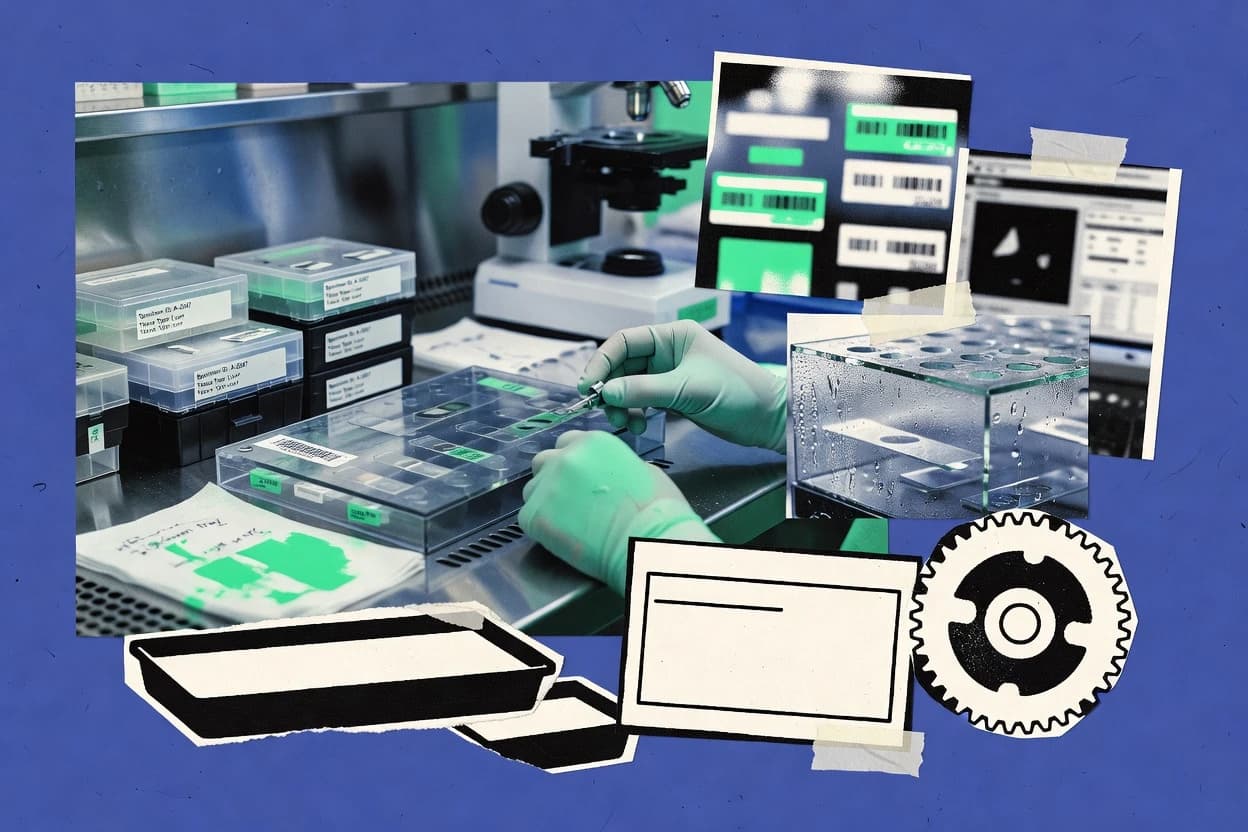
Clinisys is a pathology lab management software used to run end-to-end laboratory workflows across accessioning, case handling, and result release. It focuses on specimen and case tracking features that support anatomic pathology operations with barcode-driven movement through grossing, cassetting, and slide creation.
The product also supports interfacing to external systems for orders and results so labs can keep LIS data aligned with instruments and upstream clinical sources. Admin controls are designed for operational governance, with role separation and activity visibility to support audit needs.
- +Barcode-based specimen and case status tracking across lab handling steps
- +Workflow configuration supports anatomic pathology processing stages
- +External interface options for pushing orders and receiving results
- +Role separation and audit-oriented activity visibility for lab governance
- –Integration depth depends on interface scope for each instrument and system
- –Advanced automation requires careful workflow configuration and maintenance
- –Certain specialized pathology workflows may need configuration work or add-ons
- –User experience can vary by role when many operational steps are enabled
Anatomic pathology laboratories
Track cases across grossing and slide steps
Traceable case handling across areas
Pathology reporting teams
Assemble standardized clinical reports
More consistent report drafting
Show 2 more scenarios
Laboratory operations leaders
Coordinate multi-service workflow ownership
Clear responsibility across departments
Configures shared workflows with role-separated activities across clinical, pathology, molecular, and public health services.
Quality supervisors and lab teams
Apply verification and exception pathways
Controlled handling of outliers
Routes reflex, delta, and exceptions through configured verification steps before results are finalized.
Best for: Fits when mid-size pathology teams need barcode-driven case tracking and governed release workflows across departments.
LigoLab
vertical specialistLaboratory information system and direct-to-consumer platform for pathology, clinical, and molecular laboratories.
Unified pathology LIS and revenue-cycle workflow connecting accessioning, diagnostic reporting, billing, and multi-site administration.
Accessioning, specimen routing, result entry, report delivery, and billing can be configured across anatomic, clinical, and molecular departments. Browser-based access supports distributed teams, while centralized administration helps standardize users, locations, and operational rules. LigoLab also supports instrument and external-system connectivity through configurable interfaces, including HL7 result exchange.
The tradeoff is administrative complexity because broad configuration requires detailed mapping of local protocols, permissions, interfaces, and exception handling before rollout. A multi-site pathology group consolidating separate departmental workflows can use shared queues, specimen status visibility, and centralized reporting without replacing each specialty's process.
- +Single environment spans anatomic, clinical, and molecular pathology workflows.
- +Integrated revenue-cycle functions connect charge capture with laboratory operations.
- +Multi-site administration supports shared workflows and centralized oversight.
- +Configurable rules and HL7 result interfaces support varied laboratory integrations.
- –Implementation requires detailed workflow mapping and administrator training.
- –Public technical documentation gives limited detail on API endpoints and data schemas.
- –Digital pathology viewer capabilities are less prominent than accessioning and reporting.
- –Smaller laboratories may find the broad module set excessive.
Multi-site pathology groups
Departmental workflow consolidation
Consistent multi-site operations
Molecular pathology laboratories
Specialty workflow management
Connected molecular reporting
Show 1 more scenario
Hospital pathology departments
Integrated laboratory administration
Fewer disconnected processes
Accessioning, reporting, charge capture, and billing remain connected across departmental workflows.
Best for: Fits when multi-site pathology groups need one configurable environment for anatomic, clinical, molecular, and revenue-cycle operations.
Xifin LIS
enterpriseCloud laboratory information system for diagnostics organizations with pathology, molecular, and revenue cycle workflows.
Barcode-driven tracking across specimen, block, and slide entities with rules tied to each stage.
Xifin LIS is positioned for pathology workflows that need specimen accessioning through case result delivery, including traceability across blocks and slides. The product’s core capabilities center on order-to-result processing with barcode-driven tracking, configurable lab rules for actions like reflex testing and critical value escalation, and HL7 interfaces for results exchange.
Administration features focus on controlled user access and operational audit trails to support chain-of-custody requirements in regulated environments. Integration depth is oriented toward laboratory systems and instrument connectivity rather than only providing manual data entry tools.
- +Barcode-first specimen, block, and slide tracking for fewer transcription errors
- +Configurable workflow rules for reflex testing and critical value escalation
- +HL7 result interfacing supports order-to-result system integration
- +Audit trail support strengthens chain-of-custody documentation
- –Heavier implementation effort than lighter LIS tools for full pathology coverage
- –Workflow flexibility can require disciplined configuration to avoid rule drift
- –Digital pathology integration is workflow-dependent and may need partner components
- –Automation breadth is strong, but advanced edge cases can require build-out
Anatomic pathology departments
Manage order-to-result pathology traceability
End-to-end specimen traceability
Clinical lab operations
Run reflex and critical value workflows
Fewer manual routing errors
Show 1 more scenario
Regulated lab compliance teams
Maintain audit trails for chain-of-custody
Repeatable audit-ready records
Provides controlled access and operational audit trails to support regulated environments.
Best for: Fits when mid-size pathology programs need barcode traceability and rule-based automation with HL7 integration.
CGM LABDAQ
vertical specialistLaboratory information system software for clinical and pathology laboratories with accessioning, reporting, and billing workflows.
A shared accession model links department workflows, specimen events, result validation, reporting, and billing in one operational record.
Reference laboratories and hospital networks can configure department-specific worklists, accession rules, result validation, report formats, and critical-result routing. CGM LABDAQ connects orders, specimens, aliquots, results, billing codes, and reports through a shared accession record. Its coverage includes anatomic pathology tracking, cytology workflows, clinical testing, microbiology, and molecular testing. Multi-site administration supports centralized oversight while preserving department-level procedures.
- +Configurable workflows cover clinical, pathology, microbiology, and molecular departments
- +Shared accession records connect specimens, results, reports, and billing
- +HL7 and ASTM interfaces support broad analyzer and system connectivity
- +Multi-site controls support centralized laboratory administration
- –Complex configuration can require specialized laboratory system administrators
- –The interface may feel dated beside newer browser-first LIS products
- –Advanced molecular workflows may require custom configuration
- –Public API documentation is less prominent than interface configuration features
Multi-site reference laboratories
Centralized accession and reporting
Consistent cross-site operations
Hospital pathology departments
Surgical pathology case tracking
Fewer manual handoffs
Show 2 more scenarios
Clinical laboratory managers
Analyzer result automation
Faster result verification
Instrument interfaces route results into validation worklists with configurable flags, rules, and escalation paths.
Laboratory IT teams
EHR and instrument integration
Lower duplicate data entry
Interface controls connect laboratory orders, analyzer data, and outbound reports across existing hospital systems.
Best for: Fits when multi-site laboratories need configurable workflows across clinical and pathology departments.
NovoPath
vertical specialistCloud anatomic pathology laboratory information system for specimen tracking, reporting, and case management.
Configurable case workflow engine linking specimen status, worklists, report release, and billing events.
NovoPath combines case management, barcode-based specimen identification, report templates, pathologist worklists, billing support, and client portal functions. Configurable status rules can represent different laboratory protocols without forcing every department into one fixed sequence. Multi-site groups can apply shared templates while retaining department-level workflow settings.
- +Pathology-specific workflows cover grossing, histology, sign-out, and billing.
- +Barcode tracking supports specimen and slide status visibility.
- +Configurable report templates and worklists accommodate varied laboratory protocols.
- –Advanced digital pathology may depend on third-party viewer integration.
- –Multi-site governance requires careful template and interface administration.
- –Specialized molecular workflows may need external systems or custom configuration.
Multi-site pathology groups
Consolidate case operations
Consistent case processing
Hospital pathology departments
Connect EHR reporting
Faster report distribution
Show 1 more scenario
Reference laboratories
Centralize client delivery
More controlled client access
The client portal distributes finalized reports and case updates without requiring manual email workflows.
Best for: Fits when pathology groups need configurable case workflows, shared reporting controls, and client-facing result delivery.
TheraOffice Lab
SMBMedical laboratory software that includes pathology lab workflow, billing, and reporting features.
Reflex testing and downstream result handling can be configured as workflow rules tied to specimen context.
TheraOffice Lab pairs lab workflow control with reporting and result distribution for anatomic pathology and related specimens. It emphasizes configurable accessioning through to sign-out, with barcode-based tracking intended for fewer transcription errors.
- +Rule-driven reflex and result handling reduces manual follow-up work
- +Barcode-based specimen tracking supports chain-of-custody workflows
- +HL7 result interface supports integration with downstream EHR and portals
- +Role-based workflows cover accessioning, sign-out, and reporting stages
- –Digital pathology viewer integration is not a first-class path for WSI-only workflows
- –Some automation needs careful configuration to avoid inconsistent reflex outcomes
- –Advanced molecular LDT management depends on how the lab structures tests
- –API depth for instrument orchestration and partner systems is limited for custom integrations
Anatomic pathology labs
Control accessioning through sign-out
Fewer transcription mistakes
Lab automation teams
Automate reflex decisions in results
More consistent reflex handling
Show 1 more scenario
Laboratory IT teams
Connect instruments and transmit results
Faster data exchange
Uses HL7 result interfaces and instrument connectivity to move data in order-to-result workflows.
Best for: Fits when pathology teams need configurable accessioning and rule-based reflex handling with standard HL7 interfaces.
Epic Beaker
enterpriseClinical and anatomic pathology laboratory information system module integrated into the Epic EHR platform.
Beaker’s pathology reporting ties sign-out and result content into Epic’s unified clinical documentation and viewing experience.
Epic Beaker tracks pathology work from specimen accession through signed results using Epic’s shared clinical data model. It integrates order-to-result documentation with anatomic pathology, clinical pathology, and molecular workflows inside the Epic ecosystem.
- +Pathology results and sign-out share Epic identity and documentation workflows
- +Order-to-result links connect requisitions, specimens, and signed reports
- +Consistent data handling across pathology documentation and downstream clinical views
- +Configurable reporting layouts for anatomic and clinical pathology deliver actionable outputs
- –Full value depends on Epic’s broader ecosystem integration
- –Instrumentation connectivity and custom automations can require IT coordination
- –Deep pathology-specific workflows may need configuration effort to match local rules
- –External lab networks can be constrained by Epic-focused integration patterns
Pathologists and digital teams
Review images tied to sign-out
Image review with context
Anatomic pathologists
Run structured accessioning to sign-out
Connected review and documentation
Show 2 more scenarios
Hospital transfusion services
Manage blood bank work inside Epic
Blood bank records in one place
Supports blood bank activities within a hospital laboratory information environment that aligns with Epic records.
Health system lab informatics
Document results in clinical workflows
Clinical context for lab results
Connects laboratory orders and results to clinical records for downstream documentation in the Epic environment.
Best for: Fits when pathology workflows must align tightly with an Epic EHR deployment for end-to-end documentation and sign-out.
GestLab
vertical specialistAnatomic pathology software with digital workflow, specimen traceability, dictation, and reporting tools.
Case-centric workflow with step-by-step operational tracking for accessioned specimens through slide handling to report output.
GestLab manages anatomic pathology workflows from specimen receipt through accessioning, slide handling, and case reporting, with focus on lab run operations. It supports order and result processing with interfaces aimed at feeding results into downstream clinical systems and supporting turnaround tracking.
- +Workflow configuration supports end-to-end anatomic pathology case steps
- +Built around accessioning and tracking from receipt to reporting
- +Interface-oriented result handling supports downstream lab system connectivity
- +Role-based access supports governance over case-linked activities
- –Depth of instrument integration varies by workflow area and may require add-ons
- –Advanced molecular and specialized cytology workflows can need supplemental configuration
- –Reporting configuration can become complex when many reflex and conditional rules exist
- –Multi-site standardization requires careful governance of workflow settings
Anatomic pathology lab operators
Track specimens through accessioning and slides
Tighter specimen-to-report traceability
Laboratory informatics teams
Feed results into downstream clinical systems
Better turnaround visibility
Show 1 more scenario
Multi-shift lab coordinators
Maintain consistent workflows across staffing
More consistent daily operations
Uses role-based controls and configurable workflow steps to keep multi-step pathology operations consistent across staffing changes.
Best for: Fits when anatomic pathology teams need configurable, case-driven workflow control without losing traceability across steps.
Medeil LIS
SMBLaboratory information system software for diagnostic and pathology laboratories with billing and reporting modules.
Specimen lifecycle tracking ties accession, block, and slide records together to reduce mislabeling risk during handling.
Medeil LIS is a pathology lab management system built around specimen to report workflows for anatomic and clinical testing. The core capabilities center on case accessioning, specimen tracking across blocks and slides, and controlled results release with standard lab status handling.
- +Specimen tracking across accessioning, blocks, and slides supports traceability.
- +HL7 results interface supports order-to-result exchange with downstream systems.
- +Audit visibility for data changes supports chain-of-custody style governance.
- +Workflow configuration supports different test stages without rebuilding processes.
- –Frozen section and cytology-specific workflows may require configuration work.
- –Advanced molecular LDT orchestration depends on workflow setup depth.
- –Multi-site consolidation features are not the product’s primary strength.
- –Extensibility through APIs may be limited compared with LIS vendors serving large networks.
Anatomic pathology laboratories
Track specimens across blocks and slides
Block and slide traceability
Routine throughput labs
Release results with controlled status handling
Controlled results release
Show 2 more scenarios
Laboratory integration teams
Exchange HL7 results and connect imaging
Interoperable results flow
Supports HL7 result exchange plus instrument and imaging integrations for ongoing lab operations.
Lab administrators and QA
Govern permissions and audit visibility
Audit-visible workflow changes
Configures user permissions and audit visibility across changes and reporting rules for workflow steps.
Best for: Fits when labs need end-to-end pathology workflow control with HL7 result exchange and strong specimen traceability.
Data Innovations
vertical specialistLaboratory automation and instrument interfacing software connecting analyzers and LIS systems in pathology labs.
Laboratory-defined workflow rules drive specimen and result state transitions across the day
Data Innovations targets pathology labs that need LIS workflows tied to specimen tracking, grossing throughput, and result finalization.
- +Specimen lifecycle tracking supports cassette and slide traceability
- +Workflow rules reduce manual chasing of specimen and result status
- +Result interface handling fits common LIS-to-EHR result exchange patterns
- +Role-based access supports separation between accessioning and sign-out duties
- –Workflow configuration requires governance discipline to avoid rule drift
- –Digital pathology viewer integration is not as consistently deep as dedicated WSI stacks
- –Extensibility for custom automation can require professional services
- –Frozen section and cytology edge cases may need careful configuration mapping
Anatomic pathology labs
Track grossing throughput with specimen traceability
Traceable grossing workflow
Lab operations supervisors
Drive status updates using lab rules
Consistent status tracking
Show 2 more scenarios
Clinical informatics teams
Integrate orders and results with systems
Less manual data entry
Uses clinical result interfaces and instrument and imaging connectivity for routine anatomic and clinical pathology operations.
Compliance and quality teams
Capture audits across key events
Audit-ready event history
Provides role-based access and audit capture for major specimen and result events during processing.
Best for: Fits when mid-size pathology operations need configurable workflow rules plus strong specimen traceability.
Conclusion
After evaluating 10 pathology lab management software, Clinisys stands out as our overall top pick — it scored highest across our combined criteria of features, ease of use, and value, which is why it sits at #1 in the rankings above.
Use the comparison table and detailed reviews above to validate the fit against your own requirements before committing to a tool.
Frequently Asked Questions About Pathology Lab Management Software
How do LigoLab, CGM LABDAQ, and NovoPath handle multi-department workflow configuration across anatomic and clinical work?
Which tools provide rule-based reflex testing and critical value escalation tied to specimen context?
When a lab needs barcode-driven traceability from specimen to block and slide, which systems cover that path end to end?
How do Epic Beaker and non-Epic LIS tools manage order-to-result alignment with an EHR or upstream systems?
Which systems rely on HL7 result exchange for throughput without forcing manual data re-entry?
What breaks if data migration is incomplete when adopting tools like LigoLab, Clinisys, or Epic Beaker?
How do RBAC and audit log features support chain-of-custody and operational governance across these LIS platforms?
When labs need extensibility via interfaces for instruments and imaging, how do Xifin LIS, Data Innovations, and Medeil LIS differ?
Where does the tradeoff show up between case-centric workflow control and shared accession modeling across these products?
Tools reviewed
Primary sources checked during evaluation.
Referenced in the comparison table and product reviews above.
How to Choose the Right Pathology Lab Management Software
What separates pathology lab management software options is how they handle lab-specific specimen and result flow, not generic record keeping. Pay close attention to extensibility through API automation, plus how the system supports audit log behavior for traceability.
Worklist handling and throughput controls
Why it matters
This label matters because pathology turnaround depends on whether work stays organized as orders move through labs and benches. When throughput controls are weak, queues and rework show up as delays.
How to check
On a demo, load a representative backlog (multiple specimens, mixed statuses) and ask how the worklist is filtered and reassigned. Timebox a scenario where you complete results for a batch and then switch users without losing track of what’s next.
Reflex and status rules configuration
Why it matters
Reflex logic and status rules drive consistent testing behavior across instruments and technologists. If rules are hard to configure, teams end up relying on manual overrides and notes.
How to check
Ask for a rules configuration screen and build a simple reflex scenario (for example, a follow-on test triggered by a result). Verify in the demo that statuses change automatically and that exceptions can be recorded with reason fields.
API and workflow automation surface
Why it matters
Integration depth shows up in automation and what your team can connect without exporting and retyping data. A strong API and automation surface reduces operational friction when labs add tools.
How to check
Ask what endpoints or automation hooks exist for core events like order creation and status updates. Then test a small automation in the demo: capture a webhook-like event or run a sample script to push a change and confirm the UI reflects it.
Specimen-to-slide tracking data model
Why it matters
This label matters because pathology work depends on linking specimens to derived items and results. If the data model is shallow, later reconciliation becomes a manual process.
How to check
In a sample case, trace one accession from intake through derived objects to the final report view. Confirm that you can view the chain and history for that case without exporting to spreadsheets.
Audit log and change history depth
Why it matters
Audit behavior is critical in pathology workflows because users need traceability for changes, cancellations, and result edits. If audit logs are thin, you lose accountability during disputes.
How to check
On the demo, perform a controlled change: edit a result field and then cancel or reassign a specimen. Check whether the audit log records who, what changed, when, and whether it preserves old and new values.
Report generation and result display control
Why it matters
Report generation control affects how results look to ordering clinicians and internal reviewers. When formatting and sections can’t match workflow needs, labs create workarounds that increase error risk.
How to check
Generate a report from a demo dataset and inspect section layout, sign-off states, and how amendments appear. Ask how the system handles edits after report release and what historical versions the UI retains.
Red flags
- Audit log records edits but not old/new values
- Reflex or status rules can’t be changed without workarounds
- Specimen tracing breaks when you move between intake, derived items, and report
Fit by situation
- If you run mixed anatomic and clinical work under shifting schedules, prioritize worklist handling and throughput controls.
- If your lab relies on rule-driven follow-on testing, prioritize reflex and status rules configuration.
- If you connect multiple lab instruments and want fewer manual exports, prioritize API and workflow automation surface.
Funding and competing interests
This study was co-funded by several of the vendors assessed in it. No single vendor funded it. Funders could propose the market studied.
They had no role in selecting vendors, setting or weighting criteria, analysing data or drawing conclusions, and they received the same factual-accuracy check as every other vendor assessed.
Market definition, inclusion rules and criteria weights were fixed by an editor before research began and did not change afterwards. Editorial process →
- Healthcare MedicineTop 10 Best Pathology Lab Software of 2026
- Healthcare MedicineTop 10 Best Anatomic Pathology Software of 2026
- Healthcare MedicineTop 10 Best Pathology Laboratory Software of 2026
- Healthcare MedicineTop 10 Best AI Pathology Services of 2026
- Facilities Property ServicesTop 10 Best Lab Management Services of 2026
Keep exploring
Comparing two specific tools?
Software Alternatives
See head-to-head software comparisons with feature breakdowns, pricing, and our recommendation for each use case.
Explore software alternatives→In this category
Healthcare Medicine alternatives
See side-by-side comparisons of healthcare medicine tools and pick the right one for your stack.
Compare healthcare medicine tools→