
GITNUXSOFTWARE ADVICE
AI In IndustryTop 10 Best Optical Mark Reader Software of 2026
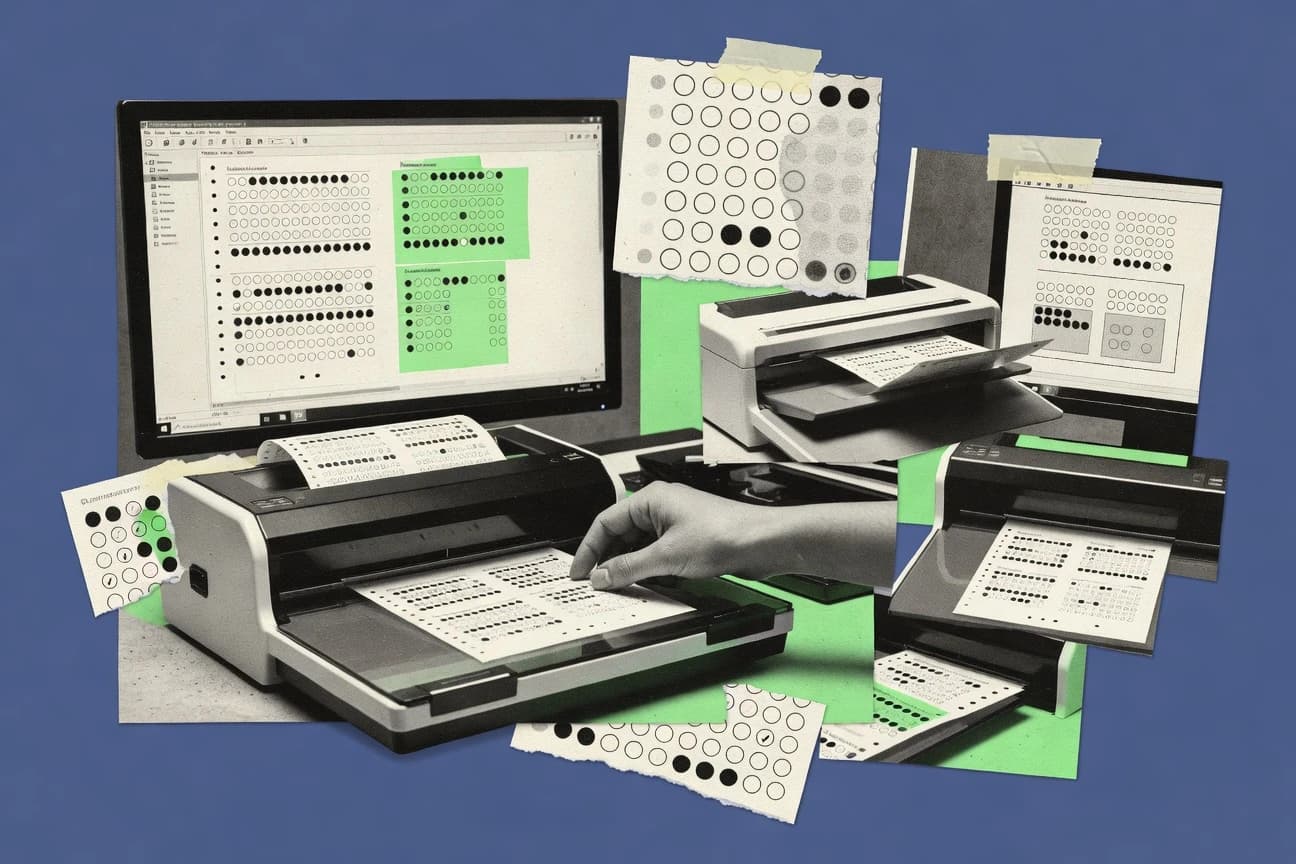
Top 10 optical mark reader software ranked for data entry accuracy and ease of use, with comparisons featuring MC Scanner, Verificare, and Auto Multiple Choice.

How we ranked these tools
Core product claims cross-referenced against official documentation, changelogs, and independent technical reviews.
Analyzed video reviews and hundreds of written evaluations to capture real-world user experiences with each tool.
AI persona simulations modeled how different user types would experience each tool across common use cases and workflows.
Final rankings reviewed and approved by our editorial team with authority to override AI-generated scores based on domain expertise.
Score: Features 40% · Ease 30% · Value 30%
Gitnux may earn a commission through links on this page — this does not influence rankings. Editorial policy
MC Scanner is the strongest fit for assessment teams that need reliable OMR batch scoring and spreadsheet exports, whereas Verificare works better when you must manage exceptions during larger deployments, and if you want an affordable entry for standardized questionnaires with manual review of odd scans, InspiroScan is a solid pick.
Editor’s top 3 picks
Three quick recommendations before you dive into the full comparison below — each one leads on a different dimension.
MC Scanner
Exception-first review that flags blank and ambiguous marks before export for cleaner scoring datasets.
Built for fits when assessment teams need reliable OMR batch scoring and export for spreadsheets..
Verificare
Editor pickOperational exception handling that routes misrecognitions for review before final result export.
Built for fits when assessment teams need batch OMR scoring with controlled exception handling..
Auto Multiple Choice
Editor pickException-oriented recognition that flags ambiguous or blank responses during batch answer processing.
Built for fits when schools or training teams reuse standardized answer sheets for repeated scoring batches..
Comparison Table
MC Scanner
SMBMobile OMR application for scanning and grading multiple-choice answer sheets.
Exception-first review that flags blank and ambiguous marks before export for cleaner scoring datasets.
MC Scanner is built around answer sheet processing with an operator workflow for setting recognition parameters and reviewing exception marks when blanks or ambiguous detections occur. Batch scanning supports repeated runs across multiple forms, which matters for examination assessment and questionnaire processing that rely on high throughput. Skew correction and image preprocessing help keep recognition stable when sheets arrive slightly misaligned or under uneven lighting.
A tradeoff appears in governance depth and automation surface. Without a clearly documented API or programmable data ingestion path, teams that need fully automated, system-to-system provisioning may rely on manual steps or custom glue around exports. MC Scanner fits best when an assessment admin team can manage configuration changes between form versions and needs repeatable recognition on batches.
- +Configurable answer key mapping for multi-form scoring
- +Batch scanning workflow for repeated answer sheet processing
- +Skew correction and image preprocessing improve recognition stability
- +CSV export supports quick import into scoring spreadsheets
- –Limited visibility into automated provisioning compared with API-first tools
- –Exception review is manual, which slows large retest cycles
- –Form design changes require reconfiguration work
- –Duplex scanning coverage depends on supported capture setup
Examination operations teams
Grade multiple classes from bubble sheets
Fewer manual grading corrections
Assessment admins
Process questionnaires with fixed options
Consistent survey data capture
Show 1 more scenario
Test center staff
Score high-volume paper answer sets
Faster turnaround per batch
Use image preprocessing to handle slight misalignment and keep throughput steady across mixed piles.
Best for: Fits when assessment teams need reliable OMR batch scoring and export for spreadsheets.
Verificare
enterpriseOMR software for designing, reading, and evaluating OMR sheets.
Operational exception handling that routes misrecognitions for review before final result export.
Verificare supports bubble-sheet style scoring by using an answer key configuration approach tied to form fields and expected mark locations. Batch scanning workflows reduce per-sheet handling when large cohorts must be processed, and image preprocessing helps stabilize recognition on skewed or noisy captures. Recognition output can be exported for multiple-choice scoring pipelines that need CSV-style delivery into other tools.
A tradeoff appears in the need to design form layouts and tune recognition settings for each distinct sheet design to avoid misreads. Verificare fits best when sheet designs are stable across administrations and exception review is part of the operational process, such as examinations with periodic reshoots and re-scans.
- +Batch-driven workflow for large answer-sheet sets
- +Answer-key configuration tied to recognition results
- +Exception review flow supports human correction loops
- +Export outputs designed for downstream scoring pipelines
- –Recognition tuning is required when forms or capture conditions shift
- –Advanced integrations depend on available API or export mapping
- –Queue-based throughput can lag if images need manual exception triage
Examination operations teams
Process large cohorts of scanned answer sheets
Faster mark turnaround with fewer surprises
Education IT teams
Feed results into student records workflows
Reduced manual data entry
Show 2 more scenarios
Assessment design teams
Manage multiple form variants safely
More consistent scoring across versions
Answer-key based recognition configuration helps keep variants scoring consistently.
Training and compliance teams
Score standardized questionnaires at scale
Consistent survey data capture
Form-driven recognition supports questionnaire processing with repeatable scoring logic.
Best for: Fits when assessment teams need batch OMR scoring with controlled exception handling.
Auto Multiple Choice
open-sourceOpen-source software for creating, printing, scanning, and grading multiple-choice exams.
Exception-oriented recognition that flags ambiguous or blank responses during batch answer processing.
Auto Multiple Choice supports end-to-end answer sheet processing from form setup through scanning and result generation. It uses per-question answer key configuration, and it records recognition outcomes that can be used for scoring and review of exceptions. Batch processing workflows reduce manual entry when large sets of exam or questionnaire pages must be handled.
The main tradeoff is that reliable recognition depends on consistent sheet layout and print quality, because large template drift increases exception rates that require human checking. It fits best when a single answer-sheet format is reused across many sessions and staff can standardize scanning settings and page templates.
- +Batch workflow turns scanned sheets into scored results
- +Multiple-mark handling helps flag ambiguous student responses
- +Skew correction improves recognition on imperfect scans
- +Exported outputs fit common spreadsheets and downstream handling
- –Template rigidity increases exceptions when layouts change
- –Higher accuracy needs disciplined scanning and print consistency
- –Automation beyond exports depends on external integration work
- –Complex questionnaires can require careful configuration effort
School assessment teams
Score multiple-choice exams from paper sheets
Faster grading with fewer manual checks
Training program administrators
Process periodic knowledge checks
Repeatable scoring across sessions
Show 2 more scenarios
Survey operations staff
Capture questionnaire responses at volume
Cleaner datasets for analysis
Detect marks per question and identify blank or multi-mark responses for follow-up.
Exam venue coordinators
Run standardized scanning on-site
Lower re-scan rates
Handle skewed pages and generate outputs after scanning large batches.
Best for: Fits when schools or training teams reuse standardized answer sheets for repeated scoring batches.
Remark Office OMR
enterpriseDesktop optical mark recognition software for processing scanned forms and surveys.
Strong skew-correction and preprocessing tied to its scanning workflow to stabilize recognition on angled captures.
Remark Office OMR is a desktop-focused OMR application that concentrates on reliable bubble sheet scanning workflows. It supports form design and answer key configuration for questionnaire processing and multiple-choice scoring with batch scanning of images.
The recognition pipeline includes preprocessing steps like skew correction to stabilize read results across imperfect captures. Exported results land in practical formats like CSV for downstream gradebooks and data entry.
- +Form design and answer key mapping for questionnaire scoring
- +Image preprocessing with skew correction to reduce scan-related failures
- +Batch scanning workflow that supports high-volume answer sheet processing
- +CSV export that fits common data entry and gradebook imports
- –Desktop-centric workflow adds operational overhead versus browser-only systems
- –Advanced automation depends on external orchestration rather than built-in workflow triggers
- –Complex answer sheet layouts need careful configuration to avoid misreads
- –Integration surface is limited compared with systems offering richer API-driven pipelines
Best for: Fits when school or assessment teams need repeatable desktop OMR batch runs with CSV exports.
GradeCam
vertical specialistAssessment software that grades bubble sheets through scanned or captured images.
Exception review with re-scan and reprocess steps designed for answer sheet misreads, not just final-score output.
GradeCam performs optical mark recognition workflows that turn scanned answer sheets into scored results and exportable datasets. It focuses on form and answer key configuration for multiple-choice style questionnaires, including handling of blank responses and simple erasure patterns.
GradeCam also supports batch scanning and repeatable processing runs so high-volume answer sheet capture stays consistent across test administrations. Export output is delivered in tabular formats for downstream grading, reporting, and further automation.
- +Consistent batch processing for large sets of answer sheets
- +Form configuration supports answer key mapping for scored items
- +Exports results to tabular files for reporting workflows
- +Exception review flow helps catch recognition issues
- –Advanced error detection options are limited for complex marks
- –Image preprocessing controls are narrower than some OMR specialists
- –Deep API automation is limited for custom pipelines
- –Deployment choices can constrain offline or locked-down environments
Best for: Fits when education teams run recurring bubble-sheet scoring and need repeatable exports for reporting.
Akindi
vertical specialistCloud-based bubble-sheet grading software for educational assessments.
Answer key and form template configuration designed around exam and questionnaire scoring rules.
Akindi is an OMR software used to scan and score answer sheets and questionnaire forms from captured images.
It focuses on practical form design workflows, including answer key configuration and support for batch processing.
Akindi also targets exam and survey data capture by handling common issues like skew correction and recognition thresholds.
Data output centers on exporting results for downstream grading, reporting, or import into other systems.
- +Strong fit for batch scanning of multiple answer sheets
- +Configurable answer keys for multiple-choice scoring workflows
- +Built-in preprocessing for skew and image alignment problems
- +Exports results in formats suited for spreadsheet-based review
- –Image import workflows can require careful template setup
- –Limited visibility into recognition tuning compared with developer-first tools
- –Exception review flow depends on how forms are configured
- –API and automation options appear narrower than platforms with deep integrations
Best for: Fits when teams need reliable bubble-sheet scoring with batch throughput and manual exception review.
ZipGrade
SMBMobile and web software for grading multiple-choice answer sheets.
Live exception review that flags low-confidence pages during batch answer sheet processing.
ZipGrade focuses on fast scanning of bubble sheets with an answer key workflow built for classroom and exam grading cycles. It handles image preprocessing, page alignment, and mark recognition so scanned sheets turn into scored results with fewer manual checks.
Batch processing and export-ready output support repeatable questionnaire processing and grading handoffs. Administration and governance remain lightweight compared with enterprise OMR systems, which shapes fit for smaller deployments.
- +Answer-key import and configuration keep scoring repeatable across batches
- +Batch scanning workflow reduces per-sheet handling during grading cycles
- +Exception-focused review highlights pages that need human confirmation
- +Exports support common downstream workflows for results ingestion
- –Form design constraints can limit flexibility for irregular answer layouts
- –Limited enterprise governance features compared with higher-tier OMR deployments
- –Duplex scanning and advanced imaging options are not the priority workflow
- –No broad integration surface for LMS and SIS is evident from core setup
Best for: Fits when educators need accurate bubble-sheet scoring with batch scanning and manageable review.
SDAPS
open-sourceOpen-source questionnaire software that recognizes scanned marked forms.
Built-in exception handling that flags uncertain or invalid fields for human review before exports are finalized.
SDAPS processes paper forms by translating scanned sheets into structured responses, using a workflow centered on answer sheet processing and form design. Recognition is driven by templates that define fields and mark positions, then results are exported for downstream scoring and reporting.
The tool is oriented toward local deployments and repeatable batch scanning workflows, with support for image file import and CSV export. SDAPS also includes mechanisms for handling recognition uncertainty so that exceptions can be reviewed rather than silently accepted.
- +Template-based form design keeps mark locations consistent across batches
- +Exception-focused review workflow reduces silent misrecognition
- +Batch scanning and image preprocessing fit repeatable paper intake
- +CSV export supports common downstream scoring pipelines
- –Template setup takes time compared with wizard-driven OMR tools
- –API integration surface is limited for end-to-end automation
- –Recognition tuning is less intuitive than GUI-based threshold controls
- –Advanced workflows like duplex and specialized scanner stacks may require extra setup
Best for: Fits when organizations need repeatable on-premises OMR processing with template control and exception review.
Addmen OMR Software
enterpriseComplete OMR system for automating evaluation of MCQ answer sheets, application forms, and surveys.
Operator exception review of uncertain recognitions during answer sheet processing reduces rework after exports.
Addmen OMR Software scans printed bubble sheets and turns marked answers into structured results for batch answer sheet processing. It focuses on configurable form handling, including answer key setup for multiple-choice questionnaires and export-ready output for downstream systems.
The workflow is designed for high-throughput classroom or exam operations using image preprocessing steps like skew correction. Exception review tools help operators inspect unclear recognitions before the results are finalized.
- +Batch scanning workflow supports consistent answer sheet processing at volume
- +Answer key configuration supports multiple-choice questionnaire scoring
- +Skew correction and preprocessing reduce failures from misaligned sheets
- +Exception review flow supports manual inspection of uncertain detections
- –Integration details for API-based automation are limited in public documentation
- –Advanced recognition tuning options for thresholds are not clearly exposed
- –Complex form sets need careful template setup to avoid mapping errors
- –Document handling features for erasure detection are not clearly specified
Best for: Fits when exam teams need reliable batch bubble-sheet scanning with operator exception review and exports.
InspiroScan
SMBAffordable bubble form processing software working with standard scanners and multifunction machines.
Answer-key driven questionnaire processing with preprocessing designed to keep recognition stable across batch scans.
InspiroScan focuses on optical mark recognition workflows for scanning paper answer sheets and surveys using configurable answer-key logic. It handles common OMR steps such as batch image capture, image preprocessing for skew correction, and exporting recognized marks into spreadsheet-friendly formats.
The tooling is oriented around repeatable questionnaire processing where the same sheet layout can be reused across multiple scanning rounds. It is most effective when the form design, mark locations, and detection thresholds are stable across batches.
- +Workflow built for repeated answer-key based scoring across batches
- +Skew correction and preprocessing reduce re-scans for mildly misaligned sheets
- +Exports recognized results in formats that fit spreadsheet review
- –Batch throughput depends on consistent sheet layout and print quality
- –API and automation surface are limited compared with automation-first OMR stacks
- –Complex form variants often require extra configuration and validation
Best for: Fits when standardized questionnaires need repeatable scoring with manual exception review for odd scans.
Conclusion
After evaluating 10 ai in industry, MC Scanner stands out as our overall top pick — it scored highest across our combined criteria of features, ease of use, and value, which is why it sits at #1 in the rankings above.
Use the comparison table and detailed reviews above to validate the fit against your own requirements before committing to a tool.
How to Choose the Right optical mark reader software
This buyer’s guide covers optical mark reader software used for bubble-sheet scanning, multiple-choice scoring, and batch export workflows across MC Scanner, Verificare, Auto Multiple Choice, Remark Office OMR, and GradeCam. The comparison also includes Akindi, ZipGrade, SDAPS, Addmen OMR Software, and InspiroScan to show how exception review, preprocessing controls, and export readiness differ between assessment teams and questionnaire programs.
Each tool review focuses on recognition outcomes, the way misreads are surfaced, and how batch runs turn scanned images into spreadsheet-ready results for downstream processing. The rest of the guide frames selection around integration depth, automation and API surface, and the operational controls used to route uncertain marks to human review.
Optical mark reader software for batch answer-sheet scoring, exception review, and export
Optical mark reader software processes scanned bubble sheets by detecting marked regions, applying mark thresholds, and mapping detected marks to answer keys for questionnaire processing and examination assessment workflows. Most deployments run as batch scanning pipelines that pair form configuration with recognition output, then generate CSV or delimited exports for reporting and grade calculation.
MC Scanner and Verificare emphasize exception-first recognition that flags blank or ambiguous marks for review before export, which reduces silent misrecognition when answer sheets include erasures or low-confidence marks. Remark Office OMR and InspiroScan emphasize preprocessing and skew correction tied to their desktop or batch scanning workflow, which helps stabilize recognition on angled captures and mildly misaligned printouts.
OMR workflows that control recognition quality before export
The second high-impact capability is preprocessing and capture stabilization such as skew correction and image preprocessing that reduces scan-related failures on angled captures. Remark Office OMR and InspiroScan both tie skew correction to their batch or desktop scanning workflows to reduce re-scans when print alignment varies.
Exception-first review with operator confirmation
MC Scanner and Verificare flag blank and ambiguous marks for review before final result export so misreads do not silently flow into scored outputs.
Batch scanning workflows for high-volume answer sheets
Auto Multiple Choice and GradeCam run batch processing that turns scanned answer sheets into scored results while keeping the per-sheet handling steps consistent for recurring cycles.
Answer key mapping built for multi-form scoring
MC Scanner and Akindi support configurable answer key mapping for questionnaire scoring rules so repeated forms can score correctly without manual remapping each batch.
Skew correction and image preprocessing tuned to scanning conditions
Remark Office OMR and InspiroScan emphasize skew correction and preprocessing so angled captures and mildly misaligned printouts stay within recognition thresholds.
Template or form configuration that preserves mark location consistency
SDAPS and Akindi use template-based configuration to keep mark locations consistent across batches, which reduces silent drift when the same form is reused.
Export-ready outputs for downstream reporting
MC Scanner and Remark Office OMR generate exports that are designed to feed reporting and grade calculation workflows with minimal cleanup after exception handling.
Choose by exception workflow depth and automation surface
The second decision is the automation and integration posture, because some deployments rely on API-based orchestration while others rely on desktop or manual batch runs. If built-in automation and developer-friendly surfaces matter, MC Scanner and Verificare fit better than tools that keep integration details limited in public documentation, such as Addmen OMR Software.
Start with the exception workflow that matches the review capacity
Select MC Scanner or Verificare if the scoring team can review a queue of misrecognitions before export, because both tools route uncertain marks for operator confirmation. Select GradeCam if the operational model expects re-scan and reprocess steps designed to recover from answer sheet misreads during batch runs.
Pick preprocessing depth based on capture variability
Choose Remark Office OMR if angled captures are common, because it emphasizes skew-correction and image preprocessing tied to its scanning workflow. Choose InspiroScan if preprocessing aims to stabilize recognition for standardized questionnaires across repeated batch scans with occasional odd scans.
Align form variability with template rigidity
Choose Auto Multiple Choice when schools reuse standardized answer sheets, because template rigidity works best when layouts stay consistent across repeated scoring batches. Choose tools like MC Scanner or Verificare when form changes and capture conditions shift, since recognition exceptions and review routing help absorb variability.
Decide how answer keys and mapping are maintained across batches
Choose MC Scanner or Akindi when multi-form scoring needs configurable answer key mapping rules, because both tools are designed around questionnaire scoring configurations. Choose ZipGrade or SDAPS when the workflow expects repeatable batch scoring with template control, because both keep scoring repeatable through configuration that preserves mark placement consistency.
Match the automation posture to the operational integration plan
If end-to-end automation is required, prefer MC Scanner or Verificare because their batch workflows are paired with configurable mapping and are positioned as more control-oriented for export pipelines than systems that keep API and integration surfaces limited. If the organization can operate desktop-centric or operator-centric batch runs, Remark Office OMR and GradeCam can fit the day-to-day workflow without heavy orchestration.
Who benefits from these OMR software workflows
Teams also benefit when capture conditions vary across classrooms, rooms, or exam sessions, because preprocessing and skew correction reduce scan failures. Remark Office OMR and InspiroScan target this issue through preprocessing controls tied to their scanning workflows.
Assessment teams running repeated answer sheet scoring batches
MC Scanner and Verificare support exception-first processing that flags blank and ambiguous marks before results export, which keeps batch datasets clean for regrade and reporting cycles.
Schools reusing standardized answer sheets across terms
Auto Multiple Choice is built around batch workflow scoring that assumes consistent templates, which reduces exceptions when sheets are printed and scanned consistently.
Programs dealing with angled captures or inconsistent scanning alignment
Remark Office OMR and InspiroScan use skew correction and preprocessing to stabilize recognition when students or operators produce mild misalignment during capture.
Organizations that must control form templates to preserve mark locations
SDAPS and Akindi use template-based form design and scoring configurations that keep mark locations consistent across batches to reduce silent misrecognition.
Common OMR buying mistakes that break scoring reliability
Another frequent failure is underestimating how preprocessing needs match scanning conditions. Skew correction and preprocessing depth matter when angled captures are common, because limited controls can force repeated re-scans when recognition thresholds drift.
Assuming exception handling is automatic and export-safe
MC Scanner and Verificare are built around exception-first review before final export, while tools that provide narrower error detection or limited exception complexity can push rework to later steps after exports are already generated.
Ignoring template rigidity when layouts change
Auto Multiple Choice can show more exceptions when layouts change due to template rigidity, so form design updates should be validated against batch scoring outcomes before operational rollout.
Skipping preprocessing fit checks for angled or misaligned sheets
Remark Office OMR emphasizes skew correction and preprocessing tied to its scanning workflow, and failing to match that capability to capture variability can increase misreads that then require reprocessing.
Underplanning how answer key mapping will be maintained
MC Scanner and Akindi support configurable answer key mapping for multi-form scoring, and teams that cannot maintain mappings across batches often spend time correcting spreadsheet outputs instead of scoring.
How We Selected and Ranked These Tools
We evaluated MC Scanner, Verificare, Auto Multiple Choice, Remark Office OMR, GradeCam, Akindi, ZipGrade, SDAPS, Addmen OMR Software, and InspiroScan on features, ease of operation, and overall value for bubble-sheet scanning and batch export workflows. Features counted for 40% of the score, with special emphasis on exception-first processing that routes blank and ambiguous marks before spreadsheet-ready export.
Ease and value each counted for 30%, with emphasis on configuration effort such as answer-key mapping and template setup that affects repeat batch runs. MC Scanner ranked highest because it combines configurable answer key mapping for multi-form scoring with an exception-first review that flags blank and ambiguous marks before export for cleaner scoring datasets.
Frequently Asked Questions About optical mark reader software
How does each tool handle exception review before exporting results?
Which software is built for high-volume batch scanning throughput?
How do tools reduce recognition failures caused by skewed scans?
What breaks if an answer sheet contains multiple marks for a single question?
When does template control matter more than answer key configuration?
How do exports differ for spreadsheet or downstream scoring workflows?
Which tools support on-premises workflows and local deployments for OMR processing?
How is answer key configuration modeled for questionnaire processing across batches?
What admin controls and audit evidence exist when multiple operators process scans?
Which tools provide integration paths for downstream systems using file imports and structured exports?
Tools reviewed
Primary sources checked during evaluation.
Referenced in the comparison table and product reviews above.
- Ai In IndustryTop 10 Best Optical Character Reader Software of 2026
- Legal Professional ServicesTop 10 Best Legal Ocr Software of 2026
- Healthcare MedicineTop 10 Best Ophthalmic Software of 2026
- Business FinanceTop 10 Best Card Reader Software of 2026
- Healthcare MedicineTop 10 Best Optical Practice Management Software of 2026
Keep exploring
Comparing two specific tools?
Software Alternatives
See head-to-head software comparisons with feature breakdowns, pricing, and our recommendation for each use case.
Explore software alternatives→In this category
AI In Industry alternatives
See side-by-side comparisons of ai in industry tools and pick the right one for your stack.
Compare ai in industry tools→