
GITNUXSOFTWARE ADVICE
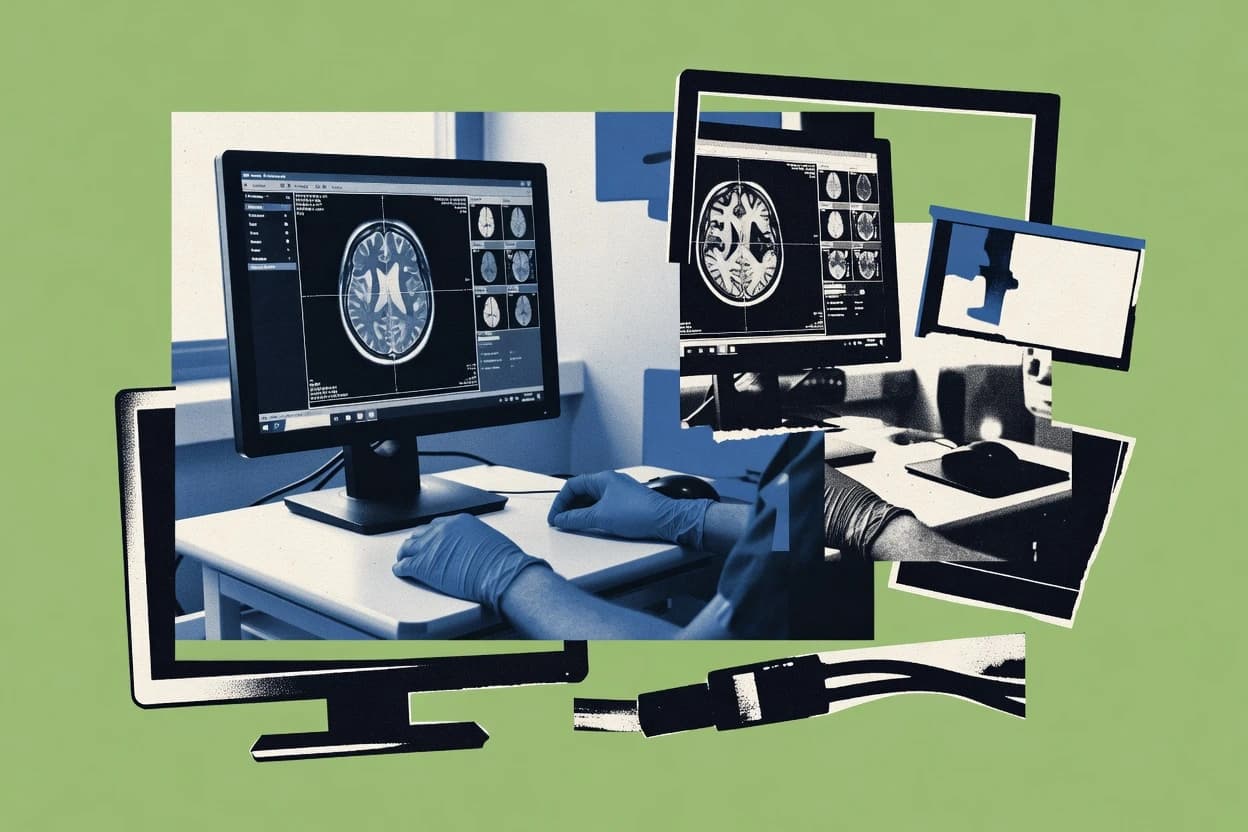
Healthcare MedicineTop 10 Best Mri Viewer Software of 2026
Top 10 Mri Viewer Software ranking with technical comparisons for DICOM viewing workflows, including Weasis, dcm4che, and RadiAnt.

How we ranked these tools
Core product claims cross-referenced against official documentation, changelogs, and independent technical reviews.
Analyzed video reviews and hundreds of written evaluations to capture real-world user experiences with each tool.
AI persona simulations modeled how different user types would experience each tool across common use cases and workflows.
Final rankings reviewed and approved by our editorial team with authority to override AI-generated scores based on domain expertise.
Score: Features 40% · Ease 30% · Value 30%
Gitnux may earn a commission through links on this page — this does not influence rankings. Editorial policy
Editor’s top 3 picks
Three quick recommendations before you dive into the full comparison below — each one leads on a different dimension.
Weasis
Annotation and measurement tools operating directly on DICOM image series in the viewer.
Built for fits when teams need controlled DICOM viewing integrated into existing PACS or DICOM infrastructure..
dcm4che
Editor pickdcm4che integration with DICOM Query/Retrieve and storage services for viewer-backed workflows.
Built for fits when imaging teams need a viewer tightly integrated with PACS-grade DICOM automation and governance..
RadiAnt DICOM Viewer
Editor pickDICOM series and slice workflow supports rapid review, measurement, and annotation on large MRI stacks.
Built for fits when MRI workflows need consistent desktop viewing and measurement without heavy integration demands..
Related reading
Comparison Table
Weasis
DICOM desktopWeasis is a Java-based DICOM viewer that supports viewing, hanging protocols, and plugins for image review workflows.
Annotation and measurement tools operating directly on DICOM image series in the viewer.
We evaluated Weasis as an MRI viewer because it can load DICOM studies and present series with common diagnostic tooling such as zoom, windowing, and pan. The data model maps viewer state to DICOM study, series, and instance metadata, so filtering and navigation stay tied to the original imaging objects. Configuration changes can be applied at deployment time to control viewer behavior, including what UI controls and operations are exposed to users.
A tradeoff appears in admin and governance controls, since Weasis focuses on the viewer layer rather than providing full RBAC, workflow queues, and an enterprise audit log out of the box. The viewer fits well in situations where IT needs integration breadth with an existing imaging backend, such as a DICOM server or PACS gateway, and wants predictable study rendering with controlled UI options.
Automation and API surface are strongest around integration into existing DICOM delivery and client orchestration rather than deep server-side study workflows. The best fit emerges when throughput depends on client-side rendering performance and caching behavior, while study routing and long-running automation remain handled by upstream imaging services.
- +Client-side DICOM rendering with consistent series and instance navigation
- +Configurable viewer UI controls reduce exposed operations
- +Extensibility supports adding viewer behaviors around the DICOM data model
- +Annotation and measurement tools support review and documentation workflows
- –Enterprise RBAC and audit log features are limited at the viewer layer
- –Automation API is more about orchestration than full server-side workflows
- –Governance depends heavily on deployment configuration and DICOM access rules
Radiology IT and platform engineering teams
Deploy a web-based MRI viewer that consumes studies from existing DICOM servers
Consistent study presentation that reduces variability between sites while keeping backend ownership in place.
Clinical operations teams running multi-site imaging review
Provide a uniform web viewer for repeat reads and case conferences across sites
Faster case review standardization that lowers review-time friction across locations.
Show 2 more scenarios
Research and imaging annotation groups
Perform structured measurement and annotation on MRI studies before exporting results
More consistent annotation output tied to the original DICOM object context.
Annotations and measurement tools work directly on rendered DICOM images, so investigators can maintain a tight loop between viewing and feature marking. Viewer behavior can be configured to match study protocols and UI constraints.
Security and compliance teams overseeing access to imaging data
Use viewer configuration plus external access controls to enforce who can retrieve studies
Policy enforcement that relies on controlled provisioning at the DICOM access boundary with reduced viewer-side permissions exposure.
Governance for who can view studies is typically implemented through the DICOM access layer and deployment controls rather than deep viewer-native RBAC and audit log capabilities. Viewer configuration then limits what users can do once access is granted.
Best for: Fits when teams need controlled DICOM viewing integrated into existing PACS or DICOM infrastructure.
More related reading
dcm4che
DICOM toolkitdcm4che provides DICOM toolkit components plus viewer-related modules used to build image access and review systems.
dcm4che integration with DICOM Query/Retrieve and storage services for viewer-backed workflows.
dcm4che fits sites that already operate DICOM tooling and need a viewer that plugs into that environment rather than acting as an isolated client. The project provides an extensive set of components for DICOM storage, retrieval, query, and worklist interactions, which supports integration depth across the viewer to backend path. The data model aligns with DICOM objects and services, so configuration and automation can be expressed in terms of DICOM entities instead of ad hoc file handling. The administrative surface includes configuration management for services, security options for transport, and operational logging suitable for managed environments.
A tradeoff appears in setup and governance overhead because server components and viewer integration require consistent configuration and environment management. This complexity pays off when a hospital, imaging center, or enterprise archive needs automation that reacts to DICOM workflows, not just local viewing. One usage situation fits an installation that must support RBAC-style access patterns at the service layer while keeping viewer sessions tied to the same retrieval and audit trails as the PACS and archive.
- +DICOM service alignment for query retrieve and storage workflows
- +Server-grade integration depth between viewer and DICOM backend
- +Configuration and automation via API-enabled components
- +Schema-aware operations using DICOM entities instead of custom models
- –Deployment requires careful configuration across multiple components
- –Viewer usage depends on correct backend integration and permissions
- –Operational tuning can be needed to sustain high throughput
Radiology IT administrators
Standardizing viewer-backed image retrieval across PACS and an enterprise archive
Consistent retrieval behavior and fewer discrepancies between viewing and archive access.
Integration engineers in healthcare enterprises
Automating imaging routing and lifecycle decisions based on DICOM workflows
Lower manual intervention for routing and lifecycle operations tied to imaging objects.
Show 2 more scenarios
Compliance and security teams
Enforcing controlled access patterns with auditable service operations
More consistent audit trails for image access decisions across clients.
Governance can be applied at the DICOM service layer where requests, transfers, and object access are traceable through operational logging and configuration boundaries. Viewer usage inherits the backend policy and retrieval behavior, reducing access drift across tools.
Mid-size imaging centers with multiple acquisition modalities
Ensuring end-to-end interoperability from modality transfer to clinician viewing
Fewer broken studies and faster time-to-view after acquisition transfers.
Server components can handle modality communications and object storage, while the viewer reads from the same DICOM workflow path. This reduces format conversions and keeps the data model consistent throughout the chain.
Best for: Fits when imaging teams need a viewer tightly integrated with PACS-grade DICOM automation and governance.
RadiAnt DICOM Viewer
Desktop viewerRadiAnt is a Windows DICOM viewer focused on fast local file loading, measurement tools, and reading common DICOM encodings.
DICOM series and slice workflow supports rapid review, measurement, and annotation on large MRI stacks.
RadiAnt DICOM Viewer focuses on DICOM-native rendering and review workflows, including series organization, slice navigation, and common measurement and annotation actions used during MRI interpretation. It can be deployed as a desktop viewer in imaging workstations where the DICOM objects already exist on the local network or workstation storage. The workflow feels most aligned with repeatable reading tasks like side-by-side series comparison, consistent annotation, and quick navigation through image stacks.
A tradeoff appears when centralized administration, audit log controls, and RBAC need to be enforced at the application layer, since the product is primarily a desktop viewer rather than a managed enterprise system. It fits best in a radiology reading room where throughput depends on viewer responsiveness and standardized controls rather than on API-driven provisioning. It also fits MRI teams that want a deterministic viewer behavior for education, peer review, and case conferencing using the same DICOM input set.
- +DICOM-native rendering supports predictable MRI series handling.
- +Fast slice navigation and comparison workflows for reading speed.
- +Measurement and annotation tools map to common MRI review steps.
- +Stable local workstation model reduces conversion and pipeline risk.
- –Limited automation and API surface compared with PACS integrations.
- –Governance controls like RBAC and audit logs are not core features.
- –Centralized admin workflows require external infrastructure around it.
- –It is less suited for server-side, multi-user orchestration.
Radiologists and neuroradiology reading rooms
Rapid review of MRI studies with repeated series comparisons and measurements.
Faster interpretation steps with fewer workflow detours during MRI reading.
Clinical research teams running manual image QC
Spot-checking protocol adherence across many MRI datasets before downstream analysis.
More reliable dataset inclusion decisions with documented reviewer notes.
Show 2 more scenarios
Medical imaging educators and case review coordinators
Teaching and peer review using consistent MRI visualization controls.
Repeatable instructional review with standardized measurement and comments.
Instructors distribute the same DICOM objects to trainees and use a common annotation workflow for case discussion. The viewer’s repeatable navigation and measurement tools support structured feedback.
IT teams supporting imaging workstations in regulated environments
Workstation-based MRI review where security and governance rely on surrounding infrastructure.
Predictable operations through external governance while maintaining viewer consistency.
IT provisions local or network-access DICOM data and uses the viewer for on-device review while keeping user access policies outside the viewer. This model fits environments where RBAC, audit logs, and content routing are enforced by PACS, VNA, or storage layers.
Best for: Fits when MRI workflows need consistent desktop viewing and measurement without heavy integration demands.
MicroDicom
Desktop viewerMicroDicom is a Windows DICOM viewer with browser-style navigation, measurement tools, and image and metadata tools for study review.
DICOM-centric viewer workflow for consistent study and series navigation during MRI case review.
MicroDicom serves as an MRI DICOM viewer with a workflow focused on image handling, study navigation, and reuse of viewers across installs. Integration depth is driven by its DICOM-centric data model and any available import and transfer pathways for studies and series.
Automation and extensibility matter most in how the viewer can be configured and controlled for repeatable rollout, including governance needs like RBAC alignment and auditability. The practical value comes from throughput during case review and from the administrative controls needed to standardize viewer behavior across users.
- +DICOM-first data handling aligns viewer behavior to MRI study structures
- +Configurable viewer usage supports repeatable review workflows across sites
- +Case navigation tools reduce time spent switching studies and series
- +Designed for high-throughput visual review of large imaging sets
- –Automation surface depends on integration approach since API capabilities are not explicit
- –Data model mapping beyond DICOM objects may require custom integration work
- –Admin governance features like audit logs and RBAC controls may be limited
- –Extensibility options are harder to assess without documented hooks
Best for: Fits when a DICOM-driven MRI reading workflow needs standardized viewer behavior across teams.
OsiriX
Desktop viewerOsiriX is a medical imaging viewer for macOS that reads DICOM files and provides measurement and annotation workflows.
Plugin-driven extensibility for customizing DICOM rendering and study handling behavior.
OsiriX provides a desktop DICOM viewer focused on opening, rendering, and coordinating medical image study series. Its extensibility is driven by plugin capabilities and scripting-oriented workflows that let teams tailor handling of DICOM metadata and display behaviors.
The software integrates at the file and study level through DICOM inputs, while API and automation are limited compared with server-backed viewers. Admin and governance controls are mostly centered on local workstation usage rather than centralized provisioning, RBAC, or audit logging.
- +DICOM study and series handling with strong metadata awareness in the viewer
- +Extensibility via plugins to alter rendering and workflow behaviors
- +Local, deterministic viewing suitable for offline or controlled workstation setups
- +Interoperable with existing PACS exports through standard DICOM inputs
- –No centralized RBAC or role-based access controls for multi-user environments
- –Limited automation and API surface compared with server-based viewer suites
- –Governance and audit log coverage is weak for organizations needing centralized traceability
- –Throughput for bulk viewing relies on operational processes rather than managed services
Best for: Fits when local workstation viewing needs extensible DICOM workflows without centralized governance requirements.
Horos
Desktop viewerHoros is a macOS DICOM viewer that supports multi-frame studies, annotations, and common radiology review features.
DICOM-centric series browsing with 2D and 3D rendering tied to the same dataset model.
Horos functions as a DICOM-focused MRI viewer built for local installation and data handling. It provides a UI-driven workflow for series navigation, 2D and 3D rendering, and measurement tools over a DICOM data model.
Integration depth depends on external DICOM transfer and how institutions provision storage and routing for datasets. Automation and extensibility rely more on DICOM ingestion patterns and scripting around supported import workflows than on a first-party API surface.
- +Native DICOM browsing with consistent series and study organization
- +Strong 2D and 3D rendering workflow for radiology-style inspection
- +Local dataset handling avoids continuous network dependence for viewing
- +Measurement and annotation tools support review and documentation
- –Limited first-party automation and API surface for workflow orchestration
- –Provisioning and schema governance rely on external PACS or DICOM routing
- –Extensibility is less centered on managed plugins and RBAC controls
- –Throughput scaling across users depends on infrastructure, not built-in controls
Best for: Fits when imaging teams need local DICOM viewing with controlled dataset ingestion and manual review.
Sectra Image Analytics viewer
Enterprise viewerSectra imaging viewers provide DICOM study access and review capabilities within Sectra imaging platforms.
Governed analytics viewing of Sectra-generated outputs with consistent annotation and measurement state.
Sectra Image Analytics viewer is built around a governed imaging analytics workflow, not just image display, which makes integration depth the core story. The viewer consumes Sectra-managed analysis outputs using a consistent data model that supports structured annotations, measurements, and derived views.
Administration focuses on access control and auditability so viewing and analysis artifacts remain attributable across teams. Automation and extensibility centers on integration points that fit PACS and workflow systems, with an API surface intended for provisioning, configuration, and integration-driven throughput.
- +Tightly integrated analytics artifacts with viewer-linked measurements and annotations
- +Governed access control patterns for images and derived analytics outputs
- +Annotation and measurement state stays consistent across analysis viewing sessions
- +Integration points designed for existing imaging workflow systems
- –Viewer behavior depends on Sectra-managed data structures and analysis pipelines
- –Deep automation requires alignment with the provider ecosystem
- –Extensibility is strongest through integration hooks rather than viewer-side customization
- –Operational setup demands careful configuration for roles and artifact sharing
Best for: Fits when imaging teams need governed analytics viewing with API-driven provisioning and controlled sharing.
3D Slicer
open-source desktopOpen-source medical imaging workstation that loads DICOM and NIfTI data and provides interactive multiplanar and 3D visualization for MRI volumes.
MRML data model with Python-exposed node graph for automation and reproducible workflows.
3D Slicer is a desktop MRI visualization tool that uses a scene graph data model built around MRML nodes for image rendering, segmentation, and measurement. The extensibility model is rooted in Python scripting, C++ modules, and a documented module ecosystem that can be automated for repeatable viewing and analysis workflows.
Integration depth is strongest inside the Slicer ecosystem, where imports, transforms, and derived outputs are represented consistently in the MRML schema across sessions. Automation and API surface are available through the Python interface and command-line execution, while admin and governance controls are minimal because it runs locally rather than as a managed multi-user service.
- +MRML scene model keeps images, segmentations, and transforms consistent
- +Python scripting enables repeatable imports, views, and measurements
- +Module architecture supports domain-specific image workflows
- +Command-line runs batch jobs without interactive GUI
- –Local desktop execution limits centralized RBAC and audit logging
- –Network sharing and governance require external tooling
- –Multi-user workflows need custom automation patterns
- –Thick client integration can increase operational setup effort
Best for: Fits when teams need scripted, MRML-consistent MRI viewing and analysis on workstations.
Visage 7
enterprise imagingEnterprise imaging platform that includes DICOM viewing and worklist workflows for radiology-style MRI interpretation.
Role-based access with audit logging for viewer actions across imaging studies.
Visage 7 provides web-based MRI viewing with image loading, window and level controls, and case-level organization for clinical review. Integration depth comes from configurable viewer behavior tied to external worklists, imaging identifiers, and study navigation patterns.
The data model centers on studies, series, and instance display state, which supports predictable automation and extensibility for imaging workflows. Administrative controls focus on role-based access, audit trail generation for viewing and actions, and schema-consistent configuration across deployments.
- +Viewer configuration tied to study and series display state
- +API-oriented extensibility for embedding viewing into external workflows
- +Role-based access supports controlled case viewing
- +Audit log support for viewer actions and access events
- –Automation surface varies by deployment configuration
- –Bulk throughput tuning requires careful provisioning of services
- –Deep governance controls depend on external identity integration
- –Extensibility targets viewer embedding more than custom analysis
Best for: Fits when teams need governed MRI viewing with API-driven workflow integration.
RadiologyCloud
web viewerBrowser-based imaging viewer for DICOM images that supports study browsing and clinical visualization of MRI datasets.
API-driven provisioning and access governance for MRI study viewer workflows.
RadiologyCloud provides an MRI viewer workflow with emphasis on integration depth and a controllable data model for imaging access. The product supports API-driven automation for provisioning and downstream system hookups, which matters when imaging must align with existing enterprise schemas.
Admin controls focus on governance needs like RBAC and auditability rather than only viewer playback. Extensibility is oriented around configuration and schema mapping so throughput stays consistent across sites.
- +API-focused integrations for imaging workflows and external system synchronization
- +Clear data model and schema mapping for consistent study metadata handling
- +Governance controls including RBAC and access scoping for imaging data
- +Automation hooks support provisioning workflows across environments
- –Integration depth requires careful schema alignment with DICOM and enterprise records
- –Automation surface may demand engineering time for custom provisioning flows
- –Cross-site configuration can be complex when sites differ in metadata conventions
- –Viewer configuration options may feel limited for highly specialized radiology layouts
Best for: Fits when teams need viewer access integrated with enterprise governance, automation, and metadata consistency.
How to Choose the Right Mri Viewer Software
This buyer’s guide covers MRI viewer software selection across Weasis, dcm4che, RadiAnt DICOM Viewer, MicroDicom, OsiriX, Horos, Sectra Image Analytics viewer, 3D Slicer, Visage 7, and RadiologyCloud. It focuses on integration depth, data model alignment, automation and API surface, and admin governance controls.
The guidance maps each tool’s concrete viewer workflow and governance posture to practical evaluation questions for MRI reading, measurement, and shared access workflows. It also calls out common integration failure patterns seen when teams rely on local-only tooling like RadiAnt DICOM Viewer, OsiriX, and Horos without server-grade orchestration.
MRI DICOM viewer platforms that render, measure, and coordinate study workflows
MRI viewer software ingests DICOM studies and presents series and instances for clinical review, with measurement and annotation workflows tied to the underlying DICOM data model. Many tools also coordinate case navigation with external PACS or analytics systems so teams can view the same study structure consistently across environments.
Weasis and dcm4che show how the viewer can be integrated with backend DICOM Query/Retrieve and storage workflows, while desktop viewers like RadiAnt DICOM Viewer and Horos prioritize local MRI reading speed and deterministic study handling. Enterprise platforms like Visage 7 and RadiologyCloud shift governance to role-based access and audit-oriented controls around viewer actions and access events.
Integration depth, schema alignment, and governance-ready viewer behavior
Viewer selection should start with how the tool models studies, series, and instance state because that controls what automation can reliably reference. Weasis centers on a DICOM object and series organization model, while 3D Slicer uses an MRML node graph that keeps images, segmentation, and transforms consistent for repeatable workflows.
Automation and governance should be evaluated together because governance requirements shape what orchestration needs to provision, authenticate, and audit. Visage 7 and RadiologyCloud add role-based access and audit log support for viewer actions, while RadiAnt DICOM Viewer and Horos keep RBAC and audit logging outside core viewer responsibilities.
DICOM-aligned viewer data model for study and series consistency
A DICOM-centric model keeps series and instance navigation consistent across environments and reduces translation layers. Weasis provides consistent series and instance navigation with client-side DICOM rendering, while MicroDicom emphasizes DICOM-first study and series navigation for standardized MRI case review.
MRML scene model and scripting hooks for reproducible MRI analysis
A scene graph data model supports reproducible imports, views, and measurements across runs. 3D Slicer uses an MRML node graph and exposes automation through Python scripting and command-line execution for batch processing.
Backend integration with DICOM Query Retrieve and storage workflows
When viewer workflows must follow PACS-grade access patterns, integration with DICOM service endpoints matters. dcm4che is built around query retrieve and storage alignment for viewer-backed workflows, while Weasis targets integration with existing PACS or DICOM infrastructure through its architecture around study loading and rendering.
API and automation surface for provisioning and workflow orchestration
A documented API and automation surface reduces manual configuration drift across sites and enables controlled throughput. RadiologyCloud provides API-focused automation for provisioning and downstream system synchronization, and Sectra Image Analytics viewer is designed for integration-driven throughput with API-oriented provisioning and configuration hooks.
RBAC and audit log coverage for viewing and access actions
Governance controls must cover who viewed what and what actions occurred during viewing. Visage 7 provides role-based access with audit logging for viewer actions and access events, while RadiologyCloud includes RBAC and audit-oriented control paths for admin review of viewer and access actions.
Extensibility model tied to the viewer’s data model
Extensibility should integrate with the tool’s core representation of studies, series, and annotations. Weasis supports plugins and annotation and measurement tools operating directly on DICOM image series, while OsiriX supports plugin-driven extensibility and Horos and RadiAnt DICOM Viewer focus on local workflow tooling.
Choose by matching integration and governance depth to the MRI workflow
Start with integration depth and data model alignment because a viewer that cannot reference the same study structure across systems will create operational friction. Teams that need backend-grade DICOM automation should evaluate dcm4che with its DICOM Query Retrieve and storage service alignment, and teams that need client-side consistency should evaluate Weasis with its DICOM-centered rendering and series navigation.
Then map automation and governance controls to how access must be provisioned and audited. Enterprise options like Visage 7 and RadiologyCloud provide RBAC and audit-oriented viewer controls, while desktop tools like RadiAnt DICOM Viewer, OsiriX, and Horos focus governance outside the viewer and limit multi-user orchestration built into the software.
Confirm the viewer data model matches the workflow objects that automation must reference
If the workflow objects are DICOM studies, series, and instances, tools like Weasis and MicroDicom keep navigation and review behaviors aligned to DICOM-first organization. If the workflow objects include segmentation, transforms, and derived measurements that must stay consistent across runs, 3D Slicer’s MRML node graph and Python scripting are the more direct fit.
Decide whether the viewer must integrate with PACS-grade DICOM services
For viewer-backed workflows that follow DICOM Query Retrieve and storage patterns, dcm4che provides server-grade integration depth between viewer and DICOM backends. For deployments where the viewer integrates with existing PACS or DICOM infrastructure primarily through study loading and client-side interactions, Weasis fits better than desktop-only models like RadiAnt DICOM Viewer.
Validate the automation and API surface for provisioning and orchestration
If provisioning must be automated across environments, RadiologyCloud and Sectra Image Analytics viewer are designed for API-driven provisioning and integration-driven throughput. If automation needs are limited to local batch behavior and scripting, 3D Slicer can be automated through its Python interface and command-line execution without enterprise multi-user governance.
Match governance controls to audit and access requirements
When viewer access must be controlled with role-based access and audit log coverage, Visage 7 and RadiologyCloud provide RBAC and audit-oriented viewer action tracking. When governance is expected to be handled by external systems and the viewer stays local, RadiAnt DICOM Viewer, OsiriX, and Horos offer strong local review workflows with limited first-party RBAC and audit log features.
Evaluate extensibility against what must be extended in the MRI review workflow
If the extension target is annotation and measurement behavior tied to the DICOM series, Weasis supports annotation and measurement tools operating directly on DICOM image series in the viewer. If the extension target is custom rendering and study handling on macOS, OsiriX’s plugin-driven extensibility is the closer match to the documented workflow customization model.
Which teams get the most control and throughput from each MRI viewer tool
Different MRI viewer tools fit different operational models, ranging from local workstation review to server-governed multi-user viewing with audit trails. Integration depth and governance posture should drive the tool choice rather than focusing only on rendering or measurement UI.
Teams that need structured governance for imaging artifacts and analytics outputs should evaluate Sectra Image Analytics viewer and Visage 7, while teams that need scripting for reproducible workstation pipelines should evaluate 3D Slicer.
Imaging teams integrating viewing into PACS-grade DICOM workflows
dcm4che fits teams that need viewer-backed Query Retrieve and storage alignment with schema-aware configuration and API-enabled automation hooks. Weasis also fits teams that need controlled DICOM viewing integrated into existing PACS or DICOM infrastructure with consistent series and instance navigation.
Organizations requiring role-based access and audit log coverage for viewer actions
Visage 7 fits governed MRI viewing with role-based access and audit logging for viewer actions and access events across imaging studies. RadiologyCloud fits API-driven provisioning paired with RBAC and audit-oriented controls for admin review of viewer and access actions.
Clinicians and research teams optimizing workstation speed for local MRI reading and measurement
RadiAnt DICOM Viewer fits consistent desktop viewing with fast slice navigation and measurement tools built for rapid MRI review, while governance stays outside core viewer features. Horos and OsiriX fit local, deterministic workflows with measurement and extensibility through local installation and plugin or workflow customization.
Analytics and derived measurement workflows that must stay attributable across teams
Sectra Image Analytics viewer fits teams that need governed analytics viewing where annotation and measurement state stays consistent across analysis sessions and governed access control patterns keep artifacts attributable. This is less suited to deployments that require viewer-side custom analysis because deep automation aligns with the Sectra ecosystem.
Engineering teams building scripted MRI analysis workflows with reproducible scene state
3D Slicer fits teams that need MRML-consistent images, segmentations, and transforms with automation through Python scripting and command-line batch runs. This local governance model relies on external identity controls for multi-user settings.
Common MRI viewer selection pitfalls that cause integration and governance failures
Many teams mis-pair viewer capabilities with operational requirements, especially when governance and orchestration are treated as afterthoughts. Desktop-first tools can provide strong local viewing but do not supply the RBAC and audit log coverage expected by multi-user regulated workflows.
Other pitfalls come from mismatched data models, where automation cannot reliably address the objects that matter for workflows and governance. These failures show up when automation expects schema-aware DICOM objects or a scene graph but the chosen viewer stays focused on local file-based review.
Selecting a local-only viewer and then requiring centralized RBAC and audit logs
RadiAnt DICOM Viewer, OsiriX, and Horos focus on local workstation usage with limited centralized RBAC and audit log features. Visage 7 and RadiologyCloud provide role-based access and audit-oriented tracking for viewer actions and access events, which aligns with multi-user governance needs.
Assuming automation exists without checking the API and provisioning surface
Weasis and MicroDicom describe extensibility and workflow configuration but do not present an explicit enterprise automation API surface in the reviewed scope. RadiologyCloud and Sectra Image Analytics viewer are designed around API-driven provisioning and integration points for provisioning and throughput, which better fits orchestration requirements.
Ignoring DICOM service alignment when the workflow depends on Query Retrieve and storage orchestration
Desktop viewers like RadiAnt DICOM Viewer and Horos do not provide server-grade integration depth for DICOM Query Retrieve and storage workflows. dcm4che is built to align with DICOM query retrieve and storage services, which supports viewer-backed workflows with backend governance.
Choosing extensibility that does not align with the core data model used by automation
OsiriX plugin customization and local extensibility do not automatically translate into schema-consistent, backend-referenced orchestration. Weasis ties annotation and measurement tools to DICOM image series in the viewer, and 3D Slicer ties extensibility to MRML nodes for Python-exposed automation.
How We Selected and Ranked These Tools
We evaluated Weasis, dcm4che, RadiAnt DICOM Viewer, MicroDicom, OsiriX, Horos, Sectra Image Analytics viewer, 3D Slicer, Visage 7, and RadiologyCloud using three criteria that were consistently described across the reviewed profiles: features, ease of use, and value. Overall rating was computed as a weighted average where features carries the greatest weight, while ease of use and value each contribute the same smaller share. This editorial scoring uses the stated capability set and workflow fit described in each tool profile rather than claiming hands-on lab testing.
Weasis separated itself with annotation and measurement tools operating directly on DICOM image series in the viewer, and that concrete workflow integration raised its features score and kept ease of use high because series and instance navigation stays consistent during review.
Frequently Asked Questions About Mri Viewer Software
How does a DICOM data model affect viewer consistency across environments?
Which MRI viewer tools provide API-driven integration with PACS or workflow systems?
What integration path fits institutions that already standardize on Query/Retrieve and storage services?
Which tools support extensibility through scripting or plugins for repeatable workflows?
How do RBAC and audit logging differ between local viewers and governed enterprise viewers?
Which viewer is better for comparing large MRI stacks with consistent measurement tools?
What common causes lead to failed study loading or inconsistent series rendering?
How do admin controls typically work when standardizing viewer behavior across users and sites?
Which tools are best suited for migrating from one DICOM workflow to another without breaking the viewing experience?
What technical requirements matter most when choosing between web viewers and desktop visualization tools?
Conclusion
After evaluating 10 healthcare medicine, Weasis stands out as our overall top pick — it scored highest across our combined criteria of features, ease of use, and value, which is why it sits at #1 in the rankings above.
Use the comparison table and detailed reviews above to validate the fit against your own requirements before committing to a tool.
Tools reviewed
Primary sources checked during evaluation.
Referenced in the comparison table and product reviews above.
Keep exploring
Comparing two specific tools?
Software Alternatives
See head-to-head software comparisons with feature breakdowns, pricing, and our recommendation for each use case.
Explore software alternatives→In this category
Healthcare Medicine alternatives
See side-by-side comparisons of healthcare medicine tools and pick the right one for your stack.
Compare healthcare medicine tools→