
GITNUXSOFTWARE ADVICE
Healthcare MedicineTop 10 Best Medical Device Asset Management Software of 2026
Ranked roundup of the top medical device asset management software with evaluation criteria, tradeoffs, and key notes for facility teams.

How we ranked these tools
Core product claims cross-referenced against official documentation, changelogs, and independent technical reviews.
Analyzed video reviews and hundreds of written evaluations to capture real-world user experiences with each tool.
AI persona simulations modeled how different user types would experience each tool across common use cases and workflows.
Final rankings reviewed and approved by our editorial team with authority to override AI-generated scores based on domain expertise.
Score: Features 40% · Ease 30% · Value 30%
Gitnux may earn a commission through links on this page — this does not influence rankings. Editorial policy
Fiix CMMS is the strongest pick when clinical engineering teams need scheduled maintenance plus audit-ready checklists tied to real equipment records, whereas TMA Systems is the better fit if you require serial-level tracking connected directly to maintenance execution.
Editor’s top 3 picks
Three quick recommendations before you dive into the full comparison below — each one leads on a different dimension.
Fiix CMMS
Inspection checklists attach structured evidence to work orders for regulated maintenance workflows.
Built for fits when clinical engineering teams need scheduled maintenance plus audit-ready checklists..
TMA Systems
Editor pickStatus history that follows each asset through maintenance events and location changes, producing a single service timeline view.
Built for fits when clinical engineering teams need serial-level equipment tracking tied to maintenance execution..
Cerner Asset Management
Editor pickAsset master plus workflow event logging ties equipment changes to maintenance and service activities inside a Cerner-aligned operational model.
Built for fits when enterprise teams need Cerner-aligned asset records and service history shared across departments..
Comparison Table
Fiix CMMS
API-firstCloud CMMS software for equipment maintenance, asset data, and work management.
Inspection checklists attach structured evidence to work orders for regulated maintenance workflows.
Fiix CMMS ties maintenance execution to a device asset register that can track serial numbers, manage device locations, and maintain a service history log for each record. Work order workflows cover corrective and preventive maintenance, while inspection checklists provide structured evidence for routine checks. Document attachment and change trails support regulatory audit trail needs when teams need to review what was performed and when.
A key tradeoff is that medical device inventory depth depends on how organizations model their device hierarchy and device master record fields inside Fiix. Fiix fits teams that already run biomedical engineering and facilities management maintenance processes and want one system to coordinate scheduling, execution, and documentation for regulated equipment fleets.
- +Serial number tracking supports traceable service history per device
- +Inspection checklists standardize routine checks and preserve evidence
- +Recurring preventive maintenance intervals drive predictable scheduling
- +Device status history records operational changes over time
- –Device hierarchy setup requires disciplined mapping of parent-child relationships
- –Advanced inventory and UDI workflows may need custom field configuration
Clinical engineering teams
Run preventive maintenance and capture evidence
Fewer missed routine checks
Biomedical engineering ops
Track service history by serial number
Faster root-cause follow-ups
Show 2 more scenarios
Facilities management coordinators
Manage device locations and handoffs
Reduced equipment location errors
Location updates and status history help coordinate where equipment is and who last handled it.
Regulatory audit teams
Assemble maintenance proof for reviews
More consistent audit responses
Work order history and checklist evidence provide a traceable trail of maintenance actions.
Best for: Fits when clinical engineering teams need scheduled maintenance plus audit-ready checklists.
TMA Systems
enterpriseComputerized maintenance management software with healthcare asset support.
Status history that follows each asset through maintenance events and location changes, producing a single service timeline view.
TMA Systems is geared toward maintaining a usable device master record across an equipment hierarchy with serial-level visibility for maintenance planning and audit traceability. The workflow side ties maintenance events to the asset so service history is readable as a timeline rather than scattered updates. Device location tracking supports movements that can be reflected in downstream maintenance context.
A key tradeoff is that the depth of equipment hierarchy configuration and field design requires upfront planning so scanning, work orders, and status transitions match internal processes. Teams that already run preventive maintenance intervals and need corrective maintenance capture benefit most when they standardize naming rules and location handling before rollout.
- +Serial-level asset register supports traceable service records
- +Maintenance workflow ties work orders to status history
- +Location movement updates keep operational context current
- +Audit trail supports evidence during regulatory inspections
- –Hierarchy and field setup needs careful upfront governance
- –Mobile scanning workflows depend on consistent tag standards
- –Advanced reporting requires structured master data hygiene
- –Some integrations rely on predefined connector patterns
Clinical engineering teams
Track serial devices through maintenance timelines
Faster audit evidence retrieval
Facilities operations managers
Manage device moves across departments
Fewer location-data mismatches
Show 2 more scenarios
Biomedical engineering analysts
Plan preventive maintenance with intervals
More on-time maintenance completions
Use standardized asset details to drive interval-based preventive maintenance scheduling.
Regulatory compliance coordinators
Review device history for audits
Reduced manual document assembly
Use the traceable device status timeline to evidence ownership, handling, and service outcomes.
Best for: Fits when clinical engineering teams need serial-level equipment tracking tied to maintenance execution.
Cerner Asset Management
vertical specialistClinical asset tracking within the Oracle Health platform.
Asset master plus workflow event logging ties equipment changes to maintenance and service activities inside a Cerner-aligned operational model.
Cerner Asset Management is designed for organizations that already run Cerner applications and need consistent equipment tracking across operational teams. The system supports an equipment master and hierarchy approach so assets can inherit location and organizational context for device location tracking and rollups. It also emphasizes service and maintenance workflow records, which supports device status history and service accountability across the asset lifecycle. Audit trail expectations are handled through logged operational changes tied to administrative actions and workflow events.
A key tradeoff is that deep Cerner integration typically shifts effort into implementation governance, including data mapping and ownership of the device master record. It is a better fit when biomedical engineering workflow and facilities management need shared asset definitions and coordinated service updates. It is a weaker fit when an organization needs a lightweight, standalone inventory app with minimal integration and minimal workflow customization.
- +Cerner ecosystem integration supports consistent asset and service workflows
- +Structured hierarchy supports location rollups and organizational reporting
- +Change logging supports regulatory audit trail expectations
- +Workflow configuration supports repeatable maintenance operations
- –Implementation depends on careful data mapping and master data governance
- –UI complexity can slow adoption for teams outside clinical operations
- –APIs and automation often require integration engineering effort
- –Standalone device tracking depth may lag specialized inventory tools
Clinical engineering teams
Coordinate equipment service across sites
Fewer mismatched equipment records
Facilities management
Maintain location-consistent equipment registers
Improved location accuracy
Show 2 more scenarios
Regulatory compliance teams
Track administrative and workflow changes
Clearer audit evidence trails
Compliance workflows rely on logged operational actions tied to equipment record updates and service operations.
Integration and IT teams
Sync asset data with enterprise systems
Lower manual reconciliation work
IT teams connect device records and operational changes between Cerner modules and adjacent operational systems.
Best for: Fits when enterprise teams need Cerner-aligned asset records and service history shared across departments.
Crothall Asset Management
vertical specialistClinical engineering and medical equipment management software.
Governed device status history linked to service documentation for lifecycle traceability across locations.
Crothall Asset Management is used for medical device asset management where equipment tracking needs to connect to operational maintenance workflows. Crothall centers on an asset register workflow that supports device status history and service documentation across sites.
Governance is addressed through configurable permissions and an audit log geared toward regulatory audit trails. Automation is delivered through workflow rules and integration paths that support data exchange with adjoining clinical engineering and facilities systems.
- +Asset register workflow tied to maintenance and service documentation
- +Device status history support for lifecycle traceability
- +Audit log designed for regulatory audit trail needs
- +Configuration and permissions support multi-role operational governance
- –Deep setup work is needed for consistent device identification and records
- –Reporting depth can lag specialized biomedical engineering dashboards
- –Mobile scanning workflows depend on implementation choices
- –API automation depth is more integration-led than self-serve
Best for: Fits when clinical engineering teams need governed asset register workflows with service traceability across multiple sites.
Accruent TMS
vertical specialistMedical equipment management software for healthcare organizations.
Configurable device status history with field-level change tracking tied to service activity records.
Accruent TMS performs medical device asset register and equipment location tracking with controlled workflows for clinical engineering and facilities teams. The product supports device master record management, serial number tracking, and service history capture tied to work orders.
Accruent TMS also supports regulatory audit trail needs through changeable device status histories and maintenance documentation. Integration options focus on connecting device operations data into enterprise systems via documented interfaces.
- +Configurable device lifecycle statuses with timestamped history records
- +Work order and service history links back to asset records
- +Strong governance for device fields and controlled edits
- +Integration-ready architecture for enterprise systems data flow
- –Implementation requires careful governance of device attributes and hierarchies
- –Mobile scanning workflows are limited compared with dedicated scanning-first tools
- –Reporting needs tuning to match complex biomedical service intervals
- –Audit trail granularity depends on selected workflow configuration
Best for: Fits when clinical engineering teams need controlled asset workflows with audit-ready service history.
TAGNOS
vertical specialistHealthcare RTLS and asset flow management system.
Device location tracking tied to unit identity across asset lifecycle events, so location changes and service work stay connected.
TAGNOS is used for maintaining a medical device asset register with unit-level identification and location tracking.
The system records maintenance and service history so regulatory audit trail requirements can be supported with per-asset activity context.
Automation and integration are handled through an API and configurable workflows that connect device operations with adjacent systems.
- +Asset register supports unit-level device identification and traceable history
- +Maintenance and service history capture ties work events to specific assets
- +API enables integration with external systems for inventory, work, and data sync
- +Configuration supports governance workflows for controlled updates
- –Setup requires disciplined mapping of devices, locations, and hierarchy
- –Some workflows depend on add-on processes to reach full inspection coverage
- –Reporting customization takes time when asset hierarchies are complex
- –Mobile scanning coverage is limited for high-throughput warehouse use cases
Best for: Fits when clinical engineering teams need asset register control with maintenance history and integration via API.
UpKeep
SMBMobile-first asset and maintenance management software for operational teams.
Recurring inspections and maintenance tasks can be configured to generate repeatable work orders tied to specific assets and locations.
UpKeep is an equipment and maintenance-focused asset system that uses work-order workflows to keep device records tied to real service activity. It supports device tracking with location, asset hierarchies, and serial level identification so teams can maintain an asset register and service history.
Administrators can standardize task templates and inspection steps to create consistent maintenance execution across sites. UpKeep adds integration hooks that support automated updates to asset and work-order data when external systems like CMMS workflows are part of the operating model.
- +Work orders connect equipment status changes to maintenance execution
- +Serial-level asset records support traceability for individual units
- +Location and hierarchy views help teams navigate multi-site fleets
- +Task and checklist templates standardize recurring maintenance work
- –Medical device specific compliance fields are limited versus dedicated QMS tools
- –Asset governance requires disciplined configuration of categories and fields
- –Advanced reporting for utilization and inspection trends needs tighter workflow design
- –Integration depth depends on external automation patterns rather than native device ontologies
Best for: Fits when clinical engineering teams manage device maintenance workflows with strong work-order execution needs.
Fracttal One
API-firstCloud maintenance and asset management software for connected operations.
Configurable lifecycle workflows that tie device register updates to user actions with traceable history.
Fracttal One centralizes medical device asset governance with configurable workflows that track lifecycle events from acquisition to disposition. The solution focuses on equipment hierarchy, device master record maintenance, and service execution records that support an audit trail for biomedical engineering processes.
Its integration approach centers on API and external system connectors so location updates, work orders, and reference data can be synchronized with downstream tools. Admin configuration includes role-based access controls and activity logging to keep device changes attributable to specific users.
- +Workflow automation for equipment lifecycle events with configurable steps
- +Audit trail coverage through user-attributed activity logging on device changes
- +Equipment hierarchy support for rolling up assets into maintainable structures
- +API-first integration surface for syncing asset data and work execution
- –Setup requires disciplined configuration to keep device status logic consistent
- –Complex workflows can slow adoption for teams that want simple tracking
- –Data mapping for external systems can take time during initial integration
- –Advanced governance depends on correct RBAC role modeling across groups
Best for: Fits when clinical engineering teams need configurable lifecycle workflows and strong audit traceability across many asset groups.
Limble CMMS
SMBCMMS platform used for medical device maintenance and tracking.
Mobile-first barcode scanning with inspection checklists that feed directly into work orders and service history records.
Limble CMMS drives medical device asset register workflows by tracking equipment and work history with maintenance scheduling and work orders. The system supports barcode-driven processes for mobile inventory and inspection execution, which helps keep device location data and status updates current. Users can capture service history through recurring and corrective maintenance flows, then connect that history to audit-ready documentation for regulators and internal quality reviews.
- +Barcode-friendly mobile workflows for field updates during inspections and inventory counts.
- +Recurring maintenance scheduling tied to work orders for equipment service history.
- +Customizable checklists for inspection execution and standardized documentation.
- +Clear maintenance-to-service record traceability for device-related asset activities.
- –UDI capture and device master record modeling are not represented as native primitives.
- –Equipment hierarchy needs careful configuration to avoid ambiguous parent-child relationships.
- –Advanced integration depth depends on available connectors rather than a first-party device data API.
- –End-to-end electronic signature workflows for inspection attestations require process mapping.
Best for: Fits when clinical engineering teams need mobile inspection and maintenance workflows over a maintained device asset register.
Asset Panda
SMBConfigurable asset tracking software for equipment records, audits, and workflows.
Mobile device scanning with guided asset workflows that write structured records directly into Asset Panda’s asset register.
Asset Panda centralizes medical device asset register workflows with serial-number visibility, hierarchical ownership, and status tracking tied to real-world locations. The system supports barcode-driven and mobile capture of device data, then carries those records into audit-oriented service and inspection histories. Administration focuses on configuration control, role-based permissions, and change visibility so regulated teams can map assets to operational events.
- +Mobile scanning workflows reduce manual rekeying for device records
- +Hierarchical asset ownership helps reflect departmental equipment structure
- +Service and inspection history supports ongoing compliance evidence
- +Configurable roles support separation between requesters and approvers
- –Device data import often needs careful mapping to avoid orphan records
- –Advanced workflows can require admin tuning to match team processes
- –Limited native depth for deep CMMS work-order structures compared to specialists
- –Automation coverage favors inventory events over complex maintenance scheduling rules
Best for: Fits when clinical engineering teams need mobile, scan-first asset registration tied to service history.
Conclusion
After evaluating 10 healthcare medicine, Fiix CMMS stands out as our overall top pick — it scored highest across our combined criteria of features, ease of use, and value, which is why it sits at #1 in the rankings above.
Use the comparison table and detailed reviews above to validate the fit against your own requirements before committing to a tool.
How to Choose the Right medical device asset management software
This buyer's guide covers medical device asset management software across clinical engineering and biomedical engineering workflows using Fiix CMMS, TMA Systems, Cerner Asset Management, Crothall Asset Management, Accruent TMS, TAGNOS, UpKeep, Fracttal One, Limble CMMS, and Asset Panda.
It focuses on integration depth, data governance and audit traceability, and automation and API surfaces that affect how equipment records, maintenance execution, and location tracking stay consistent across sites.
Medical device asset management software that keeps a regulated asset register tied to service, location, and audit trails
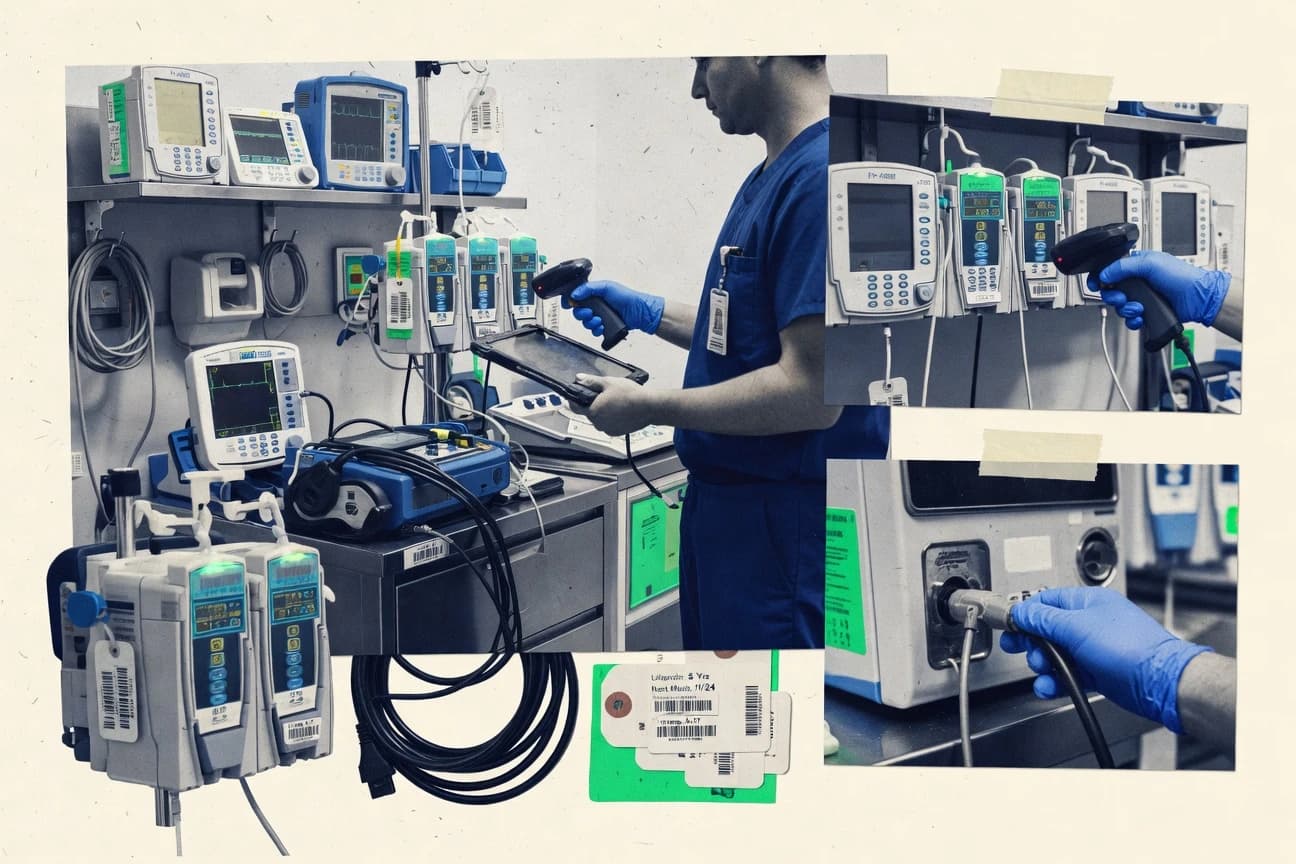
Medical device asset management software manages a serial-level equipment inventory with device location tracking, device status history, and service records tied to work orders and inspections. It solves the operational gap between “what exists” and “what was done,” especially when regulators expect traceable evidence for each device lifecycle event.
Tools like Fiix CMMS and TMA Systems model device-centric workflows so maintenance execution and inspection documentation remain connected to the underlying asset register and serial records used by clinical engineering teams.
Evaluation criteria for device registers that remain audit-ready
Medical device asset management tools succeed when the asset register, hierarchy, and device status history stay internally consistent across maintenance, inspections, and location changes.
When configuration, governance, and automation are weak, teams end up with orphan records, inconsistent hierarchies, or incomplete audit evidence. The criteria below map directly to how Fiix CMMS, TMA Systems, Cerner Asset Management, Crothall Asset Management, Accruent TMS, TAGNOS, UpKeep, Fracttal One, Limble CMMS, and Asset Panda behave in practice.
Work-order linked inspection evidence for regulated maintenance
Fiix CMMS attaches structured inspection checklists to work orders to preserve evidence for regulated maintenance workflows. This approach keeps the inspection output tied to the same device service record used during audit review.
Single-asset service timeline through status history across events
TMA Systems produces a status history that follows each asset through maintenance events and location changes. That single service timeline view reduces reconciliation work when teams need to understand device history end to end.
Cerner-aligned asset master and workflow event logging
Cerner Asset Management anchors asset and location operations inside the Oracle Health platform using structured device records and workflow event logging. This makes it easier to share asset and service history across departments that already operate in a Cerner-aligned environment.
Governed device status history tied to service documentation
Crothall Asset Management emphasizes configurable permissions and an audit log designed for regulatory audit trail needs. It links governed device status history to service documentation so lifecycle traceability stays intact across locations.
Configurable field-level status change tracking tied to service activity
Accruent TMS supports configurable device lifecycle statuses with timestamped history records and field-level change tracking. That granularity supports tighter evidence when device attributes change as part of service activity records.
API-first synchronization for asset, work, and reference data
TAGNOS delivers an API surface plus configuration options that reduce manual updates across asset, work, and documentation processes. Fracttal One also uses an API-first integration approach so location updates, work orders, and reference data can synchronize with downstream tools.
Mobile scan-first workflows that write directly into the device register
Limble CMMS and Asset Panda both prioritize barcode-driven workflows for inspections and device record capture. Limble CMMS routes barcode scanning into inspection checklists that feed directly into work orders and service history, while Asset Panda’s guided scanning writes structured records into its asset register.
Decision framework for matching maintenance execution, governance, and integration to operating reality
Choosing among medical device asset management tools starts with the operating model that will own updates. Teams that treat equipment changes and inspections as governed lifecycle events should weight audit traceability and permission controls, while scan-first teams should weight barcode and mobile execution paths.
Integration needs decide the next step because Cerner-aligned workflows differ from API-driven synchronization. The steps below force those tradeoffs using concrete examples from Fiix CMMS, TMA Systems, Cerner Asset Management, Crothall Asset Management, Accruent TMS, TAGNOS, UpKeep, Fracttal One, Limble CMMS, and Asset Panda.
Match the tool to the “system of record” for updates
If clinical engineering teams execute maintenance through scheduled plans and regulated inspection evidence, Fiix CMMS fits because inspection checklists attach structured evidence to work orders. If serial-level equipment tracking must stay tied to maintenance execution with one asset-centric service timeline, TMA Systems fits because status history follows each asset through events and location changes.
Choose the governance model for device master and history
If lifecycle traceability must include governed status history with an audit log built for regulatory audit trail needs, Crothall Asset Management fits because configuration and permissions support multi-role operational governance. If field-level change tracking on configurable lifecycle statuses is the priority for audit evidence, Accruent TMS fits because it records timestamped history with field-level change tracking tied to service activity records.
Decide between Cerner-aligned operations and API-driven synchronization
If asset and location workflows must live inside a Cerner-aligned operational model, Cerner Asset Management fits because it ties asset master plus workflow event logging to maintenance and service activities inside the Oracle Health platform. If external systems must synchronize via an API surface and configuration, TAGNOS and Fracttal One fit because both emphasize API-first integration for asset, work, and reference data synchronization.
Pick the execution path that matches how technicians update data
If mobile scanning is the primary update mechanism during inspections and inventory counts, Limble CMMS fits because barcode scanning drives inspection checklists that feed into work orders and service history records. If scan-first asset registration needs guided mobile capture that writes directly into the asset register, Asset Panda fits because guided scanning reduces manual rekeying for device records.
Validate hierarchy and configuration capacity before rollout
If parent-child device hierarchy mapping is a critical requirement, confirm that the planned governance discipline matches the tool’s setup approach. Fiix CMMS and TMA Systems both call for disciplined device hierarchy setup, while TAGNOS and Accruent TMS also require careful mapping when hierarchies and device attributes expand across complex fleets.
Stress test maintenance workflow depth against the organization’s CMMS and inspection patterns
If work-order execution is the core engine with recurring inspections and maintenance tasks that generate repeatable work orders, UpKeep fits because recurring inspections can be configured to generate repeatable work orders tied to specific assets and locations. If lifecycle event governance and user-attributed traceable history across acquisition-to-disposition is needed, Fracttal One fits because configurable lifecycle workflows tie device register updates to user actions with traceable history.
Who benefits from device registers tied to maintenance, location, and audit traceability
Medical device asset management software benefits teams that must connect device identity to real-world location changes, service execution, and inspection evidence without breaking audit traceability.
The right fit depends on whether updates originate in a maintenance workflow, a scan-first inventory workflow, or a governed lifecycle workflow integrated into enterprise systems like Oracle Health.
Clinical engineering teams that run scheduled maintenance plus audit-ready checklists
Fiix CMMS fits when teams need work orders that carry structured inspection checklists and when recurring preventive maintenance intervals drive predictable scheduling. This combination keeps maintenance execution and inspection evidence attached to serial-level device records used during audit review.
Biomedical engineering teams that need serial-level tracking with a single service timeline
TMA Systems fits when serial-level identification, device location tracking, and device status history must produce one traceable timeline through maintenance events. It also supports a maintenance workflow backbone so work order records remain consistent with what is on the floor.
Enterprise teams that need Cerner-aligned asset operations across departments
Cerner Asset Management fits when asset master and workflow event logging must integrate inside the Oracle Health ecosystem. It supports structured hierarchy and change logging that supports audit contexts shared across departments.
Multi-site clinical engineering teams that require permissioned governance and audit logs
Crothall Asset Management fits when governed device status history must link to service documentation across locations with configurable permissions and an audit log built for regulatory audit trail needs. It also supports workflow rules and integration paths for data exchange with adjoining systems.
Inventory and compliance operations that update device location through API or mobile scanning
TAGNOS fits when location tracking must stay tied to unit identity across asset lifecycle events and when an API supports integration and data synchronization. Limble CMMS and Asset Panda fit when mobile scanning during inspections and inventory counts must write directly into work orders and service history or into the asset register.
Operational and configuration pitfalls that break traceability
Asset management programs fail when hierarchy mapping, device master modeling, and workflow governance are treated as an afterthought. The common pitfalls below reflect concrete limitations and setup constraints seen across Fiix CMMS, TMA Systems, Cerner Asset Management, Crothall Asset Management, Accruent TMS, TAGNOS, UpKeep, Fracttal One, Limble CMMS, and Asset Panda.
Fixing these issues requires selecting a tool that matches the update workflow and configuring it with clear ownership for device master changes.
Treating device hierarchy setup as a one-time data task
Fiix CMMS and TMA Systems require disciplined setup of parent-child relationships, and weak mapping turns device status history and service timelines into confusing rollups. Crothall Asset Management and TAGNOS also need careful mapping of devices, locations, and hierarchy to keep lifecycle traceability accurate across sites.
Assuming UDI capture and device master primitives are native in scan-first CMMS tools
Limble CMMS and UpKeep support barcode-driven workflows and asset register updates, but UDI capture and device master record modeling are not represented as native primitives in Limble CMMS. For teams that need tight device master modeling and UDI-centered governance, Accruent TMS or Fracttal One better match the asset governance expectations stated in their workflow and governance descriptions.
Overlooking integration effort required for event logging and automation
Cerner Asset Management’s integration strength still depends on careful data mapping and master data governance, and APIs and automation can require integration engineering effort. TAGNOS and Fracttal One also lean on API surfaces, but complex workflow mapping and external system synchronization take time when device, location, and work event models differ.
Configuring fields and statuses without workflow-aligned governance
Accruent TMS supports field-level change tracking, but audit trail granularity depends on selected workflow configuration. Fracttal One and Crothall Asset Management also require correct RBAC role modeling and governed lifecycle setup so user-attributed activity logs and permissioned status history reflect actual operational ownership.
Relying on mobile scanning when operational tags are not standardized
TMA Systems notes that mobile scanning workflows depend on consistent tag standards, and inconsistent tag patterns create location and device identity mismatches. Asset Panda and Limble CMMS reduce manual rekeying, but device data import still needs careful mapping to avoid orphan records and incorrect register updates.
How We Selected and Ranked These Tools
We evaluated Fiix CMMS, TMA Systems, Cerner Asset Management, Crothall Asset Management, Accruent TMS, TAGNOS, UpKeep, Fracttal One, Limble CMMS, and Asset Panda using a criteria-based scoring model focused on features first, ease of use second, and value third. The overall rating functions as a weighted average in which features carries the most weight, while ease of use and value each account for the remaining share of the score.
Fiix CMMS separated from lower-ranked tools because it pairs recurring preventive maintenance intervals and device-centric work order execution with inspection checklists that attach structured evidence to regulated maintenance workflows. That combination lifted its features score and also supported higher operational usability for teams that need consistent audit evidence tied to each device’s work history.
Frequently Asked Questions About medical device asset management software
How do medical device asset tools keep serial number tracking consistent across maintenance and location changes?
Which tools provide API access for syncing asset register and work-order data with other enterprise systems?
What breaks if device master record changes are not governed with audit-grade traceability?
When should clinical engineering teams choose an inspection checklist workflow over free-form documentation?
How do equipment hierarchy and lifecycle event tracking differ between equipment maintenance tools and lifecycle governance tools?
Which platforms integrate asset operations into a broader enterprise ecosystem rather than staying within biomedical engineering workflows?
How do mobile scanning workflows change data capture for device location tracking and status updates?
What is the tradeoff between configuration-driven workflows and heavier reliance on workflow event logging for audit trails?
Which tool design best supports service history that remains tied to technician actions across maintenance events?
How should teams plan data migration when introducing an asset register that already has legacy equipment identifiers?
Tools reviewed
Primary sources checked during evaluation.
Referenced in the comparison table and product reviews above.
- Healthcare MedicineTop 10 Best Medical Asset Management Software of 2026
- Technology Digital MediaTop 10 Best Mobile Device Asset Management Software of 2026
- Healthcare MedicineTop 10 Best Medical Device ERP Software of 2026
- Healthcare MedicineTop 10 Best Medical Device Labeling Software of 2026
- Healthcare MedicineTop 10 Best Medical Devices Manufacturing Software of 2026
Keep exploring
Comparing two specific tools?
Software Alternatives
See head-to-head software comparisons with feature breakdowns, pricing, and our recommendation for each use case.
Explore software alternatives→In this category
Healthcare Medicine alternatives
See side-by-side comparisons of healthcare medicine tools and pick the right one for your stack.
Compare healthcare medicine tools→