
GITNUXSOFTWARE ADVICE
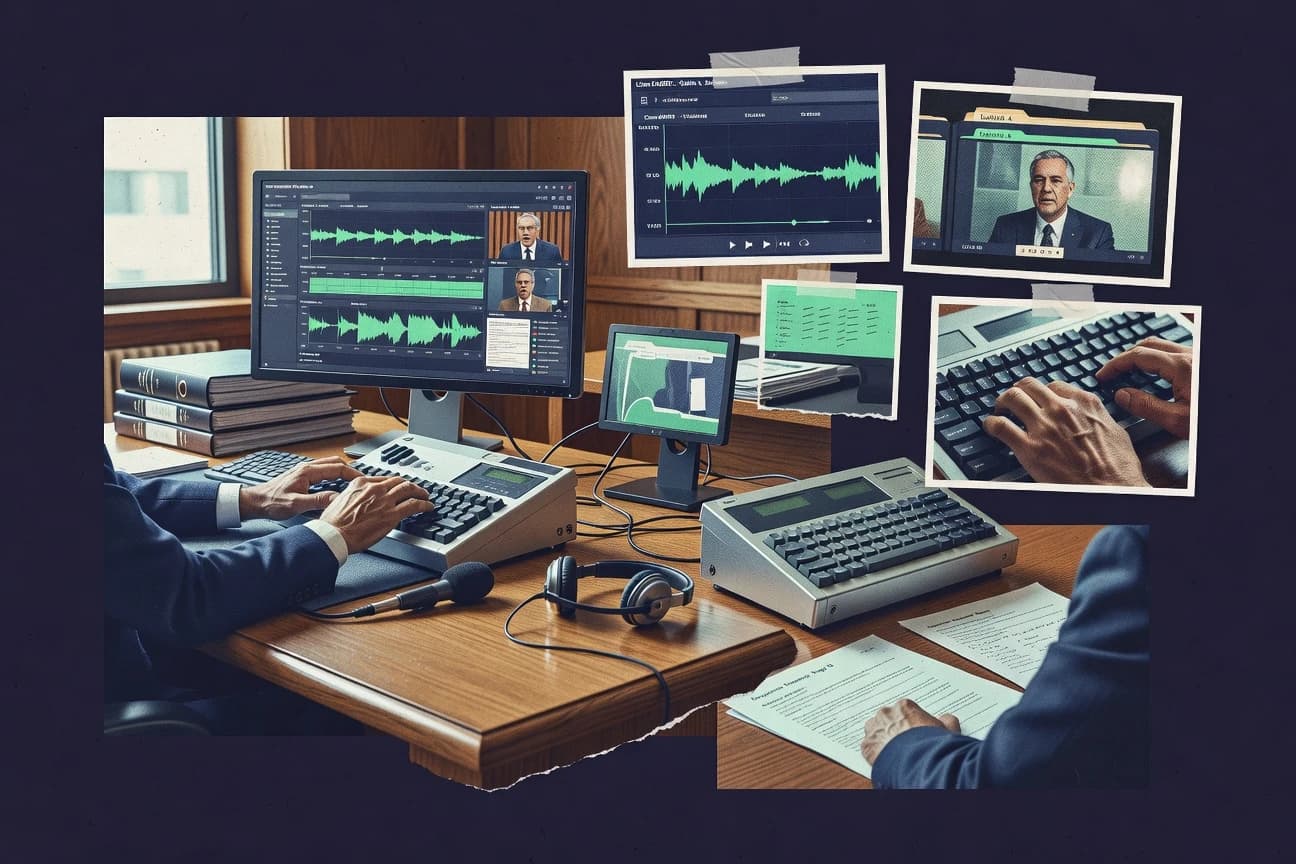
Legal Professional ServicesTop 10 Best Legal Reporting Software of 2026
Curated top 10 legal reporting software solutions. Compare features, ease of use, and pricing for your firm.

How we ranked these tools
Core product claims cross-referenced against official documentation, changelogs, and independent technical reviews.
Analyzed video reviews and hundreds of written evaluations to capture real-world user experiences with each tool.
AI persona simulations modeled how different user types would experience each tool across common use cases and workflows.
Final rankings reviewed and approved by our editorial team with authority to override AI-generated scores based on domain expertise.
Score: Features 40% · Ease 30% · Value 30%
Gitnux may earn a commission through links on this page — this does not influence rankings. Editorial policy
Editor picks
Three quick recommendations before you dive into the full comparison below — each one leads on a different dimension.
Inqscribe
Structured hearing-to-report templates that keep transcripts consistently formatted across cases
Built for legal reporting teams needing structured transcripts and consistent court-ready outputs.
Verbit
Runner UpLegal workflow review with speaker-aware transcripts and confidence scoring
Built for legal teams outsourcing accurate transcripts with review controls.
DigiScribe
Also GreatTemplate-driven legal transcript formatting for deposition and hearing outputs
Built for reporting teams needing consistent transcript formatting and collaborative editing.
Comparison Table
Inqscribe
AI transcriptionProvides AI-powered transcription and legal reporting workflows for court reporting, deposition capture, and transcript production.
Structured hearing-to-report templates that keep transcripts consistently formatted across cases
Inqscribe differentiates itself with legal-focused transcription and reporting workflows designed for consistent court-ready outputs. It supports structured hearings and case documentation so transcripts can be organized into usable legal reports.
Team use is centered on shared projects and recurring formatting needs, reducing manual rework between transcription and final reporting. The result is a legal reporting workflow that emphasizes speed, consistency, and traceable edits across a case lifecycle.
- +Legal reporting workflow built around transcripts and structured case outputs
- +Formatting consistency tools reduce manual cleanup before delivering reports
- +Project-based collaboration supports multi-staff case handling
- +Audit-friendly edit history helps maintain reporting integrity
- –Complex reporting setups can require initial configuration time
- –Advanced customization options may feel limited for highly unique templates
- –Pricing can become expensive with larger teams and frequent hearings
Best for: Legal reporting teams needing structured transcripts and consistent court-ready outputs
Verbit
litigation AIDelivers AI transcription, real-time captioning, and litigation transcript management for legal proceedings and discovery workflows.
Legal workflow review with speaker-aware transcripts and confidence scoring
Verbit is distinct for combining speech-to-text with legal-focused workflows for producing transcripts and searchable records. It supports speaker-aware transcription, confidence scoring, and managed review to speed up review and edits.
Legal teams can standardize transcripts for deposition and court reporting deliverables through configurable templates and production controls. The platform’s value is strongest when you need dependable transcript quality at scale with human-assisted turnaround options.
- +Speaker-aware transcription tailored for legal proceedings
- +Confidence scoring and review workflows reduce rework
- +Managed services option improves consistency across projects
- –Workflow setup and approvals can feel heavy
- –Best results often require coordinated operational processes
- –Costs can rise quickly for high-volume transcription
Best for: Legal teams outsourcing accurate transcripts with review controls
DigiScribe
legal reportingSupports digital recording, event capture, and transcript production for legal reporting and deposition workflows.
Template-driven legal transcript formatting for deposition and hearing outputs
DigiScribe stands out with a court-reporting workflow built around structured capture, editing, and export. It supports legal transcription and reporting use cases where accuracy, speaker attribution, and formatting consistency matter.
The system emphasizes document-ready outputs for deposition and hearing records with templates that reduce manual reformatting. Collaboration features help reporting teams coordinate revisions and finalize transcripts without switching between multiple unrelated tools.
- +Structured transcript workflow that reduces reformatting during legal edits
- +Deposition and hearing centric formatting supports document-ready outputs
- +Speaker handling and editing tools support consistent legal records
- +Collaboration options help reporting teams manage revisions
- –Advanced legal formatting controls can feel rigid for unusual templates
- –User interface requires training for high-volume reporting workflows
- –Export and review steps add friction compared with simpler editors
Best for: Reporting teams needing consistent transcript formatting and collaborative editing
SnapCAT
real-time captionsOffers captioning and transcript generation tools built for court reporting and other legal real-time needs.
Mobile reporting with structured templates and attachment capture for legal-ready records
SnapCAT distinguishes itself with a mobile-first intake and reporting workflow for field teams that capture evidence quickly and route reports for review. The system supports case reporting with structured fields, attachments, and status tracking to keep legal reporting records consistent.
SnapCAT also provides configurable forms and templates to standardize how incidents, complaints, or inquiries are documented. The platform focuses more on operational reporting workflows than on deep legal analytics or advanced e-discovery capabilities.
- +Mobile-first reporting workflow speeds up evidence capture and submission
- +Configurable forms standardize legal report fields across teams
- +Status tracking clarifies review stages and reporting progress
- –Limited built-in legal workflows for complex investigations
- –Automation options feel basic for highly customized reporting rules
- –Reporting and analytics stay lightweight compared with specialized legal tools
Best for: Teams needing fast mobile incident intake and standardized legal reporting
Boomerang Transcription
transcription serviceProvides transcription services and workflow tools for legal audio-to-text conversion and transcript delivery.
Time-synced transcript output with speaker labels for easier legal review and citation
Boomerang Transcription is built for legal transcription workflows with a focus on accuracy, speaker handling, and formatting that supports court-ready output. The platform turns recorded audio into usable transcripts with time-synced sections and controllable speaker labels.
It also streamlines common reporting tasks like review, editing, and exporting to shareable deliverables for legal teams. Boomerang Transcription is distinct because it targets legal reporting requirements rather than general transcription use.
- +Legal-focused transcription output with formatting support for reporting workflows
- +Speaker labeling helps distinguish multiple participants in testimony or depositions
- +Time-synced transcript structure improves review and reference during editing
- –Review and formatting controls can feel workflow-heavy for fast turnaround
- –Export and template customization options are not as extensive as specialized court systems
- –Collaboration tooling is limited compared with full legal matter platforms
Best for: Legal reporting teams needing structured transcripts with speaker and timing support
m&m Court Reporting Software
court reportingDelivers case scheduling, transcript management, and reporting workflow tooling for court reporting operations.
Transcript status workflow for managing requests from assignment through delivery
m&m Court Reporting Software is distinct for being built specifically around legal reporting workflows, including formatting and delivery expectations for transcripts. The system supports managing reporting requests, controlling transcript status, and organizing reporter assignments and scheduling. It also focuses on consistent transcript output so teams can reduce rework across hearings and depositions.
- +Legal-focused workflow tools for reporting requests and transcript status tracking
- +Assignment and scheduling support reduces manual coordination work
- +Transcript output consistency helps limit formatting rework
- –Workflow depth is narrower than general-purpose legal document platforms
- –Collaboration features for attorneys are limited compared with transcript portals
- –Automation and integrations feel less extensive than top-tier legal suites
Best for: Court reporting firms needing request tracking and consistent transcript production
CourtView
court workflowManages courtroom workflows and electronic recording with transcript-related tools used by legal reporting providers.
Workflow-driven legal report templates with status tracking for review cycles
CourtView focuses on legal reporting workflows with structured case and document handling designed for consistent outputs. It supports configurable reporting templates and standardized data capture so teams can generate recurring reports without rebuilding formats.
Collaboration features help reviewers track updates and keep reporting status aligned across users. The tool emphasizes repeatability for courts, law firms, and compliance-heavy reporting cycles.
- +Configurable reporting templates reduce manual formatting work
- +Case and document structure supports consistent reporting outputs
- +Review and status tracking supports multi-user reporting workflows
- +Standardized data capture helps maintain report accuracy
- –Template setup takes time before reporting becomes smooth
- –Advanced reporting customization can require administrator involvement
- –User interface feels workflow-centric over exploratory analysis
- –Limited visibility into analytics compared to broader BI tools
Best for: Teams producing recurring legal reports needing templates and workflow control
Reporting Central
workflow platformProvides legal reporting scheduling and transcript workflow capabilities for deposition and hearing reporting teams.
Order tracking dashboard that centralizes job status from scheduling through final transcript delivery
Reporting Central stands out for its legal-focused court reporting workflow, including dispatch coordination and structured order management for depositions and hearings. The system centralizes job intake, scheduling, and reporting deliverables so firms can track status from request through final transcript delivery.
It supports repeatable processes for templates, client communication, and administrative handling that reduces manual follow-up. The core value is operational control over legal transcription work rather than advanced analytics or document editing.
- +Centralized intake and order tracking for deposition and hearing workflows
- +Dispatch and scheduling features streamline reporter coordination
- +Status visibility reduces back-and-forth on transcript delivery
- +Structured job organization supports consistent firm operations
- –Workflow depth can feel heavy for small teams
- –Limited evidence of built-in transcript editing and annotation tools
- –Reporting Central’s legal focus can restrict general document workflows
Best for: Legal teams managing frequent depositions needing workflow tracking and dispatch coordination
NotaryCam
legal documentationSupports remote notary and identity verification workflows and can integrate with legal documentation workflows that require transcription-ready records.
Session Recording for Remote Online Notarization with evidentiary storage
NotaryCam combines live remote online notarization with a built-in capture and management flow for legal signing sessions. It records, time-stamps, and stores session evidence while providing identity verification and compliant notarization controls for notarizing parties.
The product also supports document handling for common notarization workflows, including guided steps for scheduled sessions. Overall, it centers on reliable notarization evidence rather than general legal reporting dashboards.
- +Live remote online notarization with session evidence capture built in
- +Identity verification and guided signing reduce workflow mistakes
- +Recorded sessions support audit-ready legal documentation
- –Primarily notarization-focused, not a broad legal reporting platform
- –Setup and compliance steps can slow adoption for new teams
- –Value depends heavily on frequent notarization volume
Best for: Law firms and notary businesses needing recorded RON session evidence
Adobe Acrobat Pro
document softwareOffers PDF transcription and search features that help transform legal documents and transcripts into searchable records.
Redaction with verification reporting for secure removal of sensitive information
Adobe Acrobat Pro stands out for turning PDFs into editable, audit-friendly legal documents with strong annotation, redaction, and form capabilities. It supports redaction tools, digital signature workflows, and exports to Office formats for litigation-ready document handling.
Its comment and version comparison features help track changes across revisions and produce cleaner records for reporting and discovery workflows. It is less specialized than legal reporting platforms that focus on case metadata, form templates, and structured reporting dashboards.
- +Advanced redaction tools support irreversible removal for sensitive legal content
- +Robust digital signatures support signer verification and audit trails
- +High-quality export to Word and Excel supports faster report preparation
- +Document comparison and comment tools help track revision history
- –PDF-centric workflow limits structured legal reporting and case analytics
- –Editing scanned documents often requires extra OCR setup time
- –Cost rises quickly when legal teams need multiple seats
Best for: Law firms preparing, annotating, and redacting PDFs for reporting workflows
Conclusion
After evaluating 10 legal professional services, Inqscribe stands out as our overall top pick — it scored highest across our combined criteria of features, ease of use, and value, which is why it sits at #1 in the rankings above.
Use the comparison table and detailed reviews above to validate the fit against your own requirements before committing to a tool.
How to Choose the Right Legal Reporting Software
This buyer’s guide explains how to choose Legal Reporting Software for transcript capture, legal-ready formatting, and workflow-driven delivery. It covers tools including Inqscribe, Verbit, DigiScribe, SnapCAT, Boomerang Transcription, m&m Court Reporting Software, CourtView, Reporting Central, NotaryCam, and Adobe Acrobat Pro. You will learn which capabilities matter most for court reporting, depositions, notarization evidence, and PDF redaction workflows.
What Is Legal Reporting Software?
Legal Reporting Software turns spoken or recorded testimony into structured transcripts and manages the steps needed to deliver court-ready or deposition-ready records. It also standardizes formatting so legal teams spend less time reworking outputs across hearings and case documents. Many solutions include workflow controls for requests, status tracking, templates, and review cycles. Tools like Inqscribe and CourtView focus on structured hearing-to-report or recurring report templates, while Verbit and DigiScribe emphasize transcript workflows for legal proceedings and deposition exports.
Key Features to Look For
These capabilities determine whether your team produces consistent, auditable outputs with minimal reformatting and minimal back-and-forth.
Structured hearing-to-report templates
Inqscribe provides structured hearing-to-report templates that keep transcripts consistently formatted across cases. CourtView also uses workflow-driven legal report templates with status tracking for review cycles, which reduces repeated manual formatting.
Speaker-aware transcription with confidence scoring
Verbit supports speaker-aware transcription plus confidence scoring to reduce rework during transcript review. This combination helps legal teams manage speaker attribution and targeted edits in litigation and discovery workflows.
Time-synced transcript structure and speaker labels
Boomerang Transcription produces time-synced transcript output with speaker labels to speed citation and review. DigiScribe supports speaker handling and editing tools designed for consistent legal records for deposition and hearing outputs.
Project collaboration built around reporting deliverables
Inqscribe centers collaboration on shared projects and recurring formatting needs to reduce manual rework between transcription and final reporting. DigiScribe also includes collaboration features that let reporting teams coordinate revisions without switching between unrelated tools.
Transcript status workflows and request-to-delivery tracking
m&m Court Reporting Software manages reporting requests, controls transcript status, and organizes reporter assignments and scheduling. Reporting Central provides an order tracking dashboard that centralizes job status from scheduling through final transcript delivery.
Mobile intake with structured templates and attachment capture
SnapCAT uses a mobile-first intake workflow that speeds evidence capture and submission. It standardizes legal report fields with configurable forms and templates and supports attachment capture so reporting records stay legal-ready.
How to Choose the Right Legal Reporting Software
Pick the tool that matches your workflow from capture to formatting to delivery and evidence handling.
Map your workflow from capture to court-ready output
If your priority is consistent transcript formatting across hearings and compiled documentation, start with Inqscribe and verify that its structured hearing-to-report templates produce repeatable, court-ready outputs. If you run recurring court or law firm report cycles, test CourtView because its workflow-driven templates and status tracking are built for repeated review cycles.
Validate legal transcription quality controls before scaling production
If you outsource transcription or you frequently edit speaker attribution, verify Verbit’s speaker-aware transcription plus confidence scoring and review workflows. If your team needs faster pinpointing during editing, evaluate Boomerang Transcription for time-synced transcript structure with speaker labels.
Confirm collaboration and revision tracking for multi-staff cases
When multiple staff members handle transcription and final reporting, choose Inqscribe because its project-based collaboration is designed for recurring formatting needs and audit-friendly edit history. If you need collaborative deposition and hearing editing with consistent exports, validate DigiScribe’s structured capture, editing tools, and document-ready outputs.
Choose request management and dispatch features aligned to your operating model
For firms that manage reporting requests, reporter assignments, and transcript delivery status, test m&m Court Reporting Software because its transcript status workflow supports requests from assignment through delivery. For deposition-heavy operations with dispatch coordination and centralized job status, validate Reporting Central’s order tracking dashboard for request-to-delivery visibility.
Match the tool to the evidence type you must produce
For mobile evidence capture where standardized legal report fields and attachments matter, SnapCAT fits best because it uses mobile-first intake plus configurable forms, templates, and status tracking. For notarization evidence instead of general transcript workflows, NotaryCam records remote online notarization sessions with time-stamped evidentiary storage.
Who Needs Legal Reporting Software?
Legal Reporting Software fits teams that need structured outputs, controlled review steps, and consistent delivery across court reporting, depositions, and evidence workflows.
Legal reporting teams that must keep transcripts consistently formatted across cases
Inqscribe is a strong fit because structured hearing-to-report templates keep transcript formatting consistent and audit-friendly edit history supports reporting integrity. DigiScribe also fits because its template-driven legal transcript formatting supports deposition and hearing outputs.
Legal teams outsourcing transcripts and needing managed review controls
Verbit is built for legal workflow review with speaker-aware transcripts and confidence scoring that reduces rework during edits. It also supports configurable templates and production controls for deposition and court reporting deliverables.
Court reporting firms that rely on scheduling, assignment, and delivery status tracking
m&m Court Reporting Software fits court reporting firms because it manages reporting requests, reporter assignments, and transcript status tracking from assignment through delivery. Reporting Central also fits deposition-heavy operations because it centralizes intake and order tracking for dispatch coordination and final transcript delivery.
Teams focused on mobile intake or specialized evidence capture instead of deep transcript analytics
SnapCAT fits teams that need mobile incident intake with standardized legal report fields, attachment capture, and status tracking. NotaryCam fits law firms and notary businesses that need remote online notarization session recording with identity verification and audit-ready evidentiary storage.
Common Mistakes to Avoid
Common failures come from picking tools that do not match your formatting repeatability, workflow rigor, or collaboration needs.
Underestimating template setup effort for recurring reporting
CourtView template setup takes time before reporting becomes smooth, so teams that expect immediate results often struggle with early administration. DigiScribe also uses template-driven formatting that can feel rigid for unusual templates, which can block teams that require highly unique formatting.
Choosing speaker handling without confidence and review controls
Verbit’s confidence scoring is designed to reduce rework by guiding review and edits for speaker attribution. Tools without that review-oriented confidence layer can force heavier manual cleanup even when transcription quality is acceptable.
Relying on transcript tools when you actually need request tracking and delivery status
m&m Court Reporting Software provides a transcript status workflow for managing requests from assignment through delivery. Reporting Central centralizes order tracking from scheduling through final transcript delivery, while DigiScribe focuses more on transcript capture, editing, and export.
Using PDF tools for structured legal reporting workflows
Adobe Acrobat Pro is PDF-centric and excels at redaction, digital signatures, and comment and version comparison, which supports secure reporting document preparation rather than structured case workflow dashboards. If you need recurring transcript and report templates with status tracking, tools like Inqscribe, CourtView, and Reporting Central align better to transcript workflow needs.
How We Selected and Ranked These Tools
We evaluated Inqscribe, Verbit, DigiScribe, SnapCAT, Boomerang Transcription, m&m Court Reporting Software, CourtView, Reporting Central, NotaryCam, and Adobe Acrobat Pro across overall capability, feature depth, ease of use, and value for legal reporting workflows. We prioritized tools that connect capture to consistent legal-ready formatting and then to delivery workflows like templates, status tracking, and review steps. Inqscribe separated itself by combining structured hearing-to-report templates with project collaboration and audit-friendly edit history that supports consistent court-ready outputs across cases. Lower-ranked tools tended to narrow the workflow scope, such as SnapCAT focusing on mobile incident intake and lightweight reporting analytics, or Adobe Acrobat Pro focusing on PDF redaction and annotation rather than structured transcript and case workflow management.
Frequently Asked Questions About Legal Reporting Software
Which legal reporting software is best for producing court-ready transcripts with consistent formatting?
How do Verbit and Boomerang Transcription handle speaker attribution and review speed?
What tool works best when my workflow is heavy on job intake, dispatch coordination, and order tracking?
Which option is strongest for mobile-first evidence capture followed by structured legal reporting?
Do any of these tools support recurring templates for generating repeat reports without rebuilding formats?
If I need structured editing and export without switching between unrelated tools, which product fits?
What legal reporting software is more appropriate for notarization evidence than for transcript dashboards?
Can I use Acrobat Pro as part of a legal reporting workflow for redaction and audit-ready records?
Which product is best when I must manage multiple reporters and track transcript status from assignment to delivery?
What common problem should I expect when transitioning from transcription to finalized legal reporting, and which tools address it?
Tools reviewed
Primary sources checked during evaluation.
Referenced in the comparison table and product reviews above.
- Legal Professional ServicesTop 10 Best Law Enforcement Reporting Software of 2026
- Legal Professional ServicesTop 10 Best Court Reporter Software of 2026
- Legal Professional ServicesTop 10 Best Legal Due Diligence Software of 2026
- Legal Professional ServicesTop 10 Best Real Estate Lawyer Software of 2026
- Data Science AnalyticsTop 10 Best Reporting Software of 2026
Keep exploring
Comparing two specific tools?
Software Alternatives
See head-to-head software comparisons with feature breakdowns, pricing, and our recommendation for each use case.
Explore software alternatives→In this category
Legal Professional Services alternatives
See side-by-side comparisons of legal professional services tools and pick the right one for your stack.
Compare legal professional services tools→