
GITNUXSOFTWARE ADVICE
Art DesignTop 10 Best Landscape Photo Editing Software of 2026
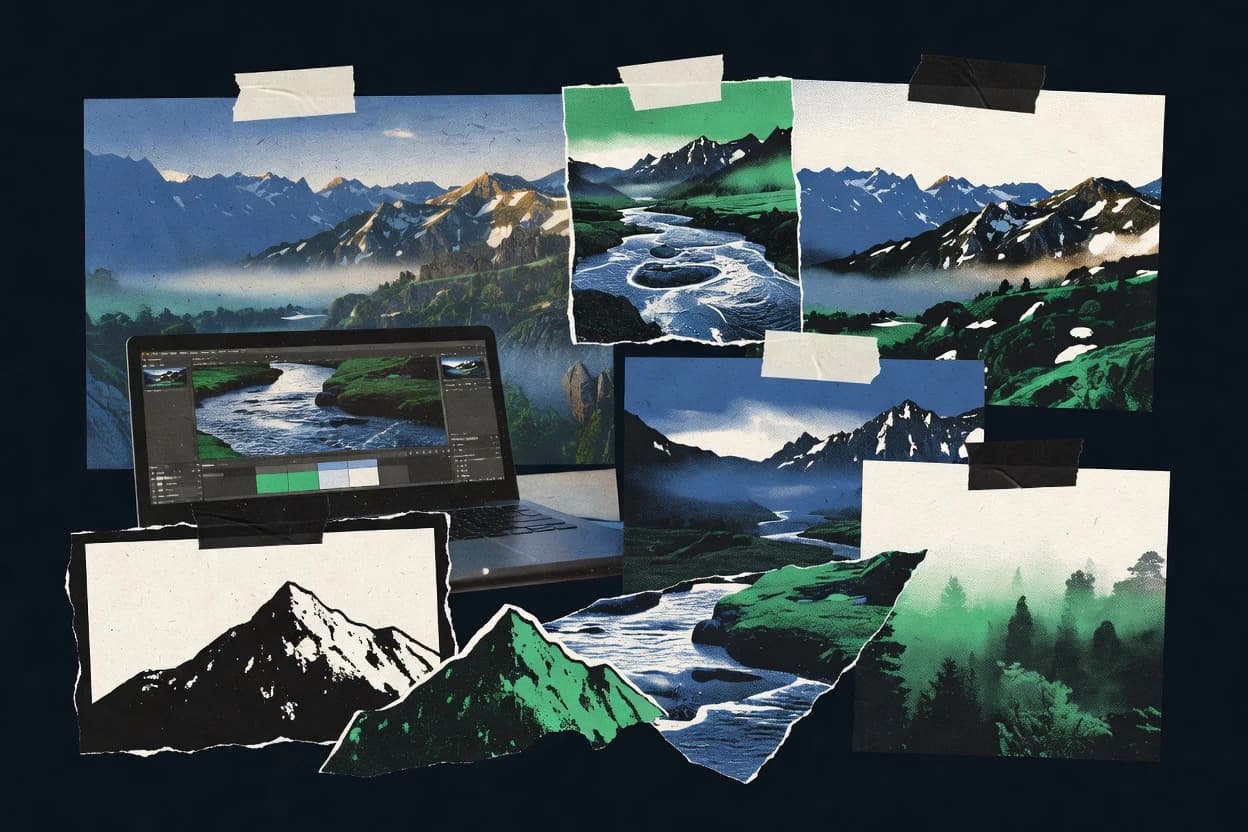
Ranked roundup of landscape photo editing software for landscape photographers, comparing Photoshop, Lightroom Classic, Capture One, plus Topaz Photo AI.

How we ranked these tools
Core product claims cross-referenced against official documentation, changelogs, and independent technical reviews.
Analyzed video reviews and hundreds of written evaluations to capture real-world user experiences with each tool.
AI persona simulations modeled how different user types would experience each tool across common use cases and workflows.
Final rankings reviewed and approved by our editorial team with authority to override AI-generated scores based on domain expertise.
Score: Features 40% · Ease 30% · Value 30%
Gitnux may earn a commission through links on this page — this does not influence rankings. Editorial policy
Topaz Photo AI is the go-to if you want consistent denoise and upscale results before you finish masking and tone work, whereas Exposure X fits for repeatable local tonal edits across big landscape RAW batches and PaintShop Pro is the better desktop pick when you want one general editor for outdoor sets.
Editor’s top 3 picks
Three quick recommendations before you dive into the full comparison below — each one leads on a different dimension.
Topaz Photo AI
Multi-stage AI enhancement combines denoise and texture restoration with reduced edge artifacts in a single processing flow.
Built for fits when landscape photographers need consistent AI enhancement before final tone and masking work..
Exposure X
Editor pickLuminosity mask generation with adjustable opacity for precise highlight and shadow targeting.
Built for fits when landscape shooters need repeatable local tonal edits across large RAW batches..
PaintShop Pro
Editor pickMask-based local adjustments combine selections and layers to target sky and terrain separately during landscape cleanup.
Built for fits when editing outdoor sets in one editor beats maintaining a catalog-driven workflow..
Comparison Table
Topaz Photo AI
vertical specialistAI-based photo enhancement software for sharpening, denoising, and upscaling images captured in challenging outdoor conditions.
Multi-stage AI enhancement combines denoise and texture restoration with reduced edge artifacts in a single processing flow.
Topaz Photo AI targets common landscape pain points where vegetation textures, distant detail, and low-light noise degrade visible quality. The interface supports single-image processing and batch runs, so large landscape sets can be enhanced consistently. The model choices are exposed as distinct processing stages, letting users separate denoise and sharpening behavior across different scenes.
A tradeoff appears in edit control depth because AI processing changes image data globally and not only in regions defined by localized masks. For workflows that require strict non-destructive parametric adjustments per layer, the roundtrip is better treated as a pre-process step before final retouching in a RAW editor. A typical usage situation is enhancing a folder of night landscapes or foggy scenes, then returning to a RAW or layered editor for tone mapping and compositing.
- +AI denoise preserves vegetation detail better than slider-only approaches
- +Batch processing makes consistent enhancement practical for landscape sets
- +Artifact suppression reduces sharpening halos around high-frequency edges
- +One-pass enhancement works well as a pre-step before final grading
- –Global AI edits reduce fine-grained local control compared with masked workflows
- –Best results depend on choosing strong model settings per scene
- –Does not replace lens and perspective correction layers in a full editor
- –Roundtrip workflows require careful matching of color space and output format
Landscape shooters exporting galleries
Clean noise from night and twilight frames
Sharper prints with less grain
Event-based landscape teams
Batch process multi-day location shoots
Faster turnaround per set
Show 2 more scenarios
Fog and haze landscape photographers
Improve distant contrast and clarity
More visible foreground detail
Model-based enhancement improves microcontrast in low-contrast atmospheric scenes.
Retouchers finishing composites
Pre-process before layer-based retouching
Cleaner base for local edits
Enhanced output supports later masking, tone work, and selective sky adjustments elsewhere.
Best for: Fits when landscape photographers need consistent AI enhancement before final tone and masking work.
Exposure X
SMBPhoto editor with RAW tools, presets, layers, masking, and asset management suited to stylized landscape processing.
Luminosity mask generation with adjustable opacity for precise highlight and shadow targeting.
Exposure X fits landscape editing teams that process many similar shoots, because it provides batch processing and repeatable adjustment presets. Local masking tools help isolate sky gradients, tree silhouettes, and foreground texture without editing pixels directly. The software also keeps sidecar-compatible metadata workflows so edits can travel with RAW catalogs across sessions.
The main tradeoff is that deep compositing and heavy retouching still tend to require Photoshop-style pixel workflows. Exposure X works best when the edit is primarily tonal and color driven, especially for fast iteration on series of mountain, coastal, or forest images.
- +Non-destructive local masks for sky, subject, and foreground separation
- +Batch processing with reusable adjustment presets
- +16-bit export for print and HDR blending pipelines
- +Color and luminance controls designed for landscape tonality
- –Less suited for pixel-level compositing and heavy retouching
- –Mask refinement can slow down complex edge cases
- –Workflow depends on consistent RAW ingest and naming discipline
- –Automation coverage is thinner for multi-catalog governance
Landscape photographers
Series edits across mountain shoots
Consistent look across frames
Print photographers
16-bit export for fine art prints
Cleaner print-ready files
Show 2 more scenarios
Content teams
Batch processing for seasonal sets
Faster gallery turnarounds
Run batch adjustments and metadata presets to standardize exposure and color for galleries.
Panorama workflows
Pre-export refinement for stitching
More consistent overlaps
Do parametric tonal and masking adjustments before exporting images for panorama assembly and blending.
Best for: Fits when landscape shooters need repeatable local tonal edits across large RAW batches.
PaintShop Pro
SMBDesktop photo editor with RAW support, layers, HDR tools, and adjustment controls for general landscape post-processing.
Mask-based local adjustments combine selections and layers to target sky and terrain separately during landscape cleanup.
PaintShop Pro’s local editing tools provide the practical ingredients for landscape work, including graduated-style sky adjustments, radial selections, and layer-based masking for selective edits. Geometry and lens-related fixes help with perspective and optical distortion issues common in wide-angle captures. Non-destructive adjustment behavior is supported through layer and mask workflows, which keeps changes inspectable while tuning exposure and color balance.
A key tradeoff is that PaintShop Pro does not provide the same catalog-centric workflow depth as Lightroom Classic or Capture One, so teams that rely on tethered capture, sidecar-driven metadata workflows, and deep session management may find it less convenient. PaintShop Pro fits best when edit decisions stay inside one editor and the goal is repeatable enhancement across a trip’s worth of JPEG and RAW files without building a catalog strategy.
- +Layer and mask workflow supports selective sky and foreground adjustments
- +Geometry and lens correction tools target wide-angle perspective issues
- +Batch processing supports consistent finishing across many landscape frames
- +RAW workflow stays inside one editor without switching tools
- –Catalog and DAM features lag behind Lightroom Classic for long-term organization
- –Advanced color management workflows can feel less granular than some competitors
Wedding and event photographers
Batch finishing outdoor venue landscapes
Faster delivery with consistent look
Freelance landscape shooters
Selective sky and foreground relighting
More controllable final tones
Show 1 more scenario
Photo club volunteers
Hands-on editing for group critiques
Quicker turnaround for feedback
Edit in a single app with accessible tools for geometry fixes and color tuning.
Best for: Fits when editing outdoor sets in one editor beats maintaining a catalog-driven workflow.
Capture One
prosumerProfessional RAW photo editor with strong color tools, tethering, layers, and high-quality image rendering for scenic work.
Layered luminosity masking with adjustable density and color-aware refinement in a single edit stack.
Capture One is a landscape photo editor built around a metadata-first workflow and precise raw processing controls. It provides layered masking with adjustable curves and consistent color tools that support disciplined edits across large sets.
Tethered capture, batch processing, and robust catalog organization help when landscapes are shot in sessions with repeated camera settings. Its export and file handling fit panorama and bracketed workflows that depend on consistent raw-to-output behavior.
- +Tethered shooting control supports faster landscape capture sessions
- +Advanced masking tools stay editable with non-destructive layer behavior
- +Color and tone controls remain consistent across large landscape selections
- +Batch workflows handle repetitive exports with predictable results
- –Workflow setup and preferences tuning take time for new users
- –Panorama and HDR merges can require external steps for some layouts
- –Interface density slows first-time navigation during mask-heavy edits
Best for: Fits when disciplined color, masking control, and batch exports matter for recurring landscape shooting.
ON1 Photo RAW
prosumerPhoto editor and organizer with RAW development, effects, masking, sky tools, and panorama features for nature photography.
Layer-based relighting with luminosity mask controls inside a single adjustment stack designed for iterative landscape refinements.
ON1 Photo RAW performs RAW processing and non-destructive landscape editing with a modular workflow that combines global tone work, layer-based masking, and detailed local adjustments. The software includes relighting tools like luminosity mask controls, plus optical corrections for lens distortion, chromatic aberration, and perspective.
Landscape photographers can apply batch processing for repeatable edits across large shoot sets. ON1 Photo RAW also supports sky and subject-centric enhancements through dedicated masking and adjustment stack behavior built for iterative refinement.
- +Luminosity mask controls provide fast local contrast control for landscapes
- +Layered masking workflow supports stacking multiple local adjustments
- +Optical correction tools cover lens distortion, chromatic aberration, and perspective
- +Batch processing helps repeat edits across large capture sessions
- –Masking workflows can feel slower when many stacked layers are used
- –Extensive modules increase the chance of redundant edits across the stack
- –Relief and texture style adjustments can require careful parameter tuning
- –Advanced composite workflows depend more on manual masking than on guided steps
Best for: Fits when landscapes need fast local relighting with stacked masks and repeatable batch finishing.
Luminar Neo
prosumerPhoto editing software with AI-assisted masking, relighting, sky replacement, and enhancement tools used heavily in landscape edits.
AI sky replacement and relighting with mask-aware blending that targets horizon alignment and natural transitions.
Luminar Neo targets landscape photographers who want fast, guided edits with a large library of image-wide and local tools in one application. It combines non-destructive adjustments like tone curve, local mask controls, and perspective correction with workflow features such as batch processing and export presets for consistent output.
Its standout emphasis is AI-assisted scene and sky handling that can accelerate common landscape recovery and relighting tasks without manual mask building in every image. The result is a streamlined workflow for producing finished landscape files, while staying less complete than Photoshop in deep layer compositing and custom effect pipelines.
- +AI sky and scene tools reduce manual mask work for common landscapes
- +Non-destructive local editing uses masks for targeted recovery and contrast
- +Batch processing and export presets support consistent landscape output
- +Perspective and lens correction tools handle typical horizon and geometry issues
- –Layer-based compositing remains weaker than Photoshop for complex blends
- –Some advanced workflow controls depend on adding specific effects or modules
- –Tethered capture and on-set review workflows are not the focus
- –Finer histogram and color management controls are less granular than top editors
Best for: Fits when landscapes need quick, high-impact edits with guided AI assistance and repeatable presets.
Photopea
SMBBrowser-based image editor with layers, masks, blend modes, and PSD support for lightweight landscape retouching.
Layered PSD-based editing inside a browser session, including import and export of editable layer stacks.
Photopea edits images in a browser with a Photoshop-style interface and layered workflow, which makes it different from RAW-centric editors like Lightroom Classic and Capture One. It supports common raster operations such as retouching, selections, masks, tone and color adjustments, and it can open and save layered PSD files.
The tool also runs locally in the browser session, so it suits quick revisions and file-format handoffs when a full desktop stack is unavailable. Landscape workflows benefit from repeatable adjustments across batches and from mixing maplike outputs, such as overlays and blend-based composites, within the same project.
- +Photoshop-style layers, blending modes, and selection tools
- +PSD import and export keeps edits intact for handoff
- +Batch operations speed up repetitive landscape retouching
- +Works in-browser for edits without a heavy local install
- –No dedicated RAW processor or camera-profile workflow for non-destructive capture
- –Limited support for advanced landscape modules like stacking or HDR merging
- –Color management options are narrower than pro photo editors
- –Workflow scale depends on browser performance for large files
Best for: Fits when landscape photographers need fast layered retouching and PSD-based handoff without installing desktop software.
ACDSee Photo Studio
SMBPhoto management and editing suite with RAW support, local adjustments, HDR, and layered editing for outdoor image sets.
Mask-driven local adjustments designed for landscape scenes, paired with catalog search and batch export for consistent edits.
ACDSee Photo Studio targets landscape photographers with an end-to-end workflow that combines catalog-style browsing, targeted raw development, and production-ready export. It offers a local-edit toolkit built around mask-based selection and common landscape adjustments like tone and color correction, with support for batch processing across large shoot sets.
Metadata handling is built into the workflow, including searchable organization tied to EXIF fields and export-time metadata options. The overall experience favors fast file triage and photo polishing rather than deep pixel-level compositing used in layered Photoshop work.
- +Catalog and search workflow speeds up landscape shoot triage
- +Mask-based local edits support selective sky, subject, and foreground tweaks
- +Batch processing supports multi-folder adjustments and consistent exports
- +Color and lens correction tools cover common landscape distortion fixes
- –Layered compositing features lag behind Photoshop-class workflows
- –Raw development tools feel less granular for advanced color grading
- –Panorama stitching and focus-stacking controls are limited versus dedicated editors
- –Some advanced workflows depend on add-ons or extra steps
Best for: Fits when landscape workflows need fast cataloging, mask-based local edits, and batch consistency without heavy compositing.
CyberLink PhotoDirector
SMBConsumer photo editing suite with layers, AI tools, sky replacement, and guided effects for image enhancement.
Guided sky and landscape local editing tools that reduce manual mask creation for outdoor scenes.
CyberLink PhotoDirector turns raw captures into finished landscape edits using non-destructive layers and parametric adjustment tools. It includes guided local editing features for sky and subject areas, plus perspective correction aimed at keeping horizons level.
PhotoDirector also supports batch processing and metadata-centric workflows for culling and applying consistent looks across large sets. The package focuses on photo-centric editing speed rather than the deeply configurable pixel-level layering workflows associated with Photoshop-class editors.
- +Local adjustment tools for skies and foreground regions speed up landscape masking
- +Guided perspective correction helps straighten converging verticals in wide shots
- +Batch processing applies common edits across many photos without manual repetition
- +Raw workflow keeps edits non-destructive so output tweaks stay adjustable
- –Fewer pro-grade layer controls than Photoshop for complex compositing
- –Mask refinement options can feel limited on very detailed foregrounds
- –Color management controls are less granular than dedicated color-first editors
- –Advanced automation and API access are not a stated part of the workflow
Best for: Fits when landscape shooters need fast local corrections and batch consistency for large trips.
RawTherapee
specialistFree RAW photo processing software with detailed exposure, color, sharpening, and demosaicing controls.
Parametric raw processing with modular adjustment sliders and local masks that stay editable across exports.
RawTherapee is a raw processor focused on detailed exposure and color control for landscape photographers who want parametric adjustments rather than plug-in driven edits. The software renders a non-destructive workflow with fine-grained local tools like graduated and radial masks, plus a tuneable tone curve and histogram clipping workflow.
Batch processing supports repeatable conversions and consistent image output across large shoots. RawTherapee also keeps a strong emphasis on lens and geometry corrections for landscape perspectives and architectural horizons.
- +Local masking tools handle horizon and subject separation without external editors
- +Batch processing supports consistent landscape exports across large image sets
- +Lens and geometry correction controls target distortion and perspective issues
- +Tone curve and highlight recovery controls give predictable dynamic-range shaping
- –Interface depth slows early setup for photographers used to simpler panels
- –Output pipeline relies on file-based workflows rather than catalog-driven organization
- –Advanced masking control takes practice to tune clean gradients
- –Automation and API access are limited compared with enterprise photo platforms
Best for: Fits when photographers need raw-focused processing controls and repeatable batch exports for field-to-edit workflows.
Conclusion
After evaluating 10 art design, Topaz Photo AI stands out as our overall top pick — it scored highest across our combined criteria of features, ease of use, and value, which is why it sits at #1 in the rankings above.
Use the comparison table and detailed reviews above to validate the fit against your own requirements before committing to a tool.
How to Choose the Right landscape photo editing software
Landscape photo editing software for photographers spans AI enhancement, repeatable masking workflows, and full layered compositing, so the lineup needs to reflect those differences.
This guide covers Photoshop-adjacent workflows alongside Lightroom Classic-style catalogs and tethered capture flows through tools including Topaz Photo AI, Exposure X, Capture One, Luminar Neo, RawTherapee, and Photopea, plus complementary options like ON1 Photo RAW and ACDSee Photo Studio.
Landscape photo editing software for local tonal control, masking, and finishing
Landscape photo editing software is designed to handle RAW development steps and then carry that output into local tonal edits, sky and foreground separations, and final finishing across large sets.
Tools like Exposure X focus on luminosity mask generation with reusable presets so highlight and shadow targeting stays repeatable during batch processing.
Capture One emphasizes editable masking stacks and tethered shooting control for recurring landscape sessions, while Topaz Photo AI concentrates on multi-stage AI enhancement that combines denoise and texture restoration in one processing flow.
The best fit depends on whether the workflow centers on AI-first enhancement, mask-first local tonal editing, or catalog and tethered capture discipline.
Landscape editing features that change throughput and control
Landscape photo editing software succeeds when it turns RAW development into repeatable local tonal decisions and then keeps those decisions editable across export batches. The tools below separate that pipeline differently using AI enhancement flows, luminosity mask generators, and layered mask stacks.
Editable local masks built for landscapes
Exposure X generates luminosity masks with adjustable opacity for repeatable highlight and shadow targeting across large RAW batches. Capture One and ON1 Photo RAW keep layered masking behavior editable inside a single adjustment stack for iterative landscape finishing.
Batch processing that preserves your edit intent
Topaz Photo AI runs multi-stage AI enhancement with denoise and texture restoration in a single processing flow that supports consistent batch results. Exposure X pairs batch processing with reusable adjustment presets so sky and foreground tonal decisions stay consistent between images.
Layered compositing strength for sky and terrain cleanup
Photoshop-style layer workflows matter when sky and terrain require selective blending and refinement beyond guided masks, and Photopea delivers PSD-based layered editing in a browser session. PaintShop Pro uses mask-based local adjustments with layers and selection tooling aimed at separating sky and terrain during outdoor cleanup.
Capture-session control and export discipline
Capture One supports tethered shooting control so landscape capture sessions can stay synchronized with the masking and export workflow. RawTherapee focuses on raw processing control plus file-based batch exports that fit field-to-edit handoffs without catalog-driven operation.
Choose by masking philosophy and where edits get finalized
The decision hinges on whether local tonal control is driven by luminosity mask automation, stacked layered masks, or AI-first enhancement before masking. Each approach changes how fast the workflow finishes and how much local refinement stays possible after enhancement.
Select the edit driver: AI enhancement or mask-first tonal control
Choose Topaz Photo AI when the workflow starts with consistent AI denoise and texture restoration and then hands the result into local decisions with reduced edge artifacts. Choose Exposure X when the workflow starts with luminosity mask generation that targets highlights and shadows using reusable presets across large batches.
Match the masking model to how complex the landscape edges get
Choose Capture One when layered luminosity masking needs adjustable density and color-aware refinement inside an editable stack. Choose ON1 Photo RAW when layered relighting with luminosity mask controls needs stacked iteration during batch finishing, especially across recurring terrain types.
Pick the environment based on final compositing expectations
Choose Photopea when PSD import and export with Photoshop-style layers is required for layered retouching and handoff without installing desktop software. Choose PaintShop Pro when geometry and lens correction plus layer and mask workflow must sit together in one editor for wide-angle landscape cleanup.
Decide whether capture discipline must stay inside the editor
Choose Capture One when tethered shooting control is a recurring requirement and the capture-to-export loop must remain consistent for landscapes. Choose RawTherapee when a modular raw processing pipeline plus batch exports is preferred over catalog-centric organization.
Check what gets slower when local layers multiply
Choose Exposure X when mask refinement speed matters because reusable adjustment presets keep batch processing practical for landscape sets. Choose tools with stacked layer workflows only when the landscape finishing plan depends on many local adjustments that must remain editable.
Who benefits from each landscape editing workflow
Landscape photographers benefit when software aligns with how they finish images, either through AI-first enhancement, luminosity-mask driven tonal control, or full layered compositing. The tools below target distinct constraints like edge artifacts, batch throughput, tethered capture sessions, and PSD-based handoff.
Landscape shooters prioritizing consistent AI denoise and texture restoration
Topaz Photo AI fits when multi-stage AI enhancement must run across a set with reduced edge artifacts and then feed into masking and tone decisions.
Photographers running large batches who need repeatable local tonal edits
Exposure X fits when luminosity mask generation with adjustable opacity and reusable adjustment presets reduces per-image decision time across sky and foreground targets.
Photographers who tether landscape capture and want edits to stay editable through export
Capture One fits when tethered shooting control and layered masking stacks must support recurring sessions with non-destructive layer behavior.
Outdoor editors who need layered compositing without a dedicated RAW catalog-first workflow
PaintShop Pro and Photopea fit when the editing plan relies on layers and masks for sky and terrain cleanup, including PSD-based handoff for Photopea.
Common landscape editing pitfalls that waste time
Mistakes usually appear when a workflow chooses the wrong stage to spend effort, or when mask complexity exceeds what the editor handles efficiently in practice. These pitfalls show up during landscape sets that mix varied skies, strong horizons, and wide-angle distortion issues.
Starting with global AI enhancement when the final look depends on fine-grained local control
Topaz Photo AI can reduce edge artifacts using denoise and texture restoration in a single flow, but global AI edits can reduce fine-grained local control compared with masked workflows, so plan to rely on local masking after enhancement.
Overloading stacked masks without planning for refinement speed
Capture One and ON1 Photo RAW support editable layered masking stacks, but ON1 notes that masking feels slower when many stacked layers are used, so cap local layer counts and reuse mask patterns when possible.
Expecting pixel-level compositing strength from a tool focused on tonal masking automation
Exposure X is optimized for luminosity mask generation and batch consistency, so it is less suited for pixel-level compositing and heavy retouching, which can push complex blends into a layered compositor.
Assuming every editor covers wide-angle geometry corrections at the same depth
PaintShop Pro includes geometry and lens correction tools for wide-angle perspective issues, while other tools may require external steps for certain panorama or HDR layouts, so validate the geometry step early.
How We Selected and Ranked These Tools
We evaluated each tool on feature depth for landscape masking and finishing, ease for repeating edits across sets, and value for fitting into a real landscape workflow. Features account for 40% of the scoring because local mask control and stacked edit behavior determine how reliably skies and foregrounds can be targeted.
Ease and value each account for 30% because batch throughput matters when landscape shooters process many similar compositions. Topaz Photo AI separated from the pack by combining multi-stage AI enhancement with denoise and texture restoration in a single processing flow that supports consistent batch results while reducing edge artifacts.
Frequently Asked Questions About landscape photo editing software
Which editor is best when landscape work needs non-destructive RAW batch exports with local masks?
How does Capture One handle tethered landscape sessions and consistent output across a shoot set?
Where does Photoshop-class layered compositing fall short compared with browser-based editing in Photopea?
What breaks if an editor’s output pipeline cannot preserve high-bit depth for printing or panorama workflows?
How do luminosity-mask workflows differ between Exposure X, Capture One, and ON1 Photo RAW?
When should landscape photographers use AI enhancement instead of relying on parametric controls?
Which tool is the better fit for lens and geometry correction of horizons, distortion, and chromatic aberration?
How do guided sky tools compare to manual masking for horizon-aligned relighting?
What tradeoff appears when choosing a catalog-style workflow over a deep pixel-layer editor for outdoor sets?
Tools reviewed
Primary sources checked during evaluation.
Referenced in the comparison table and product reviews above.
- Art DesignTop 10 Best All Photo Editing Software of 2026
- Arts Creative ExpressionTop 10 Best Landscape Photography Editing Software of 2026
- Art DesignTop 10 Best Landscape Creator Software of 2026
- Art DesignTop 10 Best Digital Photo Editing Services of 2026
- Art DesignTop 10 Best Apparel Photo Editing Services of 2026
Keep exploring
Comparing two specific tools?
Software Alternatives
See head-to-head software comparisons with feature breakdowns, pricing, and our recommendation for each use case.
Explore software alternatives→In this category
Art Design alternatives
See side-by-side comparisons of art design tools and pick the right one for your stack.
Compare art design tools→