GITNUXSOFTWARE ADVICE
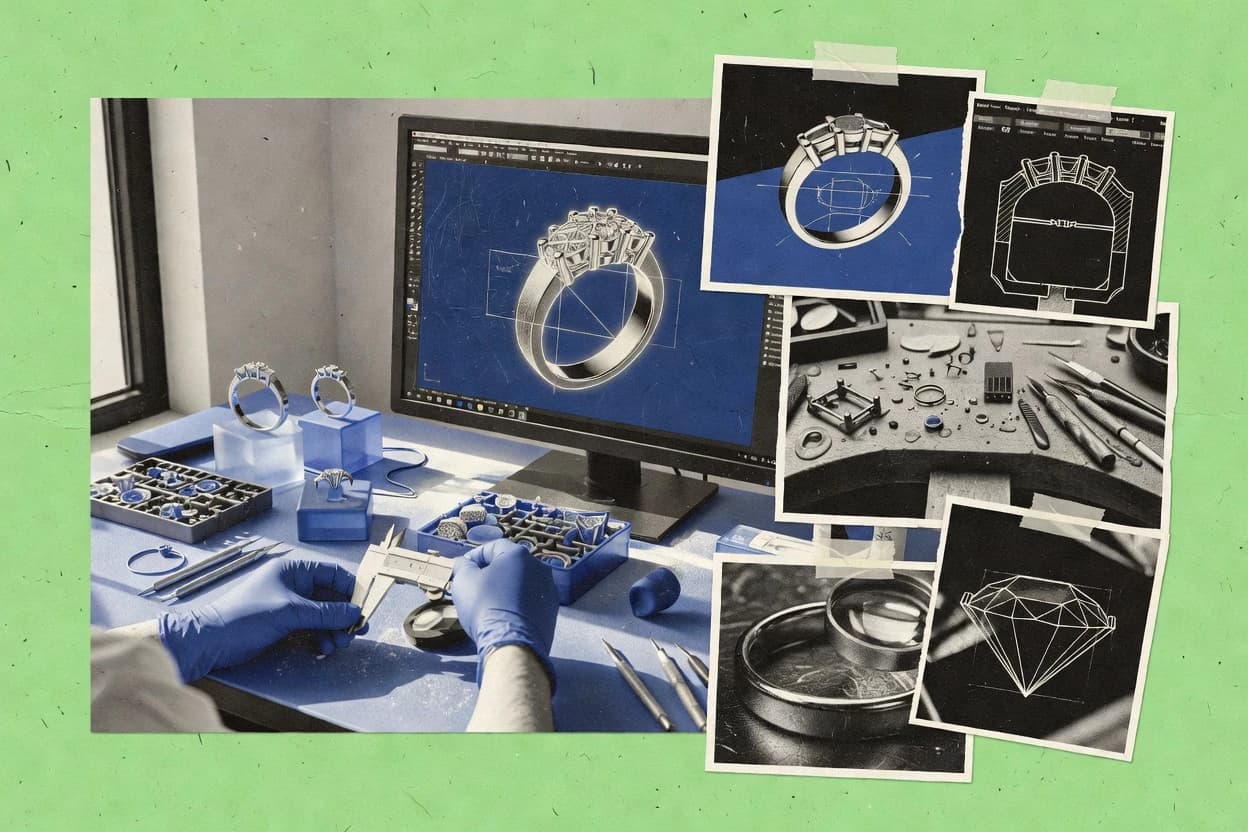
Art DesignTop 10 Best Jewelry 3D Design Software of 2026
Top 10 jewelry 3d design software ranked for jewelry modeling, with technical comparisons of ZBrush, Blender, Fusion 360, and Solid Edge.

How we ranked these tools
An editor sets the topic, the inclusion criteria, and the evaluation framework before research starts.
AI search agents find sources, extract figures with provenance, and aggregate written reviews. They also transcribe video reviews and podcasts.
Framework: Features 40% · Ease 30% · Value 30%
Gitnux may earn a commission through links on this page — this does not influence rankings. Editorial policy
ZBrush is the best fit for teams who need fast sculpt iteration and high-frequency jewelry surface detail in prototypes, while Blender is the smarter budget-friendly entry for automating concept geometry and internal photoreal previews, and if you want parametric, production-ready control, consider Fusion.
Editor’s top 3 picks
Three quick recommendations before you dive into the full comparison below — each one leads on a different dimension.
ZBrush
SubTool workflow with high-to-low detail projection keeps engraving and relief consistent during shape edits.
Best for: Fits when teams need fast sculpt iteration and high-frequency surface detail for jewelry prototypes.
Blender
Editor pickPython-driven procedural modeling with modifier stacks enables repeatable stone arrays and setting variants.
Best for: Fits when teams automate jewelry geometry with Python and render photoreal previews internally.
Autodesk Fusion
Editor pickIntegrated CAD to CAM workflow generates toolpaths from the same parametric jewelry model.
Best for: Fits when jewelry teams need parametric dimensional control plus CAM-ready production files.
Comparison Table
ZBrush
creative proDigital sculpting software used in jewelry design for organic forms, high-detail ornament, and concept development.
SubTool workflow with high-to-low detail projection keeps engraving and relief consistent during shape edits.
ZBrush is built around direct modeling on subdivided surfaces, which fits organic jewelry forms, carved bands, and texture-heavy details like engraved motifs and micro surface variation. For jewelry work, it supports projecting detail from high resolution to lower resolution meshes, which helps keep fine ornamentation aligned while changing shapes. Mesh export formats like OBJ and STL support downstream tasks such as render preparation, model review, and handoff to fabrication workflows.
A key tradeoff is the limited strength for strict parametric edits that depend on dimensional constraints like prong-to-gem clearances and shank size changes at scale. ZBrush fits best when a concept phase needs rapid iteration on surface design and relief detail, then hands off geometry for tolerance-managed CAD, setting placement, or CAM steps.
- +Subdivision sculpting delivers sharp micro texture for engraved and relief jewelry
- +Detail projection preserves ornament fidelity across mesh resolution changes
- +Multi-material workflows support layered look development for metals and gems
- +OBJ and STL mesh exports support common rendering and casting handoffs
- –Parametric control for gem and prong clearances is limited
- –Clean CAD-grade topology often needs retopology before precision downstream steps
Jewelry concept artists
Iterate engraved ring surfaces quickly
More design iterations per review cycle
Digital sculptors
Prepare wax-style models for casting review
Fewer rework rounds from visual mismatch
Show 1 more scenario
3D visualization teams
Render micro-pavé and polished metal finishes
More credible render detail at approvals
High-resolution sculpt detail supports photoreal lighting passes while maintaining consistent surface patterns.
Best for: Fits when teams need fast sculpt iteration and high-frequency surface detail for jewelry prototypes.
Blender
free-tierFree open-source 3D software used for jewelry concept modeling, rendering, and asset preparation with add-on support.
Python-driven procedural modeling with modifier stacks enables repeatable stone arrays and setting variants.
Blender covers many jewelry design tasks through modifier stacks for repeatable geometry changes, curve-based shaping for controlled profiles, and sculpting for organic detailing like micro-textures. Jewelry-specific tasks such as prong placement and pavé arrangement usually require either careful manual layout or add-ons that generate repeating geometry patterns. Blender can render high-fidelity previews using node-based materials and multiple light setups for material and finish iteration before production.
A key tradeoff is that Blender lacks a dedicated jewelry parametric feature tree comparable to CAD-centered tools, so feature intent for ring sizing and gem mapping needs manual discipline or scripted templates. Blender fits well when a team already models with meshes and modifiers and wants Python automation to generate settings, repeat stones, and batch export STL export sets.
- +Modifier stack enables repeatable adjustments across ring and setting variants
- +Python automation supports batch gem arrays and scripted geometry generation
- +Subdivision surface modeling works well for smooth metal curves and bezels
- +Node-based materials support fast visual iteration for finish and metal look
- –Jewelry-specific parametric constraints are not built into the core feature tree
- –Prong placement and pavé arrangement often rely on manual layout or add-ons
- –Tolerance-oriented workflows require extra care and custom checks
- –Advanced automation has a Python learning curve
Jewelry CAD artists
Generate repeatable ring design variants
Faster design iteration cycles
Studio teams
Batch export print-ready models
Consistent production handoffs
Show 2 more scenarios
Technical designers
Automate pavé and gem layouts
Reduced manual placement time
Use Python to place stones as repeating geometry and generate setting elements in bulk.
Rendering-focused vendors
Photoreal product previews
More reliable customer presentations
Use node-based materials and lighting rigs to preview metal finish and gemstone appearance.
Best for: Fits when teams automate jewelry geometry with Python and render photoreal previews internally.
Autodesk Fusion
SMBIntegrated CAD, modeling, and manufacturing software used for jewelry prototyping, mechanical fittings, and production preparation.
Integrated CAD to CAM workflow generates toolpaths from the same parametric jewelry model.
Autodesk Fusion is a strong fit for jewelry shops that need parametric control over the full model because feature history edits propagate through related geometry like shank profiles and bezel cups. The CAM workspace adds support for generating toolpaths from the same CAD model, which reduces handoffs when wax resin printing, carving, or other production steps depend on consistent geometry. Standard export options cover common 3D formats like STL export and STEP export, which supports handoff to mesh-based or NURBS surface tooling chains. Collaboration inside projects helps teams coordinate design review cycles without keeping multiple local copies.
A key tradeoff is that jewelry-specific detailing like micro-pavé and highly regular gem arrays usually requires careful constraint strategy and sometimes custom automation to stay consistent across variants. Fusion fits best when designs need both rapid iteration on dimensional intent and a clear route to downstream CAM or fabrication files rather than only standalone visualization. Shops that mostly sculpt organic metal forms without tight dimensional constraints may spend more time managing parametric references than they expect.
- +Parametric feature history keeps jewelry dimensions editable across variants
- +CAM toolpath generation uses the same model for production handoffs
- +Extensible API supports scripting repetitive jewelry geometry tasks
- +Exports include STL and STEP for mesh and NURBS workflows
- –High-detail gem arrays take careful constraints to remain consistent
- –CAM setup can add complexity for designers who only model
Jewelry designers with variant SKUs
Edit shank and setting dimensions repeatedly
Faster SKU revisions with fewer reworks
Manufacturing-focused design teams
Generate CAM from CAD jewelry models
More consistent production handoffs
Show 1 more scenario
CAD automation users
Script repeatable prong and bezel layouts
Less manual setup effort
The API and scripting workflow can automate repetitive placement and configuration steps.
Best for: Fits when jewelry teams need parametric dimensional control plus CAM-ready production files.
Jewelry CAD Dream
vertical specialistJewelry-specific 3D CAD software with gem libraries, parametric controls, and manufacturing-focused modeling tools.
Jewelry-first design tools that prioritize production-ready handoff from setting and form modeling to export.
Jewelry CAD Dream targets jewelry-first 3D design workflows with modeling tools aimed at ring, setting, and ornament details. The software supports geometry export needed for downstream manufacturing steps, including common mesh and CAD formats used in production pipelines.
- +Jewelry-focused modeling flow reduces translation steps from concept to form
- +Exports cover common downstream needs for mesh and CAD handoff
- +Project organization supports iterative design review cycles
- +Detail workflows fit typical ring and setting production stages
- –Advanced general-purpose modeling workflows lag behind full CAD suites
- –Some specialty settings work may require extra manual adjustment
Best for: Fits when jewelry studios need fast modeling-to-export iterations for casting and rendering handoff.
SketchUp
SMBGeneral 3D modeling software used for simple jewelry concepts, presentation models, and basic form ideation.
Push-pull direct modeling combined with component hierarchies for fast iterative jewelry part reuse.
SketchUp is a jewelry 3D design tool centered on fast direct modeling and tight control of imported geometry for ring and pendant mockups. Its push-pull face editing and extensive component system help build repeatable shank profiles, bezels, and gem housings, then iterate quickly from early sketches to production-ready visuals.
- +Push-pull face editing speeds up early ring and bezel shape iterations.
- +Component and group organization supports reusable jewelry parts.
- +Native import and transform tools make alignment of reference scans practical.
- +STL and OBJ export fits many fabrication and visualization pipelines.
- –True parametric jewelry constraints are limited for prong placement and gem mapping.
- –Micro-pavé or fine tessellated patterns demand manual modeling work.
- –STEP export is not as common in day-to-day jewelry workflows as in CAD-first tools.
- –Downstream CAM toolpath generation generally depends on external software.
Best for: Fits when designers need rapid ring concept modeling and clean exports for external finishing and visualization.
RhinoGold
vertical specialistJewelry design software built on Rhinoceros with specific gem and ring tools.
Jewelry workflow tools for stone placement and metal detailing run inside the Rhino geometry context.
RhinoGold, from tdmsolutions.com, is jewelry-focused modeling software built on Rhino’s environment with dedicated workflows for metals, stones, and production-ready outputs. It supports NURBS surface modeling for organic jewelry forms and exports common manufacturing formats such as STL and STEP for downstream visualization and fabrication.
- +Jewelry-specific modeling commands reduce manual steps for stone and prong workflows
- +Exports include STL and STEP for common downstream fabrication and inspection
- +Works with Rhino geometry foundation for mixed surface and curve operations
- +Ring sizing and band profile tools support production-oriented design adjustments
- –Jewelry workflow modules require learning Rhino plus RhinoGold conventions
- –Less suited to subdivision-heavy character workflows compared with general modelers
Best for: Fits when jewelry designers need production-oriented ring and stone modeling with STL and STEP outputs.
Rhinojewel
vertical specialistRhinoceros plugin specialized for jewelry design and gem setting.
Jewelry setting placement workflow designed around repeatable layouts for prongs and dense pavé-style arrangements.
Rhinojewel focuses on jewelry-specific 3D modeling workflows rather than general mesh editing. The tool supports parametric-friendly design patterns for rings and gemstone placements, including structured settings like prongs and pavé-style arrangements.
- +Jewelry-first modeling tools for ring geometry and setting placement
- +Consistent workflows for gemstone layout and metal detail iteration
- +Production-oriented export formats for handoff to other tools
- +Shape generation designed for iterative design changes
- –Less flexible than general-purpose sculpting for complex freeform
- –Advanced editing workflows can feel less direct than CAD-centric tools
- –Some downstream steps rely on external tooling for full pipeline automation
- –Modeling outcomes depend on disciplined design constraints
Best for: Fits when jewelry studios need repeatable ring and setting modeling with reliable production handoff.
Moment of Inspiration
SMBNURBS-based 3D modeling software popular for technical jewelry design.
Jewelry-oriented stone layout and setting workflow designed for rapid iteration before producing export-ready models.
Moment of Inspiration is a jewelry-focused 3D design workflow built around fast form building and preview-oriented detailing rather than generic CAD modeling. It supports ring geometry and stone-related layout tasks with outputs that fit downstream casting and manufacturing pipelines, including STL export and 3DM export.
- +Jewelry-specific modeling workflow reduces time spent on generic CAD setup
- +STL export supports mesh-based downstream slicing and review
- +3DM export supports maintaining geometry through common design handoffs
- +Stone layout tooling supports practical design iteration for production
- –Limited deep parametric control compared with advanced CAD systems
- –Advanced settings for casting-tree prep and mold making are not as direct
- –Feature granularity for micro-detail often requires manual mesh refinement
- –Automation and API surface are not exposed at a level comparable to mainstream CAD
Best for: Fits when jewelry designers need fast ring and setting iteration with manufacturable mesh outputs.
Shapr3D
SMB3D CAD software for desktop and tablet widely used for jewelry design.
Direct modeling editing on mobile hardware for rapid ring size and setting geometry iterations.
Shapr3D supports direct modeling workflows for sculpting jewelry geometry and iterating ring shapes quickly. It combines solid body modeling with sketch-driven curves so bezels, prongs, and shank profiles can be refined without a heavy parametric rebuild cycle.
- +Fast direct modeling makes ring and setting adjustments immediate
- +Solid modeling tools keep shank, bezel, and claw bodies watertight
- +Export options include STL, STEP, and OBJ for jewelry pipelines
- +Sketch-to-solid workflow supports precise placement of setting features
- –Parametric jewelry histories are less central than direct editing
- –No built-in gemstone mapping workflow for assigning stones to faces
- –Advanced subdivision surface tooling is limited for organic metal sculpts
- –Automation and API access for batch jewelry generation are not exposed
Best for: Fits when quick-touch editing and clean exports matter more than deep parametric history control.
3D-Coat
SMBDigital sculpting software used for organic jewelry elements.
Voxel sculpting plus integrated retopo and texture painting lets micro jewelry details stay editable through baking.
3D-Coat is a sculpt-first modeling tool that jewelry designers use for high-detail surface work before downstream retopology and mesh cleanup. It focuses on voxel and surface sculpting workflows, with strong support for baking details into lower poly assets for rendering and iteration.
- +Voxel sculpting workflow helps iterate micro details on jewelry surfaces
- +Texture painting and UV tools stay inside one sculpting pipeline
- +Retopo and baking workflows support production-ready mesh refinement
- +Export pipeline fits common downstream render and CAD handoff steps
- –History-free modeling makes prong or bezel tweaks less parametric
- –Precise tolerance-driven setting geometry needs careful manual control
- –STEP export for CAD-grade NURBS surfaces is not the default path
- –Jewelry-specific features like gem mapping and arrangement tools are limited
Best for: Fits when sculpt-driven jewel designs need fast surface iteration and baking for rendering.
Conclusion
After evaluating 10 jewelry 3d design software, ZBrush stands out as our overall top pick — it scored highest across our combined criteria of features, ease of use, and value, which is why it sits at #1 in the rankings above.
Use the comparison table and detailed reviews above to validate the fit against your own requirements before committing to a tool.
How to Choose the Right Jewelry 3d Design Software
Jewelry 3D design software spans sculpt-first tools like ZBrush, procedural and automation-focused workflows in Blender, and CAD-to-manufacturing pipelines in Autodesk Fusion. The lineup also includes jewelry-first exporters such as Jewelry CAD Dream, direct modeling tools like SketchUp and Shapr3D, and Rhino-integrated production tooling in RhinoGold and Rhinojewel.
This buyer’s guide focuses on modeling and handoff behavior across sculpting, CAD parameter edits, and export-ready geometry. The comparisons stay grounded in each tool’s actual jewelry workflow strengths and the constraints they introduce for setting work and production accuracy.
Jewelry 3D Design Software for production-ready rings, settings, and export handoff
Jewelry 3D design software creates ring and setting geometry for relief, engraving, prongs, and pavé arrangements, then turns that geometry into downstream-ready meshes and CAD formats. Sculpt-first pipelines like ZBrush emphasize SubTool workflows that keep engraving and relief consistent during shape edits, which helps maintain ornament fidelity. Parametric and automation approaches in Blender use modifier stacks and Python-driven procedural modeling to generate repeatable stone arrays and setting variants.
CAD-driven tools such as Autodesk Fusion generate CAM toolpaths from the same parametric jewelry model to keep dimensional edits aligned with production handoffs. Jewelry-first handoff tools like Jewelry CAD Dream aim to reduce translation steps from setting and form modeling to export for casting and rendering workflows.
Jewelry 3D Design Software evaluation criteria for rings, settings, and handoff
Jewelry production depends on geometry continuity between ring form edits and setting features like prongs and pavé. Tools that preserve detail fidelity during shape changes reduce rework when dimensions shift across design variants.
Handoff quality hinges on how a tool generates export-ready geometry for downstream work. The strongest options either keep a parametric history attached to dimensions or provide jewelry-first modeling workflows that minimize translation before STL or STEP export.
Edit continuity for engraving and relief during shape changes
ZBrush uses a SubTool workflow with high-to-low detail projection so engraving and relief stay consistent while the overall shape edits. This matters when micro ornament must remain stable across ring silhouette iterations.
Repeatable stone arrays and setting variants via automation
Blender combines a modifier stack with Python-driven procedural modeling to generate repeatable stone arrays and setting variants. This is the fastest path when batch variations must stay consistent across many designs.
CAD parameter control that carries into manufacturing exports
Autodesk Fusion ties parametric feature history to CAM toolpath generation using the same jewelry model. This reduces mismatches between editable dimensions and production-ready toolpaths.
Jewelry-first modeling workflow tuned for export-ready handoff
Jewelry CAD Dream prioritizes a jewelry-first design flow that reduces translation from setting and form modeling to export for casting and rendering handoff. This matters when speed from concept to STL and CAD handoff is the priority.
Stone placement and metal detailing workflow inside a shared geometry context
RhinoGold runs jewelry workflow tools for stone placement and metal detailing inside the Rhino geometry context. It pairs jewelry-specific modeling commands with STL and STEP outputs for common fabrication and inspection needs.
How to choose Jewelry 3D Design Software based on edit model and production handoff
The correct choice starts with how edits should behave under change. Jewelry workflows either prioritize sculpt continuity, parametric dimensional control, or repeatable procedural generation for stone layout.
The next step is production handoff shape. Some tools generate production toolpaths from the same model, while others focus on jewelry-first geometry and reliable export for casting pipelines and mesh-based downstream review.
Choose sculpt continuity when micro ornament must survive shape edits
Pick ZBrush when engraving and relief must remain coherent as the base form changes because SubTool high-to-low detail projection preserves ornament fidelity. This fits jewelry prototypes that require frequent silhouette edits without losing micro detail.
Choose automation when stone arrays must be generated and varied in batches
Pick Blender when stone arrays and setting variants must be generated consistently because Python automation plus modifier stacks support repeatable adjustments. This fits internal preview pipelines where geometry must change in controlled ways across many design options.
Choose CAD-to-CAM when production needs toolpaths from editable jewelry dimensions
Pick Autodesk Fusion when parametric dimensional edits must carry into CAM toolpath generation from the same jewelry model. This fits teams that treat jewelry CAD and production machining as a single linked handoff.
Choose jewelry-first export workflows when translation overhead dominates time
Pick Jewelry CAD Dream when the main pain point is moving from setting and form modeling to export-ready geometry for casting and rendering. This fits studios that want fewer steps between design and downstream files.
Choose jewelry-first stone placement tooling inside a Rhino context for STL and STEP output
Pick RhinoGold when stone placement and metal detailing must follow jewelry-specific commands inside Rhino. This fits workflows that require STL and STEP outputs for fabrication and inspection with minimal geometry rebuilding.
Who Jewelry 3D Design Software fits best
Jewelry 3D design software fits teams based on how they iterate geometry and how they ship production outputs. Sculpt-first teams optimize for surface detail continuity, while CAD-first teams optimize for dimensional edit control and manufacturing-ready handoff.
Tools also differ in how much jewelry-specific work they include for prong and stone workflows. Some options reduce manual layout effort with jewelry-first commands, while others rely on general modeling plus automation or add-ons.
Jewelry design teams doing frequent sculpt-driven ornament iteration
ZBrush fits teams that need SubTool-based detail projection so engraving and relief stay consistent across shape edits. This supports rapid jewelry prototype iteration where ornament fidelity is the bottleneck.
Studios that must generate many stone layout variants with controlled repeatability
Blender fits teams that use modifier stacks and Python automation to batch-generate gem arrays and setting variants. This reduces manual layout drift across large design sets.
Manufacturing-focused jewelry workflows that require CAD-to-CAM continuity
Autodesk Fusion fits teams that want toolpath generation from the same parametric jewelry model. This keeps production machining aligned with editable jewelry dimensions.
Casting and rendering handoff workflows that need quick export-ready modeling
Jewelry CAD Dream fits studios that prioritize production-ready modeling flow from setting and form work to export. This targets reduced translation steps before downstream work.
Rhino-based teams that want jewelry commands plus STL and STEP outputs
RhinoGold fits designers working inside Rhino who want jewelry workflow tools for stone placement and metal detailing. It pairs those workflows with STL and STEP export for fabrication and inspection.
Common Jewelry 3D Design Software pitfalls
Jewelry models fail in production when edit behavior and downstream needs are mismatched. Common problems come from assuming parametric constraints exist for jewelry-specific clearance work or from treating dense micro detail as if it were equivalent to production geometry.
Another frequent failure is choosing a tool for sculpting workflows but then relying on direct editing to preserve setting tolerances. Production-grade setting geometry often needs controlled edits, consistent topology, and careful handoff alignment.
Relying on parametric clearance control when the tool limits jewelry-specific constraint edits
ZBrush keeps engraving and relief consistent through SubTool projection but limits parametric control for gem and prong clearances. Plans for tolerance-driven setting work often need a CAD-grade topology pass before precision downstream steps.
Assuming core parametric jewelry constraints exist inside a general modeling workflow
Blender supports repeatable stone arrays via Python and modifier stacks but does not provide built-in jewelry-specific parametric constraints in the core feature tree. Prong placement and pavé arrangement often require manual layout or additional tools.
Using direct modeling for setting geometry when tolerance-driven mapping must be automated
Shapr3D enables fast direct modeling edits for ring and setting adjustments but lacks a built-in gemstone mapping workflow for assigning stones to faces. Teams needing automated stone-to-geometry mapping should plan extra manual steps or choose a different workflow.
Treating jewelry micro detail as production-ready topology without retopology planning
ZBrush engraving and relief can remain visually consistent during edits, but clean CAD-grade topology may need retopology before precision downstream steps. Production workflows that require tolerance-driven setting geometry should schedule that conversion step.
How We Selected and Ranked These Tools
We evaluated ZBrush, Blender, Autodesk Fusion, Jewelry CAD Dream, SketchUp, RhinoGold, Rhinojewel, Moment of Inspiration, Shapr3D, and 3D-Coat using feature depth for jewelry workflows, edit behavior for rings and settings, and the quality of export and production handoff. Features contributed 40% of the score, ease and workflow fit contributed 30% of the score, and value contributed 30% of the score.
ZBrush separated from the rest by combining a SubTool workflow with high-to-low detail projection that keeps engraving and relief consistent during shape edits, which directly matches jewelry ornament revision cycles. Other tools ranked behind ZBrush when automation stayed strong in modeling or when CAD-to-CAM or jewelry-first export workflows improved handoff, but sculpt continuity for micro detail was less central.
Frequently Asked Questions About Jewelry 3d Design Software
Blender, Fusion 360, and Solid Edge each claim jewelry workflows. How does modeling strategy differ for shanks and bezels?
How should a team choose between ZBrush and 3D-Coat for micro-surface detail like engraving and milgrain-like texture?
When does a jewelry shop need CAD-grade interchange with STEP export instead of only mesh formats like STL?
Which tool handles prong placement and dense pavé-style arrangements with repeatable layouts more directly?
How do Blender’s Python automation and Fusion 360’s API change throughput for repeated stone arrays?
What breaks if a workflow starts in SketchUp and later requires tight parametric control for prong placement and micro-pavé patterns?
How does Moment of Inspiration support a casting pipeline compared with RhinoGold’s production-oriented outputs?
When are 3D-Coat texture painting and UV workflows useful for jewelry rendering, and how do they connect to retopo?
Which tool is better suited for teams that need admin controls, audit logs, or RBAC around design reviews?
How should data migration be handled when moving jewelry models between Rhino, Rhino-based tools, and mesh exporters?
Tools reviewed
Primary sources checked during evaluation.
Referenced in the comparison table and product reviews above.
- Art DesignTop 10 Best 3D Jewelry Design Software of 2026
- Fashion And ApparelTop 10 Best Cad Jewelry Design Software of 2026
- Art DesignTop 10 Best 3D Printing Jewelry Design Software of 2026
- Art DesignTop 10 Best Cad Jewelry Design Services of 2026
- Art DesignTop 10 Best 3D Product Design Services of 2026
Keep exploring
Comparing two specific tools?
Software Alternatives
See head-to-head software comparisons with feature breakdowns, pricing, and our recommendation for each use case.
Explore software alternatives→In this category
Art Design alternatives
See side-by-side comparisons of art design tools and pick the right one for your stack.
Compare art design tools→