
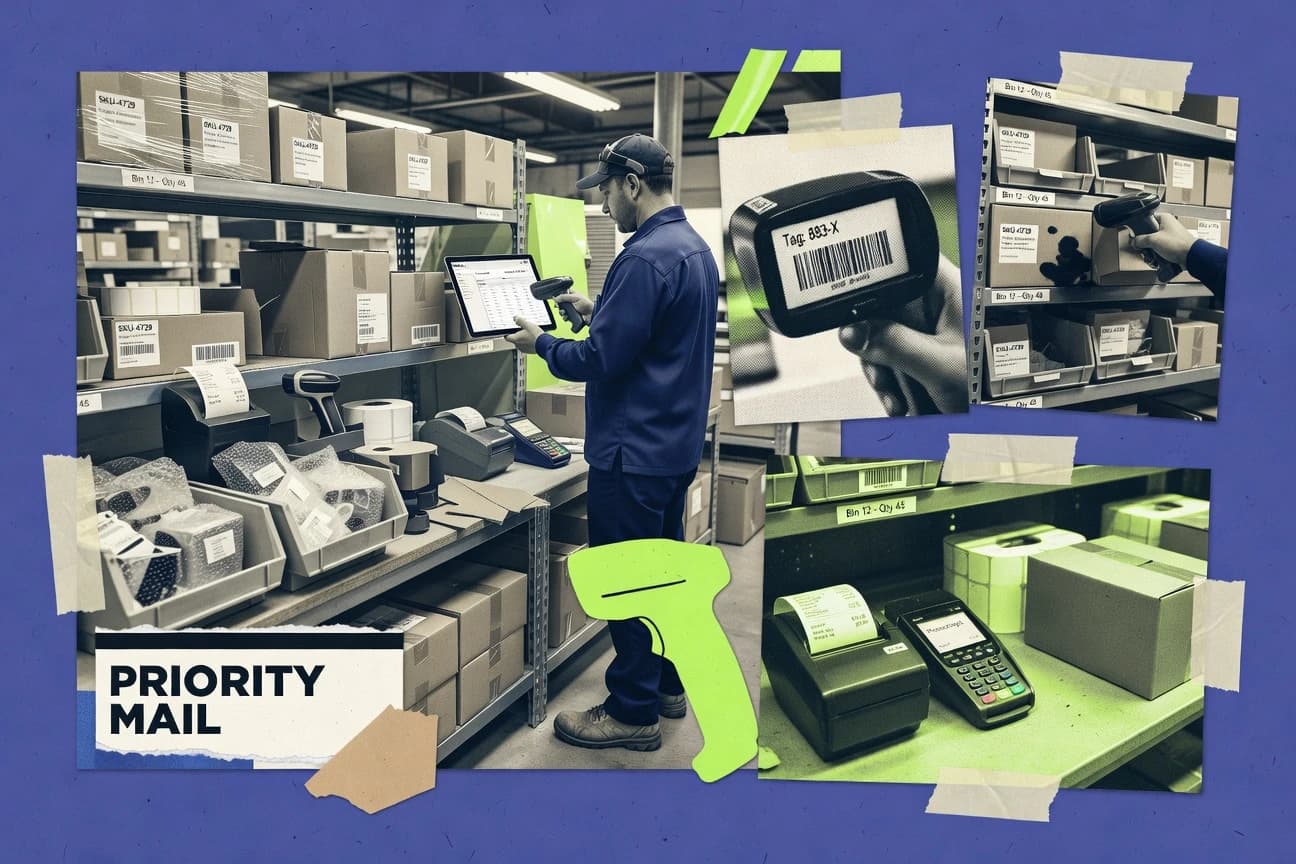
GITNUXSOFTWARE ADVICE
Business FinanceTop 10 Best Inventory Management And Billing Software of 2026
Top 10 inventory management and billing software ranked by features and costs, with comparisons for small businesses and growing teams, incl. QuickBooks Online.

How we ranked these tools
Core product claims cross-referenced against official documentation, changelogs, and independent technical reviews.
Analyzed video reviews and hundreds of written evaluations to capture real-world user experiences with each tool.
AI persona simulations modeled how different user types would experience each tool across common use cases and workflows.
Final rankings reviewed and approved by our editorial team with authority to override AI-generated scores based on domain expertise.
Score: Features 40% · Ease 30% · Value 30%
Gitnux may earn a commission through links on this page — this does not influence rankings. Editorial policy
QuickBooks Online is the best fit when you need inventory to flow into accurate invoices, bills, and reporting, whereas NetSuite is the smarter alternative for multi-warehouse teams where inventory and billing must post correctly to accounting.
Editor’s top 3 picks
Three quick recommendations before you dive into the full comparison below — each one leads on a different dimension.
QuickBooks Online
Sales and purchase transactions post directly to inventory value using the same item records and inventory adjustments.
Built for fits when inventory needs to flow into accurate invoices, bills, and financial reporting..
NetSuite
Editor pickInventory activity and sales billing are executed from shared ERP objects, keeping GL and fulfillment aligned.
Built for fits when multi-warehouse teams need inventory and billing to post correctly to accounting..
Zoho Inventory
Editor pickInventory movements automatically cascade into availability for sales orders and generated invoices.
Built for fits when mid-market teams want order-driven inventory and invoice coordination with Zoho integrations..
Comparison Table
QuickBooks Online
SMBAccounting platform with inventory tracking, invoicing, and sales tax management.
Sales and purchase transactions post directly to inventory value using the same item records and inventory adjustments.
QuickBooks Online is strongest when inventory is tightly tied to financial transactions, because item records drive invoice lines, bill lines, and inventory value updates. Purchase order workflows support status tracking and receiving, and invoice matching can reduce discrepancies when goods receipt data is available. Inventory reporting can surface stock on hand, reorder signals, and movement history, but advanced warehouse controls stay limited compared with dedicated inventory management systems.
A key tradeoff is weak depth for warehouse execution, because multi-location receiving rules, putaway logic, and barcode-driven cycle counting require add-ons or external systems. QuickBooks Online fits teams that need inventory-linked billing and accounting accuracy, such as product sellers that manage stock and sell through invoices or sales channels.
- +Item catalog drives invoice lines and inventory value updates together
- +Purchase order to bill workflow supports receiving status and fewer mismatches
- +Inventory journals handle stock adjustments without breaking audit trails
- +Automation rules reduce recurring billing and transaction cleanup work
- –Warehouse receiving, putaway, and cycle counting are not full-featured natively
- –Barcode-driven workflows often need add-ons or external inventory tools
- –Complex multi-location controls require careful process design
- –Real-time inventory accuracy depends on consistent receiving entry timing
Accounting operations teams
Month-end inventory valuation tied to GL
Cleaner close and fewer variances
Small manufacturers
Bill materials inventory to finished goods
More accurate cost tracking
Show 2 more scenarios
E-commerce finance teams
Sync inventory movements to billing
Fewer billing reconciliation tasks
Sales invoices and payment records connect to inventory updates from integrated sales channels.
Procurement coordinators
Purchase order tracking to receiving
Reduced vendor invoice disputes
Purchase orders and goods receipts support matching bills to what was received and billed.
Best for: Fits when inventory needs to flow into accurate invoices, bills, and financial reporting.
NetSuite
enterpriseCloud ERP suite combining inventory management, order processing, and billing in one platform.
Inventory activity and sales billing are executed from shared ERP objects, keeping GL and fulfillment aligned.
NetSuite supports multi-location inventory flows that connect warehouse receiving, putaway, and fulfillment events to invoice creation and revenue posting. Core controls include item and warehouse master configuration, workflow-driven approvals, and audit trails that tie inventory movements to GL impact. Billing functionality is coupled to sales orders and fulfillment outcomes, which reduces manual invoice corrections during high transaction volume.
A tradeoff is that NetSuite requires stronger admin configuration and process ownership than purpose-built inventory tools. Teams that run complex order-to-cash operations across warehouses and want inventory-to-finance traceability typically get the most value, while smaller operations that only need a light warehouse and invoicing stack often find the breadth unnecessary.
- +Inventory movements flow into accounting with order-to-cash linkage
- +RESTful API and integration tooling support automation at scale
- +Multi-location configuration supports warehouse receiving and fulfillment workflows
- +Invoice generation can follow fulfillment and matching rules
- –Setup effort is high for inventory and billing workflows
- –Advanced governance depends on disciplined role and process design
- –Complex catalog and automation rules can slow admin changes
- –Warehouse and billing customization often needs system integrators
ERP operations teams
Multi-location stock to finance traceability
Fewer manual GL and invoice fixes
Revenue operations teams
Invoice workflows tied to fulfillment
Faster billing with clearer exceptions
Show 1 more scenario
Supply chain integrators
API and EDI orchestration
Lower integration reconciliation workload
System integrations can automate item updates and transactional messaging while keeping ERP records consistent.
Best for: Fits when multi-warehouse teams need inventory and billing to post correctly to accounting.
Zoho Inventory
SMBInventory management software with built-in invoicing and seamless Zoho Books integration.
Inventory movements automatically cascade into availability for sales orders and generated invoices.
Zoho Inventory manages item lifecycle through configurable stock and order statuses, and it maintains stock on hand calculations that update as purchase orders are received and sales orders are fulfilled. Multi-location inventory is supported with separate quantities per warehouse and receiving records that feed downstream availability. Built-in document flows include sales invoices from sales orders and purchase document tracking with goods receipt records, which helps keep inventory and billing aligned.
A tradeoff is that deeper ERP-grade capabilities, like complex inventory valuation and manufacturing-grade bills of materials logic, may require tighter Zoho integration or additional setup work. Zoho Inventory fits when teams want inventory counts, order-driven stock movements, and invoice generation coordinated without building a custom integration layer from day one.
- +REST API and webhooks support order and stock synchronization
- +Multi-location stock tracking keeps availability separate by warehouse
- +Goods receipt and fulfillment flows update stock on hand
- +Invoice generation ties to sales order fulfillment records
- –Manufacturing workflows can require careful process mapping
- –Complex valuation rules may depend on external accounting setup
- –Advanced RBAC granularity is limited for cross-module governance
- –Cycle counting workflows need operational discipline to stay clean
Order operations teams
Route purchase receipts to availability
Fewer stockout-driven reschedules
Finance and AR teams
Generate invoices from sales orders
More consistent invoice data
Show 2 more scenarios
Warehouse managers
Manage inventory across multiple warehouses
Clearer picking and allocation
Warehouse-level quantities provide separate controls for receiving and stock commitments.
Engineering integration teams
Sync ERP order events via API
Lower manual reconciliation
REST endpoints and webhooks support inventory and order state synchronization with external systems.
Best for: Fits when mid-market teams want order-driven inventory and invoice coordination with Zoho integrations.
Fishbowl
SMBInventory management and manufacturing software with QuickBooks billing integration.
Assembly and kitting inventory rollups driven by bill of materials, with inventory transactions reflected directly in billing.
Fishbowl combines inventory management with billing workflows for manufacturers, wholesalers, and distributors that need tight item and order traceability. The system tracks stock across locations and ties transactions to purchasing, receiving, fulfillment, and invoicing so accounting entries can follow inventory events.
Fishbowl also supports assemblies and kitting via bill of materials so inventory rolls up to production and shipment records. For integrations, Fishbowl exposes an API surface that can push and retrieve orders, items, and inventory movements for connected ERPs and ecommerce workflows.
- +Item lifecycle and transaction history stay connected across inventory and billing
- +Bill of materials supports assemblies and kitting tied to stock movements
- +Warehouse receiving and putaway workflows reduce mis-received inventory
- +Integration API enables automated provisioning of items and order processing
- –Configuration work is substantial for multi-location and workflow rules
- –Advanced reporting often needs query work for highly specific KPIs
- –Cycle counting processes require careful setup of counting policies
- –Complex ERP integrations may need dedicated middleware for mapping
Best for: Fits when a distributor or manufacturer needs item traceability through receiving, fulfillment, and invoicing.
Square
SMBPOS and payment platform with inventory tracking and invoice billing features.
Square's omnichannel item catalog synchronizes point-of-sale, online storefront, and location-level stock counts.
Square combines point-of-sale checkout, item catalog management, and customer invoicing in one operational record. Retail features support location-level stock counts, barcode scanning, purchase orders, receiving, and low-stock alerts.
Square Invoices handles estimates, recurring invoices, payment links, reminders, and online payments. RESTful APIs and webhooks extend catalog, order, payment, customer, and inventory workflows, but advanced forecasting, assembly, and warehouse controls remain limited.
- +Unified catalog connects in-store sales, online orders, and location-level inventory.
- +Barcode scanning supports faster receiving, counting, and checkout workflows.
- +Invoice templates include recurring schedules, reminders, estimates, and payment links.
- +Catalog, Orders, Payments, and Inventory APIs support custom integrations.
- –Advanced demand forecasting and replenishment rules are not native strengths.
- –Assembly, kitting, and bill-of-materials workflows receive limited coverage.
- –Multi-location reporting becomes less suitable for complex warehouse networks.
- –Inventory automation requires careful item, location, and permission configuration.
Best for: Fits when retailers need simple multi-location inventory tied directly to point-of-sale and customer invoices.
SAP Business One
enterpriseERP system for small businesses integrating inventory, sales, and financial billing.
Integrated inventory-to-accounting posting controlled by document sequencing rules inside SAP Business One
SAP Business One targets inventory and billing needs for mid-market operations that already run SAP-style business processes. It connects warehouse transactions to billing through an ERP data model that supports sales, purchasing, and accounting in one ledger flow.
Inventory control centers on item master management and stock movement recording tied to documents like goods receipts and invoices. Billing execution supports invoice creation with tax and posting rules that align with the accounting layer.
- +Document-led inventory valuation and posting into the accounting ledger
- +End-to-end order to invoice workflow mapped to procurement documents
- +Role-based access control aligned to finance and warehouse responsibilities
- +Extensibility options for automation via add-ons and integration middleware
- –Inventory workflows rely on configuration and disciplined master data hygiene
- –Multi-location and cycle counting depth can require add-on configuration
- –Barcode scanning and warehouse mobility often depends on partner add-ons
- –Advanced matching rules like strict 3-way invoice matching may need customization
Best for: Fits when mid-market teams need ERP-grade document flows tying stock movements to invoicing.
Lightspeed
SMBRetail and hospitality POS platform with inventory management and invoicing features.
Warehouse receiving plus invoice matching ties goods receipts to downstream billing decisions with fewer document gaps.
Lightspeed couples inventory control with invoicing workflows for retailers that need SKUs, stock visibility, and sales documents in one place.
The system tracks item lifecycle states and supports multi-location inventory so stock on hand reflects where items actually sit.
For sales operations, it manages purchase orders and invoice matching logic to reduce receiving-to-billing mismatches.
Automation and integrations extend the data flow into existing commerce and ERP-style processes through documented endpoints and event callbacks.
- +Multi-location inventory keeps stock on hand separated by site
- +Purchase order and invoice matching reduces billing errors from partial receipts
- +Inventory item lifecycle states support controlled SKU transitions
- +Automation rules cut repetitive receiving and sales document steps
- –Advanced warehouse workflows need careful setup to avoid misallocated stock
- –Bulk edits across item master data can be slower for very large catalogs
- –Tax invoice compliance workflows require configuration detail to match local rules
- –Some accounting-specific reporting needs extraction into a BI tool
Best for: Fits when retail teams need multi-location stock control tied to sales invoicing and purchase receiving.
Cin7
mid-marketCloud inventory and order management platform with built-in invoicing and POS capabilities.
Inventory allocation and warehouse task execution built around barcode-driven workflows tied to receiving and sales fulfillment.
Cin7 combines inventory management with sales order and billing workflows for businesses that need tight stock control across warehouses and sales channels. It supports multi-location inventory movements, barcode-led warehouse tasks, and purchase-receiving steps that feed billing and fulfillment.
The system includes order-to-cash style linkage between purchase orders, goods receipt, sales invoices, and related inventory adjustments. Automation centers on rules for stock allocation, reordering logic, and operational task execution tied to item and location status.
- +Multi-location stock tracking ties receiving and dispatch to invoicing workflows
- +Barcode scanning supports faster warehouse receiving and putaway execution
- +Reordering rules help translate minimums into repeatable purchase recommendations
- +Inventory adjustments are reflected across sales and purchasing processes
- –Complex warehouse setup takes governance across locations, bins, and item settings
- –Advanced matching and accounting detail can require configuration beyond defaults
- –API and automation require implementation effort to cover edge-case workflows
- –Reporting depth for finance requires careful mapping of inventory and invoice objects
Best for: Fits when mid-market operators need inventory accuracy across locations and invoices mapped to receiving and sales.
inFlow Inventory
SMBInventory management software with built-in invoicing and order fulfillment features.
Item-level inventory movements can be connected directly to invoice line generation, reducing mismatch risk between warehouse activity and billing records.
inFlow Inventory tracks SKUs through receiving, stock on hand, and reorder workflows, then routes selected activity into invoicing and customer billing. The solution ties item records to operational quantities so inventory movements can feed billing entries without manual re-typing of line items.
Built-in purchasing and receiving flows support purchase order matching against goods receipt notes, which reduces the gap between procurement and what gets billed. Administrative controls focus on day-to-day operations, while extensibility relies on integrations and API access for deeper automation needs.
- +Inventory receiving and PO matching reduce billing data re-entry
- +Cycle counting and stock control support tighter stock on hand accuracy
- +Barcode scanning streamlines SKU capture during warehouse workflows
- +Export and import workflows speed up SKU and transaction onboarding
- –Advanced multi-location inventory controls are limited for complex warehouses
- –Automation coverage for invoice lifecycle events is narrower than ERP suites
- –Reporting depth for inventory valuation methods is less granular
- –API documentation and integration patterns require stronger internal engineering support
Best for: Fits when small to mid-size teams need inventory control plus invoice-grade line items tied to stock movements.
Ordoro
SMBMulti-channel inventory and order management with shipping and invoicing integrations.
Purchase order matching that connects receiving events to billing workflows, reducing discrepancies between what arrived and what gets invoiced.
Ordoro is an inventory management and billing system built for businesses that sell across channels and need tighter control over fulfillment, invoicing, and purchase workflows. The core experience centers on SKU setup, stock tracking across locations, and automated order handling that ties warehouse actions to billing outputs.
Ordoro also supports procurement workflows that coordinate purchase orders and receiving so invoice and payment processing can stay aligned with what was actually received. For teams that need integrations, Ordoro exposes an API and supports automated data movement between its inventory and billing records and external commerce or ERP systems.
- +API-first integration support for inventory and billing data synchronization
- +Automated purchase order and receiving flow reduces invoice mismatches
- +Multi-location stock visibility supports warehouse and fulfillment coordination
- +Order-to-invoice workflow helps keep customer billing consistent
- –Multi-location and fulfillment routing require careful process configuration
- –Inventory valuation reporting depth can feel limited for complex accounting needs
- –Some edge-case billing scenarios need manual intervention
- –Cycle counting and advanced classification workflows are not as granular
Best for: Fits when operations need channel-driven inventory control plus purchase-to-bill alignment across warehouses.
Conclusion
After evaluating 10 business finance, QuickBooks Online stands out as our overall top pick — it scored highest across our combined criteria of features, ease of use, and value, which is why it sits at #1 in the rankings above.
Use the comparison table and detailed reviews above to validate the fit against your own requirements before committing to a tool.
How to Choose the Right inventory management and billing software
Inventory management and billing software ties warehouse activity to invoice-ready documents, so stock on hand and stock on order stay consistent with what accounting records as bills and receivables. This guide covers QuickBooks Online, NetSuite, Zoho Inventory, Fishbowl, Square, SAP Business One, Lightspeed, Cin7, inFlow Inventory, and Ordoro.
The biggest differences show up in how each platform connects inventory transactions to billing documents through shared records, automated cascades, and integration tooling. QuickBooks Online posts sales and purchase transactions directly to inventory value using the same item records and inventory adjustments, while NetSuite runs inventory movement and sales billing from shared ERP objects to keep GL and fulfillment aligned.
Inventory management and billing software that connects stock movements to invoices, bills, and accounting
Inventory management and billing software manages item records, receiving, allocation, and fulfillment so inventory transactions can drive accurate invoice line generation and invoice-to-accounting consistency. These systems track multi-location stock and coordinate purchase order to receiving workflows so bills reflect what actually arrived.
QuickBooks Online links the item catalog to invoice lines and inventory value updates through purchase order to bill workflows that track receiving status, while Zoho Inventory cascades inventory movements into sales order availability and generated invoices. Some tools go further by executing inventory and billing from shared ERP objects, which NetSuite uses to align inventory movements with order-to-cash posting and automation at scale through RESTful API and integration tooling.
Inventory-to-billing linkage, automation depth, and governance controls
Inventory management and billing software becomes reliable when it uses the same item records to drive invoice lines, bills, and inventory value updates. This reduces re-entry and prevents stock on hand states from diverging from accounts receivable and accounts payable documents.
Shared item records that update inventory value into invoice documents
QuickBooks Online posts sales and purchase transactions to inventory value using the same item records and inventory adjustments. QuickBooks Online also connects purchase order to bill workflow with receiving status to reduce invoice mismatches.
Order-to-cash execution from shared ERP objects with RESTful integration
NetSuite runs inventory activity and sales billing from shared ERP objects so GL and fulfillment stay aligned. NetSuite exposes a RESTful API and integration tooling that supports automation at scale.
Automated cascading from inventory availability into sales orders and invoices
Zoho Inventory cascades inventory movements into sales order availability and generated invoices using its integrated inventory flow. Zoho Inventory uses REST API and webhooks to synchronize orders and stock between systems.
Bill of materials rollups for assembly and kitting tied to stock movements and billing
Fishbowl rolls up assembly and kitting inventory transactions driven by bill of materials. Fishbowl reflects inventory transactions directly in billing so item lifecycle history stays connected across receiving and invoicing.
Omnichannel catalog synchronization tied to location-level stock counts
Square synchronizes an omnichannel item catalog across point-of-sale, online storefront, and location-level stock counts. Square also supports barcode scanning that speeds receiving, counting, and checkout workflows.
Document-led inventory posting rules that control inventory-to-accounting flow
SAP Business One controls inventory-to-accounting posting through document sequencing rules inside the ERP. SAP Business One maps an end-to-end order-to-invoice workflow into procurement documents that feed inventory valuation and ledger posting.
Match integration and workflow shape to the way inventory and invoices move
The decision starts with how inventory transactions should become invoice-ready documents. Some tools link item catalogs and inventory adjustments directly into sales and purchase documents, while other tools require ERP-grade document flows and configuration discipline.
Choose a linkage model that matches accounting document ownership
If accounting should be updated from inventory adjustments using the same item records, QuickBooks Online fits because inventory value updates post alongside invoice lines. If inventory movement and sales billing must execute from shared ERP objects with order-to-cash posting alignment, NetSuite fits because inventory activity and billing run from the same ERP workflow.
Pick event-driven inventory-to-order cascades or warehouse-task-driven execution
If inventory movements must automatically cascade into sales order availability and generated invoices, Zoho Inventory fits because availability changes flow into invoices. If warehouse receiving and task execution must drive downstream billing decisions with fewer gaps, Lightspeed fits because goods receipt and invoice matching connect receiving to billing outcomes.
Validate multi-location handling against receiving, bins, and allocation complexity
If locations are separable and stock-on-hand must stay separate by site with purchase order and invoice matching, Lightspeed fits because multi-location inventory keeps stock separated by site. If barcode-driven warehouse execution across locations and putaway requires governance across bins and item settings, Cin7 fits because allocation and warehouse tasks run from barcode workflows tied to receiving and fulfillment.
Confirm whether assemblies and kitting are core or an edge workflow
If assembly and kitting are frequent and the bill of materials needs to roll up into billing tied to stock movements, Fishbowl fits because its BOM engine drives assembly and kitting rollups. If kitting and bill-of-materials workflows must be extensive, Square should be treated as a weaker fit because assembly and bill-of-materials coverage is limited.
Plan for automation via API and webhook eventing when inventory and billing live in multiple systems
If synchronization needs REST API and webhook eventing for order and stock synchronization, Zoho Inventory fits because it provides REST API and webhooks for order and inventory sync. If integration requires an API-first model focused on purchase order and receiving alignment, Ordoro fits because it emphasizes API-first integration and automated purchase order and receiving flow to reduce invoice mismatches.
Stress test master data hygiene and setup effort before committing
If the implementation can support ERP-grade document sequencing and master data discipline, SAP Business One fits because it relies on document-led inventory valuation and ledger posting. If complex warehouse workflows with multi-location and cycle counting depth are required without add-on configuration, QuickBooks Online can be a weaker fit because receiving, putaway, and cycle counting are not full-featured natively.
Inventory management and billing software buyers by operating model
Buyers should pick inventory management and billing software that matches the source of truth for item master data and document ownership between warehouse operations and accounting. The right tool also depends on whether the business needs ERP-style posting control or transaction-driven cascades tied to invoices.
Small to mid-size teams that need invoice-grade inventory line items
inFlow Inventory connects item-level inventory movements to invoice line generation and reduces mismatch risk between warehouse activity and billing records. inFlow Inventory also supports cycle counting and stock control aimed at tighter stock on hand accuracy.
Mid-market ERP buyers that need shared inventory and accounting document execution
NetSuite executes inventory activity and sales billing from shared ERP objects so GL and fulfillment stay aligned. SAP Business One also ties inventory-to-accounting posting through document sequencing rules inside the ERP.
Retail operators that run receiving and invoicing across locations tied to point-of-sale
Square synchronizes an omnichannel item catalog across in-store point-of-sale, online storefront, and location-level stock counts. Lightspeed also keeps multi-location stock separate by site and uses purchase order and invoice matching to reduce billing errors from partial receipts.
Distributors and manufacturers that need BOM-driven assembly and kitting
Fishbowl uses bill of materials rollups for assembly and kitting that are reflected in billing. Fishbowl keeps item lifecycle and transaction history connected across receiving, fulfillment, and invoicing.
Operators that depend on barcode-driven warehouse task execution
Cin7 builds allocation and warehouse task execution around barcode-driven workflows tied to receiving and sales fulfillment. Cin7 also supports faster warehouse receiving and putaway execution via barcode scanning.
Common implementation and process pitfalls
Most failures come from process gaps between warehouse execution and invoice document readiness. Mismatched ownership of item records or missing receiving-to-billing alignment creates reconciliation work that the software cannot eliminate after the fact.
Assuming the tool that handles inventory also handles full warehouse receiving, putaway, and cycle counting without extra work
QuickBooks Online updates inventory value through item records and inventory adjustments but lacks full-featured warehouse receiving, putaway, and cycle counting natively. Lightspeed provides receiving and invoice matching alignment but can require careful setup to avoid misallocated stock.
Choosing an assembly and kitting workflow without validating BOM rollups into billing
Fishbowl supports assembly and kitting inventory rollups driven by bill of materials and ties those transactions directly into billing. Square has limited coverage for assembly, kitting, and bill-of-materials workflows, so BOM-heavy operations need another fit.
Underestimating governance and setup effort for ERP-grade inventory and billing workflows
NetSuite has higher setup effort for inventory and billing workflows and depends on disciplined role and process design for advanced governance. SAP Business One also relies on configuration and disciplined master data hygiene, which affects inventory workflow reliability.
Trying to retrofit complex multi-location warehouse operations onto a tool with thinner accounting linkage
Cin7 supports multi-location stock tracking and barcode-driven receiving and putaway, but complex warehouse setup takes governance across locations, bins, and item settings. Ordoro can reduce invoice mismatches via purchase order matching and receiving events, but multi-location and fulfillment routing require careful process configuration.
How We Selected and Ranked These Tools
We evaluated inventory management and billing tools by how directly inventory transactions connect to invoice and bill documents, then by the breadth and usability of automation and integration surfaces. Features carry 40% weight because invoice-ready document creation depends on what inventory workflows can natively trigger and reconcile.
Ease and value each carry 30% weight because setup effort, ongoing governance, and operational throughput determine whether inventory and billing stay aligned after deployment. QuickBooks Online ranked highest because inventory value updates post using the same item records that drive invoice lines and because purchase order to bill workflow tracks receiving status with fewer mismatches.
Frequently Asked Questions About inventory management and billing software
How should inventory on hand roll into invoices without line-item mismatches?
Which tools provide API access for automating inventory-to-billing workflows across systems?
How does multi-location inventory visibility affect billing accuracy?
When invoice matching fails, what workflow gap usually causes it in inventory-to-billing setups?
What breaks if purchase order matching is not connected to goods receipt notes?
How do kitting and assembly change the required data model for inventory and billing?
Which systems align inventory valuation rules with accounting posting instead of separate spreadsheets?
How do administrative controls and auditability differ between operational inventory apps and ERP-style platforms?
What security and access controls are typically required for staff to manage inventory and invoice processing?
Tools reviewed
Primary sources checked during evaluation.
Referenced in the comparison table and product reviews above.
- Business FinanceTop 10 Best Billing And Inventory Software of 2026
- Business FinanceTop 10 Best Usage Based Billing Software of 2026
- Business FinanceTop 10 Best Point Of Sale And Inventory Software of 2026
- Business FinanceTop 10 Best Barcode Scanning Inventory Software of 2026
- Business FinanceTop 10 Best Inventory And Purchase Order Software of 2026
Keep exploring
Comparing two specific tools?
Software Alternatives
See head-to-head software comparisons with feature breakdowns, pricing, and our recommendation for each use case.
Explore software alternatives→In this category
Business Finance alternatives
See side-by-side comparisons of business finance tools and pick the right one for your stack.
Compare business finance tools→