GITNUXSOFTWARE ADVICE
Business FinanceTop 10 Best Implant Software of 2026
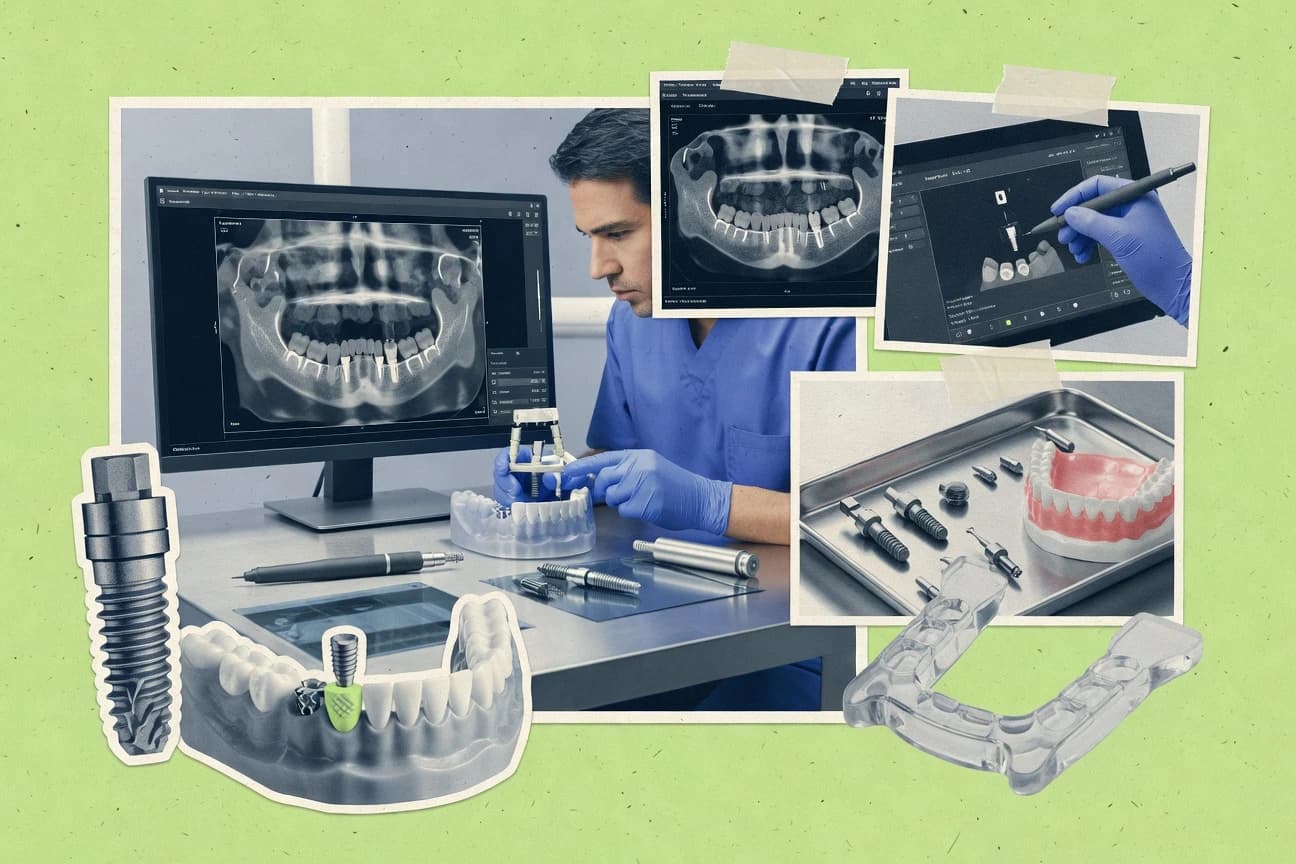
Compare implant software tools like exoplan, OnDemand3D, and 3Shape Implant Studio, focusing on fit and tradeoffs for dental workflows.

How we ranked these tools
An editor sets the topic, the inclusion criteria, and the evaluation framework before research starts.
AI search agents find sources, extract figures with provenance, and aggregate written reviews. They also transcribe video reviews and podcasts.
Framework: Features 40% · Ease 30% · Value 30%
Gitnux may earn a commission through links on this page — this does not influence rankings. Editorial policy
Exoplan is the best pick for guided-surgery clinics that need decisions to survive each guide iteration because its protocolized clinician review loop preserves planning choices while you refine guides, whereas Blue Sky Plan fits SMB teams wanting CBCT-to-guide CAD/CAM exports since guide design stays tied to the virtual implant placement workflow.
Editor’s top 3 picks
Three quick recommendations before you dive into the full comparison below — each one leads on a different dimension.
exoplan
Protocolized clinician review loop that preserves planning decisions during guide iteration cycles.
Best for: Fits when guided surgery cases require repeatable clinician review and dependable handoffs to labs.
OnDemand3D
Editor pickCloud-run planning workspace that pairs CBCT import with structured guided placement and direct export handoffs.
Best for: Fits when clinics want guided implant planning and exports without heavy on-prem toolchains.
3Shape Implant Studio
Editor pickProsthetically driven virtual implant placement that ties restoration space constraints to surgical guide planning decisions.
Best for: Fits when clinics want prosthetically driven virtual placement and surgical guide design with consistent lab handoffs.
Comparison Table
exoplan
vertical specialistDental implant planning software connected to exocad digital prosthetic design workflows.
Protocolized clinician review loop that preserves planning decisions during guide iteration cycles.
exoplan supports DICOM import for imaging-driven planning and works with dental scan data for prosthetically informed implant positioning decisions. It includes implant and abutment library handling so common components can be selected consistently across cases and redesigns. It outputs files for surgical guide design validation and laboratory collaboration workflows that depend on predictable geometry exports.
A practical tradeoff appears in how deeper automation depends on upfront workflow configuration for consistent case setup and naming conventions. exoplan fits teams that run frequent guided surgery cases and need repeatable planning-to-production handoffs across clinician review and lab review cycles.
- +CBCT-first import supports planning decisions from imaging context
- +Library-driven component selection improves repeatability across redesigns
- +Outputs align with surgical guide validation and lab handoff needs
- +Clinician review workflow supports iterative protocol-based changes
- –More consistent configuration effort is needed before scaling throughput
- –Some workflows require external CAD/CAM steps to complete guide production
- –Advanced automation surface is narrower than fully API-first tools
- –Cross-site governance features are limited compared with enterprise governance suites
Implant planning clinics
Frequent guided cases with redesigns
Fewer planning reworks
Dental CAD/CAM labs
Production handoff from clinicians
Smoother production intake
Show 2 more scenarios
Practice ops teams
Standardized implant planning protocols
More consistent throughput
It centralizes case configuration so teams can run similar workflows across clinicians.
Surgical coordinators
Guide validation before surgery
More predictable surgery workflow
It supports structured review steps that reduce last-minute changes to positioning plans.
Best for: Fits when guided surgery cases require repeatable clinician review and dependable handoffs to labs.
OnDemand3D
vertical specialist3D dental imaging and implant planning software supporting DICOM and STL workflows.
Cloud-run planning workspace that pairs CBCT import with structured guided placement and direct export handoffs.
OnDemand3D is built for dental teams that need a browser-based digital implant workflow with cloud processing for treatment planning and export outputs. The core work centers on importing CBCT data and intraoral geometry, planning virtual implant positioning, and generating surgical guide artifacts for downstream CAD/CAM and chairside workflows.
It also supports implant library driven planning inputs and structured outputs like DICOM import and STL export for collaboration with clinicians and labs. Governance and integration depth depend heavily on how clinics connect OnDemand3D to their existing imaging, scan capture, and manufacturing handoffs.
- +Browser-based planning reduces local software install friction
- +Workflow outputs include planning exports for lab and clinician handoffs
- +Implant library driven placement accelerates repeat protocol setup
- +Virtual implant placement supports clinician review cycles
- –Integration depth is limited when compared with deeper API-first implant planners
- –Automation coverage is thin for fully scripted planning pipelines
- –Guide design validation steps can require manual operator attention
- –Advanced planning features may depend on add-ons or external tools
Best for: Fits when clinics want guided implant planning and exports without heavy on-prem toolchains.
3Shape Implant Studio
vertical specialistImplant planning software integrated with digital impressions, prosthetic design, and guided surgery workflows.
Prosthetically driven virtual implant placement that ties restoration space constraints to surgical guide planning decisions.
3Shape Implant Studio is an implant treatment planning and guided-surgery workflow built around prosthetically driven planning. The software supports virtual implant placement, surgical guide design, and export formats used in dental CAD/CAM pipelines for laboratory collaboration.
It incorporates clinical review steps for chairside and laboratory handoffs, including patient model alignment and drill-path checks. CBCT and intraoral scan imports feed positioning decisions and help validate surgical guide fit before fabrication.
- +Prosthetically driven planning ties restoration space to virtual implant positioning
- +Guided-surgery design workflow includes drill-path and guide validation steps
- +CBCT and intraoral scan imports support end-to-end planning in one system
- +Laboratory handoff workflow supports consistent planning-to-fabrication outputs
- –DICOM and scan datasets need careful alignment to avoid placement distortions
- –Automation and API extensibility are not the primary focus compared with CAD-heavy toolchains
- –Surgical guide validation relies on correct patient and reference model setup
- –Advanced workflows often depend on add-on modules for full coverage
Best for: Fits when clinics want prosthetically driven virtual placement and surgical guide design with consistent lab handoffs.
Blue Sky Plan
SMBDental implant planning software for three-dimensional imaging, surgical guides, and treatment workflows.
Surgical guide design ties directly to the virtual implant placement workflow so clinician changes propagate into guide planning artifacts.
Blue Sky Plan focuses on implant treatment planning workflows that connect imaging inputs to virtual implant placement and surgical guide outputs. The tool supports clinician review steps around implant angulation, implant depth, and implant spacing so planning decisions can be iterated before guide design.
- +Clear virtual implant placement controls for angulation and depth
- +Surgical guide output supports guided surgery protocol planning
- +CBCT to model workflow supports DICOM-style imaging handoffs
- +STL export supports CAD/CAM interoperability into lab workflows
- –Limited visibility into audit logging and approval trails
- –Fewer automation hooks for external systems than API-first planners
- –Guide validation steps are thin compared with navigation-centric suites
- –Intraoral scan integration and merge control are not as deep as peers
Best for: Fits when clinics want CBCT-to-guide planning with CAD/CAM export without building automation.
coDiagnostiX
vertical specialistDental implant planning software for guided surgery workflows and prosthetically driven treatment planning.
Structured clinician review path that preserves decision history through validation and lab handover steps.
coDiagnostiX fits teams that manage digital implant workflow from imaging import through virtual placement review and surgical guide validation. CBCT input via DICOM import supports planning that accounts for anatomical constraints used during placement review. Exports support dental CAD/CAM handoff steps like STL export, which helps labs ingest the planned geometry without manual rework.
- +Clinician review workflow keeps changes trackable across planning iterations
- +DICOM import supports CBCT based placement decisions without reformatting
- +STL export supports CAD/CAM handoff for guide and model workflows
- +Collaboration controls reduce conflicting edits during case reviews
- –Guided deliverables require consistent data preparation from imaging capture
- –Advanced automation is limited compared with solutions that expose deep API orchestration
- –Library alignment work increases when implant and abutment catalogs differ by lab
- –Complex multi-clinician setups can need additional administration to stay organized
Best for: Fits when teams need auditable guided implant planning with reliable imaging handoff and controlled collaboration.
Simplant
vertical specialistDental implant planning software with 3D CBCT visualization and surgical guide production.
Guided surgery plan to surgical guide validation workflow with review checkpoints before export.
Simplant is an implant workflow tool focused on end-to-end digital implant treatment planning and surgical guide design. It supports CBCT and intraoral scan based planning with a clinician review path for implant position decisions and restorative space checks.
- +Guided surgery planning outputs tailored to static guided surgery protocols
- +Multi-source input handling for CBCT and scan based planning workflows
- +Library-driven implant and abutment selection supports consistent planning
- +Clinician review workflow fits chairside decision points and documentation
- –Advanced planning steps take time to standardize across teams
- –Exports for CAD/CAM interoperability can require format-specific tuning
- –Dynamic navigation workflows are not the primary focus for most use cases
- –Complex cases raise the workload of surgical guide validation steps
Best for: Fits when clinics need consistent digital implant workflow planning and static guided surgery guide design.
DTX Studio Implant
enterpriseImplant planning software for diagnostic imaging, prosthetic planning, and guided surgery preparation.
Guide validation that re-checks the virtual placement result before generating the export outputs for guide fabrication.
DTX Studio Implant accepts CBCT data and uses that volume inside a virtual placement workspace to set implant angulation, depth, and spacing against anatomical references. It then carries that plan forward into surgical guide design workflows with validation steps before exporting manufacturing files. This continuity reduces manual re-entry of decisions between planning and guide creation, which helps chairside workflows where multiple review rounds are normal.
- +Plan-to-guide continuity with validation before export
- +CBCT-based virtual implant placement with angle and depth controls
- +Clinician review loop that keeps edits tied to the guide workflow
- +Export outputs designed for downstream CAD/CAM handling
- –Guide manufacturing details may require external production steps
- –Advanced workflow depth depends on the chosen export path
- –Automation breadth varies across multi-visit planning sequences
- –Interoperability success can depend on lab import expectations
Best for: Fits when clinics need CBCT-driven planning that converts into guide design files for lab workflows.
Mimics Innovation Suite
vertical specialistMedical imaging software for 3D anatomical modeling and implant planning.
In-suite segmentation and measurement workflows built for anatomically grounded planning outputs, not only implant placement GUIs.
Mimics Innovation Suite is an image-to-3D workflow tool that converts DICOM inputs into segmentation, measurements, and exportable 3D models for downstream implant planning. It supports controlled segmentation and quantification so clinicians can trace anatomy, validate spatial relationships, and generate surfaces for CAD/CAM interoperability.
- +Strong segmentation accuracy for dental CBCT-derived anatomy
- +Scripted and repeatable workflows for case preparation steps
- +Measurements support clearer implant positioning review
- +Exportable 3D surfaces for CAD/CAM interoperability pipelines
- –Implant positioning and guided-surgery design require external tooling
- –Less direct support for clinician review workflows versus dedicated DWS tools
- –Automation coverage depends on how each site scripts tasks
Best for: Fits when implant planning needs high-fidelity anatomy segmentation and model export for downstream CAD workflows.
SICAT Implant
vertical specialistThree-dimensional implant planning software for prosthetically guided treatment and surgical guide production.
End-to-end surgical guide preparation flow that keeps implant placement validation linked to guide output.
SICAT Implant concentrates on digital implant workflow from imaging import through virtual placement and surgical guide design. It is distinct for its end-to-end guidance toolchain that supports both clinician review of implant positioning and downstream guide preparation output.
- +Protocol-driven planning screens reduce variability across clinicians
- +Guide-oriented workflow keeps implant positioning decisions tied to output
- +DICOM-centric imaging handling supports CBCT-to-plan continuity
- +Library-driven components support consistent prosthetic and implant choices
- –Workflow depth can feel rigid when deviating from its guided protocol
- –Extensibility for unusual cases depends on integration options
- –Automation customization is limited compared with configurable planning engines
- –Advanced validation steps require deliberate chairside review discipline
Best for: Fits when clinics need guided implant planning that turns imaging into a validated surgical guide workflow.
Romexis Implant Studio
enterpriseImplant planning software within the Romexis platform for imaging, prosthetic planning, and guided surgery.
Guide-ready workflow that turns virtual implant decisions into surgical guide design outputs for protocol-driven execution.
Romexis Implant Studio performs virtual implant treatment planning by importing CBCT data, aligning a patient coordinate system, and placing implants for a clinician review workflow. The tool supports prosthetically driven planning with adjustable implant angulation, depth, and spacing, then outputs surgical guide design artifacts for guided surgery protocols.
- +CBCT-based planning supports consistent virtual implant placement and review cycles
- +Prosthetically driven workflows keep implant angulation and depth decisions tied to outcomes
- +Surgical guide design outputs align with guided surgery protocol execution
- +Export-focused interoperability supports lab and chairside continuation
- –Advanced planning features require careful workflow setup and consistent case configuration
- –API and automation hooks are not visible at the same depth as major workflow integrators
- –Intraoral scan integration depth is narrower than tools built around frequent scan-to-plan iterations
- –Multi-site governance and audit controls appear lighter than enterprise-grade planning suites
Best for: Fits when dental teams need CBCT-driven implant planning plus guided-surgery guide design with lab handoff.
Conclusion
After evaluating 10 implant software, exoplan stands out as our overall top pick — it scored highest across our combined criteria of features, ease of use, and value, which is why it sits at #1 in the rankings above.
Use the comparison table and detailed reviews above to validate the fit against your own requirements before committing to a tool.
How to Choose the Right Implant Software
This buyer's guide covers how teams should evaluate implant treatment planning and guided surgery design tools, with named examples including DTX Studio Implant, coDiagnostiX, exoplan, 3Shape Implant Studio, and Mimics Innovation Suite.
It also compares the workflow fit of Simplant, Blue Sky Plan, SICAT Implant, Romexis Implant Studio, and OnDemand3D for virtual implant placement, clinician review, and surgical guide output pipelines.
Implant planning and guide-design software for CBCT and scan-to-surgery workflows
Implant software turns CBCT and intraoral scan inputs into virtual implant placement decisions, then produces surgical guide design artifacts for guided surgery execution.
This category also supports clinician review workflows that tie placement choices to export outputs used for CAD/CAM and laboratory collaboration, such as plan-to-guide continuity in DTX Studio Implant and auditable clinician review paths in coDiagnostiX.
Evaluation criteria for implant workflow depth, review control, and export readiness
A planning tool succeeds when it connects virtual placement to guide validation and export outputs without forcing clinics to rebuild governance across imaging, review, and manufacturing handoffs.
The strongest differences between DTX Studio Implant and tools like Blue Sky Plan or OnDemand3D come from how tightly they link clinician iteration, guide validation checkpoints, and interoperability outputs.
Guide validation that re-checks placement before export artifacts
DTX Studio Implant provides guide validation that re-checks the virtual placement result before generating export outputs for guide fabrication, which reduces fabrication errors caused by late placement edits. Mimics Innovation Suite focuses more on anatomy modeling and measurement, so it generally needs external steps for validated guide production.
Structured clinician review path that preserves decision history
coDiagnostiX uses a structured clinician review path that preserves decision history through validation and lab handover steps. exoplan also emphasizes a protocolized clinician review loop during guide iteration, which keeps redesigns consistent across case cycles.
Prosthetically driven placement tied to restoration space constraints
3Shape Implant Studio ties restoration space constraints to prosthetically driven virtual implant placement and then carries those decisions into surgical guide planning and drill-path checks. Romexis Implant Studio similarly keeps implant angulation and depth decisions aligned with guided surgery outcomes via its prosthetically driven workflow.
In-suite anatomical modeling for segmentation, measurements, and 3D exports
Mimics Innovation Suite is built around segmentation, measurements, and exportable 3D surfaces derived from DICOM inputs, which supports anatomy-grounded planning outputs. DTX Studio Implant and Simplant center on guided surgery planning and guide design, so they are less focused on high-fidelity segmentation pipelines inside the same tool.
Protocol-driven guide workflow screens with review checkpoints
SICAT Implant provides an end-to-end surgical guide preparation flow that keeps implant placement validation linked to guide output. Simplant also connects guided surgery plan steps to surgical guide validation with review checkpoints before export.
Integration and handoff shape across CBCT, scan inputs, and lab exports
Blue Sky Plan supports CBCT import and STL export for downstream CAD/CAM workflows, which suits clinics that want guided surgery outputs without building deep automation. OnDemand3D pairs browser-based planning with cloud-run processing and structured exports, and Romexis Implant Studio emphasizes DICOM import and export-focused interoperability for lab and chairside continuation.
Decision framework for selecting the implant tool that matches the clinic’s workflow control needs
Start by matching the tool to the clinic’s operating mode for planning iteration. Some products center on guided protocol screens and validation checkpoints, while others emphasize repeatable, library-driven workflows or anatomy-focused modeling.
Next confirm that the tool’s export outputs align with the lab and CAD/CAM chain used for surgical guide production, since multiple tools state that completing guide production often depends on external steps and correct dataset setup.
Choose the planning control model: validation-first continuity vs protocol screens
If the clinic needs placement edits to be re-checked right before fabrication, choose DTX Studio Implant because its standout feature is guide validation that re-checks virtual placement before export outputs. If protocol-driven screens and end-to-end guide preparation are the priority, choose SICAT Implant or Simplant, which keep placement validation linked to guide output and include review checkpoints.
Match governance needs to the clinician review workflow design
For teams that must preserve decision history across planning iterations and lab handover, choose coDiagnostiX because its clinician review workflow keeps changes trackable. For repeatable case cycles with protocolized iteration loops, choose exoplan, which focuses on protocolized clinician review and guide design iteration cycles.
Select the planning emphasis: prosthetically driven placement vs anatomical modeling depth
If restoration space constraints and drill-path validation drive the workflow, choose 3Shape Implant Studio or Romexis Implant Studio because both tie virtual implant positioning decisions to guided surgery design artifacts. If the clinic depends on high-fidelity anatomy segmentation and measurement-driven outputs, choose Mimics Innovation Suite because it is built for segmentation, measurements, and exportable 3D models from DICOM inputs.
Validate dataset and library alignment for the actual lab pipeline
If the lab expects specific implant and abutment catalog structures, coDiagnostiX can require extra alignment work when catalogs differ, and Simplant notes that exports can require format-specific tuning. If the clinic already standardizes on library-driven placement inputs, exoplan and Simplant align planning repeatability with library-driven component selection.
Pick the integration shape: on-prem workflow depth vs browser-based cloud processing
If minimal local setup and cloud-run planning workspaces are required, choose OnDemand3D because it provides browser-based planning with cloud processing for CBCT import, planning, and export handoffs. If the clinic prefers CBCT-to-guide planning with STL export artifacts and without heavy automation, choose Blue Sky Plan, which supports guided surgery protocol planning and STL export for CAD/CAM steps.
Implant Software audience fit by planning, collaboration, and output requirements
Implant planning software is typically used by dental teams that coordinate CBCT or scan ingestion, clinician review iterations, and downstream guide production for guided surgery.
The right choice depends on whether the clinic needs auditable review governance, prosthetically driven planning tied to restoration space, or anatomically grounded segmentation and measurement outputs.
CBCT-first clinics converting planning into guide files for lab manufacturing
DTX Studio Implant fits clinics that need CBCT-driven planning that converts into guide design files for lab workflows, since it connects virtual placement decisions to guide validation and export outputs. Romexis Implant Studio also fits CBCT-driven planning needs with guided-surgery guide design and lab handoff continuity.
Teams that require auditable collaboration across planning, validation, and lab handover
coDiagnostiX fits teams that need auditable guided implant planning and controlled collaboration because its clinician review workflow keeps changes trackable across iterations. exoplan fits when repeatable clinician review and dependable handoffs to labs are required for protocol-based iteration cycles.
Clinics running prosthetically driven workflows that must preserve restoration space constraints
3Shape Implant Studio fits clinics that want prosthetically driven virtual placement tied to surgical guide planning decisions and laboratory handoffs. Blue Sky Plan fits clinics that want surgical guide design tied directly to the virtual implant placement workflow so clinician changes propagate into guide planning artifacts.
Clinics focused on anatomy segmentation, measurements, and 3D model export for downstream CAD
Mimics Innovation Suite fits teams that need high-fidelity anatomical segmentation and measurement workflows for implant planning outputs. This segment generally pairs well with external guided surgery design tooling because Mimics emphasizes segmentation and exportable 3D surfaces rather than standalone guide manufacturing workflows.
Clinics that want guided surgery guide production driven by protocolized validation checkpoints
SICAT Implant fits clinics that want guided implant planning that turns imaging into a validated surgical guide workflow. Simplant fits clinics that need consistent digital implant workflow planning and static guided surgery guide design with review checkpoints before export.
Failure modes in implant planning tool selection and rollout
Many planning errors come from choosing a tool that generates outputs but does not maintain continuity between placement decisions, guide validation, and the lab export chain.
Other failures occur when imaging datasets and reference model setup are not managed to the workflow expectations of the chosen tool, which affects virtual placement accuracy and guide validation readiness.
Treating guide generation as a single step without placement re-validation
DTX Studio Implant avoids this gap by providing guide validation that re-checks virtual placement before export outputs for guide fabrication. Tools focused more on general workflow progression, such as Blue Sky Plan, still tie guide design to placement, but guide validation steps can be thinner than navigation-centric suites.
Assuming clinician collaboration history is preserved automatically across iterations
coDiagnostiX explicitly provides a structured clinician review path that preserves decision history through validation and lab handover steps. exoplan also preserves planning decisions during guide iteration cycles via protocolized review, while tools with less governance depth can leave multi-clinician coordination needing extra administration.
Mismatching export formats to the lab CAD/CAM pipeline
Simplant notes that CAD/CAM interoperability exports can require format-specific tuning, which can stall guide production if the lab chain expects different artifacts. DTX Studio Implant and coDiagnostiX generate export outputs for downstream CAD/CAM handling, but interoperability success depends on lab import expectations and consistent dataset preparation.
Choosing a tool that is not centered on the clinic’s planning emphasis
Mimics Innovation Suite is strong for DICOM-driven segmentation and measurement, but it does not directly cover implant positioning and guided-surgery design in the same way as DTX Studio Implant, SICAT Implant, or 3Shape Implant Studio. Conversely, 3Shape Implant Studio centers on prosthetically driven planning and guide workflow, so it can feel less aligned for teams that primarily need anatomy modeling and quantification pipelines.
Ignoring dataset alignment requirements for DICOM and scan imports
3Shape Implant Studio requires careful alignment of DICOM and scan datasets to avoid placement distortions, and guide validation relies on correct patient and reference model setup. Romexis Implant Studio also states that advanced planning features require careful workflow setup and consistent case configuration, so training and standard operating setup matter.
How We Selected and Ranked These Tools
We evaluated each implant planning tool for features, ease of use, and value using the provided capability descriptions and per-tool ratings. Features carry the highest weight at 40% because it is the largest driver of whether a clinic can connect virtual implant placement to surgical guide output and lab handoff. Ease of use and value each account for 30% because clinics frequently need consistent chairside workflows and predictable time-to-productive planning.
DTX Studio Implant set the highest overall result because its guide validation re-checks the virtual placement before generating export outputs for guide fabrication, which directly reduces the highest-impact failure mode in guided surgery workflows. That placement-to-validation continuity lifted the features factor the most, and strong ease-of-use and value ratings reinforced it for clinics focused on CBCT-driven planning that must convert into guide design files for lab workflows.
Frequently Asked Questions About Implant Software
How do implant software tools connect CBCT import to surgical guide design output?
Which tools support both DICOM import and intraoral scan integration in the implant workflow?
What tradeoff appears when a workflow focuses on guide validation instead of only visualization?
How does clinician review differ across coDiagnostiX, exoplan, and Simplant?
What breaks if a clinic relies on segmentation quality rather than implant-library driven placement?
When does extensibility matter for teams standardizing implant planning across many cases?
Which tools emphasize prosthetically driven planning and tie restoration constraints to implant positioning?
How do exports support downstream dental CAD/CAM and lab collaboration across the top tools?
What administrative and governance controls are typically handled during collaboration and review?
Tools reviewed
Primary sources checked during evaluation.
Referenced in the comparison table and product reviews above.
Funding and competing interests
This study was co-funded by several of the vendors assessed in it. No single vendor funded it. Funders could propose the market studied.
They had no role in selecting vendors, setting or weighting criteria, analysing data or drawing conclusions, and they received the same factual-accuracy check as every other vendor assessed.
Market definition, inclusion rules and criteria weights were fixed by an editor before research began and did not change afterwards. Editorial process →
- Business FinanceTop 10 Best Project Plan Software of 2026
- Agriculture FarmingTop 10 Best Plant Nursery Software of 2026
- Business FinanceTop 10 Best Real-Time Transcription Software of 2026
- Finance Financial ServicesTop 10 Best Small Business Loan Origination Software of 2026
- Business FinanceTop 10 Best In-House Developed Software of 2026
Keep exploring
Comparing two specific tools?
Software Alternatives
See head-to-head software comparisons with feature breakdowns, pricing, and our recommendation for each use case.
Explore software alternatives→In this category
Business Finance alternatives
See side-by-side comparisons of business finance tools and pick the right one for your stack.
Compare business finance tools→