GITNUXSOFTWARE ADVICE
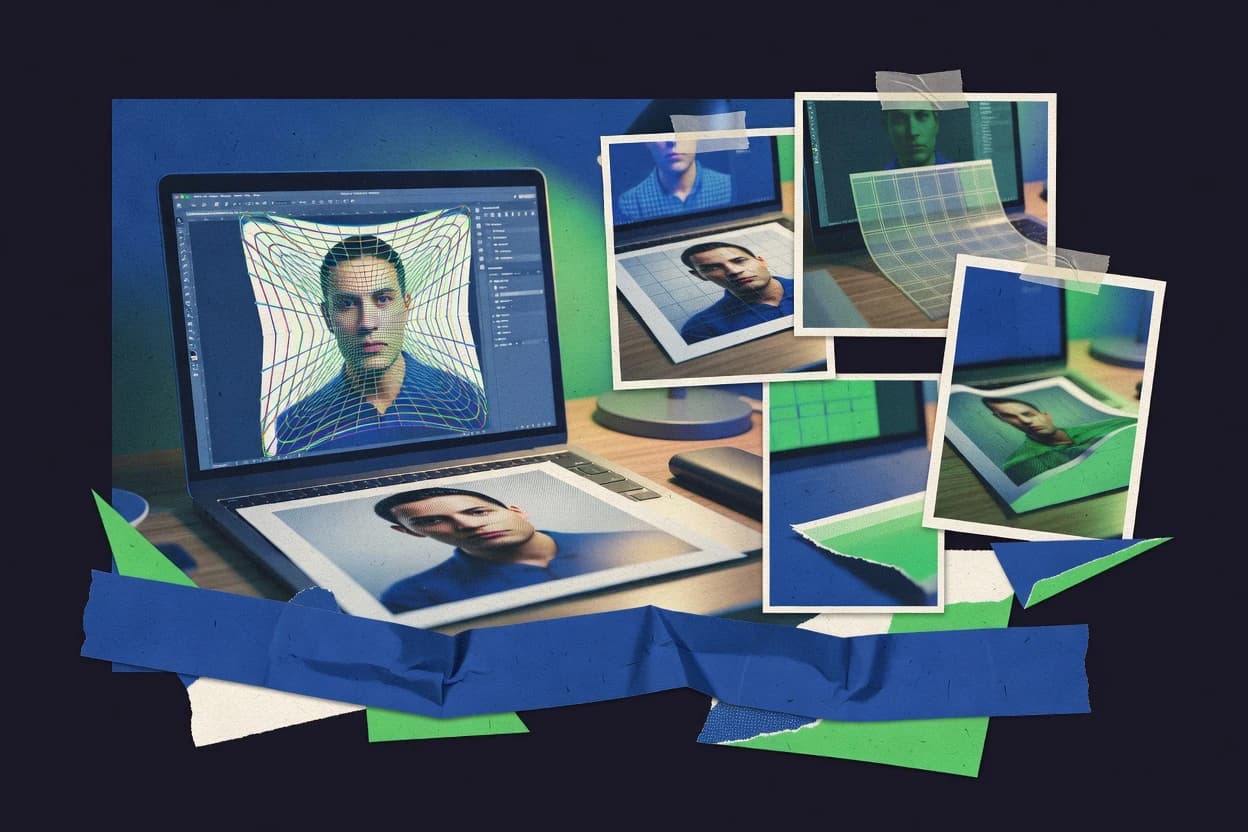
Art DesignTop 10 Best Image Warping Software of 2026
Compare image warping software tools for editing perspectives and mesh distortions, with tradeoffs for workflows using Krita, Photoshop, or GIMP.

How we ranked these tools
Vendors set the topic, but our editors set the inclusion criteria and the evaluation framework before research starts.
Search agents gather the source set and the review record, including transcriptions of video reviews and podcasts.
Framework: Features 40% · Ease 30% · Value 30%
Gitnux may earn a commission through links on this page — this does not influence rankings. Editorial policy
Krita is the best pick for designers who need localized raster warping inside a layer-and-mask painting workflow because its integrated control-point mesh warping stays editable within your edits, whereas Adobe Photoshop fits artists who want dedicated non-destructive deformation layers that blend cleanly with masks.
Editor’s top 3 picks
Three quick recommendations before you dive into the full comparison below — each one leads on a different dimension.
Krita
Control-point mesh warping integrated into Krita’s layer and mask editing workflow.
Best for: Fits when designers need localized raster warping inside a layer-based painting workflow without a node compositor.
Adobe Photoshop
Editor pickNon-destructive warp via the Warp tool on a dedicated deformation layer that can be combined with layer masks for controlled boundaries.
Best for: Fits when artists need controlled raster warps, non-destructive layers, and repeatable scripting within Photoshop files.
GIMP
Editor pickScriptable deformation workflows using GIMP scripting and filters for repeatable warps across large image sets.
Best for: Fits when still-image warping is needed inside a raster editor workflow and add-ons cover niche deformation.
Comparison Table
Krita
vertical specialistDigital painting software with transform masks, mesh transform, liquify, and deformation tools.
Control-point mesh warping integrated into Krita’s layer and mask editing workflow.
Krita is a raster-first paint and editing environment where image warping is handled through its tools and deformation options rather than a dedicated node compositor. Its warp workflows are built around editing layers, selection masks, and transform controls that keep distortion aligned with an illustration or photo-retouching pipeline.
Krita supports mesh-based warping using control points and deformation grids for localized shape changes. It also supports scripting through Python to automate repeatable transforms and batch-style adjustments across files when a consistent warp recipe is needed.
- +Mesh-style control point warping for localized distortions on raster layers
- +Layer and mask workflow keeps edits editable instead of collapsing into one transform
- +Python scripting supports repeatable warp operations across images
- +Works well for illustration-style perspective tweaks and manual retouching
- –Limited compositor-style graph tools for multi-stage warps and systematic repeats
- –No built-in GPU-accelerated warp pipeline for high-throughput preview
- –Thin coverage for camera solve and match-move style pipelines
- –More manual steps than specialist warp tools for seam blending cleanup
Portrait artists and photo editors
Warp references for sketch-like retouching
Stylized sketches from warped photos
Comic and graphic novel creators
Adjust character poses on comic layers
Page-ready art for lettering
Show 2 more scenarios
Rotoscope artists and motion designers
Fix silhouettes across traced frames
Clean silhouettes in overlays
Motion artists warp frame references to correct shapes while refining painted overlays per shot.
Storyboard artists and animators
Maintain shot proportions during revisions
Editable shot plans
Teams warp storyboard elements to update scenes while preserving perspective guides and reference overlays.
Best for: Fits when designers need localized raster warping inside a layer-based painting workflow without a node compositor.
Adobe Photoshop
enterpriseRaster image editor with Warp, Perspective Warp, Puppet Warp, and Liquify tools for precise image deformation.
Non-destructive warp via the Warp tool on a dedicated deformation layer that can be combined with layer masks for controlled boundaries.
Adobe Photoshop is a raster-first image editor that adds warp workflows through dedicated transform tools, mesh-like control handling, and layer-safe non-destructive deformation layers. It supports precise perspective transform adjustments, multi-point warping via edit controls, and production-oriented masking to constrain distortion on object boundaries.
For pipelines, Photoshop integrates with the broader Adobe Creative Cloud file workflow and automation through scripting APIs that can drive repeated warps across assets. It is a practical choice when warping needs must stay inside a pixel-editing environment rather than a standalone compositor.
- +Non-destructive warp editing on deformation layers with maskable results
- +Perspective transform controls for correcting planar geometry in rasters
- +Layer-based constraints that support boundary-limited distortion workflows
- +Scripting automation for batch warps across folders and open documents
- –Real-time preview is limited compared with dedicated node-based compositors
- –High-control mesh deformation workflows take more manual staging
- –Consistent optical alignment work often needs external tracking or reference
- –Batch warping depends on scripting effort rather than a built-in job graph
Creative production teams
Warp scenes after AI background replacement
Faster variations with control
Ecommerce product studios
Standardize warped product views across listings
Consistent catalog imagery
Show 2 more scenarios
Graphic designers
Deform layered composites without rebuilding
Editable revisions stay intact
Designers combine masked layers and adjustments, then apply transform-based deformation to revise results.
Marketing asset teams
Prepare warped assets for print and web
Ready-to-publish delivery files
Marketing teams manage layers and exports after warping to deliver image files for common production needs.
Best for: Fits when artists need controlled raster warps, non-destructive layers, and repeatable scripting within Photoshop files.
GIMP
SMBOpen source image editor with Cage Transform, Warp Transform, perspective tools, and distortion controls.
Scriptable deformation workflows using GIMP scripting and filters for repeatable warps across large image sets.
GIMP performs raster image warping by combining manual transform tools with plugin-driven deformation workflows. Mesh-style deformation is available through community add-ons, while standard transforms like perspective correction and lens-style adjustments work for single-shot geometry fixes.
Layer-based editing supports non-destructive iteration through masks and undo history. Automation depends on scripting via built-in scripting consoles and external tool integration rather than a dedicated node-based compositor pipeline.
- +Layer masks make warp iterations easier to revert and refine
- +Community plugins extend deformation beyond built-in transform tools
- +Scripting enables repeatable edits across many images
- +Works well for still-image fixes within a standard raster editing workflow
- –Mesh warping coverage depends heavily on add-ons rather than core tools
- –No dedicated node graph limits complex multi-stage warp pipelines
- –GPU-accelerated viewport preview is not a built-in focus for warping
- –Batch warp scripting takes more setup than GUI-based batch operations
Product photographers and compositors
Refine edges for transparent background exports
Transparent PNG or alpha-ready files
Print designers and makers
Prepare bitmap artwork for printing
Print-ready raster exports
Show 2 more scenarios
Digital artists and creators
Generate consistent warped asset variants
Consistent variant outputs
Use layers plus scripts or extensions to repeat transforms and batch export related images.
Designers and image editors
Create composites using warped elements
Layered composites or mattes
Isolate subjects with selections and masks, then warp and combine layers for composites.
Best for: Fits when still-image warping is needed inside a raster editor workflow and add-ons cover niche deformation.
Blender
enterpriseOpen-source 3D suite with compositing, UV, and mesh warping tools for image and texture manipulation.
Python-driven node graph automation combined with camera and tracking tools for perspective-consistent warps.
Blender fits image warping work where a compositor-like node workflow and 3D camera-centric effects must live in one tool. It provides mesh-based deformation through modifiers and sculpt-like controls, plus camera and tracking-oriented pipelines for aligning warps to motion.
- +Python API can batch-edit warp node graphs and render outputs
- +3D camera and tracking tools help align perspective warps
- +Compositing nodes support mask-driven deformations and plate workflows
- +Color management and multilayer EXR output support linear pipelines
- –Advanced warping setups require node and modifier literacy
- –Many 2D warp tasks depend on custom node graphs
- –Real-time previews for complex deformations can lag at high resolution
- –GPU acceleration for warp-heavy comps varies by node path
Architectural visualization teams
Warps plates to match walkthrough camera moves
Consistent warped walkthrough sequences
Motion designers
Build procedural warp systems for titles
Reusable procedural motion systems
Show 2 more scenarios
Product visualization artists
Align warps to stylized render assets
Rendered product concept visuals
Blender combines mesh deformation and camera rendering to produce consistent warped mockups for reviews.
Character animation teams
Warp plates to animated character shots
Character-aligned warped renders
Blender links camera moves with node compositing so warps track animation and remain render-ready.
Best for: Fits when motion-aligned image warping, compositing, and render pipeline must be scripted together for FX work.
Canva
SMBOnline design platform with text and element warping effects plus perspective-style transformations in template workflows.
Template-driven design reuse with element transforms lets warped assets stay consistent across campaign pages.
Canva’s warping capability is centered on interactive transforms like perspective and cropping, which are applied directly to placed elements on a design page. The workflow is layer-based, so masks and repositioning keep edits organized across multiple designs and versions. Canva also supports batch design operations through reusable templates and brand kits, which reduces repeated manual alignment work. For complex deformation, Canva lacks specialized deformation controls like control-point meshes or dense triangulated grids.
- +Interactive perspective and transform controls inside a design canvas
- +Layer stack keeps masks and placement edits easy to manage
- +Reusable templates and brand kits speed up consistent warped layouts
- +Quick export for marketing images without a separate compositor step
- –No control-point mesh or triangulated deformation grid for precision warps
- –Warping is limited to element transforms rather than simulation-grade deformation
- –Batch warping is template-driven, not a parameterized warp script
- –Workflow lacks a node graph for repeatable, audit-friendly transformations
Marketing design teams
Warp product images for ad creatives
Consistent warped visuals across placements
Brand ops teams
Maintain warped layouts with brand kits
Fewer manual alignment corrections
Show 2 more scenarios
Social media managers
Generate warped thumbnails for series posts
Higher posting throughput
Repeated page templates support consistent distortions across multiple post variations.
Ecommerce merchandising
Create perspective mockups from uploads
More usable product imagery variants
Placed images can be transformed and masked to simulate angled product presentations quickly.
Best for: Fits when marketing teams need quick, repeatable perspective distortions on template pages.
ON1 Photo RAW
SMBPhoto workflow software with portrait retouching, resize, and local transformation tools that support selective deformation tasks.
Layer-integrated perspective and warp editing with interactive handles and guides in a non-destructive stack.
ON1 Photo RAW supports perspective adjustment and localized warps with interactive handles, which fits editorial retouching workflows that need controlled geometry changes. The warps stay integrated with the same project stack as exposure, color, and effects, so warping can be revised alongside other edits. Workflow friction is reduced by layer-based editing in the same application rather than exporting to another stage. That integration depth favors photo-focused teams over VFX teams that require graph-based compositing control.
- +Interactive perspective and warp controls work inside the same edit stack
- +Non-destructive layer workflow keeps geometry changes reversible
- +Guided transforms make manual alignment faster than exporting out
- +Batch processing supports consistent warps across image sets
- –Limited automation surface for warp parameter scripting and APIs
- –No compositor-grade match-move or camera solve workflow
- –Mesh and displacement depth is not aimed at VFX deformation tasks
- –GPU acceleration is not documented as an option for heavy warps
Wedding and portrait editors
Correct face and body perspective
Consistent look across galleries
Real estate photographers
Straighten verticals in interior shots
Cleaner architectural geometry
Show 2 more scenarios
E-commerce photo teams
Align labels and product angles
Improved product presentation
Warp on-layer geometry to match package layout while preserving downstream color edits.
Studio batch production
Standardize warp across variants
Lower manual correction time
Run consistent warps across a set so each variant lands on the same framing and alignment.
Best for: Fits when photographers need repeatable perspective and local warp corrections inside one non-destructive editor.
PaintShop Pro
SMBPhoto editing software with warp, mesh warp, pick tool transformations, and distortion effects.
Perspective-oriented distortion controls inside a layer-based raster editor workflow for rapid still-image retouching.
PaintShop Pro is a raster-first image editor that can handle warping workflows through its selection, transform, and plugin-supported effects. Core capabilities include perspective transform-style adjustments, mesh-like control via distortion tools, and batch-friendly processing for repetitive image fixes.
- +Perspective and distortion tools suitable for still-image geometry correction
- +Layer workflow supports non-destructive iteration during warp refinement
- +Plugin effects expand distortion options beyond built-in transforms
- +Batch operations help apply similar warp settings across many files
- –Limited control-point mesh tooling compared with compositor-grade deformation
- –No dedicated node graph for parameter wiring across warp stages
- –Warps remain raster-centric with fewer pro color-managed formats workflows
- –API surface for automation is weaker than developer-focused imaging tools
Small studios and photographers
Apply repeatable warps across image folders
More consistent results
Operations and technical teams
Warp screenshots for before-after documentation
Clearer documentation
Show 2 more scenarios
Freelance designers and marketers
Prepare warped raster assets for layouts
Publish-ready graphics
Clean up and warp images, then resize, composite, and export consistent raster graphics.
Photographers finishing RAW captures
Warp scenes after RAW color corrections
Consistent finished photos
Apply exposure, white balance, and tonal edits before exporting images with corrected geometry.
Best for: Fits when still-image warp, perspective correction, and retouching need fast iteration without a compositor.
Adobe Substance 3D Modeler
enterprise3D sculpting software with image-based and mesh warping workflows for shape manipulation.
Mesh-centric authoring for deformation-ready geometry and texture output for later camera-driven warping.
Adobe Substance 3D Modeler generates and edits deformable 3D assets and materials, so it is not a general-purpose 2D image warper. The tool focuses on producing mesh-friendly geometry and texture-ready outputs that can be used for downstream deformation and compositing pipelines.
- +3D asset authoring supports consistent deformation-ready geometry exports
- +Material workflow helps preserve texture intent through downstream steps
- +Works well when warping is driven by a camera-based 3D pipeline
- +Accurate topology control reduces rework when matching surfaces
- –No dedicated Bezier warp or thin-plate spline controls for 2D raster warps
- –Automation and batch warp scripting are not designed around image remap runs
- –Pixel-accurate seam blending tools for composites are not the core focus
- –Requires a downstream compositor or renderer for lens and pixel remap accuracy
3D artists for VFX pipelines
Author deformable assets for character FX
Faster rigging and look-dev
Technical artists for look-dev
Bake material outputs for compositing stages
More stable material consistency
Show 2 more scenarios
AR and real-time content teams
Generate texture assets for deformable avatars
Lower deformation artifacts
Builds geometry and textures that support predictable deformation in runtime pipelines.
Modeling teams for game production
Standardize topology for deformation workflows
Reduced rework across tools
Outputs mesh-friendly data so deformation passes and texture edits align across tools.
Best for: Fits when teams need deformable 3D asset prep so later compositing performs pixel warps and lens correction.
Luminar Neo
SMBPhoto editor with portrait reshaping, face and body adjustments, and transformation controls for distortion-heavy edits.
AI-guided correction workflow for perspective and distortion tweaks inside a photo editor.
Luminar Neo’s warping workflow is built around direct image editing rather than a node graph, which reduces the steps needed to adjust single images. Local deformation tools help when only part of the frame needs transformation, and the non-destructive layer model supports iterative tweaks. Batch processing is available for applying consistent edits across sets, which reduces manual repetition.
- +Non-destructive adjustment stack for iterative warp refinement
- +Localized controls support targeted deformation on selected regions
- +Batch processing helps apply consistent corrections across sets
- +AI-assisted guidance reduces trial-and-error during warps
- –Limited integration depth compared with compositing node pipelines
- –No documented public API for automation or custom tooling
- –Less suitable for camera solve workflows with tracked motion
- –Complex warp setups may require manual fine-tuning
Portrait photographers
Fix face framing and distortion
More consistent retouching results
Product image teams
Standardize angles across catalogs
Faster production for catalogs
Show 1 more scenario
Creative editors
Reframe backgrounds behind subjects
Cleaner composition for deliverables
Localized deformation shifts parts of the image while keeping the rest intact.
Best for: Fits when photographers need fast perspective and distortion corrections without compositor-grade rigging.
Photopea
SMBBrowser-based editor with Warp, Liquify, Puppet Warp, and PSD-compatible transformation tools.
Photopea’s transform tools let artists perform targeted warps directly on layer content with fast edit-and-undo iteration.
Photopea is a web-based raster editor built for image warping tasks inside a Photoshop-like workflow. It supports control-point deformation using layers, selections, and transform tools, which works well for quick seam fixes and targeted perspective tweaks.
- +Control-point transforms for quick perspective and local edits
- +Layer stack workflow supports iterative warps without rebuilding projects
- +Web delivery avoids installation steps for occasional warping work
- +Import and export support common raster formats for handoff
- –Mesh or grid deformation tools are limited versus dedicated warpers
- –No node graph for parameterized, reusable warp pipelines
- –GPU-accelerated real-time warp preview is not the focus
- –Automation surface is thinner than After Effects or compositor scripting
Marketing teams and freelancers
Fix perspective in layered campaign images
Updated web-ready campaign assets
Content creators and web teams
Warp screenshots for consistent social sizing
Consistently sized channel assets
Show 2 more scenarios
Ecommerce operations teams
Correct product alignment for listings
Cleaner product listing images
Use targeted edits to refine cutouts and remove small defects before publishing.
Support and operations teams
Redact sensitive parts in warped screenshots
Screenshots without sensitive details
Select, obscure, and crop screenshot areas after layout adjustments for external sharing.
Best for: Fits when small teams need quick, control-point image warps inside a raster editor workflow.
Conclusion
After evaluating 10 image warping software, Krita stands out as our overall top pick — it scored highest across our combined criteria of features, ease of use, and value, which is why it sits at #1 in the rankings above.
Use the comparison table and detailed reviews above to validate the fit against your own requirements before committing to a tool.
Frequently Asked Questions About Image Warping Software
How do Canva and Photoshop differ for non-destructive warp editing?
Which tool works better for batch warp tasks across large still-image sets?
What breaks if warping must match camera solve outputs rather than doing manual perspective tweaks?
When does a web workflow like Photopea outperform a desktop editor for image warping?
Which software integrates better with node-based compositing workflows using EXR and linear color management?
How do Krita and GIMP support automation for repeatable warps?
What is the main tradeoff between layer-based warping tools and Blender’s modifier and node pipelines?
Which tool is better for lens distortion correction workflows tied to camera or tracking?
How do admin controls and SSO differ across warping-centric editors versus creator-centric pipelines like Blender?
How should data migration work if a pipeline moves warp work from Photoshop to Blender?
Tools reviewed
Primary sources checked during evaluation.
Referenced in the comparison table and product reviews above.
How to Choose the Right Image Warping Software
What separates image warping software options is how controllable and predictable the deformation is, and how well the workflow fits your files and automation needs. Pay close attention to deformation control and output quality, not marketing previews.
Deformation control points and constraints
Why it matters
Deformation control points and constraints decide whether warps look intentional or like stretching accidents. When constraints exist, you can preserve key regions while moving others.
How to check
On a demo image, place a few control points around a subject boundary and try moving them in small steps. Ask whether you can lock edges or boundaries so the warp stays stable when you tweak points.
Accuracy of warp in previews
Why it matters
Accuracy of warp in previews matters because most decisions start with what you see. If the preview differs from final render, your warp tuning will be wrong.
How to check
Run the same warp once at preview quality and once for final output, then compare alignment around high-contrast edges. If the tool offers a before/after comparison, use it to verify there’s no noticeable drift.
Output quality without artifacts
Why it matters
Output quality without artifacts protects you from common warping failures like jagged edges, shimmer, or unintended smearing. You want clean results on both straight lines and textured areas.
How to check
Warp a sample with both text or thin lines and a detailed background (hair, grass, fabric). Zoom in around edges and run a repeat warp (undo/redo or re-run) to see whether artifacts appear or change.
File formats and color handling
Why it matters
File formats and color handling affect whether your warped output matches the rest of your pipeline. Inconsistent handling can break compositing expectations or look “off” after grading.
How to check
Bring one of your real assets (a still and one with transparency if you use it) and confirm round-trip behavior. Export and compare against your source in the target app you normally use for review.
API and automation for repeat warps
Why it matters
API and automation for repeat warps reduce manual rework when you redo the same type of warp across many shots. A clear automation surface also helps you standardize results.
How to check
Ask for documentation on scripting, command-line batch, or an API for applying warps. Test by applying the same warp settings to multiple images and confirm outputs are reproducible across runs.
Red flags
- Warps that “look right” in preview but shift in final output
- Boundary edges that wobble or tear when you adjust control points
- Export results that change transparency or color compared to your source
Fit by situation
- If you need tight, stable edits on subject boundaries, prioritize deformation control points and constraints.
- If you iterate often and rely on what you see to decide, prioritize accuracy of warp in previews.
- If you’re repeating similar warps across many files, prioritize API and automation for repeat warps.
Funding and competing interests
This study was co-funded by several of the vendors assessed in it. No single vendor funded it. Funders could propose the market studied.
They had no role in selecting vendors, setting or weighting criteria, analysing data or drawing conclusions, and they received the same factual-accuracy check as every other vendor assessed.
Market definition, inclusion rules and criteria weights were fixed by an editor before research began and did not change afterwards. Editorial process →
Keep exploring
Comparing two specific tools?
Software Alternatives
See head-to-head software comparisons with feature breakdowns, pricing, and our recommendation for each use case.
Explore software alternatives→In this category
Art Design alternatives
See side-by-side comparisons of art design tools and pick the right one for your stack.
Compare art design tools→