GITNUXSOFTWARE ADVICE
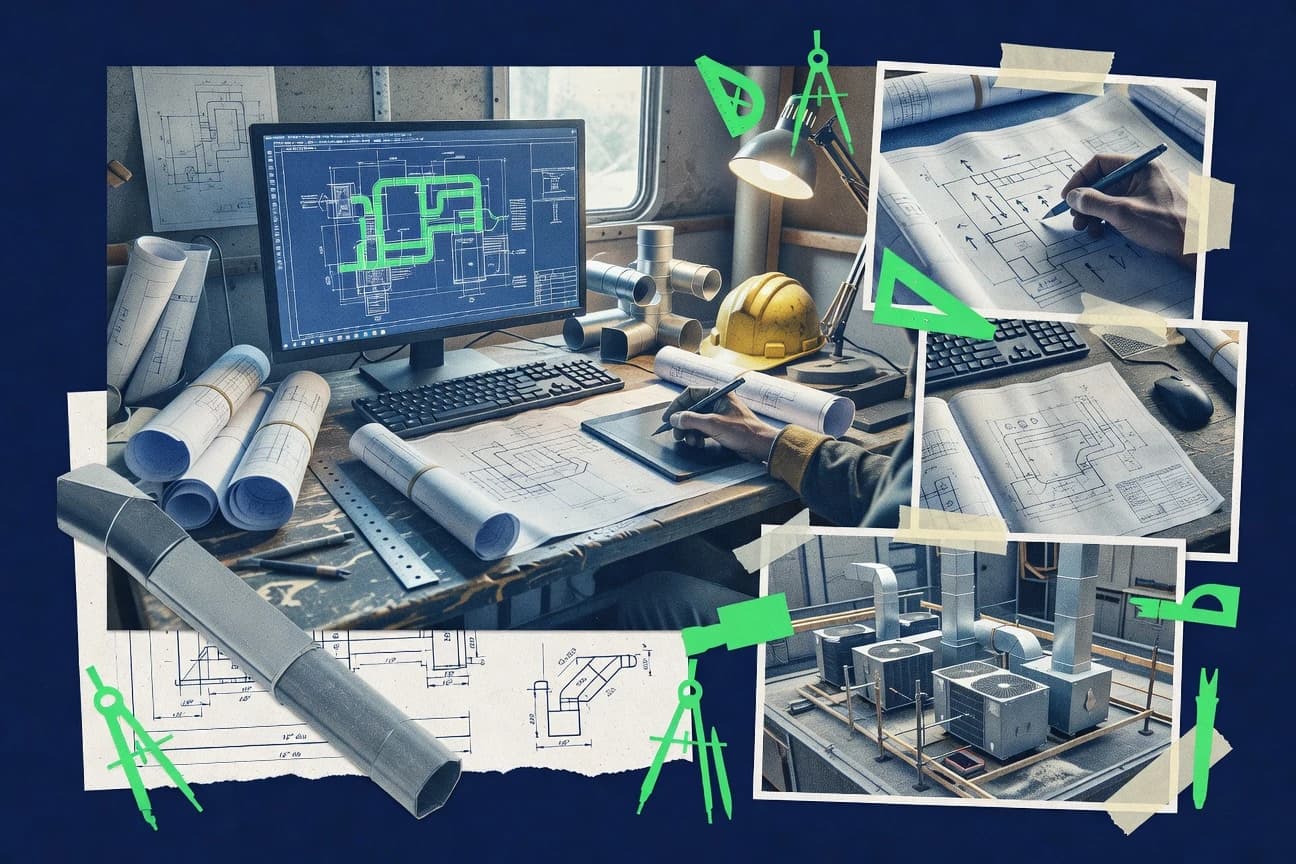
Construction InfrastructureTop 12 Best Hvac Drawing Software of 2026
Compare hvac drawing software options for HVAC design work, with a roundup of tools and practical tradeoffs for drafting teams.

How we ranked these tools
Gitnux editors write the brief first: the topic, the inclusion rules, and the frame for what belongs.
Agents extract product evidence with provenance, then collect written reviews and transcribe video reviews and podcasts.
Framework: Features 40% · Ease 30% · Value 30%
Gitnux may earn a commission through links on this page — this does not influence rankings. Editorial policy
AutoCAD MEP is the best choice for HVAC drawing teams needing disciplined 2D production with network intelligence because smart annotation for ducts and piping networks keeps tags updated from model data, while Revit MEP fits BIM-driven teams since its rule-based routing connections and systems-based model keep plans, sections, and quantities aligned.
Editor’s top 3 picks
Three quick recommendations before you dive into the full comparison below — each one leads on a different dimension.
AutoCAD MEP
Smart annotation for ducts and piping networks that updates tags from model data
Best for: HVAC drawing teams needing disciplined 2D production with network-based intelligence
Revit MEP
Editor pickMEP system routing with rule-based connections for duct, pipe, and fittings
Best for: BIM-driven HVAC teams producing coordinated plans, sections, and schedules
BricsCAD MEP
Editor pickMEP object parametric editing for ducts and piping within a DWG CAD workflow
Best for: DWG-centric HVAC drafters needing fast, parametric MEP drawing production
Comparison Table
AutoCAD MEP
CAD with MEPAutoCAD MEP provides HVAC-specific drafting workflows for creating and documenting mechanical and electrical systems in a CAD environment.
Smart annotation for ducts and piping networks that updates tags from model data
AutoCAD MEP stands out by adding HVAC-specific workflow tools on top of a core AutoCAD drafting engine, which helps maintain familiar 2D drawing habits. It supports duct, pipe, and cable networks with sizing and routing functions that align HVAC plan production with engineering intent.
Smart annotation tools help automate tag placement and views from model data. The result is a strong fit for Hvac Drawing Software tasks that require repeatable drafting with discipline across multi-discipline sets.
- +HVAC-focused network modeling for ducts and piping within an AutoCAD workflow
- +Automated tagging and annotation driven by model objects and properties
- +Drafting and coordination tools support consistent layer and detail standards
- –Advanced configuration can feel heavy for small HVAC teams
- –Model-to-sheet coordination requires disciplined setup of views and properties
- –Learning curve remains tied to AutoCAD command patterns and conventions
Best for: HVAC drawing teams needing disciplined 2D production with network-based intelligence
Revit MEP
BIM MEPRevit supports HVAC system design using Revit MEP tools for modeling ductwork and piping, generating schedules, and producing construction drawings.
MEP system routing with rule-based connections for duct, pipe, and fittings
Revit MEP stands out for building HVAC drawings directly from a 3D model with connected engineering elements. It supports routing, duct and pipe placement, and discipline coordination workflows that keep drawings, schedules, and quantities in sync.
Drawing production benefits from drafting tools that reuse model views for plans, sections, and elevations. The software’s strength shows in systems-based modeling and documentation rather than standalone 2D HVAC drafting.
- +Systems-based HVAC modeling keeps diagrams, plans, and quantities aligned
- +Duct and pipe routing tools accelerate layout with automatic connections
- +Schedules generate material takeoffs directly from model parameters
- +View templates and model-based documentation speed consistent plan output
- –Learning curve is steep for Revit families, parameters, and system setup
- –Complex projects can slow down and require careful model management
- –2D-only drafting flexibility is weaker than dedicated HVAC diagram tools
Best for: BIM-driven HVAC teams producing coordinated plans, sections, and schedules
BricsCAD MEP
MEP CADBricsCAD MEP adds HVAC and piping design capabilities for creating system drawings and producing documentation from CAD models.
MEP object parametric editing for ducts and piping within a DWG CAD workflow
BricsCAD MEP extends BricsCAD into an HVAC drawing workflow with MEP-specific tools for ducts, piping, and equipment layout. It builds on DWG-based CAD drafting and adds parametric objects, dedicated toolsets, and utilities that support typical HVAC plan production tasks.
Users get a familiar CAD interface with command-line control and customization, while MEP functionality depends on the availability and completeness of its MEP libraries and content. The result is strong for DWG-centric HVAC drafting where speed and interoperability matter more than fully automated estimating workflows.
- +MEP-focused toolsets for ducts, piping, and HVAC layout on DWG workflows
- +DWG-native foundation supports broad interoperability with common CAD exchanges
- +Command-driven drafting and customization speed for repetitive drawing standards
- +Parametric behavior helps maintain geometry changes across related HVAC elements
- –Full HVAC automation is limited compared with dedicated BIM-centric MEP suites
- –Quality depends on installed MEP libraries and available component content
- –Learning curve exists for MEP object workflows beyond standard CAD commands
- –Advanced clash coordination and model intelligence require additional platforms
HVAC drafters on DWG workflows
Produce duct and pipe layout plans
Faster plan production
MEP designers creating parametric parts
Reconfigure equipment placement with properties
Reduced manual redraws
Show 2 more scenarios
Consulting firms coordinating MEP models
Maintain interoperability with external DWG data
Fewer model coordination issues
Builds on DWG-based CAD drafting to align with exchanged plan files across teams.
CAD managers standardizing production templates
Standardize symbols, layers, and tools
More consistent deliverables
Customization and utility workflows help enforce consistent HVAC drafting conventions.
Best for: DWG-centric HVAC drafters needing fast, parametric MEP drawing production
DraftSight
2D CADDraftSight provides 2D drafting and annotation tools that can be used to create HVAC drawings using industry-standard CAD drafting workflows.
2D DWG editing with blocks, layers, and dimensioning for construction-ready HVAC sheets
DraftSight stands out with a mature, DWG-focused 2D drafting workflow suited to HVAC plan sets. It delivers core CAD tools for HVAC drawing tasks like layers, blocks, and dimensioning, plus robust PDF and raster export for submittals.
- +Strong DWG compatibility supports HVAC drawings and consultant exchanges
- +Layer, block, and dimension tools support repeatable plan set production
- +Fast 2D editing for duct and piping detailing workflows
- +Clean PDF and image export supports plan review deliverables
- –No HVAC-specific rule checking or duct sizing automation for engineering accuracy
- –Annotation and title-block workflows can feel manual for large plan sets
- –Collaboration features are limited compared with plan-centric document systems
Best for: 2D HVAC teams producing DWG deliverables and repeatable detail sets
SketchUp Pro
3D modelingSketchUp Pro enables HVAC visualization and model-based planning using 3D modeling tools and plugin-based mechanical workflows.
Push-pull 3D modeling for quick duct, riser, and equipment massing
SketchUp Pro stands out for fast 3D modeling with an expansive ecosystem of HVAC-oriented plugins and geometry tools. It supports plan-based drafting, annotation, and 3D object libraries that help teams communicate ducting, equipment placement, and spatial constraints.
- +Rapid 3D HVAC layout with intuitive push-pull modeling
- +Large plugin library for routing tools, fixtures, and export workflows
- +Strong visualization for coordination meetings and design iterations
- –Limited HVAC-specific drafting automation for code-based detailing
- –Sheet production needs extra workflows for consistent drawing outputs
- –Complex systems can become harder to manage at scale
Best for: Design teams producing HVAC visualization and coordination drawings
Autodesk Revit
enterpriseBIM software for coordinated architectural, structural, and MEP building design.
Schedules generated from HVAC parameters stay linked to modeled components, so duct and equipment documentation updates as layouts change.
Autodesk Revit ties HVAC design to a building information modeling data model so ductwork, piping, and equipment live as coordinated objects across 3D and documentation views. Revit MEP supports HVAC system design workflows, including placing mechanical components, generating schedules, and driving construction drawings from model geometry.
- +Model-driven ductwork and piping produce documentation directly from geometry
- +HVAC equipment and components feed schedules for faster construction documentation updates
- +Extensibility via Revit API supports automation for HVAC-specific content and drafting
- +Cross-trade coordination improves MEP coordination when using shared models and discipline views
- –HVAC drawing workflows often require heavy template and family setup to stay consistent
- –High model complexity can slow view generation and documentation sheet performance
- –Automation via API demands engineering effort to maintain add-ins across releases
- –Some 2D drafting tasks still feel less direct than CAD-first HVAC tools
Best for: Fits when BIM-based HVAC teams need schedules and construction documents that stay synced to coordinated 3D layouts.
CADMATIC
rule-based BIM-like CADCADMATIC provides rule-based 3D modeling and drafting for HVAC ductwork and piping to produce installation drawings.
Parametric HVAC element logic that enforces connection and configuration rules during drafting
CADMATIC focuses on HVAC-centric drafting by combining CAD drawing tools with parametric rules for mechanical and piping elements. It supports creating and editing CAD-based drawings while enforcing design logic for ductwork, piping, and related schedules. The workflow is strongest when projects reuse standardized components and naming conventions across plans, isometrics, and documentation sets.
- +Parametric HVAC objects reduce manual redrawing across plan changes
- +Rule-based component placement improves consistency for ductwork and piping drawings
- +Supports drawing-to-document workflows for HVAC layouts and tagging
- –Initial setup of parametric rules takes time for new teams
- –Complex HVAC detailing can feel slower than pure CAD for quick edits
- –Learning curve is higher than general-purpose CAD drafting
Best for: Teams needing HVAC rule-driven drafting for consistent ductwork and piping outputs
PROCAD
vertical specialistAutoCAD-integrated piping and electrical design software used for HVAC mechanical systems.
Rule-driven layout-to-document workflows that generate consistent drawings and documentation from HVAC routing logic.
PROCAD is a CAD-focused HVAC drafting tool that bridges 2D mechanical work with plant-style documentation workflows. It emphasizes parametric ductwork and piping layout generation plus rule-based drawing production for construction documents.
- +Rule-based drawing generation keeps document sets consistent through design changes
- +HVAC duct and piping layout workflows reduce manual drafting for repetitive runs
- +Standard CAD outputs support DWG exchange in mixed design environments
- +Plant-oriented symbol and annotation workflows fit construction document production
- –Complex projects require careful template and standards setup for clean results
- –Automation breadth depends on configuration of routing and drafting rules
- –Interoperability with BIM-centric workflows can be thinner than full BIM authoring tools
- –Higher-effort learning curve than general-purpose 2D drafting systems
Best for: Fits when HVAC teams need repeatable duct and piping drawing production with construction-document discipline.
Elite RHVAC
vertical specialistHVAC load calculation and equipment selection software for residential and light-commercial projects.
Diagram-first rules that regenerate drawing documentation and schedules from design inputs with consistent document formatting.
Elite RHVAC turns HVAC and hydronic design inputs into production-ready drawings and equipment schedules inside its rule-driven drafting workflow. It focuses on diagram-centric outputs that support piping layout documentation and job set consistency without manual redraw cycles.
- +Rule-driven drawing generation reduces repetitive duct and piping drafting work
- +Equipment schedule outputs stay aligned with modeled design data
- +Diagram-first workflow supports fast edits to HVAC layouts
- +Export-friendly drawing outputs fit common construction document handoff
- –Less flexible than general CAD for unusual drawing standards
- –Multi-project coordination depends on disciplined configuration management
- –Advanced clash-aware coordination requires external BIM or coordination tools
- –Routing automation depth may lag CAD-first and BIM-first ecosystems
Best for: Fits when teams need consistent HVAC and hydronic drawing sets with schedule alignment and limited manual redrafting.
Trace 3D Plus
vertical specialistBuilding load and energy analysis software with 3D drafting capabilities.
Trace 3D Plus ties HVAC calculations to modeled geometry so drawing outputs stay aligned with the system configuration.
Trace 3D Plus is an HVAC drawing and design documentation workflow that turns thermal and hydronic sizing inputs into coordinated 3D model geometry and construction-ready outputs. The software focuses on ductwork and piping layout production, equipment representation, and drawing sheets that can reflect those modeled systems.
- +3D system modeling feeds repeatable construction drawing outputs
- +Hydronic and duct layout workflows reduce manual redraw across views
- +Model-to-sheet documentation supports consistent component callouts
- +Exportable deliverables help coordinate with downstream CAD work
- –Heavier HVAC-specific workflow can feel restrictive for mixed CAD edits
- –Large model changes can slow iteration when multiple drawing sheets update
Best for: Fits when HVAC design teams need model-driven ductwork and piping drawings aligned to calculated system decisions.
SmartPlant 3D
enterprise CADSmartPlant 3D models HVAC-relevant systems and generates design documentation for projects that require plant-grade modeling discipline.
Model-based drawing production with automated updates from SmartPlant 3D engineering data
SmartPlant 3D stands out for its 3D engineering foundation that links piping, equipment, and HVAC-related models to enforce design consistency across the project lifecycle. It supports HVAC drafting from a model-driven workflow, with discipline-specific views, isometric outputs, and drawing production tied to the underlying plant design data.
- +Model-driven HVAC drawings keep tags and linework synchronized with 3D design
- +Powerful view and annotation automation for consistent engineering documentation
- +Robust configuration and revision control for plant-wide drawing management
- –HVAC drafting setup requires strong standards and model governance
- –Tool complexity can slow adoption for teams focused on 2D-only workflows
- –Workflow depends on upstream modeling quality and structured data inputs
Best for: Large engineering teams needing controlled HVAC drawing output from 3D plant models
CYPE MEP
enterpriseMechanical, electrical, and plumbing design software with HVAC duct and pipe sizing modules.
CYPE MEP links HVAC design inputs to automatically generated documentation sets so changes propagate through schedules and drawings.
CYPE MEP is built for rule-driven mechanical and electrical drafting tied to engineering calculations, so it turns design inputs into documentation workflows.
- +Rule-driven HVAC and MEP documentation generation from engineering inputs
- +Schedules and drawing outputs stay consistent with project conventions
- +Interoperability exports support CAD and coordination tool handoff
- +Hydronic and air-side workflows reduce repetitive manual updates
- –Workflow depends on disciplined parameter setup for consistent outputs
- –2D annotation flexibility can lag dedicated CAD-first drawing tools
- –Advanced custom detailing may require templates and add-on modules
- –Large multi-model projects need careful export and naming control
Best for: Fits when engineering-led HVAC teams want calculation-driven drawings with consistent sheets.
Conclusion
After evaluating 12 hvac drawing software, AutoCAD MEP stands out as our overall top pick — it scored highest across our combined criteria of features, ease of use, and value, which is why it sits at #1 in the rankings above.
Use the comparison table and detailed reviews above to validate the fit against your own requirements before committing to a tool.
How to Choose the Right Hvac Drawing Software
Teams producing HVAC drawing deliverables use very different production mechanisms across AutoCAD MEP, Autodesk Revit, and SmartPlant 3D. Other workflows center on rule-driven generation in CADMATIC and PROCAD, or on calculation-aligned drawing outputs in Trace 3D Plus and CYPE MEP. This buyer’s guide focuses on how each hvac drawing software package handles automation, document consistency, and the mechanics of getting ductwork and piping plans out as construction documents. Each tool card in this guide highlights how the integration depth and model-to-sheet behavior affect real drawing throughput across recurring project standards.
The outcome for an HVAC drafting team usually hinges on whether the software treats duct and piping as editable CAD geometry or as connected objects with tagging, schedules, and documentation behavior. AutoCAD MEP emphasizes network-linked annotation in a DWG workflow, while Autodesk Revit and Revit MEP push synchronization through model-linked schedules and systems routing. Where rule logic drives layouts into standardized sheets, CADMATIC and Elite RHVAC focus on regenerating drawing documentation and schedules from design inputs. Where controlled engineering models feed documentation updates, SmartPlant 3D and Trace 3D Plus align drawing outputs with 3D engineering decisions and system configuration.
HVAC Drawing Software for model-linked plans, schedules, and construction document sets
HVAC drawing software is a drafting and documentation system used to produce ductwork layout, piping layout, and equipment schedules as coordinated construction documents rather than isolated drawings. The category typically supports 2D CAD outputs for plan sets and also includes model-driven workflows where changes in system routing propagate to tags and documentation. AutoCAD MEP focuses on network-based intelligence for ducts and piping inside an AutoCAD workflow, with smart annotation updating tags from model data.
Autodesk Revit and Revit MEP generate schedules from HVAC parameters linked to modeled components so documentation stays synchronized as layouts change. Other tools such as CYPE MEP and Trace 3D Plus connect design inputs or system calculations to automatically generated documentation sets so sheet content follows engineered decisions.
HVAC drawing automation and document consistency features that matter
HVAC drafting teams lose time when ductwork and piping drawings behave like isolated CAD sketches instead of connected objects that carry tags, schedules, and document rules through revisions. Tools like AutoCAD MEP and Autodesk Revit focus on keeping annotation and schedules linked to modeled or network-based components so changes propagate to construction sheets.
This guide emphasizes how each hvac drawing software package handles model-to-sheet behavior, because the fastest deliverables come from automation that regenerates documentation sets rather than manual redraw. Rule-driven drafting in CADMATIC and PROCAD, calculation-linked outputs in Trace 3D Plus and CYPE MEP, and controlled drawing production in SmartPlant 3D each reduce rework in different ways.
Model-linked tagging and automatic documentation updates
AutoCAD MEP updates duct and piping tags from network-linked model objects, so sheet labels stay synchronized during plan changes. SmartPlant 3D and Trace 3D Plus keep drawing outputs aligned with model or system configuration so tags and linework update when the underlying engineering model changes.
Schedules generated from HVAC parameters that stay linked
Autodesk Revit generates schedules from HVAC parameters that remain linked to modeled components, so ductwork and equipment documentation updates as layouts change. Autodesk Revit and Revit MEP use modeled information so schedules and construction document views remain consistent with routing decisions.
Rule-driven drawing regeneration that enforces document discipline
CADMATIC uses parametric HVAC element logic to enforce connection and configuration rules while drafting so ductwork and piping drawings remain consistent across edits. PROCAD and Elite RHVAC generate drawing documentation from design inputs with consistent formatting so schedules and sheet content align to project standards.
Calculation-driven or input-driven outputs that propagate changes
CYPE MEP links HVAC design inputs to automatically generated documentation sets so schedules and drawings update together when inputs change. Trace 3D Plus ties HVAC calculations to modeled geometry so drawing outputs stay aligned with calculated system decisions.
DWG-native production with parametric MEP objects
BricsCAD MEP provides parametric editing for ducts and piping on a DWG workflow, which supports HVAC drawing exchanges in environments built around DWG. DraftSight supports 2D DWG plan set production with blocks, layers, and dimensioning for repeatable HVAC sheets, but it does not include HVAC-specific automation like duct sizing or rule checking.
Network or systems routing mechanics that reduce manual alignment work
Revit MEP focuses on systems-based routing with rule-based connections for duct, pipe, and fittings, which accelerates plan layout with automatic connections. AutoCAD MEP and Revit MEP both center around connecting duct and piping as objects, which reduces the effort needed to keep geometry and associated documentation coherent.
Choose Hvac Drawing Software by automation depth and how changes flow into sheets
Start by matching how revisions should propagate across a plan set. If the workflow depends on network-linked intelligence and smart annotation inside DWG, AutoCAD MEP fits that model because tagging updates follow duct and piping network objects.
If the workflow depends on BIM-linked schedules and systems routing, Autodesk Revit or Revit MEP supports model-driven documentation where parameters feed schedules and views. If standardization matters more than general editing freedom, CADMATIC, Elite RHVAC, and PROCAD generate drawings from rule logic so teams spend less time reformatting sheet content after each design change.
Map the workflow to connected objects or CAD geometry
Choose AutoCAD MEP or BricsCAD MEP when ducts and piping should be treated as network or parametric MEP objects in a DWG workflow. Choose Autodesk Revit or Revit MEP when the team needs ductwork and piping tied to a BIM model so schedules and views stay synced to parameter changes.
Decide whether automation should regenerate documentation from rules
Choose CADMATIC, Elite RHVAC, or PROCAD when consistent duct and piping documentation is enforced by rule-driven generation from design inputs and routing logic. Choose CYPE MEP or Trace 3D Plus when consistency should flow from HVAC calculations or engineering inputs that drive what documentation gets produced.
Check how the tool handles tagging, schedule linkage, and update propagation
AutoCAD MEP updates tags from model data and keeps annotation aligned to the connected network objects during revisions. Autodesk Revit generates linked schedules from HVAC parameters and keeps equipment and duct documentation current as modeled layouts change.
Match the drawing output standardization needs to setup effort
Select SmartPlant 3D for controlled large-team drawing output when governed engineering data must drive automated updates to tags and linework. Avoid choosing rule-driven generators if template and configuration governance would be too heavy for the team, since CADMATIC, Elite RHVAC, and PROCAD depend on disciplined standards to generate clean results.
Validate whether the team needs CAD-first 2D production
Choose DraftSight when construction-ready HVAC sheets require strong DWG editing with blocks, layers, and dimensioning and when no HVAC-specific rule checking is required. Choose AutoCAD MEP instead when the team needs DWG-based production plus HVAC-aware network intelligence for tagging and documentation behavior.
Confirm integration expectations for mixed tooling and exports
Use DWG-centric tools like BricsCAD MEP and AutoCAD MEP when DWG exchange and consultant collaboration are central to day-to-day work. Use model-driven tools like Autodesk Revit, SmartPlant 3D, and Trace 3D Plus when consistent model-to-sheet propagation is the core requirement across multiple documentation views.
Who should use specific Hvac Drawing Software behaviors
Different teams optimize for different failure modes, such as broken tags during revisions or schedule drift between drawings and modeled systems. The tools listed here separate those problems by automation mechanism so the choice matches the documentation workflow rather than just drawing capability.
HVAC drafting teams producing disciplined 2D plan sets in a DWG workflow
AutoCAD MEP and BricsCAD MEP support connected ductwork and piping objects so tagging and network behavior can drive consistent drawing output inside a DWG-based production process.
BIM-driven mechanical design teams that need synced schedules and coordinated views
Autodesk Revit and Revit MEP keep ductwork and equipment documentation tied to model parameters so construction-document schedules update with layout changes across plans and sections.
Engineering-led teams that want rule-enforced drawing documentation from inputs
CYPE MEP connects design inputs to automatically generated documentation sets so schedules and drawings remain consistent across project conventions. CADMATIC, Elite RHVAC, and PROCAD generate drawing documentation from rule logic so sheet content follows standardized rules.
Large plant or enterprise teams with controlled engineering models
SmartPlant 3D produces model-driven drawing outputs that update tags and linework from SmartPlant 3D engineering data so drawing packages stay coherent across many deliverables.
Teams using calculation-driven decisions as the source of truth for drawings
Trace 3D Plus aligns drawing outputs with calculated system decisions tied to modeled geometry so ductwork and piping drawings reflect the system configuration behind the design.
Common Hvac Drawing Software pitfalls in automation and standards setup
HVAC drawing tools fail in predictable ways when teams underestimate the setup required for rule logic, linked parameters, or governance of model content. Other failures come from mismatched expectations about what the software can automate versus what it still requires manual sheet production work.
Choosing a model-linked tool without investing in templates, families, and parameter consistency
Autodesk Revit and Revit MEP depend on disciplined template and family setup so schedules and views remain consistent, while complex model workflows can slow view generation if standards are not enforced.
Assuming rule-driven drafting works without configuration governance
CADMATIC, Elite RHVAC, and PROCAD generate consistent drawings only when rule and template configuration reflects project standards, and complex HVAC detailing can slow iterative edits without clear drafting rules.
Treating HVAC calculations as a separate deliverable instead of a driver for documentation
CYPE MEP and Trace 3D Plus connect inputs and calculations to drawing outputs so updates propagate to schedules and sheets, but workflows that keep calculations disconnected increase manual rework.
Overestimating CAD-only sheet tools for engineering accuracy automation
DraftSight supports DWG-compatible 2D editing with layers, blocks, and dimensions, but it does not provide HVAC-specific rule checking or duct sizing automation, which can force manual accuracy steps.
Using a controlled enterprise model workflow without planned governance
SmartPlant 3D requires strong standards and model governance to keep drawing outputs synchronized, and adoption can slow for teams focused strictly on 2D edits.
How analysts built this HVAC Drawing Software list
Analysts gathered product information from the original publication that lists tools for hvac drawing software and copied the evidence figures beside the passages that describe each capability. Analysts then compared those cited figures with official product documentation and the product changelog, and they used an independent review only when the cited source referenced it directly. Analysts kept the cited figure when it matched the documentation behavior and they focused on what each tool actually does for model-linked updates, rule-driven drawing regeneration, and documentation output consistency.
Frequently Asked Questions About Hvac Drawing Software
How do HVAC drawing tools handle DWG and 2D construction-document workflows?
When does a 3D BIM approach change HVAC drawing output compared with CAD-only tools?
Which tools support rule-driven, calculation-informed ductwork and piping documentation?
How does schedule and equipment-document generation stay consistent across drawing revisions?
What breaks when an HVAC drafting workflow depends on strict standards and component naming conventions?
How do automation and annotation workflows differ between duct and piping networks?
Which HVAC drawing tools support extensibility through plugins, APIs, or external automation?
How do security and admin controls differ between desktop CAD-based HVAC drawing tools and model-governed environments?
When teams need to migrate existing HVAC drawings and model content, what migration risks show up first?
Where does integration and interoperability matter most for HVAC drawings and coordination sets?
Tools reviewed
Primary sources checked during evaluation.
Referenced in the comparison table and product reviews above.
- Construction InfrastructureTop 10 Best Hvac Service Software of 2026
- Construction InfrastructureTop 10 Best Electrical Cad Drawing Software of 2026
- Construction InfrastructureTop 10 Best Hvac Work Order Software of 2026
- Construction InfrastructureTop 10 Best Hvac Appointment Scheduling Software of 2026
- Construction InfrastructureTop 10 Best Hvac Preventative Maintenance Software of 2026
Keep exploring
Comparing two specific tools?
Software Alternatives
See head-to-head software comparisons with feature breakdowns, pricing, and our recommendation for each use case.
Explore software alternatives→In this category
Construction Infrastructure alternatives
See side-by-side comparisons of construction infrastructure tools and pick the right one for your stack.
Compare construction infrastructure tools→