GITNUXSOFTWARE ADVICE
Art DesignTop 10 Best Helmet Design Software of 2026
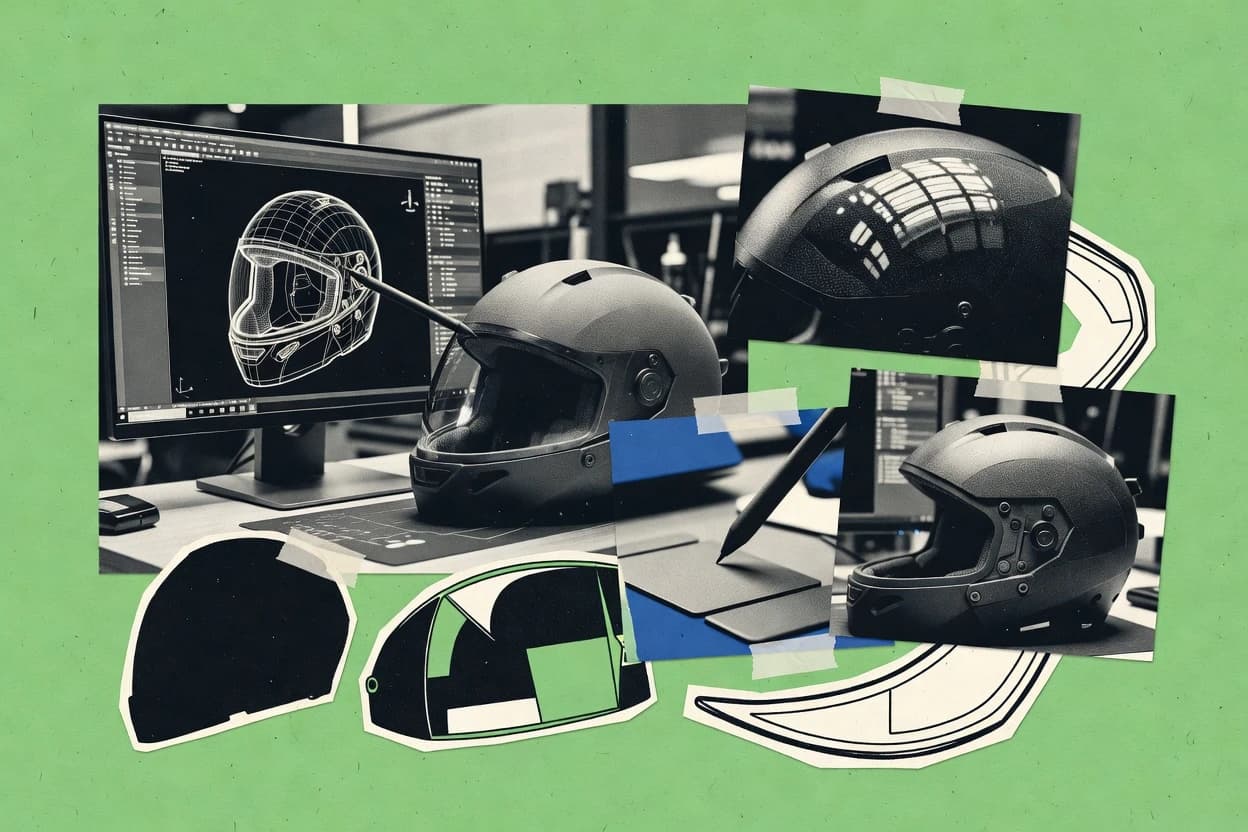
Top helmet design software roundup compares Autodesk Fusion, Onshape, and Blender for modeling workflows, letting readers weigh feature tradeoffs.

How we ranked these tools
Gitnux editors write the brief first: the topic, the inclusion rules, and the frame for what belongs.
Agents extract product evidence with provenance, then collect written reviews and transcribe video reviews and podcasts.
Framework: Features 40% · Ease 30% · Value 30%
Gitnux may earn a commission through links on this page — this does not influence rankings. Editorial policy
Autodesk Fusion is the best choice for CAD-first helmet iterations that need repeatable exports, because its timeline-based parametric workflow keeps shell and fit-system constraints consistent across revisions, while ZBrush suits teams that want high-detail surface sculpting fast thanks to displacement-centric detail retention.
Editor’s top 3 picks
Three quick recommendations before you dive into the full comparison below — each one leads on a different dimension.
Autodesk Fusion
Timeline-based parametric editing that keeps shell and fit-system constraints consistent across revisions.
Best for: Fits when CAD-first helmet iterations need parametric control plus repeatable exports.
Onshape
Editor pickReal-time collaborative editing inside parametric CAD documents with revision-aware shared history.
Best for: Fits when distributed teams need parametric helmet CAD with controlled variants and dependable export handoffs.
Blender
Editor pickPython-driven batch modeling that regenerates visor aperture and other openings across variant dimensions, then exports meshes for each run.
Best for: Fits when teams iterate shell and visor geometry fast with scripted variant generation before analysis export.
Comparison Table
Autodesk Fusion
SMBCloud-connected 3D CAD software for helmet modeling, surfacing, simulation, and manufacturing preparation.
Timeline-based parametric editing that keeps shell and fit-system constraints consistent across revisions.
Autodesk Fusion supports parametric modeling for shell and feature layout, plus surface modeling for controlled curvature and transition zones. Export workflows cover common helmet CAD handoff formats like STEP and STL, and the timeline-based edit history helps maintain shell thickness and fit-system changes across iterations. Automation and integration depend on Fusion’s scripting and API surface, with automation patterns that usually target model generation and parameter sweeps rather than full end-to-end helmet QA.
A practical tradeoff is that simulation depth for airflow and impact depends on what the user adds to the pipeline, since core CAD does not replace specialized analysis tools. Fusion fits teams that need fast iteration on CAD geometry and documentation handoff, while routing deeper physics validation to companion tools. A typical situation is redesigning ventilation-channel geometry after a fit-system constraint change, then exporting revised solids for CAM.
- +Parametric timeline helps maintain helmet shell and fit-system relationships
- +Mixed solid and surface modeling supports complex curvature transitions
- +STEP and STL export support common CAD and additive handoff
- +API and scripting enable parameter-driven part generation workflows
- –Advanced impact and airflow simulation often requires separate tools and add-ins
- –Large assemblies with many design iterations can slow down geometry edits
Helmet product designers
Iterate shell thickness and vents
Fewer redo cycles across revisions
Tooling and CAD engineers
Generate production-ready CAD from parameters
Repeatable variant generation
Show 1 more scenario
CAM and manufacturing teams
Handoff geometry for fabrication
Cleaner manufacturing handoffs
Export solid and surface results for downstream CAM and additive workflows with stable topology edits.
Best for: Fits when CAD-first helmet iterations need parametric control plus repeatable exports.
Onshape
SMBBrowser-based CAD platform for collaborative helmet parts, assemblies, and design revisions.
Real-time collaborative editing inside parametric CAD documents with revision-aware shared history.
Onshape’s core helmet workflow uses parametric feature trees inside documents that multiple stakeholders can edit, which reduces version drift during fit-system and retention-system iteration. Configuration via variables and suppressed features supports variant helmets such as different shell thickness or ventilation-channel layouts without rebuilding the model from scratch. A practical tradeoff is that teams relying on heavy custom add-ons may find the scripting and automation surface less extensive than desktop CAD ecosystems, even with accessible APIs and integrations.
For a helmet program that needs rapid geometry iteration plus manufacturing-ready exports, Onshape works well when shell and liner changes must stay consistent across assemblies and revision cycles. A common usage situation is collaborative concept-to-prototyping, where visor aperture geometry and face-shield integration interfaces get reviewed in-context. Another situation is creating multiple configuration variants for anthropometric headforms with consistent mating interfaces to downstream subsystems like chin bars and brims.
- +Parametric feature history keeps shell and liner edits consistent across assemblies
- +Collaborative document editing supports in-context helmet interface reviews
- +STEP and STL export supports solid-to-manufacturing handoff and prototyping workflows
- +Variables and configurations help manage helmet variants without rebuilding models
- –Automation relies on APIs and integrations, not deep native scripting for every workflow
- –Advanced surface modeling workflows can require more manual feature control than dedicated surfacing tools
- –Real-time multi-user editing can slow down large helmet assemblies in complex assemblies
- –Some specialized analysis workflows need external tooling for simulation setup
Industrial design teams
Iterate shell and visor geometry collaboratively
Fewer rework cycles across revisions
Helmet engineering teams
Create variant fit-system geometries
Faster headform coverage
Show 2 more scenarios
Manufacturing engineers
Export CAD-ready models for tooling
Cleaner downstream geometry intake
Export STEP for CAM and STL for prototyping while keeping part geometry consistent.
Regulatory documentation teams
Maintain assembly definitions across iterations
More traceable design baselines
Document revision structure helps track geometry changes affecting shell and interface dimensions.
Best for: Fits when distributed teams need parametric helmet CAD with controlled variants and dependable export handoffs.
Blender
SMBFree 3D creation software for helmet concept modeling, rendering, animation, and visual presentation.
Python-driven batch modeling that regenerates visor aperture and other openings across variant dimensions, then exports meshes for each run.
Blender suits helmet designers who need polygon-first surface work plus automation through Python scripting. It supports surface remodeling workflows and parametric-ish iteration via modifiers, node-based materials, and scripted generation of shell and visor openings.
Designers can export helmet meshes as STL and also use CAD interchange paths like STEP to move geometry into downstream fit-system and analysis tools. For repeatable output, Blender’s add-on system and scene automation can generate multiple helmet variants from the same source geometry.
- +Strong modifier stack for iterative shell and opening edits
- +Python automation for variant generation and batch exports
- +Add-on ecosystem supports specialized modeling workflows
- +Broad mesh export formats for downstream CAD and manufacturing
- –STEP interchange can require cleanup to preserve topology
- –Parametric control is modifier and script based, not feature-history CAD
- –Helmet-specific analysis tooling is not native to Blender
- –Complex rigs and cloth-like simulation add setup overhead
Best for: Fits when teams iterate shell and visor geometry fast with scripted variant generation before analysis export.
Adobe Illustrator
SMBVector graphics software for helmet decals, colorways, wrap artwork, and branding layouts.
Artboards with export presets help generate consistent decal variants from one layered vector file.
Adobe Illustrator is a vector-first design tool that excels at helmet graphics, logos, and print-ready artwork with precise control of paths and typography. It supports scalable exports such as SVG and PDF that fit production handoffs for decals, wraps, and sign-making.
- +Vector path tooling produces sharp decal and wrap graphics
- +Multi-artboard layouts support consistent helmet-size variants
- +PDF and SVG exports preserve geometry for downstream production
- +Bridge with Adobe asset workflows reduces rework across teams
- –No solid modeling or mesh editing for helmet shell design
- –3D output depends on workarounds like Illustrator exports and separate CAD
- –Limited automation hooks compared with dedicated design pipelines
- –Complex scenes require careful layer and object organization
Best for: Fits when helmet teams need clean, print-ready vector graphics and decals as part of a larger 3D CAD workflow.
Shapr3D
SMBTablet-focused 3D CAD software for rapid helmet concept development and precise solid modeling.
History-aware sketch and feature edits let helmet visor aperture and retention geometry updates propagate without manual rework.
Shapr3D turns helmet design work into a solid modeling workflow that runs on touch-first interfaces and traditional CAD input. The core build loop centers on parametric geometry edits, history-aware sketches, and fast push-pull shaping for shell and visor openings.
- +Touch-first modeling speeds early helmet shell and visor aperture iterations
- +History-aware sketches reduce breakage when adjusting helmet fit-system geometry
- +STEP, STL, and IGES exports support CAD handoff and manufacturing prep
- +Shell thickness work is practical for iterative shell geometry refinement
- –Automation API and scripting hooks are not exposed for custom helmet pipelines
- –No native packaging for multi-step regulatory documentation workflows
- –Large assembly governance features like RBAC and audit logs are limited
- –Surface modeling depth for complex helmet curvature is thinner than niche tools
Best for: Fits when individual designers need fast 3D helmet CAD edits and reliable export for CAM and additive builds.
ZBrush
specialistDigital sculpting application for high-resolution organic and hard-surface models.
Multi-resolution sculpting with displacement-centric detail retention for preserving helmet surface fidelity during form changes.
ZBrush is a sculpting-first workflow tool for helmet shell and liner geometry work, with a strong focus on stylized and production-ready surface detailing. Its core capabilities center on high-density mesh sculpting, ZModeler tools for hard-surface blocking, and displacement workflows that keep form iterations fast.
- +High-density sculpting keeps helmet surface detail coherent across iterations
- +ZModeler and masking support controlled shell and visor aperture shaping
- +Polypaint and displacement pipelines help preserve surface identity for export
- +Batch-oriented workflows fit production sculpts with consistent brush behavior
- –No native parametric helmet CAD features for shell thickness or liner constraints
- –Hard-surface feature accuracy depends on manual sculpting and retopology
- –Simulation handoff for impact attenuation or airflow requires external tools
- –Tooling and manufacturing outputs like STEP or IGES are not its primary focus
Best for: Fits when teams need fast, high-detail helmet surface sculpting before CAD rebuild.
PTC Creo
enterpriseParametric and direct modeling software for advanced helmet engineering, simulation, and manufacturing design.
Creo’s parametric regeneration keeps derived helmet geometry linked to driving dimensions for repeatable variant updates.
Creo fits teams that need tight control over parametric helmet modeling changes across shell, ventilation channels, and visor apertures, while keeping downstream geometry updates associative. Surface and solid modeling tools help manage mixed curvature surfaces and trimmed openings, which is common in face-shield integration and brim geometry. Export pipelines for STEP and IGES support cross-tool handoffs for CAM and downstream inspection.
- +Parametric feature histories keep helmet variants associative across revisions
- +Mixed solid and surface modeling supports trimmed openings for visor apertures
- +STEP and IGES exports support manufacturing and third-party geometry review
- +Extensibility supports repeatable variant generation and controlled configuration
- –Large multi-variant assemblies can slow editing and rebuild cycles
- –Helmet-specific workflows still depend on disciplined modeling conventions
- –Advanced automation often needs scripting knowledge to scale reliably
- –Surface-heavy edits can require careful reference management
Best for: Fits when teams need controlled parametric helmet variants with CAD-ready exchange to analysis and manufacturing tools.
Rhino 3D
vertical specialistNURBS-based 3D modeling software for organic helmet shells, aerodynamic forms, and surface refinement.
Grasshopper parametric definitions let designers regenerate helmet shell and interface geometry from controlled inputs.
Rhino 3D is a surface and solid modeling tool used for creating helmet shell geometry, ventilation-channel studies, and fit-system volumes in a single CAD environment. It supports NURBS workflows, mesh-to-NURBS conversion, and precise exports like STL for additive manufacturing and STEP for downstream CAD.
- +NURBS surface modeling fits freeform helmet shell shaping workflows
- +Grasshopper enables repeatable parameter-driven helmet geometry generation
- +Mesh and NURBS workflows support scan-to-CAD cleanup and surface rebuilding
- +Direct STL and STEP export supports both additive and CAD handoff
- –Helmet-specific tools like fit-system generators require custom scripting work
- –Finite element and CFD setup is not native and typically depends on external tools
- –Complex history in heavy Grasshopper definitions can slow interactive edits
- –Governance and RBAC are not built into Rhino’s core modeling environment
Best for: Fits when teams need flexible 3D helmet CAD for shell, liner, and interfaces with export to manufacturing CAD or meshes.
SOLIDWORKS 3D CAD
enterpriseParametric mechanical CAD software for detailed helmet assemblies, parts, and production documentation.
SOLIDWORKS configurations drive controlled design variants for helmet shell, liner, and retention geometry under one parametric model.
SOLIDWORKS 3D CAD supports parametric helmet design workflows with strong sketch-driven and feature-based modeling for shell geometry and fit-system design. It provides surface and solid modeling tools for shaping complex helmet shells and integrating components like visor apertures and chin-bar design areas.
- +Parametric feature tree supports fast iteration on helmet shell and fit geometry
- +Solid and surface modeling tools handle complex shell transitions and apertures
- +Assembly workflows help manage liner geometry, visor aperture, and retention-system parts
- +Export workflows support downstream STL and STEP handoff for manufacturing
- –Surface modeling for thick helmet shells can demand careful cleanup
- –Automated helmet-specific constraint management for fit systems needs custom discipline
Best for: Fits when engineering teams need parametric helmet CAD iteration with assembly-based component integration and reliable export.
Spline
emergingBrowser-based 3D design tool for collaborative product modeling.
Real-time scene editing with material and lighting controls enables rapid helmet visual variants for review workflows.
Spline enables interactive 3D scene building and variant design for helmet concepting, with a focus on real-time editing in the browser. It supports mesh import, material and lighting iteration, and camera-ready exports for design review rather than manufacturing-grade helmet CAD outputs.
- +Browser-based 3D editing speeds helmet concept iteration across review cycles
- +Scene components and materials make consistent helmet visuals easy to maintain
- +Exported renders support rapid stakeholder approvals without CAD viewers
- +Variant-like scene edits help compare helmet shell and visor layouts
- –Not designed for parametric shell geometry or impact simulation workflows
- –Surface-first modeling can be a mismatch for precise shell thickness constraints
- –Limited evidence of CAD-grade interchange like STEP-first roundtrips
- –API automation and governance controls are not a core helmet CAD requirement
Best for: Fits when teams need fast helmet visual iteration, variant comparisons, and stakeholder-ready renders.
Conclusion
After evaluating 10 helmet design software, Autodesk Fusion stands out as our overall top pick — it scored highest across our combined criteria of features, ease of use, and value, which is why it sits at #1 in the rankings above.
Use the comparison table and detailed reviews above to validate the fit against your own requirements before committing to a tool.
How to Choose the Right Helmet Design Software
Helmet design software used for parametric helmet CAD, visor aperture geometry, and fit-system iteration typically centers on CAD feature histories, repeatable variant generation, and export-ready handoffs.
This buyer’s guide covers Onshape, PTC Creo, Autodesk Fusion, SOLIDWORKS 3D CAD, Rhino 3D, Blender, Adobe Illustrator, Shapr3D, Spline, and ZBrush, with workflow calls tied to controlled variants, scripted regeneration, and 3D visual review outputs.
Helmet Design Software for parametric shell, visor apertures, and export-ready assemblies
Helmet design software creates helmet shell geometry, fits liner and retention-system components, and maintains consistent interfaces such as visor apertures and chin-bar transitions through repeatable modeling workflows. For teams that need controlled variants across revisions, Onshape uses revision-aware shared history inside parametric CAD documents to keep shell and liner edits synchronized.
PTC Creo emphasizes parametric regeneration so derived helmet geometry stays linked to driving dimensions during variant updates, which supports CAD-ready exchange into analysis and manufacturing tools. Tools like Rhino 3D shift repeatability toward Grasshopper definitions for parameter-driven NURBS surface generation, while Blender uses Python batch modeling to regenerate openings and export meshes for each run. Spline and ZBrush focus more on fast visual iteration and high-detail sculpting, so they serve review and surface fidelity needs rather than strict parametric shell thickness constraints.
Helmet CAD requirements to compare across parametric, scripted, and visual workflows
Helmet design software needs to keep helmet shell edits consistent with visor apertures, liner geometry, and fit-system interfaces across iterations. The most decisive differences show up in how parameter changes propagate through the model and how repeatable exports stay tied to those changes.
Revision-aware variant control for helmet shell and fit-system consistency
Onshape keeps parametric feature history inside revision-aware collaborative CAD documents so shell and liner interface changes stay synchronized across variants. SOLIDWORKS 3D CAD uses configurations to drive controlled variants for helmet shell, liner, and retention geometry under one parametric model.
Parametric regeneration that stays associative to driving dimensions
PTC Creo’s parametric regeneration preserves links between driving dimensions and derived helmet geometry so variant updates remain repeatable. Autodesk Fusion relies on timeline-based parametric editing to keep shell and fit-system constraints aligned across revisions.
Scripted parameter-driven regeneration for openings, interface geometry, and batch exports
Rhino 3D uses Grasshopper parametric definitions to regenerate helmet shell and interface geometry from controlled inputs for repeatable NURBS surface generation. Blender adds Python-driven batch modeling that regenerates visor apertures across variant dimensions and exports meshes for each run.
Mixed solid and surface modeling coverage for trimmed apertures and curvature transitions
Creo supports mixed solid and surface modeling workflows for trimmed visor apertures, which helps when openings must cut into complex curvature. Fusion similarly combines solid and surface modeling to handle complex curvature transitions for shell and interface design.
3D review output workflows for visual comparison across helmet concepts
Spline focuses on real-time scene editing so teams can generate stakeholder-ready helmet visual variants quickly across review cycles. Spline’s material and lighting controls keep visual consistency for comparative presentations even when parametric shell constraints are not the focus.
Detail-preserving sculpt workflow before CAD rebuild
ZBrush provides multi-resolution sculpting with displacement-centric detail retention to preserve helmet surface fidelity while forms change. It supports hard-surface shaping for controlled shell and visor aperture shaping using ZModeler and masking, but it does not provide native parametric shell thickness constraints.
Pick a workflow model that matches how helmet geometry changes in the organization
The decision hinges on where control must live when the helmet changes. Parametric feature history supports constraint-safe updates, configuration-driven CAD supports variant management under one model, and scripted regeneration supports controlled regeneration at scale.
Choose revision-aware parametric collaboration when shell and fit-system edits must stay synchronized
Onshape fits when distributed teams must co-edit parametric helmet CAD inside revision-aware shared history so shell and liner edits remain consistent across variants. This is a better match than tools that focus on scene editing or sculpting when interface geometry like visor apertures and chin-bar transitions must remain mechanically consistent.
Choose configuration-driven parametric CAD when one master model must drive controlled helmet variants
SOLIDWORKS 3D CAD fits when configurations must coordinate helmet shell, liner, and retention geometry under one parametric feature tree. This approach reduces variant drift when engineering teams rely on assembly-based component integration for helmet interface parts.
Choose dimension-linked parametric regeneration for repeatable derived geometry updates
PTC Creo fits when derived helmet geometry must remain linked to driving dimensions so variant updates propagate deterministically through regeneration. Autodesk Fusion fits when timeline-based parametric editing must keep shell and fit-system constraints consistent across revisions even while curvature transitions evolve.
Choose Grasshopper or Python scripting when helmet geometry must regenerate from inputs at scale
Rhino 3D fits when parametric NURBS generation must be controlled through Grasshopper definitions for shell and interface geometry regeneration. Blender fits when batch regeneration must run through scripted parameter sweeps and export meshes for each run, especially for visor opening variants.
Choose a visual scene tool when stakeholder comparison speed matters more than parametric constraint enforcement
Spline fits when fast helmet visual variants are needed for review cycles and material or lighting consistency is part of the deliverable. This choice is most effective when the helmet shell concept needs visual confirmation before strict constraint-driven shell thickness or impact-related modeling work.
Choose sculpt-first workflows when high-detail surface exploration precedes CAD rebuild
ZBrush fits when high-density sculpting must preserve helmet surface detail during form changes before rebuilding in CAD. It is less suited when native parametric shell thickness controls or constraint-driven liner interface propagation are required inside the same modeling environment.
Who each helmet design workflow is built for
Helmet design teams differ in how they manage change. Some organizations treat the helmet as a parametric engineering artifact that must remain consistent across revisions, while others treat early work as visual iteration that later becomes controlled CAD.
Distributed engineering teams that run parametric helmet CAD with revision control
Onshape supports revision-aware collaborative editing so teams can keep helmet shell and liner interface edits synchronized across shared variant histories.
Mechanical design teams that maintain one master model with controlled helmet variants
SOLIDWORKS 3D CAD configurations drive design variants for shell, liner, and retention geometry inside a single parametric model, which reduces drift across option sets.
Teams that regenerate derived geometry from driving dimensions for repeatable updates
PTC Creo’s parametric regeneration keeps derived helmet geometry linked to driving dimensions, which supports controlled variant updates across revisions.
Teams that run parameter sweeps for visor apertures and opening variants with batch exports
Blender’s Python-driven batch modeling regenerates visor aperture openings across variant dimensions and exports meshes for each run, which suits automated sweep pipelines.
Creative or concept reviewers who need fast stakeholder-ready helmet renders
Spline provides browser-based real-time scene editing with consistent materials and lighting, which speeds up concept comparisons without strict parametric constraint enforcement.
Common failure modes when helmet design changes meet the wrong modeling paradigm
Helmet projects fail when the modeling tool cannot preserve the relationships that define the helmet. The failure shows up as variant drift, topology cleanup work, or manual rework of interface geometry like visor apertures and fit-system parts.
Treating sculpt or scene tools as a substitute for constraint-safe parametric helmet CAD
ZBrush preserves surface detail during sculpt changes but it does not provide native parametric shell thickness or liner constraints, so downstream engineering work needs a CAD rebuild. Spline accelerates visual variants but it is not designed for parametric shell geometry or impact simulation workflows.
Assuming batch regeneration exists without investing in the right automation surface
Onshape automation depends on APIs and integrations, so teams that need deep native scripting for every workflow must plan an automation layer. Blender supports Python batch modeling, but STEP interchange may require cleanup to preserve topology when exporting to manufacturing CAD.
Using surface workflows without planning cleanup when thick helmet shells and apertures must remain accurate
SOLIDWORKS 3D CAD can demand careful surface cleanup for thick helmet shells, which can break automated assumptions if the workflow expects watertight continuity. Rhino 3D supports NURBS helmet shell shaping, but fit-system generators and engineering simulations often require custom scripting and external tool steps.
Overloading a CAD model with too many multi-variant edits before performance is addressed
PTC Creo can slow editing and rebuild cycles in large multi-variant assemblies, so variant strategy must account for throughput. Fusion can also slow geometry edits when large assemblies carry many design iterations, so teams should segment variant work and keep iteration scope bounded.
How We Selected and Ranked These Tools
We evaluated Onshape, PTC Creo, Autodesk Fusion, SOLIDWORKS 3D CAD, Rhino 3D, Blender, Adobe Illustrator, Shapr3D, Spline, and ZBrush against practical helmet workflow needs. Features accounted for 40% of the score because parametric control, revision-aware behavior, and scripted regeneration matter for keeping shell and fit-system interfaces consistent.
Ease and value each accounted for 30% because helmet teams must iterate without excessive manual cleanup or setup friction. Onshape ranked highest because real-time collaborative editing inside revision-aware parametric documents keeps shared helmet variants consistent across team changes.
Frequently Asked Questions About Helmet Design Software
How does Onshape handle parametric helmet variants for shell and liner geometry changes across a shared team document?
Which tools support automation for repeatable helmet geometry generation through scripts or node graphs?
When teams need CAD exchange for downstream simulation and manufacturing, which export formats matter most across these tools?
What breaks if a helmet workflow depends on parametric regeneration, then a non-parametric tool is used for geometry edits?
How do Rhino 3D and Fusion differ when switching between surface modeling and solid modeling for helmet shell geometry?
Which tools are built for assembly-based component integration when designing visor aperture, chin-bar design, and retention interfaces?
How do admin controls and governance typically differ between browser collaboration and touch-first CAD file workflows?
Where do integrations and APIs most affect helmet design automation and data workflows in these tools?
How should teams handle scan-to-CAD or mesh inputs when moving from concept tools to CAD-grade helmet shell modeling?
Tools reviewed
Primary sources checked during evaluation.
Referenced in the comparison table and product reviews above.
Funding and competing interests
This study was co-funded by several of the vendors assessed in it. No single vendor funded it. Funders could propose the market studied.
They had no role in selecting vendors, setting or weighting criteria, analysing data or drawing conclusions, and they received the same factual-accuracy check as every other vendor assessed.
Market definition, inclusion rules and criteria weights were fixed by an editor before research began and did not change afterwards. Editorial process →
Keep exploring
Comparing two specific tools?
Software Alternatives
See head-to-head software comparisons with feature breakdowns, pricing, and our recommendation for each use case.
Explore software alternatives→In this category
Art Design alternatives
See side-by-side comparisons of art design tools and pick the right one for your stack.
Compare art design tools→