
GITNUXSOFTWARE ADVICE
Video Games And ConsolesTop 10 Best Gaming Keyboard Software of 2026
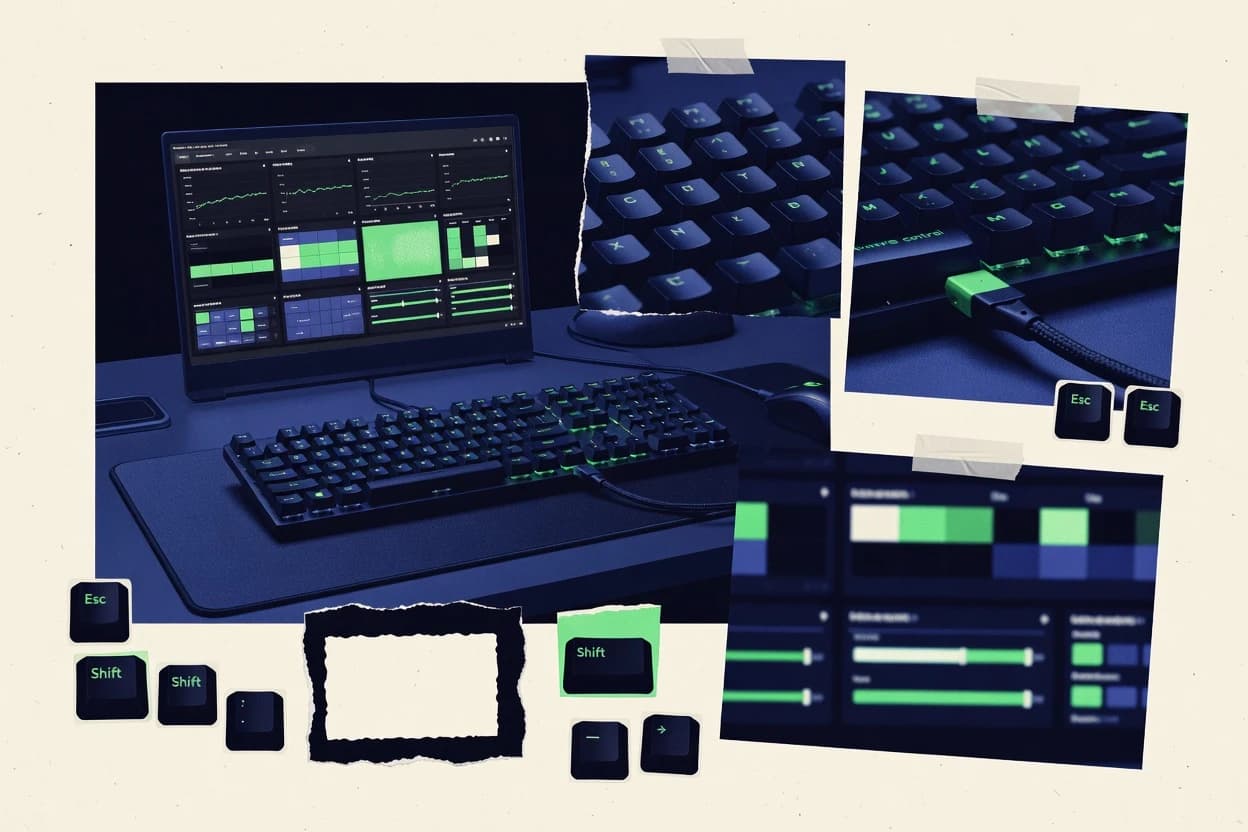
Ranking 10 gaming keyboard software tools with editor notes on setup, macros, RGB control, and profiles, including iCUE, SteelSeries GG, and Wootility.

How we ranked these tools
Core product claims cross-referenced against official documentation, changelogs, and independent technical reviews.
Analyzed video reviews and hundreds of written evaluations to capture real-world user experiences with each tool.
AI persona simulations modeled how different user types would experience each tool across common use cases and workflows.
Final rankings reviewed and approved by our editorial team with authority to override AI-generated scores based on domain expertise.
Score: Features 40% · Ease 30% · Value 30%
Gitnux may earn a commission through links on this page — this does not influence rankings. Editorial policy
Corsair iCUE is the best pick if you use a Corsair keyboard and want per-game profiles plus synchronized per-key lighting and macro playback, while SteelSeries GG fits when you’re all-in on SteelSeries gear and need quick per-game switching with less manual management.
Editor’s top 3 picks
Three quick recommendations before you dive into the full comparison below — each one leads on a different dimension.
Corsair iCUE
Onboard memory storage preserves keyboard keybinds and lighting scenes without keeping iCUE running.
Built for fits when Corsair keyboard users need per-game profiles and macro playback with synchronized per-key lighting..
SteelSeries GG
Editor pickGameSense-driven keyboard control connects lighting and key behavior to compatible games in real time.
Built for fits when a player standardizes on SteelSeries gear and wants per-game switching without manual management..
Wootility
Editor pickProfile auto-switching with app context so keybind and lighting layers switch without manual profile selection.
Built for fits when Wooting users need predictable per-game profiles and portable configuration backups across PCs..
Comparison Table
Corsair iCUE
vertical specialistCorsair iCUE configures Corsair keyboards, lighting, macros, remaps, profiles, and device integrations.
Onboard memory storage preserves keyboard keybinds and lighting scenes without keeping iCUE running.
Corsair iCUE provides keybind profiles and macro recording with playback tied to keyboard inputs, plus profile auto-switching behavior that can target running games. RGB control supports per-key zones and lighting layers, and it can persist settings through onboard memory for reduced dependence on the software. Device detection and firmware updates run through the same iCUE layer, so the keyboard settings and device state can be managed together. Macro execution is integrated with the same configuration system that controls key functions and lighting scenes.
A key tradeoff is that iCUE’s strongest automation and visual control applies to Corsair keyboards that are recognized by iCUE, so mixed-brand setups often require separate tooling. iCUE is a strong fit when per-game profiles and scripted macros must be consistent across sessions while keeping the visual stack aligned with the active keybind set. It is less efficient when governance-style deployment needs an API or enterprise-wide administration because iCUE’s automation surface is centered on the desktop app workflow.
- +Per-key RGB control tied to keyboard profiles
- +Macro recording and playback integrated with keybind configuration
- +Onboard memory support keeps key and lighting setups available offline
- +Profile auto-switching maps keyboard behavior to running games
- –Best integration depends on Corsair keyboards supported by iCUE
- –Automation is mostly desktop-driven rather than API-led
- –Large lighting stacks can require iterative tuning for stable results
- –Multi-device setups can feel slower during device detection
Competitive FPS players
Per-game profiles for consistent binds
Less manual profile switching
Streaming creators
Scene-aligned RGB for overlays
Cleaner visual control cues
Show 2 more scenarios
Power users
Complex macros with repeatable execution
More repeatable inputs
Macro recording and playback integrate with keybinds so scripts stay attached to profiles.
Travel-focused gamers
Offline use with onboard memory
Ready-to-play setup
Keyboard settings and scenes remain available when iCUE is not running.
Best for: Fits when Corsair keyboard users need per-game profiles and macro playback with synchronized per-key lighting.
SteelSeries GG
vertical specialistSteelSeries GG configures SteelSeries keyboards, profiles, macros, OLED displays, and Prism lighting.
GameSense-driven keyboard control connects lighting and key behavior to compatible games in real time.
SteelSeries GG covers the core workflows for keyboard remapping, macro recording, and keybind profiles, including per-game profile auto-switching for supported games. It provides RGB lighting control that can be applied at profile scope and per-key granularity depending on the keyboard model. The integration layer exposes in-game behaviors that let the keyboard act as a control surface for SteelSeries GameSense-compatible titles. Configuration export and import support helps when moving settings between systems or restoring after a reinstall.
A key tradeoff is that the richest functionality depends on keyboard model support and game support for the integration layer. Macro execution and lighting complexity can increase setup time when many per-game profiles and layered lighting effects are used. The fit is strongest for households or squads standardizing on SteelSeries hardware and wanting profile switching without manual profile selection each session.
- +GameSense integration links keyboard behavior to supported titles
- +Per-game profile auto-switching reduces manual profile changes
- +Per-key RGB control works inside profile-scoped lighting setups
- +Firmware updates and device detection are handled in the same app
- –Full feature depth varies by keyboard model and driver support
- –GameSense behavior adds complexity when many profiles are active
- –Macro and lighting edits can require repeated testing per game
Competitive FPS players
Rapid role swaps across matching titles
Fewer in-match mistakes
Streamers
Cue-based lighting synced to gameplay
Consistent on-stream cues
Show 2 more scenarios
Esports teams
Standardized layouts across teammates
Faster setup for new gear
Configuration import and profile management reduce time spent redoing keybinds.
Multi-game grinders
Library-wide profile switching
Less manual profile juggling
Profile auto-switching keeps keybinds and macros matched to the active game.
Best for: Fits when a player standardizes on SteelSeries gear and wants per-game switching without manual management.
Wootility
vertical specialistWootility configures Wooting keyboards with analog actuation, rapid trigger, key profiles, and remaps.
Profile auto-switching with app context so keybind and lighting layers switch without manual profile selection.
Wootility targets gaming keyboards from the Wooting ecosystem where keyboard features and timing are driven by Wooting firmware support and software mapping. Profile auto-switching lets users tie keyboard states to app context, so the correct keybind profile and lighting layer activates without manual switching. The configuration export and configuration import workflow supports backups and portability when moving to a new PC.
The main tradeoff is that behavior correctness depends on matching device detection and connected hardware state to the imported configuration. Wootility fits best when a user or a small group maintains the same keyboard setup across multiple sessions and needs predictable per-game behavior without rebuilding macros and remaps each time.
- +Profile auto-switching reduces manual keybind changes per game
- +Configuration export and import support backup and migration workflows
- +Macro recording is tied to profiles for repeatable execution
- +Per-key RGB lighting layers stay consistent across profile swaps
- –Imported configurations require compatible device detection to apply cleanly
- –Macro timing edge cases can appear when swapping profiles during gameplay
Competitive players
Switch profiles by launched game
Fewer mistakes during matches
Streaming creators
Swap production and gameplay layouts
Faster scene control
Show 1 more scenario
Small esports teams
Standardize keyboards across teammates
Less setup time variance
Configuration import helps teammates reproduce the same remaps, macros, and RGB layers.
Best for: Fits when Wooting users need predictable per-game profiles and portable configuration backups across PCs.
Razer Synapse
vertical specialistRazer Synapse manages Razer keyboard mappings, macros, lighting, profiles, and device settings.
Synapse integrates lighting layers with keyboard state so reactive animations and effect timing respond to active inputs.
Razer Synapse turns Razer keyboards into software-driven devices with deep per-key control and tight integration with other Razer hardware. Its macro engine supports recording and timed playback, and it organizes actions into software-based keybind profiles with per-game profile behavior.
The RGB system provides per-key lighting control plus layered effects that can track keyboard state and modifier use. Device detection and firmware update prompts are built into the same workflow used for remaps and profile edits.
- +Per-key RGB control with layered effects tied to in-game context
- +Macro recording and playback with timing controls for repeatable sequences
- +Onboard memory support for running profiles without constant software access
- +Fast device detection and guided firmware update prompts
- –Full feature access depends on supported Razer hardware models
- –Profile auto-switching can require careful naming and game detection settings
- –Large libraries of macros can become hard to manage across profiles
- –Frequent background services can increase system overhead during gameplay
Best for: Fits when Razer-only setups need per-key RGB, macros, and per-game profile behavior with low friction.
Turtle Beach Swarm II
vertical specialistTurtle Beach Swarm II configures compatible gaming keyboards, key assignments, macros, lighting, and profiles.
Game-targeted keybind and lighting profile auto-switching based on the active application.
Turtle Beach Swarm II coordinates Turtle Beach keyboard control from a companion app, with focus on profile handling and per-key lighting configuration. The software supports macro recording and playback along with keybind profiles that can be applied to the keyboard and switched when the active game changes.
Swarm II also manages RGB lighting settings using layered effects and reactive options that map to the keyboard’s firmware capabilities. Firmware update workflows and device detection for compatible keyboards are handled inside the same app.
- +Macro recording supports timed sequences for repeatable in-game actions
- +Per-key RGB settings are editable alongside keybind configuration
- +Game-targeted profile switching reduces manual profile changes
- +Firmware update checks run from the device page
- –Macro editing is slower than grid-first macro builders in the category
- –RGB effects depend on keyboard support and can limit advanced layering
- –Profile export and import for sharing workspaces is limited
- –Device detection can require a restart after driver changes
Best for: Fits when per-key lighting and macro playback matter more than deep cross-device automation.
ASUS Armoury Crate
vertical specialistASUS Armoury Crate manages compatible ROG and TUF keyboards, lighting, profiles, macros, and firmware.
Armoury Crate coordinates device firmware updates and recovery from the same keyboard management workspace.
ASUS Armoury Crate is a Windows keyboard management app built around ASUS device detection, per-key lighting control, and profile-based keybind and macro workflows. It supports software-based profiles with per-game profile switching behavior for compatible titles, plus onboard memory management for some supported hardware.
The app also coordinates firmware updates and device recovery actions through its device view, which helps keep peripherals current without separate utilities. Profile exports and imports support configuration backup and migration across PCs, which reduces friction during workstation changes.
- +Tight ASUS hardware pairing with reliable device detection in one app
- +Per-key RGB control with multiple lighting effects and layers
- +Per-game profiles and automated switching for supported game states
- +Configuration import and export for profile backups across PCs
- –Macro recording and playback are functional but less granular than niche macro editors
- –Onboard memory availability depends on specific keyboard models
- –USB HID and power-management timing can affect profile application order
- –Requires active configuration hygiene to avoid mismatched lighting and keybind profiles
Best for: Fits when ASUS keyboard owners want per-key RGB and per-game profile switching without extra tools.
HyperX NGENUITY
vertical specialistHyperX NGENUITY configures compatible HyperX keyboards, RGB lighting, macros, key assignments, and profiles.
Per-key RGB control is coupled to HyperX device firmware so lighting settings apply with profile changes.
HyperX NGENUITY pairs HyperX keyboard hardware with software-based keybind profiles, macro recording, and per-key lighting control. It includes profile switching tied to device use and supports firmware updates from inside the app.
The setup flow focuses on detecting the connected HyperX keyboard and pushing configuration changes to that device. It is also oriented around saved configurations that can be reused across sessions for consistent key behavior.
- +Device-focused profile switching keeps keybinds consistent between sessions
- +Macro recording supports detailed timing for repeatable in-game actions
- +Per-key lighting controls enable directional and per-key effect layouts
- +Firmware updates run through the same configuration app
- –Automation surface is limited compared with tools that offer deeper integration APIs
- –Macro management is less suited to large multi-game libraries
- –RGB effects are constrained to what the HyperX firmware exposes
- –Profile portability depends on exporting or reapplying configuration files
Best for: Fits when a HyperX keyboard setup needs reliable per-key RGB and macros without heavy tooling.
Glorious CORE
vertical specialistGlorious CORE configures supported Glorious keyboards with key remaps, macros, lighting, and profiles.
CORE’s profile import export plus device push workflow keeps keybind, macro, and lighting setups portable between systems.
Glorious CORE centralizes keybind profiles, macro recording, and keyboard-level configuration for Glorious hardware in a single software workflow. It is most distinct for treating profiles as software-based presets that can be edited quickly and then pushed to connected devices for execution.
The software also covers RGB lighting control and per-key color behavior via configuration panels, plus import and export paths for profile movement. Device detection and firmware-related actions live inside the same control surface so remapping, lighting, and updates are handled without switching tools.
- +Fast profile editing with immediate keybind and macro assignment changes
- +RGB configuration includes per-key lighting behavior within the main editor
- +Configuration import and export supports moving setups across machines
- +Firmware and device management actions are integrated into the same app flow
- –Macros and lighting changes are best managed through CORE rather than onboard
- –Feature depth can feel narrow outside Glorious keyboard models
- –Profile auto-switching is limited to software behavior instead of robust game detection
- –Advanced timing and input tuning options are less granular than specialized tooling
Best for: Fits when Glorious owners need software-based profiles with macros and RGB changes under one editor.
VIA
vertical specialistVIA configures compatible mechanical keyboards through browser-based keymaps, layers, macros, and lighting controls.
VIA’s web-based keymap editor coupled with per-device firmware integration lets compatible boards store settings without running a desktop suite.
VIA is open firmware-based keyboard software that edits keymaps through an in-browser interface for compatible USB HID keyboards. It supports per-key remapping, layered shortcuts via macros, and storing the configuration in onboard memory when the keyboard firmware enables it.
VIA also handles profile switching patterns through exported configurations that can be re-imported after firmware updates. Compared with gaming keyboard suites, VIA focuses on device-first keymap editing and minimizes game-specific integration logic.
- +In-browser editor for keymaps on supported keyboards
- +Per-key remapping without a heavyweight companion app
- +Onboard memory storage when firmware provides it
- +Configuration import and export for fast profile migration
- –Macro playback options are limited versus full gaming suites
- –Compatibility depends on the keyboard supporting VIA firmware
Best for: Fits when custom keymaps and portable configurations matter more than per-game automation.
QMK Configurator
vertical specialistQMK Configurator creates firmware keymaps for compatible programmable mechanical keyboards.
Direct generation of QMK firmware keymaps from UI configuration, then exporting the build for repeatable flashing.
QMK Configurator is a browser-based front end for building and flashing QMK firmware that turns keymap changes into shareable configuration artifacts. It covers keyboard layout editing, key function assignment, and macro setup that map directly into QMK-compatible firmware settings.
It also supports firmware build output and exportable configuration so teams can move changes between machines without rewriting logic. For gaming keyboards, the practical differentiator is tight alignment with QMK firmware behaviors rather than a generic remapping layer.
- +Keyboard behavior changes map to QMK firmware outputs instead of abstract profiles
- +Macro recording and playback setup stays consistent with QMK function definitions
- +Configuration export supports versioning and reuse across devices and setups
- +Works well for custom key layers and advanced key functions beyond simple binds
- –Onboard memory behavior depends on the target firmware configuration
- –RGB lighting control is limited when the keyboard build lacks a QMK lighting feature
- –Profile auto-switching workflows require firmware-side support, not just UI toggles
- –Firmware update and recovery steps can be disruptive for frequent iteration
Best for: Fits when custom QMK keymaps, layered behavior, and firmware-synced macros matter more than vendor software profiles.
Conclusion
After evaluating 10 video games and consoles, Corsair iCUE stands out as our overall top pick — it scored highest across our combined criteria of features, ease of use, and value, which is why it sits at #1 in the rankings above.
Use the comparison table and detailed reviews above to validate the fit against your own requirements before committing to a tool.
How to Choose the Right gaming keyboard software
This guide covers gaming keyboard software across Corsair iCUE, SteelSeries GG, and Wootility, plus Razer Synapse, Turtle Beach Swarm II, ASUS Armoury Crate, HyperX NGENUITY, Glorious CORE, VIA, and QMK Configurator. Each tool is assessed for how it handles per-key RGB lighting control, macro recording and playback, and keybind profile behavior like per-game profiles and profile auto-switching.
The buying focus is integration depth and automation surfaces, so the practical outcome is whether keyboard behavior changes come from desktop apps, in-game hooks, or firmware-side configuration. Corsair iCUE stands out for onboard memory storage that preserves keybinds and lighting scenes without keeping iCUE running.
Gaming keyboard software for per-key control, macros, and per-game profile switching
Gaming keyboard software is the editor and runtime layer that turns key remapping, macro recording and macro playback, and profile switching into repeatable behavior on a specific keyboard. Programs like SteelSeries GG tie keyboard control to GameSense so lighting and key behavior can change in real time based on supported titles.
Wootility emphasizes profile auto-switching driven by app context, and it also supports configuration export and import to move keybinds and lighting layers across PCs. Across the set, compatibility with the keyboard model and how the software applies changes to onboard memory or firmware determines whether profiles travel cleanly or require desktop supervision.
Gaming keyboard software capabilities that decide real in-game behavior
Per-key RGB control matters because lighting layers need to track the same keybinds and profile state used during play, not just follow a static pattern. Corsair iCUE and Razer Synapse tie per-key lighting to active keyboard behavior, which makes the visual output match what the keys are doing.
Macro recording and macro playback matter because timing must stay repeatable across profile switches and game launches. SteelSeries GG and Wootility use per-game switching, so macros land on the right keybind set without manual profile changes mid-session.
Onboard memory persistence versus desktop-only runtime
Corsair iCUE stores keybinds and lighting scenes in onboard memory so iCUE does not have to stay running. QMK Configurator outputs firmware settings and can align macro behavior to what the keyboard stores, but onboard RGB support depends on the target build.
In-game or app-context profile switching
SteelSeries GG uses GameSense to connect keyboard control to supported games and it auto-switches per-game profiles. Wootility switches profiles based on app context so keybind and lighting layers swap without manual selection.
Configuration portability with export and import workflows
Wootility supports configuration export and import so keybind and lighting layers can move across PCs with fewer manual rebuilds. Glorious CORE includes profile import export and a device push workflow so changes propagate through CORE.
Per-device integration depth and model-driven feature coverage
ASUS Armoury Crate coordinates firmware updates and recovery inside the same keyboard workspace, which supports keyboard management for supported ASUS models. Razer Synapse and HyperX NGENUITY deliver strong per-key control, but full feature depth depends on the specific Razer or HyperX hardware model.
Keyboard firmware keymap generation and flashing workflows
QMK Configurator generates firmware keymaps from a UI configuration so keyboard behavior comes from QMK outputs rather than software profiles. VIA provides a web-based keymap editor with per-device firmware integration so compatible boards store settings without a desktop suite.
Macro editing and timing granularity
Razer Synapse includes macro recording with timing controls that keep repeatable sequences aligned to layered effects tied to active input. Turtle Beach Swarm II supports timed macro sequences, but macro editing is slower than grid-first macro builders in this category.
Choose the software model that matches how profiles and macros must behave
The right gaming keyboard software is determined by how changes travel from the editor to actual key actuation and lighting output. Some tools keep state in onboard memory, while others rely on desktop apps or in-game hooks to maintain the correct behavior.
The next decision is whether profile switching is driven by game integration, app context, or manual profile management. SteelSeries GG and Razer Synapse emphasize game or in-game state, while Wootility emphasizes app-context switching and configuration portability.
Start with state ownership: onboard memory, desktop runtime, or firmware output
Pick Corsair iCUE if keyboard behavior must persist with onboard memory so keybinds and lighting scenes remain correct without keeping iCUE running. Pick QMK Configurator if firmware outputs must define layered behavior and macro setup so configuration is exported as a repeatable build for flashing.
Decide how profiles switch: game-aware hooks versus app-context matching
Pick SteelSeries GG if GameSense-driven keyboard control must connect lighting and key behavior to supported titles and auto-switch per-game profiles. Pick Wootility if profile switching must follow app context so keybind and lighting layers change as soon as the active application changes.
Plan configuration migration before building large macro libraries
Pick Wootility if the workflow must include configuration export and import so keybinds and lighting layers move cleanly across PCs. Pick Glorious CORE if the device push workflow inside CORE must handle portfolio-sized edits without redoing everything on each machine.
Match the tool to the keyboard vendor ecosystem you already own
Pick ASUS Armoury Crate if ASUS keyboard ownership requires a single management workspace for device detection plus firmware updates and recovery. Pick HyperX NGENUITY or Razer Synapse if per-key RGB control must come from device-focused firmware support and layered effects with timing tied to active input.
Check macro workflow speed and limitations before locking in a setup
Pick Turtle Beach Swarm II if per-key RGB editing and timed macro recording must sit together while relying on application-based auto-switching. Pick Razer Synapse if macros need timing controls for repeatable sequences aligned to reactive layered effects, then confirm hardware model coverage for the features used.
Validate that the keyboard firmware supports the feature path you need
Pick VIA if portable per-device keymaps matter more than full gaming suite macro playback, since macro playback options are limited compared with full suites. Pick QMK Configurator if the target keyboard build can provide the needed onboard RGB feature support, since RGB lighting control can be limited when the build lacks a QMK lighting feature.
Who should buy which gaming keyboard software model
Some buyers need profile state to stay correct when the desktop app is not running, while other buyers need real-time game hooks to keep lighting and key behavior synced to active play.
The best match also depends on whether the workflow is one machine or multiple PCs, because configuration export and import can determine whether macro and RGB work remains portable.
Corsair keyboard owners who want offline-correct behavior
Corsair iCUE keeps keybinds and lighting scenes in onboard memory so profiles remain accurate without iCUE running. That setup fits users who switch games often but do not want desktop software as a runtime dependency.
SteelSeries gear owners who want per-game switching without manual work
SteelSeries GG uses GameSense to drive keyboard behavior tied to supported titles and it auto-switches per-game profiles. This fits players who run many games and want consistent profile selection without managing profile lists.
Wooting users who need predictable per-game profiles plus migration
Wootility auto-switches profiles using app context and includes configuration export and import for backups across PCs. This fits households or setups where keyboards move between machines.
ASUS keyboard owners who need firmware management inside the same app
ASUS Armoury Crate coordinates firmware updates and recovery in one keyboard management workspace. This fits users who prefer fewer utilities and want device detection plus updates managed from the same tool.
Creators who build custom firmware keymaps and layered behavior
QMK Configurator generates QMK firmware keymaps from a UI configuration and exports builds for flashing. This fits users who want keyboard behavior defined by firmware output rather than a software profile layer.
Common ways gaming keyboard software setups fail mid-session
Most failures come from choosing a switching model that does not match how games launch, or from assuming configuration portability works across incompatible device detection paths. Another frequent issue is building macros and lighting on a tool whose deeper features depend on a specific keyboard model.
These pitfalls show up as incorrect profile selection, lighting that does not match the active keybinds, or macros that behave differently after importing configuration.
Building a profile workflow around desktop runtime and then closing the app
Corsair iCUE is designed for onboard persistence, while other tools may require the desktop app for the expected behavior. Align the selection with the keyboard model and the state path used by that tool, not with what worked for a different vendor.
Assuming profile auto-switching will always match the active game without configuration work
SteelSeries GG and Wootility both use integration logic for switching, but the real behavior depends on supported titles or application context matching. Test the switching path with the specific games and launchers used, then adjust detection rules if needed.
Importing exported configurations into a setup that cannot detect the device cleanly
Wootility warns that imported configurations require compatible device detection to apply cleanly. Run a detection test on each target PC before relying on imported macros during a session.
Expecting full macro depth from tools that prioritize keymap editing
VIA provides web-based keymap editing, but macro playback options are limited compared with full gaming suites. Use VIA for stored keymaps and remapping, then choose a suite with stronger macro playback for complex macro libraries.
Assuming RGB behavior is consistent after firmware-based changes
QMK Configurator ties behavior to QMK firmware outputs, and RGB lighting control can be limited when the keyboard build lacks a QMK lighting feature. Confirm that the target build includes the required RGB capabilities before moving all lighting work into firmware.
How We Selected and Ranked These Tools
We evaluated Corsair iCUE, SteelSeries GG, and the other named keyboard software tools by measuring features, setup ease, and value, then we confirmed how each tool applies changes to per-key RGB control, macro recording and macro playback, and profile behavior like auto-switching. Features accounted for 40% of the score, and setup ease and value each accounted for 30% of the score.
Corsair iCUE separated from the field by preserving keyboard keybinds and lighting scenes in onboard memory, which reduces reliance on keeping iCUE running while still supporting per-key RGB control tied to keyboard profiles. That offline-correct behavior combined with integrated macro recording and playback inside keybind configuration produced the highest overall rating among the set.
Frequently Asked Questions About gaming keyboard software
How does onboard memory change the macro and lighting workflow in iCUE versus Armoury Crate?
Which tool offers the most game-linked behavior for keyboard profiles without manual profile selection?
How does macro playback timing get handled differently across Razer Synapse and Wootility?
What breaks if exported configuration files cannot be imported cleanly after a firmware update in CORE or VIA?
Which software handles keyboard detection and firmware updates inside the same control surface as remapping?
How can administrators manage profile governance and auditability when multiple PCs are used with Wootility or Swarm II?
What integration approach does VIA use when a keyboard keymap needs to change without vendor game logic?
How does profile auto-switching differ between HyperX NGENUITY and Turtle Beach Swarm II?
Which tool is better for teams that must generate repeatable firmware-synced keymaps rather than store software profiles?
How do RGB lighting layers and reactive effects differ between Synapse and GG?
Tools reviewed
Primary sources checked during evaluation.
Referenced in the comparison table and product reviews above.
Keep exploring
Comparing two specific tools?
Software Alternatives
See head-to-head software comparisons with feature breakdowns, pricing, and our recommendation for each use case.
Explore software alternatives→In this category
Video Games And Consoles alternatives
See side-by-side comparisons of video games and consoles tools and pick the right one for your stack.
Compare video games and consoles tools→