GITNUXSOFTWARE ADVICE
Cybersecurity Information SecurityTop 10 Best Forensic Phone Software of 2026
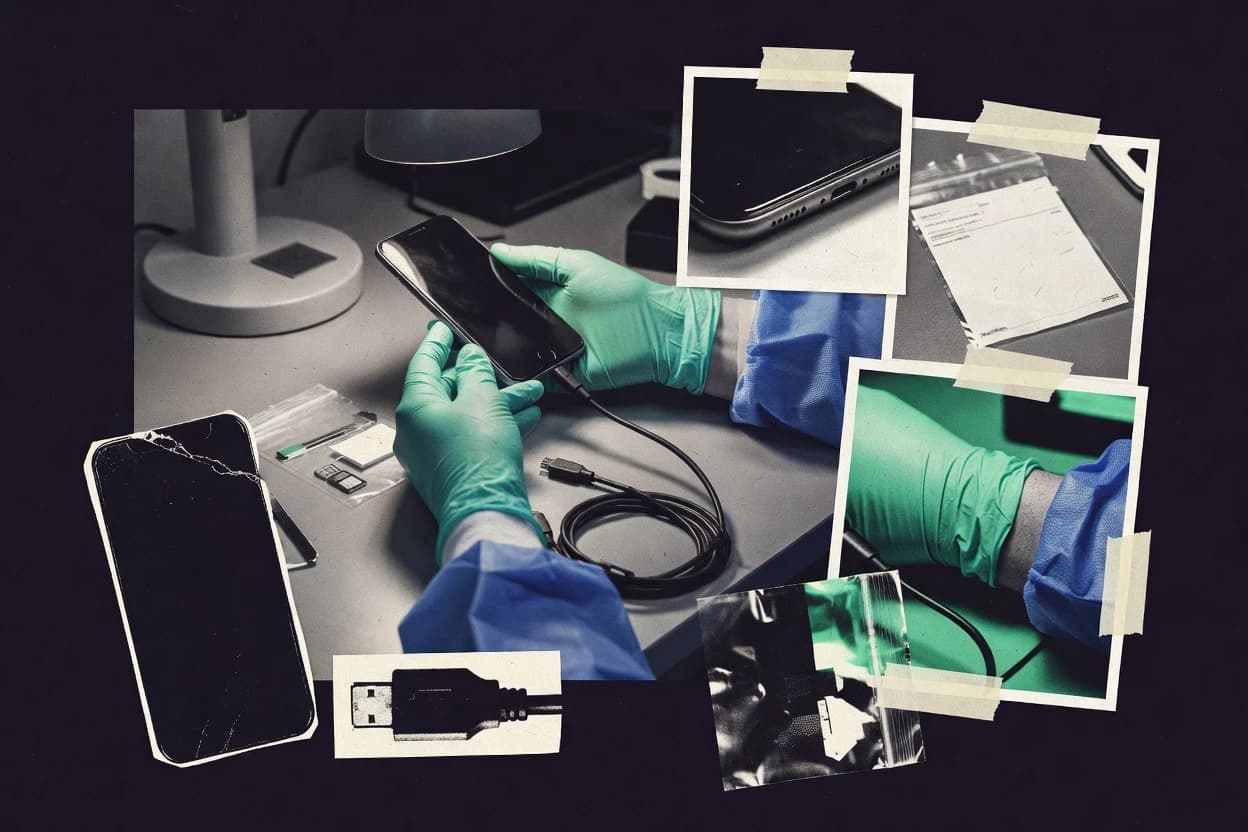
Top 10 forensic phone software ranked by extraction methods, target sources, and licensing details, with notes for investigators and IT teams.

How we ranked these tools
Vendors set the topic, but our editors set the inclusion criteria and the evaluation framework before research starts.
Search agents gather the source set and the review record, including transcriptions of video reviews and podcasts.
Framework: Features 40% · Ease 30% · Value 30%
Gitnux may earn a commission through links on this page — this does not influence rankings. Editorial policy
MOBILedit Forensic is the best fit when labs need repeatable phone acquisition and artifact review for iOS and Android investigations, whereas MSAB XRY works better for teams that standardize secure extraction and artifact parsing across mixed iOS and Android fleets.
Editor’s top 3 picks
Three quick recommendations before you dive into the full comparison below — each one leads on a different dimension.
MOBILedit Forensic
Guided extraction session workflow that keeps evidence browsing and export in one examiner flow.
Best for: Fits when labs need repeatable software acquisition and artifact review for iOS and Android investigations.
MSAB XRY
Editor pickXRY’s extraction workflow supports repeatable acquisition and device-specific parsing geared for lab evidence handling.
Best for: Fits when labs need consistent acquisition and artifact parsing across mixed Android and iOS fleets.
Belkasoft X
Editor pickEvidence-centric parsing workflow that turns extracted mobile artifacts into examiner-ready findings with templated reporting.
Best for: Fits when labs run high volumes of mobile and app artifact exams with repeatable reporting.
Comparison Table
MOBILedit Forensic
vertical specialistMobile device forensic software focused on phone extraction, app data analysis, reporting, and field use.
Guided extraction session workflow that keeps evidence browsing and export in one examiner flow.
MOBILedit Forensic organizes work around extraction sessions that produce browsable evidence sets for follow-on analysis and reporting. It can handle common artifact surfaces such as call history, contacts, SMS or iMessage-related data, photos, and application folders, and it can export findings into examiner-readable reports. The fit signal for labs is repeatable examiner workflows that reduce per-case manual handling and keep evidence navigation inside the same tool, rather than hopping between viewers.
A key tradeoff is that deeper exploit-based paths like chip-off or JTAG are not where MOBILedit Forensic is usually deployed, so the product is best treated as a software-driven acquisition and analysis layer. A good usage situation is a lab that needs fast turnaround for routine physical or logical evidence sets and wants consistent artifact viewing plus export for courtroom-ready documentation.
- +Guided extraction workflows reduce examiner handling during evidence capture
- +Artifact-focused browsing covers common mobile sources like media and messaging
- +Report exports support consistent findings packaging across cases
- +Session-based evidence navigation speeds review after acquisition
- –Limited fit for hardware-level recovery workflows like chip-off or JTAG
- –Advanced handling of heavily encrypted edge cases can require add-ons or process changes
- –Case scale governance features depend on how the lab structures work
- –Complex custom reporting can take manual adjustment
Digital forensics examiners
Rapid review after device acquisition
Shorter turnaround for case triage
Small forensic labs
Consistent reporting across cases
More consistent courtroom outputs
Show 1 more scenario
Investigators supporting multiple OS versions
iOS and Android artifact extraction
Lower tooling fragmentation
Teams run extraction sessions across mixed device populations and then consolidate review within the same interface.
Best for: Fits when labs need repeatable software acquisition and artifact review for iOS and Android investigations.
MSAB XRY
enterpriseMobile device examination tool for secure extraction of data from smartphones and tablets.
XRY’s extraction workflow supports repeatable acquisition and device-specific parsing geared for lab evidence handling.
MSAB XRY fits teams that handle mixed Android and iOS evidence and need acquisition consistency across device families. The workflow centers on device connection, evidence preparation, and extraction runs that can capture both user-level content and file-structure artifacts, then route results into examiners’ review views. For governance, XRY is typically run inside a lab process where examiners need repeatable steps and traceable case handling rather than ad-hoc analysis.
A tradeoff appears when investigations require custom automation beyond XRY’s standard interface flow and when labs want deeper integration into their existing case management stack. It fits best when the lab expects frequent physical or logical extraction work using established device models and wants predictable operator throughput. It can feel heavy when the investigation scope is narrow to one app or one device type and the lab relies on lightweight tooling.
- +Broad handset coverage reduces “unsupported model” investigation delays
- +Evidence-focused acquisition workflows support consistent examiner processing
- +Parsing targets app artifacts like chats and media-related traces
- +Case outputs streamline handoff from acquisition to examiner review
- –Automation and API depth can lag when labs need deep system integration
- –Operational overhead increases when device cases vary widely
Mobile forensics lab directors
Standardize device extractions across examiners
More consistent case processing
Digital evidence acquisition teams
Handle mixed Android and iOS evidence
Higher throughput per device
Show 1 more scenario
Investigators supporting court testimony
Turn extraction results into exam-ready outputs
Faster evidence presentation
Investigators use XRY outputs to organize parsed artifacts for review and reporting within lab workflows.
Best for: Fits when labs need consistent acquisition and artifact parsing across mixed Android and iOS fleets.
Belkasoft X
enterpriseComputer and mobile forensic software for extracting, parsing, and analyzing smartphone evidence.
Evidence-centric parsing workflow that turns extracted mobile artifacts into examiner-ready findings with templated reporting.
Belkasoft X is oriented around turning acquired artifacts into analyzable findings rather than stopping at file dumps. Mobile-focused parsing covers common SQLite sources and structured formats used in chat and app data reconstruction. Evidence-centric exports and report templating support examiner workflows where the lab needs consistent documentation across cases. Automation features help reduce manual clicking when exam steps repeat across device sets.
The main tradeoff is that deep handling of device-specific states depends on what artifact sources are available from the acquisition method used in the case. Labs that already have custom triage logic often need configuration work to match Belkasoft X outputs to internal case standards. Belkasoft X fits best when the lab expects repeated processing patterns and wants the same parsing and reporting behavior across many investigations.
- +Repeatable processing steps reduce manual workflow variation across cases
- +Artifact parsing supports structured outputs for examiner review
- +Report templating keeps case documentation consistent at scale
- +Extensibility supports integration into existing lab pipelines
- –Device-state coverage varies with acquisition method and available artifacts
- –Configuration effort rises when aligning outputs to internal standards
Digital forensics labs
Mobile app artifact reconstruction
Quicker case triage
Incident response teams
Repeatable exam processing
Lower examiner variance
Show 1 more scenario
E-discovery and investigations
Case report standardization
More consistent documentation
Applies report templating to keep outputs consistent for stakeholders across investigations.
Best for: Fits when labs run high volumes of mobile and app artifact exams with repeatable reporting.
Elcomsoft Mobile Forensic Toolkit
enterpriseToolkit for acquiring bit-precise copies of mobile devices and decrypting backups.
Keychain and keystore extraction workflows that feed decryption so backup evidence becomes usable.
Elcomsoft Mobile Forensic Toolkit is a mobile forensics suite built around acquisition and decryption workflows for iOS backups and Android artifacts. The tool’s strongest differentiation is its focus on password and key material handling, including keychain and keystore access paths that feed downstream reportable results.
- +Decryption-focused workflow for iOS keychain and Android keystore evidence
- +Backup-based ingestion supports extraction without relying on live device sessions
- +Artifact parsing produces examiner-ready outputs from extracted databases
- +Batchable evidence processing reduces manual per-device handling
- –Advanced workflows require careful handling of encryption inputs
- –Some handset acquisition paths are less consistent than media-focused competitors
Best for: Fits when investigations depend on iOS backup key material and Android keystore artifacts.
Autopsy
SMBOpen-source digital forensics platform for analyzing disk images and mobile device extractions.
Extensible ingest modules and parsers let teams tailor artifact extraction to specific acquisition formats.
Autopsy, built on the Sleuth Kit, ingests acquired images and drives a case-centric workflow for carving, parsing artifacts, and building timelines from disk and some mobile artifacts. It is distinct for its extensibility model, where analysts add detectors and parsers as modules and tailor ingest pipelines to lab needs.
- +Module framework lets labs add parsers for niche artifacts and formats
- +Timeline and artifact views support investigative sequencing across extracted data
- +Image-based workflow reduces tool dependence during later examiner reviews
- +Case management groups hosts, data sources, and outputs for repeatability
- –Mobile coverage depends on available parsers and artifact formats
- –Power-user tuning is needed to keep ingest pipelines consistent across cases
- –Advanced analytics require building or installing extra modules
- –Large corpora can increase analysis time without planned lab workflows
Best for: Fits when a lab needs extensible, image-centric forensic workflows and repeatable artifact reporting.
Berla iVe
enterpriseVehicle infotainment and mobile device forensic extraction tool.
Configurable workflow automation that turns extraction and reporting steps into lab-standard exam runs.
Berla iVe is used for forensic phone workflows that center on evidence organization, examiner-driven processing, and report output. It supports both physical and logical acquisition paths and then maps extracted artifacts into investigation views for search, triage, and case documentation.
- +Repeatable examiner workflows reduce variation across cases
- +Artifact-focused evidence views support fast triage during reviews
- +Automation hooks help labs standardize extraction and reporting steps
- +Investigation outputs are structured for consistent case documentation
- –Advanced automation requires configuration discipline in the lab
- –Some acquisition paths depend on external device support and tooling
- –Report customization can be time-consuming for unique case formats
- –High-throughput labs may hit operational bottlenecks during export
Best for: Fits when mid-size labs need controlled, repeatable phone examinations with automation and consistent case reporting.
ADF Mobile Device Investigator
vertical specialistMobile forensic tool for triage, logical collection, analysis, and field reporting from phones and tablets.
Workflow configuration that standardizes extraction-to-report steps across multiple device investigations.
ADF Mobile Device Investigator is a forensic phone software focused on end-to-end mobile acquisition workflows that connect physical extraction, logical extraction, and evidence reporting into one operator path. It supports examiner-driven parsing and artifact workflows across common mobile data sources, with emphasis on repeatable case processing rather than one-off analysis exports.
- +Configurable extraction and analysis workflow steps for repeatable case processing
- +Evidence-centric output packaging for examiner review and handoff
- +Automation hooks that reduce manual rework across repeated device types
- –Depth across encrypted backup parsing depends on supported input formats
- –Advanced automation needs configuration discipline to avoid inconsistent exports
- –Interface guidance is thinner than the most workflow-automation-focused tools
Best for: Fits when investigators need repeatable mobile artifact workflows with controlled automation and consistent evidence outputs.
DataPilot 10 Forensic
vertical specialistMobile forensic software and hardware platform for phone data acquisition, decoding, and reporting.
Case-centric examination workflow that keeps extraction, artifact review, and export steps aligned for lab standardization.
DataPilot 10 Forensic is a forensic phone software suite that targets end-to-end handling of mobile evidence from acquisition to examiner reporting. The tool’s distinct focus is evidence workflow structure, with case organization features that support repeatable examiner tasks across multiple devices.
- +Case workflow structure supports repeatable handling across many devices
- +Examiner-focused outputs reduce manual reorganization of extracted artifacts
- +Exports support downstream review and report-building workflows
- +Configurable task flow helps labs standardize examination steps
- –Automation and API surface are limited compared with suites built for developers
- –Some extraction paths can require manual intervention during edge cases
- –Advanced cracking and key handling workflows are not as deep as specialist tools
- –Large multi-device batches can feel slower under heavy concurrency
Best for: Fits when mid-size labs need structured mobile evidence workflows and consistent examiner outputs without building custom pipelines.
MD-LIVE
vertical specialistTargeted iOS and Android acquisition software built for live mobile device evidence collection.
Live remote collection guidance that keeps field workflows aligned with case documentation outputs.
MD-LIVE provides remote, examiner-led collection guidance for smart device investigations, combining live support with evidence-focused exam workflows. The service is built around structured device interaction sessions, with reporting outputs intended for case documentation rather than raw acquisition alone.
- +Remote guidance supports consistent handling of difficult phone states
- +Session structure reduces missed steps during guided logical collection
- +Case-facing reporting outputs support examiner documentation workflows
- +Fast onboarding for field teams needing immediate examiner support
- –Automation depth and API surface are limited compared with programmable lab stacks
- –Evidence quality depends on the calling examiner’s exact device workflow
- –Governance controls for RBAC and audit logs are not clearly lab-native
- –Throughput is constrained by synchronous session timing
Best for: Fits when teams need remote examiner guidance to run logical collections consistently across varied phone models.
Hancom G-Search
enterpriseMobile forensic software for data extraction and analysis from smartphones.
Indexed artifact search across case evidence sessions that links query results to report-ready artifacts.
Hancom G-Search supports forensic phone investigations by focusing on evidence-oriented search across extracted artifacts and exam sessions. The tool is distinct in how it organizes investigation work around indexed artifacts so examiners can move from query results to report-ready outputs.
- +Artifact-first searching that speeds navigation across large acquisition outputs
- +Case organization supports repeatable workflows across multiple devices
- +Report-oriented outputs reduce manual reformatting after investigations
- +Operator controls support lab roles for controlled evidence access
- –Limited visibility into acquisition depth when compared with full extraction suites
- –Integration options depend heavily on how evidence is provided as input
- –Index growth can increase storage and processing needs over time
- –Automation is weaker for fully scripted end-to-end processing
Best for: Fits when labs need fast artifact search and report-oriented outputs from already-extracted mobile evidence sets.
Conclusion
After evaluating 10 forensic phone software, MOBILedit Forensic stands out as our overall top pick — it scored highest across our combined criteria of features, ease of use, and value, which is why it sits at #1 in the rankings above.
Use the comparison table and detailed reviews above to validate the fit against your own requirements before committing to a tool.
How to Choose the Right Forensic Phone Software
Forensic phone software drives evidence extraction and artifact review workflows for iOS and Android investigations, from guided capture sessions to report-ready outputs. This guide covers MOBILedit Forensic, MSAB XRY, Belkasoft X, Elcomsoft Mobile Forensic Toolkit, Autopsy, Berla iVe, ADF Mobile Device Investigator, DataPilot 10 Forensic, MD-LIVE, and Hancom G-Search.
Each tool card in the list emphasizes a different execution style, like MOBILedit Forensic’s guided extraction flow or MSAB XRY’s device-specific parsing and repeatable acquisition. The decision focus stays on integration depth, automation and API surface, and admin governance controls where the software exposes those controls in practice.
Forensic Phone Software for extracting, parsing, and exporting phone evidence artifacts
Forensic phone software is the examiner-side tooling that performs logical or backup-focused ingestion, parses mobile artifacts into human and case outputs, and packages results for report generation. MOBILedit Forensic organizes that work around guided extraction so evidence browsing and export stay inside the same examiner flow.
Where teams need consistent lab-grade processing across device fleets, MSAB XRY emphasizes repeatable acquisition and device-specific parsing that turns extracted data into evidence handling steps. Where workflows need extensibility over formats and ingestion paths, Autopsy uses an extensible module and parser framework that supports tailoring artifact extraction to the available acquisition inputs.
What to verify in Forensic Phone Software workflows
Forensic phone software succeeds when the extraction path and the evidence presentation path stay aligned, so examiners can move from capture to artifact review without reassembling case logic. That fit shows up in how each tool organizes examiner flow, export packaging, and evidence browsing inside the same working session.
Guided capture that keeps browse and export in one examiner flow
MOBILedit Forensic is built around a guided extraction session workflow that keeps evidence browsing and export inside the same examiner flow. This approach reduces context switching during acquisition for common mobile sources such as media and messaging.
Repeatable device parsing across mixed iOS and Android fleets
MSAB XRY supports extraction workflows with device-specific parsing designed for repeatable lab evidence handling across Android and iOS fleets. Its broad handset coverage targets fewer unsupported-model delays when mixed device cases are common.
Evidence-centric parsing that turns artifacts into examiner-ready findings
Belkasoft X centers on evidence-centric parsing workflows that produce examiner-ready findings with templated reporting. This supports consistent outputs for high-volume mobile and app artifact exams where manual workflow variation is costly.
Decryption-focused extraction that makes backups usable
Elcomsoft Mobile Forensic Toolkit is designed around keychain and keystore extraction workflows that feed decryption so backup evidence becomes usable. This makes it a strong fit when iOS backup key material and Android keystore artifacts drive the investigation path.
Extensible ingest modules for format and artifact coverage control
Autopsy provides an extensible ingest module and parser framework that lets teams tailor extraction to available acquisition formats. It supports timeline and artifact views that help investigative sequencing across extracted data.
Configurable automation that standardizes extraction-to-report runs
Berla iVe turns extraction and reporting steps into lab-standard exam runs using configurable workflow automation. It targets mid-size labs that need repeatable examiner workflows and artifact-focused evidence views for triage.
Choose based on execution style and automation control depth
Forensic phone software choices split along workflow philosophy, because some tools prioritize guided examiner sessions while others prioritize configurable lab automation. The right choice depends on whether the lab needs repeatable capture-to-report runs for many cases or needs programmable parsing control across ingestion formats.
Pick guided capture when examiners need one continuous evidence path
Choose MOBILedit Forensic when the lab wants a guided extraction session workflow that keeps evidence browsing and export inside the same examiner flow. This model fits teams that run frequent iOS and Android evidence captures and want artifact-focused browsing during the same session.
Pick device-specific repeatable parsing when fleets vary by handset
Choose MSAB XRY when the lab needs consistent acquisition and device-specific parsing across mixed Android and iOS fleets. This path reduces operational overhead from unsupported-model issues, but it can require extra work when automation and API depth need deeper developer-style integration.
Pick evidence-centric templated reporting when volume depends on standardized outputs
Choose Belkasoft X when high-volume mobile and app artifact exams require repeatable processing steps and templated reporting. This workflow matches laboratories that align extracted artifacts to structured outputs but must monitor how device-state coverage varies with acquisition method.
Pick decryption pipeline tooling when backups supply the critical keys
Choose Elcomsoft Mobile Forensic Toolkit when investigations rely on iOS keychain and Android keystore evidence from backups. This decision fits teams that want a decryption-focused workflow, but the lab must handle encryption inputs carefully and expect less consistency in some handset acquisition paths compared with media-focused competitors.
Pick extensible ingest modules when labs need parser control over diverse formats
Choose Autopsy when the lab expects to add parsers for niche artifacts and formats rather than rely only on turnkey device support. This approach suits image-centric workflows that need timeline and artifact views, with the tradeoff that mobile coverage depends on what parsers and artifact formats are available.
Pick automation-first workflow tools when exam runs must be lab-standardized
Choose Berla iVe or ADF Mobile Device Investigator when the priority is configurable extraction-to-report standardization across controlled lab processes. Berla iVe supports repeatable examiner workflows but requires configuration discipline for advanced automation, while ADF Mobile Device Investigator keeps extraction and analysis workflow steps standardized but depends on supported input formats for encrypted backup parsing depth.
Who should buy which Forensic Phone Software execution model
Forensic phone software selection works best when buying decisions align to real lab roles and daily case flow. Evidence handling, artifact review, and report packaging often determine whether examiners need guided sessions or whether the lab director needs automation control across a processing pipeline.
Mobile-focused labs running repeatable iOS and Android acquisition with examiner walkthroughs
MOBILedit Forensic fits labs that want guided extraction so examiners can browse and export evidence in the same flow, which reduces handling variation during capture.
Labs with mixed Android and iOS device fleets that need consistent device parsing
MSAB XRY fits environments that require broad handset coverage and device-specific parsing to keep evidence processing consistent across diverse models.
Teams processing high volumes of mobile and app artifacts where templated outputs matter
Belkasoft X fits high-volume workflows that need evidence-centric parsing plus templated reporting so examiner findings remain repeatable across cases.
Investigations driven by iOS backup key material and Android keystore artifacts
Elcomsoft Mobile Forensic Toolkit fits backup-based evidence paths because its keychain and keystore extraction workflows feed decryption to make the evidence usable.
Labs that standardize exam runs through configurable automation and controlled reporting
Berla iVe and ADF Mobile Device Investigator fit labs that need extraction-to-report workflow configuration that reduces examiner-to-exam variation at scale.
Common buying mistakes that break Forensic Phone Software fit
Teams often buy based on feature checklists, but forensic phone software failure modes show up in workflow alignment, parser coverage, and how edge cases require configuration or additional process handling. The result is usually inconsistent examiner output or delayed case turnaround when device-state coverage or automation depth falls short.
Assuming a full forensic suite matches hardware-level recovery workflows
MOBILedit Forensic is oriented around guided extraction and artifact browsing rather than hardware-level recovery like chip-off or JTAG, so labs needing that workflow should not treat it as an all-in-one hardware recovery option.
Buying for integration depth without checking how the automation and API surface supports lab engineering
MSAB XRY can lag when labs need deep system integration because its automation and API depth may not match programmable developer-style stacks, so engineering teams should validate the expected control depth before committing.
Underestimating how device-state coverage changes what artifacts can become findings
Belkasoft X can vary in device-state coverage depending on acquisition method and available artifacts, so labs should map their real case input sources to expected outputs before standardizing on templated reporting.
Choosing backup decryption tooling while skipping operational handling requirements
Elcomsoft Mobile Forensic Toolkit requires careful handling of encryption inputs in advanced workflows, so labs should ensure trained staff and a repeatable process exist for passing key material into decryption steps.
Treating extensibility as automatic coverage across mobile artifacts
Autopsy extensibility depends on available parsers and artifact formats, so mobile coverage can narrow when acquisition formats differ from what existing ingest modules can parse.
How analysts verified Forensic Phone Software fit for mobile evidence workflows
Analysts assembled a shortlist by gathering published tool descriptions and then checking each claim that appears beside the tool’s stated workflow style. Analysts opened the original tool publications and copied each figure paired with the passage that describes it.
Analysts matched those figures against official documentation and changelogs and used independent review context when it was cited. MOBILedit Forensic remained a top-ranked fit when its guided extraction flow aligned tightly with evidence browsing and export behavior described in documentation rather than only in marketing language.
Frequently Asked Questions About Forensic Phone Software
How do Cellebrite UFED, Magnet AXIOM, and Oxygen options differ from the guided workflows in MSAB XRY?
Which tool best supports chained physical and logical extraction steps in a single operator flow?
How does evidence hashing and case continuity show up in reports across Belkasoft X and DataPilot 10 Forensic?
When teams need extensibility, how does Autopsy compare with Berla iVe?
Which tool supports decryption workflows that start from iOS backups and Android keystore artifacts?
How do labs migrate existing case exports and extracted data models into Hancom G-Search or Autopsy?
What tradeoff appears when using MOBILedit Forensic guided extraction sessions versus using MSAB XRY on large handset fleets?
Which tools fit labs that need remote examiner guidance during logical collections, and what breaks if session logging is weak?
How do admin controls and role separation typically differ between Berla iVe and tools that center on indexed search like Hancom G-Search?
Tools reviewed
Primary sources checked during evaluation.
Referenced in the comparison table and product reviews above.
Funding and competing interests
This study was co-funded by several of the vendors assessed in it. No single vendor funded it. Funders could propose the market studied.
They had no role in selecting vendors, setting or weighting criteria, analysing data or drawing conclusions, and they received the same factual-accuracy check as every other vendor assessed.
Market definition, inclusion rules and criteria weights were fixed by an editor before research began and did not change afterwards. Editorial process →
- Cybersecurity Information SecurityTop 10 Best Cell Phone Forensic Software of 2026
- Cybersecurity Information SecurityTop 10 Best Forensic Cell Phone Data Recovery Software of 2026
- Cybersecurity Information SecurityTop 10 Best Forensic Computing Software of 2026
- Cybersecurity Information SecurityTop 10 Best Computer Forensic Services of 2026
- Public Safety CrimeTop 10 Best Cell Phone Forensic Services of 2026
Keep exploring
Comparing two specific tools?
Software Alternatives
See head-to-head software comparisons with feature breakdowns, pricing, and our recommendation for each use case.
Explore software alternatives→In this category
Cybersecurity Information Security alternatives
See side-by-side comparisons of cybersecurity information security tools and pick the right one for your stack.
Compare cybersecurity information security tools→