GITNUXSOFTWARE ADVICE
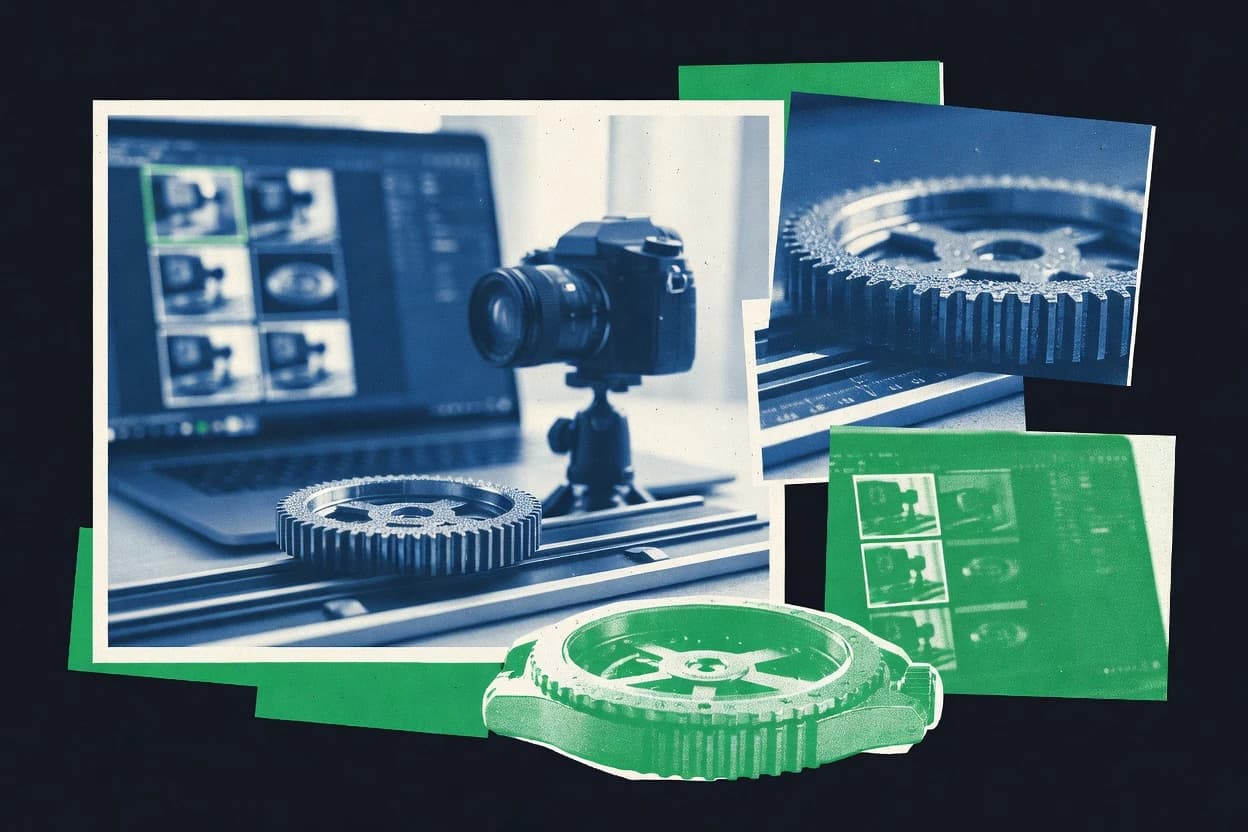
Technology Digital MediaTop 10 Best Focus Stack Software of 2026
Ranked roundup of focus stack software for sharp depth, covering Helicon Focus, Zerene Stacker, Affinity Photo, and more with tradeoffs.

How we ranked these tools
An editor sets the topic, the inclusion criteria, and the evaluation framework before research starts.
AI search agents find sources, extract figures with provenance, and aggregate written reviews. They also transcribe video reviews and podcasts.
Framework: Features 40% · Ease 30% · Value 30%
Gitnux may earn a commission through links on this page — this does not influence rankings. Editorial policy
Helicon Focus is the go-to if macro photographers want controlled, dependable focus-bracket merges with room for local retouching, whereas ON1 Photo RAW suits teams that prefer catalog management plus full editing around their bracketed captures.
Editor’s top 3 picks
Three quick recommendations before you dive into the full comparison below — each one leads on a different dimension.
Helicon Focus
Integrated 3D model generation and depth-map output extend Helicon Focus beyond final-image fusion.
Best for: Fits when macro photographers need controlled rendering methods, batch output, and local retouching.
ON1 Photo RAW
Editor pickIntegrated composite workflow sends the merged image directly into ON1 layers, masks, effects, and export controls.
Best for: Fits when macro photographers need catalog management and full image editing around bracketed captures.
Adobe Photoshop
Editor pickAuto-Blend Layers with Stack Images combines aligned layers while preserving masks for targeted corrections.
Best for: Fits when photographers need focus stacking plus extensive retouching, compositing, and scripted image workflows.
Comparison Table
Helicon Focus
vertical specialistHelicon Focus combines images with different focus distances into one image with extended depth of field.
Integrated 3D model generation and depth-map output extend Helicon Focus beyond final-image fusion.
Helicon Focus aligns source frames before combining sharp regions into a single image. Method A uses weighted averages, Method B emphasizes contrast transitions, and Method C applies a pyramidal approach for difficult detail. The retouching interface allows local corrections after rendering, while depth-map generation supports dimensional analysis and 3D output.
The application handles RAW, TIFF, JPEG, and DNG inputs and can export TIFF, JPEG, PSD, and DNG files. Batch processing suits repeated capture sets, but advanced results often require manual cleanup around translucent subjects, fine edges, and moving elements. Helicon Focus fits photographers who need repeatable control over macro stacks rather than a general-purpose editor.
- +Three rendering methods address different texture and contrast patterns
- +Integrated retouching brush repairs local stacking artifacts
- +Batch processing handles repeated image sequences
- +Generates depth maps and 3D models from stacked frames
- –Moving subjects can produce ghosting that requires manual correction
- –No full layer-based compositing workflow for broader photo editing
- –Complex scenes may require testing several rendering methods
- –Tethered capture depends on the separate Helicon Remote application
Macro photographers
High-magnification insect stacks
Greater usable depth
Product photographers
Catalog object focus stacks
Consistent catalog images
Show 2 more scenarios
Technical imaging teams
Dimensional specimen capture
Additional spatial data
Depth maps and 3D models provide additional spatial information from aligned photographic sequences.
Landscape photographers
Near-to-far focal sweeps
Sharper full-scene images
Manual retouching corrects localized fusion errors after combining foreground and distant frames.
Best for: Fits when macro photographers need controlled rendering methods, batch output, and local retouching.
ON1 Photo RAW
SMBON1 Photo RAW combines focus-bracketed frames alongside raw development and photo organization.
Integrated composite workflow sends the merged image directly into ON1 layers, masks, effects, and export controls.
Macro photographers can import a bracketed sequence, create a composite, and continue editing without moving the image into another application. ON1 Photo RAW combines catalog organization, RAW development, layers, masks, effects, and export in one desktop workflow. Windows and macOS support make it practical for photographers who manage large libraries alongside finished composites.
The tradeoff is narrower specialist control for complex stack errors than dedicated applications such as Helicon Focus or Zerene Stacker. ON1 Photo RAW fits a product photographer who needs to combine tabletop frames, correct tonal differences, and prepare the final image in the same editor. Stacking-only users may find the broader catalog and editing interface adds unnecessary navigation.
- +Catalog, RAW development, layers, masks, and export share one desktop workflow.
- +Composite images remain editable through ON1’s layer and mask tools.
- +Non-destructive adjustments support revisions after the merge.
- +Built-in effects and retouching reduce application switching.
- –Dedicated stackers offer finer controls for difficult alignment and artifact cleanup.
- –No native tethered capture controls for automated camera capture.
- –Large projects can require substantial memory during compositing.
- –Catalog breadth adds interface overhead for stacking-only work.
Macro photographers
Insect macro composites
Editable depth-rich macro images
Product studios
Catalog product photography
Consistent product imagery
Show 1 more scenario
Landscape photographers
Foreground-to-background detail
Finished landscape composites
Photographers can organize bracketed captures and finish tonal edits beside the composite.
Best for: Fits when macro photographers need catalog management and full image editing around bracketed captures.
Adobe Photoshop
enterpriseAdobe Photoshop uses Auto-Blend Layers to align and blend focus-bracketed photographs.
Auto-Blend Layers with Stack Images combines aligned layers while preserving masks for targeted corrections.
Auto-Blend Layers includes the Stack Images option for combining aligned layers while retaining individual layer access. Layer masks, Smart Objects, adjustment layers, and cloning tools support detailed corrections after fusion. Photoshop handles Camera Raw inputs alongside PSD, TIFF, PNG, and JPEG files.
Photoshop lacks specialized controls for moving-subject artifacts and lens magnification changes during a stack. Large frame sequences also create memory-heavy documents that require careful layer management. Macro photographers can use the workflow for controlled sequences that need substantial retouching after the composite.
- +Auto-Align Layers and Auto-Blend Layers automate core composite assembly.
- +Layer masks enable precise correction of edge transitions.
- +UXP scripts, actions, and batch processing support repeatable image pipelines.
- +Camera Raw and PSD preserve editing control across source and composite stages.
- –No dedicated focus-stack preview or specialized stack diagnostic controls.
- –Auto-Blend Layers offers fewer movement controls than specialist stackers.
- –Large layer stacks increase memory use and document complexity.
- –Advanced automation requires scripting or carefully configured actions.
Macro photographers
Detailed insect and specimen composites
Extended subject detail
Product retouchers
Tabletop product depth composites
Controlled product sharpness
Show 2 more scenarios
Creative production teams
Repeatable composite batches
Consistent batch output
Actions, UXP scripts, and batch processing apply consistent preparation and finishing steps across image sets.
Landscape photographers
Foreground-to-background sharpness
Expanded scene sharpness
Multiple exposure-distance frames can be aligned, blended, and retouched inside a single layered document.
Best for: Fits when photographers need focus stacking plus extensive retouching, compositing, and scripted image workflows.
Capture One
enterpriseRAW conversion and photo editing suite that includes a focus stacking toolset for tethered and studio workflows.
Tethered focus-bracketing workflow paired with RAW-to-export batch processing for consistent stacked color and tone.
Capture One is distinct in its tethered RAW workflow and camera-first color management, then it layers focus-stacking output for depth-of-field extension. It supports focus bracketing capture, image alignment, and exportable results for macro and product workflows that need consistent sharpness across a subject plane.
- +Strong RAW preprocessing and export consistency for stacked image sets
- +Tethered capture supports controlled focus-bracketing workflows
- +Batch processing reduces repetitive edits across focus steps
- +Good results when alignment inputs are clean and exposure is consistent
- –Focus stacking tools are not as specialized as dedicated stackers
- –Motion masking and ghosting removal are limited compared to niche focus-fusion software
- –Workflow depends on disciplined focus step spacing for reliable alignment
- –Fewer advanced artifact suppression options for hard edges and halos
Best for: Fits when studio workflows need tethered capture and consistent RAW color across stacked outputs.
Fiji
scientific imagingFiji is an ImageJ distribution that supports extended-depth-of-field processing through scientific imaging plugins.
Plugin-driven, ImageJ-native fusion lets stacks pass through custom processing and mask logic before export.
Fiji performs focus stacking inside the ImageJ runtime by converting focus-bracketed frames into a fused output using selectable fusion and alignment strategies. The workflow relies on ImageJ-native steps for registration, pre-processing, and mask-based fusion, with extensive support for formats like TIFF and RAW-dependent pipelines via plugins.
- +Macro automation can batch stack thousands of bracket frames
- +Plugin pipeline enables custom pre-processing before fusion
- +ImageJ registration tools support frame alignment control
- +TIFF and common microscopy workflows integrate with existing stacks
- –Advanced fusion quality depends heavily on plugin choice and settings
- –Batch runs require macro discipline and consistent input naming
- –Workflow complexity increases for mixed exposures and moving subjects
- –No single guided UI for registration and ghosting suppression tuning
Best for: Fits when microscopy or macro teams need scriptable focus stacking with custom pre- and post-processing steps.
Ashampoo FOCUS #6 Professional
vertical specialistDedicated focus stacking program supporting up to 2000 images per stack with depth map generation.
Batch focus stacking workflow that preserves the same fusion settings across frame sets for repeatable results.
Ashampoo FOCUS #6 Professional targets focus stacking for photographers who need guided alignment, fusion, and repeatable batch runs within a desktop workflow. The tool handles multi-frame focus fusion using selectable fusion methods, plus preview and refinement steps that reduce the need to redo whole batches.
- +Consistent multi-step focus fusion flow for single stacks and batches
- +Preview and refinement controls make it easier to salvage borderline inputs
- +Batch-oriented workflow reduces repetition across focus brackets
- +Straightforward export for continuing edits in external tools
- –Limited control depth for advanced alignment and ghosting scenarios
- –Registration behavior can be sensitive with high subject motion
- –Fewer workflow automation hooks than tools built for pipeline integration
- –Manual cleanup steps are still needed for difficult edge halos
Best for: Fits when photographers need dependable desktop focus stacking for macro and product sets.
MergeRAW
vertical specialistLightroom Classic plugin for RAW focus stacking that outputs a single DNG with subpixel alignment.
MergeRAW’s batch focus-bracketing merge pipeline prioritizes consistent alignment and controlled artifact suppression at scale.
MergeRAW focuses on automating focus-bracketing workflows by merging many RAW frames into a single depth-extended result with minimal manual steps. It emphasizes batch processing and hands-off alignment that reduces the work needed for focus-bracket alignment, motion handling, and artifact suppression.
- +Batch-oriented merging supports high-throughput focus-bracketing sets.
- +Automatic alignment reduces manual frame registration work.
- +Output consistency helps repeat macro and product stacks.
- +Artifact suppression keeps edges cleaner than basic stacking defaults.
- –Limited interactive retouch control compared with editor-centric competitors.
- –Best results require disciplined focus spacing and exposure consistency.
- –Motion handling depends on capture stability and subject movement level.
- –Fewer export and intermediate format options than workflow-heavy tools.
Best for: Fits when repeating the same focus-bracketing merge workflow across many RAW sets matters more than deep manual refinement.
Skylum Luminar Neo
SMBAI-powered photo editor with a Focus Stacking extension for automatic alignment and blending.
Batch focus stacking workflow inside a single editing pipeline with alignment-assisted artifact suppression.
Skylum Luminar Neo targets focus stacking as part of a broader photo post-processing workflow, combining batch-capable fusion tools with automated alignment and cleanup. The focus workflow is designed around RAW-to-final editing, so multi-frame input can remain in a consistent processing pipeline before export.
- +Fast batch fusion for repeatable focus bracket sets
- +Alignment and artifact suppression options reduce common halo issues
- +RAW-to-export pipeline keeps colors consistent across stacked frames
- +Fewer manual steps than editor-first focus stacking tools
- –Manual focus fusion control is limited versus specialist stackers
- –Workflow is less transparent for diagnosing registration failures
- –Motion masking coverage is not as granular as dedicated motion workflows
- –GPU acceleration behavior can vary by system configuration
Best for: Fits when photographers need batch focus fusion with minimal manual blending for macro and product workflows.
Zoner Studio
SMBAll-in-one photo editor with focus stacking, exposure bracketing, and panorama tools in one workflow.
Focus-stacked results export directly from the catalog editing workflow into batch-ready finishing steps.
Zoner Studio performs focus stacking as part of a photo organizer and editor workflow, which supports staying in one place from import to export.
- +Stacking runs within an organizer and editing workflow for fewer tool switches
- +Batch processing supports large focus-bracket sets without manual per-image steps
- +Export output fits common downstream retouching workflows like TIFF finishing
- +RAW-centric pipeline reduces friction when capturing and stacking from catalogs
- –Focus-bracket alignment controls are less granular than specialized focus stackers
- –Ghosting and halo suppression tools are limited for difficult motion subjects
- –Preview and fusion tuning can feel slower on very large batches
- –Automation options are narrower than tools with dedicated stacking scripting or APIs
Best for: Fits when photographers need stacking inside an established editing catalog for batch macro or product sets.
ShineStacker
vertical specialistFocus stacking tool with batch processing, alignment, balancing, and layer-based retouching.
Batch-oriented focus fusion pipeline with documented alignment and artifact suppression steps for large image sets.
ShineStacker is a focus-stacking tool aimed at automating bracketed frame fusion for macro and product workflows. The software emphasizes batch-ready processing with alignment and artifact suppression so stacked outputs stay usable for retouching.
- +Batch stacking workflow supports consistent results across many focus brackets
- +Documented alignment and artifact suppression steps reduce manual cleanup
- +Export-ready TIFF outputs fit common downstream retouch pipelines
- +Focus fusion workflow stays guided end-to-end in the documented process
- –Limited evidence of advanced per-edge halo controls compared with specialist editors
- –Alignment tuning depth appears thinner than in top-tier desktop focus tools
- –Less favorable for interactive frame-level inspection and iterative mask editing
- –Workflow depends on correct input sequencing and file normalization
Best for: Fits when photographers need repeatable focus-bracket stacking and TIFF-ready outputs for retouching batches.
Conclusion
After evaluating 10 focus stack software, Helicon Focus stands out as our overall top pick — it scored highest across our combined criteria of features, ease of use, and value, which is why it sits at #1 in the rankings above.
Use the comparison table and detailed reviews above to validate the fit against your own requirements before committing to a tool.
How to Choose the Right Focus Stack Software
Focus stack software fuses focus-bracketed frames into one image by aligning the set and choosing pixels from the sharpest focal planes. This guide covers Helicon Focus, Zerene Stacker, ON1 Photo RAW, Adobe Photoshop, Capture One, Fiji, Ashampoo FOCUS Professional, MergeRAW, Skylum Luminar Neo, Zoner Studio, and ShineStacker based on how each tool builds the stack, handles artifacts, and supports batch throughput.
The strongest differentiators show up in retouching depth, motion handling, and how much of the workflow stays inside one host application versus requiring tool switching. The lineup also separates specialist stackers like Helicon Focus from general editors like Adobe Photoshop and Capture One that extend focus stacking inside broader RAW and layer workflows.
Focus Stack Software for depth-of-field extension and artifact-controlled focus fusion
Focus stack software turns a focus sweep or focus bracketing capture into a single fused output using an alignment step and a fusion step that suppresses halos, edges transitions, and other stack artifacts. Helicon Focus pairs multiple rendering methods with integrated 3D model generation and depth-map output, then adds an integrated retouching brush to repair local stacking artifacts. Fiji takes a different path by using a plugin-driven, ImageJ-native fusion pipeline that passes stacks through custom processing and mask logic before export.
In this guide, the category comparison prioritizes how tools structure the stack workflow around batch processing, artifact suppression controls, and how much correction happens inside the stack engine versus later in an editor layer system. Tools like ON1 Photo RAW and Adobe Photoshop also matter because their composite assembly can keep masks editable through layers and exports, changing where the practical control lives during focus stacking.
Focus stack selection features that change results, not just convenience
The key differentiators come from where fusion decisions happen, how much motion and ghosting handling is built into the stack engine, and how much cleanup stays editable after the merge. Specialist stackers concentrate control inside the fusion workflow, while editors spread that control across layers and masks after composite assembly.
Batch throughput also matters because focus sweeps for macro and product work often produce repeated frame sets that must stay consistent across runs. Tools with documented pipeline steps and batch-oriented processing reduce rework when alignment or exposure normalization drifts across captures.
Fusion control depth and local artifact repair
Helicon Focus pairs multiple rendering methods with an integrated retouching brush that repairs local stacking artifacts when halos or edge transitions look wrong in the fused output. Adobe Photoshop uses Auto-Blend Layers with Stack Images and relies on layer masks for targeted correction instead of offering specialized stack diagnostics or a dedicated focus-stack preview.
3D model and depth-map outputs as stack artifacts mitigation
Helicon Focus generates a 3D model and produces depth-map output in the same workflow, which extends it beyond pure focus fusion into depth-based render choices. Fiji builds fusion through a plugin pipeline that can pass stacks through custom processing and mask logic before export, but the quality depends heavily on plugin selection and settings.
End-to-end workflow placement across capture, edit, and export
Capture One supports a tethered focus-bracketing workflow and pairs tethered capture with RAW-to-export batch processing for consistent stacked color and tone. ON1 Photo RAW sends merged results directly into ON1 layers, masks, effects, and export controls so composite images remain editable through the same host workflow.
Batch pipeline repeatability for large focus-bracket sets
MergeRAW focuses on batch-oriented focus-bracketing merging that prioritizes consistent alignment and controlled artifact suppression across many RAW sets. ShineStacker emphasizes a documented batch fusion pipeline with documented alignment and artifact suppression steps that produces TIFF-ready outputs for retouching batches.
Motion handling and ghosting suppression scope
Helicon Focus can produce ghosting on moving subjects and requires manual correction when motion creates inconsistent sharp regions across frames. ON1 Photo RAW offers fewer movement controls than dedicated stackers, and both ON1 and Adobe Photoshop have less specialized motion masking behavior than niche focus-fusion tools.
Organizer-catalog integration for batch finishing
Zoner Studio runs focus-stacked results inside its catalog editing workflow and exports into batch-ready finishing steps, which reduces tool switching during product and macro batch work. Ashampoo FOCUS Professional preserves the same fusion settings across frame sets in a batch workflow, which improves repeatability but limits control depth for advanced alignment and ghosting scenarios.
Choose by workflow control location, motion risk, and automation surface
Start by mapping where focus-stack control must live in the workflow. Some tools centralize fusion and local cleanup inside the stack engine, while others place the practical correction step into layer masks and compositing controls after alignment.
Then separate batch throughput needs from interactive retouching needs. Dedicated stackers and plugin pipelines show their strength when repeated focus-bracket sets must stay consistent, while editor-first stacks help when the same host application must handle catalogs, layers, and export controls around bracketed captures.
Pick the host that owns the correction step
If the fused result needs targeted local repairs inside the stack workflow, Helicon Focus provides an integrated retouching brush tied to the fusion process. If correction must remain in a general edit environment with layer masks and export controls, Adobe Photoshop uses Auto-Blend Layers with Stack Images so masks and transitions can be edited as layers.
Match your motion risk to built-in handling
If subject motion is likely, Helicon Focus can still work but ghosting may require manual correction using its local retouching brush. If motion masking and ghosting removal depth is the main requirement, specialized stackers tend to outperform editor-first composites like ON1 Photo RAW and Adobe Photoshop.
Choose tethered capture versus batch-first ingestion
For studio workflows that need tethered focus-bracketing to control capture timing and keep RAW color consistent, Capture One provides a tethered focus-bracketing workflow paired with RAW-to-export batch processing. For batch-first ingestion where the stacking workflow repeats across large sets with consistent alignment, MergeRAW and ShineStacker emphasize repeatable batch pipelines.
Decide whether depth outputs must be part of the pipeline
If depth-map generation and 3D model output are valuable for influencing the final render and downstream decisions, Helicon Focus includes integrated 3D model generation and depth-map output. If the pipeline must be customized for microscopy-style processing, Fiji offers a plugin-driven ImageJ-native fusion pipeline where the quality depends on plugin choice.
Plan for repeatable settings and salvage workflows
If repeated frame sets must use identical fusion settings to reduce drift across batch runs, Ashampoo FOCUS Professional preserves the same fusion settings across frame sets. If salvage of borderline inputs needs a more explicit preview-and-refinement loop, Ashampoo’s preview and refinement controls support rescues when stack inputs are difficult.
Constrain transparency and transparency-like diagnosis needs
If diagnosing registration failures must be straightforward during batch stacking, specialist stackers generally provide more stack-oriented controls than general editors, which often lack dedicated focus-stack preview. If the workflow requirement is transparency through an organizer-to-export pipeline, Zoner Studio keeps stacking inside a catalog editing workflow and exports into batch-ready finishing steps.
Who benefits from each focus stack approach
Focus stacking buyers fall into distinct workflow groups based on how they capture bracketed frames and where they want artifacts corrected. Some teams need stack-engine local repair tools because the fused result dictates the final look, while others need layer-based editing after fusion because the final retouching is part of a broader compositing workflow.
Macro and product shooters often prioritize batch throughput and consistent alignment, while microscopy and technical imaging teams often prioritize scriptable fusion and custom pre- and post-processing. Studio photographers often prioritize tethered capture so bracketed sequences stay consistent in color and tone before stacking.
Macro photographers shipping many focus sweeps per session
Helicon Focus fits when controlled rendering methods and batch output are paired with integrated local retouching for stacking artifacts. Ashampoo FOCUS Professional fits when repeatable fusion settings across frame sets matter more than advanced alignment depth.
Product studios with cataloged edits and batch export requirements
Zoner Studio fits when stacking runs inside a catalog workflow and exports directly into batch-ready finishing steps for consistent deliverables. ON1 Photo RAW fits when merged stacks must stay editable through layers, masks, effects, and export controls in the same desktop workflow.
Studio photographers using tethered focus-bracketing
Capture One fits when tethered focus-bracketing needs to connect to RAW-to-export batch processing so stacked color and tone remain consistent across outputs. Photoshop fits when the stacking step is a part of a scripted layer-based compositing pipeline driven by Auto-Align Layers and Auto-Blend Layers.
Microscopy and technical teams requiring custom processing steps
Fiji fits when focus stacking must pass through a plugin-driven ImageJ-native fusion pipeline so custom pre-processing and mask logic can run before export. MergeRAW fits when batch-oriented merging across many RAW sets prioritizes throughput and controlled artifact suppression over deep interactive retouching.
Teams building repeatable batch pipelines for TIFF retouching
ShineStacker fits when documented alignment and artifact suppression steps produce TIFF-ready outputs for downstream retouching batches. Luminar Neo fits when fast batch focus fusion with alignment-assisted artifact suppression is enough and transparency into registration failures is not the primary constraint.
Common buying pitfalls that break focus stacking workflows
Mistakes usually happen when buyers evaluate tools only on fused-image quality and ignore where artifact correction happens, how batch consistency is preserved, and how motion affects the stack engine. Another failure mode is choosing a general editor for a stacking job that needs stack-specific preview and artifact diagnostics.
Several pitfalls show up in repeat batch work, where alignment tuning and exposure discipline determine whether ghosting and halos can be corrected efficiently. Another frequent pitfall is assuming plugin pipelines produce consistent results without plugin tuning discipline in Fiji.
Assuming layer masking alone replaces stack-engine diagnostics for registration failures
Adobe Photoshop can correct edge transitions using layer masks after Auto-Blend Layers with Stack Images, but it lacks dedicated focus-stack preview and specialized stack diagnostic controls. Helicon Focus provides stack-engine retouching via its integrated retouching brush, which better targets local stacking artifacts when the fusion preview reveals specific failure zones.
Ignoring motion risk and assuming motion masking depth matches specialist stackers
Helicon Focus may show ghosting on moving subjects and often needs manual correction, so motion discipline during capture matters. Capture One and ON1 Photo RAW focus on workflows and batch consistency, but dedicated stackers generally cover motion and ghosting removal more deeply than editor-first composites.
Buying a batch tool but not matching input discipline like focus spacing and exposure consistency
MergeRAW’s best results require disciplined focus spacing and exposure consistency, because its batch-oriented merging reduces manual cleanup. ShineStacker’s documented alignment and artifact suppression steps also expect consistent bracket sets, because repeated batches magnify any input drift.
Selecting Fiji for scriptable fusion without planning for plugin tuning effort
Fiji’s advanced fusion quality depends heavily on plugin choice and settings, so consistent outputs require plugin and macro discipline. Fiji’s strength shows up when a team can control inputs and repeat plugin settings across thousands of bracket frames.
Overlooking where batch throughput lives inside a catalog versus inside a stack engine
Zoner Studio keeps stacking inside a catalog editing workflow and exports into batch-ready finishing steps, so batch operations stay centralized. ON1 Photo RAW sends merged images into ON1 layers and export controls, so batch throughput depends on staying inside that host environment rather than expecting stack-engine-focused batch diagnostics.
How We Selected and Ranked These Tools
We evaluated Helicon Focus, ON1 Photo RAW, Adobe Photoshop, Capture One, Fiji, Ashampoo FOCUS Professional, MergeRAW, Skylum Luminar Neo, Zoner Studio, and ShineStacker using features as the top weighting because rendering methods, integrated retouching, and motion-handling controls determine fused output quality. Ease and value were weighted equally because bracket stacking often repeats daily, and users need predictable batch outcomes like Helicon Focus’s integrated depth-map generation and 3D model output and Ashampoo FOCUS Professional’s preservation of identical fusion settings across frame sets.
Helicon Focus ranked highest because its integrated 3D model generation and depth-map output extend the workflow beyond pure focus fusion, and its integrated retouching brush repairs local stacking artifacts without forcing a mask round-trip into another host. The ranking also reflected how each tool structures the stack workflow around batch processing and artifact suppression, with specialist stackers emphasizing stack-engine controls and general editors emphasizing layer-mask corrections after composite assembly.
Frequently Asked Questions About Focus Stack Software
Which tool is better for extended depth-of-field output with 3D model generation: Helicon Focus or Zerene-class stackers?
How does Photoshop’s focus stacking workflow differ from Helicon Focus and ON1 Photo RAW?
When tethering matters, how does Capture One’s focus stacking pipeline compare to desktop-first tools like Ashampoo FOCUS #6 Professional?
What breaks if focus-bracket alignment fails during batch processing: where does MergeRAW fall short compared with Fiji’s plugin pipeline?
Which workflow supports layer-based post-editing after stacking: ON1 Photo RAW or Helicon Focus?
How does Fiji handle automation and extensibility compared with ShineStacker’s documented batch pipeline?
When a team needs integration via an API or scripted hooks, which option is more directly programmable: Photoshop or Fiji?
What is the tradeoff between speed-first batch fusion and deeper manual blending control: Luminar Neo versus Photoshop?
Where does retouching output readiness differ when exporting TIFF for product photography: Zoner Studio versus ShineStacker?
Tools reviewed
Primary sources checked during evaluation.
Referenced in the comparison table and product reviews above.
Keep exploring
Comparing two specific tools?
Software Alternatives
See head-to-head software comparisons with feature breakdowns, pricing, and our recommendation for each use case.
Explore software alternatives→In this category
Technology Digital Media alternatives
See side-by-side comparisons of technology digital media tools and pick the right one for your stack.
Compare technology digital media tools→