GITNUXSOFTWARE ADVICE
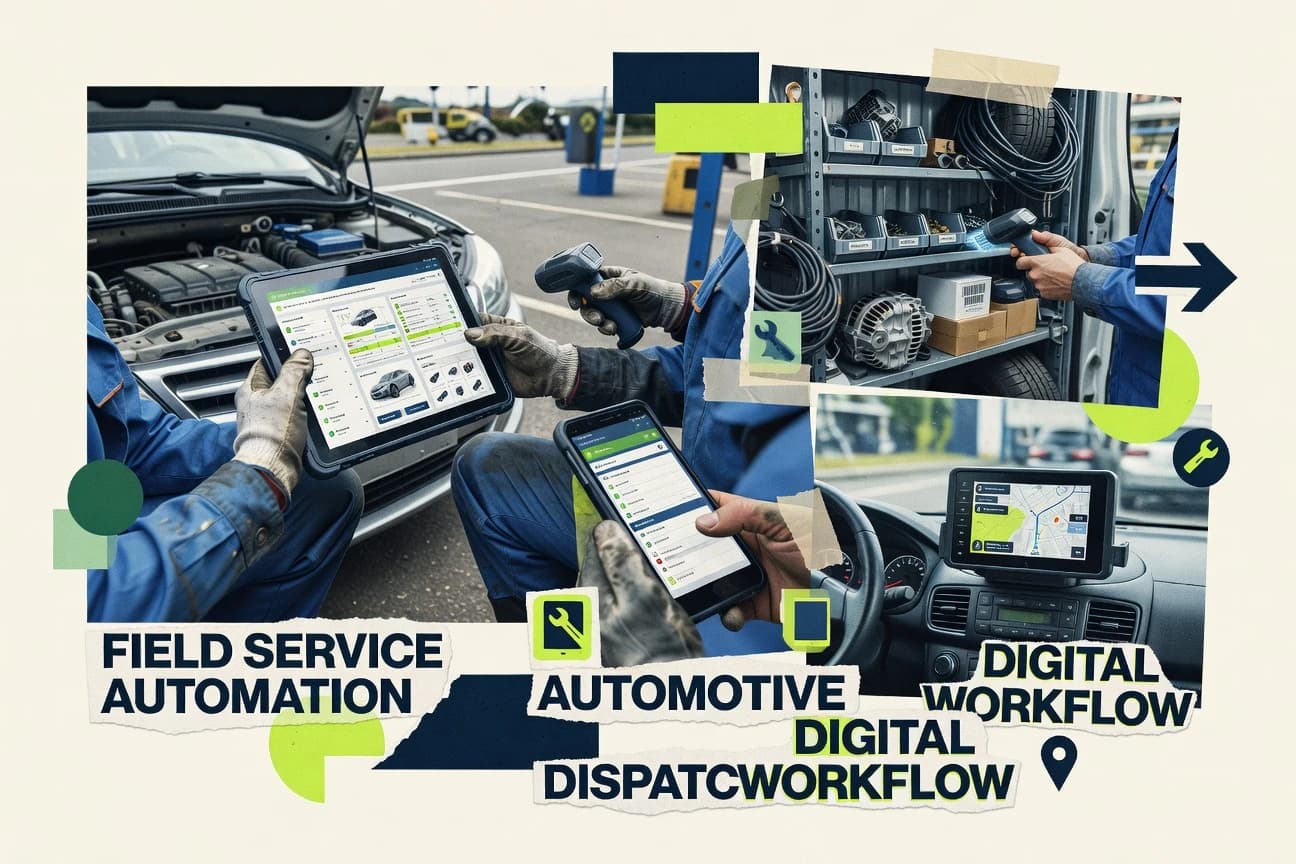
Automotive ServicesTop 10 Best Field Service Automation Software of 2026
Top 10 ranking of field service automation software with editorial criteria and tradeoffs for teams managing scheduling, dispatch, and work orders.

How we ranked these tools
Gitnux editors write the brief first: the topic, the inclusion rules, and the frame for what belongs.
Agents extract product evidence with provenance, then collect written reviews and transcribe video reviews and podcasts.
Framework: Features 40% · Ease 30% · Value 30%
Gitnux may earn a commission through links on this page — this does not influence rankings. Editorial policy
GoCanvas is the right pick when your teams need offline-capable digital work orders and consistent mobile service reporting, while Commusoft fits if dispatchers want automated job workflows and technicians need steady job evidence, and Jobber is a solid entry when you’re aiming for an affordable job-management start.
Editor’s top 3 picks
Three quick recommendations before you dive into the full comparison below — each one leads on a different dimension.
GoCanvas
Configurable question-level logic in mobile forms drives different technician data capture paths.
Best for: Fits when teams need offline-capable digital work orders and consistent mobile service reporting.
Commusoft
Editor pickWorkflow-driven field job automation that governs technician and dispatcher status transitions across the service lifecycle.
Best for: Fits when dispatchers need automated job workflows and technicians need consistent digital service evidence.
ServiceTitan
Editor pickBidirectional API integration that connects work order data and job outcomes to back-office systems with structured endpoints.
Best for: Fits when field service operations need governed dispatch rules and end-to-end mobile job execution.
Comparison Table
GoCanvas
API-firstGoCanvas digitizes field forms, inspections, work orders, approvals, and operational data collection.
Configurable question-level logic in mobile forms drives different technician data capture paths.
GoCanvas runs field data collection through configurable form workflows that can include conditional logic, required fields, and guided inputs for technician completion. Completed submissions can be pushed into downstream systems through integration and API access, which supports electronic service reports and proof of service without manual retyping. Offline-first mobile workflows help keep data capture available when cellular coverage drops during travel or in service territories.
A common tradeoff is that operational dispatch depth depends on the connected scheduling or work order system, so GoCanvas often works best when dispatch and technician scheduling already exist upstream or in parallel. Teams typically pair GoCanvas with a maintenance or CRM workflow to standardize service documentation and reduce rework when requests must turn into consistent records.
- +Form-driven automation standardizes field reports with conditional logic
- +Offline-first mobile workflows reduce missed documentation during travel
- +Signature and photo capture turns service calls into proof of service
- +Integration and API access supports bidirectional workflow connections
- –Dispatch management depth depends on the upstream scheduling system
- –Workflow configuration can grow complex for highly branched processes
- –Offline sync behavior requires testing for edge cases and data conflicts
- –Some advanced technician routing needs external optimization
Field service operations teams
Standardize digital work orders in the field
Fewer reporting errors
Maintenance program managers
Run recurring inspections and reports
Higher inspection compliance
Show 2 more scenarios
Customer support leads
Turn service requests into structured outcomes
Shorter follow-up cycles
Integrations move submitted form data into downstream systems for faster case resolution.
Equipment service technicians
Document work even in low coverage areas
Less lost field work
Offline-first mobile workflows keep submissions available until connectivity returns.
Best for: Fits when teams need offline-capable digital work orders and consistent mobile service reporting.
Commusoft
SMBCommusoft manages scheduling, dispatch, job costing, invoicing, contracts, and mobile field work.
Workflow-driven field job automation that governs technician and dispatcher status transitions across the service lifecycle.
Commusoft fits organizations that run frequent technician dispatch cycles and need work order status to stay consistent from planning through electronic service reports. Its core flow typically covers dispatch assignment, technician job execution on mobile, and digital proof artifacts like photos and signatures that are attached back to the job record. Automation is centered on rule-based workflow steps that reduce manual updates during scheduling and execution. An API enables outbound synchronization for job events and inbound updates for master data used in dispatch.
A key tradeoff is that configuration depth matters, because workflow rules and integration mapping require deliberate setup to avoid mismatched job states and reporting fields. Commusoft works best when teams can define service territory or routing logic at the dispatch stage and maintain clean technician and service catalog data. It is also a strong fit for organizations that want technicians to capture standardized service evidence every visit, not only update a job completion status.
- +Mobile field reporting links photos and signatures back to each work order
- +Dispatcher workflow automation reduces manual job status updates
- +API supports syncing job events and master data with external systems
- +Configuration supports repeatable service procedures across recurring work
- –Workflow rule setup takes time to align states and technician actions
- –Offline-first app support is not a primary strength for every deployment
- –Advanced routing logic may require careful integration with scheduling inputs
- –Some integration scenarios need governance to keep identifiers consistent
Field service dispatch teams
Assign and track jobs through completion
Fewer status mismatches
Service operations leaders
Standardize reporting for every visit
More consistent audit trails
Show 2 more scenarios
IT integration teams
Sync work orders and service data
Lower manual data entry
API connections keep job events and master data aligned with enterprise systems.
Technician managers
Improve technician execution consistency
Faster standardized closeouts
Configured workflow steps guide technicians on required actions during field work.
Best for: Fits when dispatchers need automated job workflows and technicians need consistent digital service evidence.
ServiceTitan
vertical specialistServiceTitan coordinates dispatch, scheduling, estimates, invoicing, payments, and field technician workflows.
Bidirectional API integration that connects work order data and job outcomes to back-office systems with structured endpoints.
ServiceTitan’s core work order management and technician scheduling support assignment rules that account for capacity and service requirements, then push tasks to technicians in the field. The mobile app supports digital work orders with time and labor capture, customer approvals, photo documentation, and proof-of-service artifacts tied back to the job record. Service territories and recurring service agreements help standardize dispatch coverage and maintenance cadence for service lines that run repeat visits.
A key tradeoff is implementation and change management overhead, since configuration of dispatch rules, service catalogs, and user roles needs ongoing governance as teams and service products evolve. ServiceTitan fits best when operations leaders need tight control over appointment windows and assignment logic, then require mobile execution data to flow back into reporting and back-office systems for work order and inventory processes.
- +Dispatch workflow ties assignment rules to technician job execution
- +Mobile field app supports digital work orders and proof-of-service capture
- +Role-based access controls support administrative separation of duties
- +API enables back-office integrations with controlled data exchange
- –Complex configuration creates governance overhead for dispatch and service catalogs
- –Offline-first behavior can require additional operational planning
- –Advanced automation relies on well-maintained master data
- –Some field workflows depend on add-on modules and setup
Dispatch and scheduling teams
Enforce assignment logic for appointment windows
Fewer reschedules and faster coverage
Operations and service managers
Run recurring maintenance with service territories
Higher repeat-rate predictability
Show 2 more scenarios
Field technicians
Complete digital jobs with proof-of-service
Less paperwork and better documentation
Mobile work orders collect time, photos, and customer signatures tied to each job record.
IT and systems integration
Sync work orders with enterprise systems
Reduced manual data re-entry
API-driven integrations move job and status data between ServiceTitan and enterprise applications.
Best for: Fits when field service operations need governed dispatch rules and end-to-end mobile job execution.
FieldPulse
SMBFieldPulse supports estimates, scheduling, dispatch, customer management, invoicing, and payments.
Digital work orders that drive mobile electronic service reports tied to each job record.
FieldPulse centers field service workflows on digital work orders that move through dispatch, technician execution, and electronic service reporting. Mobile completion flows capture service details in context of the assigned job and reduce the need for manual data entry after service. Dispatch behaviors are controlled through operational configuration so assignment logic and status transitions stay aligned across users.
- +Digital work orders keep job data consistent across office and field
- +Mobile field execution supports photo and signature capture per service report
- +Dispatch assignments can be managed with rule-based scheduling inputs
- +API enables workflow connections to ERP and CRM systems
- –Complex dispatch scenarios require careful configuration to avoid assignment drift
- –Parts and truck stock workflows are weaker than tools with full inventory modules
- –Extensibility depends on API use for advanced custom automation
- –Offline-first mobile reliability features are less explicit than in top mobile-first suites
Best for: Fits when mid-market teams need digital work orders and dispatch execution with API-based integrations for core systems.
Accruent Field
enterpriseCloud-native FSM with AI auto-scheduling, mobile-first technician experience, IoT integration, and no-code workflows.
Work order to mobile service reporting keeps service evidence, time capture, and asset context linked per job.
Accruent Field supports field work execution with integrated work order management, mobile data capture, and service reporting. Dispatch workflows connect technician schedules, service territories, and job details into digital work orders for technician execution.
- +Digital work order execution ties job details to technician mobile reporting
- +Time and labor plus proof of service capture supports audit-ready field evidence
- +Automation helps route work into technician schedules and repeatable workflows
- +API supports enterprise integrations for work intake and downstream systems
- –Complex dispatch and territory setups need careful governance to avoid drift
- –Off-the-shelf configuration can require implementation effort for specialized workflows
- –Offline-first behavior depends on how mobile workflows are configured
- –Advanced optimization features may feel constrained compared with pure optimization suites
Best for: Fits when enterprises need controlled work order execution with strong mobile reporting and integration depth.
ServiceMax
enterpriseAsset-centric FSM covering work order scheduling, dispatch, execution, preventive maintenance, and contract management.
ServiceMax mobile execution that drives back to enterprise work orders with consistent status and service reporting via its integration layer.
ServiceMax fits field service operations that need enterprise work order management plus deep integration with PTC asset and maintenance data. It supports mobile field execution with digital work orders, time and labor capture, and electronic service reports.
- +Enterprise-grade work order management tied to asset history
- +Digital work orders with mobile time and labor capture
- +API support for ERP and CRM integration patterns
- +Extensibility for custom field and workflow behavior
- –Workflow configuration requires governance across dispatch, mobile, and reporting
- –Implementation effort increases with complex scheduling and routing needs
- –Offline-first mobile behavior is not a given across every workflow
- –Integration depth can demand stronger data mapping and testing
Best for: Fits when enterprise service teams need mobile execution plus tight integrations across maintenance, ERP, and CRM systems.
AccuLynx
vertical specialistRoofing-industry FSM with call booking, job management, photo documentation, and contractor workflow automation.
Recurring service agreements that generate maintenance-style work orders tied to configured service patterns.
AccuLynx centers field service operations on work order flow, technician execution, and documented service results rather than broad CRM-first processes. The system supports digital work orders, mobile field reporting with photo and signature capture, and dispatch-ready job status tracking for day-of scheduling.
- +Mobile digital work orders include photo and signature capture for proof of service
- +Recurring service agreements support maintenance-style scheduling patterns
- +Job status updates align technician execution with dispatch planning
- +API enables integration of service events with external systems
- –Dispatch and scheduling workflows may require tighter configuration for complex territories
- –Some advanced workforce planning needs depend on integration work
Best for: Fits when field teams need job execution records and recurring service scheduling with integration to back-office systems.
JobNimbus
vertical specialistRoofing and exterior trades CRM with project management, scheduling, and payment collection for contractors.
JobNimbus automates after-completion tasks based on technician mobile job status changes.
JobNimbus combines work order management, technician check-in, and electronic service reports in one dispatch workflow. The system ties mobile job updates to the schedule and automates common back-office follow-ups when tasks are completed in the field.
- +Mobile work updates create digital work orders with fewer manual handoffs
- +Service report capture includes photos and signatures for proof of service
- +Dispatch workflow links scheduling changes to job status in near real time
- +API supports integrations for customers, jobs, and operational records
- –Advanced automation requires careful workflow design to prevent missed follow-ups
- –Offline-first behavior is limited compared with mobile-first field apps
- –Complex routing and territory modeling may require process workarounds
- –Some enterprise governance needs may depend on integration buildout
Best for: Fits when service teams want end-to-end job status from scheduling through mobile reporting and back-office follow-ups.
FieldEdge
SMBFSM for residential HVAC, plumbing, and electrical contractors with real-time QuickBooks Desktop sync.
Dispatch rules tied to technician skills and service territories produce appointment-window aware scheduling.
FieldEdge schedules field work, routes technicians, and turns requests into digital work orders with mobile execution. The system supports recurring service agreements and preventive maintenance workflows, with electronic service reports that capture time, notes, and proof of service.
- +Work order digitization keeps technician actions tied to live dispatch status
- +Recurring service agreements support scheduled renewals without manual re-creation
- +Mobile capture includes proof of service and photo evidence for field documentation
- +API integration enables synchronization with external customer and operations systems
- –Automation and dispatch rules take planning to avoid schedule churn
- –Offline-first field workflows are limited compared to vendors built around disconnected use
- –Territory and skills mapping can require ongoing admin maintenance as teams change
- –Complex routing scenarios may need tighter configuration than smaller operations prefer
Best for: Fits when mid-size service teams need mobile work execution with scheduling, recurring PM, and API integration.
Jobber
SMBAffordable FSM for solo operators and small teams covering quoting, scheduling, invoicing, and payment processing.
Customer portal links service expectations to job progress through built-in job communication and status visibility.
Jobber organizes field operations around work orders, customer records, and technician task execution through a dedicated mobile workforce app. Dispatch support connects scheduling, job checklists, and status updates so field work stays in sync with office activity.
- +Mobile job workflows keep digital work orders and statuses aligned
- +API and webhooks support two-way job creation and state updates
- +Recurring service scheduling fits routine maintenance and repeat visits
- +Customer communications reduce missed handoffs between office and field
- –Advanced dispatch rules and route optimization controls can be limited
- –Offline-first technician workflows require careful configuration and testing
- –Complex multi-entity workflows can need add-on capabilities
- –Extensive asset and inventory operations may require external systems
Best for: Fits when small to mid-size service businesses need job management plus technician mobile workflows with integration via API.
Conclusion
After evaluating 10 field service automation software, GoCanvas stands out as our overall top pick — it scored highest across our combined criteria of features, ease of use, and value, which is why it sits at #1 in the rankings above.
Use the comparison table and detailed reviews above to validate the fit against your own requirements before committing to a tool.
How to Choose the Right Field Service Automation Software
Field service automation software coordinates dispatch management, digital work orders, and mobile execution so technician actions flow back into back-office systems.
This guide covers GoCanvas, Commusoft, ServiceTitan, FieldPulse, Accruent Field, ServiceMax, AccuLynx, JobNimbus, FieldEdge, and Jobber based on automation behavior, configuration control, and integration surfaces that affect daily field throughput.
The selection focus stays on how each platform handles technician status transitions, work order execution, and the handoff mechanisms that determine whether service evidence stays attached to the correct job record.
Tools that rely on external scheduling systems are treated differently from tools that drive assignment rules inside the field workflow.
Field Service Automation Software for dispatch, work orders, and governed mobile job execution
Field service automation software links dispatch management to work order management and mobile workforce management so field execution updates job status with proof-of-service tied to the right record.
GoCanvas differentiates through configurable question-level logic in mobile forms that changes technician capture paths, which affects how digital work orders become service reports under offline-first mobile workflows.
ServiceTitan differentiates through a bidirectional API integration layer that connects work order data and job outcomes to back-office systems through structured endpoints.
Across the category, the practical differences show up in how automation rules govern technician and dispatcher state transitions, how mobile reporting stays anchored to each job, and how much integration work is required to keep scheduling and service catalogs aligned.
Field Service Automation Software evaluation criteria
These criteria determine whether dispatch decisions, mobile job execution, and service evidence stay attached to the same work order record. The goal is to prevent assignment drift and ensure technician updates land on the correct job lifecycle state.
The guide emphasizes integration depth, automation and API surface, and admin governance so the same configuration can support field throughput without turning every dispatcher action into manual work.
Configurable mobile data capture logic
GoCanvas uses configurable question-level logic in mobile forms to drive different technician capture paths that shape how digital work orders become service reports under offline-first mobile workflows. This design changes what the technician can submit at each step based on the responses recorded in the field.
Dispatcher and technician workflow state transitions
Commusoft provides workflow-driven field job automation that governs technician and dispatcher status transitions across the service lifecycle. ServiceTitan also ties assignment rules to technician job execution through dispatch workflow behavior tied to mobile job outcomes.
Bidirectional API integration to back-office systems
ServiceTitan delivers bidirectional API integration with structured endpoints that connect work order data and job outcomes back to enterprise systems. FieldPulse also supports API-based integrations for core systems while keeping digital work orders consistent across office and field.
Digital work order execution with proof-of-service evidence
FieldPulse uses digital work orders that drive mobile electronic service reports tied to each job record with photo and signature capture. JobNimbus creates digital work orders from mobile job status changes and includes photo and signature evidence in service report capture.
Complex dispatch scenarios without assignment drift
GoCanvas can handle rule-driven technician capture paths but dispatch management depth depends on the upstream scheduling system. FieldPulse requires careful configuration for complex dispatch scenarios to avoid assignment drift, which matters when jobs change hands during the day.
Enterprise-grade work order execution tied to asset context
ServiceMax delivers enterprise-grade work order management tied to asset history with digital work orders that include mobile time and labor capture. Accruent Field links job details to technician mobile reporting and adds time and labor plus proof of service capture for audit-ready field evidence.
Recurring service agreement automation
AccuLynx focuses on recurring service agreements that generate maintenance-style work orders tied to configured service patterns for scheduled renewals. Accruent Field and FieldEdge also support recurring work patterns, but dispatch and territory setups require governance to avoid drift in Accruent Field.
How to choose field service automation for dispatch, mobile execution, and integrations
Field service automation success depends on where automation rules live. Some platforms drive assignment behavior through the field workflow and mobile execution loop, while others rely on external scheduling systems and use the mobile layer to standardize evidence capture.
The decision steps below separate those philosophies so the selected platform matches the operating model for technician status transitions and work order ownership from dispatch through proof of service.
Choose the automation control plane
If dispatch and technician lifecycle states must be governed through workflow automation, Commusoft is built around dispatcher and technician status transitions tied to the service lifecycle. If assignment rules must be linked to technician job execution through a structured API integration layer, ServiceTitan centers dispatch workflow behavior on mobile outcomes.
Validate where offline-first workflows fit
If offline-first mobile workflows are required to reduce missed documentation during travel, GoCanvas positions offline-first mobile workflows as a core part of form-driven automation. If offline-first behavior is less central or needs additional planning, ServiceTitan notes offline-first behavior can require operational planning.
Confirm that service evidence attaches to the correct job record
If each digital work report must stay anchored to the same job record with photo and signature capture, FieldPulse ties mobile electronic service reports to each job record. If service evidence should be generated from mobile job status updates, JobNimbus creates digital work orders from technician status changes and attaches photo and signature evidence to the service report capture.
Match dispatch complexity to configuration overhead tolerance
If the operating model includes frequent shifts in assignments, FieldPulse warns that complex dispatch scenarios require careful configuration to avoid assignment drift. If dispatch depends on an upstream scheduling system, GoCanvas flags that dispatch management depth depends on that upstream scheduling system.
Plan integration depth before implementation scope expands
If back-office alignment must be driven by bidirectional, structured endpoints, ServiceTitan is positioned around bidirectional API integration that connects work order data and job outcomes. If the integration needs are narrower and more focused on keeping job data consistent across office and field, FieldPulse provides API-based integrations for core systems while emphasizing job data consistency.
Pick recurring service automation when maintenance-style work patterns dominate
If recurring maintenance schedules generate work orders from service patterns, AccuLynx delivers recurring service agreements that generate maintenance-style work orders. If recurring renewals must also fit into dispatch and territory governance, FieldEdge includes recurring service agreements and ties scheduling to appointment-window aware dispatch rules.
Who should buy Field Service Automation Software
Different field service operations need different automation behavior, especially around technician status transitions, evidence capture, and how jobs get created and updated across systems. The audience fit sections map common operating models to tool behavior and configuration realities.
The splits focus on dispatch control plane, offline-first documentation requirements, and recurring service scheduling needs.
Service organizations that run digital work orders through offline-first technician workflows
GoCanvas fits teams that need offline-capable digital work orders with consistent mobile service reporting, because form logic drives capture paths under offline-first mobile workflows.
Dispatch teams that require automated technician and dispatcher state transition control
Commusoft fits organizations that want workflow-driven field job automation that governs technician and dispatcher status transitions across the service lifecycle with dispatcher workflow automation reducing manual job status updates.
Enterprises that must integrate work order outcomes back into ERP and CRM systems through governed endpoints
ServiceTitan supports governed dispatch rules and end-to-end mobile job execution through bidirectional API integration that connects work order data and job outcomes to back-office systems via structured endpoints.
Mid-market teams that need consistent job records with photo and signature proof of service capture
FieldPulse fits mid-market teams that need digital work orders with mobile electronic service reports tied to each job record and includes photo and signature capture for service evidence.
Teams that run recurring maintenance-style agreements and want scheduled renewals without re-creation work
AccuLynx supports recurring service agreements that generate maintenance-style work orders tied to configured service patterns, while FieldEdge supports recurring service agreements for scheduled renewals tied to dispatch rules.
Common field service automation buyer pitfalls
Many implementation failures come from picking a mobile-first tool without aligning dispatch ownership or without stress-testing complex assignment changes. Other failures come from assuming that workflow automation can be switched on without governance discipline.
The pitfalls below point to concrete configuration risks and workflow gaps that show up across dispatch execution and evidence attachment.
Assuming dispatch rules will work without defining how job ownership moves between systems
GoCanvas flags that dispatch management depth depends on the upstream scheduling system, so the handoff rules to the scheduling layer must be defined. FieldPulse also warns that complex dispatch scenarios require careful configuration to avoid assignment drift.
Configuring workflow automation without mapping technician actions to status transitions
Commusoft states that workflow rule setup takes time to align states and technician actions, so status transitions must be mapped to real technician steps before rollout. JobNimbus warns that advanced automation requires careful workflow design to prevent missed follow-ups.
Underestimating governance overhead when dispatch and service catalogs require structured configuration
ServiceTitan notes complex configuration creates governance overhead for dispatch and service catalogs, so governance capacity must match the catalog complexity. Accruent Field notes complex dispatch and territory setups need careful governance to avoid drift.
Choosing a recurring workflow without testing territory and dispatch churn behavior
AccuLynx says dispatch and scheduling workflows may require tighter configuration for complex territories, so territory churn must be tested. FieldEdge warns that automation and dispatch rules take planning to avoid schedule churn.
Assuming offline-first execution is equal across mobile job apps
ServiceTitan says offline-first behavior can require additional operational planning, so offline scenarios must be validated for each operational workflow. JobNimbus limits offline-first behavior compared with mobile-first field apps, so offline requirements must be tested during pilot operations.
How We Selected and Ranked These Tools
We evaluated each field service automation platform on features coverage tied to mobile job execution and digital work order capture, plus ease of configuration for dispatch and service evidence workflows. Features accounted for 40% of the scoring and ease and value each accounted for 30%, so the ranking favored tools that combine structured automation with workable configuration effort.
GoCanvas separated itself through configurable question-level logic in mobile forms that drives conditional technician data capture paths under offline-first mobile workflows. ServiceTitan followed with bidirectional API integration that connects work order data and job outcomes through structured endpoints, which directly affects how work order states propagate back to back-office systems.
Frequently Asked Questions About Field Service Automation Software
How do GoCanvas and FieldPulse differ in the way mobile work becomes a workflow-ready service record?
Which tools provide bidirectional API integration for pushing work order data and syncing job outcomes back to enterprise systems?
How does Commusoft handle field job automation across dispatcher status transitions and technician execution?
What breaks if offline-first mobile workflows are required but only online-only mobile execution is available?
How do scheduling and dispatch rules differ between FieldEdge and AccuLynx for recurring service and preventive maintenance patterns?
How do SSO and RBAC controls typically map to governed admin workflows in ServiceTitan versus other options?
When migrating existing job and customer data, what data model and schema steps tend to be the biggest implementation risks?
How do proof-of-service features differ across Jobber and JobNimbus in the way field documentation feeds back into operations?
What extensibility tradeoff appears when teams need to customize workflow logic beyond standard configurations?
Where does route optimization or appointment-window aware scheduling fall short compared with skills-based dispatch and service-territory logic?
Tools reviewed
Primary sources checked during evaluation.
Referenced in the comparison table and product reviews above.
Funding and competing interests
This study was co-funded by several of the vendors assessed in it. No single vendor funded it. Funders could propose the market studied.
They had no role in selecting vendors, setting or weighting criteria, analysing data or drawing conclusions, and they received the same factual-accuracy check as every other vendor assessed.
Market definition, inclusion rules and criteria weights were fixed by an editor before research began and did not change afterwards. Editorial process →
- Automotive ServicesTop 10 Best Field Service Management Software of 2026
- Business FinanceTop 10 Best Professional Services Automation Software of 2026
- Automotive ServicesTop 10 Best Cloud Based Field Service Management Software of 2026
- Automotive ServicesTop 10 Best Field Service Management Scheduling And Dispatch Software of 2026
- Automotive ServicesTop 10 Best Field Service Managment Software of 2026
Keep exploring
Comparing two specific tools?
Software Alternatives
See head-to-head software comparisons with feature breakdowns, pricing, and our recommendation for each use case.
Explore software alternatives→In this category
Automotive Services alternatives
See side-by-side comparisons of automotive services tools and pick the right one for your stack.
Compare automotive services tools→