GITNUXSOFTWARE ADVICE
Art DesignTop 10 Best Fashion Design Cad Software of 2026
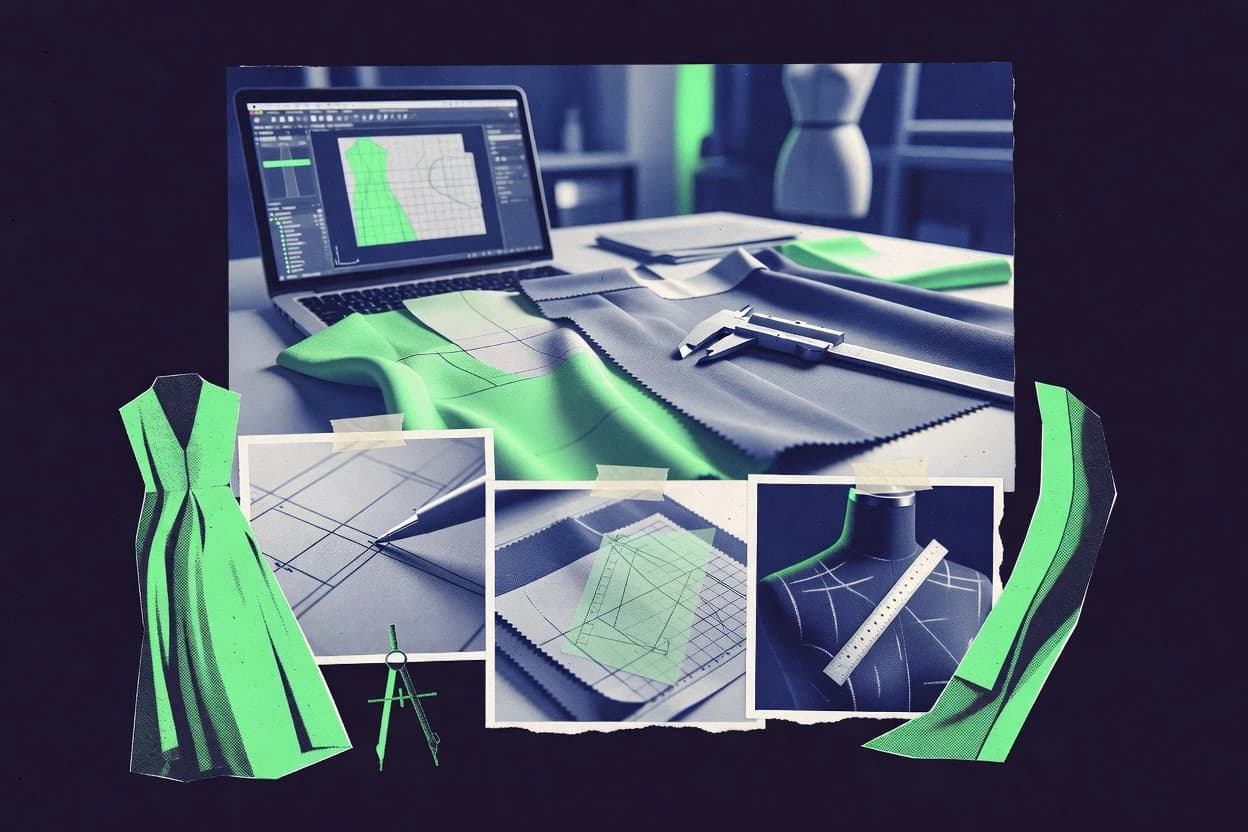
Compare fashion design cad software tools for garment creation, pattern workflows, and 2D or 3D output so designers can shortlist fitting options.

How we ranked these tools
Before any source is gathered, an editor locks the question, what qualifies, and how the piece will be judged.
Search agents gather the source set and the review record, including transcriptions of video reviews and podcasts.
Framework: Features 40% · Ease 30% · Value 30%
Gitnux may earn a commission through links on this page — this does not influence rankings. Editorial policy
CLO 3D is the best pick for fashion teams that need rapid pattern-to-drape iteration because its real-time 3D simulation stays tightly coupled to pattern edits and garment assembly constraints, while Style3D suits design teams wanting quick 3D-driven revision cycles for fit assessment thanks to its interactive 3D editing tied to pattern changes.
Editor’s top 3 picks
Three quick recommendations before you dive into the full comparison below — each one leads on a different dimension.
CLO 3D
Real-time 3D garment simulation that stays tightly coupled to pattern alterations and garment assembly constraints.
Best for: Fits when fashion teams need rapid pattern-to-drape iteration with construction-linked simulation validation.
Style3D
Editor pickInteractive 3D garment editing that reflects pattern alterations quickly for fit assessment cycles.
Best for: Fits when design teams need fast 3D-driven revisions with production-friendly documentation for apparel prototypes.
Optitex
Editor pickBi-directional workflow between pattern changes and 3D garment visualization for rapid fit assessment without rebuilding models.
Best for: Fits when fashion teams need fast pattern iteration plus fabric planning and 3D fit checks in one workflow.
Comparison Table
CLO 3D
vertical specialistThree-dimensional garment design software for apparel visualization, fitting, and digital sampling.
Real-time 3D garment simulation that stays tightly coupled to pattern alterations and garment assembly constraints.
CLO 3D centers a full fashion design workflow around pattern drafting inside the same workspace where garment simulation and fit checks run. Seam allowance control and garment assembly updates propagate through the 3D view as patterns are modified, which reduces manual cross-checking between separate tools. Simulation-driven virtual prototyping supports iterative adjustments focused on fit assessment instead of exporting to third-party rendering for every change. Avatar measurements drive consistent testing across sizes and body variations, which improves repeatability during sloper refinement.
A common tradeoff is that advanced production outputs rely on export formats and downstream tooling rather than a single end-to-end manufacturing data pipeline. The best usage situation is rapid fitting and design iteration where frequent pattern changes must be validated by drape behavior, grading readiness, and garment construction checks in short cycles. Teams that need heavy custom automation often face limits because scripting and API-driven extensibility are not positioned around complex manufacturing orchestration.
- +Pattern edits propagate into 3D drape results without manual reassembly steps
- +Garment assembly tools keep construction context aligned with the simulation
- +Marker making supports fabric consumption evaluation during iteration
- +Fit assessment workflows use measurement-driven avatars for repeatable checks
- –Automated data handoff depends on export formats and downstream tools
- –Complex custom automation requires more workflow discipline than GUI-only teams
- –Some batch operations feel slower on large grading and variant sets
- –Advanced pipeline governance needs external process controls
Patternmaking teams
Iterate fit with rapid drape feedback
Fewer trial samples
Product development teams
Validate tech pack readiness via simulation
Lower rework rates
Show 2 more scenarios
Merchandising and sourcing
Assess fabric consumption during marker planning
More predictable materials planning
Plan markers and review consumption reports as sizes and pattern alterations change.
SMB design studios
Test design variants across body measurements
Faster variant approvals
Use avatar measurement setups to compare fit outcomes across variants without redesigning each version from scratch.
Best for: Fits when fashion teams need rapid pattern-to-drape iteration with construction-linked simulation validation.
Style3D
enterpriseDigital fashion software for 3D garment design, simulation, and virtual sample production.
Interactive 3D garment editing that reflects pattern alterations quickly for fit assessment cycles.
Style3D focuses on fashion-specific CAD workflows built around 3D garment visualization and pattern editing for rapid fit iteration. The tool supports virtual prototyping loops that connect a garment build with technical pattern changes, helping teams move from draft to revision in fewer manual steps.
Style3D also targets production-oriented outputs such as technical flats and measurement-focused review views that support design communication. The result is a faster back-and-forth between pattern adjustments and garment appearance than general 3D modeling tools.
- +Tight 3D-to-pattern revision loop for quick fit feedback
- +Apparel-focused workspace geared toward garment construction reviews
- +Clear view options for design communication and technical checks
- +Interactive pattern alteration workflow suits iterative development
- –Parametric patternmaking depth is thinner than specialist drafting tools
- –Export workflows can feel fragmented across technical and visual deliverables
- –Advanced automation needs add-ons or process design around the tool
- –Large marker and nesting workflows are not the strongest area
Best for: Fits when design teams need fast 3D-driven revisions with production-friendly documentation for apparel prototypes.
Optitex
enterpriseCAD software for apparel pattern design, grading, marker making, and 3D visualization.
Bi-directional workflow between pattern changes and 3D garment visualization for rapid fit assessment without rebuilding models.
Optitex performs 2D pattern drafting and block manipulation for apparel workflows that need tight control over seams, ease, and grading behavior. The software combines pattern editing with virtual marker workflows to estimate and optimize fabric consumption, then carries the results into tech-pack style documentation for production handoff.
Optitex also supports 3D garment simulation tied to pattern changes so iterative fit assessment can happen without rebuilding the pattern from scratch. Extensibility shows up through import and export pipelines for common apparel file formats, including DXF-based exchanges and PLM-oriented deliverables.
- +Marker-driven fabric planning works directly from pattern edits
- +3D garment simulation updates from pattern changes during iteration
- +Parametric control supports repeatable alterations across collections
- +Production-ready pattern exports fit common shop-floor exchanges
- –Large pattern libraries can slow down interactive editing sessions
- –Some advanced workflow steps depend on a connected production toolchain
- –Learning curve is steeper for parametric and grading-heavy projects
- –Automation covers typical fashion flows but lacks deep custom rule authoring
Best for: Fits when fashion teams need fast pattern iteration plus fabric planning and 3D fit checks in one workflow.
Browzwear VStitcher
enterprise3D apparel design software for garment development, fit review, and digital samples.
Garment sewing logic drives 3D construction so virtual fit reviews reflect construction changes, not just surface shape.
Browzwear VStitcher targets fashion teams that need virtual prototyping before physical sampling, with emphasis on garment construction, fit visualization, and iteration speed. It runs a 3D simulation workflow that connects patterns and sewing logic to an on-avatar result for fit assessment and design reviews.
- +Garment construction simulation supports repeatable virtual fit reviews
- +Workflow links pattern changes to 3D garment updates for fast iteration
- +Seam allowance and sewing details carry through the simulation output
- +Virtual prototyping reduces the number of full physical sample cycles
- –3D garment simulation setup is heavier than 2D-only pattern drafting
- –High realism depends on correct measurements, construction data, and layering
- –Automation and API integration options are limited compared with CAD ecosystems
- –Marker efficiency and nesting algorithms are not its main strength
Best for: Fits when garment construction fidelity and fit assessment drive daily iteration across design and tech teams.
Audaces
enterpriseFashion CAD software for pattern making, marker planning, cutting, and apparel production.
Marker-focused planning that ties pattern sets to cutting layout outputs used for garment production decisions.
Audaces focuses on fashion workflow CAD that blends pattern work with cutting and production-facing outputs. It supports pattern drafting and manipulation with apparel-specific operations for size grading and marker-oriented planning.
- +Apparel-oriented pattern operations that reduce manual translation to production files
- +Marker-oriented planning improves fabric consumption planning for production workflows
- +Built-in size grading support supports rule-driven expansion across sizes
- +Export-focused workflow supports downstream production and tech pack alignment
- –Workflow complexity increases when projects require frequent cross-file pattern reuse
- –Advanced automation often depends on established team conventions for file organization
- –Interactive alteration and refinement can feel slower on very large pattern libraries
- –Format handling for niche exchange standards may require preprocessing steps
Best for: Fits when apparel teams need CAD pattern drafting tied to cutting and production exports.
Gemini CAD
vertical specialistCAD and CAM software for pattern design, grading, and nesting in apparel.
Rule-based size grading that stays tied to the edited pattern geometry across iterations.
Gemini CAD targets fashion pattern drafting with an editing loop built around precision changes and repeatable updates.
- +Fast interactive pattern alteration for repeated fit iterations
- +Size grading rules support consistent multi-size changes
- +DXF-based apparel workflows for pattern exchange with contractors
- +Seam allowance controls help standardize development output
- –Marker making and nesting algorithms feel less automation-driven
- –Automation surface for batch edits depends on workflow discipline
- –3D garment simulation coverage is lighter than dedicated 3D suites
- –Limited evidence of deep apparel PLM integration in common pipelines
Best for: Fits when pattern teams need tight 2D iteration and grading discipline for rapid tech pack cycles.
PolyPattern
SMB2D and 3D pattern design software for the fashion and apparel industry.
Pattern digitizing that turns imported design data into editable pattern components for rapid block-based revisions.
PolyPattern converts uploaded design and pattern data into editable fashion pattern layouts for digitizing workflows. It focuses on parametric pattern changes, block manipulation, and pattern-to-block iteration so teams can refine silhouettes without rebuilding from scratch.
- +Iterative block manipulation keeps silhouette edits consistent across versions
- +Size grading rules support repeatable scaling across defined size sets
- +Pattern digitizing workflow reduces manual redrawing from measurements and sketches
- +Marker-style layout output helps sanity-check efficiency during planning
- –File-based integration requires data cleaning before handoff to downstream tools
- –Parametric edits can be slow when pattern complexity climbs
- –Limited visibility into rule conflicts during complex grading iterations
- –Less suited for deep 3D garment simulation-driven fit review
Best for: Fits when teams need 2D pattern drafting iteration with repeatable grading and planning outputs.
Tailor Nova
SMBWeb-based fashion design software for custom patterns, garments, and visual design concepts.
Propagation-aware grading rules that update derived sizes after block edits without rebuilding pattern files.
Tailor Nova targets pattern-first work where edits propagate through grading rules and measurement chart generation, which reduces rework during size runs. Interactive pattern alteration workflows are designed for quick adjustments to blocks and derived pieces, which fits fit assessment loops and virtual prototyping review cycles. File outputs are oriented toward technical documentation needs such as tech packs and measurement charts, rather than only visual presentation.
- +Interactive block editing keeps pattern changes consistent across derived parts
- +Grading rules workflows reduce manual size-chart updates
- +Tech-pack oriented outputs support repeatable documentation
- +Seam allowance control helps prevent last-minute spec drift
- –3D garment simulation depth is limited compared with dedicated 3D tools
- –Advanced nesting and marker analytics require extra workflow attention
- –DXF-style apparel exchange formats can demand extra export handling
- –Complex multi-collection libraries need disciplined structure
Best for: Fits when pattern teams need fast iterative drafting with consistent size rules outputs for tech packs.
TUKA3D
enterprise3D fashion design software for virtual sampling, fit visualization, and garment development.
Real-time link between pattern edits and 3D garment fit reduces rebuild time during silhouette and fit tuning.
TUKA3D is a fashion design CAD tool focused on precision 2D to 3D garment workflows, from pattern drafting through digital fit assessment. It supports interactive pattern alteration tied to 3D updates, which helps designers iterate on fit and silhouettes without rebuilding artifacts.
- +Ties pattern edits directly to 3D garment updates for fast fit iteration
- +Construction-aware workflow helps keep seam allowance choices consistent
- +Pattern-based grading and measurement checks support controlled size development
- +Marker and nesting tooling targets efficient layout for production planning
- –Parametric controls can feel dense for users focused on manual drawing
- –3D quality depends on garment setup discipline and measurement accuracy
- –DXF exports can require post-checking to match shopfloor expectations
- –Advanced workflows rely on learning the tool’s specific drafting conventions
Best for: Fits when fashion teams need rapid 2D to 3D iteration with repeatable construction rules.
Digital Fashion Pro
SMBFashion design software for apparel sketches, technical drawings, and clothing collections.
Interactive grading rules tied to measurement charts keeps multi-size edits synchronized during fit revisions.
For fashion designers and production pattern teams, Digital Fashion Pro provides interactive pattern editing, seam allowance control, and rules-based size grading aimed at consistent outputs across sizes. The workflow centers on making a design change once and propagating it through grading logic and measurement charts for virtual prototyping and fit assessment loops. Export formats and technical-flat deliverables support handoff to downstream teams that expect CAD-ready documentation and structured measurements.
- +Parametric pattern alterations keep design intent consistent across revisions
- +Rules-based size grading reduces manual per-size adjustments
- +Seam allowance control supports technical-flat accuracy
- +Marker layout output supports faster fabric consumption estimates
- –Complex grading setups need careful rule maintenance
- –DXF export coverage varies by workflow stage
- –Slight friction when switching between flat and prototype views
Best for: Fits when small pattern teams need fast iteration with controlled grading logic.
Conclusion
After evaluating 10 fashion design cad software, CLO 3D stands out as our overall top pick — it scored highest across our combined criteria of features, ease of use, and value, which is why it sits at #1 in the rankings above.
Use the comparison table and detailed reviews above to validate the fit against your own requirements before committing to a tool.
How to Choose the Right Fashion Design Cad Software
Fashion design CAD software today is built around rapid iteration between 2D pattern edits and 3D garment visualization, with each workflow choosing a different coupling point. This guide covers CLO 3D, TUKA3D, and Rhinoceros 3D style iteration paths alongside dedicated pattern-and-grading tools like Digital Fashion Pro and Tailor Nova.
The ranking favors tools that move quickly during fit revisions, keep construction context consistent, and reduce manual rework when design changes propagate across connected views. The selections also reflect how automation and handoff differ between simulation-first tools such as CLO 3D and grading-first systems such as Digital Fashion Pro.
Fashion Design CAD Software for pattern-to-fit iteration across 2D and 3D
Fashion design CAD software includes pattern drafting, size grading rules, and production-facing outputs used to support tech packs, marker planning, and virtual fit review. Tools like Digital Fashion Pro and Tailor Nova center interactive grading logic so edits stay synchronized across derived sizes during measurement-driven revisions.
Other platforms prioritize real-time garment simulation tied to pattern and assembly constraints to shorten the loop from silhouette adjustment to 3D drape feedback. CLO 3D is built for tight pattern-to-drape coupling where pattern edits propagate into 3D results and garment assembly tools keep simulation context aligned with construction choices.
Fashion design CAD evaluation that targets pattern-to-fit iteration speed
The fastest teams run a tight loop between 2D pattern edits and 3D garment visualization, so changes show up in the same workspace without rebuilding assets. CLO 3D and TUKA3D prioritize this coupling by pushing pattern edits into garment updates in real time during fit tuning.
Pattern-to-3D coupling that propagates edits during fit revisions
CLO 3D updates real-time garment simulation as pattern edits change and keeps garment assembly constraints aligned. TUKA3D provides a real-time link between pattern edits and 3D garment fit to reduce rebuild time while tuning silhouette and fit.
Rule-based size grading tied to measurement charts or propagation logic
Digital Fashion Pro connects interactive grading rules to measurement chart logic to keep multi-size edits synchronized during fit revisions. Tailor Nova propagates grading rules so derived sizes update after block edits without rebuilding pattern files.
Marker-driven planning and cutting layout workflow support
Optitex ties marker-driven fabric planning to pattern edits and updates 3D garment visualization during iteration. Audaces focuses on marker-centered planning that connects pattern sets to cutting layout outputs for production-oriented decisions.
Digitizing imported design into editable pattern components
PolyPattern turns imported design data into editable pattern components so teams can run repeatable block-based revisions. Gemini CAD keeps size grading rules tied to the edited pattern geometry across iterations for fast tech pack cycles.
Construction-aware virtual fit review using sewing logic
Browzwear VStitcher uses garment sewing logic so virtual fit reviews reflect construction changes rather than only surface shape. CLO 3D complements this with garment assembly tools that keep construction context aligned with simulation constraints.
Iteration usability for pattern teams doing frequent revisions
CLO 3D scores highest for ease of use among the reviewed tools by keeping pattern-to-drape changes tightly connected. Style3D emphasizes interactive 3D garment editing for quick fit feedback cycles with a garment-construction review workspace.
Choose the coupling point that matches the team’s revision workflow
The decision hinges on where the workflow should be authoritative during change propagation. Simulation-first tools such as CLO 3D and TUKA3D treat the 3D garment view as a live validation target that stays connected to pattern edits through iteration.
Map the change loop to pattern-to-3D coupling depth
If garment fit tuning depends on seeing pattern edits reflected in drape outcomes without rebuild steps, CLO 3D and TUKA3D are built for tight pattern-to-drape or pattern-to-fit coupling. If the iteration goal is construction fidelity using sewing logic, evaluate Browzwear VStitcher for virtual fit reviews driven by garment construction behavior.
Pick the grading philosophy that keeps derived sizes synchronized
If size behavior must follow measurement chart logic during revisions, Digital Fashion Pro links interactive grading rules to measurement chart synchronization. If derived sizes must update automatically after block edits without rebuilding pattern files, Tailor Nova uses propagation-aware grading rules to keep outputs consistent.
Validate marker and fabric planning needs against the workflow
If teams must plan fabric and cutting layouts from marker outputs while iterating patterns, Optitex supports marker-driven fabric planning directly from pattern edits. If production exports depend on marker-centered cutting layout outputs, Audaces is structured around marker planning for production-oriented decisions.
Decide how imported design data becomes editable pattern components
If most work begins with imported design data that must become editable pattern parts, PolyPattern focuses on digitizing imported inputs into components for repeatable block revisions. If the focus is keeping grading rules tied to edited geometry across repeated fit iterations, Gemini CAD supports rule-based size grading anchored to the pattern geometry.
Confirm whether 3D realism depends on garment setup discipline
If teams already maintain garment setup discipline and measurements, TUKA3D and CLO 3D can deliver faster iteration because the 3D quality depends on linked simulation inputs. If setup burden is a concern, Style3D provides an interactive 3D-to-pattern revision loop while keeping parametric drafting depth thinner than specialist drafting tools.
Who benefits from each iteration style in fashion design CAD
Fashion teams face different bottlenecks during revisions, such as fit validation lag, size synchronization drift, or marker planning delays. The right tool choice depends on whether daily iteration happens in the 3D view, the grading rules workspace, or the marker planning and production export workflow.
Pattern and tech teams doing frequent fit tuning across multiple silhouettes
CLO 3D and TUKA3D minimize rebuild steps by keeping pattern edits tied to 3D garment updates during fit iteration. The workflow stays aligned with construction context through garment assembly tools in CLO 3D and construction-aware choices in TUKA3D.
Small teams maintaining controlled multi-size production releases
Digital Fashion Pro keeps grading synchronized through interactive grading rules tied to measurement chart logic. Tailor Nova updates derived sizes after block edits via propagation-aware grading rules without rebuilding pattern files.
Apparel production-focused teams that plan fabric and cutting layout decisions inside CAD
Optitex supports marker-driven fabric planning from pattern edits while updating 3D visualization during iteration. Audaces centers marker planning so pattern sets connect to cutting layout outputs used for production decisions.
Teams digitizing existing design data into editable pattern components
PolyPattern converts imported design data into editable pattern components so revisions remain block-consistent across versions. Gemini CAD supports rule-based grading anchored to edited geometry for repeated tech pack cycles.
Designers who prioritize construction fidelity in virtual fit review
Browzwear VStitcher uses garment sewing logic so virtual fit reviews reflect construction changes rather than only surface shape. CLO 3D also aligns garment assembly constraints with simulation results to keep fit feedback tied to construction choices.
Common failure modes during fashion design CAD rollouts
Many adoption problems come from mismatched workflow coupling and missing governance around grading and handoff formats. The reviewed tools highlight specific ways workflows break when automation expectations do not match how data is exported or how rules are maintained.
Treating 3D simulation output as independent from export and downstream tooling
CLO 3D keeps pattern edits tightly coupled to 3D simulation, but automated data handoff depends on export formats and downstream tool compatibility. Teams that cannot align export steps with their production toolchain should plan for workflow discipline before committing.
Building grading logic without a maintenance plan for measurement chart alignment
Digital Fashion Pro requires careful rule maintenance for complex grading setups, and broken rule upkeep creates size drift during revisions. Tailor Nova avoids rebuilds for propagation, but it still needs grading rules workflows that stay aligned to size outputs.
Expecting marker planning performance from CAD setups that do not match the workflow scale
Optitex can slow interactive editing sessions when pattern libraries grow large, which delays iteration during frequent updates. Audaces increases workflow complexity when projects require frequent cross-file pattern reuse, which can slow multi-program production cycles.
Underestimating setup discipline required for high realism in 3D garment reviews
TUKA3D notes that 3D quality depends on garment setup discipline and measurement accuracy, so inconsistent inputs reduce trust in fit reviews. Browzwear VStitcher also requires correct measurements, construction data, and layering for high realism, and heavier setup work can outpace teams focused on 2D-only drafting.
How We Selected and Ranked These Tools
We evaluated CLO 3D, Digital Fashion Pro, Tailor Nova, TUKA3D, Optitex, Style3D, Audaces, Gemini CAD, PolyPattern, and Browzwear VStitcher on fit revision throughput and coupling depth between 2D edits and 3D or production outputs. We weighted features at 40% using each tool’s named standout workflow such as CLO 3D’s real-time pattern-to-drape simulation and Digital Fashion Pro’s grading rules tied to measurement chart logic.
We weighted ease and value at 30% each by comparing how quickly interactive changes propagate during revisions and how much extra workflow discipline each automation approach demands. CLO 3D earned the top rank because pattern edits propagate into 3D drape results without manual reassembly steps and its garment assembly tools keep simulation context aligned with construction choices.
Frequently Asked Questions About Fashion Design Cad Software
Which tool is best for a fast pattern-to-drape feedback loop?
Which software supports rule-based grading that stays synchronized across pattern edits?
How do these tools handle seam allowance and construction detail consistency between 2D and 3D?
What breaks when switching from pattern editing driven by simulation to purely visual 3D modeling?
Which tool is better for marker and fabric consumption planning during iterative design?
How do teams publish technical flats and tech pack documentation from the CAD workflow?
Which tools are designed for parametric block manipulation and sloper-to-pattern workflows?
When digitizing existing design data into editable pattern components, which tool fits best?
How do security and access controls typically differ between fashion CAD tools like these?
Tools reviewed
Primary sources checked during evaluation.
Referenced in the comparison table and product reviews above.
Funding and competing interests
This study was co-funded by several of the vendors assessed in it. No single vendor funded it. Funders could propose the market studied.
They had no role in selecting vendors, setting or weighting criteria, analysing data or drawing conclusions, and they received the same factual-accuracy check as every other vendor assessed.
Market definition, inclusion rules and criteria weights were fixed by an editor before research began and did not change afterwards. Editorial process →
- Art DesignTop 10 Best Fashion Cad Software of 2026
- Fashion ApparelTop 10 Best Cad Textile Design Software of 2026
- Manufacturing EngineeringTop 10 Best Fashion Design And Production Software of 2026
- Art DesignTop 10 Best Cad Designing Services of 2026
- Fashion And ApparelTop 10 Best Apparel Design Services of 2026
Keep exploring
Comparing two specific tools?
Software Alternatives
See head-to-head software comparisons with feature breakdowns, pricing, and our recommendation for each use case.
Explore software alternatives→In this category
Art Design alternatives
See side-by-side comparisons of art design tools and pick the right one for your stack.
Compare art design tools→