GITNUXSOFTWARE REVIEW
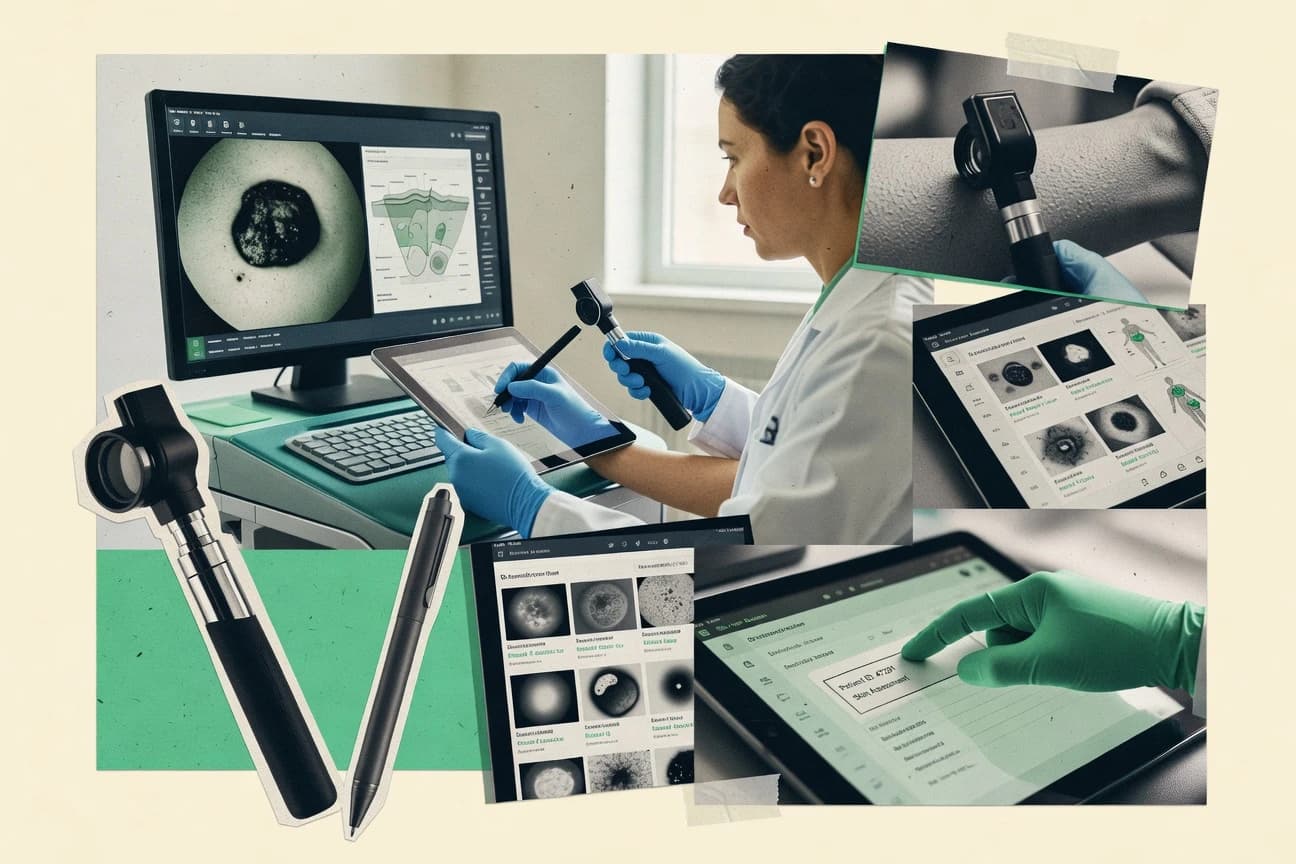
Healthcare MedicineTop 10 Best Dermatologist Software of 2026
A market-research roundup comparing dermatologist software options for clinics, with tradeoffs and fit notes for shortlisting and procurement.

How we ranked these tools
Vendors set the topic, but our editors set the inclusion criteria and the evaluation framework before research starts.
AI search agents find sources, extract figures with provenance, and aggregate written reviews. They also transcribe video reviews and podcasts.
Framework: Features 40% · Ease 30% · Value 30%
Gitnux may earn a commission through links on this page — this does not influence rankings. Editorial policy
NexHealth is the best choice for dermatology practices that want intake and appointment automation to flow into downstream actions because its API-driven workflow automation ties scheduled encounters to clinical next steps, while NextGen Healthcare is a strong alternative for specialty clinics that need governed, dermatology-centered EHR documentation with integrated photo capture.
Editor’s top 3 picks
Three quick recommendations before you dive into the full comparison below — each one leads on a different dimension.
NexHealth
Workflow automation that ties patient intake and scheduled encounters to downstream actions through API-driven integrations.
Best for: Fits when dermatology practices prioritize intake and scheduling automation with API-connected clinical systems.
Practice Fusion
Editor pickIntegration-oriented extensibility lets practices connect external tools into chart and order workflows.
Best for: Fits when dermatology clinics need browser-based charting and ordering with integration flexibility.
NextGen Healthcare
Editor pickPhoto-enabled clinical documentation inside the core EHR chart reduces the need for a separate imaging workflow.
Best for: Fits when dermatology clinics need an integrated EHR and practice workflow with governance controls and HL7 connectivity.
Comparison Table
NexHealth
SMBPatient experience platform for dental and medical specialties.
Workflow automation that ties patient intake and scheduled encounters to downstream actions through API-driven integrations.
NexHealth is built for dermatology clinics that need scheduling and visit workflows tied directly to clinical documentation. Its core capabilities focus on front-desk intake and appointment management that supports referral and consultation flows, plus visit data capture used during care.
The workflow design is oriented around keeping patient context available during exams rather than treating charting as a separate system. Integration and automation options are centered on connecting clinic operations to the rest of the clinical stack via an API and configurable data exchange.
- +Appointment and intake workflows reduce manual re-entry between visits
- +API supports integration with external systems for patient and visit data
- +Configuration keeps common visit steps consistent across clinicians
- +Automation can trigger downstream actions from scheduled encounters
- –Dermatology-specific clinical charting depth is thinner than dedicated EHRs
- –Lesion tracking and clinical photography management depend on integrations
- –Role-based governance needs careful configuration for multi-location teams
- –Complex order and referral workflows may require workflow tuning
Outpatient dermatology clinics
Digital intake before exam appointment
Faster visit preparation
Medical tourism coordinators
Track cross-border referral handoffs
Fewer manual handoff checks
Show 2 more scenarios
Practice patient engagement teams
Reactivate past dermatology patients
More repeat appointments
Use booking and outreach workflows that move inquiries into scheduled visits and repeat care.
Multi-location dermatology organizations
Coordinate intake across sites
More consistent site handoffs
Standardize booking, messaging, and follow-up so patients receive consistent handoffs between sites.
Best for: Fits when dermatology practices prioritize intake and scheduling automation with API-connected clinical systems.
Practice Fusion
SMBCloud EHR for small practices with specialty content.
Integration-oriented extensibility lets practices connect external tools into chart and order workflows.
Practice Fusion is built around browser-based documentation that reduces reliance on desktop software for day-to-day charting and order entry. Dermatology teams can document exams, conditions, and treatment plans while attaching images to visits for clinical continuity. The workflow also includes medication reconciliation support and referral workflows that connect visits to outside care. Integration coverage matters for governance, because practices often need stable connections to imaging, reporting, and interoperability stacks.
A key tradeoff is that deeper dermatology workflows like lesion mapping and dermoscopy-specific image management are not as tightly vertical as systems designed only for dermatology. Practice Fusion fits best when clinics want consistent charting and ordering automation while adding specialized image and analytics tools through integrations. Practices that run multiple locations also benefit most when staff templates and documentation standards are enforced consistently across sites.
- +Web-based charting keeps visit documentation centralized for clinicians
- +Photo attachments support visual context within standard visit documentation
- +Medication reconciliation and e-prescribing streamline routine dermatology orders
- +Integration and API support can connect external tools to workflows
- –Dermatology lesion mapping workflows are less specialized than dermatology-first systems
- –Advanced image management depends more on integrations than built-in tools
- –Template customization requires governance so documentation stays consistent
Dermatology clinic operations managers
Standardize documentation across providers
More uniform chart quality
Dermatology medical assistants
Capture visit images and attach notes
Faster clinical review
Show 2 more scenarios
Dermatology prescribing clinicians
Manage meds and e-prescriptions
Fewer medication errors
Medication reconciliation and e-prescribing reduce manual re-entry during follow-ups.
Practice IT administrators
Connect external dermatology tools
Better workflow automation
Published interfaces support connecting third-party systems into charting and orders.
Best for: Fits when dermatology clinics need browser-based charting and ordering with integration flexibility.
NextGen Healthcare
enterpriseSpecialty EHR with templates and workflows for dermatology.
Photo-enabled clinical documentation inside the core EHR chart reduces the need for a separate imaging workflow.
NextGen Healthcare provides dermatology teams with an EHR and practice management workflow for clinical documentation, orders, and referral coordination. It supports dermatology charting through configurable templates, photo capture for clinical documentation, and biopsy and pathology-related tracking workflows inside the same record.
HL7 connectivity supports patient data movement with external systems, while clinical teams manage day-to-day tasks such as visit documentation, medication reconciliation, and e-prescribing from within the chart. Admin configuration governs user access and audit visibility to support clinic governance needs.
- +Configurable clinical templates support dermatology visit documentation workflows
- +Integrated clinical photo capture supports examination documentation in the chart
- +HL7 connectivity supports patient and clinical data exchange with external systems
- +Built-in audit visibility supports governance for chart access and changes
- –Dermatology-specific lesion workflows depend on template setup and adoption
- –Some dermatology specialties require configuration to match local biopsy and pathology steps
- –Workflow depth can feel heavy for clinics using only basic dermatology documentation
- –Extensibility may require engineering support for deeper custom integrations
Medical billing teams
Prepare claims from encounter notes
More connected workflows
Revenue cycle specialists
Route payer and patient follow-ups
Clearer account statuses
Show 2 more scenarios
Specialty medical practices
Standardize specialty visit documentation
More standardized visit notes
Use configurable templates for dermatology-adjacent specialty encounters to keep notes structured across providers.
Multi-location care organizations
Maintain longitudinal dermatology records
Consistent access to history
Centralize encounter history and structured documentation so clinicians access the same patient record across locations.
Best for: Fits when dermatology clinics need an integrated EHR and practice workflow with governance controls and HL7 connectivity.
VisualDx
vertical specialistClinical decision support for dermatology and skin diagnosis.
Image-led diagnostic guidance that guides differential selection from selected clinical findings.
VisualDx fits clinics that need dermatology-specific decision support at the point of skin exam, especially when presentations are non-specific or mixed. Image-based content helps clinicians compare findings against condition patterns during patient encounters.
- +Clinician-facing guidance that uses visual cues to narrow differentials
- +Condition-centered content mapped to exam findings for faster pattern matching
- +Well-suited for in-room use during skin exams
- +Supports consistent decision-making across clinicians
- –Not a complete dermatology EHR for documentation, orders, and claims workflows
- –Best results require clinicians to enter or select exam findings accurately
- –Advanced automation and deep integration depend on the surrounding EHR setup
- –Image review workflows may feel secondary in photography-centric charting
General dermatology clinics
Triage unknown rash differentials
More consistent differential formation
Dermatology specialty practices
Second-opinion support during visits
Better diagnostic confidence
Show 1 more scenario
Multisite dermatology groups
Standardize diagnostic workflows
More uniform decision pathways
Teams use the same visual finding-to-differential process to reduce variation across sites.
Best for: Fits when dermatology clinics want on-encounter diagnostic support alongside their existing EHR.
eClinicalWorks
enterpriseEHR and PM with specialty-specific content for dermatology.
Longitudinal clinical photography tied to encounters supports before-and-after comparisons for active dermatology cases.
eClinicalWorks supports dermatology documentation at the visit level with procedure templates, medication reconciliation, and biopsy workflow tracking that keeps pathology follow-through attached to the encounter timeline. Clinical photography features support before-and-after comparisons and longitudinal case reviews, which helps practices manage progression without relying on spreadsheets. HL7 integration and FHIR interoperability routes data to external systems for lab results, imaging references, and other operational dependencies.
- +Dermatology visit templates support procedures, prescriptions, and follow-up capture together
- +Clinical photography supports longitudinal before-and-after documentation for active cases
- +RBAC plus audit logging supports controlled access across roles
- +HL7 integration and FHIR interoperability support data exchange with external systems
- –Dermatology charting relies on configuration discipline to avoid inconsistent documentation
- –Clinical workflows can feel form-heavy for high-throughput sketching and quick notes
- –Specialized dermatology elements may require add-on setup to fit specific imaging needs
- –Reporting customization can take more work than basic dashboards for niche metrics
Dermatology clinic operations
Standardize intake to provider documentation
Fewer chart gaps
Dermatology group physicians
Track lesion changes over time
Clear progression documentation
Show 2 more scenarios
Practice integration teams
Connect labs, imaging, and reporting
Reduced manual data entry
HL7 integration and FHIR interoperability support exporting and importing data across systems.
Practice compliance leads
Control access and preserve auditability
Stronger access governance
RBAC and audit logs support role-based access and traceability of clinical record changes.
Best for: Fits when multi-provider dermatology groups need consistent governed charting and external data exchange.
CureCompanion
vertical specialistTelemedicine platform with dermatology focus.
Encounter-based lesion documentation that keeps clinical photography and follow-up context attached to the same visit record.
CureCompanion is a dermatology-focused charting and workflow tool designed for documenting patient encounters and capturing clinic notes in a structured way. It centers on skin and lesion documentation workflows, including clinical photography handling and follow-up tracking inside the visit record.
- +Dermatology encounter workflows keep lesion documentation in the visit record
- +Clinical photography capture supports visual comparison during follow-up visits
- +Treatment documentation and medication reconciliation stay tied to the same encounter
- +Role-based chart access helps limit who can view and edit patient notes
- –Limited evidence of deep dermatopathology and specimen workflows for labs
- –Integration coverage for standards like HL7 and FHIR is not clearly documented
- –Automation depth for prior authorization and referrals appears thin
- –Reporting for multi-site governance and audit log analytics seems limited
Dermatology clinicians and nurses
Document lesions with structured encounter notes
Faster, consistent documentation
Dermatology practices with multiple providers
Maintain treatment plans across follow-ups
Improved care continuity
Show 2 more scenarios
Clinic administrators
Control staff access to charts
Reduced chart access risk
Manages permissions for staff viewing and actions within patient charts and visit activities.
Dermatology clinics
Run medication reconciliation during visits
Fewer medication discrepancies
Supports medication reconciliation and care plan updates as part of each encounter.
Best for: Fits when dermatology teams want focused lesion documentation and photo workflows with controlled staff chart access.
DermEngine
vertical specialistIntelligent dermatology platform for skin imaging and analysis.
Lesion-focused documentation that links structured findings to image-based review during the same clinical workflow.
DermEngine focuses on dermatology-first clinical workflows that tie structured documentation to image-based lesion review. The system supports dermatology-specific charting for examinations, lesion capture, and follow-up tracking across visits.
- +Dermatology charting is organized around lesion review and visit follow-ups
- +Audit trail supports compliance and change tracking across clinical documentation
- +Medication reconciliation and documentation workflows fit common outpatient dermatology routines
- +Role-based access controls limit chart access to assigned staff roles
- –Clinical photography and dermoscopy workflows can require tighter standardization
- –Integration depth for EHR bidirectional exchange can be limited without specific interfaces
- –Complex template setup can slow onboarding for multi-site teams
- –Reporting flexibility depends on how templates map to required documentation fields
Dermatology clinics and practices
Standardize lesion exams across patient visits
Consistent documentation year over year
Dermatology care coordinators
Track lesions and treatment plan changes
Fewer care-plan inconsistencies
Show 2 more scenarios
Clinical managers and compliance teams
Govern access to chart changes
Stronger change accountability
Role-based access controls and audit trails support review of who changed chart content and when.
Dermatology telehealth reviewers
Review image-based lesions with records
Faster clinical decisioning
Image and structured exam documentation combine to support lesion assessment and longitudinal tracking.
Best for: Fits when a dermatology practice needs dermatology-specific charting tied to lesion imaging and follow-up documentation.
ModMed Dermatology
vertical specialistSpecialty-specific EHR and practice management for dermatology.
Dermatology-focused skin examination and lesion documentation templates designed for consistent longitudinal visits.
ModMed Dermatology provides dermatology-specific documentation workflows inside an EHR-style charting and patient record environment. It focuses on skin exam documentation, lesion and photo-related capture, and clinic workflow steps like visit notes, ordering, and follow-up tracking.
- +Dermatology-first charting supports exam and lesion documentation during visits
- +Clinical photo capture and tracking align with longitudinal skin monitoring
- +Visit workflow reduces switching between note writing and care actions
- +Automation around routine dermatology documentation steps cuts rework
- –Dermoscopy and advanced imaging management require careful template alignment
- –Integration depth varies by interface choice and can increase implementation effort
Dermatologists in busy clinics
Document skin exams and lesion findings
Faster, consistent documentation
Dermatology practices with medical assistants
Standardize visit notes and photo capture
More uniform visit records
Show 2 more scenarios
Practice administrators
Manage scheduling and referral documentation
Reduced referral handling friction
Administrative workflows support scheduling and referrals tied to care documentation needs.
Clinicians running follow-ups
Track treatment plans over time
Better continuity of care
Follow-up tracking keeps ongoing care documentation organized across visits.
Best for: Fits when dermatology clinics need verticalized charting and photo workflows over generic EHR templates.
Compulink Healthcare Solutions
vertical specialistSpecialty-specific EHR for dermatology and ophthalmology.
Clinic visit charting templates that standardize dermatology exam documentation and photo capture in the same encounter flow.
Compulink Healthcare Solutions targets dermatology and multi-specialty clinics that need appointment workflows tied to clinical documentation. The product includes charting screens for exam documentation, lesion-related capture, and photo-related recordkeeping used in routine follow-up visits.
- +Dermatology visit documentation keeps exam details on the same workflow path
- +Photo and lesion documentation supports repeatable clinical follow-up records
- +Role-based access supports separating clinical and administrative functions
- +Charting templates reduce variation across exam types
- –Dermatology-specific automation for lesion tracking is not as end-to-end as top-ranked options
- –API and integration extensibility details are less transparent than higher-ranked competitors
- –Complex reporting needs require more configuration than basic appointment-and-chart use
- –Governance controls for fine-grained audit review are not as apparent for all workflows
Dermatology clinics
Document lesion follow-ups with photos
Organized lesion documentation
Optometry practices
Connect scheduling to visit records
Connected daily workflow
Show 2 more scenarios
Multi-location specialty groups
Coordinate scheduling across offices
More consistent operations
Manage scheduling, patient management, clinical workflows, and revenue-cycle activities in one platform across locations.
Ambulatory care teams
Use browser-based charting workflow
Shared charting workflow
Run structured encounter documentation and front-office workflows in a web-based environment for clinics.
Best for: Fits when dermatology clinics need practical charting plus photo capture tied to visits, with limited custom integration plans.
AdvancedMD
SMBCloud PM, EHR, and billing for specialty practices.
Longitudinal imaging workflow that links captured photos to encounters and follow-up review within structured documentation.
AdvancedMD runs a dermatology clinic charting workflow with configurable templates for clinical visits, procedures, and documentation. It supports dermatology-specific image capture and longitudinal skin review using structured records tied to appointments and diagnoses.
- +Dermatology visit documentation with configurable templates for exams and procedures
- +Structured imaging workflow that supports longitudinal review during follow-up visits
- +Standards-based integration options for connecting clinical systems and data
- +Role-based access controls and activity auditing across clinical operations
- –Dermatology-specific configuration takes time to match niche documentation needs
- –Some specialty workflows depend on add-ons or careful configuration
- –Reporting for derm operational metrics can require report building and tuning
- –Cross-department coordination needs governance to prevent inconsistent chart structure
Claims specialists and coders
Check coding before claim transmission
Earlier rejection detection
Telehealth dermatology clinics
Document telehealth encounters for billing
Connected telehealth billing
Show 2 more scenarios
Healthcare IT and operations
Exchange dermatology data with connected systems
Less duplicate data entry
Use interoperability capabilities to move clinical and administrative information into selected external workflows.
Multi-site practice administrators
Coordinate consistent operations across sites
More consistent processes
Configure shared roles, tasks, and documentation patterns so dermatology workflows follow the same operational checkpoints.
Best for: Fits when dermatology practices want structured charting plus image-linked follow-up and have staff to own configuration.
Conclusion
After evaluating 10 dermatologist software, NexHealth stands out as our overall top pick — it scored highest across our combined criteria of features, ease of use, and value, which is why it sits at #1 in the rankings above.
Use the comparison table and detailed reviews above to validate the fit against your own requirements before committing to a tool.
Frequently Asked Questions About Dermatologist Software
How do eClinicalWorks and AdvancedMD differ for dermatology workflows that need governed charting plus imaging?
When should a clinic add VisualDx to an EHR instead of using the EHR charting module alone?
Which tools support API-driven integration for connecting dermatology operations to other systems?
How do eClinicalWorks and NextGen Healthcare handle data interoperability with external systems?
What breaks if a dermatology clinic cannot complete data migration for clinical photos and lesion history?
How do RBAC and audit logs differ across eClinicalWorks and DermEngine for multi-provider access control?
What admin controls matter most for maintaining clinical governance in dermatology EHR workflows?
When does extensibility become the deciding factor, and how do Practice Fusion and ModMed Dermatology compare?
How do dermatologist-specific charting tools handle lesion mapping and structured skin exam documentation?
Tools reviewed
Primary sources checked during evaluation.
Referenced in the comparison table and product reviews above.
How to Choose the Right Dermatologist Software
Dermatologist software options mainly split by how deep their patient-record workflows go: whether the workflow supports dermatologist charting and clinical documentation, and whether automation and integration depth reduce manual re-entry. Look for configuration that matches day-to-day practice, not generic templates.
Dermatology chart workflow configuration
Why it matters
Dermatology chart workflow configuration matters because lesion- and visit-heavy documentation often breaks when the system is too rigid. Good configuration keeps your note structure aligned with how clinicians document skin findings.
How to check
During a demo, ask to build or modify a visit note layout and see if changes apply to the right encounter types. Then test a new patient visit from start to finish to confirm the workflow stays consistent.
Clinical photography and attachment handling
Why it matters
Image handling is central for dermatology documentation, especially when clinicians attach photos to specific findings. If attachments are hard to locate or poorly linked to the note, documentation time grows quickly.
How to check
Have the demo team attach a small set of photos to one visit and then retrieve them from the patient’s record. Ask how the system groups images by visit and whether thumbnails are visible while reviewing the note.
Lesion documentation and progression support
Why it matters
Lesion documentation and progression support matters because clinicians follow changes over time, not just single visits. The best tools let you keep findings organized without re-entering everything each appointment.
How to check
Ask for a sample workflow where one lesion is documented on two separate dates. Then verify whether the system links follow-up notes to prior findings in a way clinicians can review quickly.
Biopsy and pathology result workflow
Why it matters
Biopsy and pathology result workflow quality affects how reliably results land in the right patient record and how fast clinicians review them. When results are hard to trace, follow-up becomes error-prone.
How to check
In the demo, simulate ordering and receiving results, then open the record to see where the pathology details appear. Ask what happens if a result arrives after the visit note has been completed.
Automation and API for record changes
Why it matters
Automation and API for record changes matter when practices need repeatable steps and fewer manual handoffs between systems. Deeper automation reduces re-keying and inconsistent documentation.
How to check
Ask the vendor to show at least two automated workflows, such as creating tasks from a visit event or populating document fields from external inputs. Then ask to view API documentation and a sandbox or example integration flow.
RBAC and audit log for clinical changes
Why it matters
RBAC and an audit log matter because chart edits must be attributable and reviewable, especially for clinical findings and attachments. Practices need control over who can change what and a clear history of those actions.
How to check
Ask an admin to show role-based permissions for common tasks like editing notes versus uploading images. Then request an example audit view showing when and by whom a note field or attachment changed.
Red flags
- Chart edits require rigid admin-only changes for routine dermatologist notes
- Photos attach loosely and are not easy to retrieve from the correct visit context
- Pathology results appear without a clear link to biopsy orders and the right record sections
Fit by situation
- If your clinicians document detailed skin findings across frequent follow-ups, prioritize lesion documentation and progression support.
- If your team relies on photo-linked documentation during visits, prioritize clinical photography and attachment handling.
- If you coordinate workflows with other clinical systems or want less manual handoff, prioritize automation and API for record changes.
Funding and competing interests
This study was co-funded by several of the vendors assessed in it. No single vendor funded it. Funders could propose the market studied.
They had no role in selecting vendors, setting or weighting criteria, analysing data or drawing conclusions, and they received the same factual-accuracy check as every other vendor assessed.
Market definition, inclusion rules and criteria weights were fixed by an editor before research began and did not change afterwards. Editorial process →
- Review · 2026 · Healthcare MedicineDermatology Emr Software
- Review · 2026 · Healthcare MedicineCosmetic Surgery Software
- Review · 2026 · Healthcare MedicineMedical Doctor Software
- Review · 2026 · Healthcare MedicineClinical Data Analysis Software
- Review · 2026 · Healthcare MedicineDental Office Computer Software
Keep exploring
Comparing two specific tools?
Software Alternatives
See head-to-head software comparisons with feature breakdowns, pricing, and our recommendation for each use case.
Explore software alternatives→In this category
Healthcare Medicine alternatives
See side-by-side comparisons of healthcare medicine tools and pick the right one for your stack.
Compare healthcare medicine tools→