GITNUXSOFTWARE ADVICE
Healthcare MedicineTop 10 Best Dental Record Software of 2026
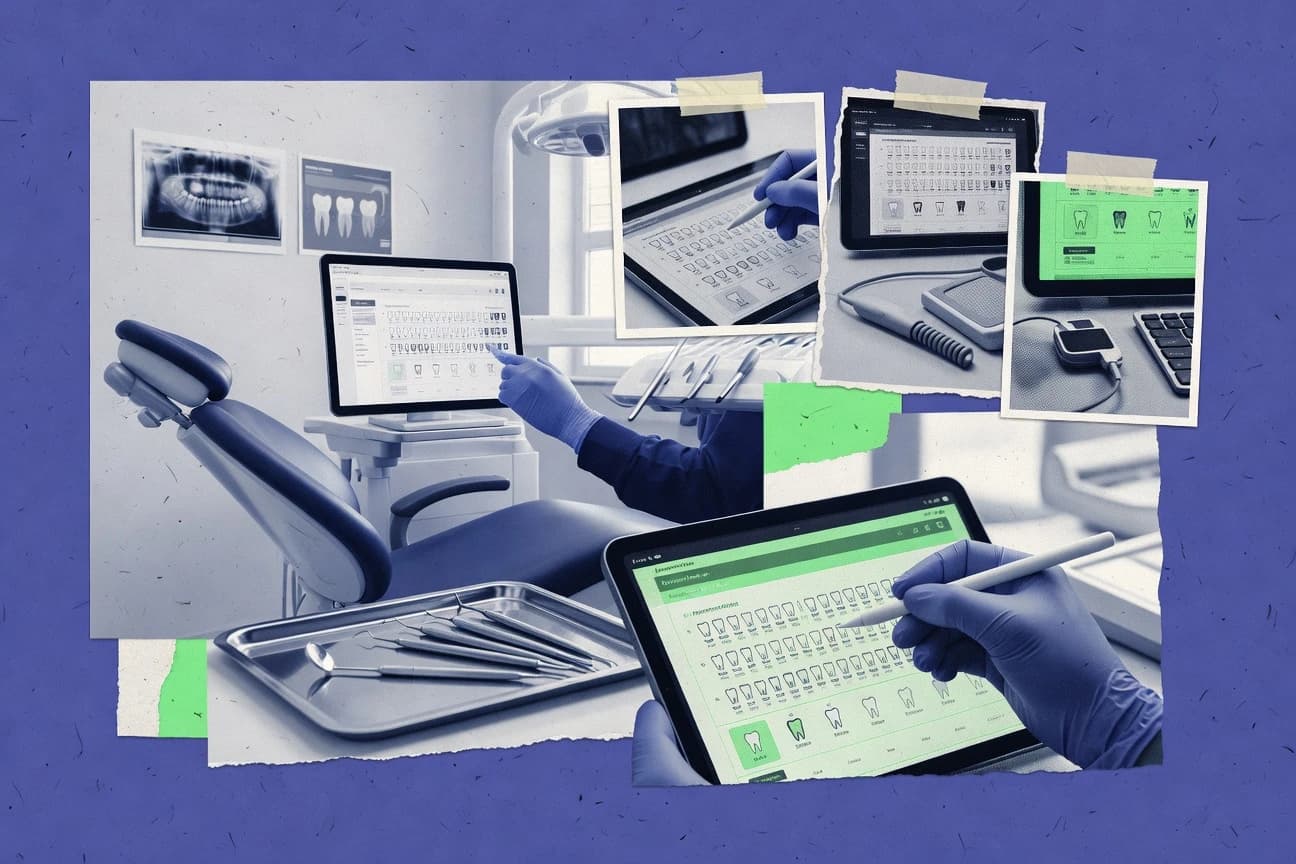
Ranked top dental record software for clinics comparing Dentrix, Eaglesoft, and DentiMax, with feature and workflow fit notes for tab32.

How we ranked these tools
Before any source is gathered, an editor locks the question, what qualifies, and how the piece will be judged.
Search agents gather the source set and the review record, including transcriptions of video reviews and podcasts.
Framework: Features 40% · Ease 30% · Value 30%
Gitnux may earn a commission through links on this page — this does not influence rankings. Editorial policy
Dentrix is the best fit if your clinic needs on-premise, repeatable charting tied to claims attachments across multiple chairs, whereas tab32 suits teams that want cloud charting with document and imaging continuity for every visit and Curve Dental works best for mid-size practices that value template-driven charting and imaging-in-chart workflows with audit visibility for governance.
Editor’s top 3 picks
Three quick recommendations before you dive into the full comparison below — each one leads on a different dimension.
Dentrix
Tooth-level charting and perio chart history remain directly accessible inside visit documentation for quick continuity.
Best for: Fits when clinics need repeatable charting workflows tied to claims attachments across multiple chairs.
Eaglesoft
Editor pickPeriodontal exam charting and structured tooth-level notation are designed for fast, repeatable capture during routine visits.
Best for: Fits when multi-provider clinics need standardized perio and charting workflows tied to chairside imaging.
tab32
Editor pickDocument-first patient record structure that keeps clinical notes and attachments tightly coupled to charting.
Best for: Fits when clinics need charting plus document and imaging continuity for every visit.
Comparison Table
Dentrix
enterpriseOn-premise dental practice management software by Henry Schein.
Tooth-level charting and perio chart history remain directly accessible inside visit documentation for quick continuity.
Dentrix connects patient charting to recurring visit workflows so staff can move from appointments to notes, odontogram-style documentation, and follow-up plans without switching systems. Clinical templates and note structures support consistent SOAP-style documentation and make it easier to repeat exam logic across clinicians. Periodontal charting fields and tooth surface notation support granular chart history for later review and chart auditing.
A tradeoff is that best results depend on setup discipline for forms, charting defaults, and document templates, since inconsistent configurations create rework during charting. Dentrix fits clinics that need a single record workflow across multiple chairs and want chart history to be the source of truth for clinical updates and supporting attachments.
- +Chart history stays tied to each visit record for consistent follow-ups
- +Structured periodontal charting supports tooth-by-tooth continuity
- +Clinical note templates reduce variation in day-to-day documentation
- +Dental claim attachment and ADA-format support reduce manual linking work
- –Template and charting defaults require careful upfront governance to avoid rework
- –Advanced automation often depends on configured add-ons and integrations
- –Some workflows still feel appointment-centric instead of chart-first
Practice managers
Standardize exam documentation across clinicians
Fewer documentation inconsistencies
Dental assistants
Update perio charts chairside
Faster chart completion
Show 2 more scenarios
Front-desk teams
Attach imaging to patient records
Less hunting for prior images
Imaging captured during visits can be stored with the patient chart for later clinician review.
Billing coordinators
Reduce claim linking work
Cleaner claim packages
Claim workflow steps use chart-related attachments and documentation so fewer items require manual association.
Best for: Fits when clinics need repeatable charting workflows tied to claims attachments across multiple chairs.
Eaglesoft
enterprisePractice management and clinical software by Patterson Dental.
Periodontal exam charting and structured tooth-level notation are designed for fast, repeatable capture during routine visits.
Eaglesoft is built around the operatory loop, where charting, periodontal charting, and odontogram-style tooth surface notation feed treatment documentation during the visit. Clinical notes templates and structured exam capture help clinics keep SOAP notes consistent across providers and locations. Imaging flows connect capture and review to the patient record so clinical documentation stays tied to dated encounters.
A key tradeoff is workflow dependence on configuration and template discipline, which can create variation when different offices use different setups. Eaglesoft fits best for multi-provider practices that want standardized clinical note entry and predictable perio exam documentation without building custom integrations. It also fits teams that need imaging and charting to stay in the same operational rhythm rather than split across separate tools.
- +Perio charting and tooth-level notation support repeatable exam entry
- +Clinical notes templates keep SOAP-style documentation consistent
- +Imaging capture and review stay linked to dated patient encounters
- +Practice management synchronization reduces duplicate demographic entry
- –Standardization depends on disciplined template setup across operatories
- –Advanced automation and integration depth require careful systems planning
- –Some workflows can feel busy when screen layout is not tuned
- –Capturing edge-case documentation may take extra clicks versus custom forms
Periodontics coordinators
Routine perio exam documentation workflows
More uniform exam capture
Dental office managers
Template-driven clinical note standardization
Fewer documentation variations
Show 2 more scenarios
Restorative practice clinicians
Chairside imaging tied to charting
Clearer chart context
Imaging capture and review align with encounter documentation in the same patient record flow.
Front-desk scheduling teams
Operational alignment with patient records
Less duplicate entry
Practice management sync keeps patient demographics and encounter documentation aligned around appointments.
Best for: Fits when multi-provider clinics need standardized perio and charting workflows tied to chairside imaging.
tab32
SMBCloud-based dental EHR and practice management platform.
Document-first patient record structure that keeps clinical notes and attachments tightly coupled to charting.
tab32 is built around patient record continuity, with charting screens that keep clinical entries and documentation artifacts in the same longitudinal context. Clinical documentation includes structured templates for common visit notes and consistent fields for periodontal and tooth-related entries, which reduces free-text drift. Imaging integration is handled through a viewer and capture workflow that supports attaching intraoral images and related references within the chart.
A key tradeoff is that deeper integrations and specialty workflow requirements can depend on configuration choices, so teams often need deliberate setup for template use and attachment handling. tab32 fits clinics that want end users to stay inside charting while also needing document and imaging artifacts available at the same time for clinician review and patient-facing documentation.
- +Document-first chart experience keeps notes and attachments in one record
- +Structured visit templates improve consistency across clinicians
- +Imaging capture and viewer workflow reduces switching between systems
- +Role-based access and activity tracking support clinical governance
- –Template and attachment workflows require careful early configuration
- –Advanced specialty workflows may need add-on configuration work
- –Integration depth for billing and claims depends on external interfaces
- –Some reporting setups take administrator time to standardize
Group practice operations teams
Standardize visit documentation across providers
Less documentation variation
Dental imaging coordinators
Maintain intraoral images inside charts
Faster clinician review
Show 2 more scenarios
Practice administrators
Control access by clinical roles
Stronger governance
Role-based access controls limit chart actions and improve auditability for record activity.
Front-desk teams
Automate intake and reminders
Fewer missed steps
Reminder and intake automation reduce manual follow-up tasks around appointments.
Best for: Fits when clinics need charting plus document and imaging continuity for every visit.
Curve Dental
SMBBrowser-based dental practice management for small to mid-size practices.
Template-driven clinical note and exam sections that enforce consistent periodontal and tooth-level documentation across appointments.
Curve Dental focuses on dental record management with configurable patient charting and clinical note workflows tied to the daily exam and treatment path. The system supports intraoral image capture workflows and integrates imaging viewing into the record so providers can review documentation while charting.
- +Configurable clinical templates speed repeat charting and consistent documentation
- +Imaging capture workflows keep photo documentation in-step with chart updates
- +Audit trail visibility helps track chart edits during clinical review cycles
- +Role-based access controls reduce unauthorized exposure to patient records
- –Deep customization can require careful governance of templates and chart fields
- –Some integrations may depend on external setup rather than native end-to-end automation
- –Advanced imaging workflows can feel slower with large image sets
- –Workflow tuning for uncommon charting styles may take multiple template iterations
Best for: Fits when mid-size practices want template-driven charting and imaging-in-chart workflows with audit visibility for governance.
MacPractice
vertical specialistDental practice management built natively for macOS and iOS.
Configurable clinical note and chart templates enforce consistent documentation patterns across clinicians.
MacPractice handles electronic dental record workflows with patient charting, structured clinical notes, and periodontal chart entry built for day-to-day ops. It also manages dental imaging through integration points meant for viewing and capture in the chart context, with chart-to-treatment continuity across visits.
- +Charting workflows support consistent clinical documentation with configurable templates
- +Imaging is integrated into the chart context for quick review during visits
- +Practice management sync keeps encounter context aligned with patient chart activity
- +Periodontal charting and tooth notation workflows reduce charting steps
- –Deeper automation needs careful template setup and governance discipline
- –Third-party integration coverage may require add-ons for specific imaging or EHR paths
Best for: Fits when mid-size practices need structured charting and imaging-in-chart workflows with strong documentation consistency.
Dolphin Imaging
vertical specialistDental and orthodontic software supports patient records, imaging, cephalometric analysis, treatment planning, and clinical documentation.
Case-oriented imaging review that keeps charted findings aligned to the same longitudinal case history.
Dolphin Imaging focuses on orthodontic-centric electronic dental record workflows that center charting, imaging review, and treatment planning in one place. The software’s core strength is image and exam organization that supports repeatable clinical documentation across visits.
- +Orthodontics-focused imaging and planning workflows support structured repeat documentation
- +Clinical documentation templates reduce variation between clinicians
- +Exam and chart organization supports longitudinal patient review
- +Imaging-centric UX fits teams that work from visual case materials
- –Administrative governance and role controls require more setup discipline
- –Non-orthodontic charting workflows feel less streamlined than imaging workflows
- –Deep integration with external practice management is not turnkey for every environment
- –Template-heavy use can increase training needs for new staff
Best for: Fits when orthodontic teams want imaging-led charting and repeatable documentation with controlled workflows.
GoodX
SMBPractice management software supports dental patient records, clinical notes, billing, claims, scheduling, and reporting.
Chart-linked intraoral image capture and viewing that stays tied to the patient record during documentation.
GoodX, a South African electronic dental record system, differentiates with clinic-focused workflows for patient charting and day-to-day clinical documentation. The core feature set centers on structured patient records with odontogram and periodontal charting support, plus clinical notes templates for consistent SOAP-style documentation.
- +Odontogram and periodontal charting tools support consistent tooth and perio notation
- +Clinical notes templates standardize SOAP-style documentation across providers
- +Intraoral image capture and chart-linked viewing reduces chart switching
- +Patient chart layout keeps core clinical fields reachable during appointments
- –Imaging integration depth for external imaging centers is limited versus enterprise EHR stacks
- –Automation and API surface for workflow integration needs stronger documentation
Best for: Fits when mid-size dental practices need structured charting, template-driven notes, and image viewing inside the chart.
iDentalSoft
SMBCloud dental software includes patient records, odontograms, treatment planning, imaging, billing, and patient portals.
Tooth surface notation plus periodontal charting routines inside patient charting workflow.
iDentalSoft is a dental record software used to manage patient charts, clinical notes, and administrative workflows in one system. Core capabilities include patient charting, periodontal charting workflows, odontogram-style tooth surface notation, and imaging access paths for intraoral capture.
- +Periodontal charting and tooth surface notation workflows are built into charting
- +Clinical note templates reduce repeat typing across SOAP and progress documentation
- +Imaging access is tied to the patient chart for faster record lookup
- +Scheduling and visit documentation support consistent documentation-to-visit linkage
- –FHIR and HL7 integration depth is less mature than larger competitors
- –Automation options rely more on templates than event-driven rules
- –Advanced governance controls like granular RBAC and audit log depth need evaluation
- –Imaging integration can be constrained by supported source workflows and formats
Best for: Fits when small clinics need structured charting, template-driven notes, and imaging tied to visits.
Archy
SMBCloud dental practice software combines patient records, charting, scheduling, payments, and patient communication.
Chart-integrated DICOM viewer supports radiograph review without leaving patient documentation.
Archy handles electronic dental records through structured patient charts, clinical notes, and periodontal charting workflows tied to day-to-day appointments. The system supports intraoral imaging capture workflows and a DICOM viewer to review radiographs and images inside the chart.
- +Patient charting and periodontal chart entry stay fast during appointment flow
- +DICOM viewer keeps radiograph review inside the clinical workspace
- +Clinical notes templates reduce repeated documentation work
- +Intraoral image capture is integrated into chart documentation
- –Imaging setup and permissions require careful configuration to avoid chart clutter
- –Advanced interoperability beyond common integrations can require extra IT effort
- –Workflow customization options feel less granular than larger record systems
- –Reporting depth for billing-linked analytics is limited compared to claim-centric suites
Best for: Fits when a clinic needs chart-first documentation with integrated image review and templated notes.
Ortho2 Edge
vertical specialistOrthodontic practice software manages patient records, treatment plans, imaging, scheduling, and financial workflows.
Treatment-oriented charting flow ties documentation and imaging to the orthodontic visit sequence.
Ortho2 Edge is an orthodontic record system built around chairside charting and treatment workflows rather than general practice EHR tooling. The software supports structured clinical documentation like odontology and periodontal exam recording, plus repeatable clinical note templates for chart consistency. It also includes imaging and orthodontic treatment planning workflow components that keep notes, chart data, and scans in the same clinical flow.
- +Charting workflows are tuned for orthodontic documentation speed
- +Clinical note templates support consistent SOAP style entries
- +Imaging workflow is organized around the clinical treatment sequence
- +Structured exam recording reduces variability between clinicians
- –Non-orthodontic practice workflows can feel extra or indirect
- –Integration depth depends heavily on which external systems are required
- –Advanced automation often needs careful setup of templates and forms
- –Reporting customization for nonstandard metrics can require manual work
Best for: Fits when orthodontic teams need structured charting, templated clinical notes, and treatment-linked imaging workflows.
Conclusion
After evaluating 10 dental record software, Dentrix stands out as our overall top pick — it scored highest across our combined criteria of features, ease of use, and value, which is why it sits at #1 in the rankings above.
Use the comparison table and detailed reviews above to validate the fit against your own requirements before committing to a tool.
How to Choose the Right Dental Record Software
Dental record software centralizes patient charting, clinical notes templates, and imaging-in-chart workflows so providers document care inside one record. This buyer’s guide covers Dentrix, Eaglesoft, and DentiMax alongside the other tools evaluated here, with attention on how each product handles repeatable charting and follow-up continuity.
The guide emphasizes practical integration depth, automation behavior, and the operational impact of template and workflow governance on daily throughput. Tool coverage includes Dentrix for tooth-level chart continuity, Eaglesoft for structured perio capture, and tab32 for a document-first record structure.
Dental Record Software for charting, clinical notes, and imaging-in-chart documentation
Dental record software captures periodontal charting, odontogram-style tooth notation, and structured clinical notes such as SOAP-style documentation within the patient chart. Many implementations also tie chart entries to visit documentation and maintain longitudinal case continuity for follow-ups.
Dentrix organizes tooth-level charting and perio chart history directly inside visit documentation for quick continuity, while tab32 keeps clinical notes and attachments tightly coupled to charting in a document-first patient record structure. The software category also evaluates how imaging capture and DICOM viewing stay aligned with the same record workspace so clinicians can review and document without switching systems.
Dental record evaluation criteria that change charting outcomes
Dental record software must keep charting, clinical notes templates, and imaging-in-chart workflows in sync so clinicians do not retype findings or lose longitudinal context. The most measurable differences show up in how quickly teams can capture repeatable tooth and perio details during appointments and then follow those details through later visits.
Tooth-level and perio continuity inside visit documentation
Dentrix keeps tooth-level charting and perio chart history directly accessible inside visit documentation for quick continuity. Curve Dental also uses template-driven note and exam sections to enforce consistent periodontal and tooth-level documentation across appointments.
Chart-first document structure for notes plus attachments
tab32 uses a document-first patient record structure that keeps clinical notes and attachments tightly coupled to charting. GoodX ties charting and intraoral image capture to the patient record so image viewing stays inside the same chart context.
Template-driven exam capture and SOAP-style documentation consistency
Eaglesoft uses perio charting and structured tooth-level notation plus clinical notes templates that keep SOAP-style documentation consistent. MacPractice provides configurable clinical note and chart templates that enforce consistent documentation patterns across clinicians.
Imaging-in-chart workflows with record-aligned review
Archy offers a chart-integrated DICOM viewer so radiograph review stays inside the patient documentation workspace. Dolphin Imaging provides orthodontics-focused imaging and planning workflows that keep charted findings aligned to longitudinal case history.
Governance controls for operator variance and chart field discipline
Curve Dental and Dentrix both emphasize template and charting defaults that require governance discipline to avoid rework. GoodX and Dolphin Imaging each require more administrative setup discipline to keep role controls and chart-linked imaging workflows consistent.
Choose based on workflow fit: record structure, chart continuity, and governance load
The first decision is record structure because the software either centers charting with visit context or centers documents with tightly coupled attachments and then links clinical data to that record. The second decision is governance load because some tools can only stay consistent if templates, fields, and operator workflows are configured and maintained with the clinic’s standards.
Pick record structure that matches how appointments are documented
If documentation needs to stay tied to tooth-level charting inside visit records, Dentrix aligns with chart and perio continuity inside visit documentation. If the clinic prefers notes and attachments coupled into one record view, tab32 keeps the chart and document components in one place.
Match peri and tooth notation to the repeatability level needed
If routine visits require fast, standardized perio capture and structured tooth-level notation, Eaglesoft focuses on repeatable exam entry with SOAP-style templates. If the workflow needs quicker repeat charting across clinicians using template-driven clinical note and exam sections, Curve Dental enforces consistency through configurable templates.
Align imaging review to the same chart workspace
If clinicians must review radiographs inside the patient chart without switching into a separate workspace, Archy’s chart-integrated DICOM viewer keeps imaging within the clinical workspace. If orthodontic teams need imaging-led longitudinal case documentation and treatment planning flow, Dolphin Imaging tunes the charting experience around imaging and case history.
Quantify governance burden before rollout
If templates and charting defaults will be heavily customized or expanded, Dentrix and Curve Dental both require upfront governance discipline to prevent rework. If standardization depends on disciplined template setup across operatories, Eaglesoft also shifts burden to clinic setup practices to keep exam capture consistent.
Separate template-speed from automation depth requirements
If the clinic needs documentation speed with structured templates and can manage setup rigor, MacPractice supports consistent charting and imaging-in-chart review through configurable templates. If the clinic needs more event-driven automation tied to imaging or integration workflows, tab32 and GoodX can require careful early configuration and clearer integration planning documentation for deeper automation.
Who benefits most from these Dental Record Software capabilities
Dental record software buying should target the documentation bottleneck that most affects chairside throughput, which is often repeatable perio and tooth notation plus imaging review inside the same chart context. The tools below differ in how strongly they keep chart continuity inside visit records versus how strongly they keep notes and attachments coupled to a document-first record.
Multi-provider general practices optimizing repeat follow-up documentation
Dentrix keeps tooth-level charting and perio chart history directly accessible inside visit documentation, which supports consistent follow-ups across repeated visits. Eaglesoft adds structured perio capture and SOAP-style template consistency so multiple operators document exams with fewer deviations.
Clinics that treat charting and supporting documents as a single record view
tab32 stores clinical notes and attachments tightly coupled to charting in a document-first patient record structure. GoodX also keeps chart-linked intraoral image capture and viewing tied to the patient record during documentation.
Mid-size practices standardizing chairside documentation with templates
MacPractice uses configurable clinical note and chart templates that enforce consistent documentation patterns across clinicians. Curve Dental uses template-driven clinical note and exam sections to keep periodontal and tooth-level documentation consistent across appointments.
Orthodontic teams needing imaging-led documentation and treatment sequence alignment
Dolphin Imaging supports orthodontics-focused imaging and planning workflows tied to structured repeat documentation. Ortho2 Edge ties treatment-oriented charting flow and imaging to the orthodontic visit sequence with templated clinical notes.
Common Dental Record Software pitfalls that create charting rework
Many failures show up when template defaults are treated as plug-and-play instead of as a governance system that defines what operators must enter in which fields. Other failures happen when imaging workflows are expected to match the charting model, but radiograph review requires extra setup or extra permissions that teams did not validate during implementation.
Running with template defaults without defining operator responsibilities for chart fields
Dentrix and Curve Dental both warn that template and charting defaults require careful upfront governance to avoid rework. Eaglesoft also depends on disciplined template setup across operatories to keep standardization from breaking down.
Expecting imaging to behave like charting without validating permissions and imaging configuration
Archy requires careful imaging setup and permissions to avoid chart clutter and broken review flows. Dolphin Imaging also requires more administrative governance and role control setup discipline to keep workflows consistent.
Optimizing for template speed while ignoring the documentation structure that ties notes, attachments, and chart fields
tab32 works best when the document-first record approach matches clinic documentation habits, since charted notes and attachments are tightly coupled. iDentalSoft can feel more template-driven than rule-driven, so clinics expecting event-driven behaviors may see gaps in automation beyond templates.
Choosing an orthodontics-optimized workflow for a non-orthodontic practice without validating coverage
Ortho2 Edge is tuned for orthodontic visit sequence documentation, and non-orthodontic practice workflows can feel extra or indirect. Dolphin Imaging can also feel less streamlined for non-orthodontic charting compared with its imaging-first case history focus.
How We Selected and Ranked These Tools
We evaluated dental record software by weighting charting and documentation feature fit at 40% and operational ease and value at 30% each. The evaluation emphasized how each product keeps tooth and perio capture consistent across visits, especially when teams need chart continuity inside visit documentation.
Dentrix ranked highest because tooth-level charting and perio chart history are directly accessible inside visit documentation, which supports quick continuity during follow-ups. The ranking also considered how often teams can stay inside one clinical workspace for imaging-in-chart review and chart-aligned note capture, which affects chairside throughput and documentation rework.
Frequently Asked Questions About Dental Record Software
How do Dentrix and Eaglesoft differ in structuring charting and perio workflows during a visit?
Which systems keep intraoral images and chart data in the same workspace during documentation?
What changes when chart records become document-first in tab32?
How do Dolphin Imaging and Ortho2 Edge handle imaging workflows for orthodontic teams?
When a clinic needs practice management synchronization, how do MacPractice and iDentalSoft behave in day-to-day operations?
Where does Dentrix support dental claim attachment workflows, and what limitation shows up outside that path?
What tradeoff appears when Dolphin Imaging’s data exchange is used mainly through its imaging-led flows?
How do Curve Dental and tab32 approach admin controls and audit visibility for chart changes?
Which setup tasks most often affect template-driven consistency in Curve Dental and MacPractice?
What breaks if image integration is not planned during onboarding for systems like Archy and GoodX?
Tools reviewed
Primary sources checked during evaluation.
Referenced in the comparison table and product reviews above.
Funding and competing interests
This study was co-funded by several of the vendors assessed in it. No single vendor funded it. Funders could propose the market studied.
They had no role in selecting vendors, setting or weighting criteria, analysing data or drawing conclusions, and they received the same factual-accuracy check as every other vendor assessed.
Market definition, inclusion rules and criteria weights were fixed by an editor before research began and did not change afterwards. Editorial process →
- Healthcare MedicineTop 10 Best Dental 3D Software of 2026
- Healthcare MedicineTop 10 Best Medical Record Scanning Software of 2026
- Healthcare MedicineTop 10 Best Most Popular Dental Practice Management Software of 2026
- Healthcare MedicineTop 10 Best Dental Treatment Planning Software of 2026
- Healthcare MedicineTop 10 Best Patient Record Keeping Software of 2026
Keep exploring
Comparing two specific tools?
Software Alternatives
See head-to-head software comparisons with feature breakdowns, pricing, and our recommendation for each use case.
Explore software alternatives→In this category
Healthcare Medicine alternatives
See side-by-side comparisons of healthcare medicine tools and pick the right one for your stack.
Compare healthcare medicine tools→