
GITNUXSOFTWARE ADVICE
Art DesignTop 10 Best Currency Design Software of 2026
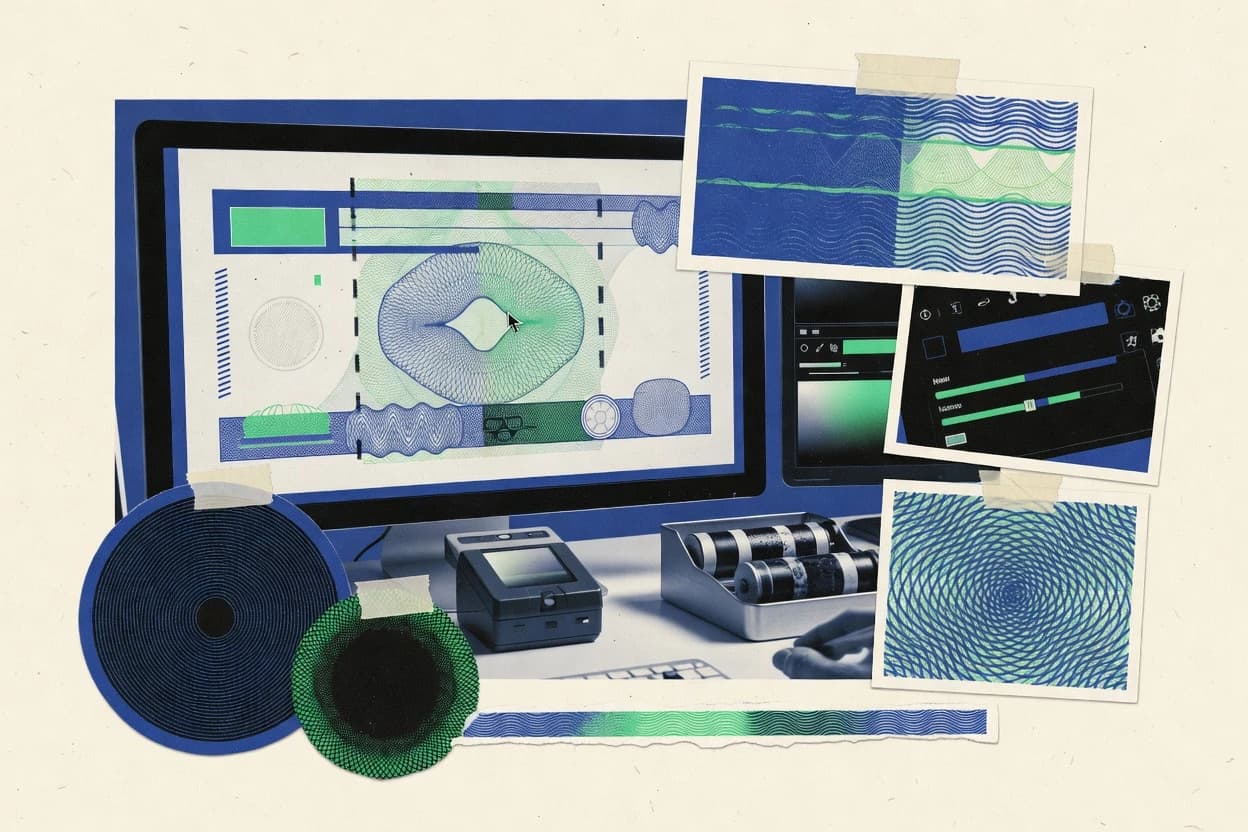
Ranked review of currency design software for faster banknote workflows, covering Pitagora Giotto, Jura Corvina, and K&B Banknote Solutions ONE Suite.

How we ranked these tools
Core product claims cross-referenced against official documentation, changelogs, and independent technical reviews.
Analyzed video reviews and hundreds of written evaluations to capture real-world user experiences with each tool.
AI persona simulations modeled how different user types would experience each tool across common use cases and workflows.
Final rankings reviewed and approved by our editorial team with authority to override AI-generated scores based on domain expertise.
Score: Features 40% · Ease 30% · Value 30%
Gitnux may earn a commission through links on this page — this does not influence rankings. Editorial policy
Pitagora Giotto is the best fit for currency artwork teams that need repeatable templates and controlled revisions for prepress-ready handoff, whereas Figma works best when you’re collaborating on concepts and approvals before production with consistent layout.
Editor’s top 3 picks
Three quick recommendations before you dive into the full comparison below — each one leads on a different dimension.
Pitagora Giotto
Template-driven series configuration for denomination layout across obverse and reverse variants.
Built for fits when currency artwork teams need repeatable templates, controlled revisions, and prepress-ready handoff..
Jura Corvina
Editor pickRegeneration of production-ready export packages from structured design assets after denomination and layout changes.
Built for fits when currency studios need frequent redesign revisions with predictable prepress exports and fewer file handoffs..
Koenig & Bauer Banknote Solutions ONE Suite
Editor pickBuilt-in prepress packaging workflows that enforce consistency from currency artwork to manufacturing-ready deliverables.
Built for fits when design studios need approval-ready, production-packaged currency artwork outputs..
Comparison Table
Pitagora Giotto
vertical specialistSecurity graphics design application for generating all security printing elements used in banknotes, passports, and checks.
Template-driven series configuration for denomination layout across obverse and reverse variants.
Pitagora Giotto is organized around repeatable currency artwork tasks, with project templates that drive consistent denomination layout across faces and revisions. The workflow focuses on producing print-ready artwork packs that align with common prepress separation steps and color-management expectations. Teams can maintain variant control for obverse and reverse design packages so changes propagate within a controlled project structure.
A key tradeoff is that the workflow depends on disciplined template setup for each security-graphics style guide, because late changes often require template edits rather than quick per-artboard tweaks. Pitagora Giotto fits best when multiple denominations share the same design system and when governance around design rules matters for central-bank approval iterations.
- +Template-driven denomination layout keeps multi-denomination series consistent
- +Controlled obverse and reverse packages reduce cross-face drift
- +Prepress-ready separation outputs support downstream print workflows
- +Security-graphics composition accelerates iteration cycles for recurring styles
- –Template governance is required to avoid slow late-stage redesigns
- –Learning curve is higher than general graphic editors
- –Complex multi-variant projects need careful version discipline
- –Export packaging can require extra validation for specific vendor pipelines
currency design teams
Update many denominations with one system
Less rework per denomination
security printing workflow leads
Produce prepress separation-ready artwork packs
Fewer vendor back-and-forths
Show 2 more scenarios
central-bank approval coordinators
Track revisions across approval iterations
Clear change traceability
Maintain controlled obverse and reverse project packages for review cycles.
prepress and color management teams
Standardize outputs across projects
More predictable print results
Apply repeatable configuration so color-management and packaging stay consistent.
Best for: Fits when currency artwork teams need repeatable templates, controlled revisions, and prepress-ready handoff.
Jura Corvina
vertical specialistModular security prepress design software for intaglio engraving, offset design, and quality control of high-security documents.
Regeneration of production-ready export packages from structured design assets after denomination and layout changes.
Jura Corvina’s core capability is managing currency artwork artifacts in a way that stays consistent from design edits to exported production files. It emphasizes prepress separation workflows and repeatable export settings so teams can regenerate deliverables after layout changes. Security-related artwork elements are handled as part of the same design-to-export pipeline, which reduces mismatch risk between creative files and shop-floor outputs.
The main tradeoff is that Jura Corvina is workflow-driven and expects teams to follow its asset structure to get predictable regeneration behavior. It fits best when a studio has recurring denomination updates or seasonal security refreshes that require frequent re-export of print-ready artwork across the same production pipeline.
- +Repeatable prepress separation outputs after denomination layout edits
- +Export packages stay consistent across obverse and reverse variants
- +Structured asset handling reduces manual file reassembly for prepress
- +Faster regeneration of print-ready artwork for common revision cycles
- –Workflow requires teams to adhere to its asset structure
- –Automation wins drop when designs diverge from prior templates
Banknote design studios
Denomination revisions needing fast re-exports
Shorter redesign to prepress cycles
Prepress and production teams
Consistency across security artwork variants
Fewer mismatched production files
Show 2 more scenarios
Security graphics designers
Iterating secure element compositions
Less rework between design and export
Maintains stable downstream exports while adjusting security artwork placements.
Artwork operations leads
Standardizing handoff formats
Lower handoff workload
Reduces manual packaging work by aligning design outputs to production file structures.
Best for: Fits when currency studios need frequent redesign revisions with predictable prepress exports and fewer file handoffs.
Koenig & Bauer Banknote Solutions ONE Suite
vertical specialistIntegrated banknote design and prepress software suite created specifically for banknote designers and engravers.
Built-in prepress packaging workflows that enforce consistency from currency artwork to manufacturing-ready deliverables.
The suite is built around security printing deliverables where the design output must map cleanly into prepress separation and press-ready asset sets. Teams can manage iterative revisions while keeping outputs consistent across obverse and reverse variations. The workflow orientation reduces manual stitching between design outputs and packaging for downstream production.
A key tradeoff is that asset governance and configuration discipline are required to keep the design-to-prepress chain consistent across multiple clients and denomination families. The suite fits best when a studio works with frequent revision rounds and needs controlled packaging for manufacturing review, not when a team only needs ad hoc mockups.
- +Prepress-oriented packaging for fast manufacturing handoff
- +Revision control aligned with approval-driven currency programs
- +Consistent output across obverse and reverse design variants
- +Workflow configuration supports repeatable production constraints
- –Governance setup is required to maintain consistent deliverables
- –Best fit targets production pipelines rather than rapid ideation
- –Complex programs benefit most from trained workflow ownership
- –Automation depth depends on configured downstream integration
Security printing design teams
Package press-ready denomination art
Fewer handoff errors
Program management offices
Control revisions for approvals
Faster approval iteration
Show 1 more scenario
Prepress and production engineers
Prepare separation-ready asset outputs
Lower rework in prepress
Creates output sets aligned to production constraints so downstream teams receive consistent prepress inputs.
Best for: Fits when design studios need approval-ready, production-packaged currency artwork outputs.
Figma
collaborativeCollaborative design software for currency concepts, interface mockups, and review workflows.
Figma file branching via duplicated versions plus an API-friendly export workflow for controlled print-ready handoffs.
Figma is a collaborative design tool used for currency artwork layouts, including denomination layout work across obverse and reverse variants. Its vector editing, component system, and frame-based page organization support consistent design-for-manufacture iterations and prepress separation mockups.
Figma also provides version history, comments, and structured sharing for central-bank approval workflow coordination. For teams that need automation and integration, Figma’s APIs and extensibility can wire design files into review pipelines and print-ready export checks.
- +Components and variants keep obverse and reverse denomination layouts consistent
- +Real-time co-editing and comments speed central-bank approval workflow exchanges
- +Plugins and REST API support custom export, linting, and review automation
- +Version history enables traceable iterations across artwork revisions
- –No native security printing execution for intaglio engraving or specialized ink effects
- –Governance requires careful team permissions and review hygiene rather than bank-grade controls
Best for: Fits when currency artwork needs strong layout consistency and approval collaboration before prepress production.
CorelDRAW
SMBVector design software for detailed illustrations, typography, layout, and print production.
Fine-line guilloche-style pattern construction using CorelDRAW vector tools and repeatable object workflows.
CorelDRAW is a vector design tool used for currency artwork creation, with tight control over paths, typography, and print-oriented layouts. It supports fine-line geometry for guilloche-style patterns, complex layered artwork for obverse and reverse designs, and export to print-ready formats.
It also integrates with prepress workflows through multi-page documents, color-managed output options, and production-friendly file handling for separation and downstream lithography. CorelDRAW is distinct in how quickly designers can iterate on denomination layout details using its core vector toolset rather than relying on specialized currency-only modules.
- +Vector tooling enables precise fine-line artwork for denomination layout variations
- +Layer and object management supports complex obverse and reverse build-ups
- +Multi-page document support helps package print-ready artwork sets
- +Color management options support consistent output across prepress steps
- –Counterfeit-resistance analysis workflows are not native to the authoring tool
- –Large, highly detailed banknote files can slow interactivity on mid-range hardware
- –Currency-specific security elements often require manual construction and verification
- –Automation and API extensibility are limited compared with engineering-focused design systems
Best for: Fits when currency artwork teams need fast vector iteration and print-ready exports without security-analysis tooling.
Banknote Design Management System
vertical specialistSpecialized prepress software for banknote and security document design and platemaking.
Release packaging that ties banknote design revisions to production handoff artifacts for prepress-ready deliverables.
Banknote Design Management System is a currency design management product from Komori that focuses on controlling banknote artwork packages end to end for security printing workflows. It is built around versioned design assets, controlled production handoffs, and packaging of print-ready deliverables for prepress and security-focused layers.
The system supports governance for design changes across obverse and reverse layouts and provides configuration that aligns artwork output with downstream separation and plate or job requirements. For organizations that coordinate multiple internal and external stakeholders, it reduces manual tracking by centralizing approvals, variants, and release artifacts into a single design management workflow.
- +Centralized release packaging for banknote artwork handoff to prepress teams
- +Version control for design revisions across obverse and reverse deliverables
- +Workflow controls that reduce manual change tracking between departments
- +Configuration options tailored to security printing deliverable structures
- –Requires strong workflow setup to match internal approval and release steps
- –Automation depth depends on how upstream artwork generation is integrated
- –User experience can feel heavyweight for teams managing only a few layouts
- –Extensibility and API surface are not positioned as primary buying criteria
Best for: Fits when currency security printing teams need controlled artwork packaging and revision governance across obverse and reverse cycles.
Security Design
vertical specialistBanknote design software supporting guilloché patterns, microtext, and security elements.
Security element planning that keeps counterfeit-resistance review inputs tied to the corresponding currency artwork components.
Security Design focuses on banknote design and security printing workflows for teams that need print-ready currency artwork rather than generic graphic tooling. The offering supports denomination layout and detailed obverse and reverse design deliverables, with production oriented outputs for security printing.
Configuration work is centered on repeatable artwork generation and prepress separation oriented preparation, which reduces manual re-layout across revisions. Security Design also targets security element planning for counterfeit resistance analysis workflows by keeping artwork components distinct for review and iteration.
- +Banknote oriented denomination layout supports repeatable currency artwork revisions
- +Print oriented obverse and reverse design outputs reduce handoff gaps to prepress
- +Componentized security artwork layout supports structured review cycles
- +Prepress separation oriented preparation supports revision control for artwork sets
- –Workflow fit favors currency artwork tasks and may feel narrow for general design
- –Automation depth depends on process discipline for consistent revision management
- –Integration options for external automation are harder to validate from public documentation
- –Governance controls like fine grained RBAC and audit logs are not clearly documented
Best for: Fits when teams need banknote-specific artwork generation with controlled revisions for prepress handoff.
Adobe Illustrator
enterpriseVector graphics software for banknote artwork, guilloche patterns, typography, and intricate illustrations.
ExtendScript automation can batch-generate layer exports and prepress packets from a standardized Illustrator document structure.
Adobe Illustrator is a vector design tool used for currency artwork where tight geometry and print-ready layouts matter. It supports multi-page documents, reusable symbols, and precise typography for denomination layout work across obverse and reverse designs.
Illustrator also provides color management controls, export of separated artwork for prepress workflows, and production-grade output formats for offset lithography and screen printing. Automation is available through ExtendScript and modern scripting hooks, which can standardize naming, layers, and export settings for repeatable production packets.
- +Vector precision helps keep denomination layouts consistent at scale
- +Built-in prepress exports support print-ready separations and controlled output
- +ExtendScript automates repeatable layer, naming, and export steps
- +Symbol and pattern tools reduce redraw work for recurring security elements
- –No native currency security feature simulation or counterfeit-resistance analysis workflow
- –Automation relies on scripting and custom conventions rather than standard governance controls
- –Collaboration and approvals require external document and change-management processes
- –Large production files can become slow when security artwork is highly granular
Best for: Fits when currency studios need high-fidelity vector artwork and repeatable exports without platform-level security tooling.
Inkscape
free and open-sourceOpen-source vector graphics software for illustrations, patterns, typography, and SVG artwork.
Symbols and clones in SVG-based editing let currency motif sets stay consistent across many denominations without re-drawing.
Inkscape turns vector currency artwork into production-ready print assets with layers, symbols, and export formats that support prepress separation workflows. It includes precision path tools for clean denomination layout, and it can generate repeatable elements like borders and guilloche as vector objects.
File exchange through SVG and PDF keeps editing consistent across teams that review obverse and reverse design iterations. For currency-grade security patterns, Inkscape supports manual construction and SVG-based customization, but it does not provide dedicated counterfeit-resistance analysis tooling.
- +Layered SVG editing for denomination layout and obverse reverse iterations
- +Reusable symbols and clones for consistent repeated motifs across designs
- +Vector export to PDF workflows used for print-ready artwork handoff
- +Fine control over strokes, paths, and alignment for banknote artwork detailing
- –No native security printing workflow automation or approval orchestration
- –Counterfeit-resistance analysis features require external tooling and manual checks
Best for: Fits when currency artwork teams need precise vector editing and reliable SVG or PDF handoff for prepress separation.
ECO3 One X5 Security Design
vertical specialistModular high-security design software suite for creating security elements and assembling complete security documents.
Security element configuration that remains bound to banknote layout constraints through versioned design iterations.
ECO3 One X5 Security Design targets teams that need controlled workflows for currency artwork and security-printing design assets. It centers on a security-design workspace that organizes banknote design elements and helps move from concept layouts to print-ready deliverables with fewer manual handoffs.
The tool is distinct for its emphasis on security element configuration tied to banknote layout constraints. It also supports operational needs like asset reuse and controlled approvals so obverse and reverse design iterations do not drift across versions.
- +Security element configuration stays linked to banknote layout decisions during iteration
- +Asset reuse reduces rebuild time across obverse and reverse versions
- +Print-ready export workflow supports consistent prepress separation handoffs
- +Version control supports traceable changes across design review cycles
- –Workflow breadth depends on disciplined configuration of security element libraries
- –Deep layout constraints can feel rigid for highly experimental artwork styles
- –API and automation surface are not clearly exposed for build-system integration
- –Governance controls appear limited for fine-grained team roles
Best for: Fits when security-printing teams need controlled currency layout iterations with tight asset reuse and review discipline.
Conclusion
After evaluating 10 art design, Pitagora Giotto stands out as our overall top pick — it scored highest across our combined criteria of features, ease of use, and value, which is why it sits at #1 in the rankings above.
Use the comparison table and detailed reviews above to validate the fit against your own requirements before committing to a tool.
How to Choose the Right currency design software
Currency design software is used to build banknote artwork sets that must stay consistent across obverse and reverse design variants while feeding prepress separation and manufacturing handoff. This guide covers Pitagora Giotto, Jura Corvina, Koenig & Bauer Banknote Solutions ONE Suite, Figma, CorelDRAW, Banknote Design Management System, Security Design, Adobe Illustrator, Inkscape, and ECO3 One X5 Security Design.
The selection focus follows automation and integration depth from structured design assets to prepress-ready exports, plus governance controls that keep revisions aligned. Across the covered tools, the practical differences show up in how templates or production packaging enforce denomination layout consistency, and how file outputs get rebuilt after denomination edits.
Currency design software for banknote artwork, denomination layouts, and prepress-ready handoff
Currency design software helps studios coordinate currency artwork components with repeatable denomination layout changes that remain aligned across obverse and reverse packages. The category also needs export structures that support prepress separation and manufacturing-ready delivery, because late layout edits often trigger rework if the tool does not regenerate production packets. Pitagora Giotto targets template-driven series configuration that keeps denomination layout consistent across multi-denomination variants while reducing cross-face drift between obverse and reverse.
Jura Corvina focuses on regenerating production-ready export packages from structured design assets after denomination and layout changes, which reduces file handoffs during frequent redesign iterations. Other entries extend or constrain the workflow differently, such as Koenig & Bauer Banknote Solutions ONE Suite with built-in prepress packaging workflows and Figma with version branching and API-friendly export workflows built for approval collaboration.
Currency design workflows: templates, regeneration, packaging, and export control
Currency design teams need repeatable denomination layout edits that preserve consistency across obverse and reverse variants, because late layout changes trigger rework in prepress separation and manufacturing handoff. Tools that encode those repeatability rules into templates or structured assets reduce cross-face drift and reduce the number of file handoffs required during iteration cycles.
This category also depends on export structures that rebuild production-ready deliverables from controlled inputs, because approval workflows and prepress packaging typically assume stable file organization. The difference between “authoring” and “production packaging” shows up as prepress packet regeneration, built-in packaging workflows, and API-friendly export automation that keeps outputs aligned after edits.
Template-driven denomination layout for multi-face consistency
Pitagora Giotto uses template-driven series configuration for denomination layout across obverse and reverse variants to keep multi-denomination sets consistent. Figma uses components and variants to keep layouts consistent for approval collaboration, but it does not include native security printing execution for specialized banknote effects.
Regeneration of production-ready export packages after layout edits
Jura Corvina regenerates production-ready export packages from structured design assets after denomination and layout changes. ECO3 One X5 Security Design keeps security element configuration bound to banknote layout constraints through versioned design iterations, which supports controlled iteration while maintaining asset reuse.
Built-in prepress packaging workflows aligned to manufacturing handoff
Koenig & Bauer Banknote Solutions ONE Suite includes built-in prepress packaging workflows that enforce consistency from currency artwork to manufacturing-ready deliverables. Banknote Design Management System from Komori ties banknote design revisions to release packaging artifacts for prepress-ready deliverables, which supports revision governance across obverse and reverse cycles.
Controlled output formats via branching and scripted export automation
Figma supports file branching via duplicated versions plus an API-friendly export workflow for controlled print-ready handoffs. Adobe Illustrator provides ExtendScript automation that batch-generates layer exports and prepress packets from standardized document structure, while CorelDRAW focuses on vector iteration workflows rather than governance-first regeneration.
Vector motif reuse and complex fine-line artwork iteration
Inkscape uses symbols and clones in SVG-based editing so currency motif sets stay consistent across many denominations without re-drawing. CorelDRAW supports fine-line guilloche-style pattern construction using vector tooling and repeatable object workflows, which helps with intricate denomination layout variations.
Security element planning bound to design components and revision inputs
Security Design ties counterfeit-resistance review inputs to corresponding currency artwork components so security element planning stays aligned during revision cycles. ECO3 One X5 Security Design keeps security element configuration linked to banknote layout decisions through versioned iterations, which supports constraint-aware reuse.
Choose by workflow philosophy: template governance, structured regeneration, or packaging-first delivery
Currency design selection should start with how the tool handles denomination layout changes and what it rebuilds afterward. Some tools enforce consistency through template-driven series configuration, others regenerate production packets from structured assets, and others focus on prepress packaging workflows that produce approval-ready outputs.
The second fork is how outputs become manufacturing-ready deliverables with controlled revision governance. Tools like Koenig & Bauer Banknote Solutions ONE Suite and Banknote Design Management System focus on packaging and release artifacts, while Figma and Adobe Illustrator focus on collaboration and export automation that still requires tighter permission and review hygiene.
Select template governance when multi-denomination consistency is the primary failure mode
Choose Pitagora Giotto when the production risk comes from cross-face drift across obverse and reverse variants within a denomination series. The template-driven series configuration keeps denomination layout repeatable, but teams must enforce template governance to avoid slow late-stage redesigns.
Choose structured regeneration when redesign iterations must produce stable prepress packets
Choose Jura Corvina when denomination and layout edits happen frequently and exports must be rebuilt into consistent production-ready packages. Structured asset adherence is a constraint, so automation gains fall when designs diverge from the prior asset structure.
Choose packaging-first delivery when approvals need manufacturing-ready deliverables fast
Choose Koenig & Bauer Banknote Solutions ONE Suite when production pipelines require approval-ready, production-packaged currency artwork outputs. If the organization needs release packaging artifacts tied to design revisions, Banknote Design Management System adds centralized release packaging across obverse and reverse cycles.
Choose collaboration-first export control when central-bank approval exchanges drive the schedule
Choose Figma when approval collaboration needs real-time co-editing with version branching and API-friendly export for controlled print-ready handoffs. Avoid expecting native security printing execution for intaglio engraving or specialized ink effects, because Figma is not designed to simulate those elements.
Choose authoring-first tools when security analysis and counterfeit-resistance checks are handled externally
Choose CorelDRAW when the team prioritizes fast vector iteration and fine-line pattern construction and can run counterfeit-resistance analysis outside the authoring tool. Choose Inkscape or Adobe Illustrator when SVG or layer export automation supports consistent motif reuse and print-ready separation formats without built-in security feature workflows.
Choose security configuration binding when constraints must remain attached to layout decisions
Choose Security Design when counterfeit-resistance review inputs must stay tied to the corresponding currency artwork components through controlled revisions. Choose ECO3 One X5 Security Design when security element configuration must remain bound to banknote layout constraints across versioned design iterations with tight asset reuse.
Who currency design software fits best: teams by handoff and governance needs
Currency studios and security printing organizations choose tools based on which part of the workflow breaks under revision pressure. The best fit depends on whether the team needs template governance, structured regeneration into prepress packets, or packaging artifacts that mirror manufacturing handoff steps.
Some teams also need motif reuse and vector iteration speed, while others need security element configuration tied to layout decisions and review inputs. Tools in this guide vary sharply in how much of the production handoff pipeline they package inside the same workflow.
Currency artwork teams running multi-denomination series with frequent denomination layout changes
Pitagora Giotto fits when template-driven series configuration must keep obverse and reverse denomination layouts consistent across variants. Jura Corvina fits when structured assets need production-ready export regeneration after denomination and layout changes.
Studios that must produce approval-ready, manufacturing-packaged deliverables with fewer handoffs
Koenig & Bauer Banknote Solutions ONE Suite fits when built-in prepress packaging workflows enforce consistency from currency artwork to manufacturing-ready deliverables. Banknote Design Management System fits when release packaging must tie design revisions to prepress handoff artifacts across obverse and reverse cycles.
Teams prioritizing collaborative review with controlled export branching
Figma fits when real-time co-editing with branching and API-friendly export supports approval workflow exchanges. Adobe Illustrator fits when ExtendScript automation can batch-generate layer exports and prepress packets from a standardized Illustrator document structure.
Security printing teams that need security element planning linked to artwork components
Security Design fits when counterfeit-resistance review inputs must remain tied to corresponding currency artwork components through controlled revisions. ECO3 One X5 Security Design fits when security element configuration stays linked to banknote layout decisions through versioned design iterations.
Vector-first design teams iterating fine-line motifs and motif libraries
CorelDRAW fits when fine-line guilloche-style pattern construction and complex obverse reverse object builds require repeatable vector workflows. Inkscape fits when SVG symbols and clones must keep repeated motifs consistent across many denominations.
Common pitfalls when buying currency design software
The most common buying mistake is treating a graphics editor workflow as a production packaging workflow. CorelDRAW, Inkscape, and Adobe Illustrator can support vector exports and scripted packet generation, but none of them provide native currency security printing execution or counterfeit-resistance analysis workflows inside the authoring tool.
Another frequent mistake is ignoring governance discipline required by template-driven or structured regeneration workflows. Pitagora Giotto and Jura Corvina both require consistent adherence to template governance or structured asset organization, and automation benefits drop when teams diverge late from the expected series structure or packaging conventions.
Assuming authoring tools include security printing execution and counterfeit-resistance workflows
CorelDRAW, Inkscape, and Figma support currency artwork and print-ready exports, but they do not provide native counterfeit-resistance analysis workflows for banknote security verification. Security Design and ECO3 One X5 Security Design are closer to workflows that bind security element planning to artwork and revision inputs.
Choosing template-driven series tools without planning for template governance ownership
Pitagora Giotto reduces cross-face drift through template-driven denomination layout, but the cons emphasize that template governance is required to avoid slow late-stage redesigns. Assign governance ownership early and define change gates for denomination series templates.
Selecting structured regeneration tools without enforcing asset structure discipline
Jura Corvina rebuilds production-ready export packages from structured design assets, but its cons note automation wins drop when designs diverge from prior templates. Establish asset structure guidelines before the first denomination layout iteration.
Relying on export automation while neglecting permission and review hygiene for branching workflows
Figma offers file branching and API-friendly export workflow for controlled print-ready handoffs, but its cons state governance requires careful team permissions and review hygiene rather than bank-grade controls. Define review roles and approval checkpoints that map to central-bank approval workflow exchanges.
Buying for “fast design” and then discovering prepress packaging is the bottleneck
Koenig & Bauer Banknote Solutions ONE Suite and Banknote Design Management System focus on built-in packaging and release artifacts, which directly targets manufacturing handoff speed. If the organization needs approval-ready, production-packaged outputs, authoring-first tools may create extra file handoffs.
How We Selected and Ranked These Tools
We evaluated each tool on automation and integration depth from structured design assets into prepress-ready deliverables, with features making up 40% of the score. Ease and value each contributed 30%, with ease tracking how consistently teams can iterate denomination layout changes without creating broken output structures.
Pitagora Giotto earned the top ranking because template-driven series configuration keeps denomination layouts consistent across obverse and reverse variants and reduces cross-face drift while still supporting prepress-ready handoff. Jura Corvina ranked next because it regenerates production-ready export packages after denomination layout changes, which reduces file handoffs during frequent redesign iterations.
Frequently Asked Questions About currency design software
Which tool is best for denomination layout consistency across obverse and reverse variants?
How do currency design tools handle prepress separation and print-ready export packaging?
Which workflow reduces rework when approval cycles require frequent iterations of denominations?
How do teams migrate or restructure existing currency artwork assets into a new design workflow?
What admin controls and governance features support multi-stakeholder review for banknote releases?
How do APIs and extensibility fit into a currency design pipeline for export checks and review automation?
Which tool is better suited to security-element planning tied to counterfeit-resistance review inputs?
What breaks if a team uses a general vector editor without currency-specific workflow packaging?
Which software supports repeatable vector motifs across many denominations without redrawing every instance?
When should teams choose Pitagora Giotto over a collaborative layout tool like Figma?
Tools reviewed
Primary sources checked during evaluation.
Referenced in the comparison table and product reviews above.
- Top 10 Best Custom Product Design Software of 2026
- Top 10 Best Custom Label Design Software of 2026
- Top 10 Best Custom Logo Design Software of 2026
- Top 10 Best Custom Furniture Design Software of 2026
- Top 10 Best Custom Jewelry Design Software of 2026
- Top 10 Best Custom Home Design Software of 2026
- Top 10 Best Custom Design Software of 2026
- Top 10 Best Custom Deck Design Software of 2026
- Top 10 Best Custom Closet Design Software of 2026
- Top 10 Best Custom Car Design Software of 2026
- Top 10 Best Custom Designed Software of 2026
- Top 10 Best Custom Clothing Design Software of 2026
- Top 10 Best Custom Cabinet Design Software of 2026
- Top 10 Best Culling Photos Software of 2026
- Top 10 Best CSS Design Software of 2026
- Top 10 Best Slideshow Presentation Software of 2026
- Top 10 Best Slideshows Software of 2026
- Top 10 Best Slideshow Creator Software of 2026
- Top 10 Best Slideshow Making Software of 2026
- Top 10 Best Slideshow Creation Software of 2026
Keep exploring
Comparing two specific tools?
Software Alternatives
See head-to-head software comparisons with feature breakdowns, pricing, and our recommendation for each use case.
Explore software alternatives→In this category
Art Design alternatives
See side-by-side comparisons of art design tools and pick the right one for your stack.
Compare art design tools→