
GITNUXSOFTWARE ADVICE
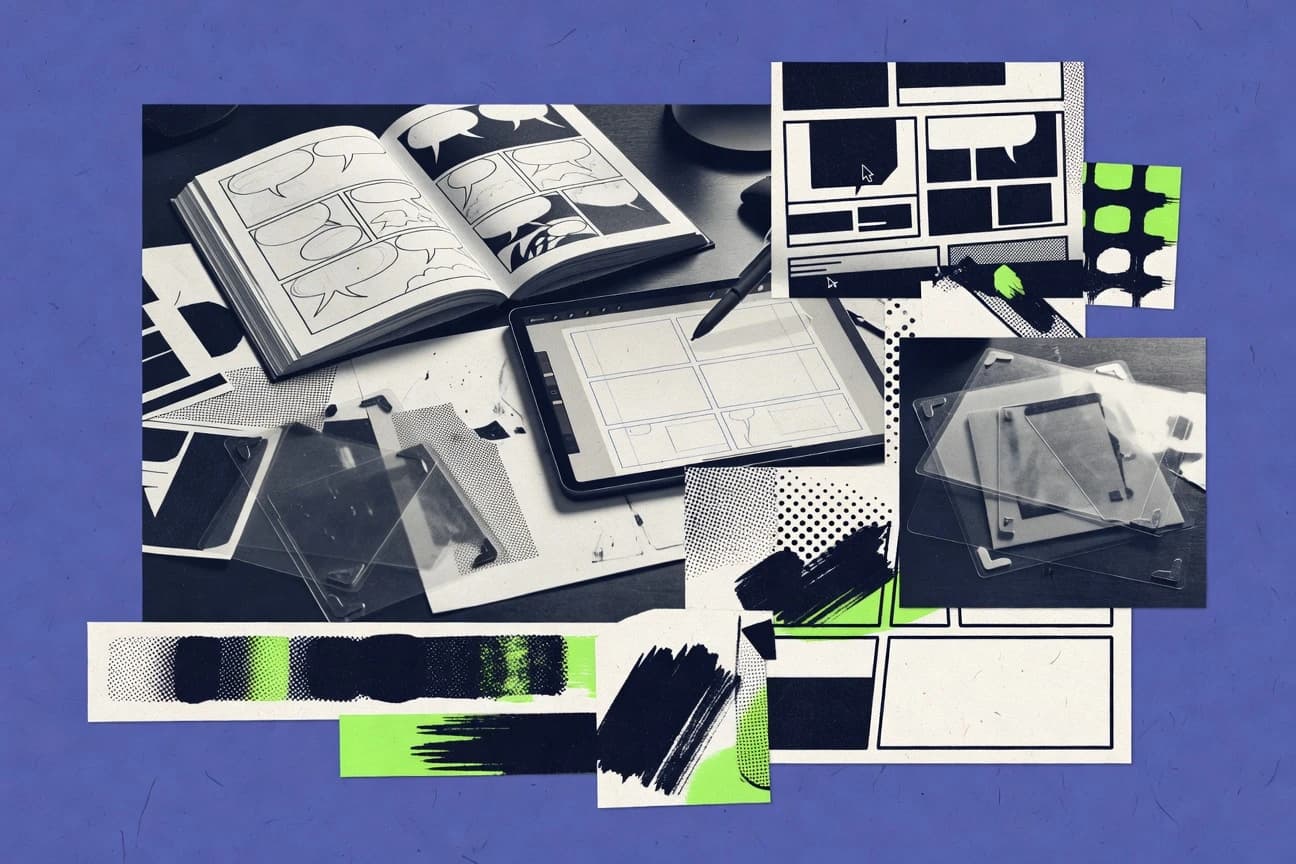
Art DesignTop 10 Best Comic Book Design Software of 2026
Top 10 ranking of Comic Book Design Software for artists, comparing Adobe Photoshop, Illustrator, and Clip Studio Paint with technical tradeoffs.

How we ranked these tools
Core product claims cross-referenced against official documentation, changelogs, and independent technical reviews.
Analyzed video reviews and hundreds of written evaluations to capture real-world user experiences with each tool.
AI persona simulations modeled how different user types would experience each tool across common use cases and workflows.
Final rankings reviewed and approved by our editorial team with authority to override AI-generated scores based on domain expertise.
Score: Features 40% · Ease 30% · Value 30%
Gitnux may earn a commission through links on this page — this does not influence rankings. Editorial policy
Editor’s top 3 picks
Three quick recommendations before you dive into the full comparison below — each one leads on a different dimension.
Adobe Photoshop
Generator renders layer-based outputs from PSD layer metadata for structured comic page export pipelines.
Built for fits when comic teams need automated, template-driven PSD page production within the Adobe toolchain..
Adobe Illustrator
Editor pickGraphic Styles plus Symbols for consistent speech balloons, lettering, and character marks across pages.
Built for fits when comic teams need high-precision vector production with scripting-led repeatability..
Clip Studio Paint
Editor pickPage and panel layout tools designed for cel-style comic production workflows.
Built for fits when comic teams need high-throughput inking and coloring with minimal workflow automation..
Related reading
Comparison Table
This comparison table maps integration depth, data model, and automation and API surface across top comic book design tools, including Adobe Photoshop, Illustrator, and Clip Studio Paint. It also flags admin and governance controls like RBAC, audit log coverage, and configuration and extensibility options that affect team provisioning and throughput.
Adobe Photoshop
raster editorRaster image editor for comic page painting, lettering cleanup, color styling, and panel compositing with layer-based workflows.
Generator renders layer-based outputs from PSD layer metadata for structured comic page export pipelines.
Photoshop uses PSD layers, smart objects, and non-destructive adjustment layers to preserve editable comic page components like line art, flats, and color holds. For automation and extensibility, the Generator feature can render outputs from layer metadata, and ExtendScript can drive scripted transforms such as batch imports, layer naming, and exports. Through the Adobe toolchain, teams can move between Photoshop, Illustrator, and After Effects using formats that preserve vector assets and layered compositions. This setup makes it workable for high-throughput page production where panels share templates and output rules.
A key tradeoff is that Photoshop-centric workflows do not provide strong admin and governance controls like centralized RBAC, project-level approvals, or tamper-evident audit logs. This limitation shows up when multiple contractors need controlled access to a shared production repository and when change history must be enforced at the tool level. A common usage situation is a studio that already standardizes PSD structure with actions and Generator naming, then relies on external storage controls for permissions and review gates.
For comic production at scale, throughput depends heavily on how consistently PSD layer hierarchies and layer naming conventions are applied. Generator output rules and scripted exports can reduce per-page manual labor, but the quality of automation depends on disciplined schema design inside PSD.
- +PSD data model preserves layers, smart objects, and adjustment layers for comic page iteration
- +Generator renders outputs from layer metadata to standardize exports across panel templates
- +ExtendScript and actions support repeatable batch workflows for consistent line art and color passes
- +Layered editing integrates well with Illustrator vector assets and After Effects compositions
- –Built-in admin governance is limited, with minimal RBAC and audit log controls inside Photoshop
- –Automation quality depends on strict PSD layer naming and structure conventions across creators
Best for: Fits when comic teams need automated, template-driven PSD page production within the Adobe toolchain.
More related reading
Adobe Illustrator
vector designVector drawing tool for clean comic line art, scalable lettering, logo-style elements, and print-ready shape-based production.
Graphic Styles plus Symbols for consistent speech balloons, lettering, and character marks across pages.
Illustrator fits teams producing comic pages that require sharp line art, controlled color, and consistent letterforms across panels and pages. Vector editing stays native to the document, and symbols and graphic styles help maintain repeatable elements like characters, speech balloons, and motion effects. For integration depth, Illustrator aligns with Adobe workflows by exporting compatible assets and generating print-ready outputs for downstream stages.
Automation and extensibility mainly come from scripting against the Illustrator object model, which supports repeatable formatting and asset generation without enforcing a strict schema. That tradeoff matters for admin and governance, since Illustrator does not provide centralized RBAC, audit logs, or provisioning controls for multi-user access in the way server-first content systems do. A strong usage situation is a production lead standardizing panel templates and balloon styles using shared libraries and scripted checks, then delivering flattened art assets to layout or printing.
- +Vector-first panel art editing with tight typography control
- +Graphic styles and symbols support repeatable comic page components
- +Scripting automates batch exports and repeat formatting across documents
- +Export and handoff into Adobe layout and prepress workflows
- –Document-centric data model limits structured comic schema control
- –Automation favors local scripting over external API integrations
- –Limited admin governance features like RBAC and audit logs
Best for: Fits when comic teams need high-precision vector production with scripting-led repeatability.
Clip Studio Paint
comic softwareComics-focused drawing and inking app with panel tools, manga brushes, lettering support, and page layout features.
Page and panel layout tools designed for cel-style comic production workflows.
Clip Studio Paint is tailored for comic creation with panel tools, multi-page layout features, and cel-friendly brush and layer workflows. The file-centric approach keeps artwork, layers, and effects together in the project data model, which reduces conversion churn during revisions. Extensibility is primarily driven through user-installed resources such as brushes, materials, and templates that plug into the creative canvas rather than into an external automation system.
A key tradeoff is that governed integration is not its center of gravity, since Clip Studio Paint does not emphasize admin controls like tenant provisioning, RBAC, or audit log reporting for teams. This fits studios where collaboration happens through file exchange and review cycles, not through automated content governance or structured schema exports. A typical usage situation is inking and coloring for page-based comics where throughput depends on brush iteration and non-destructive layer editing, not on external workflow orchestration.
- +Comic-first panel and page layout tools support cels and revisions
- +Layered data model supports non-destructive ink and color workflows
- +Brush and material asset system adds extensibility without external code
- +File-centric projects reduce dependency on export and re-import steps
- –Automation and API surface are limited for governed pipeline integrations
- –Minimal admin and governance controls like RBAC and audit log exports
- –Collaboration relies more on file exchange than schema-driven workflows
- –Extensibility centers on creative assets rather than workflow hooks
Best for: Fits when comic teams need high-throughput inking and coloring with minimal workflow automation.
More related reading
Procreate
iPad sketchingiPad illustration app optimized for comic-style sketching, inking, and flat-color workflows using a pen-first interface.
Brush engine with pressure and tilt dynamics for inking and texture control
Procreate targets comic and illustration workflows with a pen-first canvas, tight layer editing, and file formats that travel to other creative tools. Its data model centers on per-canvas assets like layers, masks, and time-based tools, which is driven through the app UI rather than an enterprise schema.
Integration depth is limited because it does not provide a documented automation API, so external systems cannot programmatically provision artwork or enforce workflow rules. Automation is mainly in-app via actions, templates, and export pipelines, with extensibility focused on built-in brush assets rather than programmable hooks.
- +Pen and gesture-first editing for comic panels and inking
- +Layer-based workflow supports redraws and nondestructive color revisions
- +Brush engine and asset management streamline repeatable stylization
- +Exports support common raster outputs for downstream tools
- –No documented automation API for provisioning or external workflow integration
- –No RBAC or admin governance controls for shared devices or teams
- –Extensibility is limited to brushes and imports, not programmable hooks
- –Audit log and schema controls are not available for compliance workflows
Best for: Fits when individual artists need fast comic creation with export-based integration, not governed automation.
Affinity Photo
one-time purchaseNon-subscription raster editor for comic coloring, retouching, and texture work with professional layer and blending features.
Non-destructive layer masking plus adjustment layers for reversible comic coloring passes.
Affinity Photo provides comic-ready page composition through layered, vector-free and raster workflows with precise export controls for print and web. Its data model centers on layers, masks, and adjustment layers, which maps cleanly to repeatable comic production templates.
Automation is limited, with no first-party public API surface for provisioning, RBAC, or audit logging. Extensibility relies on plugin workflows and scripted actions rather than a documented automation and governance interface.
- +Layer masks and adjustment layers support non-destructive comic coloring and edits
- +Vector-style text rendering and typographic controls help letterform consistency
- +CMYK and spot-aware export workflows fit print production pipelines
- –No documented API for provisioning, RBAC, or audit log integration
- –Automation and batch scripting are limited compared with enterprise design systems
- –Template reuse depends on local files rather than managed, schema-driven assets
Best for: Fits when small teams need controlled comic layout and export without centralized governance.
Affinity Designer
vector hybridVector and raster hybrid design tool for comic lettering geometry, icon elements, and scalable art exports.
Affinity Designer plug-in and scripting support for batch panel styling and export workflows.
Affinity Designer targets comic book production workflows that need precise vector tooling plus export controls for print and web output. The document model separates vectors, text, and layers, so teams can manage structured pages with predictable editing behavior.
It provides an automation surface through scripting and plug-ins, but it is not positioned as a governed, multi-user admin platform with RBAC and audit logs. For integrations, the relevant integration depth centers on file-based interchange, export settings, and extensibility points rather than a server API with provisioning controls.
- +Vector and layer data model supports structured comic page editing
- +Page export controls support consistent print and web deliverables
- +Scripting and plug-ins enable repeatable production tasks
- +Document layers map cleanly to comic panel and asset hierarchies
- +Non-destructive text and shape handling supports late layout changes
- –No native RBAC controls for multi-user governance workflows
- –Limited admin features like centralized audit logs and change tracking
- –Automation is local-first and not oriented around server APIs
- –Cross-tool integration relies heavily on file interchange
- –Automation lacks a documented schema for external workflow provisioning
Best for: Fits when comic teams need vector-first editing with repeatable local automation.
More related reading
Krita
open-source drawingOpen-source digital painting program with customizable brushes, layers, and comic-friendly workflows for penciling and inking.
Plugin API and scripting hooks for custom tools in a layered comic document workflow.
Krita is a desktop comic creation tool with a local file-first workflow and extensibility through plugins and scripting. It centers on a layered document data model for panels, inks, colors, and effects, so style assets and edits remain attached to the art structure.
Integration depth relies on external import and export formats plus plugin APIs rather than a server-side collaboration stack. Automation is mainly manual or scripted inside Krita via its extension mechanisms, with limited admin governance surfaces compared with enterprise design suites.
- +Layered canvas document model maps cleanly to comic panel workflows
- +Plugin and scripting extensibility supports custom tools and processing
- +Non-destructive filters and masks preserve edits across coloring stages
- +Fast local throughput for large layered documents and brushes
- –No built-in RBAC or workspace audit log for governed multi-user production
- –Limited automation and API surface compared with server-based design systems
- –Integration depends on import export formats rather than standardized schema exchange
- –Cross-team provisioning and sandboxing controls are not a built-in capability
Best for: Fits when solo or small teams need offline comic production with custom extensions.
GIMP
free raster editorFree raster graphics editor for comic page editing, color correction, and compositing using layers, masks, and plugins.
Python scripting API for batch operations on layers, masks, and exports.
GIMP is an extensible comic book design tool centered on a scriptable image pipeline and flexible layer-based editing. Its data model is built around layers, channels, paths, and brushes, with import and export formats that support common print and publishing workflows.
Automation is delivered through a mature scripting surface, including Python and Script-Fu, which can batch panel layouts and repeatable rendering steps. Admin and governance controls are limited, with no built-in RBAC or audit log, so team control depends on OS permissions and shared workflow conventions.
- +Layer and channel data model supports complex comic page compositions
- +Python scripting enables repeatable panel rendering and batch processing
- +Script-Fu and plugin architecture add custom tools and import filters
- +Non-destructive workflows using layers and masks support iteration cycles
- +Wide file I O coverage supports PSD exchange and common print exports
- –No built-in RBAC or per-user permissions for shared projects
- –No native audit log for edits, exports, or automation runs
- –Automation lacks an API for remote provisioning and orchestration
- –Workspace synchronization is not built-in for teams across machines
- –Plugin compatibility can vary across extensions and GIMP versions
Best for: Fits when a team needs local automation via scripts and flexible layer workflows for comic pages.
More related reading
Blender
3D-assisted comic3D creation suite for blockouts, stylized renders, and assets that feed comic page compositions and backgrounds.
Python scripting plus node compositing for batch-rendering panel pages from render passes.
Blender provides a node-based compositor, shader node system, and animation toolchain for creating comic book pages with layered renders. Its data model is file-native and extensible through Python scripting that can automate asset import, scene setup, and batch rendering.
The API surface includes a Python runtime plus import and export operators for formats like SVG, OBJ, FBX, and glTF, which supports integration into production pipelines. Admin and governance controls are limited to what can be implemented around project files and add-ons, with no built-in RBAC or audit log for multi-user compliance workflows.
- +Python API automates scene creation, batch renders, and asset transforms
- +Node-based compositor supports deterministic page layout from render passes
- +Extensible import and export operators cover common 3D and vector workflows
- +Nonlinear animation and timeline tools support panel-to-sequence motion
- –No built-in RBAC or audit logs for multi-artist governance
- –Scene and assets are file-centric, which complicates controlled change workflows
- –Automation often depends on custom Python scripts per pipeline
Best for: Fits when studios need Blender render automation and node graphs for comic panel production.
DaVinci Resolve
compositing finishingNode-based grading and compositing tool used for finishing comic-style animations and stylized sequences with color pipelines.
Fusion page-level compositing integrated into the same project timeline for comic panel effects.
DaVinci Resolve fits studios that need a single editor, color, and finishing workflow for comic-style motion and typography deliverables, not a separate asset platform. Its data model is local to projects and media pools, with automation centered on project management features and scripting rather than a centralized schema for comic panels.
Integration depth is mainly via media ingest, timeline interchange, and scripting hooks, so external systems can automate parts of prep and render. Governance controls and API breadth are limited, since RBAC, audit logs, and provisioning are not designed around multi-user admin workflows.
- +Project-centric workflow keeps edits, grades, and deliverables in one timeline
- +Scripting and automation via Resolve command-line and Python tooling
- +Interchange formats support pipeline handoff for edited comic sequences
- +Color and typographic motion workflows reduce format-specific rework
- –No centralized schema or shared data model for panel-level metadata
- –Limited multi-user governance controls like RBAC and audit logs
- –Automation surface favors project operations over external system orchestration
- –Automation workflows often depend on local project structure
Best for: Fits when comic design teams need automation around editorial timelines and finishing renders.
Conclusion
After evaluating 10 art design, Adobe Photoshop stands out as our overall top pick — it scored highest across our combined criteria of features, ease of use, and value, which is why it sits at #1 in the rankings above.
Use the comparison table and detailed reviews above to validate the fit against your own requirements before committing to a tool.
How to Choose the Right Comic Book Design Software
This guide covers comic book design software tools across raster page building and vector lettering workflows, including Adobe Photoshop, Adobe Illustrator, and Clip Studio Paint. It also compares artist-focused apps like Procreate and Krita with production-oriented alternatives like Affinity Photo and Affinity Designer.
Decision criteria focus on integration depth, the underlying data model, automation and API surface, and admin and governance controls such as RBAC and audit log support. Tool fit is mapped to concrete workflows like PSD template exports in Adobe Photoshop or batch panel styling via Affinity Designer scripting.
Comic page composition and lettering tools that connect art structure to repeatable exports
Comic book design software is used to build page-level compositions with layered art, panel structure, lettering, and export-ready deliverables for print and web. These tools solve problems like preserving editable panel revisions, keeping speech balloon and character marks consistent, and turning complex pages into standardized exports.
Adobe Photoshop illustrates a document-centric, layer-driven approach where PSD layer metadata feeds a structured export pipeline through Generator. Adobe Illustrator illustrates a vector-first workflow where Graphic Styles and Symbols help speech balloons, lettering, and character marks stay consistent across pages.
Evaluation criteria for schema control, automation, and team governance in comic production
Selection starts with how a tool represents comic content through its data model and how reliably that structure can drive exports. It then moves to integration depth and automation and API surface so external pipelines can provision assets and run repeatable transformations.
Admin and governance controls matter when multiple artists share workspaces, because RBAC and audit log coverage determine who can change what and how edit history can be traced.
PSD layer metadata driven export automation via Generator
Adobe Photoshop can render structured comic page exports from PSD layer metadata using Generator, which supports template-driven production when layer naming and structure are enforced. This mechanism ties panel composition to repeatable export outputs across consistent page templates.
Vector consistency for speech balloons and lettering via Graphic Styles and Symbols
Adobe Illustrator supports reusable Graphic Styles and Symbols for speech balloons, lettering, and character marks. This reduces variation across pages because the same vector components can be edited with consistent typography controls.
Panel and cel workflow tooling designed for high-throughput inking and coloring
Clip Studio Paint includes page and panel layout tools designed for cel-style comic workflows. This helps teams iterate cels, panels, and revisions quickly without relying on external schema-driven automation.
Automation surface through scripting and plugin APIs for batch processing
Automation strength depends on whether scripting can run repeatable tasks without manual UI steps. GIMP provides a mature Python scripting surface for batch operations on layers, masks, and exports, while Krita exposes plugin and scripting hooks for custom tools inside layered comic documents.
API availability for external provisioning and governed workflow integration
Tools like Procreate and Clip Studio Paint expose limited automation and API surface for external systems, which keeps provisioning mostly inside the app UI. Adobe Photoshop supports ExtendScript and batch processing, while Blender exposes a Python runtime and import and export operators for pipeline integration.
RBAC, audit log, and admin governance coverage for multi-user compliance
Governance controls are limited across most artist-first tools, including Photoshop, Illustrator, Clip Studio Paint, and Procreate, which provide minimal RBAC and audit logging. For multi-artist production, this pushes governance to external processes and OS permissions unless a tool includes explicit admin and audit capabilities.
Decision steps that map comic page structure to pipeline control
Start by matching the tool’s data model to how comic work is actually organized, like panels as layers in PSD or components as Symbols in Illustrator. Then verify how repeatable that structure is through automation and whether any documented API exists for provisioning and orchestration.
Finally, confirm admin and governance needs like RBAC and audit log coverage so team operations can enforce permissions and track edits.
Choose the data model that matches panel and lettering structure
Teams building pages around editable layers should compare Adobe Photoshop and Affinity Photo, since both center workflows on layered documents with non-destructive edits like adjustment layers and layer masks. Teams building letterforms and logos as scalable geometry should compare Adobe Illustrator and Affinity Designer, since both emphasize vector-first editing and structured exports.
Select the tool that can produce exports from structured inputs
If the production workflow uses templates and standardized panel exports, Adobe Photoshop is the most direct match because Generator renders outputs from PSD layer metadata. If the workflow needs deterministic panel component reuse, Adobe Illustrator can enforce consistency through Graphic Styles and Symbols, while Affinity Designer supports scripting-led batch panel styling and export workflows.
Validate automation and API surface for external orchestration
When automation must run outside the creator UI, prioritize tools with documented scripting or runtime access like Blender’s Python API and import and export operators, or GIMP’s Python scripting API. When external systems need provisioning hooks, treat artist-first apps like Procreate and Clip Studio Paint as export-based integration targets because they do not provide a documented automation API for external workflow provisioning.
Plan governance based on whether RBAC and audit logging exist inside the tool
If the studio requires RBAC and audit log exports for shared work, most tools in this set provide limited built-in governance, including Photoshop and Illustrator. Clip Studio Paint, Procreate, Krita, and GIMP also lack built-in RBAC and audit log capabilities, so governance must be enforced through workflow conventions and external controls around file access.
Match throughput needs to workflow style, then confirm extension strategy
High-throughput inking and coloring aligns with Clip Studio Paint’s page and panel layout tools designed for cel-style production. Deep extension through scripts and plugins fits Krita and GIMP, where plugin API and scripting hooks can add custom tools for layered comic document workflows.
Who each comic design tool fits best for in real production workflows
Fit depends on whether the workflow is layer-template driven, component-reuse driven, or cel workflow driven. It also depends on whether external systems need automation and whether team governance relies on RBAC and audit logs.
Artists and small teams often prioritize fast creation and file exchange, while studios prioritize export standardization and repeatable batch operations that connect to a broader pipeline.
Comic teams producing template-driven PSD pages inside the Adobe ecosystem
Adobe Photoshop fits when standardized outputs come from PSD layer metadata, because Generator renders structured exports from layer structure and names. ExtendScript and batch processing support repeatable actions across panels and lettering cleanup passes.
Lettering and branding heavy comic production that needs vector consistency
Adobe Illustrator fits when speech balloons, lettering, and character marks must remain consistent through reusable vector components using Graphic Styles and Symbols. Scripting-led batch exports can repeat formatting across documents.
Artists prioritizing fast cel-style inking and panel layout over external orchestration
Clip Studio Paint fits when page and panel layout tools are used directly inside a cel workflow for high-throughput inking and coloring. Limited automation and API surface keeps integration mostly centered on file exchange rather than governed pipeline provisioning.
Solo creators who want pen-first speed and accept export-based integration
Procreate fits when comic work is built on a pen-first canvas with layer-based editing, and downstream steps rely on export pipelines instead of external provisioning. The lack of a documented automation API and RBAC pushes collaboration governance outside the app.
Studios that need node-based compositing and automation around motion finishing
DaVinci Resolve fits when comic design deliverables include finishing renders using its Fusion page-level compositing inside the same project timeline. Its automation focuses on project operations with scripting hooks rather than a panel-level shared schema.
Common selection pitfalls that break comic workflows during production
Many failures come from mismatches between how the tool structures data and what the pipeline needs for automation and governance. Other failures come from assuming an app-first tool can be orchestrated like an enterprise design platform.
These pitfalls show up when teams ignore scripting limits, rely on unstable file conventions, or plan around missing RBAC and audit logging.
Picking a tool for art quality but ignoring where automation can run
Procreate and Clip Studio Paint lack a documented automation API for external provisioning, so workflows that need orchestration must rely on export handoffs. Adobe Photoshop supports Generator plus ExtendScript and batch processing, which makes panel export automation practical when PSD layer structure is standardized.
Assuming governance like RBAC and audit logs exists inside artist tools
Photoshop, Illustrator, Clip Studio Paint, and Procreate provide minimal RBAC and audit log controls inside the tool, so multi-artist compliance cannot rely on built-in admin features. Krita, GIMP, and Affinity apps also lack built-in RBAC and audit log integration, so permission enforcement must be handled via external controls and OS-level access.
Designing templates without enforcing the data conventions that exports depend on
Adobe Photoshop Generator export quality depends on strict PSD layer naming and structure conventions, so inconsistent layer hierarchies break standardized exports. Teams using layered formats in Affinity Photo, GIMP, or Krita should similarly lock template conventions and mask and layer usage patterns before scaling production.
Overbuilding vector consistency without a repeatable component system
Adobe Illustrator works best when speech balloons, lettering, and character marks are standardized with Graphic Styles and Symbols, not when each instance is manually re-authored. Illustrator scripting can batch exports across documents, so teams should adopt style and symbol patterns early instead of later.
How We Selected and Ranked These Tools
We evaluated each tool on features, ease of use, and value, and we scored overall performance as a weighted average where features carried the most weight, followed by ease of use and value. That method emphasizes practical workflow mechanisms like Photoshop Generator’s layer-metadata rendering for structured exports, not just drawing quality or subjective preference.
We rated Adobe Photoshop higher than most lower-ranked options because Generator turns PSD layer metadata into standardized comic page export outputs, and the same Adobe-focused workflow also benefits from ExtendScript and batch processing for repeatable panel work. This combination of structured data-driven exports and supported automation lifted both features and ease of use in the scoring model.
Frequently Asked Questions About Comic Book Design Software
Which tool is best for a template-driven comic page pipeline using a structured data model?
How do Photoshop, Illustrator, and Clip Studio Paint differ for speech balloons and lettering consistency?
Which software offers a more automation-friendly integration surface for external systems?
What are the practical limits of RBAC and audit logging across these comic design tools?
Which tools handle data migration between machines and collaborators best for comic projects?
Which option fits a vector-first comic workflow with predictable editing behavior?
How can teams automate panel layout and batch exports using scripting?
Which tool is most suitable for offline, plugin-driven comic creation with local extensibility?
What integration approach fits comic-style motion and finishing when the deliverable is tied to timelines?
Tools reviewed
Primary sources checked during evaluation.
Referenced in the comparison table and product reviews above.
Keep exploring
Comparing two specific tools?
Software Alternatives
See head-to-head software comparisons with feature breakdowns, pricing, and our recommendation for each use case.
Explore software alternatives→In this category
Art Design alternatives
See side-by-side comparisons of art design tools and pick the right one for your stack.
Compare art design tools→FOR SOFTWARE VENDORS
Not on this list? Let’s fix that.
Our best-of pages are how many teams discover and compare tools in this space. If you think your product belongs in this lineup, we’d like to hear from you—we’ll walk you through fit and what an editorial entry looks like.
Apply for a ListingWHAT THIS INCLUDES
Where buyers compare
Readers come to these pages to shortlist software—your product shows up in that moment, not in a random sidebar.
Editorial write-up
We describe your product in our own words and check the facts before anything goes live.
On-page brand presence
You appear in the roundup the same way as other tools we cover: name, positioning, and a clear next step for readers who want to learn more.
Kept up to date
We refresh lists on a regular rhythm so the category page stays useful as products and pricing change.