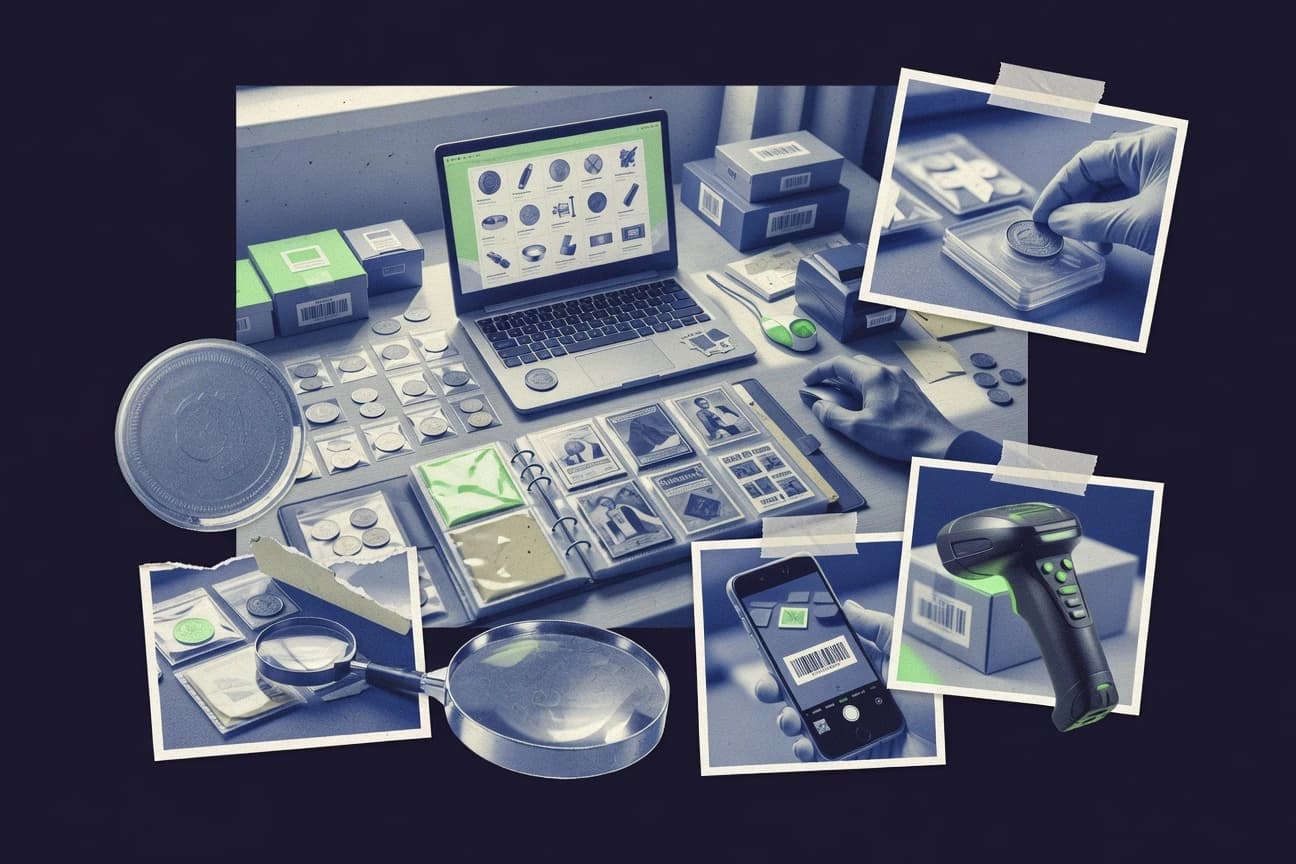
GITNUXSOFTWARE ADVICE
Business FinanceTop 10 Best Collectors Software of 2026
Top 10 collectors software ranked by cataloging, pricing, and import tools, with ComicBase, Numista, and Omeka plus Omeka and CollectiveAccess.

How we ranked these tools
Vendors set the topic, but our editors set the inclusion criteria and the evaluation framework before research starts.
Agents extract product evidence with provenance, then collect written reviews and transcribe video reviews and podcasts.
Framework: Features 40% · Ease 30% · Value 30%
Gitnux may earn a commission through links on this page — this does not influence rankings. Editorial policy
Omeka is the best choice for publishing and importing catalog records into public exhibits when you need plugin-based tooling, whereas ComicBase is the cheaper entry point if you just want comic-specific cataloging and repeatable reporting, and CollectiveAccess fits institutions with configurable workflows and repeatable imports.
Editor’s top 3 picks
Three quick recommendations before you dive into the full comparison below — each one leads on a different dimension.
Omeka
Plugin and theme extensibility links metadata entry to repeatable public item pages and browse views.
Best for: Fits when catalog records need public publishing, media management, and plugin-based import tooling.
ComicBase
Editor pickComicBase import templates and field mapping keep bulk onboarding consistent with comic-specific catalog fields.
Best for: Fits when a single collector or small group needs comic-specific cataloging and repeatable reporting without custom software.
CollectiveAccess
Editor pickPlugin and API extensibility that supports custom ingest logic and integration workflows.
Best for: Fits when institutions need configurable cataloging workflows and repeatable imports.
Comparison Table
Omeka
open sourceOpen source web publishing platform for digital collections and exhibits.
Plugin and theme extensibility links metadata entry to repeatable public item pages and browse views.
Omeka supports cataloging workflows through configurable metadata fields on item and media records, which helps teams standardize attribution and descriptive notes across a collection. Plugin modules can add import tooling for records and media, plus feature additions for taxonomic navigation and richer front-end display for provenance-oriented context. Collectors using Omeka typically map their cataloging fields into Omeka’s record types, then refine presentation with themes and templates.
The tradeoff is governance depth, since Omeka’s admin controls depend on configuration and installed modules rather than a built-in enterprise RBAC layer with fine-grained permissions for every cataloging operation. Omeka fits teams that want a collector-facing catalog database with publishing outputs, where import templates and repeatable field mapping are more important than heavy automation between systems.
- +Plugin-driven metadata and presentation choices for collector catalogs
- +Theme and template control for consistent public item pages
- +Extensibility for adding export and import workflows
- +Media-first record management for images and attachments
- –Admin permissions and workflow controls rely on configuration discipline
- –Complex field mapping can take multiple iteration cycles
Independent collectors
Publish a curated catalog online
Consistent collection presentation
Museum registrar teams
Maintain acquisition documentation and inventory
Faster catalog ingestion
Show 1 more scenario
Archival digitization operators
Manage image archives with metadata
Reduced manual rekeying
Operators attach media to records and use exports for handoffs to other systems.
Best for: Fits when catalog records need public publishing, media management, and plugin-based import tooling.
ComicBase
vertical specialistComic book collection management software with built-in price guide.
ComicBase import templates and field mapping keep bulk onboarding consistent with comic-specific catalog fields.
ComicBase organizes catalog records with comic-first attributes, and it supports practical collection management work like inventory views, quick find, and consistent field entry for large libraries. Import templates and field mapping support bulk onboarding from existing lists, and the system keeps images and notes attached to item records for ongoing provenance chain continuity. Automation shows up in repeatable listing and reporting flows rather than in broad integrations, so collectors can stay inside one consistent catalog workspace.
A tradeoff is that the automation and integration surface is narrower than general-purpose database tools, so non-typical workflows may require manual record edits or careful data shaping during import. ComicBase fits best when a collector already has a source list to map into comic fields and wants dependable ongoing catalog output without building custom tooling around the data model.
- +Comic-first catalog fields reduce custom mapping during entry
- +Bulk imports use field mapping to align external lists
- +Reporting and listing workflows match collection tracking habits
- +Image attachment keeps records usable for verification
- –Integrations beyond import and export are limited for connected workflows
- –Advanced governance and permissioning are not built for multi-user teams
- –Unusual taxonomy needs can increase manual cleanup work
- –Automation relies more on workflow discipline than configurable rules
Solo collectors
Keep a growing catalog searchable
Fewer duplicate records
Collection managers
Migrate data from spreadsheet lists
Quicker catalog completion
Show 2 more scenarios
Resellers
Track sales listings from inventory
Less inventory reconciliation
Listing-style outputs connect ownership records to sale activity tracking workflows.
Local archives teams
Maintain condition records with images
More reliable condition history
Record-linked photos make condition review and later verification easier during updates.
Best for: Fits when a single collector or small group needs comic-specific cataloging and repeatable reporting without custom software.
CollectiveAccess
open sourceOpen source collection management system for museums, historical societies, and archives.
Plugin and API extensibility that supports custom ingest logic and integration workflows.
CollectiveAccess provides configurable cataloging fields and forms so organizations can model local practice with attribution, condition notes, and acquisition context stored per record. The system links entities through relationship fields so item, agent, and event records can form an item provenance chain. Imports rely on explicit field mapping and reusable import configuration, which reduces rework when normalizing legacy dumps. Media handling is built around attachments and derivative storage, which supports large image and document sets alongside structured metadata.
A notable tradeoff is that deep customization typically requires governance work in the configuration layer, especially when multiple collections share templates but need different workflows. CollectiveAccess fits teams that run recurring imports from curator spreadsheets and need consistent normalization rules across acquisitions and inventory updates. It also fits institutions managing complex relationships between objects and people, where manual spreadsheet reconciliation would otherwise be continuous.
- +Configurable cataloging forms with controlled vocabularies per workflow
- +Relationship-driven entity modeling supports provenance-oriented record chains
- +Field-mapped imports reduce normalization drift across legacy data
- +Plugin extensibility plus API supports integration and automation
- –Workflow and metadata configuration takes governance discipline
- –Back-office complexity can slow initial setup for small teams
- –Import mapping errors can be harder to trace without import logs review
- –Media and permissions management require careful operational testing
Museum registrars
Manage object records and provenance events
Fewer provenance reconciliation cycles
Collection management teams
Normalize legacy spreadsheets into records
Consistent inventory updates
Show 2 more scenarios
Archive digitization units
Attach and manage large media sets
Faster retrieval for review
Store images and documents alongside metadata to keep item attachments connected to record context.
Multi-collection operators
Run shared workflows across collections
Reduced per-collection rework
Maintain separate collection contexts while reusing cataloging patterns and import configurations.
Best for: Fits when institutions need configurable cataloging workflows and repeatable imports.
Collector Systems
enterpriseCloud-based collection management for private collectors and institutions.
Record relationship linking for an item’s provenance chain reduces orphaned history across acquisitions.
Collector Systems focuses on collector-facing cataloging workflows with importing, linking, and collection inventory management built around acquisition and item records. The product supports structured fields for attribution and condition notes, plus record-to-record relationships for provenance chain continuity.
- +Repeatable import templates reduce re-entry across large acquisitions
- +Provenance chain linking keeps attribution and ownership history connected
- +Role-based access supports multi-user cataloging with controlled edits
- +Barcode tagging workflow helps maintain fast item identification at intake
- –Field mapping requires careful setup when importing from mismatched schemas
- –Offline cataloging support is limited for field teams without reliable connectivity
Best for: Fits when cataloging teams need relationship-rich provenance records and controlled multi-user edits.
Axiell
enterpriseCollection management and public access platforms for museums, libraries, and archives.
Provenance-focused lifecycle tracking with configurable workflows that keep acquisition and condition history linked to each record.
Axiell supports collectors with collection databases for managing cataloging records, acquisition history, and item-level metadata across multiple collections. It is built for provenance and lifecycle workflows, including accession documentation, condition reporting, and audit trails for changes.
- +Provenance-oriented workflows for acquisition, edits, and item lifecycle documentation
- +Import and field mapping support for bringing catalog data into shared collections
- +Multi-user governance features for controlled cataloging processes
- +Extensibility options for integrating external systems via API and automation
- –Configuration depth can add setup overhead for small cataloging teams
- –Cataloging usability depends on tailored forms and workflows for each collection type
Best for: Fits when multi-collection cataloging needs provenance tracking, controlled workflows, and system integrations.
Artlogic
enterpriseArt collection and gallery management platform with inventory and website tools.
Record-driven provenance capture with attached evidence and configurable workflows across artwork, contacts, and events.
Artlogic fits collector teams that need custom cataloging workflows tied to image-heavy records and document-centric provenance. It supports configurable collection structures for artworks, contacts, and events, with import-oriented field mapping to bring legacy data forward.
- +Configurable record workflows for artworks, people, and events
- +Import field mapping supports structured migration from legacy catalogs
- +Image and document handling for provenance and condition evidence
- +Multi-collection record organization for segmented inventories
- –Setup and configuration depth require dedicated governance discipline
- –Automation and API integration surface can be limiting without developer support
- –Complex views take time to tune for daily cataloging speed
- –Some advanced reporting needs structured data consistency to stay accurate
Best for: Fits when collections require custom workflows, document-linked provenance, and controlled multi-collection inventory records.
Numista
vertical specialistOnline coin catalog and personal collection tracker for numismatists.
Public issue and image-backed catalog entries that link collectors’ ownership and wants to specific catalog numbers.
Numista is a collectors database focused on coin and stamp hobbyists who want attribution by issue and images tied to catalog pages. It supports collector-friendly cataloging through shared entries, condition notes, and detailed collection views rather than a general-purpose records vault.
- +Issue-based entries keep listings consistent across the same catalog item
- +Collection pages show what is owned, wanted, and in progress in one view
- +Image-first item pages make verification via visuals fast for common duplicates
- +Field structure stays stable for coins and stamps within Numista’s taxonomy
- –Import and field mapping are limited compared with dedicated catalog database tools
- –Provenance chain capture is thin for restoration logs and loan histories
- –Multi-collection segmentation and item-level workflows are not built for complex custody
- –Automation and API access are not exposed at an administrator-grade level
Best for: Fits when hobbyists need a shared coin or stamp inventory with consistent item pages.
StampManage
vertical specialistStamp collection management software with catalog database and valuation tools.
Configurable import templates with field mapping for repeatable data loads into existing catalog structures.
StampManage is a collectors software built around inventory-style cataloging for managing item records, images, and supporting documents. It focuses on import templates, field mapping, and workflows for accession-style tracking so collections stay organized across categories and locations.
- +Batch import workflows with field mapping reduce repetitive cataloging work
- +Record-level image attachments support condition and presentation evidence
- +Document linking supports keeping acquisition notes with each item record
- +Configurable tagging supports consistent categorization across collections
- –Advanced automation and API access depth is limited for custom integrations
- –Provenance chain completeness depends on how fields are configured for each record
Best for: Fits when collectors need consistent imports, attachments, and accession-style tracking across many item records.
CoinManage
vertical specialistCoin collection management software with numismatic catalog and grading references.
Barcode tagging with batch update tooling supports faster intake for large accession backlogs.
CoinManage organizes collector items into database-style records with configurable catalog fields, attached media, and notes for day-to-day cataloging work.
- +Barcode-first item identification supports faster data entry
- +Field-mapping imports turn spreadsheets into structured catalog records
- +Item record structure keeps images and notes attached to each asset
- +Batch edits reduce repeated work during acquisitions intake
- –Provenance chain depth is limited for multi-event ownership histories
- –Loan and exhibition workflows require manual status handling
- –Audit trail coverage is thin for field-level changes
- –Automation is narrow beyond catalog maintenance tasks
Best for: Fits when collectors need barcode-linked cataloging, image storage, and spreadsheet imports for manageable collections.
CollectionSpace
open sourceOpen source collection management system designed for museums and collecting institutions.
Event and relationship modeling ties acquisitions, loans, and other transactions to object records with persistent links.
CollectionSpace is a collector and museum collections system built around object records, events, and relationships across multiple holdings. It supports structured cataloging, media attachment, and provenance-focused workflows with accessioning and transaction-style documentation.
- +Provenance and event relationships stay attached to each object record
- +Field mapping supports repeatable imports into the same cataloging structure
- +Media and documentation can be stored and linked per item and event
- +Permission controls support shared cataloging across collections
- –Customizing cataloging workflows requires setup and governance discipline
- –Import templates can require iterative mapping work for complex legacy data
- –Advanced reporting needs more configuration than simple list exports
- –Some collector workflows still depend on consistent taxonomy and controlled fields
Best for: Fits when collectors need event-linked provenance records and multi-user governance across many holdings.
Conclusion
After evaluating 10 collectors software, Omeka stands out as our overall top pick — it scored highest across our combined criteria of features, ease of use, and value, which is why it sits at #1 in the rankings above.
Use the comparison table and detailed reviews above to validate the fit against your own requirements before committing to a tool.
How to Choose the Right Collectors Software
Collectors software brings catalog records, acquisition history, and collection inventory into a single workflow, with Omeka leading how plugin-driven public item pages connect to collector data. This buyer’s guide covers Omeka, ComicBase, and other tools used for bulk onboarding, field mapping, and provenance-linked record chains, including CollectiveAccess, Collector Systems, Axiell, Artlogic, Numista, StampManage, CoinManage, and CollectionSpace.
The next sections build buying criteria around import templates, extensibility, and how each system handles provenance evidence, event relationships, and multi-user editing controls. The focus stays on integration depth, automation and API surface when present, and the governance effort needed to keep cataloging consistent across collections and imports.
Collectors Software for cataloging, provenance chains, and repeatable imports
Collectors software manages structured catalog records for items and associated people, media, and transactions, then keeps provenance links attached across acquisitions, condition history, and related events. Omeka emphasizes plugin and theme extensibility that maps metadata to repeatable public item pages and browse views, which changes how collectors publish and maintain item-level information.
Tools such as CollectiveAccess extend that same collector workflow with configurable cataloging forms, relationship-driven entity modeling for provenance-oriented record chains, and an extensibility surface for custom ingest logic. Across Collector Systems, Axiell, Artlogic, CollectionSpace, ComicBase, Numista, StampManage, and CoinManage, the differentiators concentrate on whether provenance linking stays native to the object record, how field mapping behaves in bulk imports, and how much setup discipline is required for workflow governance and consistent data capture.
Collectors Software features that decide data control and repeatable intake
Collectors software becomes usable only when imports land into the right fields and remain connected to item records as acquisitions and changes accumulate. Omeka leads with plugin and theme extensibility that maps collector metadata to repeatable public item pages and browse views, which makes catalog maintenance and publishing part of the same workflow.
Import templates and field mapping that stay consistent across batches
ComicBase uses ComicBase import templates and field mapping to keep bulk onboarding consistent with comic-specific catalog fields. StampManage and Collector Systems also focus on repeatable import templates, but their mapping behavior and governance complexity differ during iterative schema alignment.
Provenance chain linking that prevents orphaned history
Collector Systems stands out with record relationship linking for an item’s provenance chain that reduces orphaned history across acquisitions. Axiell and CollectionSpace also keep provenance and event relationships attached to the object record, while Numista captures ownership and wants in a different issue-first structure.
Configurable cataloging workflows and controlled vocabularies
CollectiveAccess provides configurable cataloging forms with controlled vocabularies per workflow and relationship-driven entity modeling for provenance-oriented record chains. Axiell, Artlogic, and CollectionSpace also support workflow configuration, but initial back-office complexity changes how quickly teams reach stable data capture.
Extensibility surfaces for integration and public publishing
Omeka connects collector metadata to repeatable public item pages and browse views through plugin and theme extensibility, which changes how item pages are kept current. CollectiveAccess adds an extensibility surface for custom ingest logic and integration workflows, while Omeka’s extensibility is more directly tied to publishing and presentation control.
Multi-user governance controls that match team edit patterns
Collector Systems is designed for controlled multi-user edits with record relationship linking that stays consistent as multiple people touch the same acquisition history. Omeka’s admin permissions and workflow controls rely on configuration discipline, and ComicBase limits advanced governance and permissioning for multi-user teams.
How to choose Collectors Software based on workflow philosophy and integration depth
The deciding question is whether the system makes bulk onboarding and item-level maintenance part of one governed workflow, or whether the collector has to assemble structure through repeated field-mapping iterations. Omeka’s plugin-driven publishing model changes day-to-day incentives by tying metadata entry to repeatable public item pages.
Choose publishing-first cataloging when public item pages must track collector changes
Select Omeka when item pages, browse views, and media handling need to update from the same metadata records used for internal inventory. The plugin and theme extensibility in Omeka ties presentation choices to metadata entry, so public publishing stays consistent with catalog upkeep.
Choose relationship-rich provenance when attribution must stay connected across acquisitions
Select Collector Systems when provenance chain integrity matters more than a single catalog entry view, because record relationship linking attaches acquisition and ownership history to the item record. Select CollectionSpace when event-linked provenance and multi-user governance must remain attached through persistent object links and event relationship modeling.
Choose configurable workflow and ingest customization for teams with repeatable import operations
Select CollectiveAccess when configurable cataloging forms and controlled vocabularies must vary by workflow while ingest logic needs extensibility for custom integration workflows. Select Axiell or Artlogic when provenance-focused lifecycle tracking or evidence-linked provenance capture across artworks, contacts, and events must be implemented through deeper workflow configuration.
Choose domain-specific templates when the collection format is comics, stamps, or coins
Select ComicBase when comic-specific catalog fields and consistent bulk import templates reduce mapping work during onboarding. Select StampManage when batch import workflows with field mapping and record-level image attachments support accession-style tracking, and select CoinManage when barcode-first item identification is needed for intake backlogs.
Choose governance depth based on who will edit and how often imports will run
Select Collector Systems or CollectiveAccess when multiple catalogers will edit shared records and provenance integrity must survive concurrent updates. Select Omeka when publishing workflows are central but admin permissions and workflow controls require configuration discipline, and select ComicBase when the workflow stays mostly single-user or small-team because advanced governance and permissioning are limited.
Who should use these Collectors Software tools
Collectors need software that supports repeatable imports, stable field mapping, and provenance records that remain attached to object records. The best fit depends on whether public publishing is a requirement and whether provenance must persist across transactions, condition history, and linked events.
Collectors publishing item pages for public browsing
Omeka fits when public item pages, browse views, and media-driven cataloging must stay synchronized with metadata entry through plugin and theme extensibility.
Collectors and small institutions with provenance-focused acquisition tracking
Collector Systems and Axiell fit when provenance chain integrity must reduce orphaned history across acquisitions through record relationship linking or provenance-oriented lifecycle workflows.
Cataloging teams running repeatable imports with workflow-specific controlled vocabularies
CollectiveAccess fits when configurable cataloging forms and workflow-driven vocabularies must support repeatable imports, and custom ingest logic must be available through extensibility.
Comic collectors who want comic-first fields and consistent bulk onboarding
ComicBase fits when comic-specific catalog fields and import templates reduce custom mapping work during large onboarding batches.
Stamp and coin collectors needing batch intake and attachment evidence
StampManage fits when batch import workflows with field mapping and record-level image attachments must support accession-style tracking, while CoinManage fits when barcode tagging and batch update tooling reduce intake time for accession backlogs.
Common Collectors Software pitfalls that break provenance and import consistency
Collectors often underestimate the cost of field mapping iterations and governance configuration when importing legacy spreadsheets and inconsistent exports. The systems differ in how they keep provenance and event relationships attached to object records, so a mismatch between workflow design and data entry discipline can quickly create gaps.
Assuming import templates will translate legacy schemas without iterative mapping
Collector Systems and StampManage both rely on careful field mapping setup when schemas do not match, so test a small import batch before migrating an entire backlog.
Treating provenance history as notes instead of record-linked relationships
Collector Systems and CollectionSpace keep provenance and event relationships attached to object records through persistent links, while Numista provenance chain depth is thinner for restoration logs and loan histories.
Underestimating workflow governance effort in configuration-heavy systems
Omeka admin permissions and workflow controls depend on configuration discipline, and CollectiveAccess and Axiell require governance discipline to keep configurable forms and workflows consistent across intake cycles.
Overlooking limits of integrations and automation when planning connected workflows
ComicBase integrates mainly through import and export rather than connected workflows, and CoinManage automation and status workflows for loan and exhibition handling require more manual status handling.
How We Selected and Ranked These Tools
We evaluated Omeka, ComicBase, CollectiveAccess, Collector Systems, Axiell, Artlogic, Numista, StampManage, CoinManage, and CollectionSpace using features, ease, and value as the largest factors, with integration depth and extensibility shaping how usable each system remained after initial onboarding. Features carried 40% weight, ease and value carried 30% each, and extensibility plus import repeatability influenced the remaining ordering.
Omeka ranked first because plugin and theme extensibility directly connects collector metadata to repeatable public item pages and browse views, which supports ongoing catalog publishing without separating internal records from presentation. Omeka also scored highly for publishing-driven consistency compared with tools that prioritize domain workflows or provenance relationships without the same built-in public item page link between data entry and display.
Frequently Asked Questions About Collectors Software
Which collectors software handles comic-specific data entry best: ComicBase or CollectiveAccess?
How do Omeka plugins affect cataloging and public item pages for collectors?
What breaks if a collector needs a provenance chain across acquisitions and uses ComicBase instead of Collector Systems?
When does an API matter more: CollectiveAccess or Numista?
How should a team plan data migration if it needs consistent field mapping across multiple item types: StampManage or Axiell?
Where do admin controls and audit logs differ most: Collector Systems or CollectionSpace?
How does CoinManage reduce manual work when intake relies on barcode tagging?
Which tool best fits document-linked artwork workflows: Artlogic or Omeka?
When should a collector choose CollectionSpace instead of Omeka for relationship-heavy events like loans and transactions?
Tools reviewed
Primary sources checked during evaluation.
Referenced in the comparison table and product reviews above.
Funding and competing interests
This study was co-funded by several of the vendors assessed in it. No single vendor funded it. Funders could propose the market studied.
They had no role in selecting vendors, setting or weighting criteria, analysing data or drawing conclusions, and they received the same factual-accuracy check as every other vendor assessed.
Market definition, inclusion rules and criteria weights were fixed by an editor before research began and did not change afterwards. Editorial process →
- Business FinanceTop 10 Best Collect Debt Collection Software of 2026
- Data Science AnalyticsTop 10 Best Survey Data Collector Software of 2026
- Finance Financial ServicesTop 10 Best Trading Card Inventory Software of 2026
- Business FinanceTop 10 Best Get Paid Collections Software of 2026
- Consumer RetailTop 10 Best Catalogue Software of 2026
Keep exploring
Comparing two specific tools?
Software Alternatives
See head-to-head software comparisons with feature breakdowns, pricing, and our recommendation for each use case.
Explore software alternatives→In this category
Business Finance alternatives
See side-by-side comparisons of business finance tools and pick the right one for your stack.
Compare business finance tools→