
GITNUXSOFTWARE ADVICE
Technology Digital MediaTop 10 Best Cobrowsing Software of 2026
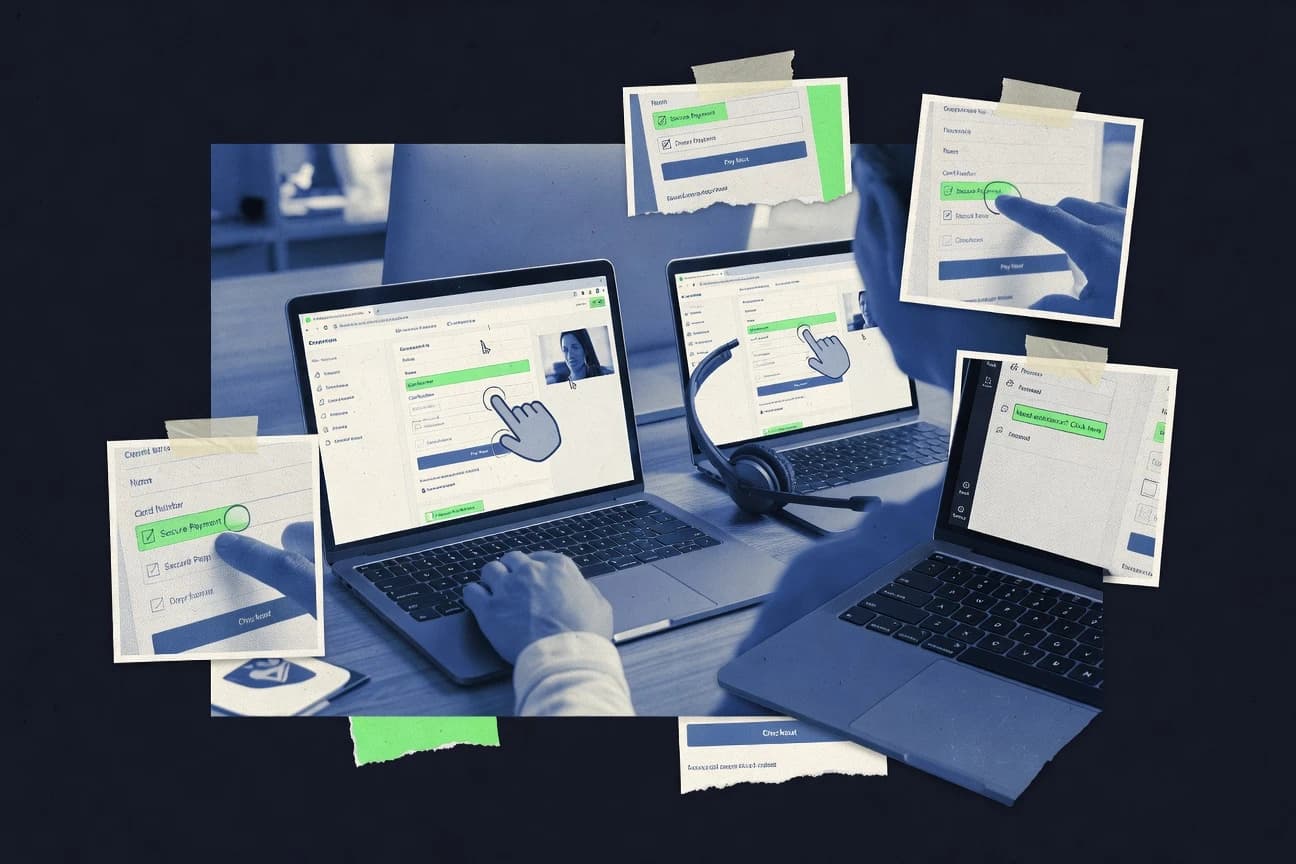
Ranked roundup of top cobrowsing software for support and sales teams, with Glassbox, Acquire, and Surfly compared by features and tradeoffs.

How we ranked these tools
Core product claims cross-referenced against official documentation, changelogs, and independent technical reviews.
Analyzed video reviews and hundreds of written evaluations to capture real-world user experiences with each tool.
AI persona simulations modeled how different user types would experience each tool across common use cases and workflows.
Final rankings reviewed and approved by our editorial team with authority to override AI-generated scores based on domain expertise.
Score: Features 40% · Ease 30% · Value 30%
Gitnux may earn a commission through links on this page — this does not influence rankings. Editorial policy
Glassbox is the top fit when support teams need evidence-based diagnosis of digital issues with built-in cobrowsing, whereas Acquire suits service teams guiding customers through complex web forms across chat, video, and live engagement channels.
Editor’s top 3 picks
Three quick recommendations before you dive into the full comparison below — each one leads on a different dimension.
Glassbox
Struggle Detection automatically surfaces repeated friction patterns inside Glassbox interaction data.
Built for fits when support teams need evidence-based diagnosis of digital issues rather than live customer navigation..
Acquire
Editor pickAcquire's no-download web guidance lets agents assist form completion while customers retain browser control.
Built for fits when service teams guide customers through complex web forms across several communication channels..
Surfly
Editor pickField-level masking rules protect selected inputs while agents guide customers through regulated forms.
Built for fits when support teams need embedded agent guidance across sensitive web forms..
Comparison Table
Glassbox
enterpriseDigital experience analytics platform with built-in cobrowsing for customer support teams.
Struggle Detection automatically surfaces repeated friction patterns inside Glassbox interaction data.
Glassbox correlates interaction events, page behavior, errors, and customer journeys inside replayable sessions. Support and experience teams can inspect failed form submissions, navigation friction, JavaScript errors, and abandonment patterns without asking customers to reproduce problems. Privacy controls for sensitive fields support regulated workflows, while annotations help teams document findings for product and engineering groups.
The main tradeoff is the absence of native live cobrowsing capabilities such as shared pointers, remote navigation, session invitations, and consent-driven agent control. Glassbox fits organizations that need to diagnose recurring digital support issues from recorded sessions, but teams requiring real-time customer guidance need a separate cobrowsing product.
- +Session replay exposes exact customer paths behind support incidents.
- +Struggle Detection identifies repeated friction patterns without manual review.
- +Journey maps connect individual failures with broader conversion and abandonment trends.
- +Privacy masking supports sensitive-field protection across recorded interactions.
- –No native live cursor sharing or remote customer navigation.
- –Requires implementation work across web and mobile data collection.
- –Analytics depth can exceed the needs of teams seeking simple live guidance.
- –Real-time support workflows require integration with separate contact center tools.
Digital support teams
Investigating failed customer journeys
Faster incident diagnosis
Product analytics teams
Prioritizing recurring experience problems
Evidence-based backlog priorities
Show 2 more scenarios
Compliance operations teams
Reviewing sensitive digital interactions
Reduced sensitive-data exposure
Field masking limits exposure of payment and personal data during support investigations and quality reviews.
Engineering support teams
Tracing browser-side failures
More reproducible defect reports
Recorded events and technical diagnostics connect customer-visible failures with underlying page and application behavior.
Best for: Fits when support teams need evidence-based diagnosis of digital issues rather than live customer navigation.
Acquire
SMBCustomer engagement platform offering cobrowsing, live chat, and video calling.
Acquire's no-download web guidance lets agents assist form completion while customers retain browser control.
Acquire combines cobrowsing with chat, voice, video, routing, chatbots, and knowledge-base workflows in one agent interface. Salesforce, Zendesk, and other CRM integration options connect customer conversations to existing service records. The JavaScript SDK supports embedded customer experiences and custom workflow integration.
The broad feature set suits banks, insurers, telecom teams, and retailers that guide customers through account or checkout processes. Field masking can reduce exposure of sensitive form data during guided interactions. Administration requires careful configuration across channels, bots, routing rules, and reporting.
- +No-download web guidance reduces customer friction during complex transactions
- +Live chat, voice, video, and guided navigation share one agent workspace
- +Field masking helps protect sensitive customer information
- +Salesforce and Zendesk connectors support established service workflows
- –Advanced deployments require developer work for SDK and widget configuration
- –Reporting is less specialized than dedicated contact-center suites
- –Web-focused guidance does not cover native desktop applications
- –Automation depends on configured bots, routing rules, and knowledge content
Banking support teams
Guiding online account applications
Fewer abandoned applications
Insurance service departments
Explaining policy transactions online
Shorter transaction assistance
Show 1 more scenario
Retail contact centers
Resolving checkout problems
Higher checkout completion
Agents assist customers through cart, payment, and account pages without requesting screen-sharing software installation.
Best for: Fits when service teams guide customers through complex web forms across several communication channels.
Surfly
API-firstCobrowsing software with session control, annotations, and support integrations.
Field-level masking rules protect selected inputs while agents guide customers through regulated forms.
Surfly supports embedded sessions, invitation links, control handoff, and agent-side page annotations. The JavaScript SDK fits branded support portals and custom customer-service applications. Salesforce and Zendesk connectors can link session invitations with existing case workflows.
The main tradeoff is deployment complexity on sites with strict content-security policies or heavily customized single-page applications. Surfly fits a bank support desk when agents guide customers through identity or payment forms without taking unrestricted control. Field rules can hide selected values while agents explain each form step.
- +Embeddable JavaScript deployment avoids customer-side downloads.
- +Field-level controls protect selected inputs during assisted form completion.
- +Salesforce and Zendesk connectors link sessions to support records.
- +Session controls let agents transfer interaction authority.
- –Strict content-security policies can complicate embedded deployment.
- –Highly customized single-page applications may need application-specific testing.
- –Native reporting focuses on session activity rather than broad workforce analytics.
- –Connector coverage is strongest for established CRM and help-desk workflows.
Financial services teams
Loan application guidance
Fewer abandoned applications
SaaS support desks
Onboarding configuration assistance
Shorter setup calls
Show 1 more scenario
Insurance claims teams
Claim form completion
Safer assisted submissions
Agents explain complex forms without exposing sensitive customer values.
Best for: Fits when support teams need embedded agent guidance across sensitive web forms.
Upscope
SMBNo-download cobrowsing software for customer support and technical assistance.
Customer-controlled session permissioning that limits agent actions unless the customer grants and maintains control.
Upscope focuses on collaborative browsing for customer support workflows by letting support agents take over a live browser session inside a web interface. The core capability centers on real-time session sharing with agent guidance using click and cursor control, plus view restrictions when a customer should remain in control.
Upscope also provides implementation options that support embedding into existing help desk flows through an integration layer and a browser-side component. Governance features emphasize role-based access to session controls and operational traceability for agent actions during a session.
- +Agent cursor and click guidance are designed for customer-controlled navigation
- +Session governance includes role-based permissions for who can control a session
- +Embedding supports fitting into existing support workflows and UI surfaces
- +Action traceability helps support teams review what an agent did
- –Browser embedding requires careful configuration to avoid UI and permission mismatches
- –Advanced masking or compliance controls may need added engineering effort
- –Cross-domain cases can require extra setup to keep sharing functional
- –Reporting depth for funnels and containment is lighter than session recording suites
Best for: Fits when support teams need agent-guided cobrowsing with customer control and audit trail for troubleshooting.
Cobrowse.io
API-firstOpen-source cobrowsing SDK for web and mobile applications with self-hosting options.
Agent-driven click-to-guide inside the user’s live web session, with customer permission gating.
Cobrowse.io provides collaborative browsing by sharing an active browser session with an agent for guided support.
The main interaction model uses pointer and cursor synchronization plus click-to-guide navigation so agents can direct next steps.
Participation is governed through session invitation and consent prompts so the customer can control when an agent can view and act.
Operational use typically relies on a JavaScript SDK embed to connect the cobrowsing widget into existing support flows.
- +Click-to-guide flows reduce agent explanation compared with screen-only support
- +Browser session sharing works inside the customer’s current page context
- +JavaScript SDK supports custom placement in existing support journeys
- +Consent prompt helps keep navigation under customer control
- –Cross-origin constraints can limit what agents can interact with on complex sites
- –Reverse proxy integration adds deployment work for controlled network environments
- –Fine-grained admin controls require careful agent role assignment
- –DOM synchronization coverage depends on the target front-end structure
Best for: Fits when contact centers need customer-controlled collaborative browsing with guided navigation.
Hiver Cobrowse
SMBCobrowsing feature within Hiver's Gmail-based customer support platform.
Cobrowsing sessions are orchestrated inside Hiver’s help-desk workflow so agent guidance stays linked to ticket work.
Hiver Cobrowse pairs browser-session sharing with Hiver’s help-desk workflow so agents can guide customers without leaving the support context. The tool centers on invitation-based session start, agent and customer participation modes, and in-session controls for guiding navigation.
It is also designed to fit within contact-center operations that already rely on ticketing history and agent assignment so cobrowsing events stay tied to support work. Hiver Cobrowse is most effective when click-to-guide style assistance reduces back-and-forth during troubleshooting flows.
- +Deep workflow alignment with Hiver ticketing and agent assignment
- +Session invitation flow reduces accidental agent entry
- +Clear agent vs customer control modes for guided navigation
- +Operationally oriented cobrowsing events attached to support context
- –Cobrowsing setup requires careful embed or integration wiring
- –Limited coverage of advanced consent and device edge cases
- –Less suited to fully automated hands-off assistance
- –Customization options for session UI controls are not extensive
Best for: Fits when support teams want guided customer navigation tied to ticket workflows and agent assignment decisions.
Zoho Assist
SMBRemote support and cobrowsing tool with field masking, GDPR and HIPAA compliance, and session audit logs.
Tight Zoho identity and ticket workflow alignment that keeps cobrowsing sessions mapped to existing support records.
Zoho Assist pairs cobrowsing and screen-sharing guidance with the broader Zoho helpdesk and CRM workflow context. Browser sessions support live remote control and participant viewing with Zoho’s session invitation flow for click-to-guide style troubleshooting.
Admin features center on Zoho organization controls, role-based access, and audit visibility tied to Zoho accounts. Integration depth and automation options are strongest when cobrowsing actions map into existing Zoho ticketing and customer records.
- +Live remote control with guided session entry for agent-led troubleshooting
- +Zoho account and organization controls align with other Zoho admin workflows
- +Session handling integrates smoothly with common support and ticket workflows
- +In-session agent tools cover key navigation and interaction needs
- –Browser session configuration requires more governance than lighter cobrowsing tools
- –Advanced data-masking and consent controls are less granular than specialized vendors
- –Session scripting and extensibility depend on Zoho ecosystem patterns
- –Co-browsing in complex cross-origin pages can be limited by browser constraints
Best for: Fits when support teams already run Zoho Desk or CRM and want agent-led browser guidance in the same identity boundary.
Fullview
SMBCobrowsing and session replay platform pairing live co-browse with console logs and network data for technical support.
Guided assistance uses interactive pointer and click instruction flows inside an embeddable cobrowsing UI.
Fullview focuses on collaborative browsing for customer support with browser session sharing plus guided assistance workflows. Sessions include cursor and pointer control features and agent-client interaction patterns that fit both view-only and guided navigation.
Fullview also emphasizes implementation through embeddable web components and integration into customer support surfaces through configurable connection points. Governance relies on admin controls that shape who can invite others to sessions and what actions agents can perform during a session.
- +Browser session guidance with agent-controlled pointer and click flows
- +Embeddable interface for integrating cobrowsing into support journeys
- +Clear view-only mode for customer-controlled navigation
- +Admin-facing controls for session participation permissions
- –DOM synchronization quality can vary by site complexity and rendering strategy
- –Enterprise governance needs more configuration effort than lighter deployments
- –Limited visibility into session internals for deep technical debugging
- –Cross-domain and iframe-heavy apps may require extra integration work
Best for: Fits when support teams need agent-guided navigation with customer control on web apps.
Zoho SalesIQ
SMBLive chat and visitor engagement suite with built-in cobrowsing and native Zoho CRM integration.
Automatic routing of guided session context into Zoho CRM and related support workflows for agent follow-up.
Zoho SalesIQ embeds a co-browsing style collaboration flow inside its broader customer engagement suite. Agents can view visitor activity and guide navigation through interactive session controls, with click-level interaction designed for support workflows.
Zoho’s strength is integration depth across Zoho CRM, help desk, and analytics, which makes session context easier to route to the right case. Automation and governance depend on Zoho’s admin tooling and event hooks rather than a standalone cobrowsing-only control plane.
- +Ties cobrowsing sessions to Zoho CRM and support records for context continuity
- +Agent guidance works as an in-session navigation aid rather than exporting users elsewhere
- +Session controls are accessible within the same operational workspace used by agents
- +Event-based automation can react to visitor behavior to trigger engagement actions
- –Cobrowsing capabilities are narrower than tools focused only on browser session sharing
- –Advanced governance relies on broader Zoho admin configuration rather than cobrowsing-specific RBAC
- –DOM-level synchronization depth is limited compared with dedicated collaborative browsing engines
- –Cross-page handoff workflows can be constrained by the widget and embedding approach
Best for: Fits when support teams already run Zoho CRM and need guided web sessions linked to cases.
UserView
SMBCobrowsing platform with instant one-click session start, no downloads required, and enterprise-grade security.
Click-to-guide style interaction design that steers agents through a constrained navigation flow inside the joined browser session.
UserView targets teams that need browser-based collaboration around a live customer context, with guided session flows rather than only generic screen sharing. The core experience centers on a support agent joining a customer session and directing navigation with controlled input and optional view-only participation.
UserView also supports structured session capture for later review, which helps QA and coaching track what happened during an interaction. Administration focuses on managing who can initiate sessions and how sessions are handled end to end for audit and governance expectations.
- +Agent-guided navigation tools reduce guesswork during troubleshooting
- +Customer-controlled flows support consent and reduce accidental interference
- +Session review artifacts help coaching and case QA
- +Role-based access controls limit who can start or view sessions
- –DOM-level synchronization breadth is narrower than advanced co-browsers
- –Advanced deployments need more integration work around the embedding path
- –Automation hooks are limited compared with tools that expose full APIs
- –Complex masking requirements can require additional configuration effort
Best for: Fits when support teams need guided, customer-consented browser collaboration with session review for coaching.
Conclusion
After evaluating 10 technology digital media, Glassbox stands out as our overall top pick — it scored highest across our combined criteria of features, ease of use, and value, which is why it sits at #1 in the rankings above.
Use the comparison table and detailed reviews above to validate the fit against your own requirements before committing to a tool.
How to Choose the Right cobrowsing software
Cobrowsing software coordinates browser session sharing so support agents can guide customer navigation inside the user’s live page context with consent-based session entry. This guide covers Glassbox, Acquire, Surfly, Upscope, Cobrowse.io, Hiver Cobrowse, Zoho Assist, Fullview, Zoho SalesIQ, and UserView.
The core differences show up in how each tool handles agent control versus customer control, how guidance is embedded in customer-facing workflows, and how reporting and governance tie back to the support record. Glassbox centers on interaction evidence with Struggle Detection and session replay, while Upscope prioritizes customer-controlled session permissioning with role-based controls.
Cobrowsing software for browser session guidance with consent and in-session control
Cobrowsing software enables collaborative browsing where an agent joins a customer’s browser session and delivers guided navigation using click-to-guide flows, pointer guidance, or remote control. The category typically enforces customer consent for session entry and maintains a boundary on what agents can do during the joined session.
In Glassbox, support teams use session replay plus Struggle Detection to surface repeated friction patterns without relying on live cursor sharing. In Upscope, agents receive guidance within customer-controlled session permissioning so session control remains tied to role-based permissions and auditable governance.
Cobrowsing evaluation checklist for consent, control, and governance
Cobrowsing tools succeed when session entry stays consent-based and session control stays bounded to what agents can safely do in a live browser page. The category then separates into two operating models. Some vendors emphasize evidence and diagnostics from recorded interactions, while others emphasize guided assistance with permission gates and auditable session governance.
Agent control model with customer permission gates
Upscope is built around customer-controlled session permissioning that limits agent actions unless the customer grants and maintains control. Cobrowse.io and UserView also gate agent guidance behind customer consent, but Upscope adds stronger session governance framing around who can control what.
Guidance mechanics inside the customer’s page
Acquire provides no-download web guidance that helps agents assist form completion while the customer keeps browser control. Surfly and Fullview deliver embeddable JavaScript and guided pointer and click instruction flows, while Cobrowse.io centers click-to-guide inside the live session.
Field-level input masking for regulated form workflows
Surfly uses field-level masking rules that protect selected inputs during assisted form completion. Upscope also supports masking in practice, but its standout remains customer-controlled permissioning, not only masking.
Implementation and embedding constraints for real sites
Surfly can run into strict content-security policies that complicate embedded deployment. Cobrowse.io adds reverse proxy integration work for controlled network environments, and Fullview notes DOM synchronization quality can vary by site complexity and rendering strategy.
Workflow integration with help desk and ticket assignment
Hiver Cobrowse orchestrates cobrowsing sessions inside Hiver help-desk workflows so guided navigation stays linked to ticket work. Zoho Assist maps sessions to Zoho identity and ticket workflow, and Zoho SalesIQ routes session context into Zoho CRM records for agent follow-up.
Interaction evidence for troubleshooting and coaching
Glassbox adds session replay plus Struggle Detection to surface repeated friction patterns without relying on live cursor sharing. Glassbox is the only tool in this set that pairs interaction evidence features with automated struggle discovery as a core standout.
How to choose cobrowsing software by control boundaries, integration depth, and deployment constraints
Choosing cobrowsing software starts with deciding who controls navigation. Tools like Upscope and Acquire keep customer control in the foreground, while Glassbox shifts the emphasis toward diagnosing what customers experienced through replay and struggle detection.
Select the control boundary model: customer permissioning versus evidence-led diagnosis
If the support process must keep the customer in control, Upscope’s customer-controlled session permissioning and role-based session governance are the category fit. If the process must explain recurring support failures using interaction evidence, Glassbox’s Struggle Detection and session replay provide evidence-based diagnosis instead of live cursor sharing.
Match the guidance style to the workflow type: guided forms versus click-to-guide navigation
For complex transactions that need step-by-step form completion, Acquire’s no-download web guidance keeps agent work in one agent workspace across live chat, voice, video, and guided navigation. For guided navigation that should feel like click prompts inside the user’s current page, Cobrowse.io’s agent-driven click-to-guide and Fullview’s embeddable UI pointer and click flows map more directly.
Plan for regulated inputs using masking depth and granularity
For regulated web forms where only selected fields must be protected, Surfly’s field-level masking rules are built for that granularity. If regulated handling requires broader compliance controls, Upscope can help but advanced masking or compliance controls may still require added engineering effort.
Validate embedding and site compatibility early using your CSP and network constraints
If customer sites enforce strict content-security policies, Surfly’s embedded deployment can require CSP work. If controlled networks require traffic mediation, Cobrowse.io’s reverse proxy integration adds deployment work before cobrowsing works reliably.
Pick the integration surface that matches how support teams already operate
If guided sessions must stay attached to help desk tickets and agent assignment decisions, Hiver Cobrowse keeps sessions orchestrated inside Hiver’s workflow. If sessions must align with Zoho records and identity controls, Zoho Assist keeps cobrowsing mapped to Zoho Desk and related admin workflows, while Zoho SalesIQ routes guided session context into Zoho CRM for follow-up.
Account for DOM synchronization constraints by testing your hardest UI first
For highly dynamic single-page apps, Surfly notes highly customized single-page applications may need application-specific testing. Fullview also flags that DOM synchronization quality can vary by site complexity and rendering strategy, so a pilot should target the most complex pages.
Who should use cobrowsing software with consent-based session entry
Cobrowsing software fits teams that need agents to guide customer navigation while keeping consent boundaries and auditability for troubleshooting. The best match depends on whether the team needs live guidance in a ticket workflow, field masking for regulated forms, or evidence for diagnosing repeated customer friction.
Support teams running complex web forms across multiple channels
Acquire pairs no-download web guidance with a single agent workspace across live chat, voice, video, and guided navigation, which reduces friction during complex customer form completion.
Support teams handling regulated inputs inside customer sessions
Surfly uses field-level masking rules so selected inputs can be protected while agents guide form completion inside the customer’s session.
Contact centers that must keep agent actions inside customer permission boundaries
Upscope’s customer-controlled session permissioning limits agent actions unless the customer grants and maintains control, and its session governance includes role-based permissions.
Teams that need evidence to reduce repeat support incidents
Glassbox provides session replay plus Struggle Detection to surface repeated friction patterns, so support leaders can diagnose failures without depending on live co-navigation.
Teams standardizing guided sessions inside an existing help desk or CRM workflow
Hiver Cobrowse ties cobrowsing sessions to ticket work, while Zoho Assist and Zoho SalesIQ map cobrowsing sessions to Zoho identity and CRM or support records for context continuity.
Common cobrowsing buying pitfalls that cause rollout friction
Teams often buy for the demo workflow and then hit production blockers around embedding constraints, permission boundaries, and site compatibility. The category-specific failures are usually avoidable by running a pilot that mirrors real customer pages and real support escalation paths.
Assuming all cobrowsing tools support the same level of live control
Upscope intentionally limits what agents can do through customer-controlled session permissioning, while Glassbox emphasizes session replay and Struggle Detection without native live cursor sharing. A control-boundary mismatch can create agent training gaps and higher handle time.
Underestimating embedding and security policy work for your customer pages
Surfly’s embeddable JavaScript can be affected by strict content-security policies, and Cobrowse.io adds reverse proxy integration work in controlled network environments. A pilot should include the pages with the most restrictive CSP headers and the most complex third-party scripts.
Choosing a ticket workflow integration but ignoring session entry and edge-case coverage
Hiver Cobrowse notes limited coverage of advanced consent and device edge cases, and Zoom-like help desk workflows can still break when consent flows fail on specific devices. Testing should include the consent prompt path and mobile browser behavior for your top ticket categories.
Treating DOM synchronization quality as uniform across sites
Fullview flags DOM synchronization quality variability across site complexity and rendering strategy, and Surfly points to application-specific testing for highly customized single-page applications. Pilots should target the hardest pages rather than only marketing pages.
How We Selected and Ranked These Tools
We evaluated Glassbox, Acquire, Surfly, Upscope, Cobrowse.io, Hiver Cobrowse, Zoho Assist, Fullview, Zoho SalesIQ, and UserView using a feature depth score that carries 40% of the weight. Ease of use and value each account for 30% using implementation friction signals like embedding approach, configuration work, and evidence capture overhead.
Glassbox separated itself by combining session replay with Struggle Detection to automatically surface repeated friction patterns, which directly improves diagnosis without requiring native live cursor sharing. Glassbox also received the highest overall rating in the set, reflecting top scores for features and ease, while tools like Upscope scored high on control governance and tools like Acquire scored high on no-download guidance for form workflows.
Frequently Asked Questions About cobrowsing software
How do Glassbox and Upscope differ when a support team needs real-time navigation versus post-session analysis?
Which tools provide a no-download cobrowsing flow for agents to guide customers inside an existing web experience?
When do consent prompts and customer permission gating matter most in cobrowsing workflows?
Which cobrowsing platforms tie guided sessions directly into help desk and ticket workflows?
How do field masking and action limits differ between Surfly and Acquire for sensitive forms?
What breaks if a team needs session handoff between agents, and which listed tools explicitly do not focus on it?
Which platforms prioritize embeddings and embeddable UI components for integrating cobrowsing into support surfaces?
How do RBAC and audit logs show up in Upscope versus Zoho Assist when admin controls are required?
How does user session sharing with click-to-guide navigation compare across Cobrowse.io and UserView?
When troubleshooting requires evidence, how do session capture and replay capabilities differ between UserView and Glassbox?
Tools reviewed
Primary sources checked during evaluation.
Referenced in the comparison table and product reviews above.
- Technology Digital MediaTop 10 Best Internet Browsing Monitoring Software of 2026
- Technology Digital MediaTop 10 Best Pc Software of 2026
- Technology Digital MediaTop 10 Best Tc Software of 2026
- Technology Digital MediaTop 10 Best Code Collaboration Software of 2026
- Technology Digital MediaTop 10 Best Support Chat Software of 2026
Keep exploring
Comparing two specific tools?
Software Alternatives
See head-to-head software comparisons with feature breakdowns, pricing, and our recommendation for each use case.
Explore software alternatives→In this category
Technology Digital Media alternatives
See side-by-side comparisons of technology digital media tools and pick the right one for your stack.
Compare technology digital media tools→