GITNUXSOFTWARE ADVICE
Business FinanceTop 10 Best Cloud Based Fixed Asset Software of 2026
Compare cloud based fixed asset software options in a roundup for finance teams, with tradeoffs and fit notes for shortlisting.

How we ranked these tools
Vendors set the topic, but our editors set the inclusion criteria and the evaluation framework before research starts.
Agents extract product evidence with provenance, then collect written reviews and transcribe video reviews and podcasts.
Framework: Features 40% · Ease 30% · Value 30%
Gitnux may earn a commission through links on this page — this does not influence rankings. Editorial policy
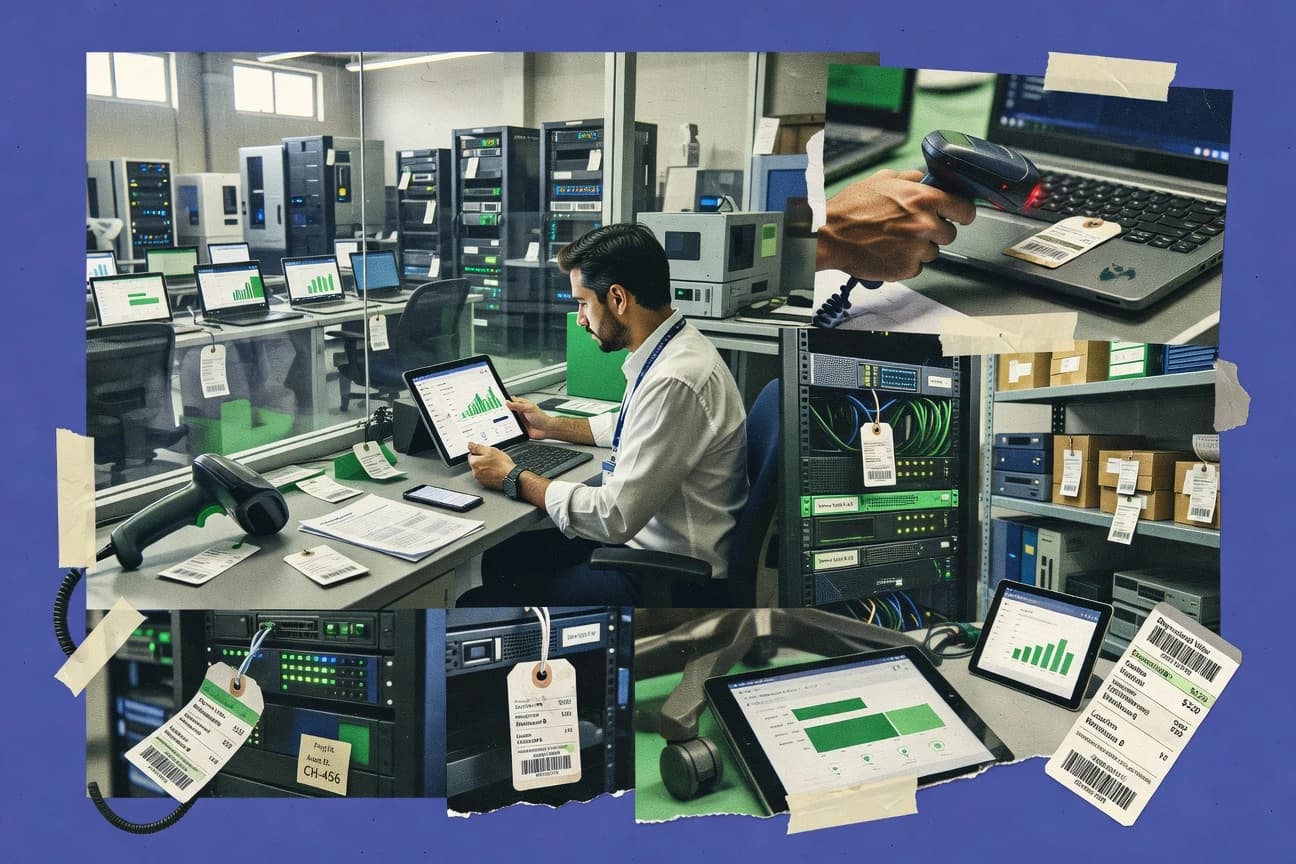
AssetTiger is the best pick for mid-size organizations that need accurate, scan-driven asset registers across sites because its QR and barcode tagging is tied to lifecycle actions like transfers and retirements, while Asset Panda fits field teams that need mobile requests and controlled transfers without heavy admin overhead.
Editor’s top 3 picks
Three quick recommendations before you dive into the full comparison below — each one leads on a different dimension.
AssetTiger
QR and barcode driven asset tagging workflows tied to asset records and lifecycle events.
Best for: Fits when mid-size organizations need scanning-driven asset register accuracy across sites and custodians.
Asset Panda
Editor pickMobile-first request to asset workflow that links procurement intake to real time asset assignment and subsequent scanning runs.
Best for: Fits when field teams need barcode or QR scanning plus controlled transfers without heavy admin customization.
Asset Infinity
Editor pickBarcode or QR code friendly scanning tied directly to asset master records for consistent physical identification and reconciliation.
Best for: Fits when mid-size teams need a structured cloud fixed asset register with identification and lifecycle tracking.
Comparison Table
AssetTiger
SMBCloud asset tracking records equipment, custodians, locations, maintenance, and depreciation data.
QR and barcode driven asset tagging workflows tied to asset records and lifecycle events.
AssetTiger’s core data flow centers on an asset master record that can hold serial numbers, acquisition dates, placed-in-service dates, useful life, and depreciation configuration used for recurring schedule generation. Asset tagging supports barcode and QR code driven scanning workflows, which reduces manual entry when assets are moved or inventoried. Lifecycle coverage includes asset transfers, disposals, and retirement and write-off actions that keep history consistent for audit trails. Asset location hierarchy and custodian assignment are modeled to support multi-site operations without flattening everything into a single list.
AssetTiger’s tradeoff is that deeper accounting alignment depends on how depreciation, accounts, and posting events map to existing ledger rules. For teams that need fast setup, the most effective usage is to standardize asset classes and location hierarchy first, then import existing assets and run scanning-based reconciliation. Teams that frequently change component-level capitalization policies or need highly customized depreciation logic may require configuration work to match local tax and book rules. Organizations that rely on frequent cross-system updates benefit most when their integration approach is based on reliable exports or API-based sync patterns.
- +Barcode and QR scanning workflows speed up asset verification
- +Lifecycle actions cover transfers, disposals, and retirement scenarios
- +Depreciation schedule generation keeps register timelines consistent
- +Location hierarchy and custodian assignment support multi-site operations
- –Accounting posting depth depends on configuration mapping to ledger rules
- –Component depreciation workflows need upfront planning to avoid rework
- –Highly customized asset classification can require schema adjustments
- –Complex lease accounting processes may need external workflows
Facilities and operations teams
Run quarterly physical inventory reconciliation
Faster counts with fewer exceptions
Asset management managers
Track transfers through retirement
Clean history for reviews
Show 2 more scenarios
Finance controlling teams
Maintain depreciation schedules
Consistent schedule outputs
Generate depreciation schedules from placed-in-service and useful life fields.
IT hardware administrators
Manage serial-numbered asset fleets
Reduced manual data entry
Use asset master records with scanning workflows for high-volume tracking.
Best for: Fits when mid-size organizations need scanning-driven asset register accuracy across sites and custodians.
Asset Panda
vertical specialistCloud asset management tracks equipment, locations, maintenance, users, and custom workflows.
Mobile-first request to asset workflow that links procurement intake to real time asset assignment and subsequent scanning runs.
Asset Panda centers on cloud fixed asset workflows that mix request-to-receipt tracking with day to day field scanning using mobile inventory modes. The system supports asset master records with QR and barcode tagging, plus location hierarchy, custodian assignment, and audit style reconciliation runs.
Asset Panda also provides role based access controls and audit log visibility so administrators can review changes to records and transfer decisions. Automation is driven through configurable processes tied to asset lifecycle actions such as transfers, disposals, and retirements.
- +Mobile scanning workflow supports QR and barcode asset checks
- +Request and transfer flows reduce untracked custody changes
- +Audit log and RBAC support administrator review of record edits
- +Configurable lifecycle actions cover common transfer and retirement paths
- –Complex tax depreciation schedules require careful configuration discipline
- –Advanced component level modeling can be limited for highly granular fixed asset structures
- –Custom reporting often needs system exports and manual formatting
- –API automation breadth is constrained compared with enterprise asset suite integrations
Best for: Fits when field teams need barcode or QR scanning plus controlled transfers without heavy admin customization.
Asset Infinity
vertical specialistAsset lifecycle software manages procurement, allocation, maintenance, audits, and retirement.
Barcode or QR code friendly scanning tied directly to asset master records for consistent physical identification and reconciliation.
Asset Infinity is a cloud-based fixed asset register built to track the full asset lifecycle from acquisition through retirement. Core capabilities center on an asset master record workflow that supports serial number and barcode or QR style identification, along with depreciation fields and schedules.
The system also provides location and custodian assignment so transfers and physical inventory reconciliation can be recorded against the same master data. Admin controls focus on structured configuration of asset classes and standardized metadata capture for consistent reporting.
- +Lifecycle capture ties acquisitions, depreciation, and disposals to one asset master record
- +Serial number and barcode or QR style identifiers support fast physical lookup
- +Location and custodian assignment supports transfers and custody reporting
- +Configuration of asset classes supports consistent capitalization and reporting fields
- –Automation depth for end-to-end workflows can feel limited for complex multi-step approvals
- –API surface and extensibility details are not as broad as enterprise CMDB-style tooling
- –Component depreciation and lease accounting coverage is not guaranteed for all configurations
- –Advanced audit trail granularity may require process discipline for every state change
Best for: Fits when mid-size teams need a structured cloud fixed asset register with identification and lifecycle tracking.
Wasp AssetCloud
vertical specialistAssetCloud combines barcode-based asset tracking with inventory records, audits, and reporting.
Asset tagging workflows that tie scan results directly to asset master updates, including custodians, locations, and inventory reconciliation.
Wasp AssetCloud is a cloud fixed asset register built around barcode and QR-based asset tagging workflows. Core capabilities include asset master records with custodians, locations, and life-cycle dates, plus transfers, disposals, and physical inventory reconciliation.
- +Barcode and QR tagging flows reduce manual entry during asset capture
- +Life-cycle fields track acquisitions and placed-in-service dates on asset records
- +Depreciation configuration generates depreciation schedules per asset setup
- +Transfers, disposals, and reconciliation keep asset history consistent
- –Complex hierarchies for locations and asset classes need careful upfront configuration
- –API and automation surface are not a first-line integration driver for all deployments
- –Component depreciation depth may not match organizations doing granular BOM splits
- –Inventory reconciliation workflows can feel rigid for sites needing custom scan rules
Best for: Fits when mid-size organizations need barcode-led asset tracking with depreciation schedules and inventory reconciliation.
NetSuite Fixed Assets Management
enterpriseFixed asset management connects acquisition, depreciation, disposal, and reporting with cloud ERP data.
Journal entries generated from fixed asset transactions keep book depreciation and GL balances synchronized during close.
NetSuite Fixed Assets Management covers the fixed asset register lifecycle, from acquisition through construction in progress and into depreciation schedules. The system uses configurable asset accounting attributes such as asset class hierarchy and capitalization threshold behavior, then posts results to the general ledger through standard NetSuite accounting integrations. Asset location hierarchy and custodian assignment can be tracked on asset records so audits and physical reconciliation workflows can filter assets by responsibility or site.
- +Real-time general ledger posting from fixed asset events
- +Depreciation schedules update from placed-in-service and method settings
- +Asset transfers and disposals drive accounting and status changes
- +Supports asset location and custodian fields for audit-ready views
- –Depreciation depends on precise asset record configuration
- –Fixed asset reporting can require additional saved searches
- –Complex hierarchies increase admin overhead during setup
- –Some inventory reconciliation steps need external process alignment
CFO and controllership teams
Month-end close with automated posting
Fewer manual journal entries
Asset management admins
Asset lifecycle tracking and control
More consistent asset history
Show 2 more scenarios
ERP operations teams
Construction in progress to placed-in-service
Depreciation starts at correct date
CIP assets move into depreciable status using configured placed-in-service timing.
Internal audit teams
Physical reconciliation planning
Faster asset verification
Location and custodian attributes support targeted lists for inventory and audit sampling.
Best for: Fits when finance teams need NetSuite-native fixed asset accounting with continuous ledger alignment.
Oracle Fusion Cloud Fixed Assets
enterpriseCloud asset accounting manages capitalization, depreciation, transfers, retirements, and asset reporting.
Accounting-ready handling of asset transfers and retirements that stays consistent with Oracle Fusion Finance postings and controls.
Oracle Fusion Cloud Fixed Assets manages the end-to-end lifecycle from acquisition through retirement, including asset transfers and write-offs that can align to financial and operational ownership. Depreciation settings connect to depreciation methods and schedules and provide the structured outputs needed for book depreciation and accounting entries. The application fit is strongest where asset events must be controlled through RBAC, validated workflows, and traceable change history across asset records and transactions.
- +Tight accounting alignment with Oracle Fusion Finance close workflows
- +Configurable depreciation schedules tied to asset lifecycle transactions
- +Role-based governance supports controlled transfers and retirements
- +Strong auditability across asset changes and accounting-linked events
- –Requires significant Oracle Fusion configuration and finance data design
- –Barcode and physical inventory reconciliation workflows are not its main strength
- –Asset tagging and field capture depend on surrounding workflow design
- –Complexity rises for teams needing only basic register maintenance
Finance operations teams
Month-end close with controlled asset events
Fewer reconciliation gaps in close
Property and asset managers
Portfolio-wide custody and location changes
Controlled custody updates
Show 2 more scenarios
Enterprise systems integration teams
System-to-system asset lifecycle automation
Higher transaction throughput
Uses the Oracle Fusion integration surface to connect upstream procurement and downstream accounting processes.
Internal audit teams
Change tracking for asset master records
Clear audit trails
Provides traceable history for asset record updates and lifecycle transactions used in governance reviews.
Best for: Fits when enterprises need Oracle-aligned fixed asset lifecycle control with finance-grade governance.
Odoo Assets
SMBOdoo Assets schedules depreciation and integrates asset records with accounting transactions.
Fixed asset transactions post directly into Odoo accounting journals through shared accounting configuration.
Odoo Assets records fixed assets with an asset master record, then calculates depreciation schedules under straight-line and declining-balance methods. It connects asset entries to Odoo accounting so transfers, disposals, and write-offs can post into the general ledger without manual journal recreation.
- +Accounting postings for asset transfers and disposals reduce duplicate journal work
- +Supports component depreciation and construction-in-progress asset flows
- +Asset location hierarchy and custodian assignment support day-to-day ownership tracking
- +Depreciation methods and schedules align with common finance reporting needs
- –Deep configuration in Odoo accounting can slow initial deployment
- –Barcode or QR scanning requires an external labeling and capture workflow
- –Advanced automation needs Odoo configuration changes, not simple admin toggles
- –Complex tax and book divergence may increase reconciliation workload
Best for: Fits when organizations already run Odoo accounting and want tightly coupled asset posting workflows.
Sage Intacct Fixed Assets
SMBFixed asset functionality supports schedules, depreciation methods, locations, and asset reporting.
Lifecycle change audit trail that links asset master updates to accounting-impacting depreciation outcomes inside the fixed asset workflow.
Sage Intacct Fixed Assets supports a cloud-based fixed asset register that maintains asset master records and tracks depreciation schedules through placed-in-service and retirement.
- +Strong alignment with financial posting when assets need to mirror Intacct results
- +Depreciation schedules handle common methods for book accounting workflows
- +Asset master record controls reduce drift across cost, dates, and classification fields
- +Audit history supports review of key lifecycle edits and accounting-impacting changes
- –Implementation requires careful setup of depreciation parameters and posting mappings
- –Multi-entity workflows can feel heavy when asset classes or locations change frequently
- –Automation is strongest when paired with the Intacct accounting data flow
- –Bulk adjustments for edge-case lifecycle events may require admin intervention
Best for: Fits when accounting teams need lifecycle-controlled asset posting tied to Intacct and strict change governance.
Microsoft Dynamics 365 Finance Fixed Assets
enterpriseFixed asset capabilities manage books, depreciation, acquisitions, transfers, and disposals.
Fixed assets leverage Finance transaction and posting orchestration so asset lifecycle actions drive ledger outcomes with consistent configuration and controls.
Microsoft Dynamics 365 Finance Fixed Assets brings a fixed asset register into the Dynamics 365 Finance data flow, with GL posting rules tied to finance configuration. It handles the asset master record lifecycle from acquisition through depreciation, transfers, and disposals while keeping depreciation settings consistent with financial books.
- +Finance-led posting keeps fixed-asset books aligned to general ledger configuration
- +Strong audit trail for key asset status changes tied to finance operations
- +Workflows support approval steps for transfers, disposals, and related financial impacts
- +Extensibility via Dynamics 365 integration and API surface for asset-related automation
- –Setup requires careful governance of depreciation parameters and accounting mappings
- –Some fixed-asset processes depend on broader Finance configuration and roles
- –Asset tagging and physical reconciliation workflows require more operational design
- –Reporting for niche asset schedules can require additional configuration
Best for: Fits when finance-led asset accounting must post consistently into Dynamics 365 Finance.
SAP S/4HANA Cloud Asset Accounting
enterpriseAsset Accounting supports valuation, depreciation, parallel ledgers, and integration with enterprise finance.
Asset master record and depreciation configuration are built to drive direct accounting postings within the SAP S/4HANA Cloud financial model.
SAP S/4HANA Cloud Asset Accounting is designed for fixed-asset accounting tightly coupled to SAP S/4HANA Cloud financials.
- +Ledger-native posting patterns reduce manual asset-to-GL reconciliation work
- +Depreciation configurations support multiple business rules for book and tax views
- +Asset lifecycle workflows cover transfers and retirements with accounting alignment
- +Automation options support event-driven updates for asset changes
- –Global configuration for depreciation and transfer rules requires governance discipline
- –Asset location and custodian workflows can feel finance-led rather than operational-led
- –Deep reporting needs more design effort than for purpose-built asset registers
- –Non-SAP asset operations may require additional integration mapping work
Best for: Fits when finance owns asset accounting and needs ledger-aligned postings across books and depreciation runs.
Conclusion
After evaluating 10 cloud based fixed asset software, AssetTiger stands out as our overall top pick — it scored highest across our combined criteria of features, ease of use, and value, which is why it sits at #1 in the rankings above.
Use the comparison table and detailed reviews above to validate the fit against your own requirements before committing to a tool.
How to Choose the Right Cloud Based Fixed Asset Software
This buyer’s guide covers AssetTiger, NetSuite Fixed Assets Management, Oracle Fusion Cloud Fixed Assets, SAP S/4HANA Cloud Asset Accounting, Sage Intacct Fixed Assets, Microsoft Dynamics 365 Finance Fixed Assets, Asset Panda, Wasp AssetCloud, Odoo Assets, and Asset Infinity.
The tools below map fixed asset transactions to accounting outcomes and physical identification using workflows tied to asset master records. AssetTiger leads with QR and barcode driven tagging tied to lifecycle events, while NetSuite Fixed Assets Management, Oracle Fusion Cloud Fixed Assets, and SAP S/4HANA Cloud Asset Accounting lead with ledger-aligned posting from fixed asset activity.
Every section focuses on integration breadth, automation surfaces, and governance controls visible in each tool’s core workflow design. Asset Panda and Wasp AssetCloud emphasize operational scanning and capture, while Oracle Fusion Cloud Fixed Assets and SAP S/4HANA Cloud Asset Accounting emphasize finance-led lifecycle governance.
Cloud Based Fixed Asset Software that unifies an asset register, lifecycle changes, and accounting posting
Cloud based fixed asset software maintains a structured asset register and drives lifecycle actions such as transfers, retirements, and depreciation schedule updates from asset master records. AssetTiger stands out with QR and barcode scanning workflows that feed directly into lifecycle actions like transfers and disposals.
For finance-led teams, NetSuite Fixed Assets Management generates journal entries from fixed asset transactions so book depreciation and general ledger balances stay synchronized during close. Oracle Fusion Cloud Fixed Assets and SAP S/4HANA Cloud Asset Accounting route transfer and retirement handling through Oracle Fusion Finance or SAP S/4HANA Cloud posting patterns so lifecycle changes remain consistent with finance controls.
Fixed asset control points: lifecycle, ledger posting, and identification capture
Cloud fixed asset software stays usable when lifecycle changes and accounting outcomes travel together from the same asset master record. The tools here separate themselves by how they bind transfers, retirements, and depreciation schedule updates to the workflow that triggers postings.
Identification capture determines how accurate the physical asset register stays over time. AssetTiger, Asset Panda, Wasp AssetCloud, and Asset Infinity focus on barcode or QR-driven scanning workflows that feed directly into asset record changes during verification and transfers.
Lifecycle-driven workflows tied to asset master updates
Sage Intacct Fixed Assets links lifecycle change audit trails to accounting-impacting depreciation outcomes inside the fixed asset workflow. AssetTiger ties barcode and QR scanning workflows to asset records and lifecycle actions like transfers and disposals.
Ledger synchronization from fixed asset transactions
NetSuite Fixed Assets Management generates journal entries from fixed asset transactions so book depreciation and general ledger balances stay aligned during close. SAP S/4HANA Cloud Asset Accounting and Odoo Assets route asset transfers and disposals into accounting journals through their respective finance configuration.
Accounting alignment with finance close controls
Oracle Fusion Cloud Fixed Assets provides accounting-ready handling for asset transfers and retirements that stays consistent with Oracle Fusion Finance postings and controls. Microsoft Dynamics 365 Finance Fixed Assets uses Finance transaction and posting orchestration so asset lifecycle actions drive ledger outcomes within Dynamics 365 Finance.
Component depreciation and complex asset structures
SAP S/4HANA Cloud Asset Accounting supports multiple business rules for book and tax views and includes component depreciation configuration tied to the SAP S/4HANA Cloud financial model. Odoo Assets supports component depreciation and construction-in-progress asset flows through shared accounting configuration.
Operational scanning and transfer controls for field capture
Asset Panda uses a mobile-first request to asset workflow that links procurement intake to real time asset assignment and subsequent scanning runs. Wasp AssetCloud ties scan results to asset master updates for custodians, locations, and inventory reconciliation.
Depreciation schedule responsiveness to lifecycle events
NetSuite Fixed Assets Management updates depreciation schedules from placed-in-service and method settings as asset events occur. Oracle Fusion Cloud Fixed Assets and AssetTiger tie depreciation schedule behavior to lifecycle transactions and asset record events.
Choose the workflow engine that matches how assets move and how accounting closes
The fastest way to reduce rework is to pick a system where asset lifecycle actions already generate the accounting artifacts required by the finance team. NetSuite Fixed Assets Management, Oracle Fusion Cloud Fixed Assets, and SAP S/4HANA Cloud Asset Accounting differ most in how strongly they couple fixed asset events to their finance close patterns.
If physical identification accuracy drives the process, scanning-first tools become the deciding factor. AssetTiger, Asset Panda, Wasp AssetCloud, and Asset Infinity all center barcode or QR-driven verification and lookup, but only some keep that capture tightly connected to lifecycle events across transfers, disposals, and retirement scenarios.
Map lifecycle events to the accounting posting path that must run during close
If fixed asset transactions must generate journal entries automatically during close, NetSuite Fixed Assets Management creates journal entries from fixed asset events to keep GL balances synchronized. If transfers and retirements must follow Oracle Fusion Finance or SAP posting patterns, Oracle Fusion Cloud Fixed Assets and SAP S/4HANA Cloud Asset Accounting route those events through their finance-aligned controls.
Decide whether operational capture is scanning-first or finance-led
If field teams need scanning workflows that update asset records immediately, AssetTiger and Asset Panda provide QR and barcode scanning tied to transfers and disposals. If the process is finance-led and asset governance drives the workflow, Microsoft Dynamics 365 Finance Fixed Assets and Sage Intacct Fixed Assets focus on audit trails and finance transaction orchestration.
Test configuration effort by running depreciation with your real lifecycle changes
When depreciation depends on precise asset record configuration, NetSuite Fixed Assets Management requires that placed-in-service, method settings, and asset records are correct before schedules update. When depreciation rules must align to finance-grade controls, SAP S/4HANA Cloud Asset Accounting and Oracle Fusion Cloud Fixed Assets need governance discipline for depreciation and transfer rules.
Validate component depreciation and construction workflows against your asset structure
If component depreciation and construction-in-progress handling are routine, SAP S/4HANA Cloud Asset Accounting and Odoo Assets include depreciation configuration and workflows that support those structures. If component level modeling must be highly granular, Asset Panda can feel limited for highly granular fixed asset structures even with strong mobile capture.
Evaluate integration and automation depth based on integration surface expectations
If the deployment depends on automation and API-driven extensibility, AssetTiger and Wasp AssetCloud are differentiated by scanning-driven lifecycle workflows that can be integrated around asset record updates. If automation depth across multi-step approvals is required end-to-end, Asset Infinity can feel limited on automation depth for complex approvals.
Who fixed asset buyers should target these tools for
The right fit depends on whether asset accuracy failures come from physical capture gaps or from lifecycle-to-ledger posting drift. Tools like AssetTiger and Wasp AssetCloud address capture and verification workflows, while NetSuite Fixed Assets Management, Oracle Fusion Cloud Fixed Assets, SAP S/4HANA Cloud Asset Accounting, and Microsoft Dynamics 365 Finance Fixed Assets focus on ledger-aligned posting from fixed asset transactions.
Sage Intacct Fixed Assets and Asset Panda fit organizations where governance and lifecycle control must match how work moves from procurement to assignment and then to scanning runs.
Mid-size organizations with multiple sites and scanning-driven verification needs
AssetTiger and Wasp AssetCloud focus on barcode and QR tagging workflows tied to asset master updates for custodians, locations, and lifecycle outcomes during transfers, disposals, and retirement handling.
Finance teams running NetSuite-centered close operations
NetSuite Fixed Assets Management is built to generate journal entries from fixed asset transactions so book depreciation and general ledger balances stay synchronized during close.
Enterprises standardizing on Oracle Fusion Finance controls
Oracle Fusion Cloud Fixed Assets provides accounting-ready lifecycle handling for asset transfers and retirements that stays consistent with Oracle Fusion Finance postings and governance controls.
Organizations on SAP S/4HANA Cloud where asset accounting must post directly within SAP financial models
SAP S/4HANA Cloud Asset Accounting builds asset master record and depreciation configuration patterns that drive direct accounting postings within SAP S/4HANA Cloud financial model and depreciation runs.
Teams that need mobile requests to drive real time assignment and controlled transfers
Asset Panda uses a mobile-first request workflow that links procurement intake to real time asset assignment and then to scanning runs for controlled transfer custody changes.
Common fixed asset software mistakes that create reconcile work and audit risk
Fixed asset rollouts fail when depreciation rules and posting mappings are treated as a one-time setup rather than a repeatable governance workflow. NetSuite Fixed Assets Management and SAP S/4HANA Cloud Asset Accounting both call out that depreciation and transfer rules depend on precise configuration, so mistakes surface during the first close that touches real lifecycle events.
Other failures happen when scanning workflows exist but do not connect tightly to lifecycle actions and accounting outcomes. AssetTiger reduces this risk by tying QR and barcode scanning to lifecycle actions, while tools like Oracle Fusion Cloud Fixed Assets place less emphasis on scanning and physical inventory reconciliation workflows as a primary strength.
Selecting a finance-aligned fixed asset tool without allocating time for lifecycle configuration governance
SAP S/4HANA Cloud Asset Accounting requires governance discipline for global depreciation and transfer rule configuration, and NetSuite Fixed Assets Management requires precise asset record configuration to keep depreciation updates correct.
Relying on barcode or QR scanning without connecting scan outcomes to lifecycle actions
AssetTiger and Wasp AssetCloud tie scan results directly to asset master updates that cover lifecycle actions like transfers, disposals, and retirement scenarios, which reduces orphan scan records that never post.
Underestimating the setup required for component depreciation and specialized depreciation structures
Asset Panda can feel constrained for highly granular component level modeling, while Odoo Assets and SAP S/4HANA Cloud Asset Accounting rely on deeper configuration that must match your component and construction-in-progress flows.
Assuming multi-approval workflows will be fully automated end-to-end
Asset Infinity has limited automation depth for complex multi-step approvals, so governance-heavy workflows need a workflow mapping check before committing.
How We Selected and Ranked These Tools
We evaluated AssetTiger, NetSuite Fixed Assets Management, Oracle Fusion Cloud Fixed Assets, SAP S/4HANA Cloud Asset Accounting, Sage Intacct Fixed Assets, Microsoft Dynamics 365 Finance Fixed Assets, Asset Panda, Wasp AssetCloud, Odoo Assets, and Asset Infinity on feature coverage, ease of setup, and value for fixed asset lifecycle-to-accounting workflows. Features carried the most weight at 40%, while ease and value each carried 30% of the total score.
AssetTiger ranked highest because it centered barcode and QR scanning tied to asset records and lifecycle events like transfers, disposals, and retirement scenarios, which reduces the gap between physical capture and lifecycle processing. NetSuite Fixed Assets Management, Oracle Fusion Cloud Fixed Assets, and SAP S/4HANA Cloud Asset Accounting ranked next because their fixed asset transactions generate ledger-aligned outcomes that keep close processes synchronized, even when configuration accuracy is required.
Frequently Asked Questions About Cloud Based Fixed Asset Software
How do AssetTiger, Wasp AssetCloud, and Asset Infinity handle barcode or QR scanning when the scan result must update the asset master record?
Which platform provides fixed asset accounting with direct synchronization to a live general ledger through native workflows?
When an asset transfer or disposal occurs, how do Oracle Fusion Cloud Fixed Assets and SAP S/4HANA Cloud Asset Accounting keep audit trails tied to the financial close?
What breaks if asset master record edits happen outside the fixed asset workflow for Sage Intacct Fixed Assets or Asset Panda?
How do AssetTiger and Asset Panda connect physical inventory reconciliation to custody and location hierarchy changes over time?
How are depreciation schedules generated and maintained across multiple lifecycle events in NetSuite Fixed Assets Management versus Odoo Assets?
Where does asset lifecycle coverage differ between Asset Panda and AssetInfinity regarding request-to-receipt intake and retirement handling?
How do integrations and exports differ when the goal is to move asset and accounting-relevant fields into downstream systems?
What security and admin controls are typically required to keep custodians, locations, and asset metadata changes governed in AssetTiger and Asset Panda?
Tools reviewed
Primary sources checked during evaluation.
Referenced in the comparison table and product reviews above.
Funding and competing interests
This study was co-funded by several of the vendors assessed in it. No single vendor funded it. Funders could propose the market studied.
They had no role in selecting vendors, setting or weighting criteria, analysing data or drawing conclusions, and they received the same factual-accuracy check as every other vendor assessed.
Market definition, inclusion rules and criteria weights were fixed by an editor before research began and did not change afterwards. Editorial process →
- Business FinanceTop 10 Best Online Fixed Asset Software of 2026
- Business FinanceTop 10 Best Cloud-Based Accounting Software of 2026
- Tourism HospitalityTop 10 Best Cloud Based Hotel Software of 2026
- Technology Digital MediaTop 10 Best Cloud File Storage Software of 2026
- Data Science AnalyticsTop 10 Best Asset Database Software of 2026
Keep exploring
Comparing two specific tools?
Software Alternatives
See head-to-head software comparisons with feature breakdowns, pricing, and our recommendation for each use case.
Explore software alternatives→In this category
Business Finance alternatives
See side-by-side comparisons of business finance tools and pick the right one for your stack.
Compare business finance tools→