GITNUXSOFTWARE ADVICE
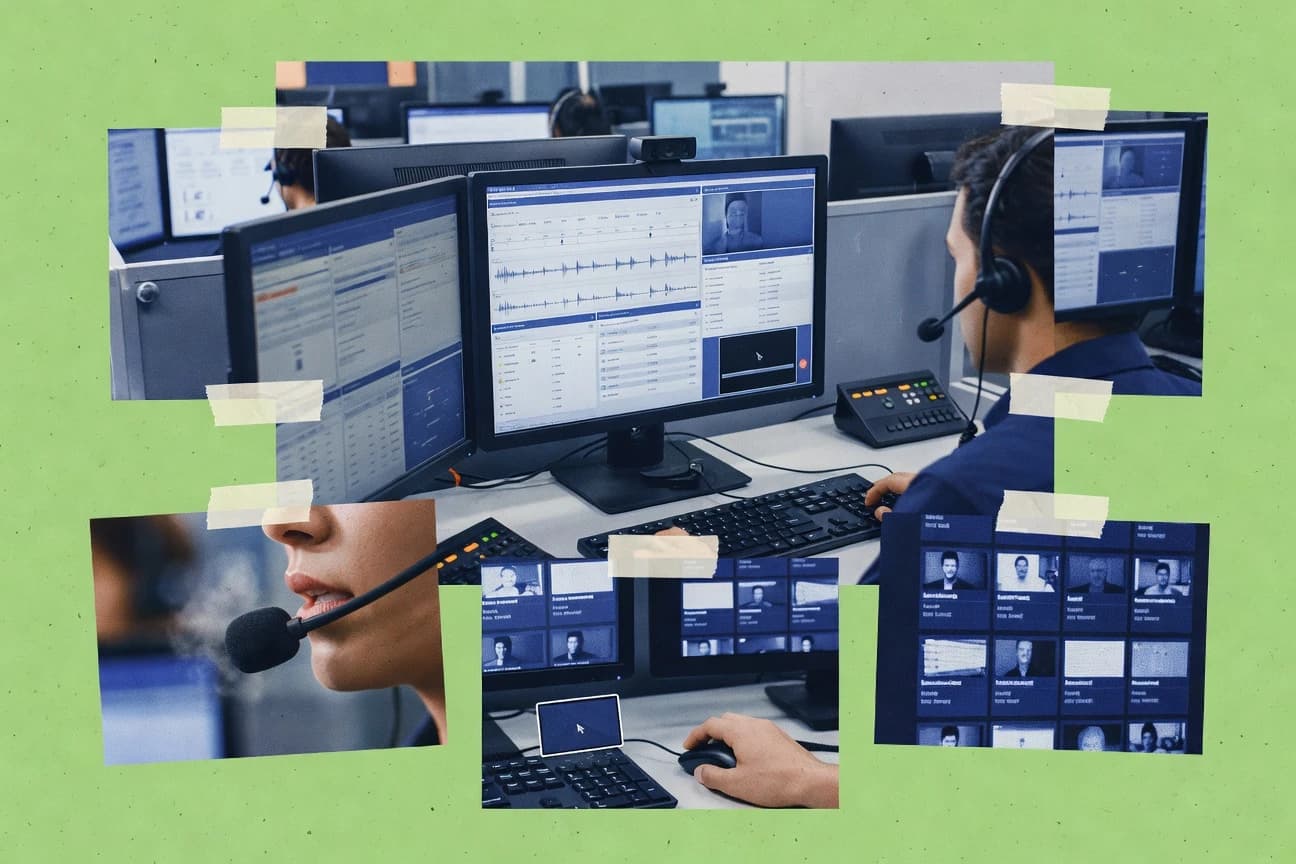
Communication MediaTop 10 Best Call Center Screen Capture Software of 2026
Compare call center screen capture software options and how they fit QA, training, and compliance needs, with clear tradeoffs for teams using Verint Recording.

How we ranked these tools
Gitnux editors write the brief first: the topic, the inclusion rules, and the frame for what belongs.
Agents extract product evidence with provenance, then collect written reviews and transcribe video reviews and podcasts.
Framework: Features 40% · Ease 30% · Value 30%
Gitnux may earn a commission through links on this page — this does not influence rankings. Editorial policy
Verint Recording is the best pick for contact centers that need audit-ready QA evidence because its synchronized screen capture is tied to interaction playback with searchable review sessions, while Hubstaff is a strong alternative for distributed teams since session-linked recording maps capture to tracked work time for faster matching during coaching.
Editor’s top 3 picks
Three quick recommendations before you dive into the full comparison below — each one leads on a different dimension.
Verint Recording
Synchronized screen capture tied to interaction playback for evidence review during quality assurance.
Best for: Fits when contact centers need synchronized desktop recording evidence for QA and compliance review across many queues.
Hubstaff
Editor pickScreen recording is anchored to tracked work sessions so recordings map to timekeeping context for faster review cycles.
Best for: Fits when QA needs session-tied desktop capture for coaching and dispute resolution across agent teams.
Teramind
Editor pickDesktop activity capture tied to governed investigations using audit logs and RBAC-scoped access for review workflows.
Best for: Fits when contact centers need governed desktop monitoring with evidence exports and API-driven workflows.
Comparison Table
Verint Recording
enterpriseRecords customer interactions and agent desktops across contact center environments.
Synchronized screen capture tied to interaction playback for evidence review during quality assurance.
Verint Recording captures agent desktop activity with synchronized interaction media for call center investigations and playback. The solution supports screen-only and audio-video recording patterns with controls for pausing and resuming during interactions.
Verint Recording focuses on searchable interaction evidence and secure media handling for contact center and quality workflows. Administration centers on organization-level governance for recording behavior and supervisory access patterns used during QA review.
- +Synchronized screen capture with interaction audio for faster issue triage
- +Searchable playback evidence for QA review sessions
- +Pause and resume controls for controlled capture windows
- +Governance options for managing who can view recordings
- –Browser-based agent capture coverage can require specific endpoints and policies
- –Admin configuration effort rises with multi-site and multi-queue capture rules
- –External data sync depends on integration design with the contact center stack
- –Playback and export workflow can feel heavier for high-volume supervisors
Best for: Fits when contact centers need synchronized desktop recording evidence for QA and compliance review across many queues.
Hubstaff
SMBProvides periodic screenshots and activity monitoring for distributed support and call center teams.
Screen recording is anchored to tracked work sessions so recordings map to timekeeping context for faster review cycles.
Hubstaff’s call-center fit centers on synchronized session capture that aligns recordings to work periods and assignments, which helps supervisors review customer interactions without hunting for the right timeframe. The tool includes playback controls for reviewing captured material and supports role-based supervisor workflows for ongoing monitoring. Evidence handling is paired with operational reporting so QA can correlate what agents did on-screen with session-level activity.
A tradeoff appears with precision-focused governance like PCI DSS compliance requirements and payment-card masking workflows, which need more careful enablement and process alignment than in systems dedicated only to contact-center evidence. Hubstaff works best when screen recording is an operational standard for QA and coaching rather than a deep integration-heavy program driven by a contact center platform.
- +Session-linked screen recording reduces time spent matching evidence to work
- +Pause and resume controls support controlled capture during sensitive moments
- +Playback controls speed QA review across long agent shifts
- +Exports simplify evidence handoff for quality assurance review
- –Sensitive-data masking workflows need governance discipline beyond basic capture
- –Screen capture configuration can require careful rollout across teams
- –Advanced contact-center-native integrations may require additional setup
Quality assurance teams
Coach agents using session evidence
Faster coaching feedback
Workforce managers
Audit agent activity during disputes
Clearer resolution decisions
Show 1 more scenario
Contact center supervisors
Run lightweight supervisor monitoring
Reduced review friction
Supervisors use monitoring workflows to review agent desktops without losing session context.
Best for: Fits when QA needs session-tied desktop capture for coaching and dispute resolution across agent teams.
Teramind
SMBCaptures employee screens and activity data for monitoring, investigation, and compliance programs.
Desktop activity capture tied to governed investigations using audit logs and RBAC-scoped access for review workflows.
Teramind records agent desktop activity with screen capture and synchronized interaction evidence for workforce monitoring workflows. The product pairs session-level recording controls with governance features like audit logs and role-based access for supervisors and compliance teams. Teramind also supports automation via integrations and an API surface used to provision monitoring logic and extract metadata for review workflows.
- +Session-level desktop activity capture with synchronized review playback
- +Granular RBAC for supervisor roles and compliance users
- +Audit log coverage for monitoring and export activity
- +API and automation support for provisioning and metadata workflows
- –Administration and policy setup requires careful governance discipline
- –Footprint and performance impact can be noticeable on busy endpoints
- –Evidence export workflows can feel constrained for custom QM tooling
- –Browser capture coverage depends on client and environment specifics
Best for: Fits when contact centers need governed desktop monitoring with evidence exports and API-driven workflows.
Talkdesk Interaction Recording
enterpriseSupports interaction recording and agent screen capture within a cloud contact center.
Synchronized playback that ties agent screen activity to the recorded interaction for QA review timelines.
Talkdesk Interaction Recording is designed for contact centers that want synchronized evidence during quality management reviews, not just audio call recording. Screen capture coverage targets agent workflows on typical desktop surfaces and supports playback for supervisor monitoring and QA review. Administration centers on role-based access to recordings and managed retention behavior, which reduces exposure risk during audits. Integration depth matters because the tool is built to align recording content with the same interaction lifecycle handled in the Talkdesk environment.
- +Synchronized screen and call evidence for QA playback review
- +Role-based access controls for recording viewing permissions
- +Retention governance supports consistent evidence lifecycle management
- +Talkdesk-native alignment with interaction lifecycle and supervision workflows
- –Screen capture coverage can vary across less common desktop contexts
- –Setup and governance discipline is required to keep recordings policy-compliant
- –Browser-only or thin UI workflows may yield less actionable evidence
Best for: Fits when a Talkdesk-based contact center needs screen-backed QA evidence with controlled access.
Playvox
enterpriseContact center QA and coaching platform with agent screen recording.
Synchronized desktop capture tied to review playback controls for supervisor-led coaching workflows.
Playvox focuses on call center screen capture that pairs agent desktop activity with synchronized audio for review workflows. It emphasizes configurable capture scope, playback controls for supervisors, and media management designed for evidence-style export.
- +Synchronized desktop activity with audio improves QA context during review
- +Configurable capture scope helps limit recordings to relevant agent actions
- +Supervisor playback controls speed up targeted coaching sessions
- +Evidence-style export supports cross-team QA sharing
- –Depth of capture configuration demands more setup discipline per site
- –Browser-based and VDI edge cases require validation during rollout
- –Searchability depends on metadata quality from capture configuration
- –Granular viewer permissions can increase admin overhead for large orgs
Best for: Fits when QA teams need synchronized screen-and-audio evidence for coaching and dispute handling across multiple agents.
NICE CXone Interaction Recording
enterpriseCaptures agent screens, voice interactions, and digital channels for contact center quality management.
Interaction Recording runs as a CXone-aligned evidence stream with supervisor and QA review workflows tied to recorded interactions.
NICE CXone Interaction Recording records screen activity alongside interaction media so QA reviewers can verify what the agent saw while they handled the call. It provides playback controls for review, searchable metadata to reduce navigation time, and administrative controls that align with enterprise contact center governance. It fits organizations already standardizing on CXone, since interaction lifecycle visibility and media handling align with the wider CXone operational model.
- +Synchronized screen and interaction media for evidence-grade QA reviews
- +Searchable playback metadata reduces time spent locating key moments
- +Supervisor monitoring support ties review workflows to operational oversight
- +Enterprise governance controls support controlled access to stored media
- –Browser capture can need extra configuration for complex web apps
- –Desktop capture requires careful setup across user devices
Best for: Fits when CXone-centric contact centers need synchronized screen evidence for QA and coaching at scale.
Enghouse Interactive Quality Management
vertical specialistCaptures agent screens and customer interactions for evaluation, compliance, and coaching.
Quality management case assignment ties scoring and review outcomes to specific screen evidence playback for repeatable QA audits.
Enghouse Interactive Quality Management focuses on quality assurance review workflows tied to interaction evidence, with coordinated screen capture playback for supervisors and QA reviewers. The solution supports recording-centric review steps such as case assignment, scoring, and evidence navigation so reviewers can move from findings to the supporting desktop footage.
- +QA review workflow links scores to navigable screen evidence
- +Role-based access separates reviewer, supervisor, and admin actions
- +Evidence playback supports consistent review across teams
- +Quality configuration supports repeatable review forms and criteria
- –Deeper API extensibility is limited compared with recording-first vendors
- –Browser-based capture support depends on specific deployment patterns
- –Screen capture evidence indexing can require tuning for large datasets
- –Requires setup discipline to keep review criteria aligned across queues
Best for: Fits when QA teams need evidence-linked screen review workflows with controlled roles.
Five9 Recording
enterpriseRecords contact center interactions and supports quality workflows across voice and digital channels.
Screen recording that stays tightly aligned with Five9 interaction playback for joint audio and desktop activity review.
Five9 Recording adds screen capture coverage alongside Five9 interaction recording, with focus on desktop activity evidence for quality assurance review. It supports synchronized recording that ties agent audio and visual activity into a single playback context for supervisor monitoring and QA workflows.
- +Synchronized screen plus interaction capture supports QA review in one playback
- +Recording controls are managed within the Five9 contact center environment
- +Media access supports supervisor monitoring workflows without external tools
- +Screen evidence helps correlate agent actions with audio events
- –Screen recording coverage is tied to Five9 workflows rather than general desktop capture
- –Advanced redaction and masking automation requires careful operational setup
- –Evidence export format options feel narrower than specialized standalone capture tools
- –Search and metadata depth depend on the Five9 metadata collected for sessions
Best for: Fits when contact centers using Five9 need synchronized screen evidence for QA review and supervisor monitoring.
Capacity Screen Recording
vertical specialistAI support automation platform with full desktop screen capture synchronized to interaction transcripts.
Admin-controlled capture configuration for standardized evidence collection across agents.
Capacity Screen Recording is a screen capture tool built for call center workflows that need agent desktop activity captured alongside interaction evidence. It supports recording sessions with supervisor viewing and review-style playback, plus controls for capturing what agents see during customer conversations.
- +Agent desktop activity capture aligned to QA review workflows
- +Supervisor viewing and evidence playback support workflow consistency
- +Metadata-backed evidence exports help locate specific sessions
- +Admin configuration reduces per-agent variation in capture behavior
- –Sensitive-data masking support is narrower than full PCI workflows
- –Browser-based capture coverage can be uneven across complex web apps
- –Integration depth with CRM and contact center stacks is limited
- –Retention control is less granular than enterprise audit requirements
Best for: Fits when QA teams need repeatable desktop evidence for reviews without deep contact-center suite integration.
Genesys Cloud CX Recording
enterpriseRecords contact center interactions and agent screens within the Genesys Cloud platform.
Interaction and screen recording are bound to Genesys Cloud CX event context for consistent supervisor review across campaigns.
Genesys Cloud CX Recording provides interaction recording tied to the Genesys Cloud CX contact center workflow, with screen capture for agent desktop activity during calls. It supports supervisor playback for quality assurance review and includes retention controls so recorded media matches organizational policies.
- +Tight coupling between interaction recording and Genesys Cloud contact center events
- +Supervisor playback supports quality assurance review workflows
- +Retention controls align recorded media with defined governance periods
- +Role-based permissions restrict who can access recorded media and playback
- –Screen capture coverage depends on supported capture surfaces and agent UI types
- –Fine-grained desktop capture controls can require careful agent-side configuration
- –Evidence export workflows can feel constrained for offline reviewer processes
- –Complex recording scope rules can be difficult to validate across mixed channels
Best for: Fits when teams run Genesys Cloud CX and need coordinated interaction and screen recording for QA reviews.
Conclusion
After evaluating 10 call center screen capture software, Verint Recording stands out as our overall top pick — it scored highest across our combined criteria of features, ease of use, and value, which is why it sits at #1 in the rankings above.
Use the comparison table and detailed reviews above to validate the fit against your own requirements before committing to a tool.
How to Choose the Right Call Center Screen Capture Software
Call center screen capture software records agent desktop activity and synchronizes it with the associated interaction so QA and coaching review can follow the same timeline. This guide covers NICE CXone Interaction Recording, Talkdesk Interaction Recording, Hubstaff, Playvox, Verint Recording, Genesys Cloud CX Recording, Five9 Recording, Enghouse Interactive Quality Management, Teramind, and Capacity Screen Recording.
The biggest differences show up in capture alignment, access controls, and how review playback is navigated during quality assurance and dispute handling. NICE CXone Interaction Recording emphasizes a CXone-aligned evidence stream for supervisor and QA review workflows, while Talkdesk Interaction Recording focuses on synchronized playback tied to Talkdesk access control for recording viewing permissions.
Call Center Screen Capture Software that synchronizes agent desktops with interaction evidence
Call center screen capture software captures what agents do on their desktops while the call or interaction is recorded, then presents synchronized playback for evidence-grade QA reviews and coaching. NICE CXone Interaction Recording runs as a CXone-aligned evidence stream that ties supervisor and QA review workflows to the recorded interaction alongside synchronized screen evidence.
Some products tie capture to contact-center event context and playback timelines rather than generic desktop recording. Genesys Cloud CX Recording binds interaction and screen recording to Genesys Cloud CX event context for consistent supervisor review across campaigns, while Hubstaff anchors screen recording to tracked work sessions to map evidence to timekeeping context for faster review cycles.
What to verify in call center screen capture for QA and disputes
Access control and auditability determine who can view sensitive screen content and who can administer capture policies across teams. Talkdesk Interaction Recording ties recording viewing permissions to Talkdesk role-based access controls, while Teramind uses audit logs and RBAC-scoped access for governed investigations.
Interaction-synchronized screen evidence for QA review timelines
NICE CXone Interaction Recording synchronizes screen and interaction media into a CXone-aligned evidence stream for supervisor and QA workflows. Playvox synchronizes desktop capture tied to review playback controls for coaching and dispute handling.
Contact-center event context coupling for consistent review across campaigns
Genesys Cloud CX Recording binds interaction and screen recording to Genesys Cloud CX event context so supervisor review stays consistent across campaigns. Hubstaff anchors screen recording to tracked work sessions so review cycles can map evidence to timekeeping context.
Role-based viewing permissions for recording governance
Talkdesk Interaction Recording provides role-based access controls that govern recording viewing permissions tied to Talkdesk access. Enghouse Interactive Quality Management separates reviewer, supervisor, and admin actions through role-based access for evidence-linked QA review workflows.
Sensitive capture controls for pause and resume during restricted moments
Hubstaff includes pause and resume controls that support controlled capture during sensitive moments tied to work sessions. Playvox allows configurable capture scope so capture can be limited to relevant agent actions for coaching workflows.
Operational coverage across desktop, browser, and VDI edge cases
NICE CXone Interaction Recording can require extra configuration for browser capture in complex web apps and careful setup for desktop capture across user devices. Verint Recording can require specific endpoints and policies for browser-based agent capture coverage.
Evidence navigation with searchable playback metadata
NICE CXone Interaction Recording uses searchable playback metadata to reduce time spent locating key moments in review sessions. Verint Recording includes searchable playback evidence designed for faster QA issue triage during review playback.
Choose based on capture-to-playback wiring, governance controls, and rollout friction
Then validate how access control and capture policy administration will work for supervisors, QA reviewers, and compliance roles. Talkdesk Interaction Recording and Enghouse Interactive Quality Management emphasize recording viewing permissions through role-based controls, while Teramind focuses on RBAC-scoped access with audit logs for governed desktop monitoring.
Match timeline behavior to QA review workflow
If QA playback must pair interaction evidence with screen evidence in one aligned timeline, prioritize NICE CXone Interaction Recording or Verint Recording. If supervisors run coaching from desktop activity with synchronized review controls, Playvox targets supervisor-led coaching playback rather than generic desktop capture.
Decide whether capture should follow contact-center events or work-session tracking
If capture must stay consistent across Genesys campaigns and the review context must follow Genesys Cloud CX events, Genesys Cloud CX Recording ties recordings to Genesys Cloud CX event context. If evidence must map to timekeeping sessions rather than contact-center event context, Hubstaff ties screen recording to tracked work sessions.
Confirm role-based viewing and admin separation for recording governance
For centers where access is enforced through Talkdesk, Talkdesk Interaction Recording provides role-based access controls for who can view recordings. For centers that require repeatable QA audits where reviewer and admin actions are separated, Enghouse Interactive Quality Management links scoring and review outcomes to specific screen evidence with role-based separation.
Stress-test capture surfaces before broad rollout
If agent UIs are complex web apps, validate browser capture configuration requirements on NICE CXone Interaction Recording and Verint Recording. If agents run in unusual desktop contexts or VDI patterns, validate Browser-based and VDI edge cases for Playvox and desktop coverage requirements for Genesys Cloud CX Recording.
Plan governance for sensitive moments and masking automation scope
If sensitive workflows require controlled capture windows, Hubstaff’s pause and resume controls support controlled capture during restricted moments. If masking and redaction automation is a core requirement, verify operational setup needs on Five9 Recording because advanced redaction and masking automation requires careful operational setup.
Select based on integration depth with the surrounding contact stack
If recordings must become an integrated evidence stream inside CXone workflows, NICE CXone Interaction Recording aligns with CXone supervisor and QA review workflows. If organizations need governed investigations with audit trails and API-driven workflows, Teramind provides RBAC-scoped access and audit logs tied to governed investigations.
Who benefits from screen capture tied to interaction evidence and governance
Organizations that treat desktop evidence as a governed investigation need stronger administration patterns and audit visibility. Teramind and Enghouse Interactive Quality Management focus on role-scoped access, evidence-linked workflows, and governance-aligned review outcomes.
CXone-centric QA teams running supervisor and QA evidence reviews
NICE CXone Interaction Recording runs as a CXone-aligned evidence stream that ties supervisor and QA review workflows to recorded interactions with synchronized screen evidence.
Talkdesk contact centers that require recording viewing permissions aligned to agent roles
Talkdesk Interaction Recording pairs synchronized screen and call evidence for QA playback review while enforcing role-based access controls for recording viewing permissions.
Genesys Cloud CX deployments that need consistent review context across campaigns
Genesys Cloud CX Recording binds interaction and screen recording to Genesys Cloud CX event context so supervisors can review consistently across campaigns.
Compliance-focused teams that need governed desktop monitoring with audit logs
Teramind provides session-level desktop activity capture with synchronized review playback plus audit logs and RBAC-scoped access for review workflows.
Workforce and dispute teams that map evidence to tracked work sessions
Hubstaff anchors screen recording to tracked work sessions so evidence can be matched to timekeeping context for faster coaching and dispute resolution.
Common failure modes when buying call center screen capture
Another failure mode is delaying governance design until after rollout. Masking and policy compliance depend on operational discipline and capture configuration choices that can create coverage gaps or access-control errors across teams.
Picking a vendor for desktop capture quality while ignoring interaction playback synchronization.
Require synchronized screen and interaction evidence in one review timeline using NICE CXone Interaction Recording, Verint Recording, or Talkdesk Interaction Recording to avoid stitching evidence during QA.
Assuming browser capture will work out of the box across complex web apps.
Validate browser capture endpoint and policy behavior early on NICE CXone Interaction Recording and Verint Recording since browser-based coverage can require specific configuration for complex web apps.
Skipping role-based viewing permissions and admin separation design until after onboarding.
Define who can view recordings and who can administer capture policies using Talkdesk Interaction Recording role-based access controls or Enghouse Interactive Quality Management role separation before training reviewers.
Underestimating governance discipline for masking, redaction, and sensitive workflows.
Treat masking and sensitive capture as an operational program by verifying setup burden on Five9 Recording and governance discipline on Hubstaff for sensitive-data masking workflows.
Overlooking capture configuration complexity in multi-site or non-standard desktop environments.
Test multi-site admin configuration effort on Verint Recording and capture configuration depth on Playvox so browser and VDI edge cases do not surface after rollout.
How We Selected and Ranked These Tools
We evaluated capture-to-playback alignment because it directly determines whether QA can follow one timeline across screen and interaction media, and NICE CXone Interaction Recording led with a CXone-aligned evidence stream plus synchronized screen and interaction playback. Features accounted for 40% of the ranking because synchronized evidence, searchable playback metadata, and workflow binding determine daily reviewer throughput.
Ease and value each accounted for 30% because Browser capture configuration effort, desktop rollout setup, and governance discipline affect time-to-operate as teams scale. Tools were also checked for integration depth via platform event context wiring, and NICE CXone Interaction Recording separated itself with tight alignment to CXone supervisor and QA workflows rather than generic screen recording.
Frequently Asked Questions About Call Center Screen Capture Software
How does synchronized screen capture work with call audio in NICE CXone Interaction Recording?
Which tools provide browser-based capture for web agent UIs without separate desktop agents?
When should an organization choose Talkdesk Interaction Recording over an add-on screen recorder?
What breaks if a contact center needs evidence exports tied to QA scoring cases rather than just viewing playback?
Which solution exposes an API surface used to provision monitoring logic and extract metadata?
How do admin controls differ between Capacity Screen Recording and Genesys Cloud CX Recording?
How does workforce-session context change review workflows in Hubstaff compared with playbacks that only attach to interactions?
What is the main tradeoff between choosing Playvox and choosing Verint Recording for QA review timelines?
How do Teramind and NICE CXone Interaction Recording handle access governance for supervisors and compliance reviewers?
Tools reviewed
Primary sources checked during evaluation.
Referenced in the comparison table and product reviews above.
Funding and competing interests
This study was co-funded by several of the vendors assessed in it. No single vendor funded it. Funders could propose the market studied.
They had no role in selecting vendors, setting or weighting criteria, analysing data or drawing conclusions, and they received the same factual-accuracy check as every other vendor assessed.
Market definition, inclusion rules and criteria weights were fixed by an editor before research began and did not change afterwards. Editorial process →
- Technology Digital MediaTop 10 Best Screen Capture Software of 2026
- Communication MediaTop 10 Best Call Center Calling Software of 2026
- Business FinanceTop 10 Best Automated Screen Capture Software of 2026
- Communication MediaTop 10 Best Screen Share Software of 2026
- Data Science AnalyticsTop 10 Best Intelligent Capture Software of 2026
Keep exploring
Comparing two specific tools?
Software Alternatives
See head-to-head software comparisons with feature breakdowns, pricing, and our recommendation for each use case.
Explore software alternatives→In this category
Communication Media alternatives
See side-by-side comparisons of communication media tools and pick the right one for your stack.
Compare communication media tools→