GITNUXSOFTWARE ADVICE
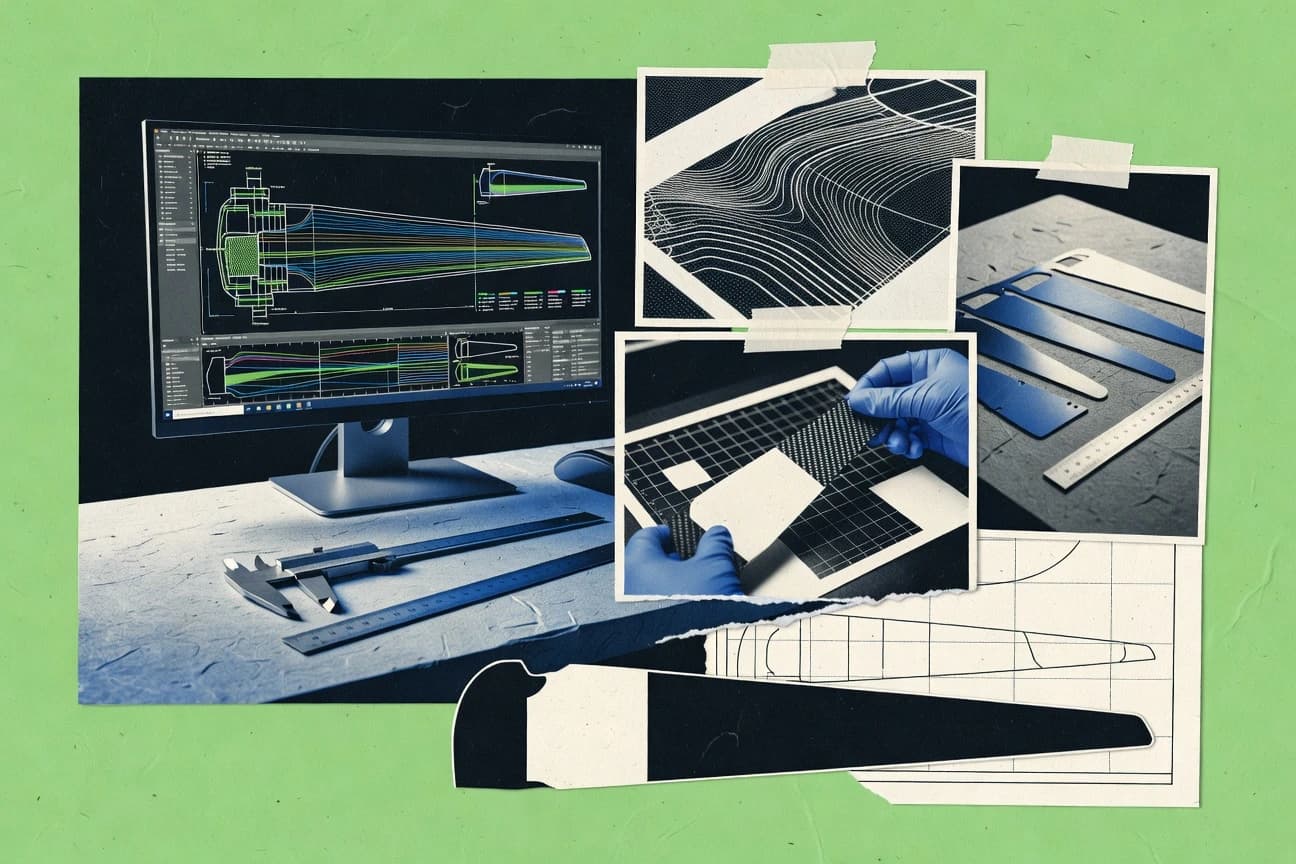
Manufacturing EngineeringTop 10 Best Blade Design Software of 2026
Top 10 blade design software ranking with CAESES, AxCent, BladeCAD, ANSYS BladeModeler, Siemens NX, and Fusion, for CAE and engineering teams.

How we ranked these tools
An editor sets the topic, the inclusion criteria, and the evaluation framework before research starts.
AI search agents find sources, extract figures with provenance, and aggregate written reviews. They also transcribe video reviews and podcasts.
Framework: Features 40% · Ease 30% · Value 30%
Gitnux may earn a commission through links on this page — this does not influence rankings. Editorial policy
CAESES is the strongest fit for rotor-blade teams running parametric variants that must regenerate cleanly for optimization-driven aerodynamic and turbomachinery studies, whereas AxCent works best when you need repeatable conceptual updates for analysis and drawings without heavy end-to-end CAD rebuilding.
Editor’s top 3 picks
Three quick recommendations before you dive into the full comparison below — each one leads on a different dimension.
CAESES
Parameter-to-geometry regeneration paired with optimization-oriented objective evaluation across many design variants.
Best for: Fits when rotor blade teams need many controlled geometry variants with optimization-driven regeneration.
AxCent
Editor pickRegenerates blade geometry from maintained design parameters to keep downstream models aligned across revisions.
Best for: Fits when engineering teams need repeatable rotor blade geometry updates for analysis and drawings.
BladeCAD
Editor pickOne model drives both rotor blade geometry regeneration and manufacturing drawing outputs for repeated design revisions.
Best for: Fits when teams need fast blade geometry iteration and CAD handoff without bundled solvers.
Comparison Table
CAESES
enterpriseCAESES creates parametric CAD models for automated aerodynamic and turbomachinery design studies.
Parameter-to-geometry regeneration paired with optimization-oriented objective evaluation across many design variants.
CAESES is built around a parameter-driven blade model that can be swept, optimized, and regenerated for repeatable design-space studies. Geometry outputs cover the practical items used downstream, including spanwise twist and chord distributions plus airfoil section placement, which supports subsequent meshing and analysis steps. The automation surface is strongest when blade geometry changes are driven by explicit parameters tied to objective metrics. CAESES fits rotor blade programs that need many geometry variants under controlled assumptions rather than a one-off CAD exercise.
A key tradeoff is that CAESES geometry creation is oriented toward aerodynamic and system-level iteration, not full CAD-to-manufacturing detailing like complex composite laminate schedules. Teams that require deep composite layup definition and high-fidelity structural design artifacts may need a separate CAD or FEA toolchain after CAESES parameter studies. CAESES is a strong usage choice for early-to-mid design stages where design-space exploration, constraint handling, and rapid regeneration matter most.
- +Parametric blade regeneration supports rapid geometry iteration
- +Optimization workflow connects design parameters to objective evaluation
- +Consistent airfoil placement and spanwise distributions for variant studies
- +Clear separation of geometry optimization from downstream solvers
- –CAD-grade manufacturing details require external tooling
- –Workflow setup takes time for constraint and objective configuration
- –Advanced structural workflows depend on external analysis steps
- –Best results require disciplined parameter definitions
Wind turbine design engineers
Optimize chord and twist distributions
Higher-performing blade variants
Aeroelasticity analysts
Couple geometry parameters to analysis
Faster iteration cycles
Show 2 more scenarios
Rotorcraft performance teams
Run performance trade studies
Clear design tradeoffs
Design-space exploration evaluates multiple operating concepts through regenerated blade geometry.
Blade program managers
Control iteration across milestones
Reduced rework between steps
Parametric definitions help standardize model assumptions across teams and studies.
Best for: Fits when rotor blade teams need many controlled geometry variants with optimization-driven regeneration.
AxCent
vertical specialistAxCent provides conceptual and preliminary design tools for axial and radial turbomachinery.
Regenerates blade geometry from maintained design parameters to keep downstream models aligned across revisions.
AxCent fits teams that build rotor blade geometry from a parameter set and need repeatable regeneration after every change in chord distribution, twist distribution, or hub and root geometry. Geometry outputs are oriented toward handoff, which reduces manual rework when multiple engineering groups work in parallel. The main strength is workflow continuity from parameter edits to an exchangeable geometry package.
A key tradeoff is that AxCent’s center of gravity is blade geometry automation rather than full multidisciplinary analysis execution like computational fluid dynamics or finite element analysis. Use AxCent when CFD and structural solvers handle the physics, and the team needs deterministic geometry updates for each load case or pitch and optimization iteration.
- +Parameter-to-geometry regeneration supports fast design iteration loops
- +Neutral file exchange reduces geometry handoff friction across tools
- +Hub and root geometry control supports consistent blade-to-hub fit
- –Limited scope for solver automation compared with full MDO suites
- –Geometry-centric workflow can require extra steps for detailed structural pre-processing
- –Advanced automation depends on disciplined configuration management
Wind turbine engineering teams
Iterate chord and twist sets
Faster iteration cycles
Aero design analysts
Prepare CFD geometry packages
Less geometry clean-up
Show 2 more scenarios
Structural engineering teams
Export blade models for FEA prep
Fewer model mismatches
Teams export geometry aligned with hub and root design so structural load cases match revisions.
Manufacturing engineering teams
Maintain drawing-ready geometry
More consistent releases
Manufacturing teams maintain consistent geometry variants across design changes for documentation workflows.
Best for: Fits when engineering teams need repeatable rotor blade geometry updates for analysis and drawings.
BladeCAD
vertical specialistBladeCAD provides 3D blade geometry creation and manipulation for turbomachinery.
One model drives both rotor blade geometry regeneration and manufacturing drawing outputs for repeated design revisions.
BladeCAD is built for rotor blade geometry generation from parameter sets such as chord and twist along the span, then export into CAD-ready geometry for downstream work. It includes tools for airfoil selection and section placement so teams can keep aero geometry changes consistent across revisions. It also supports manufacturing-oriented outputs like drawing views, which reduces manual rework compared with exporting geometry and rebuilding documentation.
A key tradeoff is that BladeCAD focuses on blade geometry authoring and output rather than bundled multidisciplinary solvers, so aero and structural analysis still require external tools. BladeCAD fits best when design iteration speed matters, such as rapid parametric tuning of chord and twist before running computational fluid dynamics or finite element analysis.
- +Parametric chord and twist edits regenerate blade geometry quickly
- +Airfoil selection ties section definitions directly to span locations
- +CAD interoperability exports common geometry files for downstream work
- +Manufacturing drawing views reduce separate documentation steps
- –No integrated CFD or finite element analysis pipeline
- –Complex multidisciplinary design optimization requires external coordination
- –Thin support for detailed hub and root engineering workflows
- –Requires careful parameter governance to avoid inconsistent revisions
Wind turbine design engineers
Iterate chord and twist quickly
Fewer revision handoff delays
Small composite manufacturing teams
Produce drawing views from geometry
Less manual drawing rework
Show 2 more scenarios
CAD interoperability coordinators
Handoff blades to downstream CAD
Cleaner CAD-to-CAM continuity
Uses exchange-file export so downstream modeling and toolpath generation can proceed consistently.
R&D teams running CFD externally
Prepare sectioned geometry for analysis
More consistent simulation inputs
Maintains section placement tied to blade span so external computational fluid dynamics inputs stay consistent.
Best for: Fits when teams need fast blade geometry iteration and CAD handoff without bundled solvers.
QBlade
vertical specialistQBlade is an open-source wind turbine blade design and simulation environment.
Variant-driven parametric chord and twist definition tied to airfoil-based performance calculations.
QBlade is a blade design and analysis workflow tool focused on rotor blade geometry definition and performance estimation. It supports parametric chord and twist distributions for airfoil-based blade-element momentum theory calculations and organizes results by design variants.
- +Parametric rotor blade geometry inputs with variant management
- +Airfoil-based performance outputs using blade-element momentum theory
- +Consistent workflow from geometry definitions to aerodynamic polars
- +Neutral geometry export patterns for CAD-to-analysis handoff
- –Limited built-in finite element analysis and composite layup design
- –Not a computational fluid dynamics meshing and solver environment
- –Automation surface depends on workflow conventions rather than a published API
- –Structural load case coverage can require external tooling
Best for: Fits when teams need repeatable blade geometry and performance estimation before CFD or FEA.
AxSTREAM
enterpriseAxSTREAM supports preliminary design, meanline analysis, 3D geometry, and performance analysis for turbomachinery.
Variable-driven blade geometry updates that remain traceable through successive optimization and export runs.
AxSTREAM performs blade design workflows that connect parametric rotor blade geometry with coupled aero and structural checks. The software supports airfoil selection, chord and twist definition, and constraint-driven design iteration geared toward early-stage rotor sizing.
- +Parametric rotor blade geometry stays linked to design variables
- +Supports blade pitch optimization runs with repeatable constraints
- +Exports analysis-ready geometry for external CFD and finite element steps
- +Design iteration workflow supports systematic twist and chord updates
- –Advanced optimization setups require careful constraint definition
- –Some multidisciplinary checks depend on external analysis tooling
- –Mesh generation and solver control are not exposed as an in-software workflow
- –Governance for large design libraries needs tighter process discipline
Best for: Fits when teams need repeatable rotor blade geometry iterations with external CFD and FEA validation loops.
TURBOdesign Suite
enterpriseTURBOdesign Suite provides throughflow, 3D inverse design, and computational analysis for turbomachinery blades.
Parameter propagation from spanwise definitions through consistent geometry outputs for repeatable rotor-blade design iterations.
TURBOdesign Suite is a blade design workflow tool from adtechnology.com that focuses on parametric rotor blade geometry generation and downstream analysis readiness. Core capabilities center on defining spanwise chord and twist inputs, generating consistent blade surfaces, and producing manufacturing-support outputs tied to the same design parameters.
- +Parameter-driven chord and twist definitions keep blade geometry changes traceable
- +Geometry-to-model export reduces manual rework between design and analysis
- +Project structures support repeatable runs across design-space variations
- +Orientation to rotor blade workflows fits teams iterating blade design parameters
- –Advanced hub and root variants can require deeper workflow configuration
- –Integration breadth depends on external tools for CFD and full structural solver coverage
- –Complex composite layup design and laminate scheduling are not the primary workflow focus
- –Automation and API access surface are limited compared with more engineering-platform-native tools
Best for: Fits when rotor-blade teams need parametric geometry control and analysis-ready outputs for iterative studies.
Ansys BladeGen
enterpriseAnsys BladeGen creates parametric blade and passage geometry for turbomachinery analysis workflows.
Template-driven rotor blade generation that keeps twist, chord, and airfoil placement consistent across design iterations.
Ansys BladeGen focuses on rotor blade geometry generation with workflow control aimed at parametric twist, chord, and airfoil placement. It supports blade-element geometry outputs that plug into downstream CFD and structural toolchains without forcing manual reconstruction.
- +Parametric blade geometry generation from controlled design variables
- +Consistent rotor blade element layout for iteration across design cases
- +Better alignment with Ansys downstream solvers than generic modeling workflows
- +Template-driven approach supports repeatable configuration studies
- –Less effective for non-rotor blade shapes that diverge from its geometry model
- –Automation depth depends heavily on the surrounding Ansys toolchain setup
- –CAD interchange and cleanup can require extra steps after export
- –Best results require disciplined input definition for airfoil placement
Best for: Fits when rotor blade teams need repeatable parametric geometry for CFD and structural studies without rebuilding each variant.
CFturbo
vertical specialistCFturbo designs pumps, fans, compressors, turbines, and other turbomachinery components with parametric geometry.
Geometry-linked rotor blade iteration that propagates changes into aerodynamic evaluation outputs used for structural verification.
CFturbo is a blade design software solution focused on aerodynamic and aerodynamic-structural workflows tied to rotor blade geometry and performance polars. It supports parametric rotor and airfoil setup so blade pitch distribution, twist, and chord can be driven from design variables rather than manual edits.
- +Parametric rotor blade setup keeps twist and chord consistent across iterations
- +Workflow ties geometry updates to aero evaluation output used in design reviews
- +Exports blade geometry for downstream CAD and finite element work
- +Supports combined aero and structural verification against defined load cases
- –Blade-element and CFD-style workflow coverage can require multiple model choices
- –Less direct support for composite layup design and laminate schedules
- –Automation and scripting are limited compared with general engineering tool suites
- –Large design-space sweeps can feel manual without batch-oriented controls
Best for: Fits when rotor blade teams need repeatable parametric geometry plus aero and structural verification in one workflow.
BladeComp
vertical specialistWind and tidal turbine blade design and optimization software with finite element analysis.
Variant-ready parametric modeling that drives chord and twist targets through to exportable blade geometry.
BladeComp is used to generate and iterate rotor blade geometry with a parametric workflow that supports chord distribution and twist distribution targets. It focuses on linking aerodynamic intent to a manufacturable blade surface model, rather than starting from a full CAD-to-FEA authoring stack.
- +Parametric control of chord distribution and twist distribution for variant generation
- +Batch configuration supports repeating rotor design studies with consistent settings
- +Geometry export is oriented toward handing off to external analysis tools
- +Workflow stays focused on blade design outputs rather than full multidisciplinary modeling
- –Limited in-tool coverage for coupled aeroelasticity and multidisciplinary optimization loops
- –Downstream interoperability depends on clean export-to-CAD and export-to-mesh steps
- –Less support for detailed hub and root design compared with CAD-first toolchains
- –Requires workflow discipline to keep parameter sets consistent across large variant runs
Best for: Fits when teams need repeatable rotor blade geometry generation and geometry handoff to CFD or FEA.
DNV Bladed
enterpriseIndustry-standard wind turbine design and simulation software used to design 70% of turbines installed in 2023.
Integrated aeroelastic load generation that feeds structural response checks directly during rotor design iterations.
DNV Bladed is used for wind turbine rotor blade design and related aeroelastic engineering workflows that require tight coupling between aerodynamic load inputs and structural response. It supports blade geometry parameterization and export-ready geometry for downstream analysis and documentation.
- +Strong workflow continuity from aerodynamic inputs to aeroelastic load sets
- +Mature support for iterative rotor design studies with reproducible run setups
- +Good interoperability for exchanging geometry into analysis and documentation pipelines
- +Clear separation of configuration data from calculation runs for controlled reruns
- –Blade geometry editing is not a CAD-first modeling experience
- –Automation depends more on workflow configuration than on a public extensibility layer
- –Best results require careful setup of operating points, load cases, and run parameters
- –Export formats and geometry fidelity can require manual checks for downstream meshing
Best for: Fits when turbine teams need repeatable aeroelastic and structural-driven blade design iteration.
Conclusion
After evaluating 10 blade design software, CAESES stands out as our overall top pick — it scored highest across our combined criteria of features, ease of use, and value, which is why it sits at #1 in the rankings above.
Use the comparison table and detailed reviews above to validate the fit against your own requirements before committing to a tool.
How to Choose the Right Blade Design Software
Blade design software in this list centers on parametric rotor blade geometry regeneration and repeatable spanwise control of chord and twist across design revisions. The lineup covered here includes CAESES, AxCent, BladeCAD, QBlade, AxSTREAM, TURBOdesign Suite, Ansys BladeGen, CFturbo, BladeComp, and DNV Bladed.
A key differentiator is how far each tool carries edits from controlled design variables into downstream evaluation outputs, including CFD or structural checks done inside or outside the package. Another differentiator is automation and integration depth, such as whether the workflow connects objective evaluation across many design variants or primarily focuses on geometry and handoff.
Blade Design Software for rotor blade geometry regeneration, parameter control, and aero or structural iteration
Blade design software generates rotor blade geometry from maintained parameters and then propagates those changes into performance or verification workflows used for rotor blade development. Several tools in this category focus on parameter-to-geometry regeneration to keep downstream models aligned, such as CAESES and AxCent.
CAESES emphasizes parameter-to-geometry regeneration paired with optimization-oriented objective evaluation across many design variants, which targets repeatable design-space iterations. AxCent focuses on regenerating blade geometry from maintained design parameters to keep downstream models aligned across revisions, with neutral file exchange reducing handoff friction.
Across the full set, some tools keep the workflow centered on geometry and performance estimation, such as QBlade using airfoil-based performance calculations, while others extend into coupled aero or structural processes, such as DNV Bladed generating aeroelastic load sets that feed structural response checks during design iterations.
Blade Design Software capabilities to verify before committing
When teams run many chord and twist variants, the software must keep those variants traceable from parameter changes to regenerated geometry and to repeatable output comparisons. When teams validate with aero or structural checks, the workflow must either connect evaluation outputs directly or preserve handoff integrity across steps.
Parameter-to-geometry regeneration with variant traceability
CAESES regenerates blade geometry from maintained parameters and pairs that regeneration with optimization-oriented objective evaluation across many design variants. AxCent regenerates rotor blade geometry from maintained design parameters and uses neutral file exchange to keep downstream models aligned across revisions.
Optimization-ready geometry loops vs geometry-only handoff
CAESES links parameter edits to objective evaluation so the design-space iteration can run across multiple variants inside the same workflow. BladeCAD drives a single model for both rotor blade geometry regeneration and manufacturing drawing outputs, which emphasizes CAD handoff more than built-in coupled analysis.
Airfoil-based performance estimation using blade-element theory
QBlade ties variant-driven parametric chord and twist definition to airfoil-based performance calculations using blade-element momentum theory. QBlade fits early evaluation workflows that prefer performance estimation before any CFD or finite element analysis environments.
Coupled aero or aeroelastic workflow continuity
DNV Bladed generates integrated aeroelastic load sets that feed structural response checks during rotor design iterations. CFturbo ties geometry updates to aerodynamic evaluation outputs that support structural verification, while it keeps composite layup coverage limited.
Export fidelity for downstream CAD and mesh steps
AxCent focuses on repeatable geometry updates with neutral file exchange so geometry handoff friction stays low across tool boundaries. BladeComp batch configuration supports repeating rotor design studies with consistent settings, and it requires clean export-to-CAD and export-to-mesh steps to carry results forward.
Geometry controls for rotor spanwise definitions
TURBOdesign Suite propagates spanwise parameter definitions into consistent geometry outputs so iterative studies can reuse the same control structure. Ansys BladeGen uses template-driven rotor blade generation that keeps twist, chord, and airfoil placement consistent across design iterations.
Choose by pipeline depth from geometry control to evaluation outputs
The second decision is how optimization and automation are intended to run across variants. CAESES is built for optimization-oriented objective evaluation across many design variants, while QBlade emphasizes repeatable parametric chord and twist with airfoil-based performance outputs that are meant for pre- and post-processing around CFD and FEA.
Map the expected evaluation stage after geometry regeneration
If the next step is objective evaluation across many design variants, CAESES carries that loop by pairing parameter-to-geometry regeneration with optimization-oriented objective evaluation. If the next step is performance estimation before CFD or finite element analysis, QBlade delivers airfoil-based performance outputs using blade-element momentum theory.
Pick the variant workflow model that matches how teams manage change
If teams must keep downstream models aligned through repeated design revisions, AxCent regenerates geometry from maintained design parameters and uses neutral file exchange to reduce handoff friction. If teams want a single model that regenerates geometry and outputs manufacturing drawings for repeated revisions, BladeCAD drives geometry and drawing outputs together.
Decide between CAD-first manufacturing outputs and analysis-first continuity
If manufacturing drawing output cadence is part of the same daily loop as geometry edits, BladeCAD ties parametric chord and twist edits to regenerated blade geometry and manufacturing drawing outputs. If the workflow needs aero or aeroelastic continuity, DNV Bladed generates integrated aeroelastic load sets tied to structural response checks during rotor design iterations.
Choose template-driven consistency or free parametric regeneration for rotor spanwise definitions
If the team prioritizes consistent twist, chord, and airfoil placement across design cases, Ansys BladeGen template-driven generation keeps the rotor blade element layout aligned across iterations. If the team prioritizes regeneration from controlled design variables with traceability across successive runs, AxSTREAM keeps variable-driven geometry linked to design variables.
Validate composite layup and laminate needs against the tool scope
If composite layup and laminate schedule work must remain inside the blade design workflow, the list flags multiple tools where composite coverage is limited, including QBlade and CFturbo. If composite work can remain outside while aero and structural checks drive iteration, CFturbo and DNV Bladed support geometry-to-aero or geometry-to-aeroelastic load continuity with workflow configuration.
Align extensibility expectations with how automation actually runs
If automation is expected to operate as part of iterative design-space evaluation, CAESES targets optimization-oriented objective evaluation across many variants. If automation depends heavily on surrounding toolchain setup, Ansys BladeGen ties automation depth to the surrounding Ansys toolchain environment rather than a standalone automation surface.
Who benefits from these Blade Design Software workflows
Teams also need to decide how much of the pipeline should run inside the tool versus outside through exports to CAD, mesh generation, and CFD or finite element analysis workflows. Several tools in this list assume external analysis for deeper coupled checks and focus instead on controlled geometry and repeatable outputs.
Rotor blade teams running many chord and twist variants
CAESES supports parametric blade regeneration and optimization-oriented objective evaluation across many design variants. AxSTREAM maintains variable-linked geometry updates so the team can repeat constraints and exports during optimization-driven iterations.
Engineering groups that need repeatable geometry refresh for analysis and drawings
AxCent regenerates geometry from maintained design parameters and uses neutral file exchange to keep downstream models aligned across revisions. BladeCAD regenerates blade geometry and manufacturing drawing outputs from a shared parametric model for repeated design revisions.
Teams front-loading performance estimation before full CFD and FEA
QBlade uses variant-driven parametric chord and twist definition tied to airfoil-based performance calculations using blade-element momentum theory. This supports fast performance estimation loops before moving to deeper computational fluid dynamics and finite element analysis.
Turbine designers who iterate with aeroelastic structural load sets
DNV Bladed generates integrated aeroelastic load sets and feeds structural response checks directly during rotor design iterations. This keeps the iteration loop continuous across aerodynamic inputs and structural response validation.
Studies where geometry traceability must survive external aero and structural validation
AxSTREAM keeps parametric rotor blade geometry linked to design variables so successive optimization and export runs preserve traceability. BladeComp supports batch configuration for repeating rotor design studies, then relies on clean export-to-CAD and export-to-mesh steps for downstream execution.
Common Blade Design Software buying pitfalls
Teams also misjudge workflow setup cost when the intended use requires objective evaluation logic, constraint definitions, or workflow configuration across variants. The most reliable evaluation approach matches tool scope to the end of the pipeline, not to the start.
Assuming CAD-grade manufacturing geometry editing is native in every parametric workflow
CAESES emphasizes parameter-to-geometry regeneration and optimization-oriented objective evaluation, but manufacturing-grade details require external tooling. BladeCAD is the safer match when drawing outputs must be generated from the same model during geometry iteration.
Buying for CFD or finite element analysis automation that the tool does not provide
QBlade is designed around airfoil-based performance calculations and limited in-tool finite element analysis and composite layup design. AxCent regenerates geometry with repeatable updates and focuses on geometry handoff, while solver automation is limited compared with full MDO suites.
Expecting aeroelastic load generation without committing to workflow configuration depth
DNV Bladed provides strong workflow continuity into aeroelastic load generation, but blade geometry editing is not CAD-first and automation depends more on workflow configuration. TURBOdesign Suite improves parameter propagation and export-to-model consistency, but full structural solver coverage relies on external tools for deeper analysis.
Misaligning optimization setup time with the team’s variant volume
CAESES supports objective evaluation across many variants, so constraint and objective definitions must be configured to match the intended optimization direction. AxSTREAM can support blade pitch optimization runs with repeatable constraints, but advanced optimization setups require careful constraint definition.
Treating exports as a minor step when downstream mesh generation and pre-processing are strict
BladeComp relies on export-to-CAD and export-to-mesh steps to carry results into CFD or FEA workflows, so export hygiene becomes a workflow dependency. AxSTREAM and AxCent emphasize traceable geometry regeneration, but downstream interoperability still depends on clean export paths to the mesh and solver environments.
How We Selected and Ranked These Tools
We evaluated CAESES, AxCent, BladeCAD, QBlade, AxSTREAM, TURBOdesign Suite, Ansys BladeGen, CFturbo, BladeComp, and DNV Bladed for how directly parameter edits regenerate rotor blade geometry and how reliably that regeneration ties into downstream evaluation outputs. Features made up 40% of the ranking because CAESES specifically links parameter-to-geometry regeneration to optimization-oriented objective evaluation across many design variants.
Ease and value each made up 30% to reflect how quickly teams can iterate without excessive constraint setup and rework between geometry and evaluation steps. CAESES earned the highest position by combining variant-scale objective evaluation with repeatable geometry regeneration, instead of stopping at geometry handoff.
Frequently Asked Questions About Blade Design Software
How do CAESES and AxSTREAM handle design-variant traceability from geometry inputs to performance outputs?
Which tools provide template or regeneration workflows that reduce manual rebuild time during parametric iterations?
What breaks if a blade design workflow needs CFD mesh generation inside the blade design tool?
When do BladeCAD and BladeComp fall short for teams that need integrated aero and structural coupling in one run?
How does QBlade differ from CFturbo when the workflow requires aerodynamic-structural verification connected to geometry?
Which tools support CAD interoperability through neutral geometry exchange patterns for downstream structural analysis?
How do TURBOdesign Suite and DNV Bladed manage repeated calculation setups for design-space iterations?
Which tool best fits teams that need an optimization-oriented parameter-to-geometry regeneration loop rather than one-off exports?
What security or admin controls are typically required when multiple teams share rotor blade design configurations and variants?
Tools reviewed
Primary sources checked during evaluation.
Referenced in the comparison table and product reviews above.
- Manufacturing EngineeringTop 10 Best Blast Design Software of 2026
- Manufacturing EngineeringTop 10 Best Axial Turbine Design Software of 2026
- Art DesignTop 10 Best Bike Design Software of 2026
- Manufacturing EngineeringTop 10 Best Design Engineering Services of 2026
- Manufacturing EngineeringTop 10 Best Die Design Services of 2026
Keep exploring
Comparing two specific tools?
Software Alternatives
See head-to-head software comparisons with feature breakdowns, pricing, and our recommendation for each use case.
Explore software alternatives→In this category
Manufacturing Engineering alternatives
See side-by-side comparisons of manufacturing engineering tools and pick the right one for your stack.
Compare manufacturing engineering tools→