
GITNUXSOFTWARE ADVICE
Science ResearchTop 10 Best Biomechanical Analysis Software of 2026
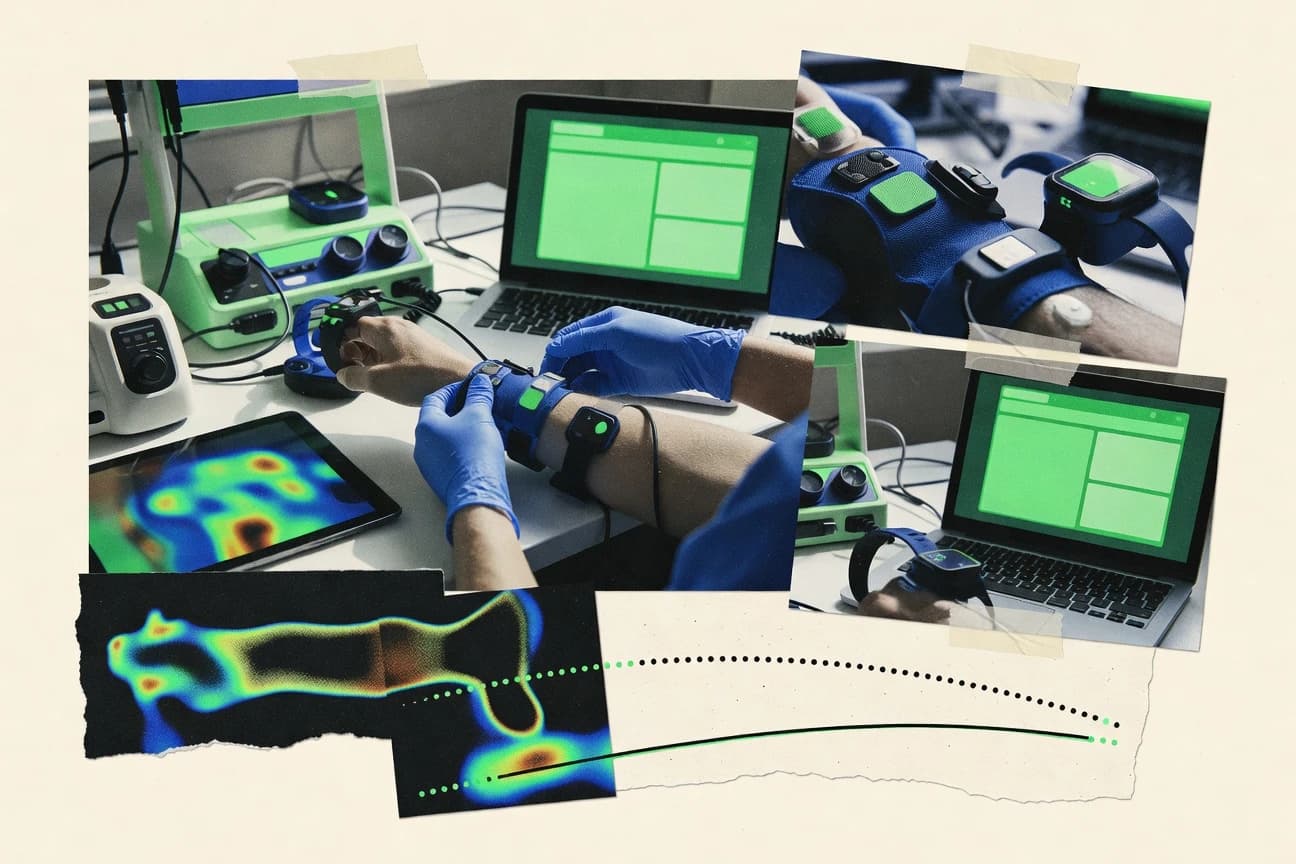
Top 10 biomechanical analysis software picks ranked for lab and clinical gait studies, with tool comparisons including Tech MCS Studio and SMART Capture.

How we ranked these tools
Core product claims cross-referenced against official documentation, changelogs, and independent technical reviews.
Analyzed video reviews and hundreds of written evaluations to capture real-world user experiences with each tool.
AI persona simulations modeled how different user types would experience each tool across common use cases and workflows.
Final rankings reviewed and approved by our editorial team with authority to override AI-generated scores based on domain expertise.
Score: Features 40% · Ease 30% · Value 30%
Gitnux may earn a commission through links on this page — this does not influence rankings. Editorial policy
Tech MCS Studio is the solid pick when biomechanical teams need repeatable calibration and batch joint angle analysis from IMU motion capture, whereas EMGworks fits better for EMG labs that must preprocess EMG and review synchronized event-based trials.
Editor’s top 3 picks
Three quick recommendations before you dive into the full comparison below — each one leads on a different dimension.
Tech MCS Studio
An analysis pipeline that enforces calibration and landmark consistency before batch joint and gait outputs export.
Built for fits when biomechanical teams need repeatable calibration and batch joint analysis across trials..
EMGworks
Editor pickTight alignment and processing built around Delsys EMG sensor streams, reducing manual synchronization work.
Built for fits when EMG labs need repeatable EMG preprocessing and synchronized event-based trial analysis..
SMART Capture
Editor pickIn-session gait event review tied to trial segmentation reduces relabeling and timing drift.
Built for fits when biomechanics teams need repeatable marker-based gait workflows with analysis-ready exports..
Comparison Table
Tech MCS Studio
SMBIMU-based motion capture and biomechanical analysis software with automatic gait cycle detection and joint angle measurement.
An analysis pipeline that enforces calibration and landmark consistency before batch joint and gait outputs export.
Tech MCS Studio is organized around preparing a calibrated analysis space, defining segments from anatomical landmarks, and then deriving joint outputs that can be normalized across trials. It supports workflows that start with common motion capture file inputs like C3D and TRC, then move into spatiotemporal gait parameters and joint angle time series. Batch processing helps when multiple sessions need consistent configuration before export for review or downstream computation.
A clear tradeoff is that automated interpretation and reporting is limited compared with tools that provide deeper inverse dynamics automation from force plates. Tech MCS Studio fits best when the analysis team wants repeatable configuration of calibration and landmarking and can tolerate more manual alignment choices for edge-case captures.
- +Consistent pipeline from calibration to joint kinematics and gait events
- +Batch processing supports repeated trials with the same analysis settings
- +Exports motion capture friendly formats like C3D and TRC
- +Model-driven outputs support musculoskeletal modeling workflows
- –Inverse dynamics automation depends on input quality and setup discipline
- –Force plate driven kinetic analysis coverage can lag specialized competitors
- –Calibration and landmarking require careful manual review per dataset
Gait lab research teams
Batch gait event timing across sessions
More consistent cross-session comparisons
Rehabilitation biomechanics groups
Track joint range of motion changes
Clear ROM trend reporting
Show 2 more scenarios
Biomechanics method developers
Calibrated coordinate systems for modeling
Model inputs stay consistent
Use anatomical landmarking and coordinate system calibration to drive musculoskeletal modeling calculations.
Sports performance analysts
Standardize kinematic outputs for review
Faster trial turnaround
Process multiple trials in batch and export kinematic measures for downstream visualization and reporting.
Best for: Fits when biomechanical teams need repeatable calibration and batch joint analysis across trials.
EMGworks
vertical specialistEMGworks records, visualizes, and analyzes electromyography and synchronized biomechanical signals.
Tight alignment and processing built around Delsys EMG sensor streams, reducing manual synchronization work.
EMGworks is most effective when the lab already runs Delsys electromyography acquisition and needs consistent preprocessing, event marking, and time-aligned review across many trials. The workflow design prioritizes signal inspection and repeatable trial processing so teams can standardize rectification, filtering, and metric extraction steps without building custom pipelines. Export outputs can feed downstream biomechanics tooling, but EMGworks stays EMG-first rather than offering broad inverse dynamics or full musculoskeletal simulation coverage.
A clear tradeoff is that EMGworks offers limited breadth for non-EMG modalities compared with motion capture platforms that natively run marker-based kinematics, joint moments, and full gait model pipelines. EMGworks fits best when researchers need accurate EMG signal timing relative to gait events and force plate recordings, while the heavier kinematic and kinetic modeling happens in separate specialized tools.
- +EMG-first workflows for consistent preprocessing across Delsys sensor recordings
- +Time-aligned trial review with experiment event marking for gait studies
- +Batch processing for repeating the same EMG analysis across datasets
- +Structured exports for moving EMG metrics into downstream analysis tools
- –Limited native support for marker-based motion capture kinematics workflows
- –Integrations rely on file-level exchange for non-EMG analysis stages
Biomechanics lab researchers
EMG and gait event synchronization
Consistent timing across cohorts
Clinical rehab study teams
EMG follow-up across sessions
Faster session-to-session analysis
Show 1 more scenario
Human performance researchers
Batch EMG processing for cohorts
Higher throughput for analysis
Run the same EMG pipelines across many recordings to generate metrics for group stats.
Best for: Fits when EMG labs need repeatable EMG preprocessing and synchronized event-based trial analysis.
SMART Capture
enterpriseSMART Capture synchronizes motion capture, force platforms, electromyography, and related biomechanical measurements.
In-session gait event review tied to trial segmentation reduces relabeling and timing drift.
SMART Capture targets motion capture laboratories that need consistent marker labeling, gap handling, and gait-focused output generation for trials stored as common motion-capture files. The tool’s session playback supports review of segmentation and timing around gait events, which reduces the back-and-forth between capture and analysis. Export behavior supports downstream kinetic and kinematic analysis pipelines without forcing analysts into one fixed modeling approach.
A key tradeoff is that deep inverse kinematics and inverse dynamics customization is less central than trial standardization and gait event workflow. SMART Capture fits best when studies rely on consistent calibration, stable marker sets, and repeatable batch runs across participants, rather than when custom biomechanical models must be authored for every project.
- +Gait-event workflow supports segmentation review in-session
- +Batch processing supports consistent outputs across study runs
- +Coordinate-system calibration steps are built into capture-to-export
- –Advanced inverse kinematics tuning is limited versus research-first stacks
- –Marker-set variability can increase manual cleanup effort
Biomechanics lab technicians
Clean and segment gait trials
Less manual retiming
Clinical research coordinators
Standardize multi-participant studies
More consistent datasets
Show 1 more scenario
Academic biomechanics analysts
Prepare exports for downstream modeling
Faster downstream analysis
Use calibration and event handling to generate standardized inputs for later modeling tools.
Best for: Fits when biomechanics teams need repeatable marker-based gait workflows with analysis-ready exports.
myoRESEARCH
vertical specialistmyoRESEARCH combines motion capture, electromyography, force, and physiological data for biomechanical analysis.
Time-aligned EMG preprocessing and muscle mapping built around saved analysis pipelines for repeatable batch reanalysis.
myoRESEARCH provides biomechanical analysis software for surface EMG workflows and synchronized kinematic and kinetic review. It is distinct for its emphasis on EMG preprocessing and mapping into time-aligned analyses built around trial structure and repeatable exportable outputs.
The tool supports coordinated motion capture and force measurement datasets using common laboratory file conventions and analysis views for spatiotemporal interpretation. It also supports automation-style reanalysis through saved analysis pipelines that reduce manual rework across sessions and subjects.
- +EMG-focused preprocessing and parameterized muscle mapping for repeatable trials
- +Synchronized review across EMG and motion data using consistent trial timelines
- +Batch-friendly reanalysis through saved analysis settings and export outputs
- +Clear exports for downstream reporting and model or stats workflows
- –Heavy EMG configuration work can slow setup for mixed-signal labs
- –Advanced joint moment workflows depend on external upstream processing
- –Less direct coverage for pressure mapping-specific review compared with gait labs
- –Automation relies on saved pipelines rather than a public API surface
Best for: Fits when EMG-centric labs need synchronized trial review and repeatable export workflows without custom coding.
Vicon Nexus
enterpriseVicon Nexus manages motion capture, force data, electromyography, and biomechanical reconstruction.
Nexus workflow editing combines marker labeling, gap filling, and synchronized force visualization inside a single preprocessing environment.
Vicon Nexus runs the end-to-end capture-to-ready data workflow for marker-based motion capture studies. It handles coordinated trajectory editing, including labeling, eventing, and gap filling for missing markers.
The software aligns motion trajectories with analog inputs from force plates for combined kinematic and kinetic analyses. It also supports coordinate system calibration steps that feed consistent exports into later analysis stages.
Vicon Nexus stores processing state around C3D data and experiment sessions. It supports playback-driven review and repeatable processing sequences for batch runs across many trials.
- +Marker labeling and gap filling workflows reduce manual trajectory cleanup time.
- +Tight synchronization of camera trajectories with force plate analog channels.
- +C3D-centered project organization supports consistent cross-session processing.
- +Repeatable processing passes support high-throughput experiment analysis.
- –Inverse dynamics and advanced musculoskeletal modeling require external toolchains.
- –Complex calibration and capture settings increase setup time for new labs.
- –API and automation access are limited compared with dedicated analysis suites.
- –Large multi-trial datasets can slow interactive editing and playback.
Best for: Fits when labs need repeatable C3D-based preprocessing, labeling, and trajectory and force synchronization.
OpenSim
vertical specialistOpenSim supports musculoskeletal modeling, simulation, inverse kinematics, and inverse dynamics.
Musculoskeletal modeling objects that connect geometry, joint constraints, and actuators directly to inverse dynamics outputs.
OpenSim is biomechanical analysis software used for defining musculoskeletal models, running simulations, and validating results against motion capture and force data. It supports workflows like inverse kinematics, inverse dynamics, musculoskeletal modeling with coordinate systems and anatomical scaling, and analysis of joint moments and spatiotemporal gait parameters.
Model training and reproducibility are supported through scripting of simulation pipelines and controlled reuse of model components across studies. Its distinction comes from a model-first toolchain that treats geometry, coordinates, and actuators as explicit objects rather than only as visualization outputs.
- +Model-first workflow with explicit coordinates, actuators, and constraints
- +Inverse kinematics and inverse dynamics pipelines support common biomechanics analyses
- +Scripting and batch execution support reproducible study runs
- +Large ecosystem of community models for gait, arms, and human biomechanics
- –Learning curve is steep for model setup, scaling, and units
- –Automation depends on scripting, so interactive-only workflows need extra effort
- –Data ingestion can be format-specific, making preprocessing a recurring step
- –Simulation stability can require careful parameter tuning for complex motions
Best for: Fits when research teams need repeatable musculoskeletal modeling and simulation workflows across datasets.
AnyBody Modeling System
vertical specialistAnyBody Modeling System calculates human musculoskeletal mechanics across movement and load cases.
AnyBody Managed Modeler supports model assembly, scaling, and repeatable study execution from a single managed configuration.
AnyBody Modeling System focuses on musculoskeletal modeling and biomechanical simulation with a model-driven workflow built around biomechanical equations and anatomically scaled representations. Its AnyBody Managed Modeler setup supports inverse kinematics and inverse dynamics workflows, then exports kinematic outputs like joint range of motion alongside joint moments and derived ground reaction force fields.
The system is designed for parametric study automation using study scripts and batch run patterns rather than manual post-processing alone. Integration with motion-capture and force data pipelines is typically done through import of common capture formats and alignment to coordinate system calibration and anthropometric scaling.
- +Inverse dynamics workflows produce joint moments tied to muscle and body constraints
- +Parametric study scripts support repeatable batch processing across subjects and conditions
- +Managed Modeler workflow helps keep model setup, scaling, and runs consistent
- +Rich outputs cover kinematics, kinetics, and derived contact and force variables
- –Model authoring and configuration require deeper setup discipline than point-and-click tools
- –Automation depends on study scripting patterns and model organization, not just GUI operations
- –Import-to-simulation mapping can be time-consuming when data formats lack consistent markers
- –Workflow is less suited to quick exploratory statistics without model reruns
Best for: Fits when research teams need repeatable musculoskeletal simulation with scripted batch studies.
Qualisys Track Manager
enterpriseQualisys Track Manager processes motion-capture data from cameras, force plates, and other sensors.
Session-based capture configuration with calibration-driven quality checks that directly gate clean C3D outputs.
Qualisys Track Manager manages marker-based motion capture workflows with a focus on coordinate system calibration, real-time capture monitoring, and structured export for downstream analysis. The software supports common biomechanics file outputs like C3D and TRC, plus tooling for gap handling and consistent labeling so kinematic and kinetic pipelines stay stable.
Batch processing and configurable measurement sessions reduce repetitive setup when studies run across many participants. Track Manager also acts as a control layer for Qualisys hardware devices and integrates with the broader Qualisys ecosystem for calibration, recording, and data handoff.
- +Real-time capture views tied to calibration checks for fewer bad takes
- +Marker labeling and session configuration support repeatable biomechanical workflows
- +Exports C3D and TRC for common biomechanics toolchains
- +Batch processing supports high-throughput study runs
- –Marker-based workflow limits applicability for markerless motion capture studies
- –Complex calibration and coordinate setup can add overhead for new labs
- –Automation depth depends on how sessions are structured per study
- –Advanced analysis features live more in downstream tools than in Track Manager
Best for: Fits when labs rely on marker-based motion capture, need C3D-centric handoff, and run repeatable multi-subject sessions.
OpenCap
API-firstOpenCap estimates human movement and musculoskeletal metrics from smartphone video.
OpenCap’s end-to-end pipeline turns C3D or TRC inputs plus landmarking into standardized musculoskeletal outputs for each trial.
OpenCap converts motion capture outputs and clinical or lab measurements into biomechanical analyses focused on joint kinematics and kinetics. It provides a model pipeline for anatomical landmarking, coordinate system calibration, and musculoskeletal modeling that produces interpretable outputs such as joint moments and spatiotemporal gait parameters.
Batch processing supports repeated sessions, while export workflows target downstream formats used in research and rehabilitation reporting. OpenCap also adds automation hooks for integrating new capture sessions into an analysis routine without manual rework for every trial.
- +Automated analysis pipeline reduces per-trial manual post processing effort
- +Joint moments and spatiotemporal gait parameters come from a consistent modeling workflow
- +Batch processing supports high-throughput session analysis across multiple subjects
- +Exports fit common research workflows built around C3D and TRC trial interchange
- –Marker-based input quality strongly affects anatomical landmarking stability
- –Advanced configuration options require stronger setup discipline than basic use cases
- –Limited guidance for non-standard capture setups outside typical lab marker conventions
- –Less control over modeling assumptions than tools that expose deeper physics parameters
Best for: Fits when research teams need repeatable joint kinematics and kinetics output from captured trials.
3DMA
vertical specialist3D optical motion capture and biomechanical analysis suite with tailored protocols for gait, running, and joint assessment.
Batch-run analysis that keeps coordinate system and model settings consistent across large trial sets.
3DMA is biomechanical analysis software used for turning motion capture and measurement sessions into kinematic and kinetic outputs. It focuses on workflows that connect 3D tracking data to biomechanical parameters for gait and movement studies.
Core capabilities include preprocessing motion-capture sessions, defining anatomical models and coordinate systems, and exporting results for downstream reporting and review. Its fit is strongest when teams need repeatable analysis runs across many trials with consistent processing settings.
- +Batch processing supports repeating the same analysis across many trials
- +Anatomical landmarking workflows improve repeatability across sessions
- +Export outputs that plug into common lab reporting pipelines
- +Consistent coordinate system setup helps reduce inter-trial drift
- –Automation depth is limited for teams that need custom analysis steps
- –Format handling can add friction when lab data mixes C3D and TRC files
- –Model customization requires more setup time than point-and-click tools
- –Automation lacks a documented public API surface for external orchestration
Best for: Fits when biomechanics labs run repeat analyses across many motion-capture trials and standardize settings.
Conclusion
After evaluating 10 science research, Tech MCS Studio stands out as our overall top pick — it scored highest across our combined criteria of features, ease of use, and value, which is why it sits at #1 in the rankings above.
Use the comparison table and detailed reviews above to validate the fit against your own requirements before committing to a tool.
How to Choose the Right biomechanical analysis software
Biomechanical analysis software converts motion capture marker trajectories, EMG sensor streams, and force plate channels into repeatable kinematic and kinetic outputs for gait and joint analysis. This guide covers Tech MCS Studio, EMGworks, SMART Capture, myoRESEARCH, Vicon Nexus, OpenSim, AnyBody Modeling System, Qualisys Track Manager, OpenCap, and 3DMA.
The key differentiators across these tools show up in calibration and landmark consistency enforcement, in-session event and segmentation review, and automation depth for inverse dynamics or musculoskeletal modeling. Batch processing and preprocessing environments also vary, including C3D-centric workflows in Vicon Nexus and Qualisys Track Manager versus pipeline-first automation in Tech MCS Studio and OpenCap.
Biomechanical analysis software for kinematic, kinetic, and muscle data processing
Biomechanical analysis software takes recorded trial data such as C3D or TRC marker sets, Delsys EMG streams, and synchronized force plate analog channels, then runs coordinate system calibration, trajectory processing, and biomechanical computations into analyzable outputs. Tech MCS Studio is built around a calibration-to-batch pipeline that enforces consistency before exporting joint kinematics and gait event outputs.
OpenCap focuses on an end-to-end workflow that turns C3D or TRC inputs plus landmarking into standardized musculoskeletal outputs per trial. Vicon Nexus combines marker labeling, gap filling, and synchronized force visualization inside a single preprocessing environment, but inverse dynamics and advanced musculoskeletal modeling depend on external toolchains.
Evaluation criteria that decide whether outputs stay repeatable
Calibration and landmark consistency gates whether downstream joint kinematics, gait event timing, and joint moment computations stay stable across repeated trials. A tool that enforces consistency early reduces manual cleanup later in export and batch processing.
Automation depth controls how much time is spent on rerunning the same analysis settings across study runs. Batch processing support matters when labs rerun large trial sets with the same coordinate system and analysis parameters.
Calibration-to-output consistency pipelines
Tech MCS Studio enforces calibration and landmark consistency before batch joint and gait outputs export, keeping repeated runs aligned. Qualisys Track Manager uses session-based capture configuration with calibration-driven quality checks that gate clean C3D output.
In-session gait event review tied to trial segmentation
SMART Capture provides in-session gait event review tied to trial segmentation to reduce relabeling and timing drift during preprocessing. Vicon Nexus supports synchronized force visualization inside the marker labeling and gap filling environment to align camera trajectories with force plate analog channels.
EMG-first preprocessing with time-aligned trial timelines
EMGworks is built around Delsys EMG sensor streams and focuses on consistent preprocessing with event-based trial analysis alignment. myoRESEARCH keeps EMG preprocessing and muscle mapping repeatable via saved analysis pipelines and synchronized review across EMG and motion data.
Musculoskeletal modeling and simulation workflow depth
OpenSim connects geometry, joint constraints, and actuators directly to inverse dynamics outputs inside a model-first workflow. AnyBody Modeling System uses AnyBody Managed Modeler for model assembly, scaling, and repeatable study execution through managed configurations.
Standardized end-to-end outputs from landmarking inputs
OpenCap turns C3D or TRC inputs plus landmarking into standardized musculoskeletal outputs per trial. OpenCap also delivers joint moments and spatiotemporal gait parameters from a consistent modeling workflow that reduces per-trial manual post processing.
Preprocessing environment that unifies labeling, gap filling, and force synchronization
Vicon Nexus combines marker labeling, gap filling, and synchronized force visualization in a single preprocessing environment to reduce manual trajectory cleanup time. Qualisys Track Manager complements C3D-centric handoff by pairing marker labeling and session configuration with calibration-driven quality checks.
Decision framework for matching analysis automation to lab data flow
Start by matching the dominant input type and compute step order to the tool workflow, because EMG-first processing, marker labeling, and modeling engines have different setup points. Then verify that the preprocessing stage you rely on supports repeating the same configuration across many trials with consistent outputs.
Choose between pipeline-first automation and model-first or toolchain-based depth based on whether the lab needs standardized outputs or deeper modeling control. Tech MCS Studio and OpenCap focus on pipeline consistency, while OpenSim and AnyBody Modeling System shift effort into explicit modeling or managed study configuration.
Pick the workflow that matches your primary input stage
If Delsys EMG streams are the center of the analysis workflow, EMGworks keeps preprocessing aligned to Delsys sensor recordings with time-aligned event-based review. If joint kinematics and gait events drive the workflow from marker-based motion capture, SMART Capture and Vicon Nexus focus on trial segmentation review or synchronized marker labeling plus force visualization.
Decide between pipeline-first consistency and model-first depth
If standardized joint and gait outputs need a consistent analysis pipeline with enforced calibration discipline, Tech MCS Studio and OpenCap route trials through calibration and modeling steps that produce repeatable exports. If musculoskeletal modeling requires explicit geometry, constraints, and actuators connected to inverse dynamics, OpenSim and AnyBody Modeling System provide model-first engines that support repeatable study execution.
Verify that gait event timing and segmentation editing match how the lab corrects trials
If relabeling and timing drift are the dominant pain points, SMART Capture keeps gait event review in-session and tied to trial segmentation to reduce repeated edits. If force synchronization quality is the dominant pain point during preprocessing, Vicon Nexus aligns camera trajectories with force plate analog channels in the same environment as gap filling.
Confirm batch processing fit with your trial volume and reanalysis cadence
If the lab reruns many trials with the same analysis settings, Tech MCS Studio supports batch processing across repeated trials with consistent analysis configuration from calibration through export. If reanalysis relies on standardized coordinate system and model settings across large trial sets, 3DMA keeps batch-run analysis settings consistent while improving landmarking repeatability across sessions.
Check how kinetic and moment workflows depend on input quality and upstream steps
If inverse dynamics automation is driven by input quality and setup discipline, Tech MCS Studio makes kinetic analysis depend on correct setup and consistent data quality. If inverse dynamics and musculoskeletal modeling require additional toolchains, Vicon Nexus shifts those advanced computations outside its preprocessing environment.
Assess how much setup governance is required for consistent outputs
If the lab can absorb deeper model organization work for repeatability, AnyBody Modeling System supports parametric study scripts and repeatable batch execution through managed configurations. If the lab needs faster operational throughput, EMGworks and myoRESEARCH reduce manual synchronization effort by aligning processing to EMG sensor streams and saved pipelines for repeatable reanalysis.
Who each type of biomechanical analysis setup fits best
Teams should select biomechanical analysis software based on the stage where variability appears in their current workflow. The common split is whether variability shows up during calibration and labeling, during EMG preprocessing and alignment, or during musculoskeletal modeling and simulation setup.
The tools below map to labs that need either consistent preprocessing pipelines, repeatable EMG trial processing, or managed model execution for joint moments and constraints.
Biomechanical labs that run many repeated marker-based trials and need calibration discipline
Tech MCS Studio enforces calibration and landmark consistency before joint and gait exports, which supports repeatable batch processing across study runs.
EMG labs processing Delsys recordings that need synchronized event-based trial analysis
EMGworks is built around Delsys EMG sensor streams and reduces manual synchronization work through time-aligned trial review with experiment event marking.
Marker-based gait labs that spend time fixing segmentation and event timing
SMART Capture provides in-session gait event review tied to trial segmentation so event edits remain connected to the trial grouping being analyzed.
Research teams that require explicit constraints and actuators for musculoskeletal modeling
OpenSim uses a model-first workflow where geometry, joint constraints, and actuators connect directly to inverse dynamics outputs for repeatable simulation analyses.
Teams that need standardized per-trial outputs from captured marker files plus landmarking
OpenCap builds an end-to-end pipeline that converts C3D or TRC inputs plus landmarking into standardized musculoskeletal outputs per trial.
Common deployment pitfalls that break repeatability
Repeatability failures usually originate in preprocessing assumptions, not in the final export folder. Incorrect coordination between labeling, event segmentation, and upstream kinetic or modeling stages can cause consistent-looking outputs that are still wrong.
The mistakes below show where these tools commonly fail when governance and setup discipline are missing.
Assuming inverse dynamics automation will behave identically across trials without matching input quality and setup discipline
Tech MCS Studio’s inverse dynamics automation depends on input quality and setup discipline, so inconsistent force plate coverage or alignment can change computed outputs.
Treating markerless needs as a fit for marker-based preprocessing pipelines
Qualisys Track Manager is marker-based and limits applicability for markerless motion capture studies, so teams relying on markerless inputs should avoid forcing that workflow into a C3D-centric tool.
Relying on interactive-only edits without planning for additional automation work
OpenSim automation depends on scripting, so teams that prefer interactive-only workflows can spend extra time converting interactive modeling steps into repeatable scripts.
Underestimating calibration and coordinate setup overhead when onboarding new capture settings
Vicon Nexus has complex calibration and capture settings that increase setup time for new labs, so governance on coordinate systems and capture configuration should be planned before scaling beyond pilot runs.
Overlooking how landmark stability affects standardized output reliability
OpenCap’s standardized outputs depend on marker-based input quality because anatomical landmarking stability is sensitive to how marker trajectories are captured and processed.
How We Selected and Ranked These Tools
We evaluated each tool on calibration-to-output consistency, preprocessing workflow control, and automation support for batch processing and repeated study runs. Features received the highest weight because joint kinematics, gait event timing, and joint moment workflows depend on what the tool actually computes in its pipeline.
Ease and value followed because researchers still need consistent outputs without a disproportionate amount of manual relabeling or per-trial setup. Tech MCS Studio ranked highest because its pipeline enforces calibration and landmark consistency before batch joint and gait outputs export, and its batch processing supports repeating trials using the same analysis settings.
Frequently Asked Questions About biomechanical analysis software
How do Elbow by Motek and Qualisys Track Manager differ for marker labeling and trajectory preprocessing?
When does EMGworks work better than myoRESEARCH for event timing and EMG-to-motion synchronization?
Which tool is better for batch processing across many trials while enforcing consistent calibration and landmarking?
What breaks if an analysis workflow skips coordinate system calibration during inverse kinematics in OpenSim or AnyBody?
How do OpenCap and OpenSim differ in handling anatomical landmarking and standardizing outputs?
Where does Vicon Nexus fall short compared with Qualisys Track Manager when teams need C3D-centric handoff?
How do integration options typically differ between EMGworks and motion capture-centric tools like Vicon Nexus or Qualisys Track Manager?
What admin controls and security expectations should biomechanics teams verify when enabling multi-user access to an analysis workspace in these tools?
How should data migration be handled when converting exports between C3D and TRC workflows across tools like Qualisys Track Manager and OpenCap?
Tools reviewed
Primary sources checked during evaluation.
Referenced in the comparison table and product reviews above.
- Top 10 Best Emf Software of 2026
- Top 10 Best Emc Simulation Software of 2026
- Top 10 Best Embedded Simulation Software of 2026
- Top 10 Best Em Simulation Software of 2026
- Top 10 Best Electronic Laboratory Notebook Software of 2026
- Top 10 Best Electronic Lab Book Software of 2026
- Top 10 Best Electromagnetics Software of 2026
- Top 10 Best Electromagnetics Simulation Software of 2026
- Top 10 Best Electromagnetic Software of 2026
- Top 10 Best Electromagnetic Simulation Software of 2026
- Top 10 Best Electromagnetic Analysis Software of 2026
- Top 10 Best Electromagnetic Modeling Software of 2026
- Top 10 Best Electromagnetic Field Simulation Software of 2026
- Top 10 Best Dynamics Simulation Software of 2026
- Top 10 Best Dynamic Simulation Software of 2026
- Top 10 Best Dynamic Imaging Software of 2026
- Top 10 Best Dynamic Analysis Software of 2026
- Top 10 Best Drawing Maps Software of 2026
- Top 10 Best Doe Simulation Software of 2026
- Top 10 Best Documentation Repository Software of 2026
Keep exploring
Comparing two specific tools?
Software Alternatives
See head-to-head software comparisons with feature breakdowns, pricing, and our recommendation for each use case.
Explore software alternatives→In this category
Science Research alternatives
See side-by-side comparisons of science research tools and pick the right one for your stack.
Compare science research tools→