
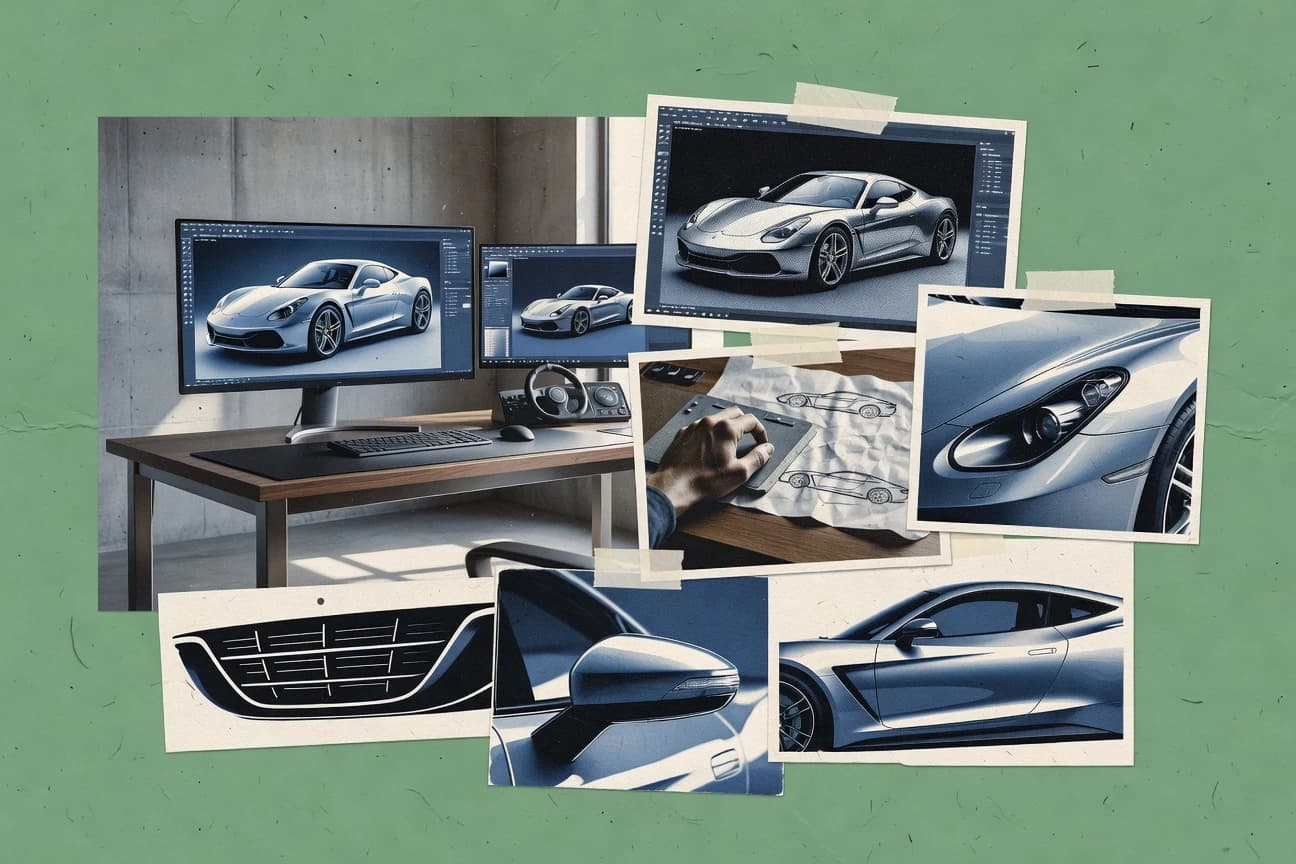
GITNUXSOFTWARE ADVICE
AI In IndustryTop 10 Best Automotive Rendering Software of 2026
Top 10 Automotive Rendering Software ranked for vehicle visuals, comparing Blender, V-Ray, and 3ds Max for production workflows.

How we ranked these tools
An editor sets the topic, the inclusion criteria, and the evaluation framework before research starts.
AI search agents find sources, extract figures with provenance, and aggregate written reviews. They also transcribe video reviews and podcasts.
Framework: Features 40% · Ease 30% · Value 30%
Gitnux may earn a commission through links on this page — this does not influence rankings. Editorial policy
Editor’s top 3 picks
Three quick recommendations before you dive into the full comparison below — each one leads on a different dimension.
Blender
Cycles node-based materials with physically based shading for metallic paint and glass
Best for: Studios needing high-control automotive renders with automation
Chaos V-Ray
Editor pickChaos V-Ray GPU rendering with adaptive sampling and denoising for fast final quality
Best for: Studios needing photoreal automotive stills and animations with material accuracy
Autodesk Maya
Editor pickMaya Hypershade node-based material authoring for complex automotive shading networks
Best for: Studios needing cinematic automotive animations and high-control look development
Comparison Table
Blender
open-source 3DBlender provides production-grade 3D modeling, physically based rendering, and animation tooling for automotive visualization workflows.
Cycles node-based materials with physically based shading for metallic paint and glass
Blender stands out for its all-in-one creation workflow that spans modeling, rendering, and animation for automotive visualization. It supports physically based rendering via Cycles and real-time look development via Eevee, which helps teams iterate on materials and lighting quickly.
The software also enables pipeline-friendly automation with Python scripting for batch rendering and asset processing. Its node-based material and shader system supports accurate paint, glass, and metallic finishes for car exterior and interior scenes.
- +Cycles renders automotive materials with physically based lighting
- +Eevee supports fast iteration for car paint and lighting previews
- +Python scripting enables batch renders and asset pipeline automation
- –Steep learning curve for high-end modeling and shading setups
- –Out-of-the-box automotive asset tooling is limited compared to CAD-first tools
- –Scene optimization takes manual effort for complex car scenes
Automotive visualization artists
Create exterior paint and glass variants
Faster iteration on finish variants
3D pipeline TDs
Automate asset import and batch renders
Reduced manual rendering work
Show 2 more scenarios
Product marketing teams
Produce car launch animations and stills
On-brand visual production at scale
Marketers build coordinated camera moves and lighting scenes for consistent campaign-ready outputs.
Design reviewers
Validate lighting and material lookoffs
Quicker sign-off on visuals
Reviewers use real-time viewport feedback to confirm shaders, decals, and interior surfaces before final renders.
Best for: Studios needing high-control automotive renders with automation
Chaos V-Ray
photoreal rendererV-Ray delivers ray-traced photoreal rendering with CAD-friendly pipelines for automotive exterior and interior visualization.
Chaos V-Ray GPU rendering with adaptive sampling and denoising for fast final quality
Chaos V-Ray stands out for its production-grade ray tracing and physically based material system built for photoreal visualization. Automotive rendering workflows benefit from scalable global illumination, accurate reflections, and dependable denoising for high-gloss paint and glass.
The tool supports familiar DCC integration for modeling and look development, with render settings geared toward predictable results across stills and animated sequences. Lighting and shading controls are deep enough for material realism, while the breadth of options can slow teams that need rapid look iteration.
- +Physically based materials deliver realistic automotive paint and clearcoat behavior
- +High-quality ray traced reflections and global illumination for showroom-grade lighting
- +Robust denoising and render sampling controls reduce time for final-frame refinement
- +Deep shader and lighting flexibility supports accurate glass, chrome, and fabrics
- –Large parameter surface area increases setup time for new rendering teams
- –Optimization for faster iteration can require shader and sampling tuning
- –Complex scenes can demand careful scene management to avoid render bottlenecks
Automotive visualization artists
Photoreal paint and glass look development
Faster approvals from accurate look previews
CG lighting TDs
Consistent HDRI lighting for turntables
Predictable results across sequences
Show 1 more scenario
Studio rendering managers
High-sample stills and animation delivery
Lower compute for client-ready frames
Teams use scalable render settings and denoising to reduce iteration time for production deadlines.
Best for: Studios needing photoreal automotive stills and animations with material accuracy
Autodesk Maya
animation 3DMaya enables character-free vehicle scene setup, surfacing, and rendering workflows for automotive animation and visualization.
Maya Hypershade node-based material authoring for complex automotive shading networks
Autodesk Maya stands out for its deep character and general 3D toolset combined with production-grade animation workflows. For automotive rendering, it supports high-fidelity surfacing, layered materials, and cinematic lighting via its renderer options and node-based shading.
Strong rigging and motion tooling also helps generate turntables, camera paths, and part-level animations that sell material behavior. Its breadth can slow teams that only need straightforward stills and simple configurators.
- +Advanced material and shader workflow for accurate automotive paint and plastics
- +Robust rigging and animation tools for camera rigs and part animations
- +Node-based scene management and non-destructive workflows for iterative look-dev
- +Production-proven pipeline compatibility for multi-stage rendering tasks
- –Steep learning curve for shading, lighting, and rendering fundamentals
- –Automotive still-workflows require setup beyond simple one-click rendering
- –Higher scene-management overhead for large CAD-to-visualization projects
Best for: Studios needing cinematic automotive animations and high-control look development
Autodesk Maya
animation 3DMaya enables character-free vehicle scene setup, surfacing, and rendering workflows for automotive animation and visualization.
Maya Hypershade node-based material authoring for complex automotive shading networks
Autodesk Maya stands out for its deep character and general 3D toolset combined with production-grade animation workflows. For automotive rendering, it supports high-fidelity surfacing, layered materials, and cinematic lighting via its renderer options and node-based shading.
Strong rigging and motion tooling also helps generate turntables, camera paths, and part-level animations that sell material behavior. Its breadth can slow teams that only need straightforward stills and simple configurators.
- +Advanced material and shader workflow for accurate automotive paint and plastics
- +Robust rigging and animation tools for camera rigs and part animations
- +Node-based scene management and non-destructive workflows for iterative look-dev
- +Production-proven pipeline compatibility for multi-stage rendering tasks
- –Steep learning curve for shading, lighting, and rendering fundamentals
- –Automotive still-workflows require setup beyond simple one-click rendering
- –Higher scene-management overhead for large CAD-to-visualization projects
Best for: Studios needing cinematic automotive animations and high-control look development
Maxon Cinema 4D
motion graphicsCinema 4D supports automotive motion graphics and render-ready scenes with tight integration to Maxon rendering tools.
Physical-based rendering workflow with node materials for consistent car paint and clearcoat shading
Cinema 4D stands out with a fast, artist-friendly node workflow plus deep renderer integration for photoreal product and vehicle visualization. It delivers strong polygon modeling, sculpting tools, and scene management built for complex automotive sets.
Lighting, materials, and animation features support turntables, camera paths, and show-ready sequences with consistent shading across variants. The Motion Graphics toolset also helps creators add HUD overlays, decals, and studio-style graphics without leaving the host app.
- +Cinema 4D modeling and rigging tools speed up vehicle variants and wheel assemblies
- +Rich material workflow supports car paint looks and clean surface shading in production scenes
- +Integrated motion and animation tools produce camera paths and turntable sequences efficiently
- +Robust renderer ecosystem enables realistic lighting setups for studio and showroom renders
- –Automotive-specific configurator features require custom scene and material management
- –High-end photoreal results can demand careful render setup and scene optimization
- –Collaboration and versioning workflows can require external pipeline tooling
- –Learning shaders and render settings takes time for consistent paint outcomes
Best for: Automotive studios creating high-quality vehicle renders and animation sequences
Unreal Engine
real-time 3DUnreal Engine powers real-time automotive rendering and interactive configurator-style visualization with cinematic output options.
Real-time ray tracing with physically based shading and robust global illumination
Unreal Engine stands out for rendering fidelity through real-time ray tracing, physically based materials, and high-end lighting workflows. It supports automotive visualization using Blueprint-based scene assembly, Sequencer for animation, and Datasmith pipelines for CAD to scene conversion.
The engine also enables product configurators and visualization of design variations through reusable assets and controllable parameters. For automotive render work, it delivers strong photorealism and iteration speed once scenes are authored and optimized for real-time performance.
- +Photoreal rendering with ray tracing and physically based materials
- +Sequencer enables high-quality animation timelines for turntables and cutscenes
- +Blueprints support automotive scene logic and variant switching without full coding
- +Datasmith improves CAD ingestion into maintainable scene hierarchies
- –Authoring shaders and materials can require advanced rendering knowledge
- –Real-time performance depends on careful optimization of assets and lighting
- –Large CAD imports can increase project complexity and iteration time
Best for: Automotive visualization teams needing photoreal real-time renders and interactive variants
Allegorithmic/Adobe Substance 3D Stager
lighting previewsSubstance 3D Stager builds realistic lighting and quick scene composition to preview and render automotive materials.
Substance 3D materials import for direct, non-destructive look development in Stager
Substance 3D Stager stands out with its physically based, node-driven material workflow that Adobe ecosystem users already rely on for high-fidelity automotive visuals. It builds scenes with configurable lighting, camera controls, and staged product environments, then renders with output tailored for art and marketing pipelines.
The tool also links cleanly to Substance 3D resources so model materials and decals can be iterated without rebuilding entire scenes. For automotive rendering, it excels at look development and scene presentation rather than advanced car-specific simulation or CAD-native editing.
- +Physically based materials produce consistent, realistic paint and clearcoat looks
- +Camera and lighting staging supports repeatable automotive hero-shot workflows
- +Strong integration with Substance materials reduces rework across scene versions
- –Scene lighting and material setup require technical familiarity
- –Not a CAD-native automotive pipeline tool for dimensionally accurate edits
- –High-end rendering output depends on external pipeline choices
Best for: Automotive teams needing material-driven hero renders with repeatable staging
Allegorithmic/Adobe Substance 3D Stager
lighting previewsSubstance 3D Stager builds realistic lighting and quick scene composition to preview and render automotive materials.
Substance 3D materials import for direct, non-destructive look development in Stager
Substance 3D Stager stands out with its physically based, node-driven material workflow that Adobe ecosystem users already rely on for high-fidelity automotive visuals. It builds scenes with configurable lighting, camera controls, and staged product environments, then renders with output tailored for art and marketing pipelines.
The tool also links cleanly to Substance 3D resources so model materials and decals can be iterated without rebuilding entire scenes. For automotive rendering, it excels at look development and scene presentation rather than advanced car-specific simulation or CAD-native editing.
- +Physically based materials produce consistent, realistic paint and clearcoat looks
- +Camera and lighting staging supports repeatable automotive hero-shot workflows
- +Strong integration with Substance materials reduces rework across scene versions
- –Scene lighting and material setup require technical familiarity
- –Not a CAD-native automotive pipeline tool for dimensionally accurate edits
- –High-end rendering output depends on external pipeline choices
Best for: Automotive teams needing material-driven hero renders with repeatable staging
Allegorithmic/Adobe Substance 3D Stager
lighting previewsSubstance 3D Stager builds realistic lighting and quick scene composition to preview and render automotive materials.
Substance 3D materials import for direct, non-destructive look development in Stager
Substance 3D Stager stands out with its physically based, node-driven material workflow that Adobe ecosystem users already rely on for high-fidelity automotive visuals. It builds scenes with configurable lighting, camera controls, and staged product environments, then renders with output tailored for art and marketing pipelines.
The tool also links cleanly to Substance 3D resources so model materials and decals can be iterated without rebuilding entire scenes. For automotive rendering, it excels at look development and scene presentation rather than advanced car-specific simulation or CAD-native editing.
- +Physically based materials produce consistent, realistic paint and clearcoat looks
- +Camera and lighting staging supports repeatable automotive hero-shot workflows
- +Strong integration with Substance materials reduces rework across scene versions
- –Scene lighting and material setup require technical familiarity
- –Not a CAD-native automotive pipeline tool for dimensionally accurate edits
- –High-end rendering output depends on external pipeline choices
Best for: Automotive teams needing material-driven hero renders with repeatable staging
Allegorithmic/Adobe Substance 3D Stager
lighting previewsSubstance 3D Stager builds realistic lighting and quick scene composition to preview and render automotive materials.
Substance 3D materials import for direct, non-destructive look development in Stager
Substance 3D Stager stands out with its physically based, node-driven material workflow that Adobe ecosystem users already rely on for high-fidelity automotive visuals. It builds scenes with configurable lighting, camera controls, and staged product environments, then renders with output tailored for art and marketing pipelines.
The tool also links cleanly to Substance 3D resources so model materials and decals can be iterated without rebuilding entire scenes. For automotive rendering, it excels at look development and scene presentation rather than advanced car-specific simulation or CAD-native editing.
- +Physically based materials produce consistent, realistic paint and clearcoat looks
- +Camera and lighting staging supports repeatable automotive hero-shot workflows
- +Strong integration with Substance materials reduces rework across scene versions
- –Scene lighting and material setup require technical familiarity
- –Not a CAD-native automotive pipeline tool for dimensionally accurate edits
- –High-end rendering output depends on external pipeline choices
Best for: Automotive teams needing material-driven hero renders with repeatable staging
Conclusion
After evaluating 10 automotive rendering software, Blender stands out as our overall top pick — it scored highest across our combined criteria of features, ease of use, and value, which is why it sits at #1 in the rankings above.
Use the comparison table and detailed reviews above to validate the fit against your own requirements before committing to a tool.
How to Choose the Right Automotive Rendering Software
This buyer's guide covers automotive rendering workflows across Blender, Chaos V-Ray, Autodesk 3ds Max, Autodesk Maya, Maxon Cinema 4D, Unreal Engine, and the Adobe Substance 3D tools including Substance 3D Painter, Substance 3D Sampler, Substance 3D Assets, and Substance 3D Stager.
The guidance focuses on integration depth, data model choices for materials and scenes, automation and API surface, and admin and governance controls mapped to how teams actually manage look development and rendering throughput.
Automotive rendering tools for vehicle-grade materials, scenes, and hero-frame output
Automotive rendering software turns vehicle geometry into marketing-ready images and sequences using physically based materials for paint, glass, chrome, plastics, and interior surfaces.
These tools address two recurring problems in automotive visuals: repeatable material look development for high-gloss finishes and production-friendly scene assembly for turntables, camera paths, and variant-ready animation timelines. Blender and Chaos V-Ray represent typical offline rendering choices, while Unreal Engine represents real-time pipelines for interactive configurator-style visualization.
Evaluation criteria for automotive rendering integration, data control, and automation
Automotive teams need more than render quality because vehicle scenes stress material correctness, scene organization, and iteration speed across many variants.
Integration depth and automation matter when CAD ingestion, asset conversion, look development, and rendering runs must stay consistent across environments. Admin and governance controls determine whether teams can run jobs safely with RBAC-style access patterns and audit-ready change management.
Physically based materials for paint, glass, and metallic finishes
Blender uses Cycles node-based physically based shading for metallic paint and glass, which supports predictable car-surface appearance. Chaos V-Ray uses physically based materials plus ray-traced reflections and global illumination for showroom-grade automotive reflections, and Cinema 4D emphasizes consistent car paint and clearcoat shading with node materials.
Automation surface for batch rendering and asset processing
Blender supports pipeline automation via Python scripting for batch rendering and asset processing, which fits teams that run many render jobs per model variant. Chaos V-Ray also targets predictable sampling and denoising controls for repeatable final frames that reduce refinement cycles, even when teams must tune sampling for faster iteration.
Data model clarity for node-based materials and non-destructive look-dev
Blender’s node-based material system and Hypershade node-based material authoring in Autodesk 3ds Max and Autodesk Maya support complex automotive shading networks for layered paint and plastics. Unreal Engine uses physically based materials and asset hierarchies created from Datasmith CAD ingestion, which supports maintainable scene structures for variant switching.
CAD-to-scene integration depth for maintainable vehicle hierarchies
Unreal Engine’s Datasmith pipeline improves CAD ingestion into maintainable scene hierarchies, which reduces rework when importing large CAD models. Blender and the DCC tools can support pipeline-friendly workflows, but Cinema 4D and Unreal Engine provide more direct emphasis on render-ready scene assembly for complex vehicle sets.
Production animation tooling for turntables, camera paths, and part-level motion
Autodesk 3ds Max and Autodesk Maya emphasize rigging and animation tools for camera rigs, turntables, and part-level animations that sell material behavior. Unreal Engine’s Sequencer provides high-quality animation timelines for turntables and cutscenes, while Cinema 4D integrates motion and animation tools for camera paths and show-ready sequences.
Denoising and sampling controls for throughput
Chaos V-Ray GPU rendering supports adaptive sampling and denoising for fast final quality, which increases render throughput for high-gloss car surfaces. Blender’s Cycles and Eevee split fast iteration previews in Eevee from physically based final renders in Cycles, which helps teams iterate materials and lighting before final frame runs.
Decision framework for selecting an automotive rendering pipeline tool
Start by mapping the tool to the rendering mode and output type required: offline photoreal stills and animations, or real-time interactive configurator outputs. Then verify that the tool’s data model supports the material complexity needed for clearcoat, glass reflections, chrome, and layered automotive plastics.
Next, confirm that the automation surface fits the team’s throughput needs and that governance can prevent uncontrolled scene edits. Blender’s Python automation targets batch rendering workflows, while Unreal Engine’s Blueprint and Datasmith workflows target repeatable scene logic and CAD-to-hierarchy conversion.
Select the rendering mode that matches the output deliverable
Choose Chaos V-Ray, Blender Cycles, or the DCC renderers when the deliverable is photoreal stills and final-frame animations where ray-traced reflections and sampling control dominate quality. Choose Unreal Engine when interactive variants and real-time ray tracing with physically based shading are required, and plan Sequencer timelines for cutscenes.
Lock in the material data model for car paint, glass, and layered plastics
Pick Blender for Cycles node-based physically based shading that targets metallic paint and glass appearance. Pick Chaos V-Ray when accurate reflections and global illumination plus denoising sampling controls are the priority, or pick Autodesk 3ds Max and Autodesk Maya for Hypershade node-based material authoring across complex automotive shading networks.
Validate integration depth for CAD ingestion and scene hierarchy maintenance
Use Unreal Engine when Datasmith CAD ingestion into maintainable scene hierarchies is a core requirement for long-lived projects. Use Blender or Cinema 4D when the pipeline already owns the asset conversion stage and needs controllable scene organization for large automotive sets.
Design the automation workflow around the tool’s stated scripting or scene logic
Standardize batch rendering and asset processing around Blender Python scripting so scene builds and render runs remain consistent across variants. Standardize interactive variant logic around Unreal Engine Blueprints and reusable assets when scene assembly must switch parameters without rebuilding full projects.
Plan animation tooling based on camera paths and part-level motion needs
Use Autodesk 3ds Max or Autodesk Maya when part-level animations, turntables, and cinematic camera rigging must be generated alongside shading networks. Use Unreal Engine Sequencer or Cinema 4D motion and animation tools when repeatable camera paths and show-ready sequences are produced from the scene assembly.
Separate material look-dev from scene staging when pipeline responsibilities split
Use Substance 3D Painter for paint, trim, and wear look development on 3D vehicle models when texture authoring is the specialization. Use Substance 3D Sampler for capturing real-world material appearance into PBR textures and Substance 3D Assets to accelerate material library setup, then stage hero shots in Substance 3D Stager for repeatable lighting and camera controls.
Who should adopt which automotive rendering pipeline tool
Different automotive visual teams face different constraints: some need physically correct paint under ray tracing, while others need repeatable staging for hero shots or interactive variant switching.
The best fit depends on the team’s rendering mode, material authoring workflow, and the need to automate repetitive production tasks.
Automotive studios needing high-control renders with automation
Blender fits studios that need high-control automotive renders plus Python-driven batch rendering and asset processing. Blender also supports Cycles physically based shading for metallic paint and glass while Eevee accelerates look iteration for car paint and lighting previews.
Studios delivering photoreal automotive stills and animations
Chaos V-Ray fits teams prioritizing ray-traced reflections and global illumination plus robust denoising for high-gloss paint and glass. Chaos V-Ray GPU rendering with adaptive sampling targets fast final quality when throughput is constrained.
Studios producing cinematic automotive animation sequences
Autodesk 3ds Max and Autodesk Maya fit teams that generate turntables, camera paths, and part animations with high-control look development. Both tools emphasize Hypershade node-based material authoring for complex automotive shading networks, which supports layered paint and plastics.
Teams shipping real-time interactive automotive configurators and photoreal cutscenes
Unreal Engine fits visualization teams that need real-time ray tracing, physically based materials, and Sequencer timelines for cinematic output. Datasmith ingestion into maintainable hierarchies supports scalable variant switching and reusable assets.
Teams specializing in material-driven hero shots and repeatable staging
Substance 3D Painter, Substance 3D Sampler, Substance 3D Assets, and Substance 3D Stager fit teams that build realistic paint looks via PBR texture workflows and present them with repeatable camera and lighting staging. Substance 3D Stager’s staged product environments match hero-shot requirements when scene staging must stay consistent across versions.
Automotive rendering tool pitfalls that break material fidelity or pipeline throughput
Misaligned rendering mode, unclear material data ownership, and weak automation plans cause avoidable rework on vehicle projects.
Several pitfalls recur across Blender, Chaos V-Ray, the Autodesk DCC tools, Unreal Engine, and the Substance workflow tools when teams skip pipeline requirements and only evaluate final-frame visuals.
Choosing a tool without a clear physically based paint and glass shading path
Skip purely procedural or non-physically based assumptions by confirming each workflow supports node-based physically based shading for metallic paint and glass. Blender’s Cycles node-based materials and Chaos V-Ray physically based materials for reflections and global illumination prevent incorrect clearcoat and glass behavior.
Underestimating setup time from large shader parameter surfaces
Plan for shader and sampling tuning when adopting Chaos V-Ray because the parameter surface can slow new rendering teams and require careful scene management. Reduce iteration churn by using Blender’s Eevee for fast previews and Cycles for final physically based output.
Treating CAD ingestion as optional when scene hierarchies must stay maintainable
Avoid uncontrolled scene rebuilding when importing large CAD models by using Unreal Engine’s Datasmith pipeline that converts CAD into maintainable scene hierarchies. If CAD hierarchy maintenance is not addressed, variant switching and camera path updates become expensive.
Mixing material texture authoring responsibilities with full scene assembly
Prevent texture rework by separating responsibilities when the pipeline expects PBR texture authoring. Use Substance 3D Painter for paint, trim, and wear look development and use Substance 3D Stager for staged hero-shot presentation instead of forcing a single tool to own both tasks.
Skipping scene organization and automation when render throughput depends on batch runs
Avoid manual render setup when many variants must be produced by using Blender Python scripting for batch rendering and asset processing. If interactive variant switching is required, plan Unreal Engine Blueprint logic and reusable assets so variant outputs come from controlled parameter changes rather than scene duplication.
How We Selected and Ranked These Tools
We evaluated Blender, Chaos V-Ray, Autodesk 3ds Max, Autodesk Maya, Maxon Cinema 4D, Unreal Engine, and the Adobe Substance 3D tools using the provided scores for features, ease of use, and value. We rated these tools so features carried the most weight, then we accounted for ease of use and value after that, because automotive scenes depend on material correctness and production workflow fit.
This editorial scoring used criteria-based evidence drawn from the described capabilities and recorded strengths and weaknesses rather than hands-on lab testing. Blender stood out because its Cycles node-based physically based materials support metallic paint and glass while Python scripting enables pipeline-friendly batch rendering and asset processing, lifting both the features fit and production automation factors.
Frequently Asked Questions About Automotive Rendering Software
How do Blender, V-Ray, and 3ds Max differ for automotive render accuracy of metallic paint, glass, and clearcoat?
Which tool is better for high-throughput batch rendering across many vehicle variants: Blender, V-Ray, or Unreal Engine?
What are the practical differences between Blender’s node materials and V-Ray’s material system for car paint look development?
How does CAD-to-scene workflow differ between Unreal Engine and offline render tools like V-Ray, 3ds Max, and Blender?
Which toolset fits automotive turntables and camera path animation more directly: Cinema 4D, Maya, or Blender?
For automated material updates across models, how do Blender Python automation, Unreal Blueprint parameterization, and Substance workflows compare?
Do Cinema 4D and Unreal Engine handle decals and HUD-style overlays inside the rendering toolchain?
What security and access-control mechanisms matter when multiple artists collaborate on Blender, V-Ray, or Unreal Engine projects?
How should data migration be planned when moving automotive assets from Maya or 3ds Max into Blender or into Unreal Engine?
When a team needs extensibility for automation, how do Blender scripting, Unreal extensibility, and V-Ray render settings scripting differ?
Tools reviewed
Primary sources checked during evaluation.
Referenced in the comparison table and product reviews above.
- Top 10 Best Form Recognition Software of 2026
- Top 10 Best Fleet Automation Software of 2026
- Top 10 Best Finite Capacity Scheduling Software of 2026
- Top 10 Best Feature Flags Software of 2026
- Top 10 Best Feature Flag Software of 2026
- Top 10 Best Factory Manager Software of 2026
- Top 10 Best Factory Automation Software of 2026
- Top 10 Best Facial Expression Analysis Software of 2026
- Top 10 Best Face Swap AI Software of 2026
- Top 10 Best Extension Software of 2026
- Top 10 Best Extensible Software of 2026
- Top 10 Best Explainable AI Software of 2026
- Top 10 Best Expert Systems Software of 2026
- Top 10 Best ERP Examples Software of 2026
- Top 10 Best Equipment Monitoring Software of 2026
- Top 10 Best Enterprise Testing Software of 2026
- Top 10 Best Enterprise Scan Software of 2026
- Top 10 Best Enterprise Scanning Software of 2026
- Top 10 Best Enterprise Output Management Software of 2026
- Top 10 Best Enterprise OCR Software of 2026
Keep exploring
Comparing two specific tools?
Software Alternatives
See head-to-head software comparisons with feature breakdowns, pricing, and our recommendation for each use case.
Explore software alternatives→In this category
AI In Industry alternatives
See side-by-side comparisons of ai in industry tools and pick the right one for your stack.
Compare ai in industry tools→