GITNUXSOFTWARE ADVICE
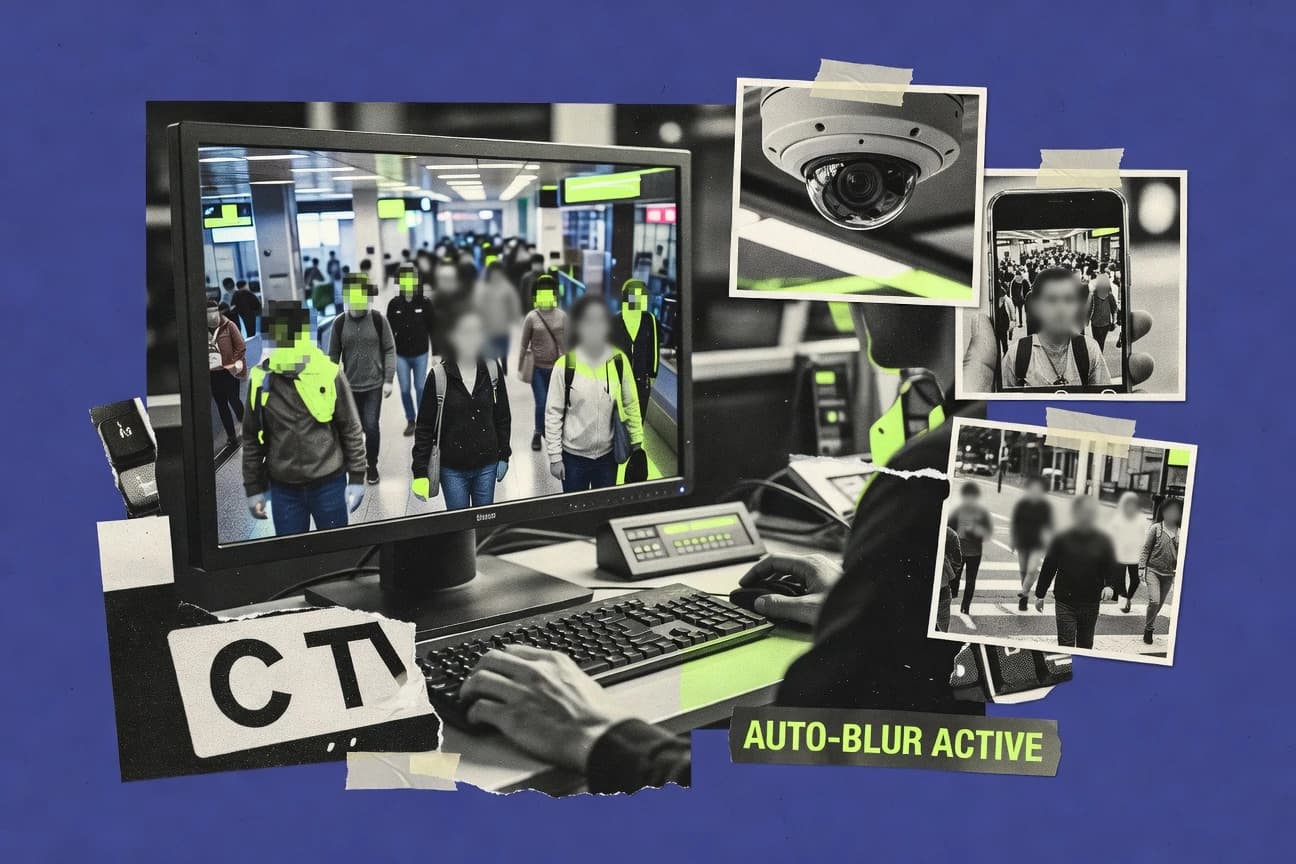
SecurityTop 10 Best Automatic Face Blurring Software of 2026
Ranked list of automatic face blurring software for photos and videos, scored by accuracy and workflow, with tools like YouTube Studio Face Blur.

How we ranked these tools
Gitnux editors write the brief first: the topic, the inclusion rules, and the frame for what belongs.
Agents extract product evidence with provenance, then collect written reviews and transcribe video reviews and podcasts.
Framework: Features 40% · Ease 30% · Value 30%
Gitnux may earn a commission through links on this page — this does not influence rankings. Editorial policy
ImgLarger is the best fit for teams that need repeatable, automatic face blurring on still images before sharing or publishing, whereas Clarifai works better if you need API-driven face anonymization you can control and reprocess across photo and video batches.
Editor’s top 3 picks
Three quick recommendations before you dive into the full comparison below — each one leads on a different dimension.
ImgLarger
Irreversible face-region blurring driven by automated detection across batch uploads.
Best for: Fits when teams need repeatable still-image face blurring before publishing or sharing.
Pixelify
Editor pickPer-frame video processing keeps the blurred region aligned with face movement across frames.
Best for: Fits when content teams need consistent automated face anonymization for batches of photos and videos.
YouTube Studio Face Blur
Editor pickStudio-integrated face blurring applies anonymization during YouTube video processing without an external redaction step.
Best for: Fits when publishing to YouTube needs automatic face anonymization with minimal workflow overhead.
Comparison Table
ImgLarger
SMBOnline image tool suite including an AI-powered automatic face blur utility.
Irreversible face-region blurring driven by automated detection across batch uploads.
ImgLarger runs face detection and then applies a chosen blur effect to each detected facial region, which fits privacy-preserving image processing for photo libraries. The product workflow emphasizes batch image processing with simple input to output conversion, which reduces manual redaction labor for high-volume collections. Output images retain the original framing except for face areas, which helps reviewers verify that the rest of the scene remains usable. The automation is primarily geared toward image files rather than a full video pipeline with frame-by-frame tracking.
A key tradeoff is that accuracy drops when faces are very small, heavily occluded, or captured at sharp angles, which can raise false negatives or misplaced blur. ImgLarger fits best for organizations that need repeatable redaction for submitted photos, camera uploads, or media library cleanup before publication. For workflows with strict governance needs like consistent reviewer sign-off and auditable processing history, extra operational controls may be required outside the tool.
Batch throughput is strong for still images, but it does not replace dedicated video frame processing stacks when real-time face tracking and keyframe detection are required.
- +Batch face anonymization for large still-image collections
- +Irreversible blur keeps non-face context intact
- +Straightforward input to redacted output workflow
- +Works across common raster image formats
- –Reduced detection reliability for small or occluded faces
- –No native REST API integration for automated governance pipelines
- –Video face tracking and keyframe handling are not a core focus
- –Limited controls for consistent redaction policies across teams
Media operations teams
Batch redaction for photo submissions
Less manual masking time
Customer support teams
Anonymize screenshots with visible people
Reduced privacy exposure
Show 1 more scenario
Compliance and privacy reviewers
Quick anonymization for publication drafts
Faster redaction checks
Applies consistent face-region blur so reviewers can focus on remaining sensitive fields.
Best for: Fits when teams need repeatable still-image face blurring before publishing or sharing.
Pixelify
SMBOnline tool offering automatic face detection and blurring for uploaded images.
Per-frame video processing keeps the blurred region aligned with face movement across frames.
Pixelify targets teams that need repeatable face anonymization across media libraries, not manual masking. Face anonymization is applied automatically after face detection, and the tool focuses on producing clean, ready-to-publish assets. Video handling is framed around per-frame processing so blurred regions stay aligned as faces move.
A key tradeoff is that fully automated results depend on detection stability, so low-light footage can increase missed faces or false positives. Pixelify fits situations where large batches of user-generated content need standardized redaction with minimal operator time.
- +Automates face blurring across images and video files in one workflow
- +Consistent per-frame blur behavior for moving faces
- +Batch processing reduces manual redaction time for content libraries
- +Deterministic output style helps standardize anonymization across exports
- –Detection can degrade on low-light or heavily occluded faces
- –Video throughput can lag on long clips with dense motion
- –Edge cases may require reprocessing to catch misses
- –Less suited for custom, per-face masking rules
UGC moderation teams
Redact faces in submitted video clips
Faster publish approvals
Social media editors
Batch blur faces in image sets
Consistent privacy handling
Show 2 more scenarios
Compliance ops teams
Reprocess archives for privacy requests
Lower operational rework
Bulk anonymization helps apply uniform face blurring across older media holdings.
Event media production
Blur attendees in highlight videos
Quicker post-production
Frame-level blurring reduces the time spent masking moving subjects scene by scene.
Best for: Fits when content teams need consistent automated face anonymization for batches of photos and videos.
YouTube Studio Face Blur
SMBYouTube Studio includes face-blurring tools for anonymizing people in uploaded videos.
Studio-integrated face blurring applies anonymization during YouTube video processing without an external redaction step.
YouTube Studio Face Blur applies face anonymization as part of YouTube’s media handling, with the key user action happening in YouTube Studio rather than in a standalone editor. It targets face detection and blurs face regions across the video timeline, which makes it suited for workflow-based publishing rather than offline image redaction. Studio provides a centralized place to manage anonymization before the video goes live, which reduces the need to coordinate separate tools.
A clear tradeoff is limited control over blur style, intensity, and output formats compared with dedicated face anonymization software that offers configurable masks or pixelation. Face blur also depends on YouTube’s detection behavior, so edge cases like small faces or unusual angles can produce misses or awkward blur placement. The best fit is a creator or content team anonymizing faces in routine uploads before publishing, where Studio integration matters more than fine-grained redaction control.
- +Face anonymization configured directly in YouTube Studio workflow
- +Automation reduces manual masking and retouching labor
- +Works for video timelines without exporting to external tools
- +Consistent publishing path tied to YouTube processing
- –Blur parameters and mask rendering are not exposed for customization
- –Detection outcomes depend on face visibility and framing
Independent creators
Publishing interviews with incidental bystanders
Less manual redaction work
Media teams
Anonymizing event footage for channels
Faster turnarounds
Show 1 more scenario
Compliance-minded publishers
Reducing face exposure on public releases
Lower re-identification risk
Applies automatic face-region blurring as a processing control inside the publishing path.
Best for: Fits when publishing to YouTube needs automatic face anonymization with minimal workflow overhead.
Clarifai
API-firstAI platform offering face detection and automatic blurring via API and portal workflows.
A unified model API that returns face detection results suitable for building custom, deterministic anonymization masks per frame.
Clarifai is distinct for its model-first approach to face anonymization workflows, where face detection and redaction logic are driven through APIs and configurable pipelines. It supports image and video processing with detection outputs that can be used to generate face blurs or masks across frames. Clarifai also provides extensive automation via REST API integration and SDK integration, which fits systems that need repeatable batch processing and governed deployments.
- +API-first workflow fits automated photo and video processing pipelines
- +Consistent face bounding outputs support deterministic blur or mask generation
- +Video handling supports frame-by-frame processing for anonymization
- +Model and workflow configuration supports controlled rollout and reprocessing
- –Video anonymization needs explicit tuning to reduce jitter across frames
- –Setup and pipeline configuration require engineering time for governance
Best for: Fits when teams need API-driven face anonymization for photos and videos with controlled automation and reprocessing.

Cloudinary
enterpriseMedia platform with an AI face detection add-on supporting automatic face blurring effects.
Face anonymization is handled as part of Cloudinary transformations, keeping the logic inside the media delivery pipeline.
Cloudinary can apply automated face anonymization during image transformation and content delivery, with processing that supports both photos and video workflows. Face detection drives redaction style transforms, and the platform integrates with media upload, transformation, and delivery through documented APIs and SDKs.
- +API-driven transformations reduce manual rework for face anonymization
- +Works across image derivatives and generated delivery formats
- +SDK and webhook workflows fit media pipeline automation
- +Configurable transform parameters support consistent anonymization rules
- –Video anonymization quality depends on how frames are generated in the pipeline
- –Custom governance requires careful access controls and audit visibility design
Best for: Fits when media teams need API automation for face anonymization across high-volume uploads.
VEED Face Blur
SMBOnline video editing software that supports face blurring and tracked privacy effects.
One workflow handles both still and video face blurring with automatic detection-driven masking.
VEED Face Blur automatically detects faces in uploaded photos and videos and applies a blur mask to anonymize identifiable regions. The workflow is built around an editor-style process that supports both frame-by-frame video output and still-image redaction.
- +Automatic face detection for photos and videos reduces manual masking time
- +Blur output keeps background context while anonymizing detected face regions
- +Editor-style controls make it easy to validate and adjust blur regions
- +Works across common image and video formats handled by the editor pipeline
- –Relies on detection accuracy, so missed faces require a re-run
- –Limited granularity for landmark-level control compared with advanced editors
Best for: Fits when content teams need quick anonymization of faces in short videos and image batches.
Sightengine
API-firstModeration API with an automatic face blur endpoint for detecting and pixelating faces.
An API-driven face region response that lets pipelines apply irreversible blurring consistently across batches and frame processing.
Sightengine focuses on face anonymization at scale using a REST API workflow for automatic face detection and blur-style redaction. The service returns per-image face regions so calling systems can apply irreversible blurring or masking consistently across batch jobs.
- +REST API returns face regions suitable for consistent anonymization runs
- +Batch-friendly processing supports higher throughput than interactive tools
- +Video workflows can be driven from frame-level detections
- +Configurable detection outputs reduce custom mapping logic for callers
- –High accuracy requires careful threshold tuning to limit false positives
- –Complex video pipelines need keyframe or frame sampling governance
- –Some outputs require additional image manipulation outside the API response
- –Governance controls for team-wide access are not as granular as native enterprise systems
Best for: Fits when a dev team needs automated face redaction across photo and video assets with API-driven control.
Fotor
SMBPhoto editing platform with an automatic face blur tool for portraits and group photos.
Face anonymization via editor-level automatic blur with immediate visual preview and manual adjustment before export.
Fotor focuses on face anonymization workflows inside an image editor, with automatic face detection feeding a blur output for selected photos. Its main strength is fast batch-style handling in common image formats, with controls that let users choose how strongly faces are obscured.
- +Automatic face detection feeds blur in a standard editor workflow
- +Quick exports for common image formats support simple batch output
- +Interactive previews reduce rework when detection finds the wrong area
- +Non-technical controls fit ad hoc anonymization tasks
- –Video anonymization workflow depends on detection consistency per frame
- –Limited API and automation surface restricts integration into pipelines
- –No strong governance controls for team-wide policy enforcement
- –Blurring quality can vary when faces are small or angled
Best for: Fits when small teams need fast face blurring for images with minimal setup and limited integration requirements.
Picsart
SMBCreative platform offering an AI face blur tool within its photo editing suite.
Editor-integrated face anonymization with immediate preview during export, without requiring external pipeline tooling.
Picsart runs automatic face anonymization inside its photo and video editor using built-in face detection to place blur or pixel-like effects on detected faces. It supports timeline editing for video exports so anonymization can be reviewed in the assembled sequence.
- +Automatic face detection inside the editor reduces manual masking work
- +Video timelines support face-blur style effects before export
- +Per-asset preview helps catch false positives before publishing
- +Batch editing workflows fit common social content pipelines
- –No documented REST API for face detection and blurring automation
- –Less suitable for real-time face tracking at high frame throughput
- –Workflow is dependent on interactive editing rather than programmatic governance
- –Limited audit-style controls compared with enterprise redaction pipelines
Best for: Fits when small teams need fast, in-editor face blur for photos and short videos.
Media.io AI Face Blur
SMBOnline AI video software that detects and blurs faces in uploaded footage.
Bulk-oriented batch runs for face anonymization across mixed photo and video inputs with repeatable blur output.
Media.io AI Face Blur automates face anonymization for photos and video assets with batch processing, so teams can reduce manual review time across large libraries. The workflow uses automatic face detection to generate blurring results on detected faces while preserving non-face regions.
- +Batch processing supports bulk face anonymization for photo and video libraries
- +Automatic face detection reduces manual masking steps for most frames
- +Common media import and export formats support straightforward workflow handoffs
- +Consistent face blur styling helps standardize redaction across many assets
- –Accuracy can drop in low light and dense crowds, increasing missed-face risk
- –Granular per-face controls are limited compared with editors focused on selective redaction
- –Verification steps are still needed to catch false positives on non-face regions
- –Video workflows can lag when keyframe coverage misses brief face appearances
Best for: Fits when media teams need automated face blurring at scale for photos and short-to-medium videos.
Conclusion
After evaluating 10 automatic face blurring software, ImgLarger stands out as our overall top pick — it scored highest across our combined criteria of features, ease of use, and value, which is why it sits at #1 in the rankings above.
Use the comparison table and detailed reviews above to validate the fit against your own requirements before committing to a tool.
How to Choose the Right Automatic Face Blurring Software
This buyer’s guide covers ImgLarger, Pixelify, YouTube Studio Face Blur, Clarifai, Cloudinary, VEED Face Blur, Sightengine, Fotor, Picsart, and Media.io AI Face Blur for automatic face blurring software in photos and videos.
The tools in this list vary by workflow shape. Some blur across batch uploads of still images and keep non-face context intact, while others process each video frame to keep blurred regions aligned with face motion. Several entry points sit inside existing publishing or media delivery pipelines, including YouTube Studio Face Blur and Cloudinary transformations.
Automatic Face Blurring Software that detects faces and anonymizes them in photos and videos
Automatic face blurring software detects facial regions and applies anonymization by rendering blur over face areas, with outputs typically delivered as processed image files or redacted video frames.
The key differences show up in how reliably the detection aligns with faces across stills and motion. ImgLarger focuses on irreversible blur driven by automated detection across batch uploads of images, while Pixelify emphasizes per-frame video processing that preserves alignment of the blurred region across frames.
API-driven options such as Clarifai and Sightengine return face detection results that pipelines can convert into deterministic anonymization masks. Pipeline-native approaches such as Cloudinary keep the anonymization logic inside media delivery transformations, while editor-first tools such as Fotor and Picsart provide immediate previews and manual adjustment before export.
Automatic face blurring criteria for photos and video frame processing
Automatic face blurring software must decide how faces get detected and turned into anonymization masks, then it must keep those masks stable across stills or frames. This guide separates tools that do irreversible face-region blurring for images from tools that blur per frame to preserve motion alignment.
Teams also need a practical automation surface, not just blur quality. API-driven face region responses enable deterministic mask generation, while pipeline-native transformations reduce governance friction during high-volume publishing.
Still-image face anonymization with irreversible blur
ImgLarger performs irreversible face-region blurring driven by automated detection across batch uploads of still images. VEED Face Blur also targets still and video together but is more constrained in landmark-level control than tools built around deterministic image-region anonymization.
Per-frame video processing that keeps blurred regions aligned to motion
Pixelify applies per-frame video processing so blurred regions stay aligned with face movement across frames. Clarifai can support API-driven deterministic anonymization masks per frame, but video anonymization needs explicit tuning to reduce jitter.
API-driven face region outputs for deterministic anonymization masks
Sightengine returns face regions over REST API so pipelines can apply irreversible blurring consistently across batches and frame processing. Clarifai exposes an API that returns face detection results suitable for building custom deterministic anonymization masks per frame.
Pipeline-native transformations during media delivery and publishing
Cloudinary handles face anonymization as part of Cloudinary transformations inside the media delivery pipeline, which supports API-driven automation for high-volume uploads. YouTube Studio Face Blur applies anonymization during YouTube video processing without an external redaction step, which reduces workflow overhead for YouTube publishing.
Workflow controls for detection thresholds and governance-aware processing
Sightengine requires careful threshold tuning to maintain high accuracy and limit false positives during batch and frame processing. Clarifai setup and pipeline configuration require engineering time for governance, which matters when repeatability and auditability are required.
Choose based on where anonymization runs and how faces stay stable
First decide where anonymization must run in the workflow, because editor-first tools, publishing-integrated tools, and pipeline-native tools differ in how much configuration and automation surface they expose. Second decide whether the software should blur once per still image or render a consistent blur region across video frames.
The selection steps below branch into distinct product philosophies, from irreversible batch processing to API-driven deterministic mask generation and pipeline-native transformation during delivery.
Pick the execution point: editor preview versus pipeline automation versus publishing-native
If the workflow centers on manual review with immediate preview before export, Fotor and Picsart keep face anonymization inside an editor workflow. If the workflow centers on publishing without a separate redaction step, YouTube Studio Face Blur applies anonymization during YouTube video processing. If the workflow centers on high-volume automation, Cloudinary applies face anonymization inside transformations using API integration.
Decide stills-only irreversible blur versus per-frame motion alignment
If the main requirement is irreversible face-region blurring across batch uploads of images, ImgLarger focuses on still-image collections. If the requirement is keeping blurred regions aligned to face movement across video timelines, choose Pixelify with per-frame video processing.
Select deterministic integration when pipelines must generate masks from face regions
If a pipeline needs face region outputs to generate deterministic anonymization masks, Clarifai and Sightengine provide API-first face detection results. Sightengine returns face regions suitable for consistent irreversible blurring, while Clarifai supports face bounding outputs that can be converted into deterministic blur or mask generation.
Plan for accuracy failure modes and re-run behavior
If low-light scenes or heavy occlusion are common, Pixelify can see detection degrade on low-light or heavily occluded faces, which increases the risk of missed faces. If missed faces are unacceptable without remediation, VEED Face Blur may require a re-run when detection accuracy misses faces in photos and videos.
Evaluate governance complexity for video jitter and operational control
If operational control includes reducing blur jitter across frames, Clarifai video anonymization needs explicit tuning. If operational control includes batch throughput governance, Sightengine supports batch-friendly processing but complex video pipelines need keyframe or frame sampling governance.
Who benefits from automatic face blurring that matches real workflows
Automatic face blurring tools fit different organizations based on whether face anonymization must be reviewed, automated through an API, or embedded into a publishing pipeline. The best fit depends on whether the work is batch still images, frame-by-frame video processing, or media delivery transformations.
The audience segments below map to those execution models and the practical constraints described in each tool profile.
Content teams publishing to YouTube
YouTube Studio Face Blur applies anonymization during YouTube video processing so teams can reduce manual masking and retouching labor. The workflow is designed to minimize external processing steps inside the YouTube Studio publishing path.
Developers building deterministic anonymization pipelines
Clarifai and Sightengine provide API-driven face region outputs that pipelines can convert into deterministic anonymization masks per frame. These tools support automation in photo and video processing workflows where repeatability depends on structured detection results.
Media teams needing API automation inside delivery transformations
Cloudinary keeps face anonymization inside Cloudinary transformations, which aligns with API-driven automation for high-volume uploads. This design fits delivery-centric workflows that produce many derivatives and delivery formats from one ingest.
Operations teams processing large still-image libraries
ImgLarger is built around repeatable still-image face blurring driven by automated detection across batch uploads. It preserves non-face context while producing irreversible blur outputs suitable for publishing or sharing at scale.
Common pitfalls in automatic face blurring for photos and videos
Face anonymization failures usually come from mismatched workflow expectations and detection stability limits rather than from blur rendering itself. Several tools also trade off between customization access and automation simplicity.
The pitfalls below map to the specific constraints called out in the tool profiles, including detection reliability on occlusion, exposure conditions, and the operational complexity of video governance.
Choosing a still-image workflow for motion footage without addressing frame alignment
ImgLarger focuses on irreversible blur for batch still images, so it is not the best match when blurred regions must track face motion frame-to-frame. Pixelify is built around per-frame video processing to keep blurred regions aligned with face movement.
Assuming video anonymization is automatically stable without jitter controls
Clarifai can generate deterministic anonymization masks per frame, but it requires explicit tuning to reduce jitter across frames. Sightengine also requires governance for complex video pipelines through keyframe or frame sampling choices.
Relying on detection accuracy in low-light or heavy occlusion without a remediation path
Pixelify detection can degrade on low-light or heavily occluded faces, which can increase missed-face risk. VEED Face Blur may require a re-run when detection misses faces, so workflows need a clear remediation mechanism.
Treating editor-only blur as a scalable automation layer for pipelines
Fotor and Picsart provide automatic face detection with editor workflows and limited integration into pipelines. Clarifai and Sightengine support REST API integration for automated processing where governance and reprocessing runs are required.
How We Selected and Ranked These Tools
We evaluated automatic face blurring tools on face-region anonymization behavior for photos and videos, automation surface fit for batch workflows, and operational constraints that affect detection stability across frames. Features accounted for 40% of the score because tools like ImgLarger deliver irreversible blur on face regions with repeatable batch behavior, Pixelify preserves alignment using per-frame processing, and Clarifai or Sightengine provide API-first face region outputs for deterministic mask generation.
Ease and value each accounted for 30% because editor-first workflows like Fotor and Picsart reduce setup while pipeline-native and publishing-native options like Cloudinary and YouTube Studio Face Blur reduce external steps. ImgLarger separated itself by combining irreversible face-region blurring for batch still-image uploads with high overall scores for features, ease, and value.
Frequently Asked Questions About Automatic Face Blurring Software
How does YouTube Studio Face Blur differ from Clarifai for face anonymization workflow control?
Which tool supports API-driven face region outputs for building custom anonymization masks?
When does per-frame processing matter for video face blur, and which products handle it well?
What breaks if a pipeline uses only image face blurring for a full video export?
How do batch workflows compare between ImgLarger and Media.io AI Face Blur for large photo and short video libraries?
How does Cloudinary keep face anonymization inside a media transformation pipeline?
Which tools fit production environments that require governed automation and reprocessing?
Where does Fotor fall short for video anonymization compared with dedicated video-first tools?
What admin controls and auditing options should be considered when selecting an API-first anonymization service?
Tools reviewed
Primary sources checked during evaluation.
cloudinary.comReferenced in the comparison table and product reviews above.
Funding and competing interests
This study was co-funded by several of the vendors assessed in it. No single vendor funded it. Funders could propose the market studied.
They had no role in selecting vendors, setting or weighting criteria, analysing data or drawing conclusions, and they received the same factual-accuracy check as every other vendor assessed.
Market definition, inclusion rules and criteria weights were fixed by an editor before research began and did not change afterwards. Editorial process →
- SecurityTop 10 Best Face Blur Software of 2026
- Digital Products And SoftwareTop 10 Best Automatic Scanning Software of 2026
- SecurityTop 10 Best Facial Detection Software of 2026
- Technology Digital MediaTop 10 Best Automatic Video Editing Software of 2026
- Fashion ApparelTop 10 Best AI Face Photography Generator of 2026
Keep exploring
Comparing two specific tools?
Software Alternatives
See head-to-head software comparisons with feature breakdowns, pricing, and our recommendation for each use case.
Explore software alternatives→In this category
Security alternatives
See side-by-side comparisons of security tools and pick the right one for your stack.
Compare security tools→