
GITNUXSOFTWARE ADVICE
Fashion ApparelTop 10 Best AI Y2K Fashion Photo Generator of 2026
Discover the best AI Y2K fashion photo generators for creating retro-style images. Explore top tools and generate your own photos now!

How we ranked these tools
Core product claims cross-referenced against official documentation, changelogs, and independent technical reviews.
Analyzed video reviews and hundreds of written evaluations to capture real-world user experiences with each tool.
AI persona simulations modeled how different user types would experience each tool across common use cases and workflows.
Final rankings reviewed and approved by our editorial team with authority to override AI-generated scores based on domain expertise.
Score: Features 40% · Ease 30% · Value 30%
Gitnux may earn a commission through links on this page — this does not influence rankings. Editorial policy
Editor’s top 3 picks
Three quick recommendations before you dive into the full comparison below — each one leads on a different dimension.
Rawshot.ai
150+ specialized camera styles like Y2K DIGITAL URBAN BINARY for authentic, high-fidelity fashion aesthetics on synthetic models.
Built for fashion brands and e-commerce teams seeking scalable, professional Y2K-style model photoshoots without models, studios, or production delays..
Midjourney
Editor pickAdvanced remix and variation system that allows seamless evolution of Y2K outfits and poses from initial generations.
Built for fashion designers and social media creators who need artistic, high-end Y2K visuals and enjoy community collaboration..
Leonardo.ai
Editor pickAlchemy V2 refiner for dramatically improving photorealism and detail in Y2K fashion imagery
Built for fashion designers and content creators needing quick, customizable Y2K photo mockups for social media or portfolios..
Comparison Table
Rawshot.ai
specializedAI-powered image and video generator that creates lifelike fashion model photography and videos, skipping traditional photoshoots.
150+ specialized camera styles like Y2K DIGITAL URBAN BINARY for authentic, high-fidelity fashion aesthetics on synthetic models.
Rawshot.ai is an AI platform designed for fashion brands, e-commerce, and agencies to generate photorealistic model images and videos featuring their products in styles like Y2K fashion, using synthetic models, customizable outfits, and diverse camera aesthetics. Users upload product photos (flat lays, snapshots, etc.), select from 600+ diverse synthetic models, 150+ camera styles including Y2K DIGITAL URBAN BINARY, and 1500+ backgrounds, then refine with AI editing tools for lighting, recoloring, and animation. What makes it special is its scalability for unlimited shoots, 80-95% cost savings over traditional photography, full commercial rights, and EU AI Act compliance with provable fictional models and C2PA authentication.
- +Photorealistic Y2K fashion photos with 150+ camera styles and 600+ diverse synthetic models
- +Massive 80-95% cost and time savings versus traditional photoshoots
- +EU AI Act compliant with full commercial rights and easy 3-step workflow
- –Token-based pricing can accumulate for very high-volume use
- –Quality depends on input product images
- –Primarily focused on fashion/product viz, less versatile for non-fashion needs
Best for: Fashion brands and e-commerce teams seeking scalable, professional Y2K-style model photoshoots without models, studios, or production delays.
Midjourney
general_aiDiscord-based AI image generator excelling in hyper-detailed photorealistic fashion images with precise Y2K style prompts.
Advanced remix and variation system that allows seamless evolution of Y2K outfits and poses from initial generations.
Midjourney is a Discord-based AI image generator that creates stunning, high-fidelity visuals from text prompts, making it highly effective for generating Y2K fashion photos with nostalgic early-2000s aesthetics like metallic fabrics, low-rise jeans, crop tops, and cyber-glam vibes. It supports photorealistic model shots, stylized editorials, and custom aspect ratios ideal for fashion portfolios. Users can refine outputs through variations, remixing, and advanced parameters for precise Y2K styling.
- +Exceptional image quality with hyper-detailed Y2K textures and lighting
- +Powerful remix and variation tools for iterative fashion design
- +Vast community-driven prompt library tailored to retro-futuristic styles
- –Discord-only interface requires adaptation and bot commands
- –Steep learning curve for crafting effective Y2K-specific prompts
- –No free tier beyond limited trial; subscription mandatory for production use
Best for: Fashion designers and social media creators who need artistic, high-end Y2K visuals and enjoy community collaboration.
Leonardo.ai
specializedAI platform for generating custom fashion photos using fine-tuned models and styles ideal for Y2K aesthetics.
Alchemy V2 refiner for dramatically improving photorealism and detail in Y2K fashion imagery
Leonardo.ai is an advanced AI image generation platform powered by custom Stable Diffusion models, excelling at creating photorealistic Y2K fashion photos from text prompts describing early 2000s styles like metallic crop tops, low-rise jeans, and futuristic accessories. Users can generate diverse model poses, outfits, and scenes with high-resolution outputs, refine images using tools like Alchemy for enhanced detail and realism, and leverage community-trained fashion-specific models. It's particularly effective for rapid prototyping of retro-futuristic fashion concepts without traditional photoshoots.
- +Exceptional photorealism and style accuracy for Y2K aesthetics with Alchemy refinement
- +Vast library of fashion-focused models and elements for consistent generations
- +Intuitive prompt interface with canvas editing for precise outfit adjustments
- –Token-based system limits free usage, requiring paid plans for volume
- –Prompt engineering needed for optimal Y2K consistency and diversity
- –Occasional artifacts in complex multi-element fashion scenes
Best for: Fashion designers and content creators needing quick, customizable Y2K photo mockups for social media or portfolios.
Adobe Firefly
creative_suiteGenerative AI integrated into Adobe tools for professional Y2K fashion photo creation and editing.
Reference Image tool for uploading Y2K fashion photos to guide style-accurate generations
Adobe Firefly is Adobe's generative AI image creation platform accessible via web at firefly.adobe.com, excelling in text-to-image generation that can produce high-quality Y2K fashion photos featuring early-2000s aesthetics like low-rise jeans, shiny metallics, and futuristic accessories. It supports prompt-based customization, reference image uploads for style matching, and variations for iterative fashion design. Integrated with Photoshop and other Adobe tools, it enables seamless professional workflows for generating photorealistic or stylized Y2K outfits and scenes.
- +Superior image quality and photorealism for Y2K fashion elements
- +Commercially safe outputs trained on licensed Adobe Stock data
- +Intuitive interface with reference image and style reference tools
- –Requires precise prompting for consistent Y2K-specific details
- –Limited free generative credits (25/month)
- –Lacks specialized fashion or Y2K templates out-of-the-box
Best for: Professional fashion designers and photographers needing high-fidelity, commercially viable Y2K visuals integrated with Adobe Creative Cloud.
Ideogram
general_aiText-to-image AI producing high-fidelity realistic fashion shots with excellent detail for Y2K trends.
Magic Prompt enhancement that automatically refines descriptions for more accurate Y2K fashion outputs
Ideogram.ai is an advanced AI text-to-image generator that produces high-quality visuals, particularly effective for creating Y2K fashion photos with shiny metallics, bold patterns, and early-2000s aesthetics. It allows users to craft detailed prompts for photorealistic models in crop tops, low-rise jeans, and futuristic accessories. The tool supports various styles and aspect ratios, making it versatile for fashion mockups and social media content.
- +Superior text rendering for fashion logos and slogans in Y2K designs
- +High-fidelity generation of vibrant, detailed clothing textures and accessories
- +Quick iterations with remix and upscale features
- –Free tier limits daily generations, requiring upgrades for heavy use
- –Occasional artifacts in highly complex layered outfits
- –Less specialized for hyper-photorealistic fashion compared to dedicated tools
Best for: Fashion enthusiasts and designers seeking accessible, prompt-driven Y2K photo generation without needing advanced editing skills.
Stability AI
general_aiStable Diffusion platform enabling customizable AI generation of Y2K-inspired fashion photography.
Stable Diffusion's open-source architecture allowing unlimited fine-tuning and community LoRAs for hyper-specific Y2K fashion styles
Stability AI, through its Stable Diffusion models and DreamStudio platform, enables users to generate high-quality images from text prompts, making it suitable for creating Y2K fashion photos with detailed descriptions of early 2000s styles like metallic outfits, low-rise jeans, and futuristic accessories. The tool supports photorealistic outputs and style customization via fine-tuned models or community LoRAs. It offers web-based generation, API access, and open-source options for advanced users to tailor results specifically for fashion photography.
- +Exceptional image quality and detail for Y2K-inspired fashion with precise prompting
- +Access to open-source models and community fine-tunes for fashion-specific styles
- +Flexible options including web app, API, and unlimited local generation with open weights
- –Requires prompt engineering expertise for consistent Y2K fashion accuracy
- –Free tier has limited credits, restricting heavy use without payment
- –Occasional inconsistencies in anatomy or style adherence without refinements
Best for: Fashion enthusiasts and designers skilled in prompt crafting who want customizable, high-fidelity Y2K photo generation.
Playground AI
general_aiCollaborative AI image generator with canvas tools for refining Y2K fashion concepts.
Dynamic style filters and community models that excel at capturing authentic Y2K aesthetics like futurism and shine.
Playground AI is a web-based AI image generator powered by Stable Diffusion models, enabling users to create high-quality Y2K fashion photos through detailed text prompts specifying early 2000s aesthetics like metallic fabrics, low-rise jeans, and glossy makeup. It supports style filters, inpainting for outfit refinements, and community-shared models optimized for fashion and retro vibes. The platform allows quick iterations on photorealistic or stylized shoots, ideal for prototyping trendy looks without traditional design tools.
- +Intuitive prompt interface for fast Y2K fashion generation
- +Extensive style filters and inpainting for precise edits
- +Community models enhance fashion-specific outputs
- –Free tier limited to 50 daily credits restricting heavy use
- –Requires prompt engineering for consistent fashion details
- –Occasional queue times and minor anatomy inconsistencies
Best for: Fashion hobbyists and content creators seeking an accessible, budget-friendly tool to generate and iterate on Y2K-inspired photo concepts.
SeaArt AI
general_aiFree AI art generator with vast model library supporting detailed Y2K fashion image creation.
Vast community-driven model marketplace with fine-tuned LoRAs for niche styles like Y2K fashion
SeaArt AI is a web-based AI image generator powered by Stable Diffusion, capable of producing vibrant Y2K fashion photos through text-to-image prompts featuring metallic outfits, butterfly motifs, and early 2000s aesthetics. It offers a vast library of community models and LoRAs for customizing fashion styles, along with editing tools like inpainting for refining garment details. While versatile for creative fashion experimentation, it shines best with well-crafted prompts to capture the glossy, futuristic Y2K vibe.
- +Extensive model library with fashion and Y2K-specific LoRAs for high customization
- +User-friendly interface with quick generation and editing tools like ControlNet
- +Generous free tier with daily credits for casual users
- –Requires precise prompting for consistent Y2K style accuracy and avoids generic outputs
- –Free tier limits can slow down heavy usage with queues
- –Not as specialized for photorealistic fashion as dedicated tools like Midjourney
Best for: Budget-conscious designers and hobbyists seeking versatile AI generation of retro Y2K fashion concepts without advanced setup.
NightCafe
general_aiMulti-model AI creator for artistic and realistic Y2K fashion visuals with community features.
Multi-model access allowing seamless switching between Stable Diffusion, DALL-E, and others for optimized Y2K fashion outputs
NightCafe Studio is a versatile AI art generation platform that uses models like Stable Diffusion, DALL-E, and Flux to create images from text prompts, enabling users to generate Y2K fashion photos by describing early 2000s aesthetics such as metallic fabrics, low-rise jeans, and futuristic accessories. It offers tools for refining outputs, including inpainting, upscaling, and style transfers, to produce polished fashion visuals. While not exclusively fashion-focused, its prompt flexibility and model variety make it effective for nostalgic Y2K-style imagery with community inspiration from shared creations.
- +Wide range of AI models for diverse Y2K style interpretations
- +Intuitive web interface with prompt templates and editing tools
- +Active community for fashion inspiration and challenges
- –Requires precise prompting for consistent Y2K fashion accuracy
- –Credit-based system limits free usage quickly
- –Generation quality can vary across models for fine details like fabrics
Best for: Fashion hobbyists and designers experimenting with retro Y2K aesthetics through accessible AI prompting.
Canva Magic Studio
creative_suiteDesign platform's AI suite for quick generation and customization of trendy Y2K fashion photos.
Magic Media text-to-image generation with easy style prompts tailored for trendy aesthetics like Y2K
Canva Magic Studio is an AI-powered toolkit within Canva that enables users to generate and edit images, including Y2K fashion photos, using text-to-image tools like Magic Media. Users can input prompts for early 2000s styles such as metallic outfits, low-rise jeans, and futuristic accessories to create custom visuals. It excels in quick iterations with editing features like Magic Edit and Magic Eraser for refining poses, fabrics, and backgrounds.
- +Intuitive drag-and-drop interface perfect for non-experts
- +Seamless integration with Canva's vast template and asset library
- +Fast generation and editing for prototyping Y2K designs
- –AI outputs often lean illustrative rather than photorealistic for fashion
- –Limited advanced style controls compared to dedicated AI image tools
- –Free tier restricts AI credits and adds watermarks
Best for: Beginner designers and social media creators needing quick, editable Y2K fashion visuals without a steep learning curve.
Conclusion
After evaluating 10 fashion apparel, Rawshot.ai stands out as our overall top pick — it scored highest across our combined criteria of features, ease of use, and value, which is why it sits at #1 in the rankings above.
Use the comparison table and detailed reviews above to validate the fit against your own requirements before committing to a tool.
Tools reviewed
Primary sources checked during evaluation.
Referenced in the comparison table and product reviews above.
How to Choose the Right AI Y2K Fashion Photo Generator
This buyer's guide helps you pick an AI Y2K Fashion Photo Generator for runway, editorial, lookbook, and product-style Y2K visuals using tools like Adobe Firefly, Midjourney, DALL·E, and Stable Diffusion (Automatic1111). You will also compare image-to-image and inpainting options across Leonardo AI, Krea, and related generators like Playground AI, Canva AI image generation, Photosonic by Stockimg AI, and Fotor AI image generator.
What Is AI Y2K Fashion Photo Generator?
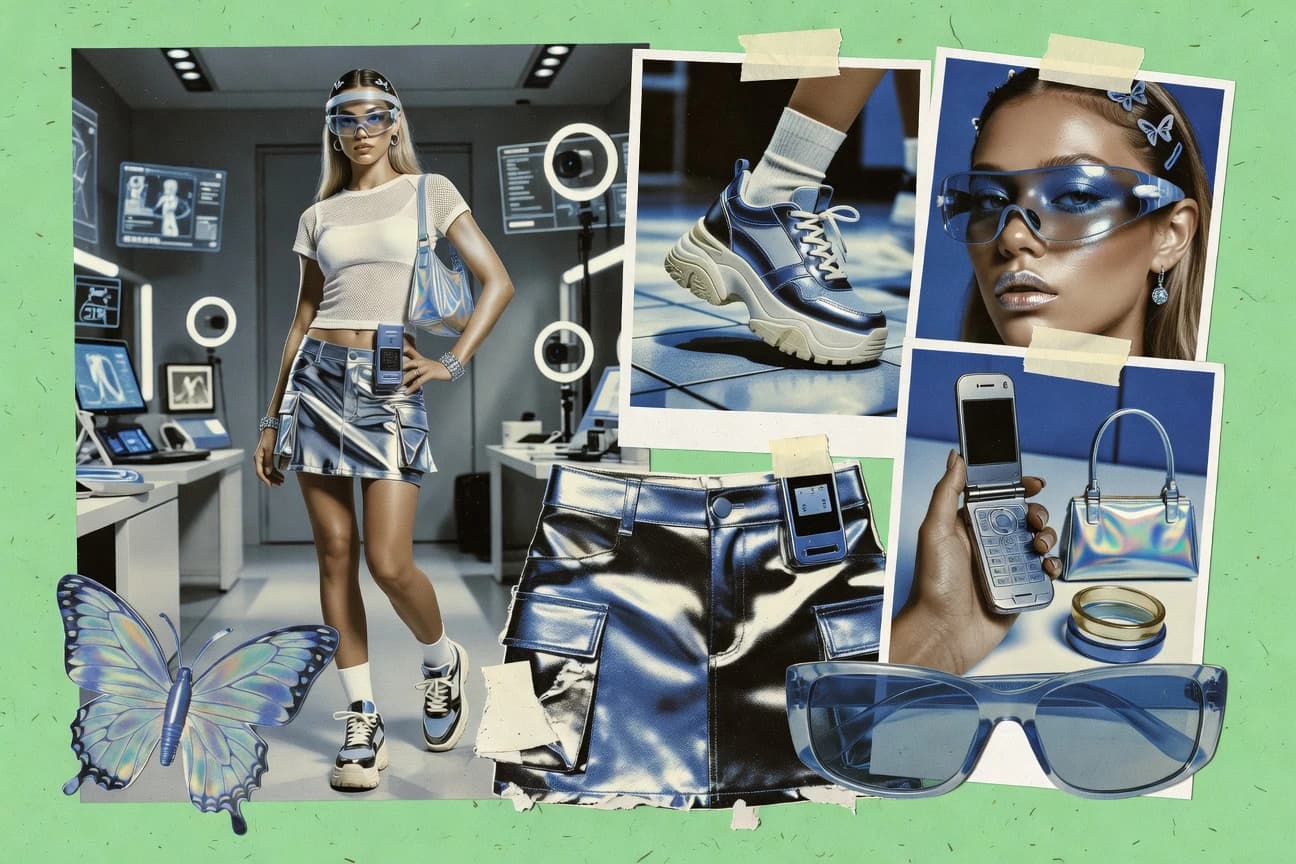
An AI Y2K Fashion Photo Generator creates fashion images with early-2000s styling cues such as chrome accents, glossy fabrics, chunky silhouettes, and bold color palettes using text prompts and optional reference inputs. It solves the need to rapidly explore outfit sets, iterate lighting and pose directions, and produce consistent campaign visuals without staging a full shoot. Many creators use it to build moodboards and lookbook concepts, as seen with DALL·E for fast prompt-driven variations and Midjourney for stylized Y2K looks preserved across variations. Teams also use it inside existing design workflows, as Adobe Firefly supports prompt-driven fashion iteration inside Adobe Creative Cloud.
Key Features to Look For
Use these feature checks to match the generator to how you actually build Y2K looks, from concept exploration to repeatable editorial framing and targeted garment fixes.
Prompt-driven Y2K style control
Choose tools that convert Y2K specifics in your text prompts into visible outfit cues like silhouettes, materials, and early-2000s aesthetics. Adobe Firefly excels at prompt-driven fashion image iteration for runway and editorial looks inside Adobe workflows, while DALL·E delivers prompt-based photoreal or stylized fashion results with cargo skirts, mini dresses, chrome accents, and Y2K hairstyles.
Image prompt or reference-driven look locking
Look for image guidance that helps preserve the Y2K vibe across iterations so you can refine a mini collection without losing your direction. Midjourney supports image reference support to lock styling direction, and Leonardo AI provides reference image guidance that helps match outfit details and aesthetics before regeneration.
Inpainting for masked garment and detail edits
Inpainting is the fastest way to fix specific problems like an incorrect accessory, wrong fabric feel, or a background element that drifts. Stable Diffusion (Automatic1111) supports inpainting with masked edits for targeted dress edits and styling tweaks, and Leonardo AI also supports inpainting with image guidance to repair outfit details while preserving overall Y2K styling.
Image-to-image workflows for preserving outfit composition
Image-to-image is ideal when you want to keep the same composition and silhouette while you swap style details like colorways, accessory direction, or scene mood. Krea’s image-to-image generation helps preserve a Y2K outfit composition while changing style details, and it pairs that with prompt controls for colors and fabrics for editorial outputs.
Repeatable pose and composition guidance
If you need consistent runway-style framing across many images, pick tools that support structured guidance rather than only free-form prompts. Stable Diffusion (Automatic1111) adds ControlNet and extensions for pose and structure guidance, which supports repeatable runway-style compositions, while Playground AI emphasizes rapid re-generation where prompts include concrete style cues like lens look and background type.
Workflow integration for editing and layout
Select a tool that matches where you finish work, whether that is a full creative suite, a template-based layout system, or an all-in-one editor. Adobe Firefly integrates with Adobe Creative Cloud for iteration into finished layouts, Canva AI image generation generates images inside the same canvas workflow and immediately composes them with Canva templates and effects, and Fotor AI image generator keeps generation and editing in one editor with background removal and photo enhancement.
How to Choose the Right AI Y2K Fashion Photo Generator
Pick the tool that matches your production goal first, because outfit consistency, editability, and workflow integration differ sharply between Adobe Firefly, Midjourney, Stable Diffusion (Automatic1111), and the other generators.
Choose based on how you will direct Y2K style
If you rely on precise prompt writing for early-2000s silhouettes, materials, and runway or editorial looks, Adobe Firefly and DALL·E are strong fits because they generate from text prompts with visible Y2K styling cues. If you want to preserve a look direction across variations using an image reference, Midjourney is built for that by pairing stylized generations with image prompt support. If you want a faster prompt-led loop that keeps style cues stable through repeated re-generation, Playground AI focuses on rapid outfit and lighting variations driven by prompt details like lens look and background type.
Decide how you will fix mistakes in garments and details
If you need targeted fixes to incorrect garments, wrong accessories, or drifting background elements, prioritize inpainting in Stable Diffusion (Automatic1111) or Leonardo AI since both support masked edits for garment and detail corrections. If you want to keep the same overall outfit layout and swap style elements like silhouettes and colorways, Krea’s image-to-image workflow preserves composition while changing details. For quick polishing after generation, Fotor AI image generator provides generation-based edits like background changes and photo enhancement inside the same editor.
Match the tool to your consistency needs across a whole set
For repeatable editorial series work, Stable Diffusion (Automatic1111) supports ControlNet for pose and structure guidance, plus batch generation and prompt schedules for large fashion set creation. For campaign look development where you refine a mini collection through variations, Midjourney speeds iteration with upscaling and re-running prompts to stabilize lighting, styling, and pose. For fast concept exploration where you accept more prompt refinement work, DALL·E generates multiple variations in one request but needs careful prompt specificity to avoid generic styling and drift across a whole campaign set.
Pick the workflow that matches where the final visuals are made
If you produce final assets in Adobe workflows, use Adobe Firefly so your prompt-driven generations slot into Adobe Creative Cloud for iteration, composition, and presentation. If you build marketing mockups and layouts directly in a template workflow, Canva AI image generation lets you generate images inside the same canvas workflow and then apply background removal and photo effects. If you want a self-contained generator plus editing tools for solo polish, Fotor AI image generator combines AI image generation with editor-based cleanup.
Choose the tool that fits your volume and output type
For creating many Y2K fashion variants for posts and listings, Photosonic by Stockimg AI emphasizes fast prompt-driven generation with Y2K-era aesthetics and rapid variation output. For fashion designers and marketers producing lookbook images at scale, Leonardo AI supports batch generation and can use inpainting with image guidance to fix outfit details while preserving overall Y2K styling. For designers focused on moodboards and campaign concepts from reference-driven styling, Krea targets editorial-like glossy looks while using image-to-image to keep outfit composition closer to the reference.
Who Needs AI Y2K Fashion Photo Generator?
Different tools solve different parts of Y2K fashion creation, so your best match depends on whether you need Adobe-centric finishing, reference-locking, masked edits, or fast template-based composition.
Design teams building Y2K editorial visuals inside Adobe workflows
Adobe Firefly is the best fit because it integrates generative fashion imagery with Adobe Creative Cloud for prompt-driven runway and editorial iteration and finished layout workflows. Teams that need rapid concept-to-layout refinement with prompt-driven style controls should also consider Canva AI image generation when they want to compose directly into templates and apply background removal and effects.
Fashion creators generating Y2K trend visuals for campaigns and lookbooks
Midjourney is a strong match because it preserves outfit vibe across variations using image prompt support and iterative parameter-driven re-runs. Leonardo AI also fits lookbook work at scale using batch generation and inpainting with image guidance to fix outfit details while keeping the overall Y2K styling intact.
Designers creating Y2K concept moodboards quickly from text prompts
DALL·E is built for this use because it produces photorealistic fashion images from natural language prompts and generates multiple variations in one pass for outfit set exploration. Playground AI is also suited for fast concept iteration because it supports rapid prompt-led re-generation for outfit and lighting variations when prompts include concrete cues like lens look and background type.
Fashion creators and studios that need repeatable editorial composition and targeted edits
Stable Diffusion (Automatic1111) is the most direct choice for repeatable runway-style framing because it supports ControlNet guidance and uses seeds, samplers, and extensions for structured composition consistency. If you prefer an editor-like workflow with inpainting and reference guidance, Leonardo AI provides inpainting plus image guidance to fix outfit details while preserving Y2K style continuity.
Common Mistakes to Avoid
These recurring failure points show up across the tools because Y2K fashion generation can drift in micro-details, identity consistency, and set-level cohesion.
Assuming every tool will keep logos, accessories, and fine details locked
Many generators require prompt discipline to avoid drift in accessories, logos, and patterns, and Krea can show inconsistent fine pattern or logo accuracy for fashion micro-details. Adobe Firefly also needs precise prompting to prevent accessories and logos from drifting, while Midjourney can reduce garment construction reliability compared with trend-level styling.
Relying on pure text prompts without a correction workflow
If you only iterate prompts, you will often spend time redoing whole images when a specific part fails, so use inpainting where available. Stable Diffusion (Automatic1111) and Leonardo AI support masked edits that target garment and detail problems without rebuilding the entire scene from scratch.
Expecting consistent identity across large batches without guidance
Tools like Photosonic by Stockimg AI and Fotor AI image generator can drift in face and accessory consistency across larger batches or repeated generations. Midjourney and Leonardo AI reduce this pain when you use image reference support and reference image guidance, and Stable Diffusion (Automatic1111) can enforce consistency with disciplined seeds, ControlNet structure, and repeatable settings.
Choosing a layout tool and forgetting image precision needs
Canva AI image generation is effective for composing generated images into template-based layouts, but strict control over era-specific details and consistent model identity depends heavily on prompt specificity. If you need higher edit control for garment and detail accuracy, Fotor AI image generator offers editor cleanup but Stable Diffusion (Automatic1111) offers inpainting plus ControlNet for more structured fixes.
How We Selected and Ranked These Tools
We evaluated each AI Y2K Fashion Photo Generator on overall results for Y2K fashion imagery, feature depth for editing and consistency controls, ease of use for prompt-led iterations, and value for practical production workflows. We also separated tools by whether they deliver standalone fashion-image iteration like Midjourney and DALL·E or whether they add structured editing and repeatability like Stable Diffusion (Automatic1111) with inpainting and ControlNet. Adobe Firefly separated itself for design teams by integrating generative fashion image iteration directly into Adobe Creative Cloud for prompt-driven fashion workflows that end in finished layouts. Tools like Krea and Leonardo AI scored strongly for creators who need reference-driven composition preservation or masked inpainting to correct outfit details without losing the overall Y2K styling direction.
Frequently Asked Questions About AI Y2K Fashion Photo Generator
Which AI Y2K fashion photo generator is best for consistent editorial output inside an existing creative workflow?
How do Midjourney and DALL·E differ when you want to create a cohesive Y2K mini collection from prompt edits?
What tool lets me do targeted Y2K garment changes using reference images and masked edits?
Which generator is most effective if I want a Y2K lookbook scale workflow with batch production?
When should I choose Krea over other tools for Y2K fashion moodboards and campaign mockups?
How can I keep Y2K styling consistent across poses and backgrounds without manually building a wardrobe pipeline?
Which tool is best for integrating generated Y2K fashion images directly into a layout and promo design workflow?
Why do some tools struggle with exact era-specific details like logos, and how do I mitigate that?
What is the fastest way to produce many Y2K fashion photo variants for posts when deep in-editor control is not required?
- Fashion ApparelTop 10 Best AI Y2K Fashion Photography Generator of 2026
- Fashion ApparelTop 10 Best AI 2000s Fashion Photo Generator of 2026
- Fashion ApparelTop 10 Best AI Flat Lay Fashion Photo Generator of 2026
- Fashion ApparelTop 10 Best AI 80S Fashion Photo Generator of 2026
- Fashion ApparelTop 10 Best AI Bikini Model Photo Generator of 2026
Keep exploring
Comparing two specific tools?
Software Alternatives
See head-to-head software comparisons with feature breakdowns, pricing, and our recommendation for each use case.
Explore software alternatives→In this category
Fashion Apparel alternatives
See side-by-side comparisons of fashion apparel tools and pick the right one for your stack.
Compare fashion apparel tools→