
GITNUXSOFTWARE ADVICE
Fashion ApparelTop 10 Best AI Photo Person Generator of 2026
Review the top ai photo person generator tools with rankings, features, and tradeoffs for teams choosing realistic AI portrait software.

How we ranked these tools
Core product claims cross-referenced against official documentation, changelogs, and independent technical reviews.
Analyzed video reviews and hundreds of written evaluations to capture real-world user experiences with each tool.
AI persona simulations modeled how different user types would experience each tool across common use cases and workflows.
Final rankings reviewed and approved by our editorial team with authority to override AI-generated scores based on domain expertise.
Score: Features 40% · Ease 30% · Value 30%
Gitnux may earn a commission through links on this page — this does not influence rankings. Editorial policy
RAWSHOT AI is the strongest overall pick for fashion teams that need repeatable on-model imagery across catalogs, while Stability AI suits technical teams seeking automated portrait generation with control over deployment and model choice.
Editor’s top 3 picks
Three quick recommendations before you dive into the full comparison below — each one leads on a different dimension.
RAWSHOT AI
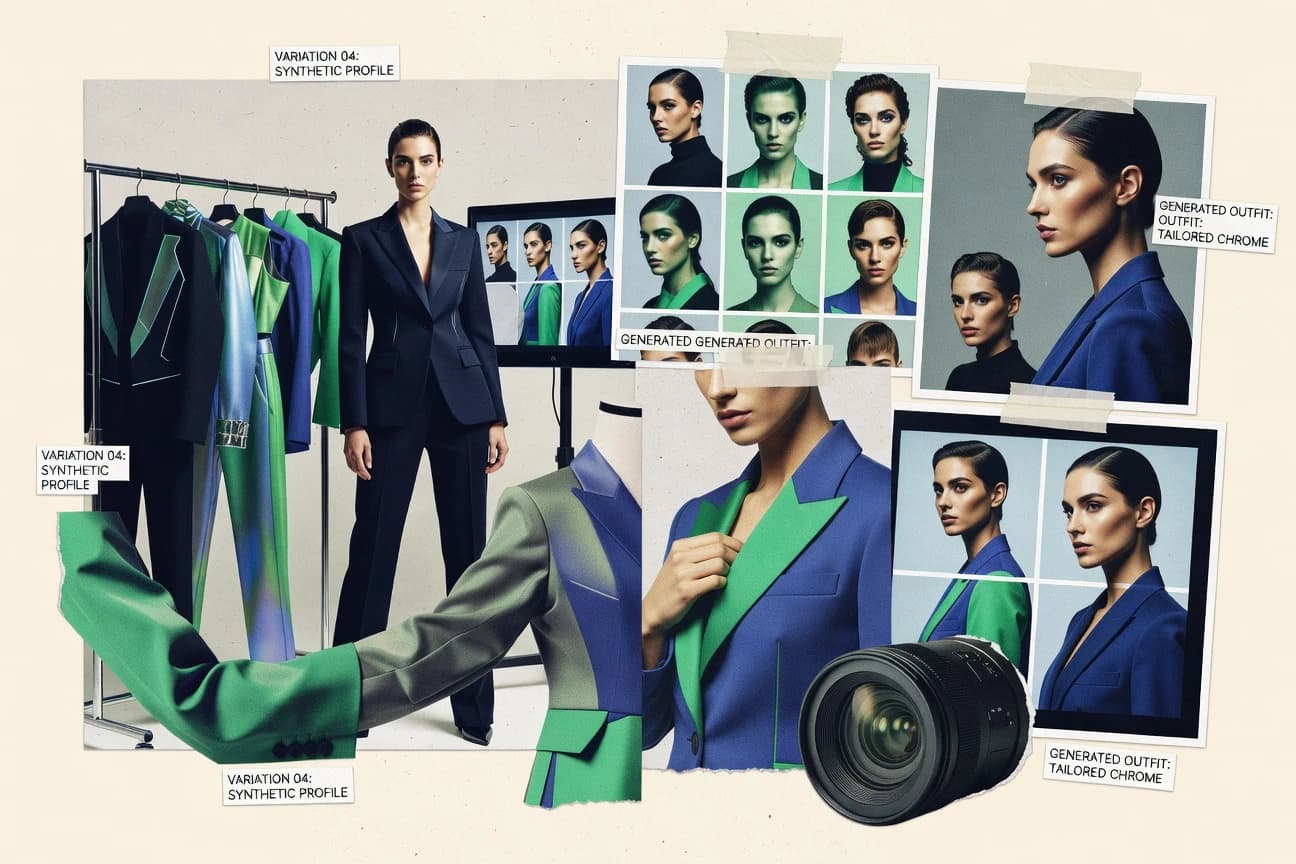
RAWSHOT AI replaces the category’s blank-canvas workflow with a seven-step visual configuration system. Model, garment, background, lighting, frame, camera view, pose, expression, and aspect ratio are selected as visible options, then saved Stacks can reproduce the same treatment across a catalogue.
Built for indie labels, DTC fashion teams, marketplace sellers, and enterprise catalogues that need repeatable on-model imagery for apparel, footwear, or accessories..
Stability AI
Editor pickOpen Stable Diffusion checkpoints support local deployment alongside Stability AI’s hosted image API.
Built for fits when teams need automated portrait generation with control over deployment and model selection..
Ideogram
Editor pickCharacter generates recurring people from reference images across new outfits, locations, poses, and visual treatments.
Built for fits when teams need consistent fictional people for branded visuals, social content, and fast campaign concepts..
Comparison Table
RAWSHOT AI
Block-based AI fashion photographyRAWSHOT AI creates original on-model fashion photography and short videos from selectable models, garments, backgrounds, lighting, poses, and compositions.
RAWSHOT AI replaces the category’s blank-canvas workflow with a seven-step visual configuration system. Model, garment, background, lighting, frame, camera view, pose, expression, and aspect ratio are selected as visible options, then saved Stacks can reproduce the same treatment across a catalogue.
RAWSHOT AI is designed for brands that need consistent product imagery without shipping every sample to a physical shoot. The seven-step workflow offers more than 1,800 licence-free synthetic models, up to four garments per composition, 15 image frames, 104 poses, multiple makeup and expression options, and 2K or 4K still output. Saved Stacks preserve a repeatable treatment across a catalogue, while the browser interface and REST API provide the same capabilities for individual images or large runs.
The main tradeoff is control: RAWSHOT AI provides one accuracy-focused image style and does not accept free-text input, so unusual creative directions or heavily stylised campaigns need post-production. It fits a DTC label launching 10 to 200 SKUs, a pre-order brand without physical samples, or a marketplace seller needing consistent product pages. Short videos can use up to three five-second scenes at 720p or 1080p.
- +Full commercial rights forever, with no recurring licensing on library models.
- +More than 1,800 synthetic models, including more than 600 children's models; no child was cast, photographed, or used as a likeness reference.
- +Saved Stacks make catalogue treatments repeatable across hundreds of images.
- +C2PA content credentials, visible and cryptographic watermarking, and AI-labelled metadata are included on every output.
- –The single image style limits teams seeking heavily stylised or graded campaign visuals.
- –Users cannot improvise beyond the available selection blocks because there is no free-text input.
- –Video is limited to three five-second scenes and 720p or 1080p output.
DTC fashion brands
Launch product pages without physical samples
Faster collection publishing
Marketplace apparel sellers
Create consistent listings across many SKUs
Cohesive storefront imagery
Show 2 more scenarios
Kidswear operators
Show children’s garments with synthetic models
Broader kidswear coverage
The model inventory includes more than 600 children's models without casting, photographing, or referencing a child.
Fashion platform teams
Generate catalogue imagery through an API
Scalable content operations
The REST API matches the browser workflow for single images, bulk runs, and collection-level wardrobe management.
Best for: Indie labels, DTC fashion teams, marketplace sellers, and enterprise catalogues that need repeatable on-model imagery for apparel, footwear, or accessories.
Stability AI
API-firstOpen-source Stable Diffusion models for generating photorealistic people.
Open Stable Diffusion checkpoints support local deployment alongside Stability AI’s hosted image API.
Stability AI suits teams that need repeatable people imagery across browser workflows, API pipelines, or self-hosted infrastructure. Stable Image models generate portraits from written instructions, transform reference images, edit masked areas, remove backgrounds, and increase output resolution. ControlNet conditioning can guide pose and composition from structural reference inputs.
Selected model releases can run locally, giving technical teams more control over deployment and model versioning. The tradeoff is variable identity likeness across multiple portraits, especially without a dedicated identity-training workflow. Stability AI fits marketing, game development, and software teams that need high-volume image generation integrated into existing systems.
- +Open model releases support local inference and custom deployment.
- +Hosted image API connects generation to production workflows.
- +Reference-guided controls help retain pose and composition.
- +Editing tools cover background removal, masked changes, and resolution enhancement.
- –Identity likeness can drift across multiple generated portraits.
- –Model licenses and releases differ across available checkpoints.
- –Self-hosting requires GPU operations and model version management.
- –Browser workflows offer fewer portrait-specific controls than specialist apps.
Marketing teams
Branded campaign headshots
Faster campaign concepting
Game studios
Character concept variations
More concept directions
Show 2 more scenarios
Software developers
Automated profile images
Automated avatar production
The API creates portrait batches inside onboarding, avatar, or content-management workflows.
Creative production teams
Reference-based portrait edits
Controlled visual revisions
Reference inputs guide pose and structure while masked edits change wardrobe or surroundings.
Best for: Fits when teams need automated portrait generation with control over deployment and model selection.
Ideogram
SMBText-to-image generator with superior text rendering for images of people with captions.
Character generates recurring people from reference images across new outfits, locations, poses, and visual treatments.
Ideogram fits creators who need attractive people imagery alongside readable text in posters, social graphics, covers, and campaign concepts. The Character feature uses a reference image to keep a person recognizable across different prompts and settings. Prompt adherence remains strong for common portrait directions, clothing descriptions, lighting requests, and scene placement.
The main tradeoff is narrower control than specialist diffusion interfaces because users do not receive sampling controls, model checkpoints, or fine-tuning workflows. Ideogram works well for a marketing team creating consistent fictional campaign characters, but demanding production pipelines may need separate retouching and asset-management software.
- +Character feature keeps recurring people recognizable across multiple generated scenes
- +Accurate lettering supports posters, covers, thumbnails, and social campaign graphics
- +Canvas includes Magic Fill and image extension for localized composition changes
- +API supports automated image generation for product and content workflows
- –Limited low-level controls for sampling, seeds, and model customization
- –Character consistency can weaken with complex poses, occlusion, or multiple people
- –Fine retouching and precise facial corrections remain limited
- –API workflows provide less control than self-hosted generation stacks
Social media teams
Recurring campaign character creation
Consistent campaign identity
Marketing designers
Poster and cover production
Faster concept delivery
Show 2 more scenarios
Ecommerce content teams
Lifestyle product scene generation
More visual concepts
Teams place generated people in product settings before commissioning final photography or retouching.
Creative developers
Automated image generation
Repeatable asset production
The API connects image creation to content systems, campaign tools, and internal production workflows.
Best for: Fits when teams need consistent fictional people for branded visuals, social content, and fast campaign concepts.
Midjourney
SMBText-to-image AI model widely used for photorealistic people and character generation.
Use /imagine with fine-grained generation parameters and seed control for rapid portrait iteration cycles.
Midjourney turns text prompts into generated portrait images with a diffusion-based workflow that emphasizes style and composition. Person generation is driven by prompt parsing plus parameter controls such as aspect ratio, stylization, and random seed, which supports repeatable iterations of the same concept. Output quality often prioritizes photorealistic lighting and facial detail, but it can require careful prompt phrasing and rerolling to lock down consistent identity traits across sessions.
- +Strong prompt adherence for portrait framing and lighting cues
- +Seed and parameter controls enable reproducible rerolls of a concept
- +Quick iteration loop for refining facial expression and wardrobe details
- +High-resolution exports with consistent face rendering across upscales
- –Identity consistency across multiple generations needs heavy prompt discipline
- –Complex prompts can drift toward stylistic variance over realism
Best for: Fits when concept artists need fast, prompt-driven headshot or full-body portrait iterations without a custom model.
Fotor
SMBAI photo editing suite including AI face generation and people photo tools.
AI Headshot Generator transforms uploaded selfies into professional portrait variations through selectable style presets.
Fotor generates AI portraits from text prompts and uploaded selfies, with separate workflows for headshots, avatars, and character images. Its AI Headshot Generator converts selfie uploads into professional portrait variations using selectable visual styles.
The browser editor adds background removal, retouching, resizing, and text-to-image generation after creation. Fotor lacks a documented public inference API and advanced controls for reproducible batch generation, limiting automated production workflows.
- +Combines selfie-based headshots, AI avatars, face swaps, and text-to-image generation.
- +Preset portrait styles reduce prompt-writing requirements for professional profile images.
- +Integrated retouching, background removal, resizing, and enhancement reduce export steps.
- +Browser-based workflow supports quick portrait creation without desktop software.
- –No documented public inference API supports automated portrait generation pipelines.
- –Advanced control over identity preservation and pose conditioning is limited.
- –Output quality can vary across facial details, hands, and accessory rendering.
- –Batch production controls are less developed than dedicated image-generation systems.
Best for: Fits when individuals and small teams need quick profile portraits with integrated browser editing.
Adobe Firefly
enterpriseCommercially safe AI image generator integrated with Adobe Creative Cloud.
Region-level inpainting for portraits that correct faces, clothing, or backgrounds without full re-rolls.
Adobe Firefly is a diffusion-based image generator on firefly.adobe.com that produces portrait-style “AI person” renders from text prompts and reference inputs. Firefly’s generator workflow integrates with Adobe’s content creation ecosystem through project-style assets, making it practical when image outputs need to stay inside an Adobe production flow.
Its strengths show up in prompt adherence for common portrait attributes like pose, wardrobe, and lighting, plus editing features like inpainting for fixing specific regions. Output handling is geared toward creative iteration rather than identity-grade consistency across many shots.
- +Inpainting lets targeted portrait fixes without regenerating the full image
- +Works quickly from prompt iteration for headshot and bust-style compositions
- +Good prompt adherence for lighting, wardrobe, and background styling cues
- +Asset-centric workflow aligns with common Adobe editing handoffs
- –Identity preservation across repeated shots is weaker than dedicated consistency tools
- –Controls for anatomy and hands can still drift on extreme poses
- –Batch generation and queue control are limited compared with API-first pipelines
- –Reference conditioning can blur hair and fine facial details at higher refinements
Best for: Fits when teams need fast portrait generation inside an Adobe editing workflow.
Leonardo.ai
SMBAI image generation platform with fine-tuned models for characters and people.
Leonardo Canvas combines generated portraits, masking, compositing, and iterative edits inside one visual workspace.
Leonardo.ai differentiates itself with Canvas, which combines generated portraits with masking, compositing, and iterative image edits in one workspace. Its Phoenix model produces portrait variations from text prompts, while Image Guidance uses reference images to influence appearance and composition.
Character Reference supports recurring person designs across image generations. Leonardo.ai also provides browser access, custom model training, and an API for programmatic image generation.
- +Canvas supports portrait generation, masking, compositing, and iterative edits in one workspace
- +Phoenix produces detailed faces, clothing textures, and varied portrait compositions
- +Character Reference helps maintain recurring person designs across multiple generations
- +API access supports automated image generation outside the browser editor
- –Hand and finger accuracy remains inconsistent in complex full-body portraits
- –Character identity can drift across poses, lighting changes, and different compositions
- –Advanced controls require experimentation with models, guidance settings, and reference images
- –Canvas workflows become cumbersome for large batches of standardized headshots
Best for: Fits when creators need photoreal people, custom visual styles, and browser-based editing in one workspace.
Replicate
API-firstAPI platform hosting open-source face and person generation models.
Model versions expose reproducible inference via a stable API contract without rebuilding inference pipelines.
Replicate is a model hosting and inference service that different teams use to generate AI photo people via prebuilt and custom workflows. Its core capability is running third-party and Replicate-backed models through a consistent API that supports file inputs, JSON parameters, and queued batch jobs.
For photo-person generation work, that means diffusion-based generators can be driven by prompts and image references while controlling sampling inputs per request. Replicate also supports community model versions so teams can swap checkpoints without rewriting the client integration.
- +Consistent API for text-to-image and image-conditioned person generation
- +Versioned models let teams pin exact inference behavior over time
- +Batch queues support higher-throughput portrait production runs
- +Model hosting separates generation code from app deployment
- –Quality and identity consistency vary by chosen underlying model
- –Long runs can require tuning of parameters to control latency
- –Workflow reliability depends on prompt and reference image formatting
- –Governance and access controls are less granular than enterprise inference platforms
Best for: Fits when teams need API-driven portrait generation with queued batch jobs and model version pinning.
NightCafe
SMBCommunity-driven AI image generation platform supporting multiple models.
Reference-image conditioning inside a prompt-first portrait workflow for tighter likeness control than text-only generation.
NightCafe generates AI human portraits from text prompts and supports reference-image workflows for guiding likeness. Its feature set includes a guided generation UI, batch-style creation for multiple variations, and export of generated images for downstream editing.
NightCafe also supports image-to-image generation to iterate on pose, styling, and composition by adjusting denoising strength. Community-driven templates help standardize prompt formats for repeatable headshot and character-person output.
- +Reference-image guidance improves likeness compared with prompt-only generations
- +Batch generation creates multiple prompt variations in a single workflow
- +Image-to-image iteration supports faster refinement than prompt rewrites
- +Export output supports direct use in external editors
- –Face consistency across many shots depends on prompt discipline and iteration
- –Controls for sampling, CFG scale, and scheduler tuning are limited versus pro UIs
- –No first-party automation tools are exposed for programmatic job submission
- –Upscaling quality varies and may require a secondary pass for print-ready detail
Best for: Fits when individuals and small studios need fast headshot and character-person iterations without engineering overhead.
DALL-E 3
enterpriseOpenAI text-to-image model integrated into ChatGPT for generating people photos.
High prompt-to-portrait alignment that keeps described facial and wardrobe details coherent in a single generation.
DALL-E 3 generates photo-realistic portraits from natural-language prompts and is distinct for how tightly it follows prompt phrasing for faces, clothing, and scene context. It supports single-image text-to-image generation with built-in style and detail handling aimed at human-subject outputs.
It does not provide the same level of controllability as dedicated reference-driven pipelines, and it lacks first-party multi-shot identity locking for long character sequences. The result is best for fast portrait ideation and prompt iteration rather than production-grade identity continuity across many images.
- +Strong prompt adherence for face attributes, outfit, and lighting in one shot
- +Fast iteration from textual descriptions to usable portrait drafts
- +Good baseline photorealism for headshot framing and skin detail
- +Works without external reference images for concept-to-portrait workflows
- –Limited multi-shot consistency for identity across separate generations
- –No native face-embedding based identity preservation for repeatable characters
- –Less control over pose and expression than pose-conditioned tools
- –Requires careful prompt wording to avoid generic or mismatched facial details
Best for: Fits when portrait drafts need quick prompt iteration without reference image pipelines.
Conclusion
After evaluating 10 fashion apparel, RAWSHOT AI stands out as our overall top pick — it scored highest across our combined criteria of features, ease of use, and value, which is why it sits at #1 in the rankings above.
Use the comparison table and detailed reviews above to validate the fit against your own requirements before committing to a tool.
Tools reviewed
Primary sources checked during evaluation.
Referenced in the comparison table and product reviews above.
How to Choose the Right ai photo person generator
An ai photo person generator creates photoreal portrait images or full-body person scenes from text prompts, reference images, or both. This guide covers RAWSHOT AI, Stability AI, Ideogram, Midjourney, Fotor, Adobe Firefly, Leonardo.ai, Replicate, NightCafe, and DALL-E 3.
The main differences show up in how each tool handles person consistency across multiple shots, how much control exists over pose and camera framing, and how reliably outputs can be repeated in production workflows. The strongest workflows pair identity handling with an automation or API surface, which matters when generating an apparel catalog, a social campaign, or a batch of character scenes.
AI photo person generator for consistent people across portraits, outfits, and scenes
An ai photo person generator synthesizes people by combining a text-to-image or image-conditioned pipeline with controls for framing, lighting cues, and identity stability. Tools like Midjourney can iterate quickly with seed and parameter controls, but identity consistency across multiple generations depends on prompt discipline.
Generation consistency matters when the same person must appear in different outfits, backgrounds, and poses without drifting face attributes. RAWSHOT AI tackles this by replacing a blank-canvas workflow with a seven-step visual configuration system that saves Stacks to reproduce model, garment, background, lighting, frame, camera view, pose, and expression across a catalogue.
Other tools bias toward different workflows. Stability AI supports open Stable Diffusion checkpoints for local deployment plus a hosted image API, while Ideogram uses Character to keep recurring people recognizable across new scenes.
Evaluation criteria for AI photo person generators
Person consistency determines whether one generated subject can support a sequence of outfits, poses, and locations. RAWSHOT AI uses saved Stacks, while Ideogram uses Character to retain recurring fictional people across scenes.
Identity repeatability
RAWSHOT AI saves model, garment, lighting, pose, and expression settings in Stacks for repeatable catalogue imagery. Ideogram Character carries a recurring person into new outfits, locations, and visual treatments.
Visual configuration depth
RAWSHOT AI exposes separate selections for frame, camera view, pose, expression, garment, and background. Midjourney provides seed and parameter controls, but its results depend more heavily on prompt construction.
Deployment and automation
Stability AI supports local Stable Diffusion checkpoints and a hosted image API for different deployment patterns. Replicate provides versioned model endpoints for queued generation and pinned inference behavior.
Targeted portrait editing
Adobe Firefly can replace or correct a selected face, garment, or background region without rerunning the whole image. Leonardo.ai combines generation, masking, compositing, and iterative edits in Canvas.
Reference-image workflows
Fotor converts uploaded selfies into headshot variations through selectable portrait styles and also includes face swaps. NightCafe uses reference images inside a prompt-first workflow and can produce multiple variations in one batch.
Single-generation prompt accuracy
DALL-E 3 keeps described facial traits, wardrobe details, and lighting cues coherent in one portrait draft. Ideogram adds accurate lettering for posters, covers, thumbnails, and social campaign graphics.
How to choose a person generator by production workflow
The correct choice depends on whether images must repeat a defined subject, support open-ended art direction, or enter an automated production pipeline. RAWSHOT AI and Ideogram prioritize repeatable subjects, while Midjourney and DALL-E 3 prioritize prompt-led ideation.
Choose catalogue configuration or open-ended prompting
Choose RAWSHOT AI when apparel or marketplace images need fixed selections for garments, camera views, poses, and backgrounds. Choose Midjourney or DALL-E 3 when art direction changes frequently and a text description is more useful than a preset configuration.
Decide between a recurring fictional person and one-shot portraits
Choose Ideogram Character when the same fictional person must appear across campaigns, outfits, and locations. Choose Fotor or DALL-E 3 when each portrait can stand alone and repeated identity is not a central requirement.
Match deployment to engineering requirements
Choose Stability AI when local inference, checkpoint selection, or a hosted image API must coexist in one program. Choose Replicate when version-pinned model calls and queued batch jobs matter more than operating the inference environment.
Select generation-first or editing-first production
Choose Adobe Firefly when portrait work happens alongside targeted corrections to faces, clothing, and backgrounds. Choose Leonardo.ai when masking, compositing, generation, and iterative edits need to remain in one browser workspace.
Set the required realism and iteration boundary
Choose NightCafe when reference-image guidance and batch variations provide enough likeness control for small studio work. Choose RAWSHOT AI when commercial apparel output requires repeatable model and garment treatment across a larger catalogue.
Teams that benefit from AI-generated people
AI photo person generators serve different production patterns, from apparel catalogues to profile portraits and automated creative systems. The tool choice changes with the required level of subject continuity, editing control, and deployment access.
Indie fashion labels and marketplace sellers
RAWSHOT AI supplies more than 1,800 synthetic models and saves repeatable treatments for apparel, footwear, and accessories. Its commercial rights for library models support catalogue production without recurring model licensing.
Brand and social-content teams
Ideogram Character keeps fictional people recognizable across campaign scenes, while its lettering performance supports posters, covers, thumbnails, and social graphics. Midjourney suits rapid visual concept cycles when subject continuity is less strict.
Individuals and small teams creating profile portraits
Fotor turns uploaded selfies into professional portrait variations through selectable styles and browser editing. NightCafe adds reference-image guidance and batch variations for small studios that do not need engineering access.
Engineering teams building generation into products
Stability AI offers local checkpoints alongside a hosted image API, and Replicate exposes versioned models through a consistent API. These tools support different requirements for deployment ownership, model selection, and repeatable inference.
Common mistakes in selecting a person generator
A visually convincing single portrait does not prove that a tool can maintain the same person across a campaign or catalogue. Identity drift, limited controls, and missing automation access can appear only after repeated generation.
Choosing a text-only generator for a recurring subject
Use Ideogram Character or RAWSHOT AI when the same person must appear in multiple scenes. DALL-E 3 and Midjourney can produce strong individual portraits, but their separate generations do not provide dedicated identity preservation.
Treating seed controls as a complete consistency system
Midjourney can reproduce a concept through seed and parameter controls, but identity can still drift across shots. RAWSHOT AI uses saved model and styling selections for catalogue repetition, while Ideogram uses reference-based Character generation.
Selecting a browser editor without checking automation access
Fotor does not provide a documented public inference API for automated portrait pipelines. Replicate and Stability AI are more suitable when generation must run from queued jobs or application requests.
Ignoring pose and hand failure modes
Leonardo.ai reports inconsistent hands and fingers in complex full-body portraits, while Adobe Firefly can drift on anatomy in extreme poses. Test the intended poses before adopting either tool for full-body production.
How We Selected and Ranked These Tools
We evaluated RAWSHOT AI, Stability AI, Ideogram, Midjourney, Fotor, Adobe Firefly, Leonardo.ai, Replicate, NightCafe, and DALL-E 3 for person consistency, control depth, editing workflows, deployment access, and output repeatability. Features account for 40% of each score, while ease of use accounts for 30% and value accounts for 30%.
We ranked RAWSHOT AI first because its seven-step visual configuration system and saved Stacks connect model, garment, pose, lighting, and framing choices to repeatable catalogue output. We also considered its library of more than 1,800 synthetic models and permanent commercial rights for library models.
Frequently Asked Questions About ai photo person generator
What is an AI photo person generator used for?
Which AI photo person generator fits repeatable apparel catalogues?
How can teams connect an AI photo person generator to internal workflows?
When does local deployment matter for AI-generated people?
What breaks if a project needs the same fictional person across many images?
Which tools support editing after portrait generation?
What technical controls matter for batch portrait generation?
Which security and governance features are documented for these tools?
- Fashion ApparelTop 10 Best AI Image Person Generator of 2026
- Fashion ApparelTop 10 Best AI Baby Girl Model Photo Generator of 2026
- Fashion ApparelTop 10 Best AI Fake Person Generator of 2026
- Fashion ApparelTop 10 Best AI Face Portrait Photography Generator of 2026
- Fashion ApparelTop 10 Best AI High Fashion Denim Group Photo Generator of 2026
Keep exploring
Comparing two specific tools?
Software Alternatives
See head-to-head software comparisons with feature breakdowns, pricing, and our recommendation for each use case.
Explore software alternatives→In this category
Fashion Apparel alternatives
See side-by-side comparisons of fashion apparel tools and pick the right one for your stack.
Compare fashion apparel tools→