
GITNUXSOFTWARE ADVICE
Fashion ApparelTop 10 Best AI Photo Background Generator of 2026
Ranked ai photo background generator tools for marketers and editors, with feature criteria, output quality notes, and practical tradeoffs.

How we ranked these tools
Core product claims cross-referenced against official documentation, changelogs, and independent technical reviews.
Analyzed video reviews and hundreds of written evaluations to capture real-world user experiences with each tool.
AI persona simulations modeled how different user types would experience each tool across common use cases and workflows.
Final rankings reviewed and approved by our editorial team with authority to override AI-generated scores based on domain expertise.
Score: Features 40% · Ease 30% · Value 30%
Gitnux may earn a commission through links on this page — this does not influence rankings. Editorial policy
RAWSHOT AI is the strongest overall pick for fashion sellers who need consistent, repeatable on-model catalogue imagery across product lines, while Erase.bg suits teams working from existing photos that need quick cutouts and fresh campaign backdrops without a broader production setup.
Editor’s top 3 picks
Three quick recommendations before you dive into the full comparison below — each one leads on a different dimension.
RAWSHOT AI
RAWSHOT AI turns a complete fashion photoshoot into seven editable visual selection steps, then saves those exact choices as a Stack. Its orchestration layer resolves identical selections into the same treatment across a catalogue, giving teams repeatability without asking users to write prompts.
Built for rAWSHOT AI is best for DTC labels, marketplace sellers, and fashion operators producing consistent on-model imagery across apparel, footwear, and accessories, especially when they need repeatable catalogue setups rather than open-ended creative experimentation..
Erase.bg
Editor pickText-prompt Background Generator creates a custom scene behind the uploaded subject after automated isolation.
Built for fits when sellers need fast product cutouts and generated campaign backdrops from existing photos..
Clipdrop
Editor pickReplace Background pairs a preserved subject with a text-prompted setting inside the same editing workspace.
Built for fits when creative teams need API-capable image edits and quick browser modules for product and campaign images..
Comparison Table
RAWSHOT AI
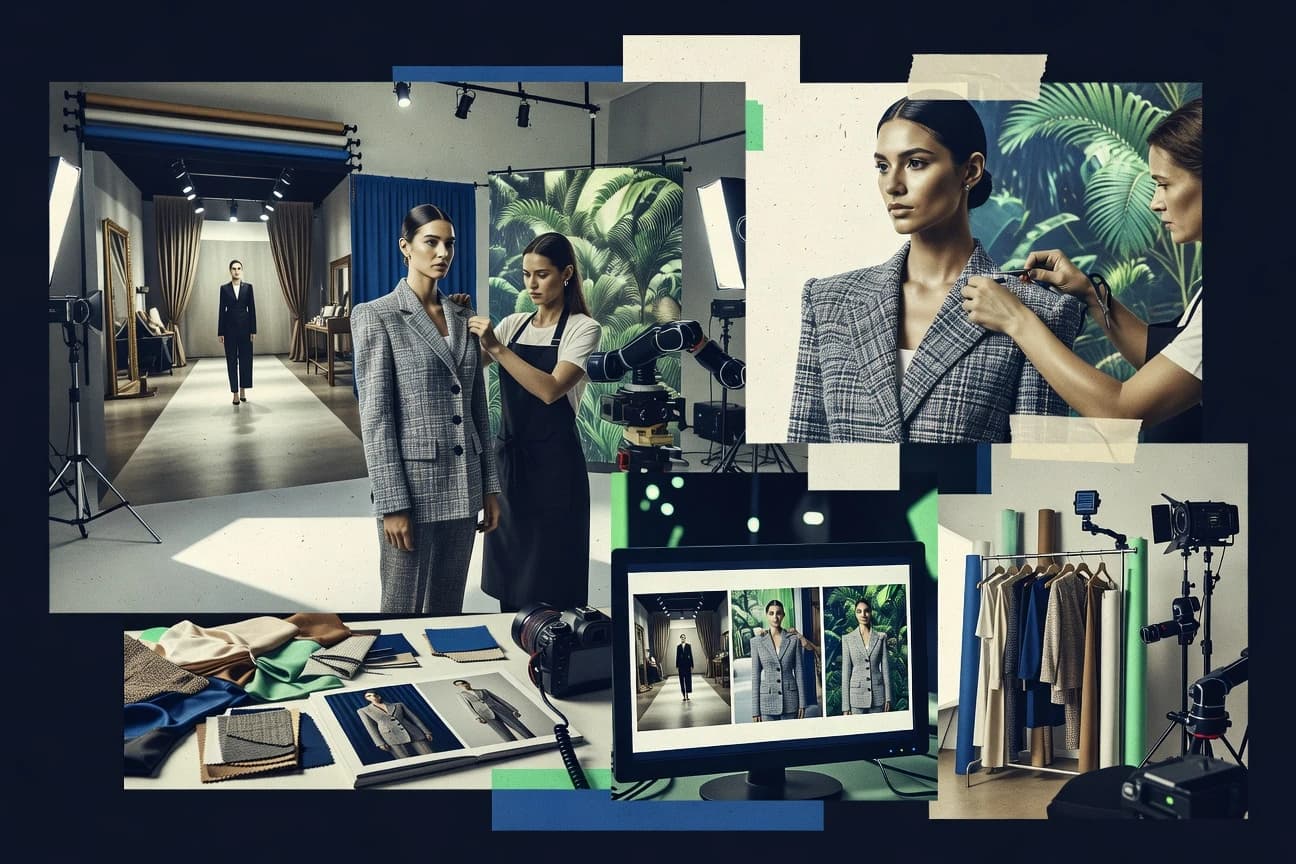
Block-configured AI fashion photographyRAWSHOT AI creates original on-model fashion images and short videos by combining a brand's garments with selectable synthetic models, backgrounds, lighting, and compositions.
RAWSHOT AI turns a complete fashion photoshoot into seven editable visual selection steps, then saves those exact choices as a Stack. Its orchestration layer resolves identical selections into the same treatment across a catalogue, giving teams repeatability without asking users to write prompts.
RAWSHOT AI is designed for brands that need consistent product-led fashion photography without arranging physical samples, casting, or repeat studio setups. Its catalogue includes more than 1,800 licence-free synthetic models, including more than 600 children's models, all synthetic composites — no child was cast, photographed, or used as a likeness reference. AI can pre-select a composition as editable blocks, while users retain control over the selected model, garment combination, light, and frame.
The platform is especially strong for repeatable e-commerce production: a saved Stack can be applied across hundreds of SKUs, and the REST API matches the browser interface for larger runs. The tradeoff is intentional: RAWSHOT AI ships one accuracy-first image style, so brands seeking stylized or graded campaign imagery will need post-production. A DTC label launching a 100-SKU drop can use one Stack to keep its catalogue visually consistent while varying garments and approved compositions.
- +Full commercial rights forever, with no recurring licensing on library models.
- +RAWSHOT AI combines seven visible selection steps, saved Stacks, wardrobe management, and full-parity REST API access for repeatable catalogue production.
- –One accuracy-first image style means stylized or graded campaign work needs to be handled in post-production.
- –The fixed block system cannot accommodate open-ended improvisation beyond its available models, frames, camera views, and composition choices.
DTC fashion labels
Launch consistent product drop imagery
Consistent collection presentation
Marketplace apparel sellers
Create on-model listing images
More complete product listings
Show 2 more scenarios
On-demand brands
Visualize products before samples
Faster launch-ready visuals
RAWSHOT AI creates garment-led imagery when physical samples and conventional shoots are unavailable.
Retail platform teams
Automate catalogue-scale image production
Scalable catalogue workflows
RAWSHOT AI exposes browser-equivalent configuration controls through its REST API for large product imports.
Best for: RAWSHOT AI is best for DTC labels, marketplace sellers, and fashion operators producing consistent on-model imagery across apparel, footwear, and accessories, especially when they need repeatable catalogue setups rather than open-ended creative experimentation.
Erase.bg
vertical specialistAI background removal and replacement tool for product and portrait photos.
Text-prompt Background Generator creates a custom scene behind the uploaded subject after automated isolation.
Erase.bg fits catalog teams, marketplace sellers, and agencies that need isolated products without a desktop editor. Upload an image, remove the existing backdrop, then export the result or place the subject against a generated scene or solid color. The API gives developers a route to embed removal requests into upload workflows and asset-processing services.
Erase.bg provides limited evidence of layer-based mask refinement, so difficult hair, translucent materials, and tight edge corrections may need another editor. Generated scenes can also introduce lighting or shadow choices that do not match the source image. It works well when a seller needs a clean product cutout and several campaign-ready backdrop variations from one source photo.
- +Text-prompt Background Generator creates custom scenes from uploaded subjects
- +API supports background-processing integration into image workflows
- +Browser editor handles uploads, cutouts, and backdrop changes quickly
- +Useful for product images, profile photos, and campaign variants
- –No documented layer-based controls for manual mask correction
- –Generated scenes can conflict with source lighting and shadows
- –Difficult hair and transparent objects can need external retouching
Marketplace sellers
Preparing product listing images
Consistent listing imagery
Creative agencies
Producing campaign image variants
More creative variants
Show 1 more scenario
Product engineering teams
Automating uploaded image processing
Automated asset preparation
The API can send uploaded assets through background removal within an application workflow.
Best for: Fits when sellers need fast product cutouts and generated campaign backdrops from existing photos.
Clipdrop
SMBAI image editing toolkit featuring background removal and replacement powered by generative models.
Replace Background pairs a preserved subject with a text-prompted setting inside the same editing workspace.
Clipdrop's Replace Background generates a prompted setting while retaining the uploaded foreground subject. Relight adds adjustable virtual lights to an image, while Cleanup removes marked objects and Uncrop extends an image beyond its original frame. The API supports removal, cleanup, upscaling, and background replacement operations for embedded image workflows.
Fine hair, translucent materials, and intricate object boundaries can require manual review after processing. Clipdrop uses separate editing modules rather than a layer-based project canvas for multi-asset compositions. It suits a product team producing catalog images and campaign variants from an existing photo library.
- +Replace Background creates prompted scenes around an existing subject.
- +Relight controls virtual light position and color.
- +API exposes removal, cleanup, upscaling, and replacement endpoints.
- +Uncrop expands image framing for alternate placements.
- –Fine hair and translucent edges can need manual review.
- –No layer-based project canvas for multi-asset compositions.
- –Background prompts offer limited art direction versus node-based diffusion workflows.
Ecommerce merchandisers
Create product image variants
Faster catalog variants
Social media teams
Reuse campaign cutouts
More reusable creative
Show 1 more scenario
Developer teams
Embed image edits
Automated image processing
API endpoints automate background removal and cleanup inside asset-upload flows.
Best for: Fits when creative teams need API-capable image edits and quick browser modules for product and campaign images.
Pixlr
SMBWeb-based photo editor with AI background removal and generative background tools.
Pixlr's paired Pixlr X and Pixlr E editors combine template-led design with layer-level photo retouching.
Pixlr brings background removal into a browser editor that also handles template design, layered retouching, and AI image generation. Pixlr X favors quick social graphics and preset-driven edits, while Pixlr E provides layers, selections, and adjustment controls for detailed composites. AI Cutout and Generative Fill let users remove a scene and create replacement areas without moving files between editors.
- +AI Cutout removes subjects within the browser workspace.
- +Pixlr X and Pixlr E cover quick graphics and layer-based editing.
- +Templates, stock assets, and animation tools support social post production.
- –No documented public API supports automated image-processing pipelines.
- –Generative Fill offers limited controls for repeatable scene composition.
- –Pixlr E has a denser interface than Pixlr X.
Best for: Fits when content teams need browser-based background cleanup and follow-up visual edits in one workspace.
Photoroom
SMBAI photo editor specializing in automatic background removal and generation for product and portrait images.
Batch Editor applies one visual treatment to a large set of product photos.
Photoroom removes product-photo backgrounds and builds styled catalog scenes from a single upload through a mobile-first editor. Its Background Remover creates transparent PNG exports, while AI Backgrounds, templates, Smart Resize, and shadows support marketplace-ready product images.
Batch Editor applies edits across image sets, and the Image Editing API supports background generation within external workflows. Photoroom favors fast catalog production over detailed layer-based compositing and fine-grained art direction.
- +Batch Editor applies consistent treatments across product-image sets.
- +Smart Resize adapts assets for common marketplace and social formats.
- +Image Editing API supports integration into external image workflows.
- –Manual layer-level retouching is thinner than desktop design suites.
- –Generated scenes offer limited controls for precise art direction.
- –API integration requires developer ownership of the surrounding workflow.
Best for: Fits when ecommerce teams need fast, repeatable product imagery for catalogs, marketplaces, and social posts.
Adobe Express
SMBWeb-based creative tool providing AI background removal and generative fill for photo backgrounds.
Creative Cloud Libraries place approved logos and color assets beside Firefly-generated compositions.
Adobe Express fits social media teams that need to turn product photos into branded posts quickly. Adobe Express differentiates itself with Firefly generation, Brand Kits, and template-based resizing in the same editor.
Its Remove Background Quick Action isolates a foreground subject, while transparent PNG export supports reuse in other layouts. Adobe Express provides no dedicated API for automated background generation or high-volume batch processing.
- +Remove Background Quick Action creates cutouts inside social and marketing templates.
- +Firefly generation creates new scene imagery without leaving the editor.
- +Brand Kits keep logos, fonts, and colors consistent across resized posts.
- +Transparent PNG export preserves isolated subjects for external layouts.
- –No dedicated API handles automated background generation or high-volume image queues.
- –Quick Action offers limited controls for hair, glass, and other translucent edges.
- –Firefly scenes can conflict with the original photo's lighting and camera angle.
Best for: Fits when social teams need branded background changes and ready-made post formats in one editor.
Picsart
SMBCreative platform offering AI photo background replacement and generation tools.
AI Replace combines brush-selected local edits with text prompts inside Picsart’s template and sticker editor.
Picsart combines prompt-generated backgrounds with a social-content editor that includes templates, stickers, text, and retouching. It handles background removal before generating replacement scenes, while AI Replace applies prompted changes to a brush-selected area. Its browser and mobile apps favor fast campaign assets over controlled batch production and deeply configurable image pipelines.
- +AI Replace targets a brush-selected area instead of regenerating the whole composition.
- +Templates, stickers, fonts, and retouching remain available in the same editor.
- +Browser and mobile apps support creator-focused editing across devices.
- –Generated scenes often need manual adjustment to match subject lighting and perspective.
- –The interface prioritizes creator assets over repeatable batch production controls.
- –Fine cutout cleanup lacks dedicated alpha-matting controls.
Best for: Fits when social content teams need prompt-built scenes alongside templates, stickers, and mobile editing.
Fotor
SMBOnline photo editor with AI background generation and replacement capabilities.
Fotor AI Background Generator combines preset scene styles with custom text prompts inside Fotor's broader editing workspace.
Fotor combines prompt-driven background generation with a browser-based photo editor, design templates, and collage tools. It handles background removal, then lets users replace the cleared area with preset scenes or text-directed imagery. Transparent PNG export supports product cutouts, while retouching, resizing, and AI image tools keep related edits in the same workspace.
- +Prompt-generated scenes sit beside Fotor's editor, collage maker, and design templates.
- +Preset background styles and custom prompts offer two replacement paths.
- +Browser, iOS, and Android apps support the same editing workflow.
- +Transparent PNG export supports marketplace and catalog image preparation.
- –No documented public API supports automated background-generation pipelines.
- –Manual prompt refinement provides limited control over lighting and perspective.
- –Complex hair and fine edges can retain visible selection artifacts.
Best for: Fits when solo creators need prompt-based background changes alongside templates and standard photo editing.
Vmake.ai
vertical specialistAI image editing platform offering background generation for product and model photos.
Product Photography creates styled catalog scenes directly from a product upload.
Vmake.ai's AI Background Changer performs background replacement with prompted scenes and selectable visual templates. The web workspace also includes Product Photography, AI Fashion Model, Image Expander, and Image Quality Enhancer.
Product Photography creates staged catalog images from product uploads, while AI Fashion Model places apparel on generated human models. Vmake.ai does not document team roles, audit logs, or API configuration for generated background scenes.
- +Prompted scenes and visual templates support quick catalog-image variations.
- +Product Photography creates styled product staging from uploaded images.
- +AI Fashion Model produces apparel imagery with generated human models.
- –Background generation lacks manual layer masking and local retouch controls.
- –Generated scenes can mis-handle reflections, fine hair, and product edges.
- –No documented team roles, audit logs, or generated-scene API configuration.
Best for: Fits when online sellers need prompt-based product scenes and fashion model imagery from a browser.
Canva
SMBGraphic design platform offering Magic Edit and background generation tools for photos.
Magic Grab selects and repositions a photo subject within an existing Canva layout without rebuilding the composition.
For social and campaign teams assembling graphics in a shared editor, Canva combines background removal with templates, Brand Kit assets, and layout editing. Magic Studio can remove backgrounds, generate replacement scenes, extend image edges, and let Magic Grab reposition a detected subject within a design. Canva's developer APIs focus on design creation, editing, and export rather than dedicated image-processing operations for its AI effects.
- +Magic Grab repositions a detected photo subject directly within a Canva design.
- +Background removal works alongside templates, Brand Kit assets, and export controls.
- +Magic Expand extends image edges for alternate layout dimensions.
- –No documented dedicated API endpoint runs Background Remover or Magic Grab.
- –Fine hair, transparent objects, and intricate edges can require manual cleanup.
- –AI scene controls lack depth-guided composition and relighting parameters.
Best for: Fits when marketing teams need quick background edits inside template-based social and campaign designs.
Conclusion
After evaluating 10 fashion apparel, RAWSHOT AI stands out as our overall top pick — it scored highest across our combined criteria of features, ease of use, and value, which is why it sits at #1 in the rankings above.
Use the comparison table and detailed reviews above to validate the fit against your own requirements before committing to a tool.
Tools reviewed
Primary sources checked during evaluation.
Referenced in the comparison table and product reviews above.
How to Choose the Right ai photo background generator
RAWSHOT AI leads this group for catalogue-grade repeatability through saved Stacks, seven visual selection steps, wardrobe management, and full-parity REST API access. Erase.bg, Clipdrop, Pixlr, Photoroom, Adobe Express, Picsart, Fotor, Vmake.ai, and Canva serve different workflows spanning prompt-built scenes, batch product treatments, browser editing, template design, and social assets.
All ten tools isolate subjects and replace backgrounds, but their operating models differ sharply. RAWSHOT AI standardizes fashion production, while Clipdrop adds Relight controls, Photoroom applies treatments across product sets, and Canva keeps subject repositioning inside a layout.
AI Photo Background Generators for Subject Isolation and Scene Creation
An AI photo background generator isolates the uploaded subject, removes or replaces its original setting, and produces a new scene or transparent result. Erase.bg creates a text-prompted scene behind an automatically isolated subject, while Clipdrop places a preserved subject into a prompted setting.
The category divides between controlled production systems and open-ended editing workspaces. RAWSHOT AI records catalogue choices as a Stack for repeated fashion treatments, while Pixlr combines browser cutouts with layer-level retouching in Pixlr X and Pixlr E.
Evaluation Criteria for Background Generation Workflows
Background replacement quality depends on more than the initial cutout. Teams need controls that preserve a product or person while making each new setting usable for its intended channel.
The strongest differences involve repeatability, integration, edit depth, and brand controls. These factors determine whether a tool supports a production queue, a design workspace, or a single campaign image.
Repeatable treatment controls
RAWSHOT AI saves seven fashion-production selections as a Stack, so identical catalogue choices receive the same treatment. Photoroom applies a single visual treatment across large product-image sets through Batch Editor.
Pipeline integration surface
RAWSHOT AI provides full-parity REST API access for its catalogue workflow. Erase.bg provides an API for inserting automated background processing into an existing image workflow, while Pixlr documents no public API.
Post-generation image correction
Clipdrop adds Relight controls for virtual light position and color after a scene replacement. Pixlr X and Pixlr E provide layer-level retouching, while Canva focuses on placing a detected photo subject within an existing layout.
Brand asset governance
Adobe Express uses Creative Cloud Libraries to place approved logos and color assets beside Firefly compositions. Picsart centers its workspace on templates, stickers, fonts, and retouching assets for creator-led social production.
Scene construction model
Vmake.ai Product Photography generates styled catalog staging from a product upload. Fotor offers preset scene styles and custom text prompts within its broader editor, which suits individual asset creation rather than product-specific staging.
Choose by Production Control, Editing Model, and Delivery Path
Start with the required operating model rather than the visual effect. A fashion catalogue requires predefined choices and repeatable outputs, while a campaign editor requires controls for individual compositions.
Then match the tool to its delivery path. API-connected processing, batch application, browser retouching, and template publishing place different limits on review and handoff.
Choose a fixed production system or an open editor
Select RAWSHOT AI when apparel, footwear, or accessories require the same predefined treatment across a catalogue. Select Clipdrop or Fotor when each image needs a separately prompted setting and creative variation.
Choose API processing or operator-led browser work
Use RAWSHOT AI or Erase.bg when an existing image workflow needs programmatic processing. Use Pixlr, Adobe Express, Fotor, Vmake.ai, or Canva when operators will complete the work inside a browser workspace.
Choose batch treatment or composition-level editing
Choose Photoroom when many product images need one consistent visual treatment and channel-specific resizing. Choose Pixlr when individual images require retouching across layers after the background change.
Choose layout-first publishing or local image changes
Choose Canva when a photo subject must move within an existing campaign layout. Choose Picsart when a brush-selected portion of an image needs a prompted replacement without regenerating the whole composition.
Test edge and lighting behavior on representative assets
Test fine hair, transparent objects, reflective products, and source shadows before committing a workflow. Clipdrop, Erase.bg, Vmake.ai, and Canva each require closer review on at least one of these difficult asset types.
Teams That Benefit from Specific Background Generation Models
Catalogue teams benefit when a tool records visual choices and applies them consistently across a product range. Social and campaign teams benefit when background edits remain connected to templates, brand assets, and publishing formats.
The required review model also changes the selection. Product listings reward consistent staging, while localized creative edits reward brush controls and compositional flexibility.
Fashion catalogues and marketplace operators
RAWSHOT AI records fashion selections as Stacks and includes wardrobe management for repeatable apparel, footwear, and accessory production. Its REST API also supports integration into catalogue operations.
Ecommerce product-image teams
Photoroom Batch Editor applies one treatment across product sets and Smart Resize prepares common marketplace and social formats. Vmake.ai Product Photography provides styled product staging from uploaded product images.
Creative teams producing campaign variants
Clipdrop combines prompted background replacement with Relight controls for virtual lighting adjustments. Erase.bg creates custom prompt-based scenes behind an uploaded subject for campaign-oriented variations.
Social marketing and creator teams
Adobe Express connects Firefly compositions with Creative Cloud Libraries and ready-made post formats. Canva keeps subject repositioning, Brand Kit assets, and exports inside a template-based design workflow.
Background Generation Errors That Create Rework
A convincing replacement can still fail operationally if it cannot be repeated, edited, or delivered through the required workflow. Product edges, reflections, and source lighting also expose weaknesses that simple studio images hide.
Tool selection should follow the image queue and approval path. A social editor and an API-connected catalogue system solve different production problems.
Using open prompts for a fixed catalogue treatment
Use RAWSHOT AI Stacks when the same fashion setup must recur across many listings. Fotor and Erase.bg suit individually prompted scenes, but their prompt workflows do not record RAWSHOT AI's seven visual selections.
Assuming every browser editor supports automated queues
Use RAWSHOT AI or Erase.bg for API-connected image processing. Pixlr, Adobe Express, Fotor, and Canva document no dedicated public automation route for their named background features.
Skipping difficult-edge review
Review hair, glass, reflections, and transparent objects on production samples. Canva identifies fine hair and intricate edges as cleanup cases, while Vmake.ai can mis-handle reflections and product edges.
Expecting generated scenes to correct source lighting
Use Clipdrop Relight when virtual light position and color need adjustment. Erase.bg and Picsart can produce scenes that conflict with the original subject lighting and perspective.
How We Selected and Ranked These Tools
We evaluated features at 40%, including repeatability, scene controls, editing depth, and API access. We weighted ease of use at 30% and value at 30% across the documented workflows.
We ranked RAWSHOT AI first because its seven visual selection steps, saved Stacks, wardrobe management, and full-parity REST API create a controlled catalogue-production system. We compared each tool's batch handling, template workflow, local editing controls, and integration surface against its stated use case.
Frequently Asked Questions About ai photo background generator
How do AI photo background generators differ from traditional background removal tools?
Which tools support API-based background generation in an image workflow?
When should a team use RAWSHOT AI instead of a prompt-based background generator?
What breaks if a team uses a social design editor for high-volume catalog background swaps?
How do Photoroom and Pixlr handle follow-up edits after the background changes?
What security and admin controls are documented for browser-based background generators?
Can edited images move from a background generator into another design system?
Where do prompt-generated backgrounds fall short for product photography?
How can a seller begin with existing product photos rather than create a full scene from scratch?
Keep exploring
Comparing two specific tools?
Software Alternatives
See head-to-head software comparisons with feature breakdowns, pricing, and our recommendation for each use case.
Explore software alternatives→In this category
Fashion Apparel alternatives
See side-by-side comparisons of fashion apparel tools and pick the right one for your stack.
Compare fashion apparel tools→