
GITNUXSOFTWARE ADVICE
Fashion ApparelTop 10 Best AI Marketing Video Generator of 2026
Compare 10 ai marketing video generator tools ranked for marketers, with key features, strengths, tradeoffs, and use cases for campaign production.

How we ranked these tools
Core product claims cross-referenced against official documentation, changelogs, and independent technical reviews.
Analyzed video reviews and hundreds of written evaluations to capture real-world user experiences with each tool.
AI persona simulations modeled how different user types would experience each tool across common use cases and workflows.
Final rankings reviewed and approved by our editorial team with authority to override AI-generated scores based on domain expertise.
Score: Features 40% · Ease 30% · Value 30%
Gitnux may earn a commission through links on this page — this does not influence rankings. Editorial policy
RAWSHOT AI is the strongest overall choice for fashion brands and e-commerce teams needing consistent on-model catalogue imagery and short product videos, while Descript fits marketing teams turning webinars, interviews, and demos into edited campaigns without timeline-heavy production.
Editor’s top 3 picks
Three quick recommendations before you dive into the full comparison below — each one leads on a different dimension.
RAWSHOT AI
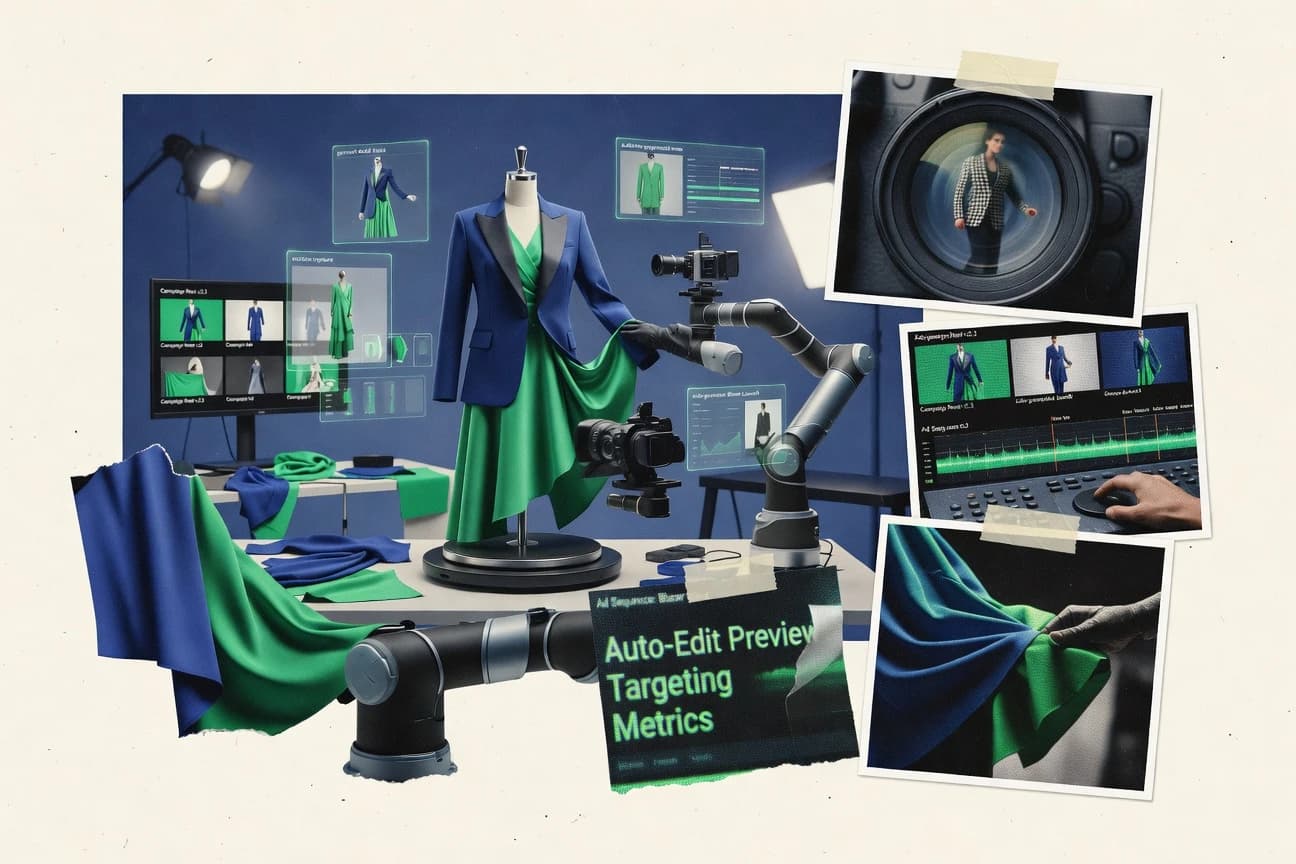
RAWSHOT AI turns a fashion shoot into seven visible selection stages rather than an empty text field. Its orchestration layer converts those selections into repeatable instructions, and saved Stacks let teams apply the same model, styling, lighting, and composition treatment across hundreds of products without recreating the setup.
Built for fashion brands, e-commerce operators, marketplaces, and apparel platforms needing consistent on-model catalogue imagery, short product videos, bulk generation, and documented AI provenance..
Descript
Editor pickUnderlord applies transcript-level edits, clip selection, and project changes through natural-language instructions inside Descript.
Built for fits when marketing teams turn webinars, interviews, and demos into edited campaigns without timeline-heavy production..
GliaStudio
Editor pickArticle-to-video conversion that extracts story points and builds matched scenes without manual storyboard creation.
Built for fits when publishers and agencies need recurring videos from articles, scripts, and campaign copy..
Comparison Table
RAWSHOT AI
AI fashion photography and video platformRAWSHOT AI generates original on-model fashion images and short marketing videos from selectable garments, models, scenes, lighting, poses, and camera compositions.
RAWSHOT AI turns a fashion shoot into seven visible selection stages rather than an empty text field. Its orchestration layer converts those selections into repeatable instructions, and saved Stacks let teams apply the same model, styling, lighting, and composition treatment across hundreds of products without recreating the setup.
RAWSHOT AI is designed for brands that need consistent product representation without arranging physical samples, casting, or repeated studio sessions. The platform offers more than 1,800 synthetic models, including more than 600 children's models, and supports up to four garments in one composition. Users can choose from defined frames, camera views, poses, expressions, makeup looks, lighting directions, and backgrounds, then save the configuration as a Stack for catalogue-wide consistency.
The main tradeoff is creative control: RAWSHOT AI ships with one accuracy-focused image style and does not support free-text experimentation or a specific real person. Video output is limited to three five-second scenes at 720p or 1080p, making it better suited to product-detail clips and social merchandising than long-form campaigns. Photoshoots start at $9 a month, and five tokens cover an image for 2K output.
- +Full permanent commercial rights, with no recurring licensing on library models.
- +Visible block-based workflow avoids prompt writing and keeps every creative choice editable.
- +Saved Stacks provide repeatable treatments across large product catalogues.
- +More than 1,800 synthetic models include dedicated coverage for children's apparel; no child was cast, photographed, or used as a likeness reference.
- –The product ships with one accuracy-focused image style, so stylised or graded campaigns require post-production.
- –Free-text input is unavailable, limiting improvisation beyond the available blocks.
- –Synthetic composites cannot represent a specified real model, ambassador, or customer likeness.
- –Video is capped at three five-second scenes and 720p or 1080p output.
Emerging fashion labels
Launch collections without physical samples
Launch-ready collection imagery
High-volume e-commerce teams
Generate consistent catalogue assets
Consistent product presentation
Show 2 more scenarios
Kidswear marketplaces
Show children's apparel safely
Safer kidswear merchandising
Synthetic children's models provide apparel coverage without casting, photographing, or using a child's likeness reference.
Marketplace platform operators
Automate seller asset production
Scalable listing imagery
The REST API supports full browser-equivalent generation for individual listings or runs exceeding 10,000 assets.
Best for: Fashion brands, e-commerce operators, marketplaces, and apparel platforms needing consistent on-model catalogue imagery, short product videos, bulk generation, and documented AI provenance.
Descript
SMBVideo editor that allows editing video by editing text, with AI voice cloning and overdub features.
Underlord applies transcript-level edits, clip selection, and project changes through natural-language instructions inside Descript.
Descript treats the transcript as the main project control surface, so editors can remove words, reorder sections, and shorten narration without manipulating every timeline segment. Underlord can rewrite selected passages, summarize recordings, create clips, and apply editing instructions through natural-language prompts. Screen and webcam recording, stock media, layout controls, and collaborative comments support production from capture through review.
The tradeoff is limited automation depth for teams that need a public API, automated batch rendering, or programmatic campaign variants. Descript fits a content team repurposing a weekly webinar into a full video, short clips, and polished audio, but complex motion graphics still require manual composition work.
- +Transcript editing removes words, pauses, and sections without manual timeline cutting.
- +Underlord can shorten drafts, rewrite passages, and generate clips from selected content.
- +Overdub provides a reusable synthetic voice for correcting recorded narration.
- +Screen recording and camera capture support product demos and internal explainers.
- –Descript lacks a public API and automated batch rendering for production pipelines.
- –Complex motion graphics require manual composition work beyond transcript editing.
- –AI results need review for factual accuracy and voice pronunciation.
- –Large projects can require substantial upload and transcription processing time.
Content marketing teams
Webinar repurposing
More campaign-ready clips
Product marketing teams
Feature demo production
Faster demo production
Show 1 more scenario
Sales enablement teams
Personalized prospect videos
Approved prospect videos
Teams record concise walkthroughs, correct narration with Overdub, and share review links for stakeholder approval.
Best for: Fits when marketing teams turn webinars, interviews, and demos into edited campaigns without timeline-heavy production.
GliaStudio
SMBAI video generator that converts text articles into videos.
Article-to-video conversion that extracts story points and builds matched scenes without manual storyboard creation.
GliaStudio turns articles, scripts, and other text inputs into structured video drafts rather than requiring scene-by-scene editing. Automated media selection, voiceover generation, caption creation, templates, and format controls support recurring content operations. Its strongest fit is a team with a large written-content library and a defined visual identity.
Automatic scene decisions reduce production effort, but they can require editorial correction when source text contains technical language or ambiguous references. A publisher can convert daily articles into short social videos, then revise visuals, narration, and branding before distribution. GliaStudio offers less granular creative control than a full professional editor.
- +Converts articles and scripts into structured video drafts
- +Automates visual selection, narration, captions, and scene assembly
- +Supports branded templates for recurring marketing content
- +Fits high-volume publishing workflows better than manual editing
- –Automated visuals can misinterpret specialized terminology
- –Fine-grained timeline editing is less extensive than professional editors
- –Output quality depends heavily on source text structure
- –Advanced brand governance may require editorial review
Digital media publishers
Turn articles into social clips
More video from existing articles
Content marketing teams
Repurpose campaign copy into videos
Faster campaign asset production
Show 1 more scenario
Creative agencies
Produce client video variations
Higher client content throughput
Agencies can adapt shared scripts into multiple branded drafts for different clients, channels, and content themes.
Best for: Fits when publishers and agencies need recurring videos from articles, scripts, and campaign copy.
Synthesia
enterpriseAI video generation platform focused on creating videos from text using AI avatars and voiceovers.
Personal Avatars create consent-based digital twins that keep recurring campaigns visually consistent across presenters and departments.
Synthesia combines presenter-led video creation with enterprise controls that suit training, product marketing, and internal communications. Its editor supports AI-generated scripts, reusable templates, custom avatars, screen recordings, captions, and multilingual dubbing.
PowerPoint imports, shared workspaces, brand controls, and API access support repeatable production across teams. The format favors polished instructional and announcement videos over cinematic storytelling or complex timeline editing.
- +Custom avatars and voices create consistent presenter-led marketing content.
- +PowerPoint import reduces production time for product presentations and sales enablement.
- +API access supports template-based video generation inside automated content workflows.
- +Brand controls and shared workspaces support governed production across marketing teams.
- –Scene-based editing offers less control than a full nonlinear video editor.
- –Presenter-led output limits cinematic product footage and complex visual storytelling.
- –Advanced customization can require dedicated brand and workspace administration.
- –Stock media and motion graphics coverage is narrower than specialist editing suites.
Best for: Fits when marketing teams need repeatable presenter-led campaigns with centralized brand control and multilingual publishing.
HeyGen
SMBAI video generator offering customizable avatars and multilingual voiceovers for marketing content.
HeyGen’s Avatar IV turns a single photo into a speaking digital presenter with expressive facial and body motion.
HeyGen converts scripts, images, and recorded footage into presenter-led marketing videos with AI avatars. Avatar IV animates a single photo with speech, facial movement, and gesture.
The editor includes custom avatars, voice cloning, translation, captions, templates, and format presets. Its API supports programmatic video generation, while team workspaces provide shared assets and access controls.
- +Avatar IV creates animated presenters from a single still image.
- +Voice cloning and translation support localized presenter videos.
- +API access supports automated video generation from application data.
- +Reusable templates reduce repetitive production work across campaign variants.
- –API coverage is narrower than the browser editor’s full scene and layout controls.
- –Fine-grained camera direction and gesture control remain limited.
- –Photo-based avatars can produce uneven hand movement in complex shots.
Best for: Fits when marketing teams need presenter-led localization and automated video creation without filming every spokesperson.
InVideo
SMBOnline video editor with AI features for generating marketing videos from text prompts.
Brand kit enforcement across template edits keeps typography and colors consistent when generating multiple campaign variants.
InVideo targets marketing teams that need fast AI video production with templates, captions, and editing controls built around ad and social formats. The core workflow centers on text-to-video generation, then iterative refinement using stock and media replacement tools plus brand kit style settings.
It also supports publishing-ready exports like MP4 and caption outputs for downstream tooling. Automation is strongest for batch creation of variants from a shared template and asset set.
- +Template-first creation speeds marketing edits without a full editor rebuild
- +Caption generation and burn-in options reduce post-production for short-form clips
- +Batch rendering supports multiple variants from shared creative inputs
- +Brand kit settings help keep typography and colors consistent across outputs
- –Advanced scene transition logic control remains limited versus custom video pipelines
- –Long-form narrative coherence needs manual prompting and follow-up edits
- –Export formats cover common needs but caption handling can require extra cleanup
- –Heavy reliance on built-in assets can constrain fully original creative workflows
Best for: Fits when marketing teams need fast, template-guided AI video drafts with captions and export-ready formats for campaigns.
Kapwing
SMBCollaborative online video editor with AI tools for generating and editing marketing videos.
AI-generated segments can be edited directly on the timeline before final export.
Kapwing blends an editor-style workflow with AI-assisted video generation for marketing teams that need faster iteration than pure text-to-video tools. It supports template-style creation for assets like social clips, captions, and brand-aligned layouts, then routes projects into a render workflow for export.
The standout differentiator is how Kapwing combines AI generation with manual editing controls in one timeline, which reduces handoff friction between ideation and final edits. It also supports team collaboration features that help marketing operations keep projects organized across campaigns.
- +Timeline-based editing integrates AI outputs with manual refinement
- +Template workflows speed up repeatable marketing formats
- +Caption workflow supports marketing-ready text styling and placement
- +Collaboration features support shared project work across campaigns
- –Advanced motion graphics customization can feel limited versus dedicated editors
- –Batch rendering control is weaker than render-queue-first tooling
- –Complex scene choreography needs more manual intervention
- –Brand governance requires careful upfront setup to stay consistent
Best for: Fits when marketing teams need AI-assisted creation plus editable timelines for repeatable social video delivery.
Elai
SMBAI video generator for creating videos with digital presenters from text.
PowerPoint-to-video conversion turns presentation decks into editable avatar scenes instead of requiring manual scene construction.
Marketing video generators can turn scripts, slide decks, and web pages into presenter-led content without filming. Elai combines an avatar presenter editor with PowerPoint-to-video and URL-to-video workflows.
Custom avatars, voice cloning, multilingual output, screen recording, and API access support training, product marketing, and internal communications. Scene editing and motion control remain less detailed than dedicated video editors.
- +Converts PowerPoint decks into editable scenes with presenters, text, and layouts.
- +Custom avatars and voice cloning support branded presenter-led campaigns.
- +API and Zapier integrations support automated content production.
- –Presenter delivery can feel synthetic during long, dense scripts.
- –Scene editing offers less granular motion control than timeline-first video editors.
- –Advanced branding and custom-avatar workflows require additional production setup.
Best for: Fits when marketing teams need presenter-led training, product, or internal campaign videos from existing decks.
Colossyan
enterpriseAI video platform focused on creating videos with AI actors for workplace learning and marketing.
PowerPoint import turns existing decks into editable scenes with avatar narration and slide-level editing.
Colossyan converts scripts, documents, and presentation files into presenter-led videos through a workflow aimed at training, onboarding, and internal communications. Its avatar presenter library, custom avatars, multilingual voice options, screen recording, brand controls, and interactive scenes cover instructional and product content. Scene editing is accessible, but advanced marketing production requires more precise animation, compositing, and high-volume automation than Colossyan provides.
- +PowerPoint import turns existing decks into editable avatar-narrated scenes.
- +Interactive scenes support branching, questions, and viewer choices.
- +Custom avatars and voice cloning maintain a consistent presenter identity.
- +Brand controls manage logos, colors, fonts, and reusable visual elements.
- –Marketing templates favor presenter-led explainers over fast-paced social formats.
- –Avatar gestures and facial movement can feel repetitive in longer videos.
- –Timeline controls provide limited precision for layered animation and compositing.
- –Programmatic workflows focus on video creation rather than full project editing.
Best for: Fits when marketing and enablement teams need localized presenter videos from scripts, documents, or presentation decks.
Steve.AI
SMBAI video generator for creating live-action and animated videos from text.
Marketing script to rendered clip workflow that supports batch production of ad variants from a shared creative direction.
Steve.AI generates marketing-focused AI videos with a workflow built around scripts, scenes, and on-brand visual output. The tool prioritizes repeatable production for common formats like social clips and ad variants, with automated exports suitable for publishing. Its differentiator is a marketing-video production flow that connects writing inputs to renderable video outputs without forcing manual editing for every iteration.
- +Script to video workflow reduces manual scene assembly for marketing clips
- +Batch rendering queue supports producing multiple ad variants from similar inputs
- +Export formats cover common publishing pipelines with MP4 output
- +Aspect ratio presets help teams target platform-ready framing quickly
- –Scene transition logic can require prompt tuning to avoid jumpy edits
- –Brand kit enforcement is limited when creatives need deep design-level control
Best for: Fits when marketing teams need repeatable AI video renders for social ads and campaign variants.
Conclusion
After evaluating 10 fashion apparel, RAWSHOT AI stands out as our overall top pick — it scored highest across our combined criteria of features, ease of use, and value, which is why it sits at #1 in the rankings above.
Use the comparison table and detailed reviews above to validate the fit against your own requirements before committing to a tool.
Tools reviewed
Primary sources checked during evaluation.
Referenced in the comparison table and product reviews above.
How to Choose the Right ai marketing video generator
RAWSHOT AI leads the comparison with seven-stage fashion production, reusable Stacks, bulk generation, and permanent commercial rights. Descript, GliaStudio, Synthesia, HeyGen, InVideo, Kapwing, Elai, Colossyan, and Steve.AI cover transcript editing, article conversion, avatar campaigns, template production, timeline refinement, deck conversion, interactive scenes, and batch ad rendering.
The ranking separates tools built for catalog consistency, presenter-led localization, article repurposing, deck-based production, and repeatable ad variants. Integration depth, automation and API surface, editing control, brand consistency, and workflow repeatability distinguish the products beyond basic script-to-video generation.
AI Marketing Video Generators: From Marketing Inputs to Rendered Campaign Clips
An AI marketing video generator converts scripts, product selections, articles, or presentation decks into scenes, narration, captions, and exportable video. Its workflow can combine automated storyboarding, avatar presenters, visual selection, voice generation, and scene assembly.
RAWSHOT AI uses seven visible selection stages and saved Stacks to apply consistent model, styling, lighting, and composition instructions across product imagery and short videos. GliaStudio extracts story points from articles and assembles matched scenes with narration, captions, and visual selection.
Evaluation criteria for an ai marketing video generator workflow
AI video output quality matters most when the workflow enforces repeatable creative intent across many assets. The strongest tools connect that intent to concrete editing primitives like selection stages, avatar inputs, transcript edits, or deck-to-scene structure.
Operational fit matters next. Teams need automation paths that match their production model, such as bulk generation with saved presets, transcript-driven clip assembly, or batch ad-variant rendering queues.
Repeatable creative intent via reusable workflow primitives
RAWSHOT AI stores Stacks that apply the same model, styling, lighting, and composition across hundreds of product videos. InVideo enforces brand kit rules across template edits so typography and colors stay consistent across variants.
Editing model tied to marketing source formats
Descript converts webinar and interview content by running natural-language instructions over transcript edits through Underlord. GliaStudio converts articles and scripts into structured drafts by extracting story points and assembling matched scenes.
Presenter-led campaign production from controlled inputs
Synthesia uses Personal Avatars built from consent-based digital twins for presenter-led marketing content with centralized control. HeyGen’s Avatar IV animates from a single still image with expressive facial and body motion.
Batch production and variant generation for campaigns
Steve.AI renders marketing scripts into ad variants using a batch rendering queue built around shared creative direction. RAWSHOT AI supports bulk generation that repeats the same selection-stage-driven treatment across large product catalog workloads.
Timeline control level and workflow handoff
Kapwing lets AI-generated segments be edited directly on the timeline before final export. GliaStudio automates scene assembly but provides less extensive fine-grained timeline editing than dedicated video editors.
How to choose an ai marketing video generator by production control
Start by matching the generator to the format teams already produce, because each tool’s editing surface maps to a specific input type. Transcript-focused systems behave differently from deck conversion and avatar presenter workflows.
Then confirm the automation path supports the throughput model required by the campaign. Bulk generation with reusable presets, batch rendering queues, and template-first variant creation each change how governance and creative consistency get enforced.
Pick the input format that should drive edits
If source material is webinars, interviews, or demo recordings, Descript applies edits through transcript-level instructions using Underlord. If source material is articles or campaign copy, GliaStudio builds structured video drafts by extracting story points and assembling matched scenes.
Choose the control philosophy for creative consistency
RAWSHOT AI uses visible selection stages plus saved Stacks so teams can edit the block-based workflow without prompt rewriting. InVideo enforces brand kit consistency inside template-first creation so multiple campaign variants stay aligned on typography and colors.
Select a presenter strategy based on assets already owned
If the campaign needs consent-based recurring presenter-led outputs with centralized avatar and voice consistency, Synthesia supports Personal Avatars. If the campaign needs fast localization and can start from a single still image, HeyGen’s Avatar IV converts one photo into a speaking presenter.
Match throughput to batching capabilities
If the workflow must produce many ad variations from the same script direction, Steve.AI uses a batch rendering queue for marketing clip variants. If the workflow must generate catalog-wide short product videos with consistent production treatment, RAWSHOT AI supports bulk generation with reusable instructions stored as Stacks.
Decide how much manual timeline intervention is acceptable
If the team needs direct timeline refinement after AI generation, Kapwing edits AI-generated segments on the timeline before final export. If the team expects mostly automated scene assembly with lighter manual corrections, GliaStudio drafts scenes from article structure and focuses on automation.
Who benefits from an ai marketing video generator
Marketing teams should choose tools based on which bottleneck limits output volume and consistency. The best fit usually aligns a specific source format, a specific consistency mechanism, and a specific edit surface.
Teams also need to align the output style to the brand’s messaging model, because some tools prioritize fashion product catalog visuals while others prioritize presenter-led explainers and localization.
Fashion brands and commerce catalogs
RAWSHOT AI turns fashion shoots into seven visible selection stages and applies repeatable Stacks for bulk generation across product imagery and short product videos.
Agencies and publishers repurposing editorial assets
GliaStudio converts articles and scripts into structured video drafts with automated visual selection, narration, captions, and scene assembly.
Marketing and enablement teams with webinar or interview libraries
Descript uses Underlord to run transcript-level edits and clip selection, which reduces manual timeline cutting when campaigns are derived from long recordings.
Teams standardizing presenter-led messaging across departments
Synthesia supports Personal Avatars for consent-based digital twins so recurring campaigns can keep consistent presenter identity and voice behavior.
Performance marketing teams producing many ad variants
Steve.AI’s marketing script to rendered clip workflow supports batch production of ad variants from shared creative direction, reducing repeated scene assembly.
Common mistakes when buying an ai marketing video generator
Many failures come from mismatching the editing surface to the work the team actually does each week. Another frequent issue is assuming an avatar workflow offers the same scene-level control as a nonlinear editor.
Buyers also underestimate how easily automated systems can misread specialized language or how limited advanced motion controls can be in template-first tools.
Buying a generator for free-text improvisation when the workflow is block-based
RAWSHOT AI does not offer free-text input and instead relies on a visible block-based workflow, so improvisation beyond available blocks requires post-production.
Expecting transcript-driven editing to cover production-grade batch pipelines
Descript lacks a public API and automated batch rendering for production pipelines, so it may not fit high-throughput render-queue automation needs.
Assuming article conversion always preserves domain terminology
GliaStudio can misinterpret specialized terminology when it automates visual selection from story points, so domain-heavy copy often needs manual review passes.
Treating presenter-led avatar output as a substitute for nonlinear scene control
Synthesia and HeyGen both prioritize presenter-led campaigns, but scene-based editing provides less control than a full nonlinear video editor.
Overestimating motion graphics control and variant render orchestration in template-first tools
Kapwing can feel limited for advanced motion graphics customization and has weaker batch rendering control than render-queue-first tooling.
How We Selected and Ranked These Tools
We evaluated RAWSHOT AI, Descript, GliaStudio, Synthesia, HeyGen, InVideo, Kapwing, Elai, Colossyan, and Steve.AI by scoring feature coverage, workflow fit, and practical production constraints. Features accounted for 40% of the score because consistency mechanisms like RAWSHOT AI Stacks, InVideo brand kit enforcement, and GliaStudio structured scene assembly directly determine how many edits a team must redo.
Ease and value each accounted for 30% because transcript-driven edits in Descript, timeline refinement in Kapwing, and batch variant rendering in Steve.AI change day-to-day throughput. RAWSHOT AI earned the top rank by combining visible selection-stage orchestration with saved Stacks for reusable catalog-level treatment plus bulk generation support with permanent commercial rights.
Frequently Asked Questions About ai marketing video generator
Which AI marketing video generator suits fashion catalogues and product launches?
How do these tools connect to marketing systems and automated workflows?
When should a team choose transcript editing instead of text-to-video generation?
Which generators support presenter-led campaigns from decks or documents?
What security and governance controls matter for teams using AI avatars?
How can teams move existing campaign content into an AI video workflow?
Where does AI-generated video fall short for detailed creative control?
Which tools handle localized marketing videos without filming each language?
Keep exploring
Comparing two specific tools?
Software Alternatives
See head-to-head software comparisons with feature breakdowns, pricing, and our recommendation for each use case.
Explore software alternatives→In this category
Fashion Apparel alternatives
See side-by-side comparisons of fashion apparel tools and pick the right one for your stack.
Compare fashion apparel tools→