
GITNUXSOFTWARE ADVICE
Fashion ApparelTop 10 Best AI Human Photo Generator of 2026
Compare ai human photo generator tools by image quality, features, and use cases, with rankings for teams assessing image-generation tools.

How we ranked these tools
Core product claims cross-referenced against official documentation, changelogs, and independent technical reviews.
Analyzed video reviews and hundreds of written evaluations to capture real-world user experiences with each tool.
AI persona simulations modeled how different user types would experience each tool across common use cases and workflows.
Final rankings reviewed and approved by our editorial team with authority to override AI-generated scores based on domain expertise.
Score: Features 40% · Ease 30% · Value 30%
Gitnux may earn a commission through links on this page — this does not influence rankings. Editorial policy
RAWSHOT AI is the strongest overall pick for indie fashion brands and sellers needing consistent on-model imagery across frequent drops, while free Craiyon suits quick human-photo concepts when consistency can slip, and Generated.photos fits teams creating synthetic people for prototypes, mockups, or UI assets.
Editor’s top 3 picks
Three quick recommendations before you dive into the full comparison below — each one leads on a different dimension.
RAWSHOT AI
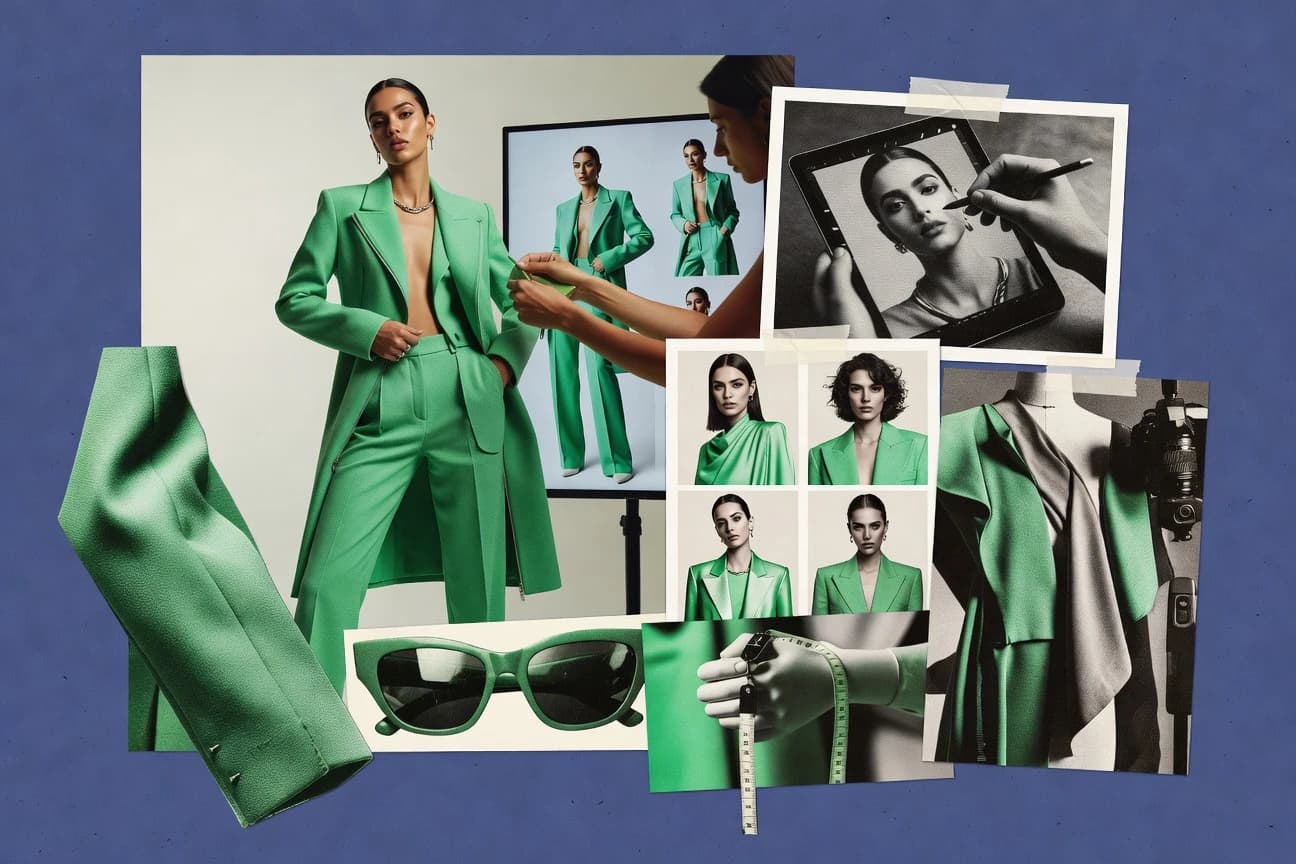
RAWSHOT AI turns fashion image creation into a seven-step wardrobe-to-shot system built from visible choices rather than an empty canvas. Saved Stacks preserve the same treatment across a catalogue, while AI-suggested compositions remain editable before generation.
Built for indie labels, DTC fashion brands, marketplace sellers and volume e-commerce teams that need consistent on-model apparel imagery across frequent product drops..
Generated.photos
Editor pickFace reference input for multi-image identity continuity across prompt-driven variations.
Built for fits when teams need consistent synthetic people for prototypes, mockups, and UI assets with fast batch output..
Leonardo.ai
Editor pickReference-image conditioning combined with image-to-image refinement for consistent human likeness across iterations.
Built for fits when creative teams need repeatable human-photo variations with reference-based likeness control..
Comparison Table
RAWSHOT AI
AI fashion photography and videoRAWSHOT AI creates original on-model fashion photos and short videos from selectable product, model, styling, lighting and composition options, without requiring users to write a prompt.
RAWSHOT AI turns fashion image creation into a seven-step wardrobe-to-shot system built from visible choices rather than an empty canvas. Saved Stacks preserve the same treatment across a catalogue, while AI-suggested compositions remain editable before generation.
RAWSHOT AI combines more than 1,800 licence-free synthetic models with private model creation, 1,000+ neutral products and detailed choices for poses, expressions, makeup, backgrounds and camera framing. Its catalogue includes more than 600 children's models aged 4 to 15; all are synthetic composites, and no child was cast, photographed or used as a likeness reference. Still images can be produced at 2K or 4K, while the same garment-and-model configuration can become a short video.
The tradeoff is a deliberately controlled system rather than an open-ended creative canvas: users cannot enter free text, and the product ships with one accuracy-first visual treatment. It fits a DTC label preparing consistent imagery for 10 to 200 SKUs, especially when products are on-demand, pre-order or unavailable as physical samples.
- +Full commercial rights forever, with no recurring licensing on library models.
- +More than 1,800 synthetic models provide broad coverage, including over 600 children's models with no child cast, photographed or used as a likeness reference.
- +Browser and REST API workflows have full parity, supporting single-image jobs through runs of 10,000+ images.
- +Every output includes C2PA content credentials, visible and cryptographic watermarking, and AI-labelled metadata.
- –It ships with one accuracy-first visual treatment, so stylised or graded work requires post-production.
- –Users cannot improvise beyond the available building blocks because there is no free-text input.
- –Synthetic composites are the only model option, so the product cannot generate a specific real person.
- –Video is limited to three five-second scenes at 720p or 1080p.
Emerging fashion labels
Launch a collection without physical samples
Launch-ready product imagery
DTC e-commerce teams
Create consistent imagery across new SKUs
Consistent catalogue presentation
Show 2 more scenarios
Kidswear brands
Show children's garments without casting
Broader kidswear coverage
RAWSHOT AI offers synthetic children's models while avoiding child casting, photography and likeness references.
Marketplace sellers
Refresh listings with on-model visuals
More complete product listings
RAWSHOT AI converts garment uploads into catalogue-ready images for apparel, footwear and accessories listings.
Best for: Indie labels, DTC fashion brands, marketplace sellers and volume e-commerce teams that need consistent on-model apparel imagery across frequent product drops.
Generated.photos
API-firstPlatform for creating and licensing AI-generated human faces and full-body photos.
Face reference input for multi-image identity continuity across prompt-driven variations.
Generated.photos is optimized for creating many similar people for product visuals where identity continuity matters. The generator accepts prompt text and can also work from face reference inputs to keep the same subject across a set. Batch generation supports faster iteration when marketing teams need multiple look angles, backgrounds, or expressions for one character concept.
A tradeoff is limited control over camera and scene physics compared with tools that support dense pose conditioning or segmentation-mask workflows. It fits situations where visual variety matters more than exact biomechanics, like avatar-ready headshots for landing pages or prototype user cards.
- +Face reference workflow helps keep identity consistent across sets
- +Batch generation supports fast creation of themed photo packs
- +Prompting covers background and expression styling for variations
- +Outputs are geared for real-world photo aesthetics and UI mockups
- –Scene geometry control is weaker than mask-based or pose-conditioned pipelines
- –Fine-grained lighting and lens behavior needs more iteration to match targets
- –Group and crowd composition remains less controllable than single-subject work
- –Higher precision edits usually require post-generation cleanup steps
Product designers
Generate consistent user profile photos
Faster UI asset iteration
Marketing teams
Create themed campaign photo sets
More usable creative options
Show 2 more scenarios
Recruiting and HR ops
Prototype role-specific team imagery
Lower consent and sourcing overhead
HR teams draft team-style visuals without photographing real candidates or staff.
E-commerce content teams
Build lifestyle hero images for listings
Consistent category branding
Catalog teams generate photoreal lifestyle shots for category pages with consistent character identity.
Best for: Fits when teams need consistent synthetic people for prototypes, mockups, and UI assets with fast batch output.
Leonardo.ai
enterpriseGenerative AI platform with specialized models for photorealistic human portraits.
Reference-image conditioning combined with image-to-image refinement for consistent human likeness across iterations.
Leonardo.ai’s core loop centers on prompt-based generation with options for reference images that help maintain identity-like traits across shots. Image-to-image refinement supports iterative reworking by starting from an input image instead of starting from noise. Model selection lets projects swap between different photoreal and stylistic behaviors without changing the workflow surface.
A tradeoff is that tighter identity consistency still depends on how well the reference set matches the subject and the generation settings used for each batch. For teams doing concept sets, headshots, or character turnaround images, Leonardo.ai’s repeated generation cycle is a practical fit when multiple variations and quick edits are needed.
- +Reference-image conditioning improves person likeness across multiple generations
- +Image-to-image refinement supports iterative composition and lighting edits
- +Model selection enables fast style switching within the same workflow
- +Batch generation supports high-volume variation review and export
- –Strict identity preservation can fail when reference images are inconsistent
- –Advanced control requires more parameter tuning than simpler prompt-only tools
Marketing content teams
Rapid campaign headshot variation sets
Faster creative review cycles
Casting and production creatives
Previsualize actor looks from refs
More efficient concept approvals
Show 2 more scenarios
Social media managers
Consistent creator avatars across posts
Lower visual identity drift
Produce consistent human-style images from the same subject references for repeatable profile branding.
Game content artists
Character turnarounds in photo-real style
Fewer reshoots in concepting
Generate pose and lighting variants, then refine each shot to match the character’s look.
Best for: Fits when creative teams need repeatable human-photo variations with reference-based likeness control.
Stability AI
API-firstDeveloper of Stable Diffusion models widely used for photorealistic human generation.
Reference-driven image-to-image refinement plus LoRA-style variants improves repeatable character direction across batch generations.
Stability AI is a diffusion-based image generation provider used to create human photos from text prompts and conditioning inputs. Core capabilities include text-to-image generation, image-to-image refinement, inpainting for targeted edits, and LoRA support via checkpoint loading.
Production workflows are supported through a model-centered approach where users can pick base models, apply fine-tune variants, and iterate quickly with seed reproducibility. The main differentiator in this rank position is the breadth of fine-tuning and conditioning paths that can be wired into an API inference workflow for consistent character output across batches.
- +Inpainting enables edits to faces, clothes, and backgrounds without full regeneration.
- +LoRA fine-tunes and checkpoint loading support repeatable style and identity direction.
- +Image-to-image refinement helps convert reference photos into consistent subject framing.
- +Batch generation supports queueing for high-throughput multi-shot runs.
- –Face consistency degrades when prompts conflict with the reference image conditioning.
- –Quality tuning requires careful control of sampler settings, denoising steps, and guidance.
- –API workflows still need orchestration for retries, timeouts, and output storage.
- –Higher output resolutions increase inference latency and GPU memory requirements.
Best for: Fits when teams need an API-driven diffusion workflow with inpainting and LoRA-style iteration for character production.
Midjourney
enterpriseAI image generator widely used for photorealistic human portrait and scene creation.
Omni Reference carries a person’s appearance from a reference image into new scenes without requiring model training.
Midjourney generates human portraits from text prompts and reference images, with an editorial visual style that often favors stylization over strict photographic neutrality. Its web app and Discord workflow support rapid prompt iteration, image variations, and reusable visual references.
Style Reference and Omni Reference help transfer an image's visual treatment or recognizable subject into new compositions. The lack of a public developer API limits automated production workflows and direct integration with external applications.
- +Omni Reference places a supplied person or object into newly generated scenes.
- +Style Reference transfers visual treatment without copying the source image’s content.
- +Web Editor supports cropping, erasing, panning, zooming, and localized regeneration.
- +Discord and web interfaces preserve prompt-based iteration histories.
- –No public developer API supports automated production pipelines.
- –Facial identity can drift across poses, expressions, and camera angles.
- –Text rendering and fine anatomical details remain inconsistent in photo compositions.
- –Public gallery defaults can expose work unless privacy controls are enabled.
Best for: Fits when photographers and creative teams prioritize distinctive editorial portraits over repeatable identity control or automated production.
Fotor
consumerPhoto editing suite with AI face and human image generation capabilities.
Integrated portrait editing tools let changes like background and retouching be applied after generation in the same workspace.
Fotor is an AI human photo generator with a consumer photo editor workflow built around guided generation and editing. It produces human images using prompt-driven creation plus post-generation tools like retouching and background handling.
The tool’s output pipeline emphasizes quick iteration for portraits and social images, with controls geared toward visible changes rather than model-level customization. It works best when image quality improvements come from edits and refinement passes instead of API-driven deployment.
- +Guided creation flow keeps prompts, editing, and exports in one workspace
- +Portrait-focused controls make background and subject adjustments fast
- +Generations can be iterated quickly with visible edit feedback
- +Output handling supports common image formats for downstream use
- –Identity preservation controls are limited for consistent multi-shot characters
- –Advanced generation controls are thin compared with API-first pipelines
- –Automation and API inference access are not exposed for programmatic batching
- –Fine control over sampling and generation steps is not geared for power users
Best for: Fits when teams need quick portrait and social-image iteration without building an AI generation pipeline.
Photo AI
consumerAI photo generator that creates realistic photoshoots of people from reference images.
Reference image conditioning that keeps face identity consistent while changing pose and scene background.
Photo AI is positioned as an AI human photo generator with an emphasis on identity-consistent portraits from minimal inputs. Generation workflows focus on reference-driven results, including face and background handling for headshots and full-body concepts.
The output pipeline supports standard image formats with generation controls that map to repeatable results through seed usage. Integration is mainly practical through a WebUI workflow with optional API inference for automating batch creation and refinement passes.
- +Reference-driven portrait generation improves identity continuity across variations
- +WebUI controls are direct for prompt iteration and quick visual review
- +Seed-based reproducibility supports controlled reshoots within a concept
- +Batch workflows fit content pipelines that need multiple angles and crops
- –API integration and job orchestration add complexity for production throughput
- –Hard limits on subject-level edits can require reruns instead of targeted fixes
Best for: Fits when teams need repeatable AI human portraits from reference images with light automation.
Craiyon
consumerFree AI image generator capable of producing human photos from text descriptions.
High-variance prompt-to-human-image generation optimized for immediate visual ideation in the browser
Craiyon turns text prompts into AI human images using a web-based text-to-image workflow that favors fast, highly varied outputs over tight control. It supports prompt iteration through repeated generations and lets users refine results via new prompt phrasing rather than a parameter-heavy inference UI.
Output focuses on generating full images quickly, with limited built-in controls for identity locking or conditioning beyond the text prompt. The primary use case is concepting human portrait ideas when speed and variety matter more than reproducible, production-grade consistency.
- +Text-to-image generations are quick enough for rapid prompt iteration
- +Web interface removes the setup needed for local model inference
- +Produces a wide range of human image concepts from short prompts
- +Simple controls keep the workflow easy for non-technical users
- –Limited control over face consistency across multiple shots
- –Weak support for reference-image conditioning and identity preservation
- –Low predictability for exact pose, lighting, or composition targets
- –No documented API surface for managed automation and audit trails
Best for: Fits when quick human portrait concepting is needed and consistency can be sacrificed.
HeadshotPro
SMBAI headshot generator for teams and individuals.
Reference-driven identity matching that keeps facial features stable across batch headshot variations.
HeadshotPro generates AI headshots from a small set of inputs and focuses on human portrait consistency rather than generic image art. The core workflow centers on reference-driven character matching, face detail refinement, and batch-ready output handling for profile and marketing formats.
A typical pipeline uses prompt controls to guide wardrobe, background, and pose changes while keeping identity stable across multiple generated shots. The platform’s value for teams comes from repeatable generation settings and production-friendly export output suited to downstream asset libraries.
- +Reference-based face consistency across multiple generated shots
- +Batch generation workflow for producing several headshot variants
- +Fine-grained controls for background and portrait styling
- +Export formats geared for common headshot use cases
- –API and automation surface is less explicit than top ranked competitors
- –Hard limits on edit granularity compared with node-based pipelines
- –Some non-frontal inputs can introduce subtle identity drift
- –Limited evidence of audit-ready provenance metadata controls
Best for: Fits when teams need repeated headshot variants with consistent identity for profiles and campaigns.
Secta AI
SMBAI headshot generator producing hundreds of variations from uploaded photos.
Personal AI model trained from uploaded selfies, producing coordinated headshot variations across multiple professional styles.
Secta AI suits professionals and creators who need polished headshots without arranging a studio session. Its personal AI model uses uploaded selfies to generate portraits across professional styles, clothing treatments, poses, and backgrounds. The focused workflow is easy to follow, but limited automation, editing controls, and production management keep Secta AI below broader image-generation tools.
- +Personal AI model generates multiple headshot styles from one selfie collection
- +Professional backgrounds and wardrobe variations reduce the need for separate photo sessions
- +Simple upload-and-generation workflow suits individual users
- –No public API or batch workflow supports automated image production
- –Limited controls for precise pose, lighting, and camera adjustments
- –Results depend heavily on the quality and consistency of uploaded selfies
- –The workflow focuses on portraits rather than broader creative asset production
Best for: Fits when professionals need varied profile portraits from selfies without booking a photographer.
Conclusion
After evaluating 10 fashion apparel, RAWSHOT AI stands out as our overall top pick — it scored highest across our combined criteria of features, ease of use, and value, which is why it sits at #1 in the rankings above.
Use the comparison table and detailed reviews above to validate the fit against your own requirements before committing to a tool.
How to Choose the Right ai human photo generator
This guide compares RAWSHOT AI, Generated.photos, Leonardo.ai, Stability AI, Midjourney, Fotor, Photo AI, Craiyon, HeadshotPro, and Secta AI for synthetic human image production. RAWSHOT AI ranks first for its seven-step fashion workflow, saved Stacks, editable compositions, and library of more than 1,800 synthetic models.
The comparison separates catalogue-ready apparel imagery, reference-based identity continuity, editorial portrait creation, browser ideation, and personal headshot generation. API access, batch output, editing depth, reference-image controls, and production consistency distinguish the tools across these workflows.
What an AI Human Photo Generator Controls
An AI human photo generator creates portraits, headshots, apparel scenes, or full-body images from text prompts, reference images, or uploaded selfies. Core controls include subject identity, pose, clothing, background, lighting, composition, and output variations.
Generated.photos uses face references for identity continuity across prompt-driven image sets, while Leonardo.ai combines reference-image conditioning with image-to-image refinement. Other tools prioritize different production models, such as RAWSHOT AI’s fixed wardrobe-to-shot workflow or Secta AI’s personal model trained from a selfie collection.
Human photo generator controls that change output consistency
Consistency comes from how each tool carries identity and subject choices across a batch, not from how good a single image looks. RAWSHOT AI anchors repeatability with a wardrobe-to-shot workflow and saved Stacks, while Generated.photos anchors identity continuity with a face reference workflow.
Identity continuity from reference inputs
Generated.photos keeps identity stable using face reference input across multi-image variations. Leonardo.ai improves likeness across iterations by combining reference-image conditioning with image-to-image refinement.
Targeted edits via image-to-image and inpainting
Stability AI adds inpainting so faces, clothes, and backgrounds can be edited without full regeneration. Leonardo.ai supports image-to-image refinement so creative teams can iterate composition and lighting using the same reference person.
Batch-ready consistency for catalog or campaigns
RAWSHOT AI preserves a consistent look across collections using saved Stacks inside its seven-step wardrobe-to-shot system. Generated.photos adds batch generation so themed photo packs can be produced quickly from face reference workflows.
Workflow shape for fashion and apparel decisioning
RAWSHOT AI turns fashion creation into a structured seven-step wardrobe-to-shot system built from visible choices rather than an empty canvas. Midjourney uses Omni Reference to place a person or object into new scenes while carrying style treatment without requiring model training.
Throughput and automation surface
Stability AI is designed for an API-driven diffusion workflow that fits character production needs using inpainting and LoRA-style iteration. Photo AI and Secta AI offer lighter automation paths, with Photo AI relying on WebUI iteration and Secta AI lacking a public API and batch workflow.
Choose by control depth and how repeatability enters the pipeline
The key decision is where consistency is enforced in the workflow: RAWSHOT AI locks consistency through its saved Stack wardrobe-to-shot system, while Generated.photos and Leonardo.ai enforce likeness through reference-image conditioning. Midjourney enforces resemblance via Omni Reference, but facial identity can drift across poses, expressions, and camera angles.
Pick the tool that matches how the team enforces likeness across variations
If face consistency across prompt-driven variations is the priority, Generated.photos uses face reference input to maintain identity continuity across themed sets. If iterative composition and lighting edits must stay anchored to a reference person, Leonardo.ai combines reference-image conditioning with image-to-image refinement.
Select the edit strategy for fixes without redoing the full generation
If targeted changes like face, clothing, or background corrections must land on existing frames, Stability AI uses inpainting to edit parts without full regeneration. If quick post-generation retouching and background swaps matter more than identity-lock depth, Fotor’s integrated portrait editing tools apply background and retouching in the same workspace.
Match the workflow shape to the content type and production cadence
If fashion and apparel scenes require frequent, catalog-style drops with repeatable treatments, RAWSHOT AI’s wardrobe-to-shot system plus saved Stacks keeps outputs consistent across a catalogue. If the goal is editorial portraits that can change scenes with strong style transfer rather than strict identity retention, Midjourney’s Omni Reference is optimized for scene placement.
Decide whether API-first automation is required for throughput
If production needs an API-driven diffusion workflow with repeatability controls for character production, Stability AI fits the API-driven diffusion workflow shape. If the requirement is interactive browser ideation or a WebUI-based iterative loop, Craiyon and Photo AI reduce setup friction but trade away automation and fine-grained consistency controls.
If reference imagery is inconsistent, choose a tool that tolerates mismatches
Leonardo.ai can fail to preserve identity when reference images are inconsistent, which can force extra iterations. Stability AI can degrade face consistency when prompts conflict with reference-image conditioning, so reference selection and prompt alignment must be handled with care.
Which teams should buy which generator
The right AI human photo generator depends on whether the work is built around controlled catalog variation, reference-anchored identity continuity, or interactive creative ideation. RAWSHOT AI and Generated.photos focus on repeatability and batch-style work, while Midjourney and Craiyon lean toward fast scene exploration.
Indie labels, DTC fashion brands, and marketplace sellers producing frequent apparel drops
RAWSHOT AI provides a seven-step wardrobe-to-shot system plus saved Stacks so consistent treatments repeat across a catalogue without relying on free-text improvisation.
Teams building UI assets, prototypes, and mockups that need the same synthetic person across variations
Generated.photos uses face reference input to keep identity continuity across prompt-driven sets and supports batch generation for fast themed photo pack creation.
Creative teams iterating human likeness while refining composition and lighting
Leonardo.ai combines reference-image conditioning with image-to-image refinement so teams can run iterative composition and lighting edits anchored to the same reference person.
Studios running production pipelines that require automation and edit targeting
Stability AI supports an API-driven diffusion workflow and uses inpainting plus LoRA-style variants to enable targeted edits and repeatable character direction.
Professionals who want coordinated profile portraits from selfies without building a generation pipeline
Secta AI trains a personal AI model from uploaded selfies and generates multiple professional headshot styles, while it offers no public API and no batch workflow for automated production.
Common failure points when buying an ai human photo generator
Many teams buy for output quality but lose time because the workflow cannot hold identity or edits in place across a batch. The result shows up as reruns, manual cleanup, and inconsistent character direction between variations.
Selecting a tool for a single great portrait and then discovering identity drift across multiple shots
Midjourney’s facial identity can drift across poses, expressions, and camera angles, so batch output needs reference continuity checks before production use.
Assuming reference-based identity will hold even when reference images conflict with prompts
Stability AI can degrade face consistency when prompts conflict with reference-image conditioning, so prompts must be aligned with the reference person and desired direction.
Buying an interactive tool when the production workflow needs automated throughput
Midjourney has no public developer API for automated production pipelines, and Photo AI and Secta AI add complexity when job orchestration and production throughput are required.
Choosing an editing workflow that cannot do targeted fixes without regenerating
Fotor can apply background and retouching after generation in the same workspace, but identity preservation controls remain limited for consistent multi-shot characters.
How We Selected and Ranked These Tools
We evaluated RAWSHOT AI, Generated.photos, Leonardo.ai, Stability AI, Midjourney, Fotor, Photo AI, Craiyon, HeadshotPro, and Secta AI against features, ease of use, and value, with features taking 40% weight and ease and value taking 30% each. We prioritized repeatability mechanisms that keep identity, styling, or wardrobe choices consistent across batches, because these mechanisms drive real production time.
RAWSHOT AI separated itself through a seven-step wardrobe-to-shot system with saved Stacks that preserves the same treatment across a catalogue and stays editable before generation. We treated limited automation as a ranking drawback for production use, which disadvantages tools without a public API or without an explicit batch workflow.
Frequently Asked Questions About ai human photo generator
Which tools support reference-image conditioning for identity consistency across generations?
How does seed reproducibility affect production workflows when generating human photos?
When does image-to-image refinement matter more than text-only generation for human photos?
What breaks if identity preservation is attempted without reference inputs?
Which tools offer batch generation workflows geared to asset libraries?
How do teams integrate AI human photo generation into automated pipelines?
Which tools support controlled edits like inpainting or targeted background handling?
When do LoRA-style variants and checkpoint loading improve human photo consistency?
How do security and governance considerations differ between a WebUI workflow and API-based deployment?
Tools reviewed
Primary sources checked during evaluation.
Referenced in the comparison table and product reviews above.
- Fashion ApparelTop 10 Best AI Human Video Generator of 2026
- Fashion ApparelTop 10 Best AI Product Placement Photo Generator of 2026
- Fashion ApparelTop 10 Best AI Natural Light Studio Photography Generator of 2026
- Fashion ApparelTop 10 Best AI Avant Garde Fashion Photo Generator of 2026
- Fashion ApparelTop 10 Best AI Long Flowy Dresses For Photo Generator of 2026
Keep exploring
Comparing two specific tools?
Software Alternatives
See head-to-head software comparisons with feature breakdowns, pricing, and our recommendation for each use case.
Explore software alternatives→In this category
Fashion Apparel alternatives
See side-by-side comparisons of fashion apparel tools and pick the right one for your stack.
Compare fashion apparel tools→