
GITNUXSOFTWARE ADVICE
Top 10 Best AI Digital Model Generator of 2026
A ranked comparison of ai digital model generator tools covers avatar creation, video features, and use cases for teams assessing options.

How we ranked these tools
Core product claims cross-referenced against official documentation, changelogs, and independent technical reviews.
Analyzed video reviews and hundreds of written evaluations to capture real-world user experiences with each tool.
AI persona simulations modeled how different user types would experience each tool across common use cases and workflows.
Final rankings reviewed and approved by our editorial team with authority to override AI-generated scores based on domain expertise.
Score: Features 40% · Ease 30% · Value 30%
Gitnux may earn a commission through links on this page — this does not influence rankings. Editorial policy
Synthesia is the strongest fit when you need repeatable presenter-led videos for training across markets, while RAWSHOT AI suits ecommerce teams creating on-model fashion imagery and campaign visuals before samples are ready.
Editor’s top 3 picks
Three quick recommendations before you dive into the full comparison below — each one leads on a different dimension.
Synthesia
AI Video Assistant converts source documents into editable scene-by-scene video drafts.
Built for fits when teams need repeatable presenter-led training and internal videos localized for multiple markets..
RAWSHOT AI
Editor pickRAWSHOT AI exposes the photoshoot as a sequence of specific choices, from the product and model through lighting and composition. Users can change one selection while the other settings remain in place, and can start from an editable gallery look or configure the shoot themselves.
Built for e-commerce managers creating product-page imagery for new drops, brand and marketing teams developing campaign creative, and wholesale teams preparing lookbooks before samples arrive..
D-ID
Editor pickD-ID Agents pair an animated presenter with real-time conversational responses for interactive face-to-face experiences.
Built for fits when teams need portrait-based presenter videos or interactive agents for training, support, and web content..
Comparison Table
Synthesia
enterpriseCreates business videos with AI avatars, scripts, and multilingual narration.
AI Video Assistant converts source documents into editable scene-by-scene video drafts.
Synthesia's editor supports scene-based composition, imported PowerPoint slides, screen recordings, subtitles, and reusable brand assets. Personal Avatars give teams a consistent presenter identity, while translation tools adapt narration for different language audiences.
The output is a finished video rather than an exportable 3D character, and avatar gestures offer less shot-by-shot control than live production. Synthesia suits repeatable onboarding lessons and policy updates better than interactive character work.
- +AI Video Assistant turns source documents into editable, scene-by-scene video drafts.
- +Personal Avatars provide a consistent presenter for recurring training and announcements.
- +Translation tools support localized narration and subtitles in generated videos.
- –Avatar gestures and delivery offer less fine control than a filmed performance.
- –Finished videos do not provide reusable, rigged 3D character assets.
- –Detailed shot blocking and facial performance controls are limited.
Learning and development teams
Employee onboarding lessons
Consistent onboarding content
Product marketing teams
Localized product explainers
Localized product education
Show 1 more scenario
Internal communications teams
Leadership video updates
Repeatable leadership updates
Communicators use Personal Avatars to deliver scripted announcements without scheduling repeated camera sessions.
Best for: Fits when teams need repeatable presenter-led training and internal videos localized for multiple markets.
RAWSHOT AI
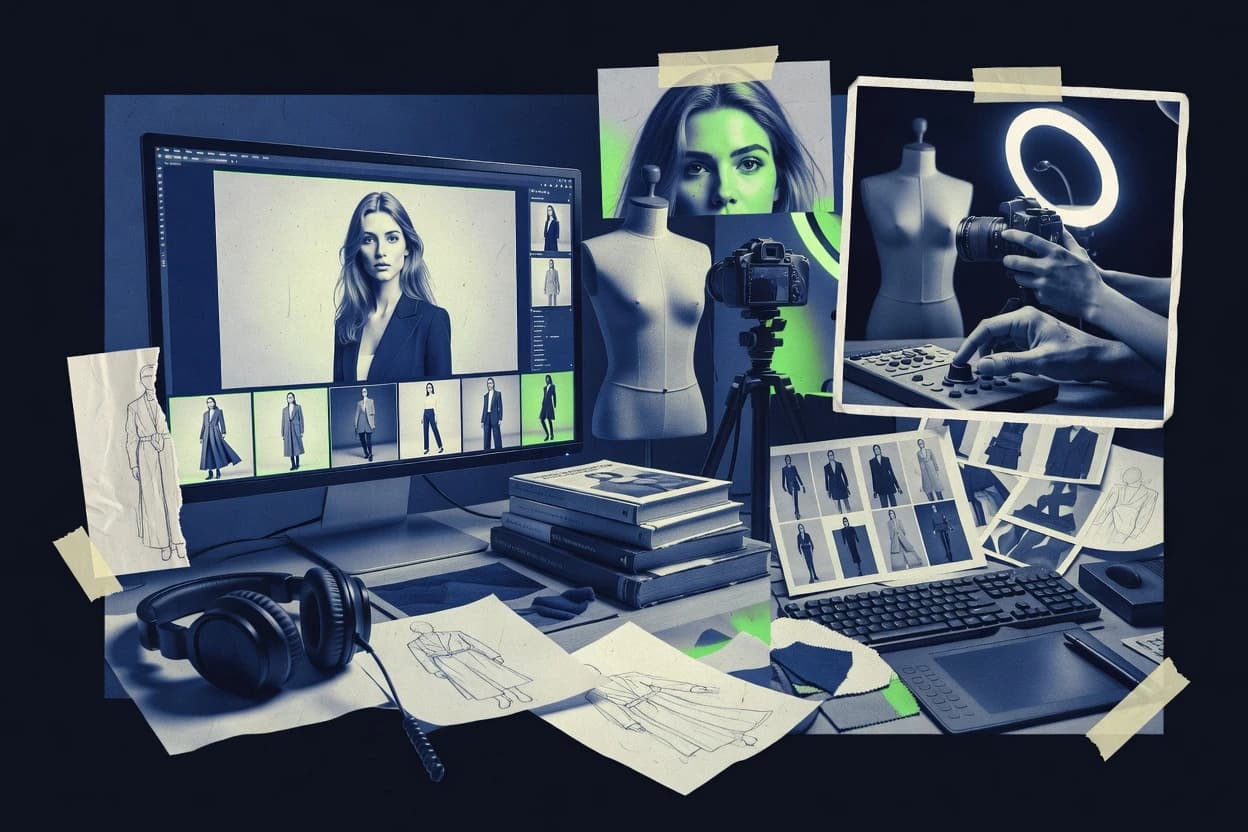
Fashion product image and video studioRAWSHOT AI creates on-model fashion images and short videos of a brand’s products, with visible controls for the model, styling, lighting, framing, and more.
RAWSHOT AI exposes the photoshoot as a sequence of specific choices, from the product and model through lighting and composition. Users can change one selection while the other settings remain in place, and can start from an editable gallery look or configure the shoot themselves.
RAWSHOT AI approaches fashion image creation as a configured photoshoot: users make visible selections for the product, model, styling, background, photography direction, and composition. The product supports up to four items in one image, with controls for framing, camera view, pose, expression, aspect ratio, and resolution. AI-suggested compositions arrive as editable selections, so users can adjust the direction before generating.
The product is designed for fashion and accessories, with one accuracy-focused image style rather than a range of visual styles. For example, an e-commerce manager can create product-page imagery for a new drop, while a team seeking highly stylized artwork or a specific real person would need another tool.
- +1,200+ licence-free adult models, plus a private model builder with ten attributes for women and eleven for men.
- +Full and permanent commercial rights to every generation, with no ongoing licensing fees on library models.
- +Change one element and the rest of the composition holds, including the same model, light, and crop.
- +Photoshoots start at $9 a month.
- –The single image style is built for faithful product representation; teams seeking highly stylized or graded imagery need another tool.
- –Models are synthetic composites, so teams needing a specific real person must use another approach.
E-commerce managers
Product-page imagery for new drops
Launch-ready product imagery
Wholesale sales teams
Lookbooks before samples arrive
A visual collection preview
Show 2 more scenarios
Brand marketing managers
Campaign creative development
Campaign-ready visual concepts
Select models, products, backgrounds, and photography direction to develop campaign imagery in the browser.
Social content managers
Short videos from finished images
Short-form product content
Turn a completed fashion image into a short video with selectable camera motions and model actions.
Best for: E-commerce managers creating product-page imagery for new drops, brand and marketing teams developing campaign creative, and wholesale teams preparing lookbooks before samples arrive.
D-ID
API-firstCreates speaking digital people from images, text, and audio.
D-ID Agents pair an animated presenter with real-time conversational responses for interactive face-to-face experiences.
Creative Reality Studio lets users supply a portrait and script or audio, then generate a video with an animated face and spoken delivery. D-ID Agents extend that workflow to interactive conversations, connecting a presenter with a language model and knowledge sources.
The output is designed for face-led presentation, not full-body animation or exportable character assets. That tradeoff suits teams producing narrated training clips or website assistants, but limits use in game engines and scenes requiring detailed body movement.
- +Portrait uploads become presenter videos without a filmed speaker.
- +Agents support live conversational exchanges instead of fixed scripted clips.
- +Video-generation and Agents APIs support integration with external applications.
- –Presenter animation centers on faces and offers little full-body motion.
- –Generated presenters do not provide rigged assets for game-engine workflows.
Corporate learning teams
Narrated training clips
Repeatable training content
Customer support teams
Website assistant conversations
Interactive support
Show 1 more scenario
Marketing content teams
Localized product explainers
Presenter-led explainers
Teams can create spoken presenter videos from supplied scripts and portraits for product communication.
Best for: Fits when teams need portrait-based presenter videos or interactive agents for training, support, and web content.
FASHN AI
API-firstProvides AI virtual try-on and fashion image generation through software and APIs.
Product-to-model generation creates fashion imagery from a garment photo without requiring a reference model.
Fashion image generators focus on apparel workflows rather than general character creation. FASHN AI converts garment photos into model imagery and supports virtual try-on, model generation, and image editing.
Its API exposes these workflows for ecommerce content pipelines, while its web app lets teams create fashion assets directly. Generated images need review for garment details and fit accuracy.
- +Creates on-model product images from flat-lay and mannequin garment photos.
- +API endpoints support try-on, product-to-model generation, and custom model creation.
- +Combines garment image generation with editing workflows in one fashion-focused product.
- –Patterns, logos, and small garment details can change in generated images.
- –Generated results do not verify real-world fit, fabric behavior, or garment construction.
Best for: Fits when apparel teams need on-model ecommerce imagery from product photos and API-driven content workflows.
Artisse AI
SMBAI image software generates photorealistic personal and commercial model imagery from reference photos.
A personal likeness model turns a batch of user photos into portraits across selected scenes, outfits, and poses.
Generating styled portraits from a person's uploaded photos is Artisse AI's core workflow. Users build a personal likeness model from reference images, then create new stills by selecting scenes, outfits, poses, and visual styles.
Preset concepts and custom prompts support profile pictures, social content, and campaign mockups. The product focuses on personalized image creation rather than animated characters.
- +A personal likeness model reuses uploaded photos across different scenes and outfits.
- +Scene, pose, wardrobe, and style choices give users concrete portrait controls.
- +Preset concepts reduce prompt writing for common profile and social images.
- –Outputs are still images, with no native motion or voice generation.
- –Reference-photo quality affects resemblance and consistency across generated portraits.
- –Custom scenes may require repeated prompt adjustments to match a specific brief.
Best for: Fits when creators need personalized still portraits for profiles, social posts, or campaign concepts without arranging a photo session.
Tavus
API-firstAI video infrastructure creates personalized digital presenters and generates individualized video messages.
CVI pairs Phoenix rendering with Raven perception and Sparrow turn-taking for face-to-face AI conversations.
Tavus serves product teams that need personalized video or live, face-to-face AI conversations rather than reusable animated characters. Its replicas learn a person's appearance and voice from source footage, then generate scripted videos through an API or support live conversations through its Conversational Video Interface.
The API covers replica creation, video generation, and conversation workflows, while the interface combines Phoenix rendering, Raven perception, and Sparrow turn-taking. Tavus is less suited to teams seeking broad character customization or exportable 3D assets.
- +Replica training creates a reusable likeness and voice from a person's source recording.
- +Video-generation and conversation APIs support both asynchronous campaigns and live product experiences.
- +CVI adds visual perception and conversational turn-taking beyond scripted video clips.
- –Replica output is video, not an exportable 3D character asset.
- –Each person's likeness depends on suitable source footage and a trained replica.
- –API-based workflows require more developer involvement than a point-and-click avatar editor.
Best for: Fits when product teams need API-driven personalized videos or live AI conversations using a real person's likeness.
Didimo
API-first3D avatar software generates customizable digital humans for applications, games, and virtual environments.
Popul8’s art-directed variation controls generate distinct human populations from studio-defined base character designs.
Didimo combines photo-derived digital humans with Popul8, a system for producing art-directed character populations from studio designs. Photo-based creation generates rigged 3D characters for interactive projects rather than static profile images.
Developer tooling supports integration into game-production workflows. Didimo focuses on human character assets and does not include built-in voice generation or talking-head video production.
- +Photo-based creation turns facial references into rigged characters for interactive productions.
- +Developer APIs and integrations support game-production workflows.
- +Popul8 gives studios control over variation across generated character populations.
- –Human-character focus excludes creature and nonhuman asset generation.
- –No integrated voice synthesis or speech-animation workflow.
- –Production-oriented controls are less suited to quick, self-serve avatar creation.
Best for: Fits when game studios need art-directed populations of human NPCs rather than one-off consumer avatars.
Hedra
SMBCharacter generation software creates animated digital characters from images, prompts, and audio.
Character-3 converts a still character image and speech audio into a moving, expressive video performance.
In AI character video creation, Hedra centers on turning still artwork and speech into animated performances rather than reusable 3D assets. Its Character-3 model synchronizes mouth movement with audio and adds facial and upper-body motion. Hedra Studio also brings character, image, video, and audio generation into one workspace for creating finished clips.
- +Character-3 animates supplied artwork directly from speech audio.
- +Audio-driven motion includes mouth, facial, and upper-body movement.
- +Studio combines character creation with image, video, and audio generation.
- –Exports are finished videos, not reusable rigged characters for game engines.
- –Exact gesture timing and shot composition offer less control than timeline animation tools.
Best for: Fits when creators need short character-led videos from illustrated art and spoken scripts, without exporting game-ready 3D assets.
AKOOL
SMBGenerative media software creates talking avatars, face-swapped characters, and synthetic marketing videos.
Video Translator pairs translated speech with adjusted mouth movements in one localization workflow.
AKOOL creates scripted presenter videos from photos or custom avatar recordings, alongside face swapping and video localization. Video Translator pairs translated speech with adjusted mouth movements, and APIs expose selected generation workflows for external applications. Its outputs focus on finished video clips rather than rigged 3D characters.
- +Creates presenter videos from uploaded photos or custom avatar recordings.
- +Combines Face Swap, Video Translator, and image-generation tools in one workspace.
- +APIs expose selected generation workflows for application integration.
- –Presenter controls offer limited adjustment of gesture timing and scene blocking.
- –The workflow does not center on exporting rigged 3D characters.
Best for: Fits when marketing teams need scripted presenter videos and localized clips without a 3D animation pipeline.
DeepBrain AI
enterpriseAI Studios generates presenter videos with realistic avatars, automated scripts, and multilingual narration.
PowerPoint-to-video conversion turns existing slide decks into presenter-led videos without recreating slides in the editor.
DeepBrain AI serves teams producing presenter-led training or product explainers, with script-to-video production built around synthetic presenters. AI Studios can create scenes from text, PowerPoint decks, or URLs, then apply voice options, backgrounds, and subtitles. Users can also create custom avatars from recorded footage, but the output is rendered video rather than a reusable 3D character asset.
- +Converts PowerPoint decks into presenter-led videos without rebuilding slides as separate scenes.
- +Custom avatars let organizations reuse a recorded spokesperson across multiple videos.
- +The editor combines scripts, voice tracks, subtitles, and backgrounds in one production workflow.
- –Rendered videos do not provide reusable 3D character assets for animation workflows.
- –Custom-avatar creation requires recording footage of the person being represented.
- –Preset facial motion and gestures limit precise performance direction.
Best for: Fits when corporate teams need to turn slide-based training or sales material into narrated presenter videos.
How to Choose the Right ai digital model generator
Synthesia ranks first with editable presenter-video drafts from source documents and reusable Personal Avatars; DeepBrain AI converts PowerPoint decks into presenter-led videos. D-ID turns portraits into presenter videos and conversational agents, while Tavus supports likeness-based personalized videos and live AI conversations.
Hedra animates supplied character artwork from speech audio, AKOOL localizes presenter clips, and Artisse AI creates personal-likeness portraits. RAWSHOT AI and FASHN AI generate fashion imagery from product inputs, while Didimo creates art-directed populations of rigged human characters for game production.
What an AI Digital Model Generator Creates
An AI digital model generator creates or animates synthetic people or characters from inputs such as portraits, speech audio, product photos, or source documents. Outputs range from still portraits and presenter videos to interactive agents and rigged characters, each serving a different production workflow.
Synthesia turns source documents into editable presenter-video drafts, while Didimo creates rigged characters from facial references for interactive productions. Synthesia serves presenter-led video workflows, whereas Didimo supports game studios building human NPC populations.
Inputs, Output Formats, and Production Controls
An AI digital model generator can produce a still portrait, a finished video, a live conversation, or a character asset. Those outputs are not interchangeable, so the intended destination should guide comparisons.
Source-document conversion
Synthesia turns source documents into editable scene-by-scene drafts, while DeepBrain AI converts PowerPoint decks into presenter-led videos. The distinction matters for teams starting with written material versus existing slide presentations.
Garment-photo workflows
FASHN AI creates on-model images from flat-lay or mannequin garment photos, while RAWSHOT AI lets users configure a photoshoot across product, model, lighting, and composition choices. FASHN AI also provides API endpoints for try-on and product-to-model generation.
Character asset production
Didimo turns facial references into rigged human characters and supports game-production workflows through developer APIs and integrations. Hedra animates supplied artwork into finished videos rather than reusable character assets.
Live response versus generated clips
D-ID Agents support live conversational exchanges with an animated presenter, while Tavus offers APIs for live conversations as well as asynchronous personalized videos. Their distinct workflows suit face-to-face interaction or likeness-based video production.
Portrait and localization controls
Artisse AI reuses uploaded photos to create portraits across selected scenes, outfits, and poses, while AKOOL combines presenter creation with translated speech and adjusted mouth movements. The former focuses on personalized still images, and the latter on localized video clips.
Match the Generator to the Production Workflow
Start with the input already available and the deliverable the team must publish. Synthesia, Didimo, and RAWSHOT AI accept different source materials and produce outputs for different production pipelines.
Choose finished video or reusable character assets
Select Synthesia, D-ID, or DeepBrain AI when the deliverable is a presenter-led video. Select Didimo when a game studio needs reusable human characters, since its photo-based workflow creates rigged characters rather than finished clips.
Choose scripted delivery or live conversation
Use Synthesia or DeepBrain AI for prepared training or sales content, with Synthesia drafting scenes from source documents and DeepBrain AI converting PowerPoint decks. Choose D-ID Agents or Tavus when users need live conversational responses instead of a fixed presentation.
Choose a garment-photo workflow or a configurable shoot
Choose FASHN AI when apparel teams need images generated from flat-lay or mannequin garment photos and API access to product workflows. Choose RAWSHOT AI when the team needs to set product, model, lighting, and composition choices independently.
Choose personal likeness or a synthetic model library
Choose Artisse AI when a creator wants portraits based on uploaded personal photos across selected scenes and outfits. Choose RAWSHOT AI when a retail team needs a library of more than 1,200 licence-free adult models or a private model built from specified attributes.
Check the controls against the final review workflow
Inspect the editing requirements before choosing a video tool: Synthesia provides editable scene drafts, while AKOOL combines Face Swap and Video Translator with image-generation tools in one workspace. For fashion imagery, account for FASHN AI's documented risk of changes to patterns, logos, and small garment details.
Teams Matched to Generator Workflows
The strongest match depends on the production input, the finished format, and whether the output must support later editing or interaction. A presenter-video team has different requirements from an apparel catalog group or a game studio.
Corporate learning and internal communications teams
Synthesia fits teams that turn source documents into editable presenter-video drafts and reuse Personal Avatars for recurring training or announcements. DeepBrain AI suits teams whose training and sales material already exists as PowerPoint decks.
Apparel ecommerce and wholesale teams
FASHN AI generates on-model product imagery from flat-lay and mannequin photos, while RAWSHOT AI supports product-page imagery, campaign creative, and lookbooks before samples arrive. FASHN AI adds API endpoints for product-to-model generation and try-on workflows.
Game studios producing human NPC populations
Didimo supports art-directed populations from studio-defined base character designs and converts facial references into rigged characters. Its human-character focus does not cover creature or nonhuman asset generation.
Product teams building likeness-based video experiences
Tavus provides video-generation and conversation APIs for personalized campaigns and live experiences using a trained likeness and voice. D-ID Agents suit interactive presenter experiences that use portrait-based animation.
Creators producing personalized portraits or illustrated-character clips
Artisse AI creates still portraits from a personal likeness across selected scenes and outfits. Hedra turns supplied character artwork and speech audio into a moving video performance with mouth, facial, and upper-body movement.
Output and Workflow Mismatches to Avoid
A finished video cannot substitute for an editable character asset, and a generated fashion image cannot establish how a garment fits in reality. The tool choice should reflect what the output can support after generation.
Selecting a presenter-video tool for a game-engine character pipeline.
Synthesia, D-ID, Hedra, and DeepBrain AI produce finished videos, not reusable rigged character assets. Didimo is the option in this group that creates rigged human characters for interactive productions.
Treating generated apparel images as evidence of garment construction or real-world fit.
FASHN AI warns that patterns, logos, and small details can change, and its generated images do not verify fit, fabric behavior, or construction. Review product imagery against physical samples before using it to represent those details.
Choosing a portrait generator when the project needs motion or voice.
Artisse AI produces still images without native motion or voice generation. Hedra animates supplied character artwork from speech audio when a moving character clip is required.
Expecting precise performance direction from automated presenter clips.
Synthesia offers less fine control over gestures and delivery than a filmed performance, and AKOOL provides limited control over gesture timing and scene blocking. Use those tools for presenter clips only when those controls match the production requirement.
How We Selected and Ranked These Tools
We evaluated all ten tools for feature coverage at 40%, with ease of use and value weighted at 30% each. We compared their supported inputs, editing controls, output formats, and documented production workflows, including APIs where specified.
Synthesia ranked first with scores of 9.5 For features, 9.4 For ease, and 9.4 For value. Its editable scene-by-scene drafts from source documents and reusable Personal Avatars set it apart for repeatable presenter-led training and internal videos.
Frequently Asked Questions About ai digital model generator
What should a team decide before choosing an AI digital model generator?
How do presenter-video tools differ from 3D character generators?
Which tools offer APIs for integration into existing workflows?
When is a fashion-focused generator a better choice than a general avatar tool?
What breaks if a team uses a presenter-video generator for game characters?
How can teams begin with existing scripts, documents, or slide decks?
What output-quality issue should apparel teams review before publishing?
What security and admin controls should teams assess before connecting a generator?
Which tools support live conversations with an animated or synthetic presenter?
Conclusion
After evaluating 10 tools, Synthesia stands out as our overall top pick — it scored highest across our combined criteria of features, ease of use, and value, which is why it sits at #1 in the rankings above.
Use the comparison table and detailed reviews above to validate the fit against your own requirements before committing to a tool.
Tools reviewed
Primary sources checked during evaluation.
Referenced in the comparison table and product reviews above.
- Top 10 Best Visor AI On Model Photography Generator of 2026
- Top 10 Best Vest AI On Model Photography Generator of 2026
- Top 10 Best Maxi Skirt AI On Model Photography Generator of 2026
- Top 10 Best Ski Jacket AI On Model Photography Generator of 2026
- Top 10 Best Silk Scarf AI On Model Photography Generator of 2026
- Top 10 Best Umbrella AI On Model Photography Generator of 2026
- Top 10 Best Long Sleeve Tee AI On Model Photography Generator of 2026
- Top 10 Best Shoulder Bag AI On Model Photography Generator of 2026
- Top 10 Best Tweed AI On Model Photography Generator of 2026
- Top 10 Best Tuxedo AI On Model Photography Generator of 2026
- Top 10 Best Turtleneck AI On Model Photography Generator of 2026
- Top 10 Best Loafers AI On Model Photography Generator of 2026
- Top 10 Best Lehenga AI On Model Photography Generator of 2026
- Top 10 Best Tunic AI On Model Photography Generator of 2026
- Top 10 Best Trunks AI On Model Photography Generator of 2026
- Top 10 Best Scarf AI On Model Photography Generator of 2026
- Top 10 Best Leather Jacket AI On Model Photography Generator of 2026
- Top 10 Best Trouser Suit AI On Model Photography Generator of 2026
- Top 10 Best Kufi AI On Model Photography Generator of 2026
- Top 10 Best Sari AI On Model Photography Generator of 2026
Keep exploring
Comparing two specific tools?
Software Alternatives
See head-to-head software comparisons with feature breakdowns, pricing, and our recommendation for each use case.
Explore software alternatives→Need a personal recommendation?
Software Advisory Service
Skip months of vendor evaluation. Our analysts recommend the right tool for your business in 2–4 weeks.
Talk to an analyst →