
GITNUXSOFTWARE ADVICE
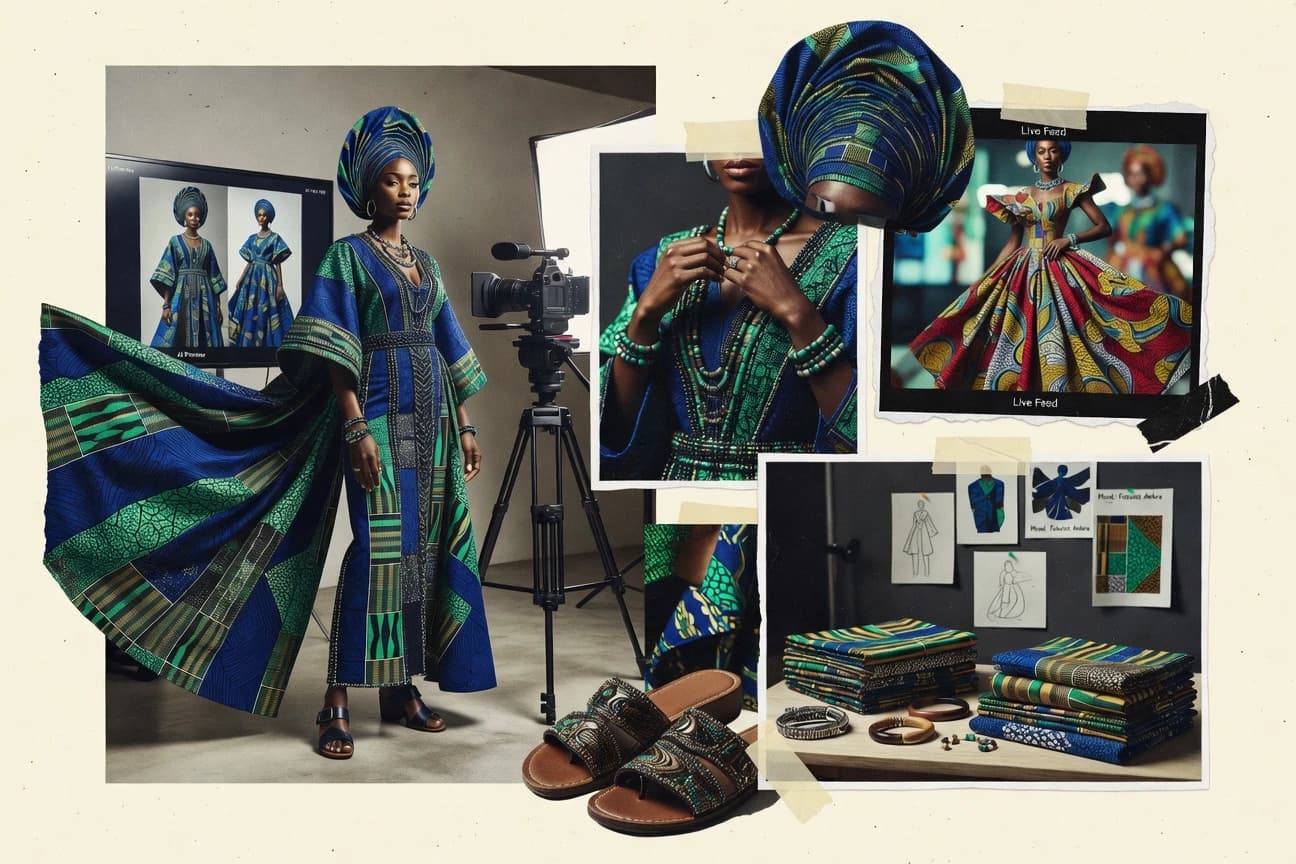
Fashion ApparelTop 10 Best AI African Fashion Photo Generator of 2026
Ranked ai african fashion photo generator tools are assessed by image quality, styling controls, and use cases for fashion teams.

How we ranked these tools
Core product claims cross-referenced against official documentation, changelogs, and independent technical reviews.
Analyzed video reviews and hundreds of written evaluations to capture real-world user experiences with each tool.
AI persona simulations modeled how different user types would experience each tool across common use cases and workflows.
Final rankings reviewed and approved by our editorial team with authority to override AI-generated scores based on domain expertise.
Score: Features 40% · Ease 30% · Value 30%
Gitnux may earn a commission through links on this page — this does not influence rankings. Editorial policy
RAWSHOT AI is the strongest overall choice for African fashion labels and sellers that need controlled on-model collection imagery without repeated casting or studio setups, while Midjourney suits art directors shaping stylized African fashion concepts for editorial campaigns and lookbooks.
Editor’s top 3 picks
Three quick recommendations before you dive into the full comparison below — each one leads on a different dimension.
RAWSHOT AI
RAWSHOT AI replaces the empty prompt box with a seven-step, block-based photoshoot builder. Users select the garment, model, supporting items, styling, background, light, frame, camera view, pose, and expression; the platform compiles those choices centrally, and a saved Stack can carry the same treatment across a catalogue.
Built for rAWSHOT AI is best for African fashion labels, DTC apparel sellers, marketplaces, and collection teams that need controlled on-model imagery for many garments without arranging physical samples, casting, or repeat studio setups..
Midjourney
Editor pickStyle Reference and Omni Reference for carrying a visual treatment and selected subject into new compositions.
Built for fits when art directors need consistent African fashion concepts for editorial campaigns and lookbooks..
Flair AI
Editor pickAI Fashion Photoshoot combines garment uploads with styled model scenes inside Flair AI's visual canvas editor.
Built for fits when fashion teams need styled garment visuals from cutouts and controlled canvas layouts..
Comparison Table
RAWSHOT AI
Block-based AI fashion photography and videoRAWSHOT AI creates original on-model fashion images and short videos for African fashion collections through selectable shoot components rather than user-written prompts.
RAWSHOT AI replaces the empty prompt box with a seven-step, block-based photoshoot builder. Users select the garment, model, supporting items, styling, background, light, frame, camera view, pose, and expression; the platform compiles those choices centrally, and a saved Stack can carry the same treatment across a catalogue.
RAWSHOT AI offers more than 1,800 licence-free synthetic models, including more than 600 children's models, all synthetic composites — no child was cast, photographed, or used as a likeness reference. A private model builder provides extensive visible attributes, while each image can combine one main garment with up to three supporting items. The platform also includes 15 image frames, 104 poses, selectable expressions and makeup, four lighting directions, and 2K or 4K still-image output.
For collection-scale work, RAWSHOT AI saves a configured shoot as a Stack, so identical selections receive identical treatment when applied across hundreds of SKUs. This is useful for a designer uploading a new apparel drop and needing consistent front, side, back, and editorial product views without rebuilding each setup. The tradeoff is deliberate: RAWSHOT AI ships one accuracy-focused image style, so graded or highly stylised campaign treatments require post-production.
- +RAWSHOT AI provides full commercial rights forever, with no recurring licensing on library models.
- +RAWSHOT AI turns seven visible shoot selections into reusable Stacks, with browser and REST API access matching feature-for-feature.
- –RAWSHOT AI has no free-text input, limiting experimentation beyond its available model, composition, and styling blocks.
- –RAWSHOT AI offers a single accuracy-focused image style, so brands needing heavily graded campaign visuals must finish them elsewhere.
African fashion labels
Launch a new collection
Faster collection launch assets
DTC apparel sellers
Build SKU catalogue imagery
Consistent product presentation
Show 2 more scenarios
Kidswear brands
Produce children's clothing images
Documented synthetic model workflow
RAWSHOT AI provides synthetic children's models with no child cast, photographed, or used as a likeness reference.
Marketplace fashion sellers
Create listing image variants
More complete listing coverage
RAWSHOT AI produces selectable frames, backgrounds, and garment combinations for marketplace-ready apparel listings.
Best for: RAWSHOT AI is best for African fashion labels, DTC apparel sellers, marketplaces, and collection teams that need controlled on-model imagery for many garments without arranging physical samples, casting, or repeat studio setups.
Midjourney
SMBText-to-image software generates editorial fashion scenes and stylized model photography.
Style Reference and Omni Reference for carrying a visual treatment and selected subject into new compositions.
Midjourney generates polished fashion compositions from descriptive prompts and reference images. Style Reference can preserve a campaign's color language, lighting, and image treatment without copying the reference composition. Omni Reference helps retain a chosen subject or item across new scenes, which supports coordinated lookbook concepts.
Midjourney can misinterpret region-specific garment construction, ceremonial details, and textile motifs when prompts lack visual references. Human review remains necessary before publishing imagery that represents named cultures or communities. It has no documented public API, which limits automated batch workflows and production-system integration.
- +Style Reference preserves campaign art direction across new scenes
- +Omni Reference supports recurring subjects and product details
- +Web workspace enables fast variations and image-led prompting
- +Strong composition for magazine-style fashion concepts
- –No documented public API for automated generation pipelines
- –Heritage-specific garment details require careful reference-led review
- –Facial identity consistency can vary between generated scenes
Fashion art directors
Developing lookbook directions
Cohesive campaign boards
Boutique fashion labels
Visualizing collection concepts
Faster creative approval
Show 1 more scenario
Editorial stylists
Planning themed fashion stories
Consistent story concepts
Omni Reference keeps a chosen model or accessory present across proposed scenes.
Best for: Fits when art directors need consistent African fashion concepts for editorial campaigns and lookbooks.
Flair AI
SMBAI product photography software places fashion items in generated scenes and model compositions.
AI Fashion Photoshoot combines garment uploads with styled model scenes inside Flair AI's visual canvas editor.
Flair AI centers fashion image creation on uploaded products rather than portrait generation alone. Its canvas editor lets teams position garments, props, backdrops, and text within a composed creative direction. Templates provide starting layouts for product imagery, social creative, and editorial-style assets.
Fine garment details depend heavily on clean cutouts and careful source images. Fashion labels can use Flair AI to test campaign compositions before commissioning a studio shoot. The product does not document model identity consistency as a campaign-level control.
- +Canvas editing keeps garments, props, and text in one composition.
- +Upload-based workflow supports existing apparel cutouts.
- +AI Fashion Photoshoot targets apparel campaign scenes.
- +Templates speed early creative-direction testing.
- –No documented African-fashion-specific styling controls.
- –Clean garment cutouts are needed for convincing compositions.
- –Model identity consistency is not a documented campaign control.
African fashion labels
Testing campaign concepts
Faster concept approvals
Ecommerce merchandisers
Creating product social assets
More usable campaign variants
Show 1 more scenario
Creative agencies
Pitching visual directions
Clearer client presentations
Build client-ready fashion compositions from supplied garment assets and references.
Best for: Fits when fashion teams need styled garment visuals from cutouts and controlled canvas layouts.
insMind
SMBAI product photography tools create model images, backgrounds, and apparel marketing assets.
AI Fashion Model turns a single apparel product image into styled virtual-model product photography.
African fashion workflows can use insMind's AI Fashion Model module to turn garment product images into model-led visuals. The module starts with an apparel image instead of requiring a text prompt alone.
insMind also combines prompt-based generation, background removal, background replacement, and image enhancement in its browser editor. The service lacks dedicated controls for regional garment traditions, textile accuracy, and culturally specific styling.
- +AI Fashion Model converts apparel shots into model-led product images.
- +Background removal and AI backgrounds work inside the same editor.
- +Image enhancement and resizing support marketplace asset preparation.
- –No dedicated controls for African garments or culturally specific styling.
- –No public API supports automated generation pipelines.
- –Generated model renders can soften fine textile motifs.
Best for: Fits when apparel sellers need quick model imagery from existing garment photos without arranging a studio shoot.
Canva AI Image Generator
SMBCanva generates fashion images inside a broader design editor for campaigns and social posts.
Magic Media outputs can be edited immediately with Canva layouts, Background Remover, and Magic Edit.
Canva AI Image Generator creates fashion concepts from text prompts inside Canva's design editor, letting generated images move directly into social posts, presentations, and lookbook layouts. Magic Media provides photo, drawing, and other visual style directions for rapid concept development.
Background Remover and Magic Edit support follow-up compositing and localized changes within the same workspace. Canva does not provide seed reuse, an exclusion field, or dedicated pose control, so consistent African garment details and model identity require repeated prompt iteration.
- +Generated images enter Canva layouts without downloading or separate canvas management.
- +Magic Media style options support editorial and illustrated fashion concepts.
- +Magic Edit changes selected image regions after generation.
- +Brand templates keep generated campaign visuals aligned with existing layouts.
- –No seed reuse, exclusion field, or dedicated pose control.
- –Prompt-only cultural styling can misrepresent garments, textiles, and hair details.
- –No dedicated reference workflow preserves one model identity across a fashion series.
Best for: Fits when marketing teams need African fashion concepts placed directly into Canva campaign layouts.
Adobe Firefly
enterpriseGenerative AI creates fashion photography concepts from text prompts and reference images.
Creative Cloud handoff combines Generate Image, Photoshop Generative Fill, and Content Credentials in one Adobe workflow.
Adobe Firefly fits Creative Cloud teams producing African fashion concepts that require direct Photoshop finishing. Adobe Firefly is distinct for its integration with Adobe creative applications and its image models trained on licensed and public-domain material.
It generates fashion concepts from text prompts, accepts reference images for style and composition, and supports Generative Fill edits in Photoshop. Content Credentials can document the origin and edits of exported imagery, but culturally specific garments and hairstyles still require close visual review.
- +Photoshop Generative Fill supports targeted garment, backdrop, and accessory revisions.
- +Reference images guide editorial composition and visual style.
- +Content Credentials document generated asset origin and edit history.
- +Firefly Services API supports integration into Adobe-centered production workflows.
- –African textile motifs can blur or invent culturally specific details.
- –No dedicated control maintains one model identity across a full lookbook.
- –Web generation offers fewer production controls than specialized diffusion interfaces.
Best for: Fits when Creative Cloud teams need African fashion concepts with Photoshop-based finishing.
Leonardo AI
SMBAI image generation produces fashion editorials, model portraits, and branded visual concepts.
Flow State, an infinite stream of generated variations within a single visual ideation session.
Leonardo AI pairs its Phoenix image model with Flow State, a continuous visual feed for selecting and refining creative directions. It creates editorial fashion imagery from prompts, accepts reference-image conditioning, and provides Canvas Editor controls for local retouching and background changes.
Its API supports external image-generation workflows, while custom model training can carry a collection's art direction across concepts. African garment details and textile motifs still require carefully selected references and manual review.
- +Flow State maintains visual ideation without restarting each generation.
- +Canvas Editor supports localized retouching and background replacement.
- +API supports image-generation automation in external applications.
- +Custom model training supports collection-specific art direction.
- –African garment details can drift without references and manual image selection.
- –Flow State can slow selection for tightly specified campaign imagery.
- –No dedicated cultural-attire validation controls are provided.
Best for: Fits when creative teams need API-linked fashion ideation and localized image edits.
Ideogram
SMBAI image generation creates fashion campaign visuals with strong text and layout rendering.
Ideogram's text rendering places readable headlines and label-style copy directly inside generated fashion imagery.
Ideogram pairs prompt-led African fashion concepts with readable generated lettering for headlines and label-style copy. Its text-to-image generation supports styled model imagery, while Style Reference uses uploaded examples to guide palettes, silhouettes, and art direction. Canvas enables iterative image edits in the browser, and the Ideogram API extends generation into external creative workflows.
- +Readable in-image lettering supports poster headlines and label-style fashion concepts.
- +Style Reference uses uploaded examples to guide visual direction.
- +Canvas supports browser-based revisions within the Ideogram workspace.
- +Documented API supports external image-generation workflows.
- –Style Reference does not guarantee exact garment replication from a source image.
- –No dedicated controls for African garment construction, regional attire, or textile provenance.
- –Hands, jewelry, and dense textile motifs require manual quality review.
Best for: Fits when fashion teams need readable campaign text and uploaded-image style guidance for fast concept iterations.
FASHN AI
API-firstAI fashion imaging software creates model photos, virtual try-ons, and apparel visuals.
FASHN VTON API generates virtual try-on images from separate garment and model image inputs.
FASHN AI generates apparel imagery by placing a supplied garment onto a supplied model image, with virtual try-on as its defining workflow. FASHN Studio and the API support model swapping and image-based fashion outputs for catalog and campaign production. African garments and models can be used as inputs, but FASHN AI provides no documented controls for cultural attire preservation or textile pattern fidelity.
- +API supports garment-to-model virtual try-on jobs.
- +FASHN Studio creates model-swapped apparel images.
- +Supplied model images support targeted casting choices.
- –No documented controls specific to African attire or regional styling.
- –API workflows require image uploads, job polling, and output retrieval.
- –Editing controls are narrower than prompt-first image generators.
Best for: Fits when fashion teams need API-driven virtual try-on imagery using their own garment and model photos.
Vmake AI
vertical specialistAI fashion tools generate model images, product photos, and apparel marketing content.
AI Fashion Model converts an uploaded garment image into a model-worn fashion visual.
Vmake AI suits fashion sellers who need model imagery from garment photos, and its AI Fashion Model module defines the product. Users upload apparel images, select a generated model, and create model-worn visuals, with background removal and image extension available in the same browser workspace.
The workflow supports quick catalog mockups but lacks dedicated controls for cultural attire preservation and textile pattern fidelity. African fashion labels needing consistent casting, garment draping inspection, or repeatable campaign variants will find a generic fashion workflow.
- +AI Fashion Model converts uploaded apparel photos into model-worn catalog imagery.
- +Background Remover and Image Extender support post-generation image cleanup.
- +Browser interface supports single-image fashion mockups with minimal setup.
- –No dedicated controls for cultural attire preservation or textile pattern fidelity.
- –No documented seed or pose controls for repeatable campaign variants.
- –AI Fashion Model is designed around individual uploads rather than catalog-scale production workflows.
Best for: Fits when small fashion catalogs need quick model-on-garment mockups from individual apparel images.
Conclusion
After evaluating 10 fashion apparel, RAWSHOT AI stands out as our overall top pick — it scored highest across our combined criteria of features, ease of use, and value, which is why it sits at #1 in the rankings above.
Use the comparison table and detailed reviews above to validate the fit against your own requirements before committing to a tool.
Tools reviewed
Primary sources checked during evaluation.
Referenced in the comparison table and product reviews above.
How to Choose the Right ai african fashion photo generator
RAWSHOT AI, Midjourney, Flair AI, insMind, Canva AI Image Generator, Adobe Firefly, Leonardo AI, Ideogram, FASHN AI, and Vmake AI address different African fashion image workflows. RAWSHOT AI uses a block-based photoshoot builder and REST API, while Midjourney uses Style Reference and Omni Reference for art-directed concepts.
Flair AI and insMind start with garment uploads, FASHN AI exposes virtual try-on through an API, and Adobe Firefly connects generation to Photoshop finishing. Canva AI Image Generator, Leonardo AI, Ideogram, and Vmake AI prioritize campaign layouts, rapid variations, readable in-image text, or single-garment model mockups.
AI African Fashion Photo Generator: Image Creation and Garment Control
An AI African fashion photo generator creates model-led apparel images, editorial concepts, or catalog visuals from text prompts, garment images, model images, or visual references. The category requires careful handling of garment construction, textile motifs, hair texture, skin-tone rendering, and regional attire. RAWSHOT AI replaces free-text prompting with selections for garments, models, styling, backgrounds, lighting, poses, and camera views.
Some products generate concepts from prompts and references, while others place an uploaded garment on a virtual model. FASHN AI accepts separate garment and model inputs through its VTON API, while Flair AI places garment cutouts into a visual canvas composition. Output quality depends on the supplied references and the controls available for preserving the intended garment and styling details.
Controls That Determine African Fashion Image Usability
Every listed tool can produce fashion imagery from prompts, uploads, or references. The practical difference lies in how precisely a team can specify garments, models, composition, and follow-up edits.
African fashion work also requires close inspection of textile motifs, garment construction, hair, and skin rendering. Reference-led workflows and uploaded product assets reduce reliance on ambiguous prompt language.
Structured shoot specification
RAWSHOT AI exposes selections for garment, model, styling, background, lighting, frame, camera view, pose, and expression. Canva AI Image Generator relies on prompt text and lacks dedicated pose control, seed reuse, and an exclusion field.
Garment-source workflow
FASHN AI accepts separate garment and model images through its VTON API for virtual try-on jobs. insMind converts one apparel product image into a virtual-model image, making it more suited to a single-source product-photo workflow.
Art-direction continuity
Midjourney uses Style Reference for a repeated visual treatment and Omni Reference for selected subjects or product details. Adobe Firefly uses reference images for composition and style, but it lacks a dedicated control for maintaining one model identity across a lookbook.
Composition and finishing environment
Flair AI keeps garment cutouts, props, and text in its visual canvas editor. Adobe Firefly hands generated work to Photoshop Generative Fill for targeted revisions to garments, accessories, and backdrops.
Automation surface
RAWSHOT AI provides browser access and a REST API with matching functionality for its photoshoot builder. Leonardo AI supports API-linked fashion ideation, while its Flow State interface centers on an ongoing stream of variations.
Campaign copy inside imagery
Ideogram renders readable headlines and label-style copy inside generated fashion scenes. Vmake AI focuses instead on uploaded-garment model mockups and cleanup through Background Remover and Image Extender.
Choose by Asset Source, Control Model, and Production Path
Start with the asset available at production time. A clean garment cutout, a product photograph, a model image, and an art-direction reference lead to different tool choices.
Then decide whether the team needs governed repeatability or broad visual ideation. The distinction separates RAWSHOT AI and FASHN AI API workflows from Midjourney and Leonardo AI concept-generation workflows.
Choose structured specifications or open-ended ideation
Select RAWSHOT AI when a catalogue team needs repeatable choices for models, lighting, poses, and camera views. Select Midjourney when an art director needs to interpret references into varied editorial concepts through Style Reference and Omni Reference.
Match the tool to the starting asset
Use Flair AI when clean apparel cutouts must sit with props and text on a controlled canvas. Use FASHN AI when separate garment and model images must feed a virtual try-on API job.
Set the required finishing path
Use Adobe Firefly when Photoshop Generative Fill will revise specific garment areas, accessories, or backgrounds after generation. Use Canva AI Image Generator when the image must enter a campaign layout immediately for marketing production.
Define the repeatability requirement
Use RAWSHOT AI Stacks to apply the same shoot treatment across a garment catalogue. Avoid Canva AI Image Generator and Vmake AI for tightly repeatable campaign variants because neither offers the required seed and pose controls.
Test cultural details with supplied references
Run representative garments with distinctive motifs, draping, and hair styling before committing a collection workflow. Midjourney, Adobe Firefly, Leonardo AI, Ideogram, insMind, FASHN AI, and Vmake AI lack dedicated controls for African attire or regional styling, so generated details require human selection and correction.
Audience Fit by Fashion Production Workflow
African fashion labels need different image systems for catalogues, campaign concepts, and garment visualization. The correct choice follows the source material, approval process, and publishing destination.
Teams handling cultural attire need human review before using generated images in public-facing work. Tools without dedicated regional styling controls require reference-led direction and visual checks for construction and motifs.
Catalogue and marketplace teams
RAWSHOT AI supports controlled on-model imagery across many garments through reusable Stacks. Its REST API supports production systems that need the same photoshoot specification applied at catalogue scale.
Editorial art directors
Midjourney supports recurring visual treatment through Style Reference and selected subject details through Omni Reference. Its output suits lookbook concepts that need art-directed scene variation.
Merchandisers with existing product assets
insMind turns a single apparel image into model-led product photography. Flair AI suits teams that already maintain clean garment cutouts for composited product scenes.
Creative Cloud production teams
Adobe Firefly connects Generate Image to Photoshop Generative Fill for local revisions. Content Credentials remain within the Adobe workflow for teams that publish through Creative Cloud.
Fashion platforms with engineering resources
FASHN AI provides virtual try-on through garment and model image inputs in its VTON API. The workflow suits systems able to submit uploads, poll jobs, and retrieve generated outputs.
Failure Points in African Fashion Image Generation
Prompt text alone does not reliably preserve named garments, regional attire, or textile details. Uploaded references and targeted review reduce visible errors before campaign assets are approved.
A visually compelling concept can still fail catalog requirements if garment proportions, product details, or composition vary between outputs. Production teams need a workflow that matches the required level of repeatability.
Using generic prompts for culturally specific garments
Provide visual references when using Midjourney, Adobe Firefly, Leonardo AI, or Ideogram. Review textile motifs and garment construction because these tools do not provide dedicated African-attire controls.
Uploading unsuitable apparel inputs
Prepare clean garment cutouts before building scenes in Flair AI. Flair AI depends on clean cutouts for convincing garment placement.
Choosing a concept tool for a repeat catalogue workflow
Use RAWSHOT AI Stacks when the same lighting, model treatment, and framing must recur across product images. Do not rely on Vmake AI for repeatable pose variants because it has no documented seed or pose controls.
Ignoring the operational work behind an API
Plan for image uploads, job polling, and output retrieval before adopting FASHN AI. FASHN AI requires those steps for each VTON API workflow.
Expecting generated text and product replication from the same tool
Use Ideogram for readable poster headlines and label-style copy inside an image. Do not treat Ideogram Style Reference as exact replication of an uploaded garment source.
How We Selected and Ranked These Tools
We evaluated features at 40% of each ranking, with ease and value weighted at 30% each. We assessed garment-input workflows, reference handling, editing paths, repeatability controls, and documented API access.
We ranked RAWSHOT AI first because its seven-step photoshoot builder converts visible shoot choices into reusable Stacks, while its REST API matches the browser feature set. We also compared each tool's suitability for culturally specific garment work, catalogue production, editorial concepts, and post-generation revision.
Frequently Asked Questions About ai african fashion photo generator
How can a fashion label generate consistent catalogue images without writing prompts?
Which tool fits editorial African fashion lookbooks with recurring art direction?
When should a team use virtual try-on instead of prompt-based image generation?
What breaks if a generator lacks controls for cultural attire and textile details?
Which generators support API integration for external fashion-image workflows?
How do Adobe Firefly and Canva differ for fashion campaign production?
Where does a cutout-based fashion workflow fall short?
What admin and security controls should a team verify before moving fashion assets into an AI generator?
- Fashion ApparelTop 10 Best AI Apparel Fashion Photo Generator of 2026
- Fashion ApparelTop 10 Best AI Urban Street Fashion Photography Generator of 2026
- Fashion ApparelTop 10 Best AI Avant Garde Fashion Photo Generator of 2026
- Fashion ApparelTop 10 Best AI Long Flowy Dresses For Photo Generator of 2026
- Fashion ApparelTop 10 Best AI Black And White Fashion Photo Generator of 2026
Keep exploring
Comparing two specific tools?
Software Alternatives
See head-to-head software comparisons with feature breakdowns, pricing, and our recommendation for each use case.
Explore software alternatives→In this category
Fashion Apparel alternatives
See side-by-side comparisons of fashion apparel tools and pick the right one for your stack.
Compare fashion apparel tools→