GITNUXSOFTWARE ADVICE
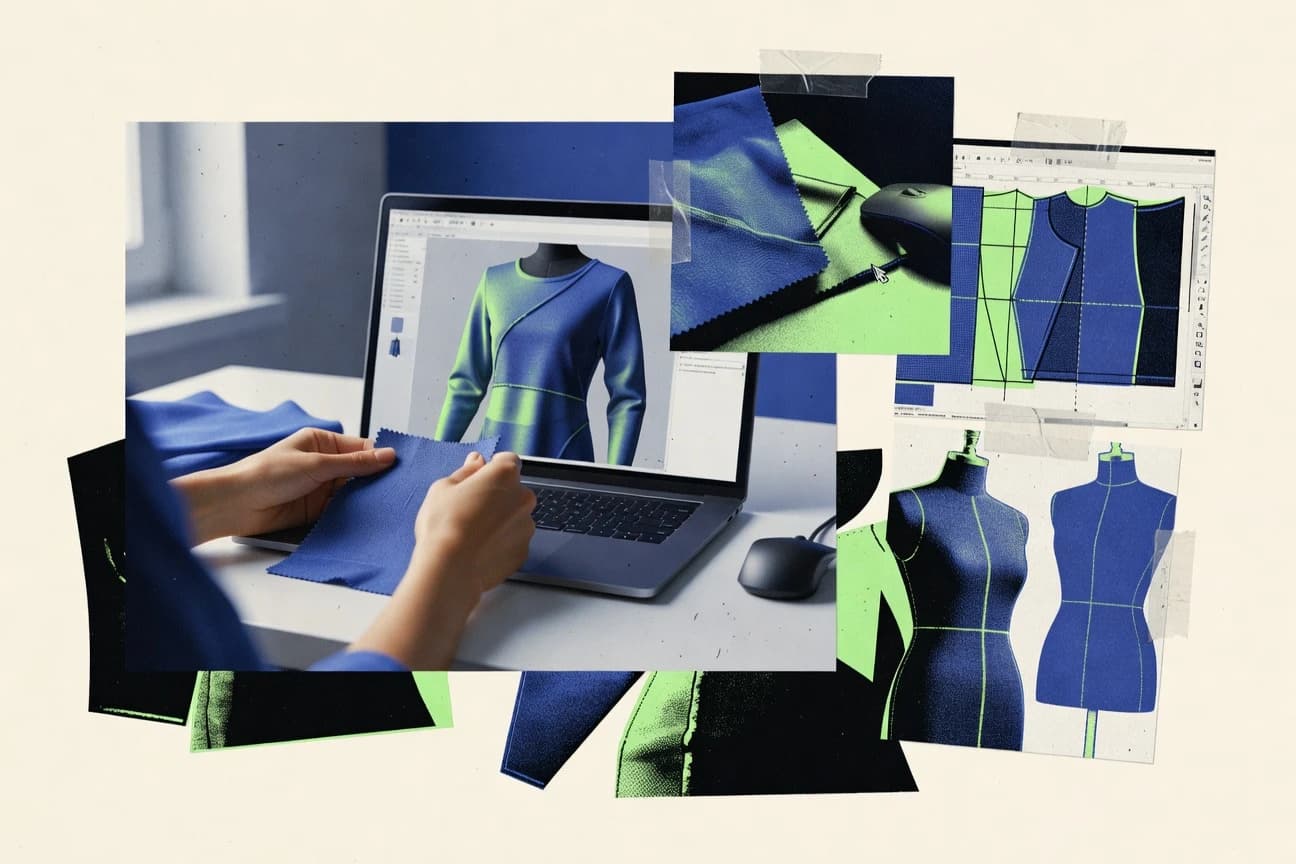
Art DesignTop 10 Best 3D Garment Design Software of 2026
Editorial roundup comparing 3d garment design software options like CLO, Browzwear VStitcher, and Tailornova for workflow and output fit.

How we ranked these tools
Vendors set the topic, but our editors set the inclusion criteria and the evaluation framework before research starts.
Search agents gather the source set and the review record, including transcriptions of video reviews and podcasts.
Framework: Features 40% · Ease 30% · Value 30%
Gitnux may earn a commission through links on this page — this does not influence rankings. Editorial policy
CLO is the best pick for garment teams who need repeatable style-sampling iterations because its pattern-to-physics loop keeps fit intent intact during construction-based drape reviews, whereas Browzwear VStitcher is a strong alternative for construction-consistent sampling since its stitching and seam logic make virtual fit reflect real build decisions.
Editor’s top 3 picks
Three quick recommendations before you dive into the full comparison below — each one leads on a different dimension.
CLO
Tight pattern-to-physics simulation loop that preserves intent during fit iteration using CLO’s garment construction workflow.
Best for: Fits when garment teams need repeatable 2D pattern iteration with physically guided draping for style sampling.
Browzwear VStitcher
Editor pickStitching and seam logic drive the garment build, so fit results reflect construction decisions, not just surface drape.
Best for: Fits when garment teams need construction-consistent virtual sampling and fit measurement iteration across sizes.
Tailornova
Editor pickBrowser-based virtual garment preview with tight avatar fitting and rapid visual iteration for digital samples.
Best for: Fits when design and fit review teams need quick virtual sampling without desktop-only pattern CAD workflows.
Comparison Table
CLO
vertical specialistCLO creates three-dimensional garments from digital patterns, fabrics, trims, and avatars.
Tight pattern-to-physics simulation loop that preserves intent during fit iteration using CLO’s garment construction workflow.
CLO 3D centers on virtual garment sampling with a tight loop between 2D pattern work and 3D draping simulation. Its core workflow supports garment fit review against avatar body measurement sets, then iterates materials, sewing, and trim details to produce digital samples.
The tool set focuses on production-facing outputs like DXF export and common digital asset formats for downstream visualization and review. Cloth behavior tuning and project organization for variants make it practical for repeated style development rather than one-off visualizations.
- +Strong 2D-to-3D pattern workflow for iterative fit and silhouette changes
- +Cloth physics controls support practical material behavior tuning
- +Material, trim, and sewing detail work supports more production-like previews
- +Export formats support downstream review and model handoff
- –Large projects need careful scene organization to stay responsive
- –Draping realism can require repeated fabric parameter adjustment
- –Automation breadth for batch style production is limited versus scriptable CAD pipelines
- –Collaboration depends on external review and asset export rather than native co-editing
Fashion designers at apparel brands
Review new garment concepts in 3D
More concepts reviewed digitally
Garment production and technical teams
Inspect construction intent against simulation
Fewer construction surprises
Show 2 more scenarios
Textile and material development teams
Compare fabric behavior on garments
Better material selection
Tune cloth behavior to evaluate material responses to seams, trims, and garment shapes.
Product designers for soft goods
Visualize flexible accessory concepts realistically
Faster design review cycles
Adapt materials and simulation to present accessory or packaging concepts with realistic 3D appearance.
Best for: Fits when garment teams need repeatable 2D pattern iteration with physically guided draping for style sampling.
Browzwear VStitcher
enterpriseVStitcher simulates garments in 3D from digital patterns, materials, and customizable avatars.
Stitching and seam logic drive the garment build, so fit results reflect construction decisions, not just surface drape.
Browzwear VStitcher is built around a construction-aware 3D workflow that supports pattern-based assembly, garment measurement validation, and iterative fit review. The tool supports production-minded outputs such as production pattern files and geometry assets used for tech pack and visualization handoffs. Teams commonly use VStitcher for virtual sampling when consistency of construction behavior across sizes matters. The workflow also supports material look management and digital asset generation for collaborative review cycles.
A practical tradeoff is that Browzwear VStitcher is workflow-driven, so setup of garment build settings takes time before the model becomes quick to iterate. It fits usage situations where garment construction rules and measurement charts must be reproduced across multiple digital samples. It is less suitable for teams that only need lightweight 3D visualization without construction logic.
- +Construction-aware 3D sewing workflow improves repeatable fit review
- +Pattern-driven digital sampling supports construction-to-measurement iteration
- +Production-oriented output for pattern and asset handoffs
- +Consistent garment build behavior for multi-size sampling work
- –Initial garment setup costs more time than basic 3D visualization tools
- –Workflow depth adds learning curve versus single-purpose draping viewers
- –Tight fit validation depends on disciplined input quality across assets
- –Iteration speed can drop on complex assemblies without optimization
Pattern and sampling teams
Virtual sampling with construction-driven fit checks
Fewer physical sample cycles
Apparel tech design groups
Digital samples for tech pack handoff
Faster review sign-offs
Show 1 more scenario
Design and fit review teams
Cross-size fit iteration using measurement validation
More consistent sizing decisions
Repeat construction settings and validate fit across size runs to reduce inconsistent samples.
Best for: Fits when garment teams need construction-consistent virtual sampling and fit measurement iteration across sizes.
Tailornova
SMBTailornova generates custom patterns and supports online garment visualization from body measurements.
Browser-based virtual garment preview with tight avatar fitting and rapid visual iteration for digital samples.
Tailornova targets browser-based 3D garment design workflows for digital sampling and visualization. The tool focuses on avatar fitting, material assignment, and iterative fit review with an emphasis on fast visual changes.
Tailornova supports typical pattern workflow outputs such as measurement charts and production-oriented exports, but its strength is the end-to-end virtual garment preview loop. For teams that need repeatable virtual samples with minimal desktop setup, Tailornova fits best within a browser-centric pipeline.
- +Browser-first workflow reduces friction for review cycles
- +Avatar fitting supports quick visual checks across iterations
- +Material and color updates are practical for fast sampling loops
- +Exports support downstream pattern and production handoff
- –Advanced pattern drafting depth lags dedicated pattern CAD tools
- –Draping simulation control is limited compared with specialist engines
- –Interoperability needs extra attention when exchanging CAD files
- –Large library governance requires consistent team conventions
Fashion designers
Review jacket style concepts online
Aligned concepts with pattern workflow
Small apparel studios
Organize sportswear style variants
Cleaner collection deliverables
Show 2 more scenarios
Sampling fit teams
Revise patterns across fit sessions
Faster revision cycles
Adjust pattern pieces and style details through repeated virtual fit reviews with organized revision tracking.
Apparel tech documentation teams
Package measurement charts for handoff
Production-ready documentation
Generate measurement charts and garment documentation alongside pattern work for construction or vendor review.
Best for: Fits when design and fit review teams need quick virtual sampling without desktop-only pattern CAD workflows.
Style3D
enterpriseStyle3D provides garment simulation, digital materials, avatars, and fashion product-development workflows.
Avatar-centric garment editing that keeps fit iteration tight by previewing drape results immediately on the target body.
Style3D focuses on 3D garment visualization with a workflow built around creating and editing garments directly on avatars. It supports draping-based garment previews, material assignment, and iterative fit review using standardized body measurement sets.
- +Avatar-first editing speeds up fit checks during early virtual sampling
- +Draping simulation provides quick visual feedback for pattern changes
- +Material and color iteration supports fast digital sample versions
- +Export options support handoff to downstream pattern and CAD tools
- –Complex pattern operations are less deep than full 2D digital pattern systems
- –Workflow relies on consistent body setup to avoid repeated rework
- –Advanced tech pack style outputs depend on external pipeline steps
- –Collaboration and governance features are limited compared with enterprise PLM-centric flows
Sportswear design teams
Review performance garment silhouette and drape
Faster visual performance feedback
Fashion design and merchandising
Align cross-team fit and design intent
More consistent cross-team feedback
Show 2 more scenarios
Apparel technical teams
Validate changes across multiple sizes
Fewer manual size remakes
Teams compare garment and fit effects across standardized size sets while iterating designs.
Made-to-measure designers
Revise garments using custom body measurements
More repeatable measurement revisions
Designers create measurement-driven avatar revisions to update garment fit for nonstandard bodies.
Best for: Fits when garment teams need repeatable 3D fit review and visual sampling before deeper CAD pattern production.
Marvelous Designer
vertical specialistMarvelous Designer creates sewn virtual garments with pattern pieces, cloth simulation, and avatar fitting.
Native sewing pattern assembly with construction-aware drape response driven by piece boundaries and seam definitions.
Marvelous Designer focuses on draping simulation and virtual prototyping for garment design, with digital pattern pieces that are sewn together into a 3D garment. The workflow supports avatar fitting, measured body size sets, and iteration loops for seams, trims, and garment construction details.
- +Draping simulation that reacts predictably to pattern edits and sewing constraints.
- +Strong avatar fitting loop using body measurement sets for rapid fit review.
- +DXF export for production pattern handoff to 2D and shop workflows.
- +Material library includes physically based fabric presets for consistent testing.
- –Complex garments can require careful constraint management to avoid unexpected tension.
- –API and automation hooks are limited compared with tools built for integration-heavy pipelines.
- –Real-time collaboration is not a primary interaction model versus desktop solo workflows.
- –Large scenes can slow down editing when fabric complexity and subdivisions increase.
Fashion apparel design teams
Compare digital garment samples before prototyping
Faster virtual sampling cycles
Film and game production artists
Prepare simulated cloth for pipelines
Ready cloth assets for scenes
Show 2 more scenarios
Dress designers and creators
Prototype silhouettes with virtual pattern pieces
Clear fit and silhouette feedback
Designers assess grain direction, darts, and seam placement on virtual bodies without rebuilding garments repeatedly.
Character costume designers
Build layered costumes for avatars
Simulated costumes for characters
Artists create patterned garments that simulate folds and layering for characters and staged scenes.
Best for: Fits when garment teams need accurate pattern-to-3D draping iteration with DXF pattern handoff and fit reviews.
Vetigraph
enterpriseCAD and 3D garment design software serving apparel manufacturers and patternmakers.
DXF export that ties virtual sampling results to manufacturable vector pattern outputs for production handoff.
Vetigraph fits teams that need consistent virtual sampling from body measurements to garment drape, then into pattern files for downstream production. The workflow emphasis stays on fit review loops, repeatable sample iteration, and keeping garment geometry aligned with measurement-driven avatar fitting. DXF export supports manufacturing pattern handoff when production systems accept vector pattern geometry.
- +Measurement-driven virtual fitting to reduce fit review rework
- +DXF export supports practical pattern handoff for production
- +Virtual draping workflow keeps sample iterations reviewable
- +Material and garment detailing stay consistent across digital samples
- –Deep PLM governance and schema-level controls are limited
- –Advanced CAD interoperability beyond export can require additional steps
- –Parametric drafting flexibility depends on disciplined pattern setup
- –Real-time collaboration is not the primary workflow focus
Pattern makers
Rapid fit iteration from measurements
Fewer physical sampling rounds
Garment techs
Exporting patterns for workshops
Faster pattern release
Show 2 more scenarios
Product development teams
Digital sample review workflow
More consistent fit approvals
Teams loop virtual samples through fit review to align garment construction intent with measured bodies.
Small design studios
Batching garment revisions
Higher throughput per sample
Studios reuse measurement sets and sample variants to keep revision cycles short for multiple styles.
Best for: Fits when design teams need repeatable virtual fit reviews and production pattern exports without deep PLM customization.
C-DESIGN Fashion
SMBC-DESIGN Fashion provides apparel design, technical specification, and collection management software.
End-to-end garment build flow connects draping review with exportable production pattern outputs for iteration cycles.
C-DESIGN Fashion is a 3D garment design workflow aimed at translating digital patterns into draped, review-ready digital samples. The core loop centers on avatar fitting, garment simulation, and material assignment to validate fit, styling, and construction details before production documents are finalized.
- +Garment simulation workflow supports iterative fit and styling review
- +Material assignment workflow helps maintain consistent look across digital samples
- +Export workflow targets downstream pattern and asset handoff needs
- +Construction-centric modeling supports tech detail verification in 3D
- –Automation and API surface is limited compared with higher-ranked tools
- –Browser-only collaboration and real-time co-editing are not the primary focus
- –Advanced grading and production pattern governance needs external processes
- –Deep customization of pipeline configuration can require specialist setup discipline
Patternmakers and technical designers
Draft patterns and update construction changes
Reusable production-oriented garment patterns
Apparel design collection teams
Track revisions across styles and materials
Traceable revision control records
Show 2 more scenarios
Fit teams and garment developers
Review drape results after fit edits
Faster style and fit decisions
Validate pattern adjustments using avatar fitting and garment simulation before final sampling decisions.
Made-to-measure tailoring staff
Link customer measurements to order stages
More consistent alteration tracking
Attach measurements, fittings, alterations, and fabrics to garment orders for consistent tracking.
Best for: Fits when design teams need fast 3D fit reviews and dependable pattern handoff without heavy automation engineering.
TUKA3D
enterpriseTUKA3D develops virtual garments from patterns with fabric simulation, fit evaluation, and digital models.
Parametric pattern controls tied to avatar-based fit review workflows for faster iteration from measurements to drape results.
TUKA3D is suited for garment development teams that prioritize repeatable 3D prototyping over broad project management features.
- +Parametric pattern edits speed up iterative fit review cycles
- +Fabric physics previews make drape issues easier to diagnose
- +Production handoff formats reduce friction for downstream pattern workflows
- +Avatar body measurement sets support consistent virtual sampling
- –Automation depth depends on workflow structure rather than centralized rules
- –Advanced grading and nesting workflows require disciplined pattern setup
- –Browser-first collaboration needs more planning for review sessions
- –Interoperability can take extra manual validation across file variants
Apparel product development teams
Review construction on consistent avatars
Fewer physical sampling loops
Textile print and repeat teams
Check motif placement on garment shape
Earlier surface design approvals
Show 2 more scenarios
Fashion designers and material teams
Assess fabric look and drape
More informed fabric selection
Adjust material inputs to evaluate surface appearance and drape during development.
Technical apparel manufacturers
Prepare production pattern handoff details
Cleaner pattern and construction handoff
Carry construction marks, seam allowances, and stitch information into production outputs.
Best for: Fits when garment teams need repeatable 2D-to-3D iteration and production file exports for fit reviews.
Optitex 3D
enterpriseOptitex 3D converts apparel patterns into simulated garments for fit review and product development.
Pattern-to-3D editing keeps seam and drape behavior synchronized to the underlying pattern modifications.
Optitex 3D generates simulated garment drape using an Optitex pattern workflow tied to a consistent measurement and grading process. It supports virtual prototyping with fabric behavior controls for fit review and iterative design changes.
- +Pattern-driven 3D workflow keeps fit changes tied to pattern edits
- +Supports CAD-style interchange outputs for downstream pattern and tooling
- +Material handling supports repeatable drape and surface iteration
- +Measurement and size workflows reduce mismatch risk across variants
- –Advanced simulation results need careful fabric parameter tuning
- –Some digital-sample workflows require extra export and cleanup steps
- –Setup time is higher than purely visualization-first 3D tools
- –Integration outcomes depend on consistent CAD interchange discipline
Fashion design and technical teams
Validate seams, darts, and layered construction
More consistent construction alignment
Fashion designers
Review silhouettes across views and poses
Sharper silhouette decisions
Show 2 more scenarios
Design-to-development apparel teams
Share technical and visual handoff references
Clearer garment intent communication
Teams send pattern-based references for review so design and development stay synchronized.
Apparel product development teams
Prototype garment concepts before physical sampling
Fewer physical prototype iterations
Teams assess fit and construction choices in virtual drape to limit dependence on physical prototypes.
Best for: Fits when garment teams need 3D fit review that stays anchored to production pattern files.
Garment Designer
SMBPattern design software for garment creation with 3D preview capabilities.
Seam-aware garment construction workflow that improves visual accuracy during fit iteration.
Garment Designer fits designers and product teams who need consistent 3D visual prototypes and repeatable fitting checks across multiple body measurement sets. The workflow emphasizes draping simulation and garment construction details like seams and material behavior to reduce trial-and-error during the digital sample stage. It also supports production-ready handoff via export of common digital garment assets and technical outputs used in broader garment software ecosystems.
- +Pattern-driven 3D iteration supports consistent fit review cycles
- +Draping simulation makes seam-level edits easier to evaluate visually
- +Export options support common digital garment asset handoffs
- +Workflow favors quick visual validation for design and merchandising
- –Limited automation and API surface compared with engineering-focused tools
- –Deep PLM-grade governance controls are not the primary focus
- –Complex production pattern management can feel workflow-heavy
- –Browser deployment is not the same as desktop-native CAD iteration speed
Fashion design teams
Rapid 3D fit review on new styles
Faster design sign-off cycles
Merchandising and studio
Visualize colorways and materials
More accurate internal presentations
Show 2 more scenarios
Patternmakers
Pattern to 3D validation
Fewer physical sampling rounds
Validate pattern changes in a 3D context to catch fit issues before production files.
Production tech teams
Handoff of digital garment assets
Cleaner cross-tool communication
Export digital assets that plug into downstream documentation and visualization workflows.
Best for: Fits when design teams need repeatable 3D fitting checks from patterns without heavy automation.
Conclusion
After evaluating 10 3d garment design software, CLO stands out as our overall top pick — it scored highest across our combined criteria of features, ease of use, and value, which is why it sits at #1 in the rankings above.
Use the comparison table and detailed reviews above to validate the fit against your own requirements before committing to a tool.
Frequently Asked Questions About 3d Garment Design Software
How do CLO 3D and Optitex 3D differ in keeping pattern edits synchronized with drape behavior?
Which tool handles construction logic at the sewing and stitching level, not just surface drape?
When does a browser-based deployment like Tailornova matter for a garment design workflow?
What breaks if DXF export and production-facing outputs are treated as an afterthought?
How do Marvelous Designer and Style3D compare for avatar-centric fit review loops?
How do SSO and access control typically affect team workflows in CLO 3D versus VStitcher or other desktop tools?
Which software supports automation beyond repeatable workflow steps, and where does that capability fall short?
How do Optitex 3D and Vetigraph handle production pattern file handoff for tech pack review cycles?
When teams need fast iteration from 2D-to-3D using measurements, what tradeoff appears between Tailornova and TUKA3D?
Tools reviewed
Primary sources checked during evaluation.
Referenced in the comparison table and product reviews above.
How to Choose the Right 3d Garment Design Software
What separates 3d garment design software is whether the workflow stays consistent from sizing and pattern to the final render. Focus on how well the tools handle parametric pattern drafting and keep files moving with predictable export formats.
Pattern-to-drape workflow consistency
Why it matters
If the pattern-to-drape workflow consistency is weak, the look can drift between your draft and what you review in 3D. That makes fit review harder and increases rework.
How to check
Load a simple bodice or sleeve pattern, generate a drape/fit preview, and check whether key seams and garment proportions stay aligned. Ask the demo to show what changes (and what doesn’t) when you adjust a size or one measurement input.
Fit adjustment controls
Why it matters
Fit adjustment controls determine how you fix problems after the first 3D pass. Clear control matters when you iterate on ease, length, and shaping without rebuilding the whole draft.
How to check
Start from an existing digital sample or imported pattern, then adjust a few fit points (like waist width and armhole shaping). Watch whether changes propagate through the 3D garment in a predictable way and whether you can undo/compare versions.
Material and fabric look controls
Why it matters
Material and fabric look controls affect how useful the 3D garment visualization is for internal review. If the fabric response is too generic, colors and texture will mislead decision-making.
How to check
Assign at least two different fabric types and one colorway, then compare renders under the same lighting. Ask whether you can tweak fabric parameters (stretch, weight/opacity, or similar) and whether the output stays consistent across sessions.
Export formats for downstream use
Why it matters
Export formats for downstream use decide whether your 3D outputs plug into other steps without manual cleanup. You want predictable results when sharing or archiving design assets.
How to check
Export a 3D garment asset from the tool and then check whether it opens cleanly in a common viewer or downstream design tool. Test at least one geometry export plus one scene/asset export, and confirm scale, orientation, and mesh quality look right.
Digital pattern data interchange
Why it matters
Digital pattern data interchange matters when you receive patterns from another authoring workflow or need to hand off production-ready files. If interchange is unreliable, small drafting edits can break later steps.
How to check
Import a sample pattern set from an external source (or use the tool’s provided sample), then verify key pattern pieces load correctly. Confirm what file formats are supported for interchange, and whether seam lines, grading rules, and labels survive import.
Automation and API support
Why it matters
Automation and API support helps teams repeat fit review and asset generation consistently. It also reduces manual rework when you update multiple styles or colorways.
How to check
Ask what automation entry points exist for batch tasks (like rendering sets or exporting assets). In the demo, request a scripted or repeatable workflow that regenerates outputs from changed inputs, and verify you can configure behavior and track what ran.
Red flags
- Edits in pattern don’t match the 3D drape outcome you review
- Material tweaks change look randomly between renders
- Exports open with broken scale, missing parts, or heavy geometry defects
Fit by situation
- If we frequently update measurements and re-run the 3D check, prioritize fit adjustment controls.
- If our team relies on repeated drape previews from drafted patterns, prioritize pattern-to-drape workflow consistency.
- If we must hand off assets to downstream tools reliably, prioritize export formats for downstream use.
Funding and competing interests
This study was co-funded by several of the vendors assessed in it. No single vendor funded it. Funders could propose the market studied.
They had no role in selecting vendors, setting or weighting criteria, analysing data or drawing conclusions, and they received the same factual-accuracy check as every other vendor assessed.
Market definition, inclusion rules and criteria weights were fixed by an editor before research began and did not change afterwards. Editorial process →
- Top 10 Best Edesign Software of 2026
- Top 10 Best Ecommerce Website Design Software of 2026
- Top 10 Best Video Template Software of 2026
- Top 10 Best Video Taking Software of 2026
- Top 10 Best Video Synchronization Software of 2026
- Top 10 Best Video Synth Software of 2026
- Top 10 Best Video Sync Software of 2026
- Top 10 Best Video Subtitle Software of 2026
- Top 10 Best Video Subtitles Software of 2026
- Top 10 Best Video Subtitling Software of 2026
- Top 10 Best Video Studio Software of 2026
- Top 10 Best Video Storyboard Software of 2026
- Top 10 Best Video Stitching Software of 2026
- Top 10 Best Video Stabilizer Software of 2026
- Top 10 Best Video Splitting Software of 2026
- Top 10 Best Video Splitter Software of 2026
- Top 10 Best Video Splicing Software of 2026
- Top 10 Best Video Special Effects Software of 2026
- Top 10 Best Video Slideshow Software of 2026
- Top 10 Best Video Presentation Maker Software of 2026
Keep exploring
Comparing two specific tools?
Software Alternatives
See head-to-head software comparisons with feature breakdowns, pricing, and our recommendation for each use case.
Explore software alternatives→In this category
Art Design alternatives
See side-by-side comparisons of art design tools and pick the right one for your stack.
Compare art design tools→