
GITNUXSOFTWARE ADVICE
Automotive ServicesTop 10 Best 3D Car Rendering Software of 2026
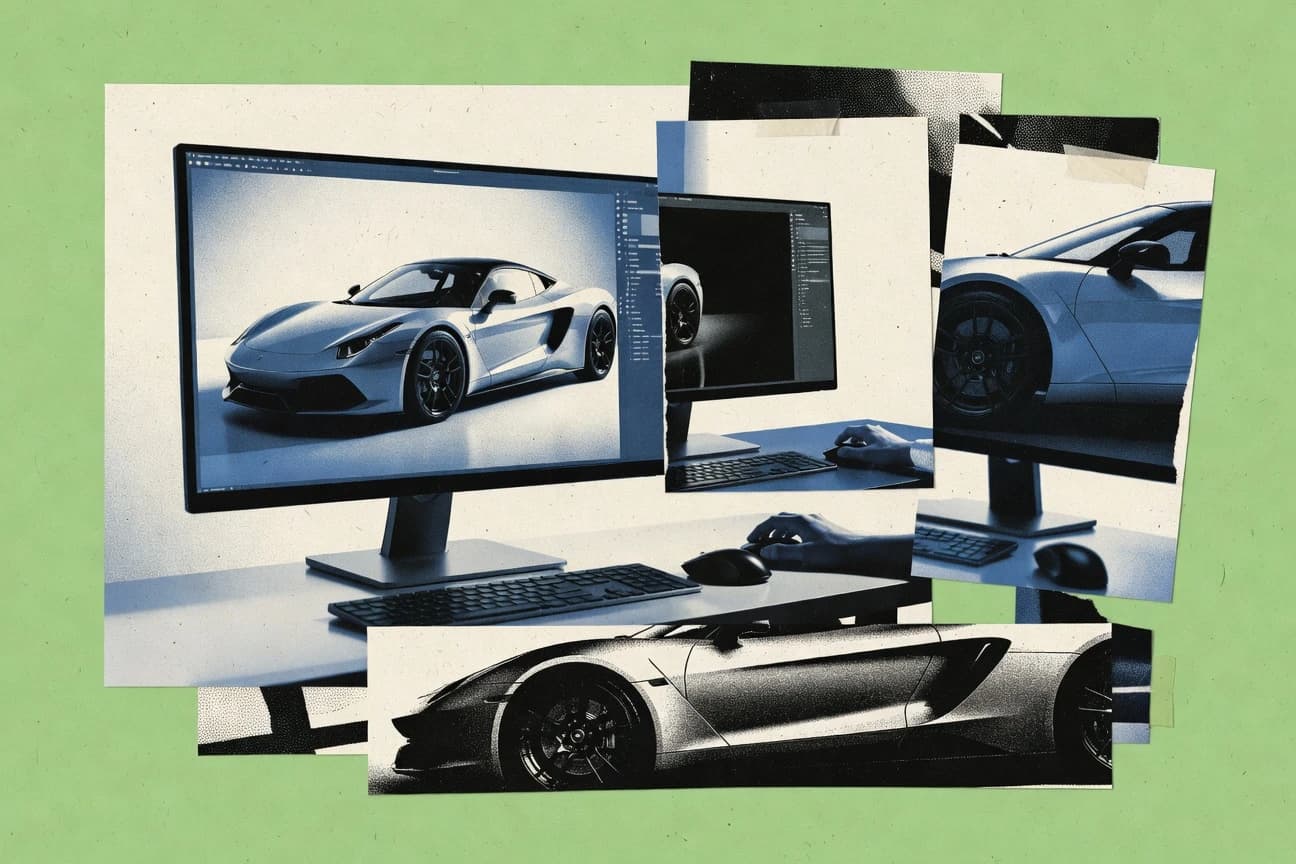
Top 10 ranking of 3d car rendering software for vehicle visualization buyers, comparing Blender, 3ds Max, Maya, Cinema 4D, and Autodesk VRED.

How we ranked these tools
Before any source is gathered, an editor locks the question, what qualifies, and how the piece will be judged.
Search agents gather the source set and the review record, including transcriptions of video reviews and podcasts.
Framework: Features 40% · Ease 30% · Value 30%
Gitnux may earn a commission through links on this page — this does not influence rankings. Editorial policy
Cinema 4D is the safest pick for car visualization teams that need repeatable car scene assembly with integrated rendering, while Blender is a strong alternative when you want automated car look-dev and pass-controlled renders in one scene file.
Editor’s top 3 picks
Three quick recommendations before you dive into the full comparison below — each one leads on a different dimension.
Cinema 4D
Integration between Cinema 4D’s node materials and repeatable project templates streamlines consistent automotive look development.
Best for: Fits when visualization teams need repeatable car scene assembly without abandoning a DCC-centric workflow.
Autodesk VRED
Editor pickVRED camera and lighting workflow is designed for consistent design review outputs across scene iterations.
Best for: Fits when automotive teams need repeatable rendered stills and animation from CAD scenes with pipeline automation.
Blender
Editor pickPython scripting can batch-render camera arrays, swap materials, and drive per-variant outputs inside Blender scenes.
Best for: Fits when teams need automated car look-dev and pass-controlled renders in one scene file.
Comparison Table
Cinema 4D
enterprise3D modeling and animation software with integrated rendering for automotive motion graphics.
Integration between Cinema 4D’s node materials and repeatable project templates streamlines consistent automotive look development.
Cinema 4D provides production-grade polygon modeling, procedural modeling, and node-based materials that support consistent surface work across body, glass, and interior parts. Animation and camera tools support turntables, camera paths, and lighting iteration without breaking scene organization. A strong fit appears when automotive lookdev needs to stay stable across multiple stills and short animation shots with consistent render settings.
A tradeoff shows up when a team needs deep CAD-native import automation and geometry healing that rivals dedicated CAD pipelines. A common usage situation is building a reusable car template with standardized lights, cameras, and render pass output so each new vehicle variant only changes assets and paint parameters.
- +Procedural modeling tools keep body-part variants consistent across shots
- +Node-based materials make paint, clearcoat, and roughness iteration repeatable
- +Layered render passes support editorial compositing and grade control
- +Scripting enables batch scene assembly for turntables and camera sets
- –CAD import and repair automation can require extra pipeline engineering
- –Large asset libraries can slow viewport interaction without scene discipline
- –Some advanced render workflows depend on add-ons or custom scripting
- –Real-time lookdev parity with final renders may require tuning
Automotive visualization artists
Reusing car templates for new variants
Faster turnaround for stills
Product marketing teams
Batch rendering turntables for campaigns
Lower manual compositing time
Show 2 more scenarios
Lookdev pipeline engineers
Automating asset-to-scene packaging
Fewer lookdev regressions
Repeatable material parameter mapping helps keep shader results stable across asset drops.
CG motion designers
Camera pathing for short car animations
More consistent motion framing
Camera path tools support controlled parallax while lighting stays editable per shot.
Best for: Fits when visualization teams need repeatable car scene assembly without abandoning a DCC-centric workflow.
Autodesk VRED
enterprisePurpose-built 3D visualization and rendering software for automotive design and virtual prototyping.
VRED camera and lighting workflow is designed for consistent design review outputs across scene iterations.
Autodesk VRED is a dedicated rendering application for car visualization pipelines that already carry CAD geometry into a visualization scene. The authoring flow centers on lighting setups, camera pathing, and variant-like scene management to keep design reviews consistent across iterations. Render outputs can be configured for compositing workflows through controlled render pass generation and multilayer EXR style delivery.
A key tradeoff is that VRED emphasizes rendering and scene preparation over general-purpose modeling, so polygon editing, rigging, and UV workflows often require a separate DCC tool. It fits best when a car team needs high-resolution stills and animation outputs with repeatable studio lighting setups from CAD-derived scenes.
- +Strong CAD-to-visualization workflow for automotive scene assembly
- +Lighting and camera controls support repeatable review outputs
- +Render pass outputs support compositing-oriented delivery
- +Extensibility supports pipeline automation around rendering tasks
- –Less suited for deep mesh editing compared with DCC tools
- –Look-dev setup time is higher for teams new to rendering workflows
- –Scene organization discipline is needed to manage large vehicle variants
- –Some shader authoring workflows depend on VRED-specific conventions
Automotive design visualization teams
Render CAD-backed vehicle reviews
Faster review turnaround
Automotive marketing content teams
Produce studio-style vehicle animations
Cohesive visual storytelling
Show 2 more scenarios
Visualization pipeline engineers
Automate render runs in production
Lower manual batch work
Use VRED automation interfaces to integrate rendering with external orchestration and asset steps.
CG compositing teams
Deliver layered EXR renders
More deterministic comp control
Export configured render passes for controlled grading and effects in downstream compositing.
Best for: Fits when automotive teams need repeatable rendered stills and animation from CAD scenes with pipeline automation.
Blender
SMBOpen-source 3D suite with Cycles and Eevee renderers used for car visualization.
Python scripting can batch-render camera arrays, swap materials, and drive per-variant outputs inside Blender scenes.
Blender can import common CAD formats via add-ons and then drive cleanup, UV unwrapping, and high-resolution texture baking inside the same scene file. Cycles renders with camera and light setups, supports render passes for material and lighting breakdowns, and outputs can be composited into final stills or animation frames. Python scripting can batch render multiple camera angles, swap materials, and validate scene settings across many variants. Those integration points make it a strong option when the same car scene needs repeated updates across teams and revisions.
A key tradeoff is that physically based automotive shading quality depends on careful material setup and color management configuration before production work. Blender also leans on add-ons for certain CAD import and workflow adapters, so teams often standardize those add-ons early. Blender works best when a workflow can tolerate iterative refinement of topology, UVs, and shader parameters rather than expecting fully prepared automotive assets. Teams that need strict pipeline governance and review trails may also find that extra process engineering is required outside Blender’s core UI.
- +Cycles path-traced rendering plus render passes for automotive lighting breakdown
- +Compositor outputs multilayer OpenEXR for controlled grading and fixes
- +Python automation for batch material swaps and repeatable camera sets
- +Add-on ecosystem extends CAD import and pipeline glue
- –Physically based automotive look requires disciplined shader and color management setup
- –Some CAD and pipeline workflows rely on add-ons instead of built-in importers
- –Large scenes can slow viewport responsiveness during layout and look-dev
- –Governance features like RBAC and audit logs require external process tooling
Automotive visualization artists
Iterate paint, lights, and angles
Faster look-consistency checks
Technical art pipeline teams
Automate multi-configuration rendering
Reduced manual scene work
Show 2 more scenarios
Studio generalists
Handle CAD cleanup to final stills
Fewer handoff steps
In-scene modeling and UV workflows support cleanup then texture baking for final renders.
Post-production graders
Conform multilayer render outputs
More edit latitude
Multilayer OpenEXR outputs carry passes for controlled grading and targeted adjustments.
Best for: Fits when teams need automated car look-dev and pass-controlled renders in one scene file.
Unreal Engine
enterpriseReal-time rendering engine enabling interactive automotive configurators and cinematic car visuals.
Sequencer-driven camera and shot automation combined with render pass outputs for batch-producing multilayer EXR stills.
Unreal Engine is a real-time 3D engine used for photoreal automotive visualization, with rendering that targets interactive look development and final-quality output. It provides a Physically Based Rendering material system plus lighting pipelines that support global illumination and physically accurate reflections.
The editor supports ray tracing and path-traced workflows for stills and marketing assets that need consistent lighting. Unreal Engine also integrates camera workflows, render passes, and automated publishing for producing repeatable car-configuration renders.
- +Ray tracing and path tracing pipelines for consistent automotive stills
- +Physically based material system for credible paint and glass shading
- +Real-time viewport iteration with lighting setups for studio-like results
- +Sequencer camera tooling supports repeatable walkthroughs and angle sets
- –Scene scale and performance tuning require discipline for high-detail models
- –Automated car-turntable pipelines depend on build scripting and project setup
- –High-end look dev can require custom shader and material graph work
- –CAD-to-scene workflows may add cleanup steps before rendering
Best for: Fits when teams need real-time look dev plus final-quality rendering for repeatable car configurations.
Houdini
enterpriseProcedural 3D software with rendering capabilities for complex automotive VFX.
Attribute- and rule-based procedural modeling that ties geometry cleanup, surface effects, and variant generation into one editable graph.
Houdini runs procedural geometry and shading pipelines that suit automotive look-dev where material variation and mesh cleanup must be repeatable. It builds photoreal stills and animation with physically based shading workflows, multi-pass outputs for compositing, and deep control over lighting and camera setups.
The renderer and toolchain support high-detail surface workflows through procedural displacement and attribute-driven variations. It also connects to DCC and pipeline formats for bringing in car assets, cameras, and render outputs without flattening the underlying process into manual steps.
- +Procedural modeling nodes support repeatable car body variants without rebuilding meshes
- +Attribute-driven scattering and wear workflows help generate plausible automotive detail
- +Multi-layer EXR style render outputs support AOV-heavy grading and relighting
- +Deterministic graph evaluation supports consistent results across iterations
- –Steep learning curve for node graph evaluation and viewport debugging
- –Car-specific rigging and vehicle dynamics tooling is not as direct as in some DCC car pipelines
- –Large scenes can be slower to iterate when graphs generate high-resolution displacement
- –Asset interoperability depends on consistent naming and transform conventions
Best for: Fits when teams need procedural car look-dev and repeatable geometry variation for high-detail stills and short animations.
Marmoset Toolbag
vertical specialistReal-time rendering and look-dev tool used for automotive asset presentation.
Toolbag’s live rendering viewport tightens iteration by showing final-look lighting and material changes immediately during setup.
Marmoset Toolbag targets technical car visualization teams that need fast iteration from model to final stills without building a full DCC pipeline. It combines real-time viewport rendering with physically based shading controls, letting users fine-tune materials, lighting, and render settings in a tight feedback loop.
Toolbag’s render output supports common offline deliverables with denoising and multilayer pass export for downstream grading and compositing. The workflow is strongest for look development, material validation, and high-resolution automotive stills where throughput matters more than deep rigging or procedural scene automation.
- +Real-time viewport enables rapid material and lighting iteration for automotive stills.
- +PBR material workflow provides predictable automotive paint and surface response.
- +Denoiser helps reach clean final frames for high-sample lighting setups.
- +Multilayer render passes support AEC and CG compositing round-trip.
- –CAD import, if available in a workflow, often needs manual cleanup for production-ready meshes.
- –Animation rigging depth is limited compared with generalist DCC tools for complex vehicle motion.
- –No native node-based shader authoring reaches the flexibility of full shader graph DCC pipelines.
- –Scene scale management and asset automation are weaker than large DCC production toolchains.
Best for: Fits when teams need fast automotive look development and high-resolution still rendering without building a full DCC pipeline.
KeyShot
enterpriseReal-time ray-tracing renderer widely used for automotive product visualization.
Material and lighting editing provides fast, predictable viewport-to-final results for automotive look-dev iterations.
KeyShot focuses on fast, iterative automotive visualization with a workflow built around immediate material response and physically based shading. CAD-to-render workflows support importing common CAD formats and keeping the object hierarchy usable for per-part materials, variants, and lighting changes.
The renderer provides path-traced global illumination and consistent output controls suitable for high-resolution stills and render passes. KeyShot also supports animation timelines for turntables and camera motion, with export paths designed for downstream review and compositing.
- +Instant material feedback speeds up automotive look-dev iterations
- +Path tracing delivers physically plausible lighting for studio and showroom scenes
- +CAD import preserves part structure for targeted materials and variant swaps
- +Good animation support for turntables and camera paths without heavy setup
- –Advanced automation and pipeline integration are weaker than scriptable DCC stacks
- –High-end shader graph workflows are limited compared with node-driven DCC ecosystems
- –Large scene organization can become tedious when managing many variants
- –Custom render-pass and AOV workflows require planning early
Best for: Fits when automotive teams need quick, high-quality stills and controlled iterations without heavy rigging or scripting.
OctaneRender
vertical specialistGPU-accelerated unbiased renderer popular for automotive stills and animations.
OctaneRender’s interactive GPU viewport drives real-time lighting iteration for car paint, glass, and studio rig setups.
OctaneRender is a GPU path tracing renderer used for photoreal automotive car visualization workflows, with a focus on fast iteration and production-quality lighting. The software centers on physically based materials, an interactive viewport tuned for look development, and export-ready rendering passes for downstream compositing.
It integrates tightly with common DCC pipelines through its render engine and scene translation, so CAD-to-render workflows can land quickly once meshes and UVs are prepared. OctaneRender also provides camera and lighting controls for studio-style automotive stills, including filmic tone mapping and denoised output for high-resolution frames.
- +GPU path tracing with responsive look development for automotive lighting studies
- +Physically based material workflow supports consistent PBR shading for paint and glass
- +Render passes and layered outputs work for AEC and CG compositing round-trips
- +Denoising supports quicker approvals on high-resolution stills
- –Scene setup and material calibration take time for photoreal automotive results
- –High sampling still increases render time on complex car interiors and exteriors
- –Asset preparation such as UVs, mesh cleanup, and LODs remains a manual upstream task
- –Large scenes can stress GPU memory when using heavy geometry and textures
Best for: Fits when technical car visualization teams need GPU-accelerated photoreal rendering with predictable PBR shading.
Maxwell Render
vertical specialistUnbiased physically accurate renderer used for automotive photorealism.
Material authoring built around Maxwell’s own appearance system for highly controlled automotive shading and measured light behavior.
Maxwell Render turns CAD-grade meshes and textures into physically accurate stills and light studies using its own render engine. The workflow supports high-fidelity automotive materials with measured light response and flexible camera and lighting control for studio-quality car visuals.
Maxwell also provides an export path for render passes suitable for compositing round-trips. For car visualization teams that need repeatable look development, Maxwell’s material and lighting setups help standardize output across projects.
- +Physically based material response geared for photoreal automotive surfaces
- +Consistent studio lighting control for repeatable still renders
- +Render output supports multilayer compositing workflows using EXR passes
- +CAD import and scene iteration workflows fit design-to-visualization handoffs
- –Material setup requires more learning than DCC-native renderers
- –Interactive viewport feedback can feel slower for rapid camera iteration
- –Complex scenes may need careful asset optimization to keep throughput stable
- –Automation hooks are limited compared with DCC ecosystems that script everything
Best for: Fits when car teams need consistent physically based look development for high-detail still renders.
RenderMan
enterpriseProduction-grade render engine used for high-end automotive cinematic visualization.
Studio-oriented RenderMan shading workflows for physically based car materials with consistent render pass control.
RenderMan is a production renderer used for photoreal automotive stills and frame sequences, with shading and lighting workflows rooted in Pixar-style render technology. The core strength is high-fidelity path tracing with physically based material authoring and consistent render passes for compositing.
RenderMan’s pipeline fits technical car visualization when projects need controlled lighting, film-grade tone mapping, and multilayer EXR outputs. The software’s value drops when the team wants realtime-first viewport rendering and rapid lookdev inside a single DCC.
- +Film-grade physically based lighting and material response for automotive surfaces
- +High-quality multilayer EXR render passes for AEC and CG compositing round-trip
- +Predictable global illumination for studio and showroom lighting setups
- +Extensible shader workflows for custom car paint, glass, and trim
- –Setup overhead is higher than general-purpose DCC render engines
- –Realtime viewport rendering is not a primary strength for lookdev iteration
- –Asset preparation for complex car UVs and displacement can be time intensive
- –Pipeline integration depends heavily on the chosen DCC and handoff format
Best for: Fits when a visualization team needs film-quality automotive renders with controlled AOVs and shader customization.
Conclusion
After evaluating 10 3d car rendering software, Cinema 4D stands out as our overall top pick — it scored highest across our combined criteria of features, ease of use, and value, which is why it sits at #1 in the rankings above.
Use the comparison table and detailed reviews above to validate the fit against your own requirements before committing to a tool.
How to Choose the Right 3d Car Rendering Software
This buyer’s guide covers 10 leading 3d car rendering software options used for photoreal automotive stills and short animations, including Cinema 4D, Autodesk VRED, Blender, Unreal Engine, and Houdini.
The lineup also includes Marmoset Toolbag, KeyShot, OctaneRender, Maxwell Render, and RenderMan, with each tool’s car-focused workflow mapped to scene assembly, look-dev iteration, and repeatable outputs.
3D Car Rendering Software for repeatable automotive look-dev and production-quality renders
3D car rendering software is the toolchain used to turn car CAD or polygon meshes into render-ready scenes with physically plausible materials, controlled lighting, and repeatable camera outputs.
In practice, Cinema 4D fits teams that want consistent automotive look development through Cinema 4D’s node materials and repeatable project templates, while Autodesk VRED fits automotive pipelines that prioritize a camera and lighting workflow built for consistent design review outputs from CAD scenes.
Blender covers automated car variant rendering with Python scripting and produces controlled grading inputs via multilayer OpenEXR outputs through its compositor.
3D Car Rendering Software capabilities that determine production throughput
Automotive teams need repeatable outputs across many car configurations, and the fastest pipelines tie camera, lighting, and material variants to automation instead of manual relighting. Rendering features matter most when they connect directly to scene assembly and output control for stills and short sequences.
Repeatable car scene assembly and material iteration workflows
Cinema 4D uses node materials and repeatable project templates to keep paint, clearcoat, and roughness iteration consistent across automotive scene builds. Houdini ties geometry cleanup and variant generation into one procedural graph so car body variants stay structurally consistent as attributes change.
CAD-to-visualization workflow support for automotive design review outputs
Autodesk VRED is built around a camera and lighting workflow designed for consistent rendered stills and animation from CAD scenes. Cinema 4D still fits CAD-heavy teams when CAD import and repair automation is engineered to match the studio workflow, but it can require extra pipeline engineering when CAD repair needs exceed built-in expectations.
Automation surface for variant batches and shot exports
Blender provides Python scripting for batching camera arrays, swapping materials, and generating per-variant outputs inside Blender scenes. Unreal Engine pairs Sequencer-driven camera and shot automation with multilayer EXR still outputs so car-turntable sequences and configuration sets can be produced from scripted project setups.
Render passes and multilayer EXR outputs for controlled automotive grading
Blender’s compositor outputs multilayer OpenEXR so lighting breakdown passes feed controlled grading and fixes. RenderMan provides high-quality multilayer EXR render passes for AEC and CG compositing round-trip, which suits studios that need consistent AOV control for downstream grading.
Real-time viewport iteration for automotive look development
Marmoset Toolbag uses a live rendering viewport that shows final-look lighting and material changes during setup, which reduces relight cycles for still renders. OctaneRender’s interactive GPU viewport supports responsive look development for car paint, glass, and studio rig setups, but high sampling still increases render time on complex scenes.
Procedural geometry and attribute-driven variation for high-detail cars
Houdini’s attribute- and rule-based procedural modeling connects geometry cleanup, surface effects, and variant generation in one editable graph. Cinema 4D’s procedural modeling tools help keep body-part variants consistent across shots, which is effective when the variant logic stays within DCC-centric scene assembly.
Choose by pipeline philosophy: DCC-centric repeatability, CAD review repeatability, or procedural variation
Most automotive visualization pipelines fall into three repeatability models, and each model maps to different strengths in this list. The goal is to pick the tool where scene assembly, variant control, and output packaging align with how projects move from CAD through look development to final frames.
Select a camera, lighting, and output repeatability model
Pick Autodesk VRED when repeatable design review stills and animation outputs must come directly from CAD scenes using a workflow centered on VRED camera and lighting controls. Pick Unreal Engine when Sequencer-driven shot automation and multilayer EXR still outputs are needed alongside real-time look development for the same project.
Decide whether look-dev automation should be inside the scene file
Choose Blender when per-variant outputs need to be driven by Python inside the same Blender scene, including camera arrays, material swaps, and batch render execution. Choose Cinema 4D when repeatable car scene assembly should stay DCC-centric, using node materials plus repeatable project templates to enforce consistent automotive look development.
Use procedural graphs when variation depends on geometry rules
Choose Houdini when variant generation must be bound to an attribute-driven procedural model that includes geometry cleanup and surface effects in one editable graph. Choose Cinema 4D when variation logic can remain within procedural modeling tools and node materials while keeping the rest of the workflow in a DCC project structure.
Match viewport iteration speed to production needs
Choose Marmoset Toolbag when the fastest path is tight iteration via a live rendering viewport that previews final-look lighting and material changes while building automotive stills. Choose OctaneRender when GPU-accelerated interactive viewport iteration matters for paint and glass lighting studies, while planning for longer renders when sampling increases for complex scenes.
Pick an output packaging depth for downstream compositing
Choose Blender when multilayer OpenEXR from the compositor must feed controlled grading and fixes for automotive lighting breakdown. Choose RenderMan when film-quality physically based lighting and consistent multilayer EXR AOV control are required for AEC and CG compositing round-trip.
Avoid mismatches between deep mesh editing needs and renderer workflow fit
Choose Blender or Houdini when the pipeline requires deep mesh editing and procedural geometry control rather than only look-dev and rendering. Choose VRED when mesh editing requirements are secondary to consistent camera and lighting outputs from CAD-based scene assembly.
Who should buy each tool for 3D Car Rendering Software
Different teams buy 3D car rendering software based on how variations are produced and how outputs are packaged for review and compositing. The fit is strongest when the tool’s automation or procedural model matches the studio’s project rhythm.
Automotive visualization teams building many car configurations from one scene baseline
Blender’s Python scripting supports batch-rendering camera arrays and swapping materials per variant within a single scene file, which matches configuration-heavy production schedules.
Automotive design review teams that start from CAD and need repeatable rendered stills and animation
Autodesk VRED is structured around a camera and lighting workflow for consistent design review outputs from CAD scenes, which reduces relighting churn across iterations.
Studios that need procedural geometry variation tied to cleanup and rule-based surface detail
Houdini connects geometry cleanup and variant generation into one attribute-driven procedural graph, which prevents rebuilding meshes for each body variant.
Real-time look-dev teams that also require final-quality multilayer pass exports
Unreal Engine combines real-time look development with Sequencer-driven shot automation and multilayer EXR still output packaging for repeatable car-turntable pipelines.
Small to mid-size automotive teams prioritizing fast still iteration without building a full DCC pipeline
Marmoset Toolbag speeds automotive look development using a live rendering viewport that previews final-look lighting and material changes during setup.
Common pitfalls when buying 3D Car Rendering Software for automotive work
The most expensive mistakes happen when the rendering tool is selected for final frames but the pipeline needs are actually in variation control, CAD handoff, or output packaging. Misalignment typically shows up as relighting loops, long per-variant setup times, or manual cleanup bottlenecks.
Selecting a renderer for photoreal look but ignoring variant automation time for per-configuration renders
Blender’s Python scripting is designed for batch outputs like camera arrays, material swaps, and per-variant renders inside the same scene file, which reduces manual setup compared with tools that rely on manual changes.
Overestimating CAD-to-render readiness without planning for mesh repair or cleanup steps
Cinema 4D can require extra pipeline engineering for CAD import and repair automation, while VRED is stronger when the workflow stays focused on camera and lighting output from CAD scenes rather than deep DCC mesh editing.
Assuming multilayer outputs will match the downstream grading pipeline without pass consistency planning
Blender’s compositor can output multilayer OpenEXR for controlled grading inputs, and RenderMan can output multilayer EXR AOVs for compositing round-trip, so studios should align pass expectations to the grading system early.
Choosing a real-time iteration tool without scheduling higher render-time budgets for complex sampling
OctaneRender’s GPU viewport accelerates look development, but higher sampling for complex car exteriors and interiors increases render time even when the viewport stays interactive.
How We Selected and Ranked These Tools
We evaluated Cinema 4D, Autodesk VRED, Blender, Unreal Engine, Houdini, Marmoset Toolbag, KeyShot, OctaneRender, Maxwell Render, and RenderMan for automotive-specific throughput signals like variant repetition, shot automation, and multilayer pass outputs. Features accounted for 40% of scoring, ease and usability accounted for a combined 30% based on how quickly teams reach repeatable camera and lighting outputs, and value accounted for the remaining 30% based on how directly the tool reduces manual relighting and per-variant setup.
Cinema 4D led the ranking because its node materials and repeatable project templates keep automotive paint and surface iteration consistent while its procedural modeling supports body-part variant consistency across shots. Cinema 4D’s combination of repeatable scene assembly and material workflow alignment produced the strongest overall match to the recurring automotive production pattern of many configuration renders from one controlled project baseline.
Frequently Asked Questions About 3d car rendering software
Which tool gives the most consistent render-pass output for car stills across iterations?
How does Blender’s Python automation change batch rendering for car variants?
When should teams choose VRED versus KeyShot for CAD-to-render pipelines?
What breaks if the project requires realtime-first iteration rather than offline path tracing quality?
How do Cinema 4D and Houdini differ for repeatable automotive look development?
Which software best supports multilayer EXR compositing round-trips for car visualization?
What integration and API options matter for pipeline automation in car rendering?
How do security and access controls typically work for multi-user rendering teams?
When does OctaneRender’s GPU workflow become the limiting factor for car projects?
How should teams handle mesh cleanup and hierarchy preservation when importing car models?
Tools reviewed
Primary sources checked during evaluation.
Referenced in the comparison table and product reviews above.
- Top 10 Best Engine Tuning Software of 2026
- Top 10 Best Engine Repair Software of 2026
- Top 10 Best Engine Diagnostic Software of 2026
- Top 10 Best Aftermarket Auto Parts Catalog Software of 2026
- Top 10 Best Ecu Software of 2026
- Top 10 Best Egr Software of 2026
- Top 10 Best Efi Tuning Software of 2026
- Top 10 Best Ecm Tuning Software of 2026
- Top 10 Best Dyno Tuning Software of 2026
- Top 10 Best Drive Cleaning Software of 2026
- Top 10 Best Dpf Removal Software of 2026
- Top 10 Best Diesel Truck Repair Shop Software of 2026
- Top 10 Best Diesel Truck Diagnostic Software of 2026
- Top 10 Best Diesel Software of 2026
- Top 10 Best Diesel Scanner Software of 2026
- Top 10 Best Diesel Mechanic Shop Software of 2026
- Top 10 Best Diesel Diagnostics Software of 2026
- Top 10 Best Chip Tuning Software of 2026
- Top 10 Best Carwash Software of 2026
- Top 10 Best Cars Software of 2026
Keep exploring
Comparing two specific tools?
Software Alternatives
See head-to-head software comparisons with feature breakdowns, pricing, and our recommendation for each use case.
Explore software alternatives→In this category
Automotive Services alternatives
See side-by-side comparisons of automotive services tools and pick the right one for your stack.
Compare automotive services tools→